
What your Fireflies history holds
Each processed meeting in Fireflies can include several layers:
- The transcript. The full record of what was said, with speaker labels.
- The summary. The AI-generated notes with key points, decisions, and action items.
- The recording. Audio, and video when it was captured.
- Attendee details. Who was in the meeting.
The parts you'll use again in Claude are a much smaller set. Decisions, commitments, open questions, and the background to ongoing work are spread across dozens of calls. A transcript is the evidence; the decision is what you need next month.
Getting your meetings out of Fireflies
Fireflies documents two export routes, and they suit different jobs.
Downloading one meeting at a time
From any meeting's page, the Download icon offers the transcript, the summary, the video, and the audio. Fireflies says this "is available on Fireflies Pro plans and higher."
You choose the format and options before downloading:
- Transcripts come as PDF, DOCX, SRT, CSV, JSON, or MD, with optional timestamps and speaker labels.
- Summaries come as DOCX, PDF, JSON, or MD. You can include the output of AI Skills and timestamps.
For Claude, markdown is the most useful format. It's plain text with structure, and it pastes cleanly into a chat or a project. Per-meeting downloads work well for the handful of meetings where your key decisions were made.
Requesting a full account export
For everything at once, Fireflies has a data request. Its help center says the process "ensures compliance with GDPR and provides you with all the necessary information stored in your account." You fill in a request form, then confirm by email: "you will need to approve the request before processing begins."
The export arrives as a zipped file. Fireflies says "you will receive it within 24 to 48 hours" and lists what's inside:
- Audio in MP3, and video in MP4 if available
- "Transcripts: Text versions of your meetings (TXT format) along with speaker identification."
- "Summaries: AI summaries of your meetings (TXT format)"
- "Attendee information: Details about meeting participants"
It adds that "all associated metadata will be provided in JSON format" and that "We support full data exports for all users upon request."
The link has a clock on it. "The download link is only valid for 7 days." If you miss that window, you'll need to submit a new request.
Connecting Fireflies to Claude instead
If you're staying on Fireflies, you may not need to move anything. Fireflies runs an MCP server, and its documentation says it "enables AI tools to connect directly to your meeting data without switching platforms or copying transcript excerpts."
Adding it in Claude
Fireflies' Claude guide says "Fireflies is now officially listed in the Claude MCP directory!" The steps are to open Settings in Claude, go to the Connectors tab, browse the connectors, select Fireflies, then connect and authorize with OAuth. A manual route also exists: add a custom connector with Fireflies' server URL.
On plans, the two vendors' documents read differently. Fireflies' guide lists "Paid Claude plan (Pro, Team, or Enterprise)" as a requirement. Anthropic's documentation for custom connectors says they're available "for users on Free, Pro, Max, Team, and Enterprise plans" and that "Free users are limited to one custom connector." On Team and Enterprise plans, an Owner adds the connector to the organization first. Check what your Claude settings offer before you plan around it.
Anthropic also notes where the connection runs from: Claude connects to a remote MCP server "from Anthropic's cloud infrastructure, rather than from your local device."
What the connection can do
Fireflies' connector guide lists three tools in its table of what your AI tool can access: one returns your user profile, one retrieves a full transcript by ID, and one searches transcripts with filters. Its developer documentation lists a wider set, and it's clear that not all of them only read:
"Tools operate within your authenticated Fireflies account — some are read-only while others allow you to take actions like sharing meetings or creating soundbites."
The listed actions include sharing a meeting transcript with email addresses, revoking shared access, updating a meeting's title, moving meetings to a channel, and creating soundbites. Anthropic's connector documentation makes the same point from its side: connecting Claude to a service means "granting it the ability to access and potentially modify data within those services based on your permissions." Keep that in mind before approving an action that shares a meeting outside your organization.
Access follows your Fireflies account. The guide says "Connected AI tools can access only the meeting data available to your Fireflies account."
Where your data goes
Fireflies is direct about what changes when meeting data leaves its platform. Its zero-retention arrangement covers its own processing, and the guide says "Zero-Day Retention does not apply to data processed, stored, or transmitted by third-party AI tools through MCP." It adds: "Fireflies cannot guarantee deletion, storage duration, or whether data is used for model training once it leaves the Fireflies platform."
Fireflies' recommendation is to use connectors only if your organization's data policies allow external AI processing. Meeting transcripts include other people's words, so that check matters for any route in this guide.
Where meeting context belongs in Claude
Claude has three places for meeting material, and each fits a different need.
Projects, for ongoing work
Most meeting context belongs to a piece of work: a customer, a launch, a hiring round. A Claude project gives that work a home. Anthropic says "Anything you upload to this space will be used across all of your chats within that project", and you can add instructions that apply to every chat in it.
The project's knowledge is what carries between chats. Anthropic's documentation says "Context is not shared across chats within a project unless the information is added into the project knowledge base." A decision you mention in one chat stays in that chat unless it's in the knowledge. Our guide to keeping Claude from forgetting project knowledge files covers how to keep that knowledge useful as it grows, and our guide to Claude projects in RAG mode explains what changes when a project gets large.
Memory, for facts about you
Claude's memory is for who you are and how you work, not for a meeting archive. Anthropic says "Claude's memory is designed to focus on work-related topics to enhance its effectiveness as a collaborator." Your role, your main accounts, and how you like a meeting summarized fit there. A year of transcripts doesn't.
A single chat, for one meeting
For a meeting you need to discuss once, paste its markdown summary into a chat. Nothing needs to persist.
Before you cancel Fireflies
Check these before you downgrade or leave:
- Per-meeting downloads need Pro or higher. Download the meetings you need while your plan includes them.
- The full export needs your approval. Watch for the confirmation email, since processing doesn't start until you approve.
- The export link lasts seven days. Download the zip when it arrives.
- The connector reads what's in your account. Once meetings are gone from Fireflies, Claude has nothing to read through it.
What people try first
Pasting whole transcripts into a project. The knowledge base fills with text you won't need again. Summaries and decisions carry the value.
Connecting and assuming the connector only reads. Fireflies documents tools that share, move, and rename meetings. Read each action before you approve it.
Relying on the connector after leaving. It reads meetings that stay in Fireflies. Export first.
Putting meeting notes into Claude's memory. Memory is for facts about you. Meeting context fits a project.
Skipping the policy check. Fireflies says its zero-retention terms stop at its platform. Your organization's rules on external AI tools still apply.
The manual migration
Step 1: Export what you need and pick the meetings that matter
For a complete copy, request the full account export and download the zip within seven days. For a smaller set, download the markdown summaries of the meetings that hold decisions. Then group meetings by the work they belong to and mark the ones with commitments or context you'll need again.
Step 2: Write one summary per piece of work
For each customer, project, or team, write a short summary from those meetings: what was decided and when, who owns what, and what's still open. Keep the dates. A dated summary is easier for Claude to use and easier for you to correct than a folder of transcripts.
Step 3: Rebuild in Claude projects
Create a project for each piece of ongoing work and add its summary to the project knowledge, along with the few meeting summaries you'll reference directly. Add project instructions for how meeting context should be used, such as citing the meeting date when an answer relies on a decision. Then choose how future meetings will reach Claude: connect Fireflies, or keep adding summaries yourself.
The Better Way: Keep the decisions from your meetings in one list you control
The manual migration shows where the value of a meeting archive sits: in a short list of decisions and commitments, spread across many calls. Each time you change tools, you dig them out again.
MemoryLake is a memory layer for keeping that list in one place you maintain, available to the assistants you connect, such as ChatGPT, Claude Code, and Codex.
You write the entries yourself, in your own words. Nothing is read out of, written to, or deleted from your Fireflies account, your Fireflies transcripts or recordings, your Claude projects, your Claude memory, or any vendor's store. Fireflies' exports and MCP server, and Claude's projects, still work the way their documentation describes.
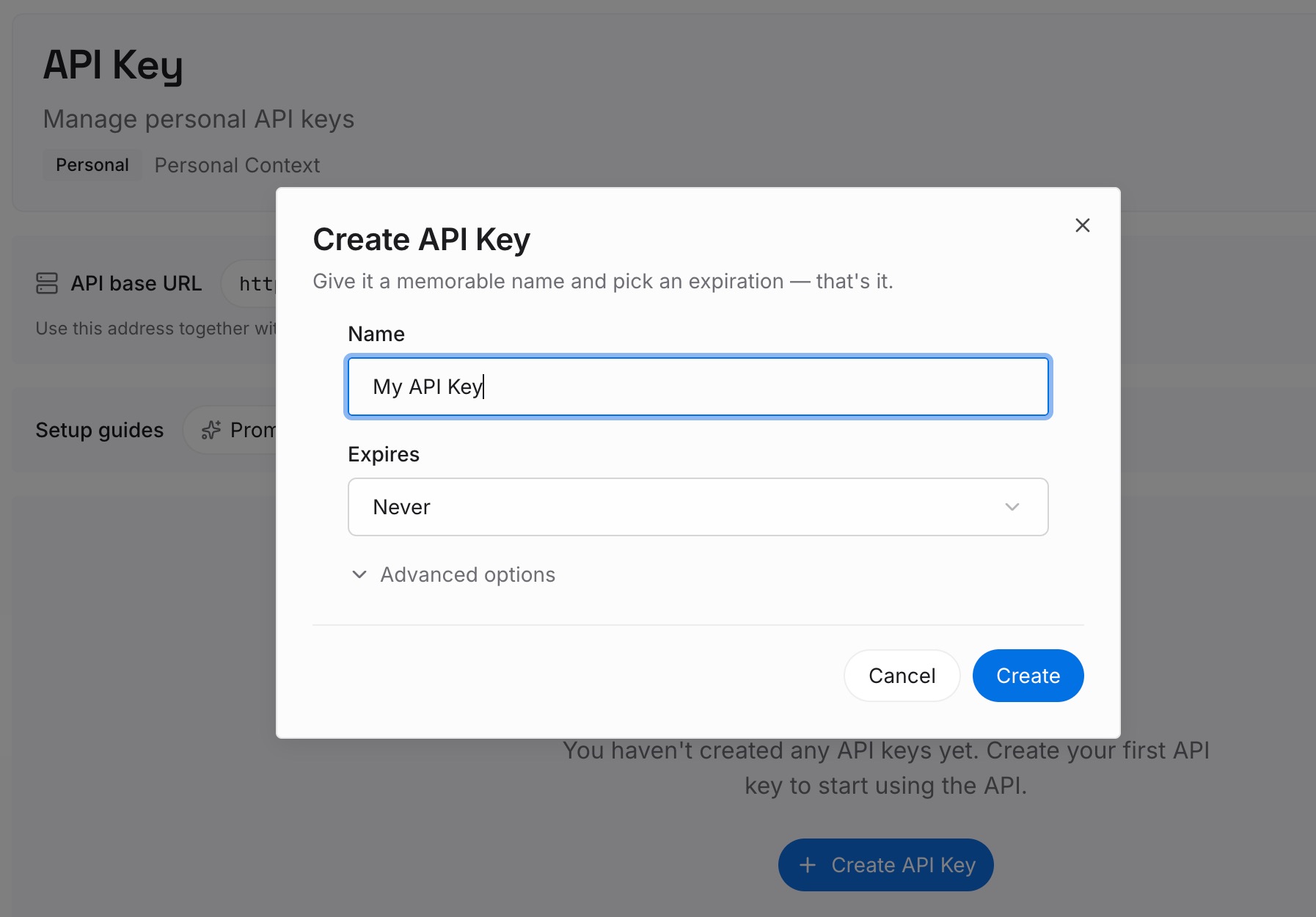
Step 1: Create an API key
Sign in and generate a key from the dashboard. The key belongs to your MemoryLake workspace and is separate from your Fireflies and Claude accounts.
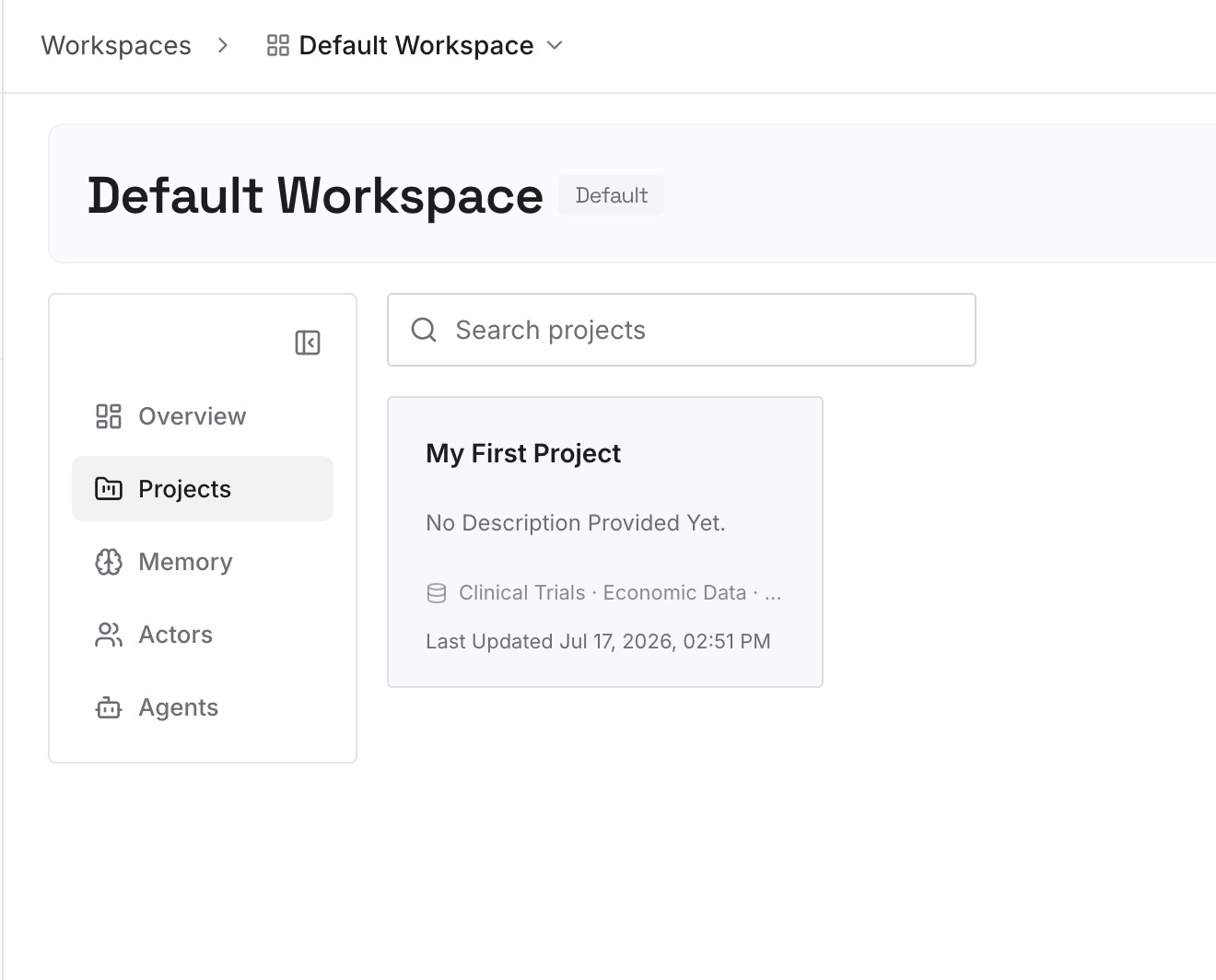
Step 2: Upload your first memories
Start with the summaries from Step 2 of the manual migration: decisions with their dates, owners, and open questions. One point per entry, and check meeting content against your organization's policy first.
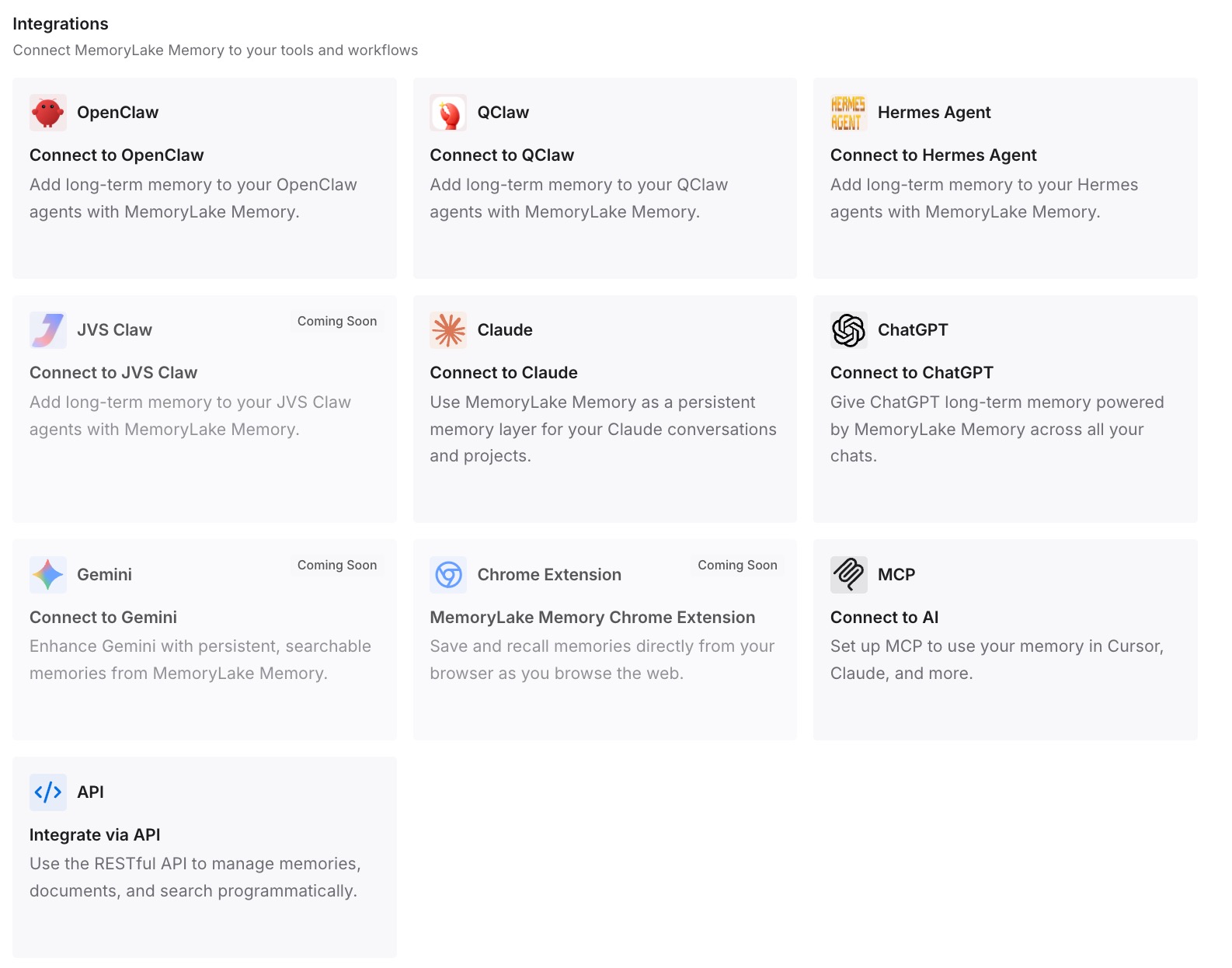
Step 3: Connect your AI & agents
Connect the assistants you use. The decisions from your meetings are available in each of them, whether or not Fireflies stays in your setup.
What this changes in practice
The first difference is that you pick the right route. Export if you're leaving, connect if you're staying, and download summaries for the meetings that carry the most weight either way.
The second is that Claude gets context it can work with. A project with a dated summary is easier for Claude to use than a stack of transcripts.
The third is that the decisions outlast the tool. Once they're written down, the next change doesn't start with digging through old calls. For other meeting tools, our guide to migrating Granola notes to Claude follows the same approach, and our list of AI tools that remember your meetings compares the wider field.
Best practices for moving Fireflies notes to Claude
Export before you cancel. The connector depends on meetings staying in Fireflies.
Approve the export email. Processing waits for your confirmation.
Download within seven days. The export link expires.
Prefer markdown for Claude. It keeps structure and pastes cleanly.
Summarize by piece of work. One dated summary per customer or project.
Read actions before approving them. Some Fireflies tools share or move meetings.
Mind consent and policy. Meeting notes contain other people's words.
If you've used Claude's connectors with other services, our guide to what Claude's connectors don't remember explains why a connector reads on demand rather than building up memory.
Conclusion
Moving Fireflies meetings to Claude starts with a choice. If you're leaving Fireflies, request the full export or download the meetings that matter, summarize them by piece of work, and rebuild in Claude projects. If you're staying, connect Fireflies through its MCP server, and read each action Claude proposes, since some of them change things in Fireflies.
Either way, the useful part of a meeting archive is small: decisions, commitments, and open questions. Write those down with their dates, and they'll be ready for Claude and for whatever comes next.