
What actually transfers
Your steering files, with a rename and four lines of frontmatter. This is the core of the migration, and the mapping is clean:
Kiro steering inclusion: | Cursor rule type | Cursor frontmatter |
|---|---|---|
always (default) | Always Apply | alwaysApply: true |
fileMatch + fileMatchPattern | Apply to Specific Files | globs set, alwaysApply: false |
auto + name + description | Apply Intelligently | description set, no globs |
manual | Apply Manually | no description, no globs |
Both sides work the same way underneath. Kiro's auto mode "uses the description to decide when the steering file is relevant." Cursor's equivalent: "the description of the rule will be presented to the Cursor Agent to decide if it should be applied." Kiro's manual files are pulled in with #steering-file-name; Cursor's are @-mentioned. Rename each file to .mdc, add the matching frontmatter, and you have the same behavior you had.
Your foundation files, as always-on rules. Kiro's product.md, tech.md, and structure.md are "included in every interaction by default." Those become alwaysApply: true rules. Read them before you convert, though — Kiro's own steering guidance warns against duplicating what the codebase already states, and Cursor's rules documentation has the same advice. A structure.md that is mostly a directory listing is worth pruning, not porting; the reasons why are in how to make Cursor remember your project's file structure.
Your AGENTS.md, unchanged. Both tools support it. Kiro loads it from the workspace root, from ~/.kiro/steering/, and from subdirectories — noting that "AGENTS.md files do not support inclusion modes and are always included." Cursor "supports AGENTS.md in the project root and subdirectories" and recommends it explicitly as the plain-markdown alternative to .mdc rules. If most of your steering was always-on anyway, AGENTS.md is the lower-friction destination.
Your Skills, as a directory move or no move at all. Cursor reads .agents/skills/, .cursor/skills/, ~/.agents/skills/, and ~/.cursor/skills/, plus — "For compatibility" — .claude/skills/, .codex/skills/, ~/.claude/skills/, and ~/.codex/skills/. Both tools build on the same open Agent Skills standard, so SKILL.md files carry over as-is. One behavioral difference: a Cursor skill invoked with / "attaches to one message," and keeping it on for a whole session means running it as a Custom Mode with Option+Enter.
Your specs, as files but not as a workflow. Kiro specs live in .kiro/specs/<name>/ as requirements.md (or bugfix.md), design.md, and tasks.md. They are markdown in your repo, so they survive the move and remain readable. What does not survive is the three-phase workflow around them — the requirements-then-design-then-tasks progression with approval gates and live task status.
Cursor's nearest equivalent is Plan Mode, and it is not nothing: it "creates detailed implementation plans before writing any code," you "review and edit the plan through chat or markdown files," and you can revert and re-run from a refined plan. But note where the artifact goes — "Plans are saved by default in your home directory. Click 'Save to workspace' to move it to your workspace for future reference, team sharing, and documentation." A Kiro spec was in the repo by default. A Cursor plan is in your home directory by default. That default is the difference between a team artifact and a personal one.
Nothing else transfers, and the reason is architectural. Kiro maintains three memory surfaces. Cursor's documentation index has no memory page.
Kiro Crew's six layers have no destination. Crew keeps preferences.md and projects.md (both wholesale-replaced by a consolidator every 30 messages), a history/ directory with tiered decay, a SQLite semantic store, an episodic store with vector search, and a lessons store for learned corrections. Each layer has a character cap and its own decay rule — history drops to "First entry per day + count" at 14 days, stops loading at 181, and is "Deleted from disk" at 365. Lessons are capped at 50 entries and marked so that "user-explicit always wins." It is a real memory system, and Cursor has no container to receive it.
Kiro Web's learned memory doesn't either. It is built from your feedback on pull requests — "Only your feedback, as the user who created the task, influences what the agent learns" — and your control over it is limited to deletions.
A Crew snapshot is a backup, not an export. kirocrew snapshot produces a single tarball covering memory, workspace, crons, config, skills, and notifications. It is the right way to move between machines, and Kiro documents exactly that. But only Kiro reads it, so it is a safety copy of what you are leaving, not an import file for what you are joining. Treat it carefully: Kiro warns that "Snapshots contain sensitive data (security keys used for audit-log integrity)."
The manual migration
Step 1: Take a snapshot, then read the layers you're about to lose
Run kirocrew snapshot ~/migrate before anything else. Even if Cursor cannot read it, you want the copy — and Crew's built-in daily job only "keeps the last 7 snapshots," so do not assume yesterday's is still around.
Then read, rather than copy. Open ~/.kiro/crew/workspace/memory/preferences.md and projects.md. Because those two files are "Replaced wholesale by the consolidator every 30 messages — not append-only," they are a current snapshot of Crew's model of you, not a log. Whatever is in them is what Crew thinks matters right now, which makes them a short and unusually high-signal read.
Then look at your lessons — the learned corrections, capped at 50. These are the things you told Crew to always do, or corrected it into doing. Nothing in your repository implies them, so nothing in Cursor will reconstruct them.
Also check your global steering at ~/.kiro/steering/. Kiro resolves conflicts by prioritizing workspace steering over global. Cursor's order is "Team Rules → Project Rules → User Rules," where "earlier sources take precedence when guidance conflicts." Project still beats personal, so that half of the behavior survives — but if you use Cursor's Team Rules, a new layer now outranks both.
Step 2: Convert steering to .mdc, and pick what stays plain
For each file in .kiro/steering/, read its front matter, look up the row in the table above, and write the Cursor equivalent. A fileMatch file becomes a globs value; an auto file keeps its description and drops the name; an always-on file becomes alwaysApply: true and needs neither.
Two conversions worth doing by hand rather than mechanically:
File references stop working. Kiro steering can embed live files with #[[file:api/openapi.yaml]], so the steering text stayed current as the file changed. Cursor rules have no equivalent directive. Either inline the content — and accept it will go stale — or reference the path in prose and let the agent read it.
Custom-agent resource lists have no counterpart. If you configured Kiro custom agents, remember that "steering files are not automatically included" for them and you had to list them explicitly, often as {"resources": ["file://.kiro/steering/**/*.md"]}. Cursor applies rules per their frontmatter regardless of mode, so those explicit resource lists have nothing to convert into — check whether any agent was deliberately running without steering, because that intent will not carry over.
If most of your steering was always-on and plain, the honest recommendation is to skip .mdc for those files entirely and put the content in AGENTS.md. Cursor's docs suggest exactly this for "projects that need simple, readable instructions without the overhead of structured rules." Save .mdc for the files that genuinely need globs or descriptions.
One last note if you are moving a team: Kiro's team steering was distributed by pushing files to machines "via MDM solutions or Group Policies." Cursor's Team Rules are managed from the dashboard on Team and Enterprise plans, apply "across all repositories and projects for that team," and can be marked "Enforce this rule" so members cannot toggle them off. That is a better mechanism, but it is free-form text — Team Rules "do not use the folder structure of Project Rules" — so a directory of steering files has to be flattened.
The Better Way: Keep the Learned Half Somewhere the Editor Doesn't Own
Notice how the two halves of this migration behaved differently. Everything you wrote down moved: steering became rules, AGENTS.md stayed put, skills needed no changes, specs stayed readable. Everything the tool learned did not move at all.
That split is not a Kiro problem or a Cursor problem. Kiro built an elaborate learned-memory system and keeps it under ~/.kiro/. Cursor made a deliberate different choice — durable context lives in version-controlled rule files and skills, which is why its rules are reviewable and its documentation has no memory page. Both are coherent designs. Neither is a good place for the only copy of why you rejected an approach.
That is what MemoryLake holds: your project's durable knowledge in a layer your tools query, so the learned half stops being a property of the editor you happened to open. Setup is three steps.
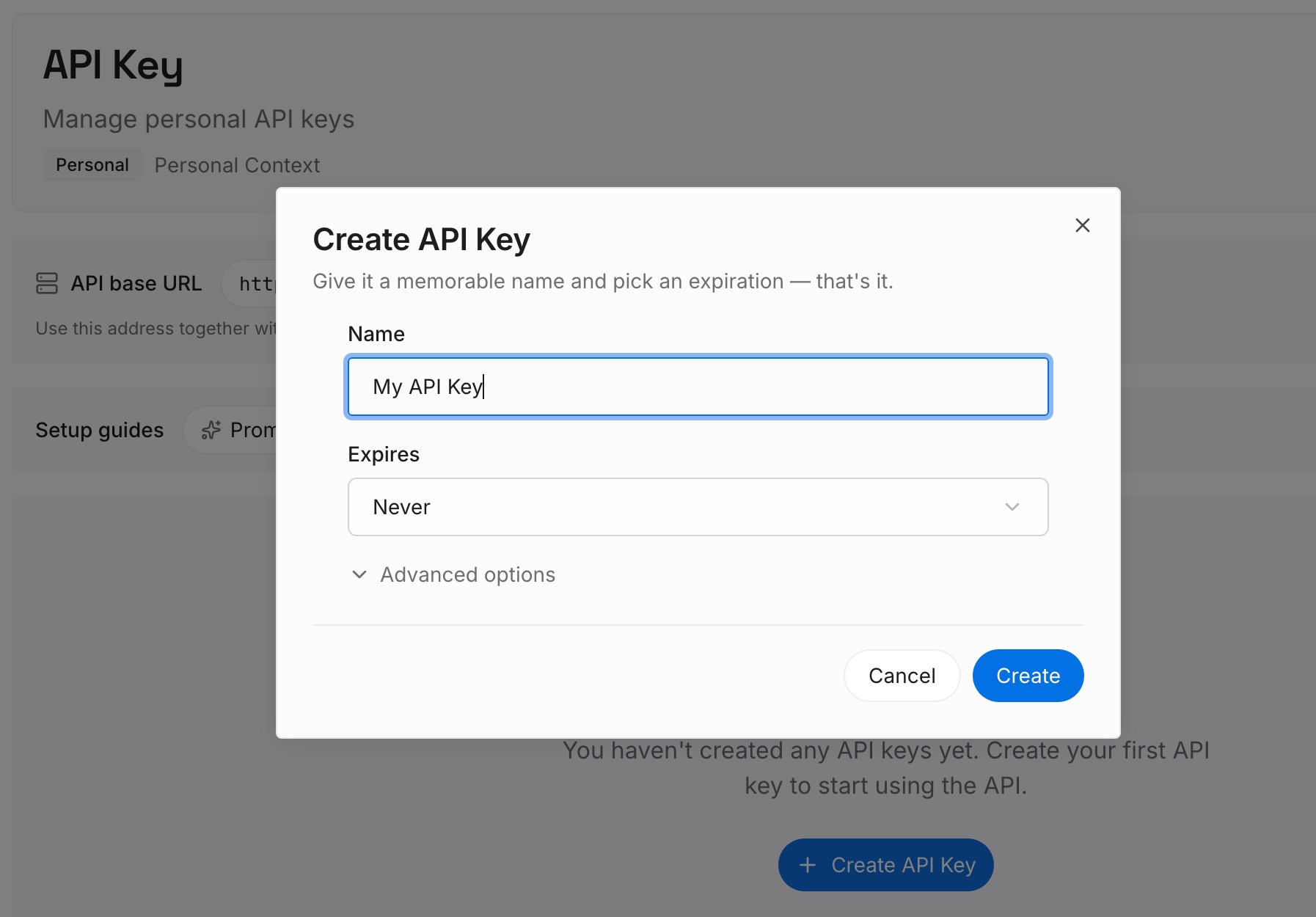
Step 1: Create an API key
Sign in and create an API key. One credential across the tools you connect.
Step 2: Upload your first memories
Short entries, one claim each. Write these straight out of the Step 1 read:
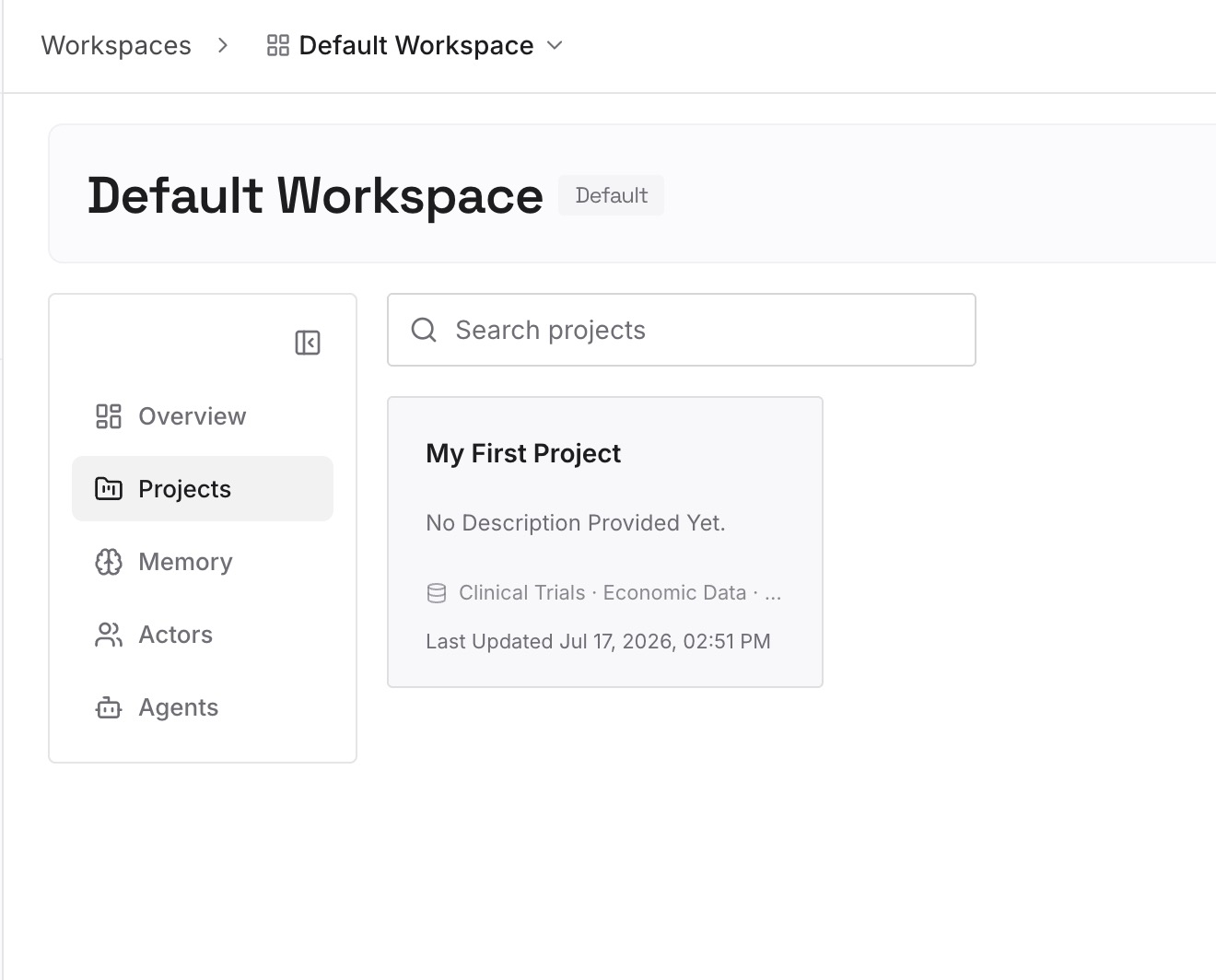
Your lessons, one per entry. The learned corrections capped at 50 in Crew. These are the highest-value lines you own and the least recoverable.
What preferences.md and projects.md currently say. They are a live snapshot, so they are short. Split them into claims rather than pasting the file.
Decisions with the reason attached. "We queue writes because the replica lags under load." A rule states the policy; only the reason stops the alternative coming back.
Approaches already rejected in this codebase. The category that appears in no steering file, no rule, and no commit message.
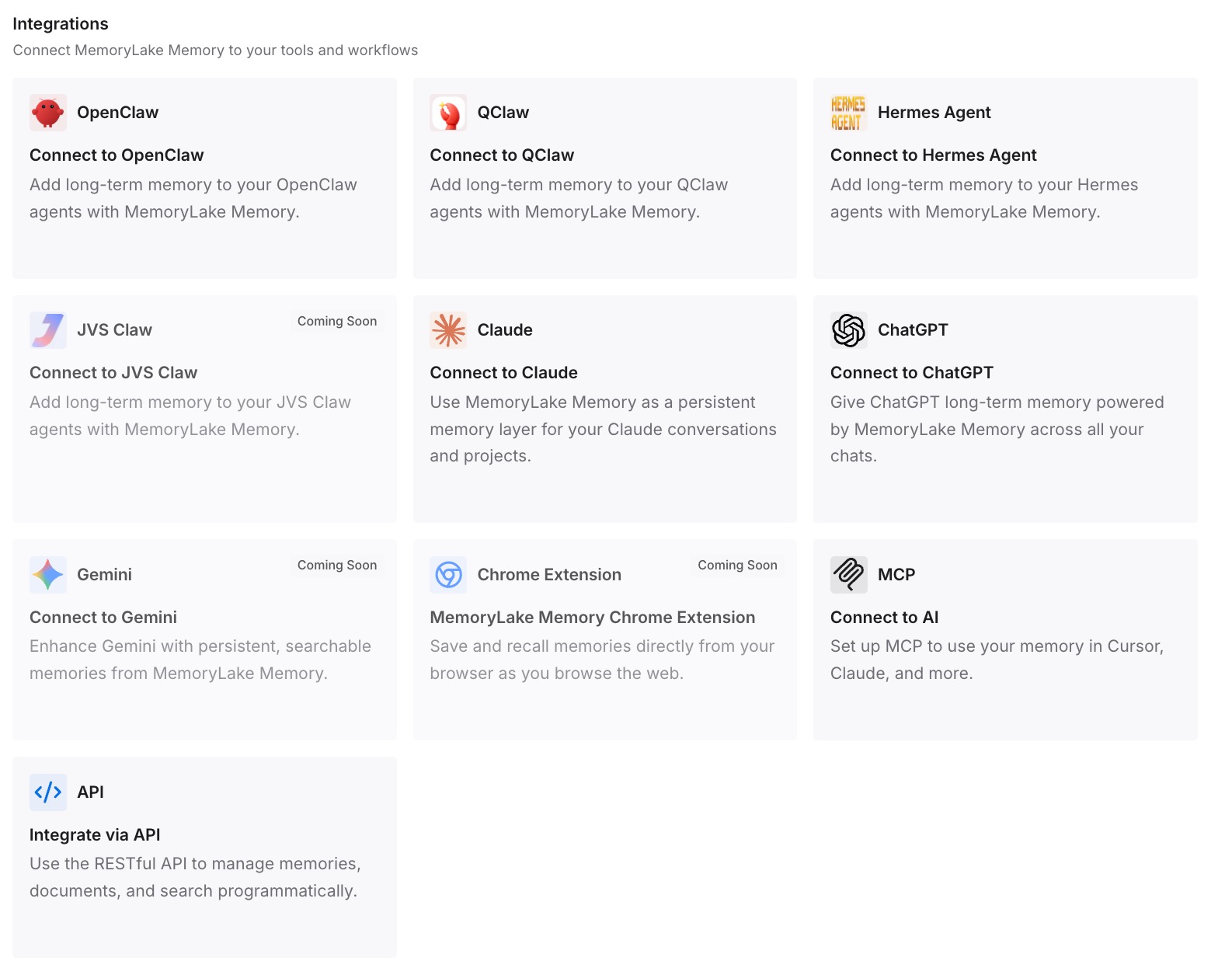
Step 3: Connect your AI & agents
Connect what you use. MemoryLake is reachable over MCP and over an API, and both Kiro and Cursor support MCP servers — so you can run them side by side during the transition without maintaining two copies of the same reasoning, and other assistants read the same memory through the API.
Three honest limits. MemoryLake cannot read a Crew snapshot, import Kiro Web's learned memory, or write your .mdc files — those are Kiro's formats and Cursor's steering surface. It holds only what you or your agents put into it, so Step 2 is manual. And rules are context rather than enforced configuration; anything that must hold every time belongs in Cursor's Team Rules with enforcement on, not in a memory layer.
What this changes in practice
Steering conversion becomes a lookup, not a judgment call. Four modes, four rule types, one table.
Silent no-ops stop happening. A plain .md in .cursor/rules is ignored. Now you know before you ship it.
Specs stay readable, and you decide about the workflow. The files survive; the approval gates do not.
Plans need a deliberate save. Cursor plans default to your home directory, so "Save to workspace" is the step that makes one a team artifact.
Skills stop being tool-specific. The same SKILL.md runs in Kiro, Cursor, Claude Code, and Codex.
Decay stops being a surprise. Crew's history was dropping detail at 14 days and deleting at 365 — behavior worth understanding on its own terms, as in what a retention-scored memory tree showed.
Best practices for switching from Kiro to Cursor
Snapshot before you start, and keep the tarball off shared drives. Kiro flags that snapshots contain sensitive keys.
Read preferences.md, projects.md, and your lessons. Wholesale-replaced files are short by construction. There is no excuse for skipping them.
Rename to .mdc and add frontmatter, or move the content to AGENTS.md. Those are the only two options that actually load.
Prefer AGENTS.md for anything always-on and plain. Cursor recommends it, and it works in both tools during the transition.
Convert #[[file:…]] references deliberately. Inlining makes them stale; prose references keep them live.
Prune structure.md instead of porting it. Both vendors advise against restating the codebase.
Flatten team steering before touching Team Rules. They are free-form text, not a folder structure.
Keep the reasoning out of always-on rules. Every tool caps what it carries and the reasoning is cut first — the general problem in what coding agents actually read.
Conclusion
Kiro to Cursor is two migrations with very different difficulty. The written half is almost mechanical: four steering inclusion modes map onto four Cursor rule types, AGENTS.md works in both, SKILL.md files need no changes, and specs remain readable markdown in your repo. The one thing that will bite you is the file extension — plain .md in .cursor/rules is ignored outright, with no error to tell you.
The learned half does not migrate at all. Kiro Crew keeps six memory layers under your home directory, each with its own cap and decay schedule, plus a separate learned memory in Kiro Web built from your PR feedback. Cursor's documentation index has no memory page, because its design puts durable context in version-controlled rules and skills instead. A kirocrew snapshot gives you a complete backup that only Kiro can read.
So: snapshot, read the three files that hold Crew's current model of you, convert steering with the table, decide per file between .mdc and AGENTS.md, and put the lessons and rejected approaches somewhere both editors can query. Then the next tool switch is a preference rather than an amnesia event.