
What actually transfers
Start with what Manus hands you, in Manus's own words.
The readable shape is plaintext export. The help center is unusually direct about its limits: "Team members can export a readable copy of their task data via plaintext export, but this differs from a backup and cannot be used to import or restore task data."
The restorable shape is a backup package. A Task Data Backup "contains your tasks, generated files (such as websites and slides), and configuration data." It is also frozen at the moment you made it: "The backup only captures a snapshot of your data at the moment it was generated and will not automatically sync new tasks." And it is a Manus-only artifact — the restore path puts it back into Manus, not into another tool.
So the honest inventory looks like this:
Transfers cleanly. Files you produced — documents, slides, sites, datasets. Anything you can read, copy, and paste. Your own written instructions, if you kept them somewhere you control.
Transfers only if you rewrite it. Your knowledge base entries. Standing preferences you gave Manus over months. The project background Manus had absorbed from long task threads. All of this exists in readable form and none of it exists in an importable form.
Does not transfer at all. Task history as structured state. Authorized connector configurations, which the docs say you have to re-enable by hand. Anything Manus inferred rather than being told.
On the Codex side, there is one genuinely free win and one thing worth knowing before you count on it.
The free win is AGENTS.md. Codex reads it before doing any work, and it is plain markdown, so anything you can write in a text editor is something Codex will read. That is the landing pad for everything you have to rewrite.
The thing to know: Codex has an importer, and Manus is not one of its sources. Per the docs, "The desktop app can import from Claude Code, Claude Cowork, or Cursor. Codex CLI can import from Claude Code or Cursor." If you are coming from Manus, the importer is not a step you get to skip. Your migration is manual by design, which is why it is worth doing deliberately rather than in a hurry.
The manual migration
Two steps, and the order matters. Get your material out of Manus while you still can, then shape it for how Codex actually assembles instructions.
Step 1: Get a readable copy out, and treat it as source material rather than a backup
Export your task data as plaintext and pull down the generated files you still care about. Then read what you got with a specific question in mind: which sentences here are instructions, and which are artifacts?
Artifacts are the outputs. Keep them wherever your team keeps files. They are not context.
Instructions are the sentences buried in your own prompts across dozens of tasks — the corrections you kept repeating, the conventions you kept restating, the "no, we always do it this way" turns. Those are the migration. Nobody has tooling for extracting them, so read for them.
Two cautions. First, if you also keep entries in Manus's knowledge base, export those separately and check them against your export rather than assuming they are inside it; the knowledge base limit means many teams pruned entries over time and no longer remember what is in there. Second, if account deletion is part of your plan, understand the restore mechanics before you press anything — restoration in the current service change has no deadline but exactly one attempt, and a plaintext export is not a substitute for the backup package. Read backing up Manus data before deletion if you have not already.
Step 2: Write it into the layer Codex actually reads, in the order Codex reads it
Codex assembles instructions from files, and the assembly rules are specific enough that a badly placed file simply does not get used.
At the global level, "In your Codex home directory (defaults to ~/.codex, unless you set CODEX_HOME), Codex reads AGENTS.override.md if it exists. Otherwise, Codex reads AGENTS.md. Codex uses only the first non-empty file at this level." One file, not a directory of them.
At the project level, "Starting at the project root (typically the Git root), Codex walks down to your current working directory. In each directory along the path, it checks for AGENTS.override.md, then AGENTS.md, then any fallback names in project_doc_fallback_filenames. Codex includes at most one file per directory."
Then it merges: "Codex concatenates files from the root down, joining them with blank lines. Files closer to your current directory override earlier guidance because they appear later in the combined prompt."
Two practical consequences for a migration. One, put the general Manus-era conventions at the root and the specific ones deeper, because deeper wins. Two, watch the ceiling: "Codex skips empty files and stops adding files once the combined size reaches the limit defined by project_doc_max_bytes (32 KiB by default)." A team that dumps a year of accumulated Manus context into one root AGENTS.md can silently push later files past the cap. The docs' own advice is to "Raise the limit or split instructions across nested directories when you hit the cap."
Finally, decide what to do about Codex's own memories. They exist, and they are opt-in: "Local Codex memories are off by default." Turning them on gives you files under ~/.codex/memories/ that "include summaries, durable entries, recent inputs, and supporting evidence from prior chats." Useful — but the docs are clear about what they are not: "Treat these files as generated state. You can inspect them when troubleshooting or before sharing your Codex home directory, but don't rely on editing them by hand as your primary control surface." And the guidance is explicit about where required rules belong: "Keep required team guidance in AGENTS.md or checked-in documentation. Treat memories as a helpful recall layer, not as the only source for rules that must always apply."
In other words, Codex's memories are not the destination for your migrated Manus context. AGENTS.md is.
The Better Way: Keep the Context in a Layer Neither Tool Owns
Steps 1 and 2 get you to a working Codex setup. They also leave you with a structural problem you already lived through once: everything you just rewrote is now stored inside a specific tool's file conventions, in a specific repo, and the next migration will be another manual rewrite.
That is the actual lesson of the Manus export. The reason the move is painful is not that Manus is stingy — the docs are careful and the export is real. It is that "what the tool learned" had no portable shape, so it was only ever readable, never movable. A memory layer that sits outside both tools is what gives it one. MemoryLake sets up in three steps.
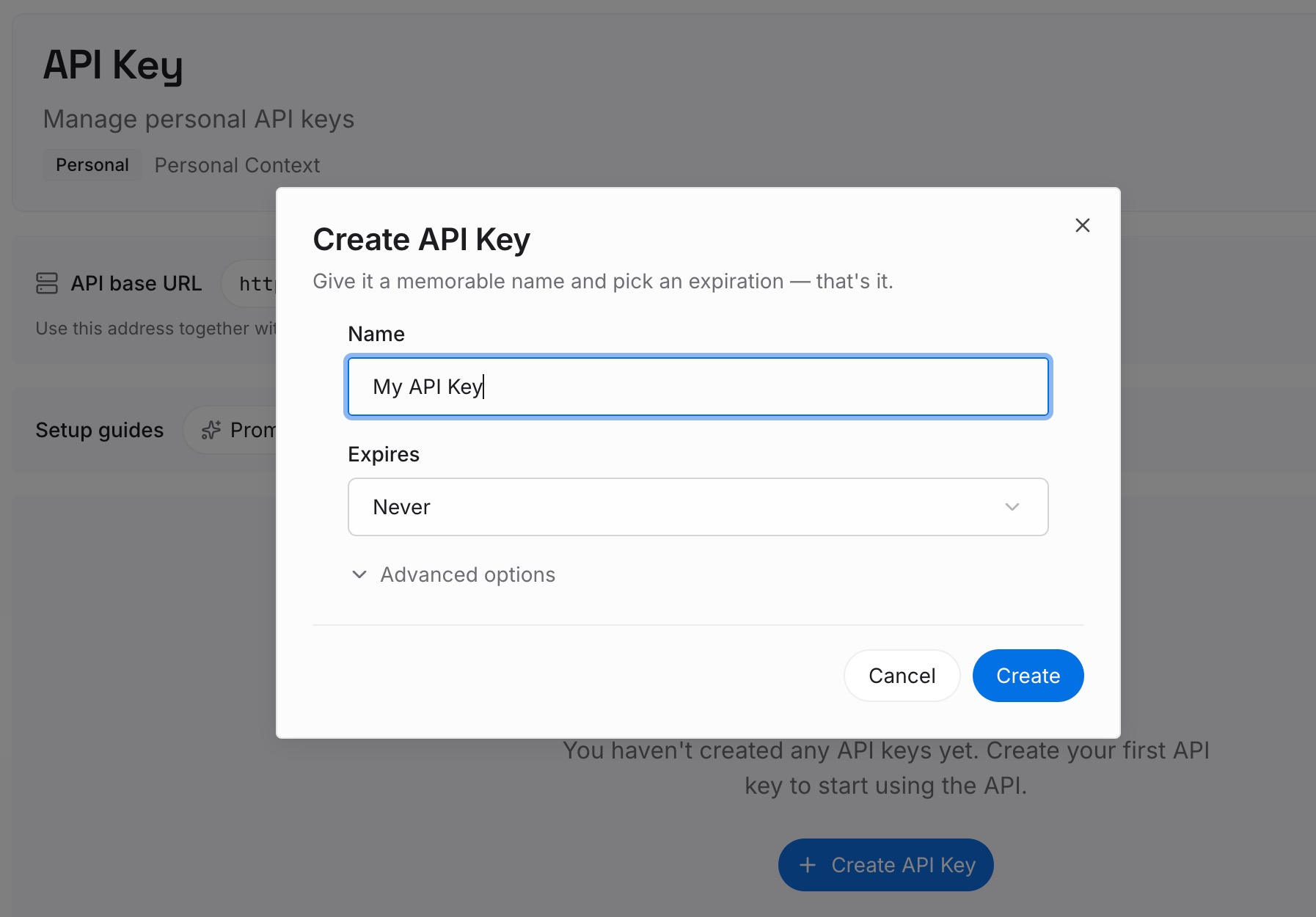
Step 1: Create an API key
Sign in and generate an API key from your dashboard. This is the credential your agents use to read and write memories. It is not tied to Manus or to Codex, which is the point: the store outlives whichever tool is currently in front of it.
Step 2: Upload your first memories
This is where the material from Step 1 of the manual migration goes. Project background. Standing conventions. Decisions and the reasoning behind them. Definitions and names your team uses. Everything you extracted from the plaintext export that was an instruction rather than an artifact.
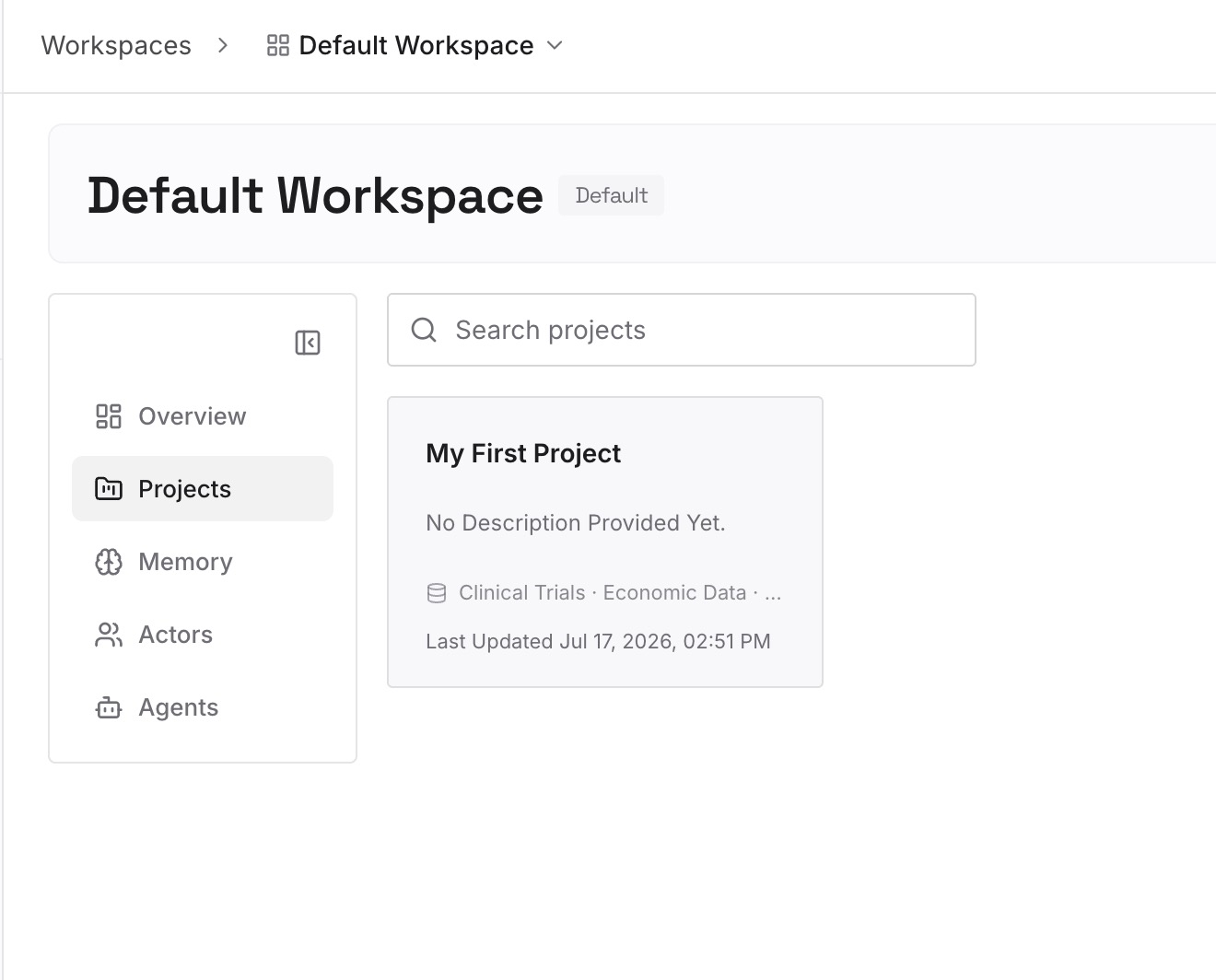
Do this instead of pasting all of it into a root AGENTS.md. Keep AGENTS.md for the rules that must always apply, and put the accumulated, growing body of context here — where it is not competing for a 32 KiB budget.
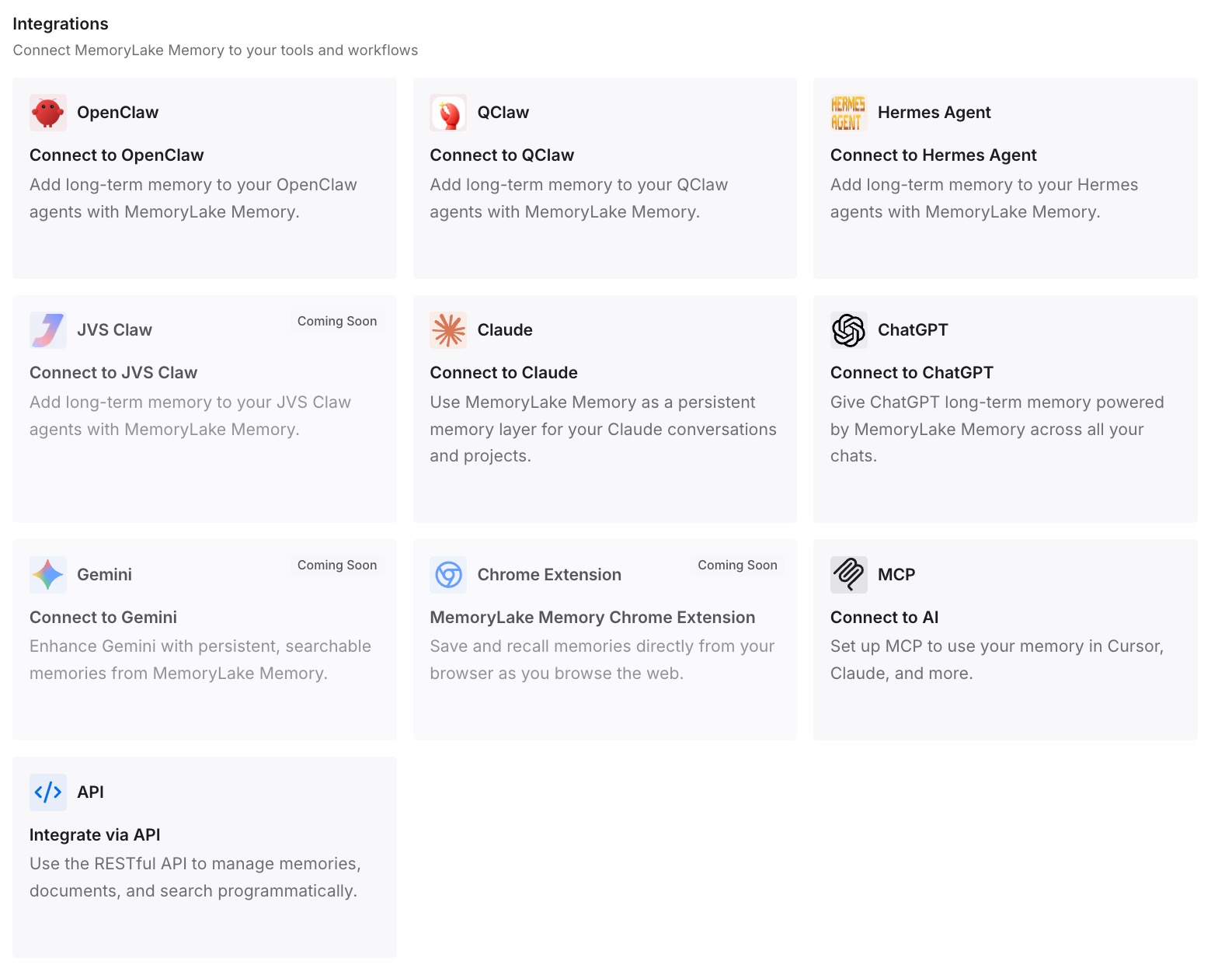
Step 3: Connect your AI & agents
Point Codex at the store, and the same knowledge is available in whatever you use next. If part of your team stays on Manus during the transition — a common and sensible arrangement — both sides read the same layer rather than drifting apart for a quarter.
What this changes in practice
The first difference shows up in week two. In a purely manual migration, week two is when you discover the conventions you forgot to write down, because Codex does something the old setup never did. With an external layer, week two is when you add the three you missed and everyone gets them, rather than each person patching their own local file.
The second difference is the size ceiling. AGENTS.md files are excellent and finite. Instructions that must always apply belong there. The long tail — client specifics, past decisions, glossary terms, the reason a strange workaround exists — grows without limit and does not want to be in a file that gets concatenated into every prompt.
The third is the next migration. Codex is not the last tool your team will use. The move you are doing today is expensive because the context was locked in a shape nobody could move. Doing it again from a store rather than from a plaintext export is the difference between a project and an afternoon.
Best practices for a Manus-to-Codex move
- Export before you change anything else. Plaintext export first, artifacts second, deletion decisions last. The export is readable, not restorable, so it is a working copy — not a safety net.
- Read your export for instructions, not for content. The value is in the sentences where you corrected Manus, not in the outputs it produced.
- Root
AGENTS.mdfor always-true rules; nested files for the specific ones. Deeper files appear later and override earlier guidance. - Watch
project_doc_max_bytes. The 32 KiB default is generous until you paste in a year of context. Raise it deliberately or split across directories. - Do not treat Codex memories as your control surface. They are generated state by the vendor's own description; required rules belong in
AGENTS.mdor checked-in docs. - Re-enable connectors by hand and verify each one. Manus's docs are explicit that authorized connectors do not come back on their own, and the same is true of anything you wired into Codex.
- Keep one canonical copy of project knowledge outside both tools. If you find yourself pasting the same paragraph into two files in two repos, that paragraph belongs somewhere else. Turning project docs into AI memory covers the mechanics.
Conclusion
The Manus-to-Codex migration is manual, and no amount of tooling changes that this quarter: Codex's importer reads Claude Code, Claude Cowork, and Cursor, and Manus's export is readable rather than importable by design.
What you can change is whether you do it again. The files transfer, the artifacts transfer, and the instructions transfer once you rewrite them. The accumulated context is the expensive part — and the only way to stop paying for it repeatedly is to stop storing it inside whichever tool happens to be current.