
What actually transfers
Your Skills, nearly unchanged. This is the big one. A Manus Skill is a SKILL.md plus "optional bundled resources such as Python scripts, reference documents, or templates," and Manus exports them as ".skill files, .zip archives, or direct GitHub repository links." Cursor auto-discovers skills at startup from four directories — .agents/skills/ and .cursor/skills/ for project scope, ~/.agents/skills/ and ~/.cursor/skills/ for user scope — and its docs add a line worth knowing: "For compatibility, Cursor also loads skills from Claude and Codex directories: .claude/skills/, .codex/skills/, ~/.claude/skills/, and ~/.codex/skills/."
So the unpacking is a copy into a folder. Both sides even describe the same loading behavior: Manus Skills use "'Progressive Disclosure' to efficiently manage the agent's context window," and Cursor's list of skill properties includes "Progressive: Skills load resources on demand, keeping context usage efficient."
Your project instructions, as content. Whatever you were putting in Manus project-level guidance becomes an AGENTS.md in the repo root or a .cursor/rules file. Cursor's rules are .mdc files whose frontmatter decides when they apply, with AGENTS.md described in the docs as a "Simple alternative to .cursor/rules."
Your files, as repository files. Anything Manus was holding as a project file that belongs in the codebase just gets committed. That's the least interesting part of the migration and the part people spend the most time on.
Nothing else. Here's the specific list.
The knowledge base has no Cursor container. Manus caps it hard: "the user knowledge base is limited to 100 entries for Pro users and 50 entries for Free users." Cursor has no entry-style knowledge store at all. Its persistence mechanisms are rules and skills — files that are either always-on or invoked, not a queryable set of facts. Which means the 40 or 80 entries you accumulated get flattened into rule prose, or they don't come.
That cap is worth reading twice, because it also tells you what Manus thought the container was for. Its own advice when you hit the limit is to "filter the entries in your knowledge base based on your most important and recent needs, and delete some unnecessary entries," and it warns that "having too many entries may affect the system's response quality." A hundred entries is a curated set, not an archive.
Task history doesn't move. Your Task Data Backup is potentially tens of gigabytes of past runs. There is no import path into Cursor for that, and no useful shape it would take if there were. It's a record, not context.
MCP connectors and project credentials stay behind. Manus supports connectors with "shared project-level credentials." Cursor has MCP too, but these are per-tool configurations you rebuild rather than migrate, and credentials should be re-issued rather than copied anywhere.
Autonomous invocation changes shape. In Manus, a Skill is how you turn "your agent from a general-purpose assistant into a specialized expert." In Cursor, the agent "is presented with available skills and decides when they are relevant based on context," and you can also invoke one by typing /. One detail to plan for: "A skill invoked this way attaches to one message. To keep a skill on for the whole session, use it as a Custom Mode with Option+Enter (Mac) or Alt+Enter (Windows)." Manus workflows that ran start-to-finish become skills a coding agent may or may not pick up mid-task.
Account-level things you should handle separately. Manus notes that "Login with Facebook will be unavailable after the service change," and that some users "must use this file to restore their accounts in the future." Those are account chores, not context, and they don't belong in the same session as your migration.
The manual migration
Step 1: Separate your archive into the three things it contains
Before you copy anything, sort. Almost everyone tries to migrate the archive as a unit and stalls, because two thirds of it has no destination.
Open your export and split it into: Skills (the .skill files or .zip archives, or the GitHub repos you pushed them to), knowledge base entries (short factual statements about you, your work, your constraints), and task history (everything else — the bulk of the bytes).
Manus offers a shortcut for getting Skills out cleanly if you didn't already: tell it to "Package this workflow as a Skill," and it "will generate the necessary SKILL.md file and any associated scripts." If you have a workflow that only ever existed as a conversation you kept repeating, that's how it becomes a portable file instead of a paragraph you re-type.
For large exports, use the route Manus recommends: "We strongly recommend exporting directly to Google Drive or OneDrive via OAuth authorization" rather than trying to move tens of gigabytes through email or a browser download.
Read the knowledge base entries before you decide what to do with them. At 100 entries maximum on Pro, this is a list a person can actually read in fifteen minutes, and it's the highest-value fifteen minutes in the whole migration. It's also the one part that isn't in a file format anything else understands.
Step 2: Land the Skills, then decide where the knowledge goes
Drop the Skills into a directory Cursor reads. For skills that belong to one repository, .agents/skills/<name>/SKILL.md and commit them. For skills you want everywhere, ~/.agents/skills/. Cursor discovers them at startup, so restart after copying.
If the export gave you a GitHub link rather than a file, that works too — Cursor's skills are "stored as files and can be tracked in your repository, or installed via GitHub repository links."
Check each skill's frontmatter description. Cursor decides relevance from it. A Manus skill whose description assumed a general-purpose agent ("handles research requests") will rarely fire in a coding session. Rewrite descriptions in the vocabulary of the work you'll actually be doing.
Convert project instructions, and pick one format. Keeping AGENTS.md is the zero-work option and usually right. Convert to .cursor/rules only when you want conditional loading — .mdc frontmatter gives you Always Apply, Apply Intelligently ("When Agent decides it's relevant based on description"), Apply to Specific Files, and Apply Manually.
Watch the extension while you do it: "A plain .md file in .cursor/rules is ignored by the rules system because it has no frontmatter to specify description, globs, and alwaysApply. If you prefer plain markdown, use AGENTS.md instead." Pasting your Manus instructions into that folder as .md is the quietest way to migrate into nothing.
And then the knowledge base entries, which is where people get stuck. Cursor's own guidance argues against the obvious move. Its list of things to avoid in rules includes "Duplicating what's already in your codebase," and its best practices say to "Reference files instead of copying their contents—this keeps rules short and prevents them from becoming stale as code changes." Eighty knowledge entries pasted into an always-on rule is a document shipped with every request, and Cursor recommends keeping rules under 500 lines.
If you only need a handful of them, they're rules. If you had a real knowledge base, they need a real container. The mechanics of making rules stick at all are covered in carrying Cursor context across sessions, and the reverse direction — Cursor-shaped setups moving out — is in migrating from Claude Code to Cursor.
The Better Way: Keep the Knowledge Base a Knowledge Base
Look at what just happened. Your Skills moved because both tools agreed on a file format. Your knowledge base didn't move because Cursor doesn't have that container — and Manus's own 100-entry cap tells you it was never meant to be an archive either.
That's the actual lesson of this migration. Procedures are portable now; the Agent Skills standard solved that. Facts are not. Every tool holds them in a different shape, caps them at a different number, and loses them when you leave.
That's what MemoryLake holds: your durable knowledge as entries you can read, correct, and delete, in a layer your tools query rather than a file they ship with every request. Setup is three steps.
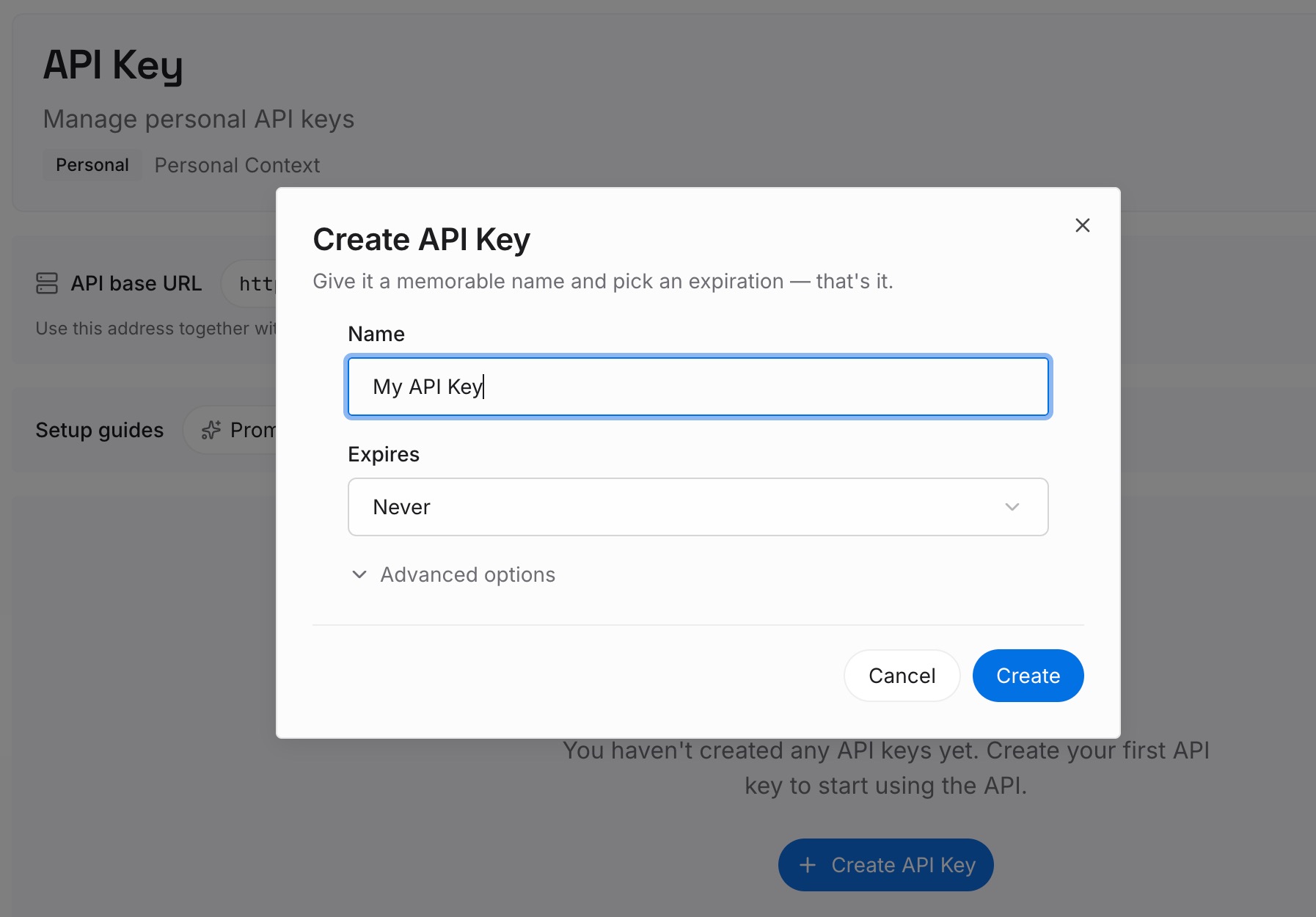
Step 1: Create an API key
Sign in to MemoryLake and create an API key. One credential across the tools you connect.
Step 2: Upload your first memories
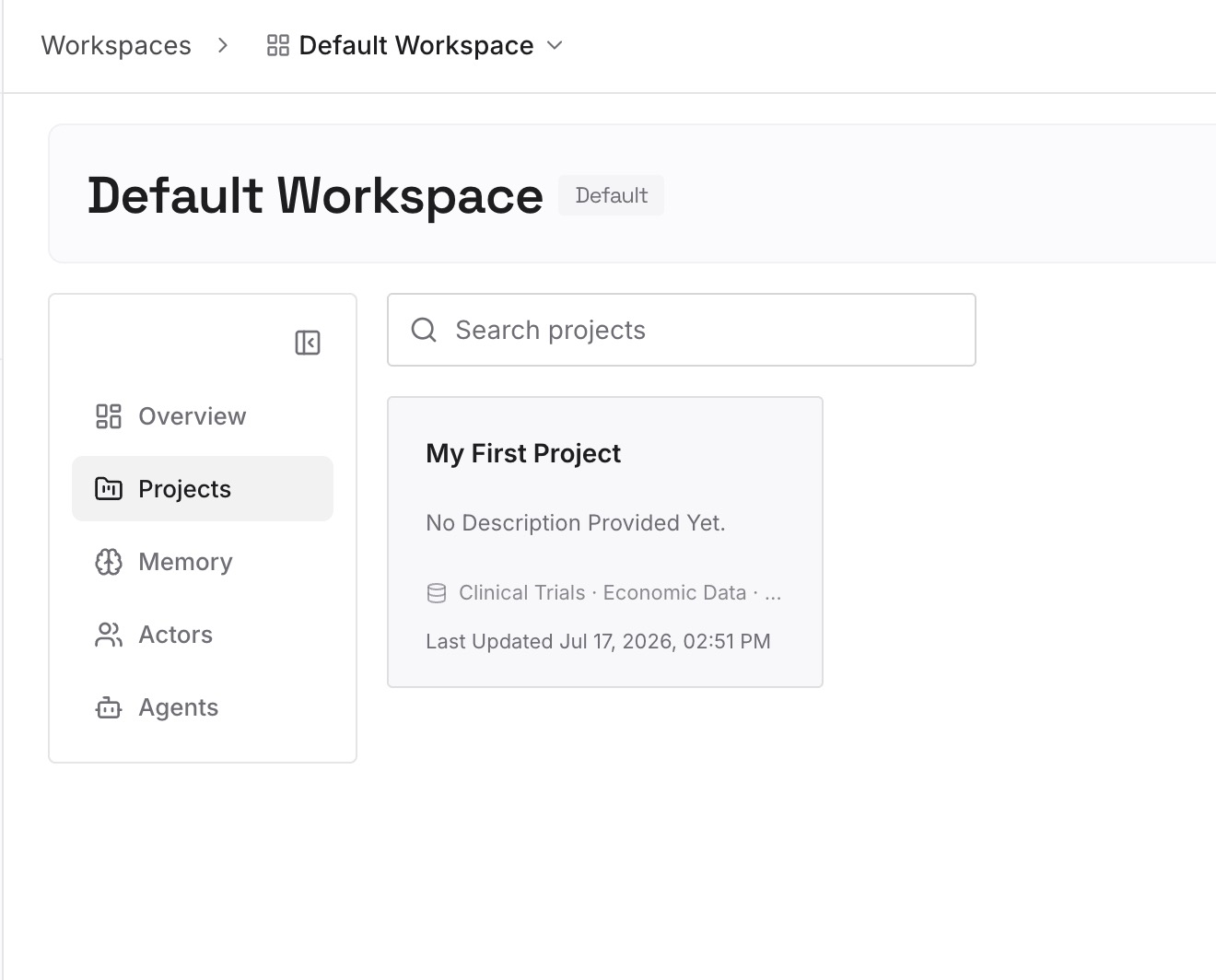
Short entries, one claim each. Your Manus knowledge base is your source material, and it's already in roughly the right shape:
Constraints with the reason attached. "Reports go out Thursday because the finance close lands Wednesday night." An instruction states the deadline; only this survives someone questioning it.
Approaches already ruled out, and why. The category that fits in no rule file and gets re-proposed by every fresh agent.
Environmental facts nothing announces. The API that rate-limits at an undocumented threshold, the dataset with a two-day lag, the client who will not accept a PDF.
Your own working context. Role, stack, conventions — the entries a general-purpose agent used to know about you and a new coding agent doesn't.
Step 3: Connect your AI & agents
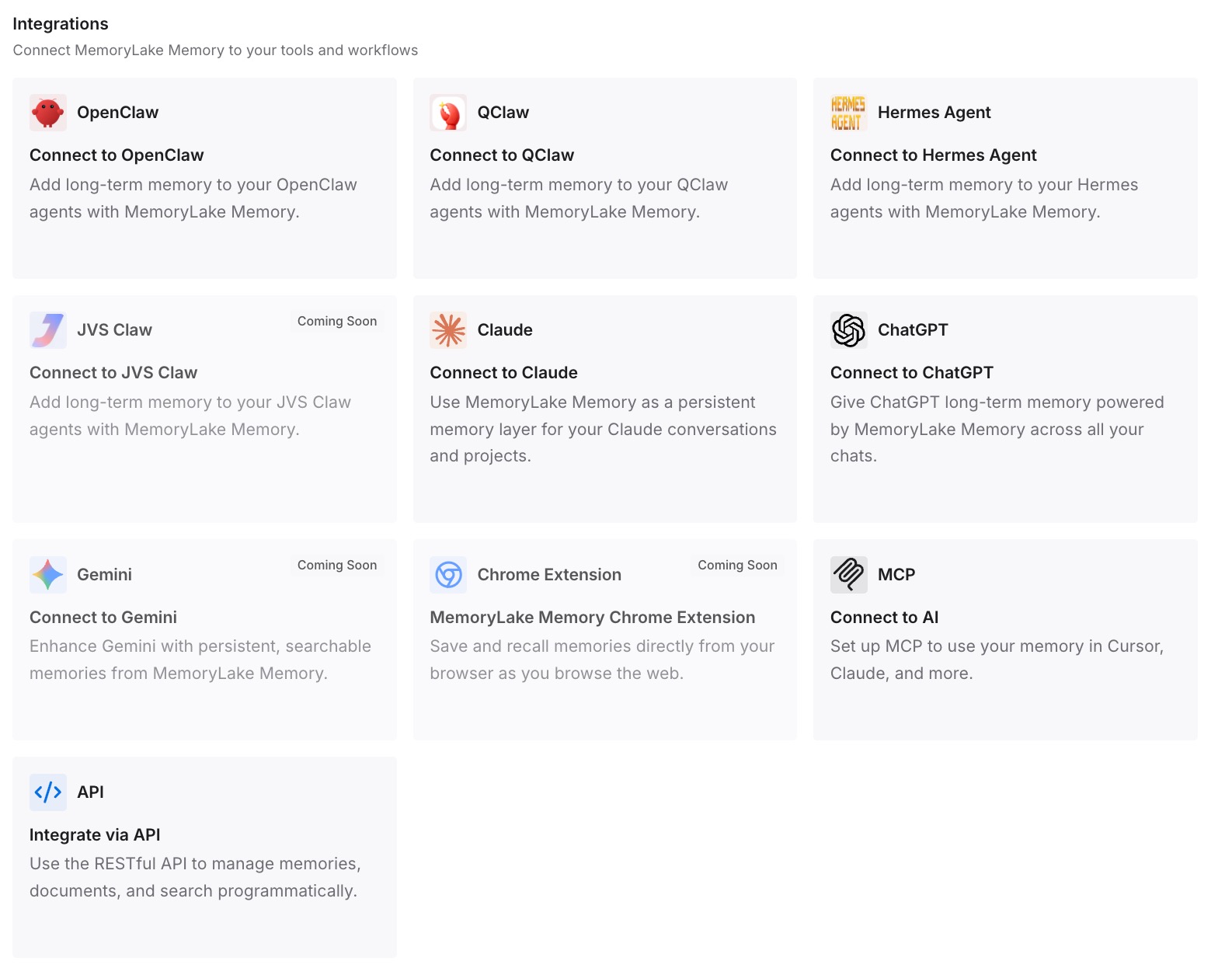
Connect the tools you use. MemoryLake is reachable over MCP and over an API, so MCP-native agents — Claude Code, Codex, and OpenClaw among them — connect by pointing at the MCP server, while other assistants read the same memory through the API. The practical effect is that the next tool switch is a config change rather than a knowledge transfer.
Three honest limits. MemoryLake does not read your Manus backup archive and does not import your task history — Step 1 stays a manual sort, and the archive is a record you should keep somewhere it's safe. It holds only what you or your agents put into it, so Step 2 is manual. And it isn't a credentials store: connectors and project-level credentials should be re-issued in the new tool, not copied.
What this changes in practice
The archive stops being a blocker. Once you know two thirds of it has no destination, the migration is a fifteen-minute sort instead of an afternoon of confusion.
Skills stop being tool-specific work. The same SKILL.md is read by Cursor, Claude Code, and Codex. A workflow you wrote once is now yours.
Entry caps stop being your ceiling. 100 entries on Pro was a curation forcing function, not a storage decision. Keep the curation; drop the ceiling.
Rule files stay short in the new tool. The reason a rule grows is that it's doing two jobs — steering and remembering. Separate them and Cursor's 500-line guidance stops mattering.
"It doesn't know my work yet" gets a real answer. Not "write more rules" but "the facts were never in the rules" — the general case in why RAG isn't memory.
Best practices for switching from Manus to Cursor
Export Skills as files before anything else. They're the part with a real destination, and .skill, .zip, and GitHub links all work.
Use the OAuth route to Google Drive or OneDrive for large exports. Manus recommends it specifically because task data runs to tens of gigabytes.
Read your knowledge base entries by hand. At 100 maximum, it's a readable list, and it's the only part with no file format.
Rewrite skill descriptions for the new context. Cursor picks skills by description; a description written for a general-purpose agent won't fire in a coding session.
Never leave a plain .md inside .cursor/rules. It's silently ignored. Use .mdc with frontmatter, or AGENTS.md.
Prefer .agents/skills/ for portability. Cursor, Claude Code, and Codex all read skills from directories that overlap; picking the shared one avoids a second copy.
Restart Cursor after copying skills. Discovery happens at startup.
Re-issue credentials rather than migrating them. Connector credentials from a platform you're leaving should be rotated, not moved.
Keep the facts outside the rule files. Rules are direction and pointers; the reasoning is what lets an agent handle the case you didn't write down — the shape covered in why agents ignore the instruction files you wrote.
Conclusion
Manus to Cursor splits cleanly along a line most people don't see until they're halfway through. Skills transfer because both tools implement the Agent Skills standard and both read SKILL.md — Cursor even loads from .claude/skills/ and .codex/skills/ for compatibility, so a folder copy and a restart is genuinely most of the work. Project instructions convert into AGENTS.md or .cursor/rules with a format decision and one extension trap.
What doesn't transfer is the knowledge base. Manus capped it at 100 entries on Pro and 50 on Free, and told you to prune rather than grow it; Cursor has no equivalent container at all, and its own documentation argues against pasting that content into an always-on rule. Task history doesn't move either, and shouldn't.
So sort the archive into Skills, entries, and history before you copy anything. Land the Skills in .agents/skills/, convert the instructions, and put the entries — the constraints, the ruled-out approaches, the facts nothing announces — somewhere your tools can query. Then the next migration is a directory copy and a config change, which is what this one should have been.