
What actually transfers
Persona, instructions and skills
Hermes publishes a mapping table for the migration. Your persona moves as a "Direct copy" from workspace/SOUL.md to ~/.hermes/SOUL.md. Workspace instructions move to an AGENTS.md, but the table notes this "Requires --workspace-target flag," so tell the migration where your project lives when you run it.
Skills come from four OpenClaw locations, including workspace skills, managed skills, and personal cross-project skills, and all of them land in ~/.hermes/skills/openclaw-imports/. If a skill with the same name already exists in Hermes, the default conflict mode is skip, which leaves the existing Hermes skill in place.
Memory and the user profile
This is the part to read closely. OpenClaw's long-term memory moves from workspace/MEMORY.md to ~/.hermes/memories/MEMORY.md, where it is "Parsed into entries, merged with existing, deduped." Your user profile follows the "Same entry-merge logic as memory."
Then comes the line that changes the shape of your memory. Daily memory files from workspace/memory/*.md also go to ~/.hermes/memories/MEMORY.md, with the note: "All daily files merged into main memory."
To see why that matters, compare how each project describes these files.
In OpenClaw, "MEMORY.md is the compact, curated layer for durable non-profile facts, standing decisions, and short summaries that should be available at the start of a session. It is not a raw transcript, daily log, or exhaustive archive." Daily notes are different: "memory/YYYY-MM-DD.md files are the working layer: detailed daily notes, observations, session summaries, and raw context that may still be useful later." OpenClaw keeps them searchable rather than always loaded. "These are indexed for memory_search and memory_get, but are not injected into the bootstrap prompt on every turn." Over time, "useful material from daily notes is distilled into MEMORY.md by the default dreaming sweep."
In Hermes, MEMORY.md holds the agent's personal notes and has a character limit of 2,200 characters. "Both are stored in ~/.hermes/memories/ and are injected into the system prompt as a frozen snapshot at session start." And Hermes is explicit about what happens at the limit: "Memory does not auto-compact: when a write would exceed the limit, the memory tool returns an error instead of silently dropping entries."
So a working layer that OpenClaw kept out of the prompt is merged into a small, always-loaded file in Hermes. The migration guide describes the merge and the deduplication. It does not describe what happens when merged entries exceed the memory limit, which is why the preparation step below matters. The limit is configurable through memory_char_limit in Hermes's config.yaml, but raising it means a larger system prompt every session.
For contrast, OpenClaw's own import from Hermes takes the opposite approach for memory-only imports: imported files "are not merged into the agent's bootstrap MEMORY.md" and stay separate for indexed recall. Neither choice is wrong. They are two designs, and knowing which one you are moving into tells you what to curate.
What is archived for manual review
Some OpenClaw settings have no direct counterpart and are saved for you to handle. Hermes says "These are saved to ~/.hermes/migration/openclaw/<timestamp>/archive/ for manual review." The list includes IDENTITY.md, with the advice "Merge into SOUL.md"; HEARTBEAT.md, with "Use cron jobs for periodic tasks"; cron jobs, plugins, hooks, channel bindings, and your memory backend configuration, which Hermes says to "Configure via hermes honcho."
Session timing changes too. "Idle and daily reset timers are not imported: Hermes conversations persist until an explicit /new or /reset." If you relied on daily resets to give your agent a fresh start each morning, you will need to create those boundaries yourself. Hermes recommends exactly that habit, because memory is only re-read when a session starts: "run /new at natural boundaries — a finished task, a change of topic, the start of a day."
External memory providers
If you used an external memory backend in OpenClaw, it is archived rather than migrated. In Hermes, "Only one external provider can be active at a time — the built-in memory is always active alongside it." Hermes describes the external provider as additive: "The built-in memory (MEMORY.md / USER.md) continues to work exactly as before." Plan to reconfigure your provider deliberately after the move.
The manual migration
Step 1: Curate your OpenClaw memory before you migrate
Start with a dry run. The migration supports --dry-run, which shows the plan without writing anything, and by default "a single restore-point archive is written before apply." Read the plan, especially the memory section.
Then curate on the OpenClaw side, where your tools still work.
Open workspace/MEMORY.md and make sure it contains what you would want loaded at the start of every session: standing decisions, durable facts, conventions. Remove anything stale.
Go through workspace/memory/. These daily files are about to be merged into the always-loaded file. For each one, ask whether it contains something durable. If it does, distill it into a short line in MEMORY.md, in your own words. If it is a log of what happened on a Tuesday, it does not belong in a 2,200-character memory. Keep the raw daily files in your own archive instead.
Some details are durable but only matter for one recurring job, such as a file path a weekly task always needs. Hermes suggests a different home for those: "For a location the agent needs on every run of a recurring task, a skill is often the better home than a memory entry — it loads only when relevant and does not compete for the 2,200-character budget." Note those items now so you can turn them into skills after the move rather than squeezing them into memory.
Check USER.md the same way. It should describe you, not your projects. Hermes's documentation is clear that SOUL.md and USER.md "are separate systems that never feed each other," so facts about yourself belong in the profile, while tone and identity belong in SOUL.md.
Finally, note anything in IDENTITY.md and HEARTBEAT.md you want to recreate, since those will be archived rather than applied. If your OpenClaw agent kept losing track of previous runs before the move, why OpenClaw forgets previous runs is a useful checklist of what to capture.
Step 2: Run the migration, then verify what arrived
Run the migration with the workspace target set so AGENTS.md is placed. By default the migration refuses to apply when the plan has conflicts, which protects an existing Hermes setup; review conflicts rather than reaching for the overwrite option.
When it finishes, start with step one of Hermes's checklist: "Check the migration report — printed on completion with counts of migrated, skipped, and conflicting items." Then read ~/.hermes/memories/MEMORY.md and USER.md directly. Compare them with what you curated. If entries are missing, add the most important ones back through the agent, one fact at a time.
Review the archive folder and recreate what you need: merge identity notes into SOUL.md, turn heartbeat duties into cron jobs, and reconfigure any external memory provider.
Then start a new session. Hermes notes that "imported skills and memory entries take effect in new sessions, not the current one." Ask the agent something that depends on your memory, such as a project convention or a standing decision, and check the answer.
Last, check project instructions. Hermes loads one project context type per session, and "Only one project context type is loaded per session (first match wins)," with .hermes.md ahead of AGENTS.md. If a project has both, the Hermes-specific file wins.
When everything works, Hermes offers hermes claw cleanup to rename leftover OpenClaw directories so the two setups do not get confused.
The Better Way: Keep durable context outside any one agent's memory file
The manual migration works, and the curation in Step 1 is what makes it work. But it also shows the underlying problem. Every agent has its own idea of where memory lives, how big it can be, and what gets loaded. Each time you move, you reshape your knowledge to fit the next container.
The durable part, meaning decisions, conventions, and the reasons behind them, does not need to live inside any one agent's memory file. Keep it in one place you maintain, and let each agent's built-in memory do what it is good at: short-term, agent-specific notes.
MemoryLake is built for that: a memory layer you maintain once and connect to the agents you use.
You write the entries yourself, in your own words. Nothing is read out of, written to, or deleted from your OpenClaw workspace, your Hermes memory files, or any vendor's store.
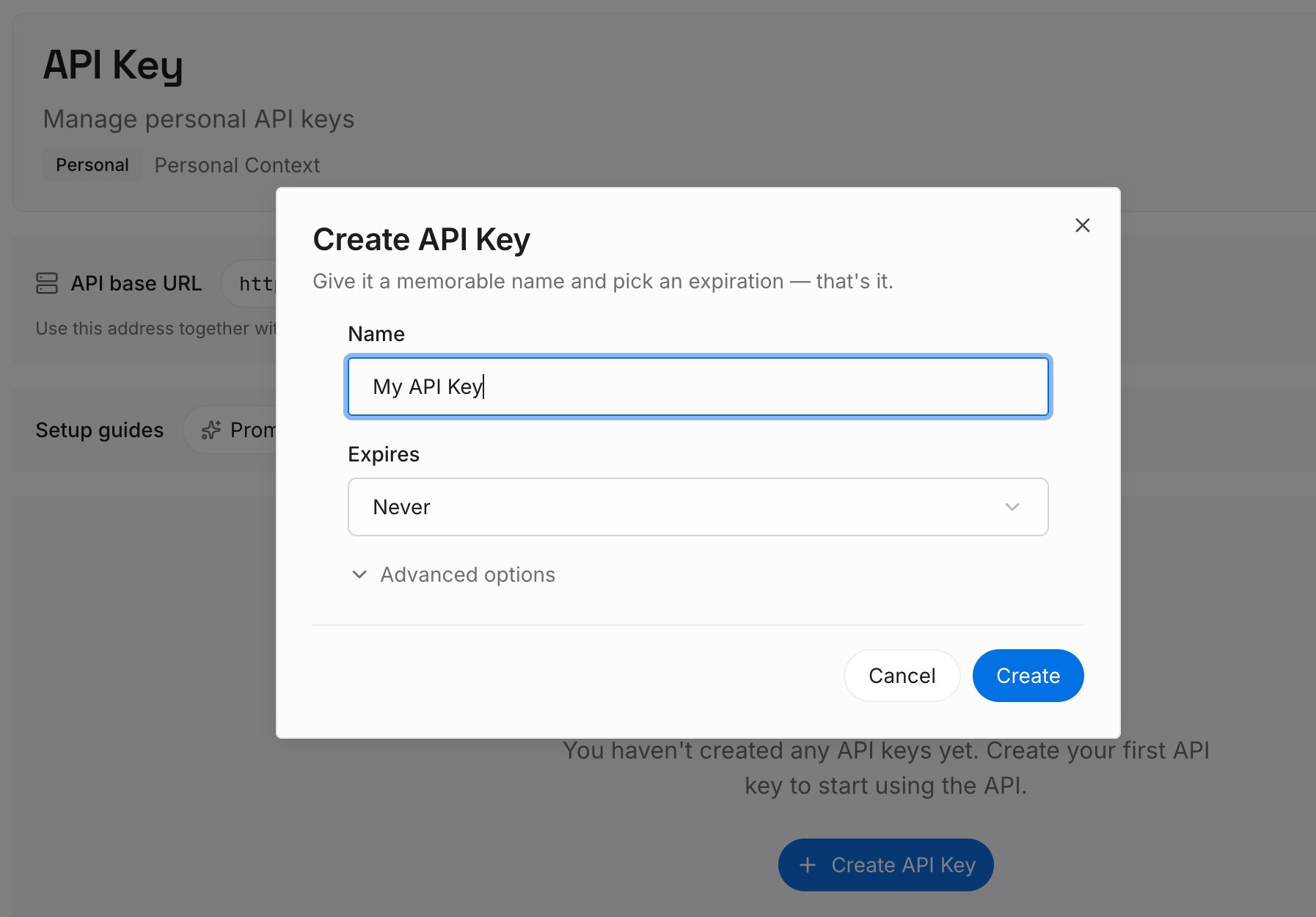
Step 1: Create an API key
Sign in and generate a key from the dashboard. The key belongs to your MemoryLake workspace, separate from your OpenClaw and Hermes installations.
Step 2: Upload your first memories
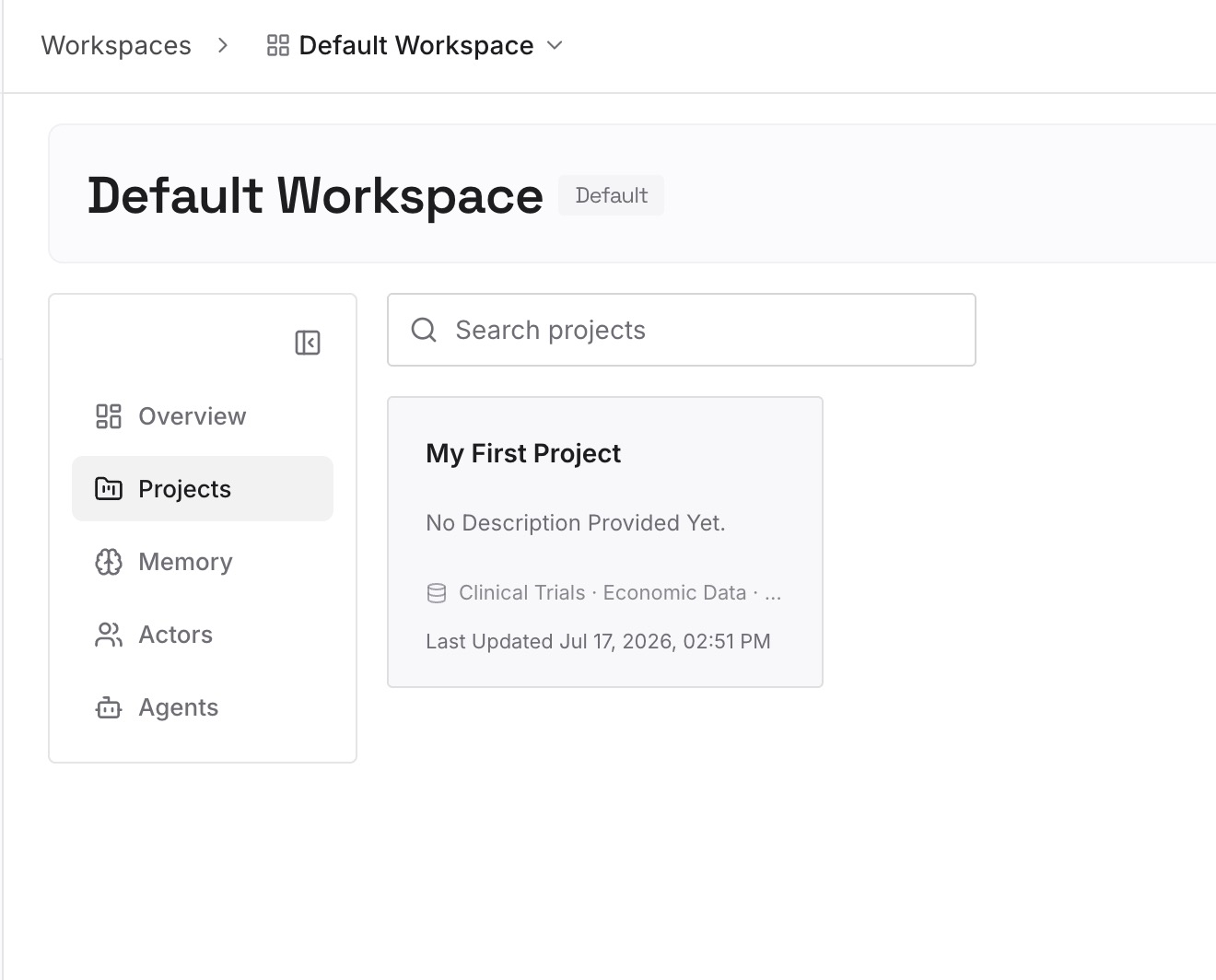
Start with the durable lines you distilled from your daily notes in Step 1, and the standing decisions from your curated MEMORY.md. One fact per entry, dated.
Step 3: Connect your AI & agents
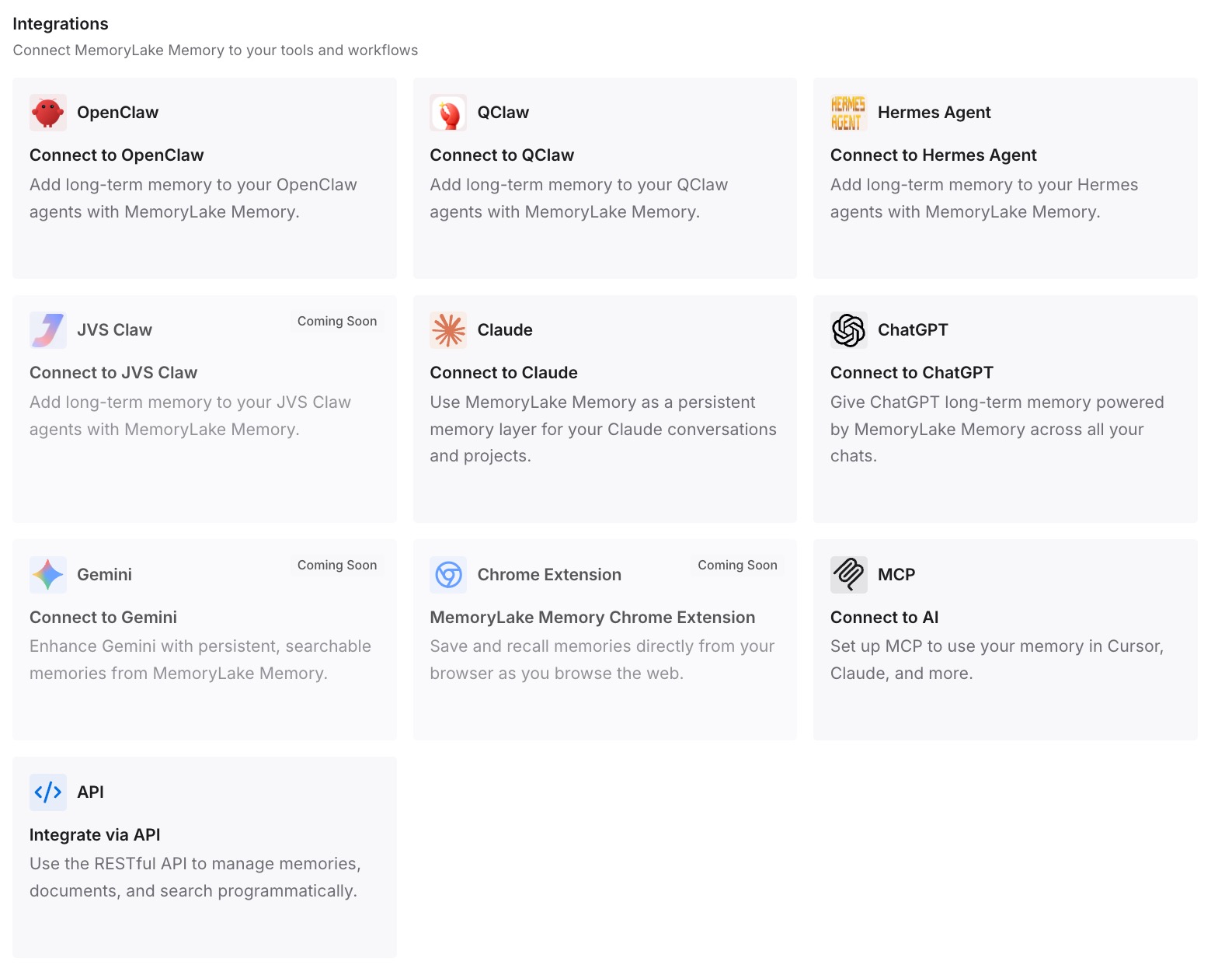
Connect Hermes and the other agents you use. Hermes can connect to external tool servers through MCP, so your context is available without crowding its built-in memory.
What this changes in practice
The first difference is that nothing important depends on a merge. Your durable context arrives because you curated it, not because it happened to fit inside a character limit.
The second is a lean built-in memory. Hermes's MEMORY.md stays small and current, which is what its design expects.
The third is that daily detail stays available. Raw notes live in your archive, and Hermes keeps its own session history searchable: "All CLI and messaging sessions are stored in SQLite (~/.hermes/state.db) with FTS5 full-text search."
The fourth is easier future moves. If you later add another agent, or return to OpenClaw, the same context comes with you. Teams comparing options can start from the best memory setups for OpenClaw agents, and the broader case for a shared layer is made in MCP and memory: the missing layer.
Best practices for moving from OpenClaw to Hermes Agent
Dry-run first. Read the memory section of the plan before applying anything.
Curate daily notes before the merge. Distill durable points into MEMORY.md; archive the rest.
Set the workspace target. Hermes lists it as required for placing AGENTS.md.
Keep USER.md about you and SOUL.md about tone. They are separate systems in Hermes.
Recreate archived duties deliberately. Heartbeats become cron jobs; identity notes merge into SOUL.md.
Start a new session to test. Imported memory takes effect in new sessions.
Create your own session boundaries. Hermes conversations persist until /new or /reset. For what OpenClaw's memory could and could not do from the start, see what OpenClaw's memory can and can't do; and if you arrived at OpenClaw from Claude, migrating Claude memory to OpenClaw shows the earlier leg of the journey. For persistent memory options inside OpenClaw itself, see OpenClaw memory.
Conclusion
Hermes Agent's hermes claw migrate carries your persona, instructions, skills, memory and user profile from OpenClaw, and archives what has no direct equivalent for you to review. The detail to plan for is memory: OpenClaw's daily notes, a working layer kept out of the prompt, are merged into Hermes's single MEMORY.md, which is injected into every session, capped in size, and does not auto-compact.
Curate before you migrate. Distill daily notes into a short, current MEMORY.md, keep the raw files in your own archive, run a dry run, then verify the report and the memory files after the move.
Keep your durable context somewhere you maintain yourself, and the next migration becomes a configuration task rather than a memory rescue.