
What actually transfers
Perplexity's own definition sets the scope: "Memory (sometimes referred to as Personal Search) is a feature that allows Perplexity to remember details between your conversations, making your interactions more personalized and efficient."
It then splits that into two distinct things it will draw on. The first is Memories — "preferences, interests and information you share with us that will help Perplexity give more informed responses in the future." The second is Search history — "In some scenarios it helps to reference past questions, answers and more to give you the most relevant response."
That split is not cosmetic, and the consequence is stated outright:
"To give you the ultimate control of both, the permissions are separated. Turning Memory off does not clear your memories, and neither does deleting a thread in your history."
Two toggles, two stores, and neither switch empties anything. If you have ever turned memory off, assumed that was a reset, and then wondered why the personalization came back when you turned it on again — that is the documented behaviour, not a bug.
How the Memories pile gets built matters even more for what you should keep. Perplexity describes it as accumulating from use: "As you ask questions or indicate preferences in Perplexity, we'll use this information to store key memories." And then the important qualifier, from the section on sensitive information: "memory is generated based on a model that favors the frequency of questions asked and information given by the user."
Frequency. Not importance. The thing you asked about eleven times in March is well represented; the constraint you stated once, which governs everything, may not be there at all. That is the single most useful fact for planning this migration, and it tells you the migration is really an audit.
Now the mechanics, piece by piece.
Your Memories list transfers, because you can see it. Perplexity documents viewing them in account Settings under the Personalize section, then "Manage Memories" to view and delete saved Memories. The help article describes viewing and deleting; it does not describe a file you can download, so plan on reading the list and writing down what matters rather than exporting it.
Your search history transfers only as far as your threads still exist. This is the trap. Perplexity documents that some threads are temporary and expire: "Logged-out threads are threads created without signing into an account. These anonymous threads expire after 14 days and are not recoverable," and "Incognito threads are private conversations that expire after 24 hours." If you use Comet, the scope widens: "temporary threads will always expire when your query involves open tabs, browsing history, or triggering an agentic event."
Nothing from incognito was ever in there. Perplexity is unambiguous: "Memory and previous searches are always off when using incognito mode, and questions asked in incognito are not retained or used in memory ever." Good privacy design, and it means any research you did that way exists only in whatever you saved yourself.
The citation trail does not travel. Perplexity shows its work — when you get an answer, referenced memories and previous searches appear in the sources. That provenance is a property of Perplexity's answer surface. What you can carry is the conclusion, written down with the source named inside the sentence.
Now the destination. ChatGPT's documented personalization surfaces are Custom Instructions, the memory summary, and the legacy saved memories system. OpenAI splits the job between them: "For explicit information or instructions, you can add it to your Custom Instructions. For information shared via conversations, ChatGPT can remember relevant details for you." On the legacy list it is explicit about timing — "Unless you delete them, saved memories are always considered in future responses" — and it warns that the visible summary is partial: "While the memory summary should capture the most important details, it will not include everything that ChatGPT remembers based on your chats."
So both sides have a visible layer and an inferred layer. The visible parts map cleanly. The inferred parts do not transfer at all, in either direction — which is exactly why writing things down is the whole job here.
If you are moving Spaces rather than the memory store, that is a different asset with a different shape, covered in migrating Perplexity Spaces to ChatGPT. And if what prompted this was hitting a ceiling rather than switching tools, the ceiling itself is covered in fixes for Perplexity memory limits.
The manual migration
Step 1: Read both stores before you change either setting
Open Settings, go to Personalize, and open Manage Memories. Read the whole list. Do not skim it — this is the one time you get an inventory, and Perplexity has told you it was assembled by frequency, so read it the way you would read a search log rather than a profile.
Sort every entry into three buckets as you go.
True and load-bearing. Your field, your constraints, the conventions you actually work by. These are going with you.
True and trivial. The cuisine preference, the one-off comparison, the thing you researched for a friend. Leave them. Copying these into a new tool is how a fresh memory store gets cluttered on day one.
Wrong or expired. Frequency-weighted stores accumulate these. A project you left, a tool you stopped using, a preference from a job two roles ago. Note them, because they are the ones most likely to have quietly shaped answers you trusted.
Then do the second pass, and this is the one people skip: go through your library for the threads that mattered and harvest the conclusions out of them. Perplexity's threads are where the reasoning lives, and some of them have an expiry date you did not choose. Do this before any deletion, because deleting all threads from the library is documented as an action that cannot be undone.
While you are in there, check the second permission. Referencing memory and referencing search history toggle separately, and turning one off does not clear the other.
Step 2: Rebuild in ChatGPT through the two surfaces it documents, then verify
Standing instructions and stable facts about you go into Custom Instructions, which OpenAI describes as the place for explicit information and instructions. Keep it tight; this is in play on every response.
Everything situational goes in as you use it, which is how OpenAI describes the other half working — details shared in conversation, retained for you. That means the rebuild is not one paste. It is a week of normal use in which you say the important things once, on purpose.
Then verify, and use the method OpenAI names rather than trusting the list. Its guidance is direct: "If you want to know if ChatGPT has remembered something, just ask in chat." The visible summary is not an inventory — OpenAI says so itself: "Not necessarily. ChatGPT's memory is based on a continually updated synthesis of context from your past chats, which may be broader than what can be shown as individual items in a summary." What that gap means day to day is covered in what ChatGPT's memory summary leaves out.
One scheduling note: if you do your rebuild in Temporary Chats, none of it lands. OpenAI documents that Temporary Chats do not use existing memories or create new ones.
The Better Way: Keep the list you curated where a frequency model can't rewrite it
You have just done something valuable and slightly painful: you read a machine-generated profile of yourself and decided which parts were true. That judgment is the asset. It is also the thing that evaporates if you leave it inside whichever store you happen to be using, because both of these stores are built to keep updating themselves.
So keep the curated version somewhere of your own. Not the raw list — the version you corrected.
That is what MemoryLake is for. You write the entries into it yourself, in your own words, with the reason each one matters, and every assistant you connect reads the same set. Nothing is pulled out of any vendor's store; what is in there is what you put in there.
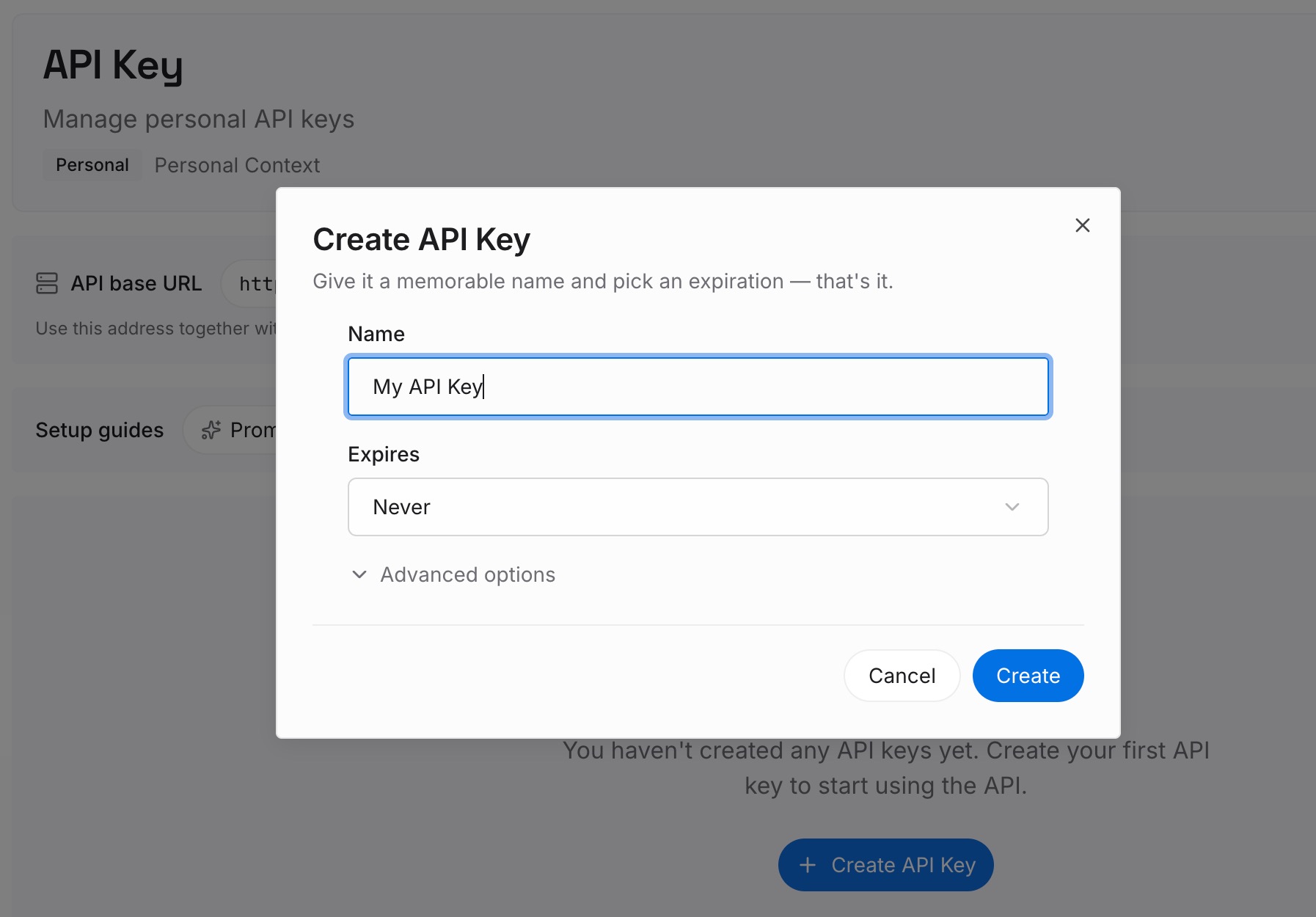
Step 1: Create an API key
Sign in, open your workspace settings, and generate an API key. This is the credential your assistants use to read the same layer, so create it once and keep it reachable from each tool you research in.
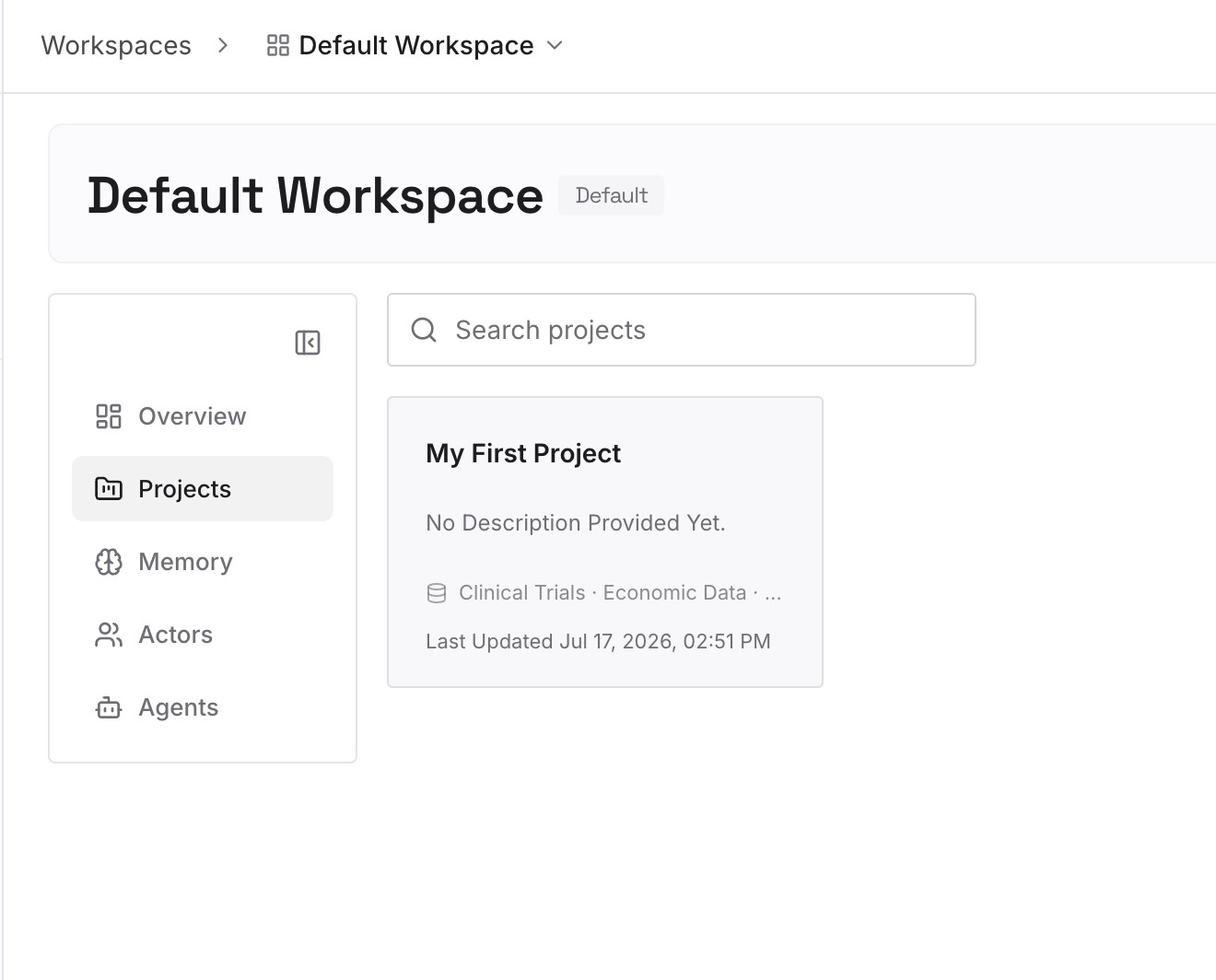
Step 2: Upload your first memories
Start with the load-bearing pile from your audit, one entry per subject, each with its reason attached. Add the constraints that are expensive to rediscover: which sources you trust when two disagree, which questions you have already closed, which conclusions the last six months of reading actually produced.
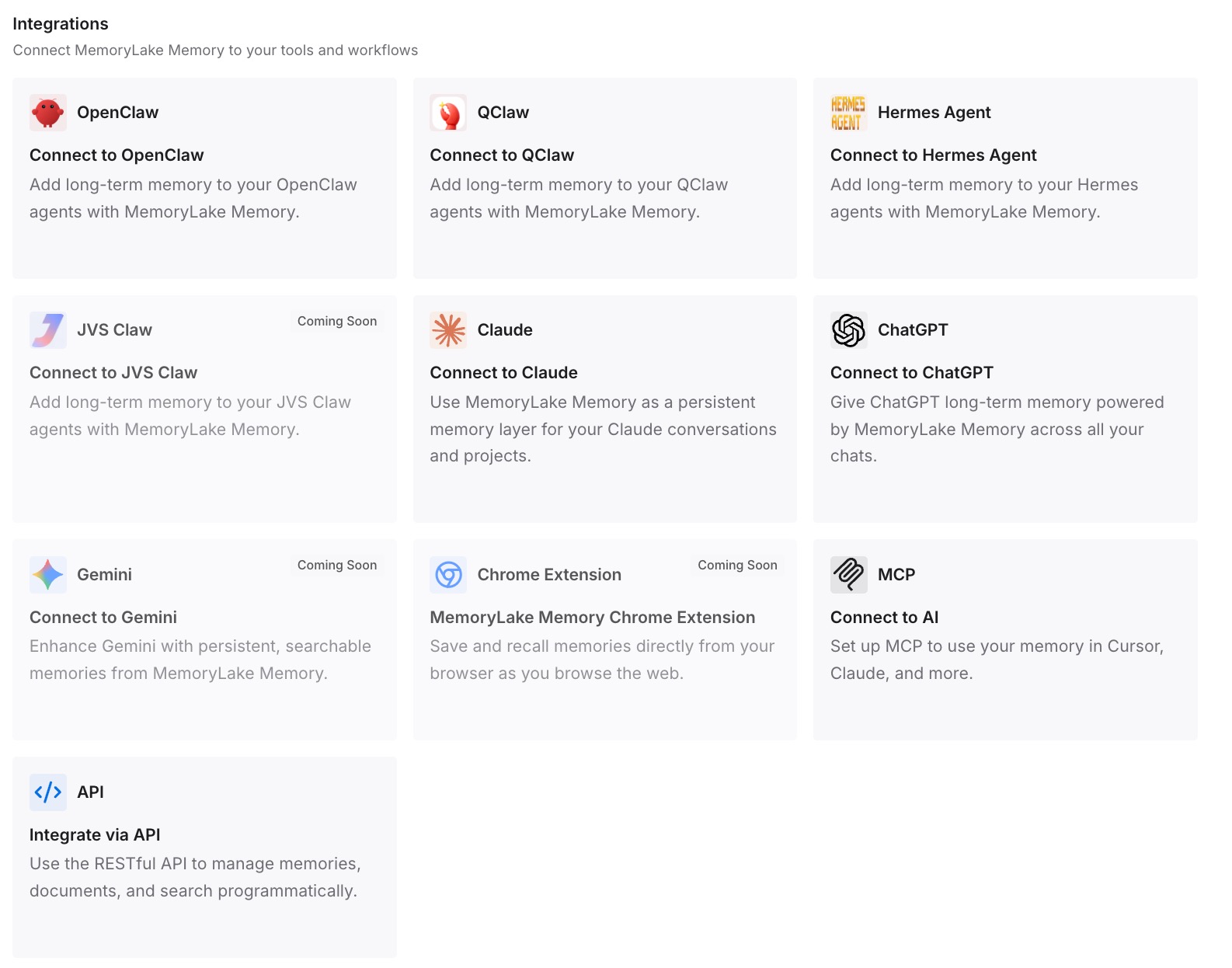
Step 3: Connect your AI & agents
Connect ChatGPT, and anything else you work in. The same curated set arrives in each, so a new thread opens already knowing what you decided rather than what you happened to ask about most often.
What this changes in practice
The first difference is that frequency stops deciding what you are. A record you wrote deliberately says the thing you meant; a record inferred from repetition says the thing you asked about. Those are different, and only one of them is worth carrying between tools.
The second is that an expiring thread stops taking a conclusion with it. Temporary threads, logged-out threads and incognito are all reasonable features, and none of them are places to keep a decision. Once the decision lives elsewhere, the expiry is housekeeping instead of loss.
The third is that switching stops being an event. Anyone who has run this migration in the other direction — the path in migrating ChatGPT memory to Perplexity — knows the work is identical each time, and it only has to be done once if the curated version lives outside both.
The fourth is that the research itself gets stickier. The complaint in when Perplexity forgets your research context is rarely about a missing fact; it is about having to re-establish what the project is before you can ask the next question.
Best practices for moving a memory store
Audit before you copy. A frequency-weighted list is a log, not a profile. Read it as evidence of what you asked, then decide separately what is true.
Write the reason next to the preference. "Prefers primary sources" is a setting. "Prefers primary sources because the trade press kept mis-stating the 2025 rule change" is something a person or an assistant can act on and can later check.
Harvest threads before you delete anything. Deleting all threads from the library is documented as not undoable, and some threads expire without being deleted at all.
Check both permissions, not one. Memory and search-history referencing are separate toggles, and Perplexity states that turning memory off does not clear your memories.
Leave sensitive detail out on purpose. Perplexity says it has taken steps to reduce the chance that memory retains things like health or financial details, and that you can review and clear the bank. Treat that as a floor, not a guarantee, and keep anything genuinely sensitive out of any assistant's memory by choice.
Expect the destination's list to be incomplete. OpenAI says the summary will not include everything, and tells you to ask in chat instead. The practical consequences are set out in ChatGPT's memory limitations.
Conclusion
Perplexity built this honestly. It separated the permissions so you could control referencing without wiping the store, it told you the memories are generated by a model weighted toward frequency, and it published which threads expire and when. Very few vendors volunteer that much.
The migration hurts anyway, because what you are moving was never a document. It is a machine-built impression of you, assembled from how often you asked things, sitting in two stores with two switches, alongside threads that quietly expire.
So do the audit, keep the corrected version, and put it somewhere neither vendor's model gets to rewrite. The list will regenerate in whichever tool you use next. The judgment about which parts of it were true is the part that only exists if you write it down.