
What actually transfers
Take the Project apart layer by layer, using Perplexity's own description of what a Project holds: "your Search conversations, your Computer tasks, files, custom instructions, connected tools, and the context Perplexity builds up as you work."
Files: transfer, and they're the easy win. Perplexity documents persistent file uploads individually, as folders, and as imports from connected file sources, plus files that Computer creates and manages on your behalf. Anything that's a real document comes out as a real document. On the Codex side these become files in the repository or in whatever directory you point Codex at — the difference being that a Project's files are attached to a workspace while Codex reads what's on disk.
Custom instructions: transfer, with a size reality check. Perplexity allows Project instructions "up to 8,000 characters" that "tell Computer how to work inside this Project," plus context instructions in Settings "used for every query run in the project." The natural destination is AGENTS.md, and Codex's own documentation makes the case for putting them there rather than trusting memory to carry them: "Keep required team guidance in AGENTS.md or checked-in documentation. Treat memories as a helpful recall layer, not as the only source for rules that must always apply." Eight thousand characters is a lot, though. Most of that length is usually a mix of hard rules and background explanation, and only the hard rules belong in an always-loaded file.
Prioritized web links and domains: no destination. Project settings let you "add and manage web links and domains to be prioritized." That's a retrieval preference for a research tool, and Codex has no equivalent knob. If those domains encode something real — this vendor's docs are authoritative, that Stack Overflow answer is outdated — write the reason down as a note instead of trying to reproduce the mechanism.
Default mode and orchestrator model: no destination, and no loss. A Project can set a default mode (Search versus Computer) and a default Computer orchestrator model. These are Perplexity-side execution settings. Nothing to migrate.
Brain: does not transfer. This is the layer that matters and the layer with no path. Perplexity documents what Brain accumulates — it learns from your sessions, your connected tools, files and artifacts, and your corrections, and it organizes the result into "Concepts, Entities, and Workstreams — a browsable wiki and graph of your world," where each entry "links back to its source, so you can check or correct it." Successive runs reinforce what's still true, update what's changed, and mark what's stale. That's genuinely more than a document pile: it's structured, provenance-linked, and self-maintaining. And the documented interface for it is viewing, editing, and deleting entries in Settings → Memory. Perplexity's docs describe no export.
Two fairness notes on Brain before we treat it as a wall. It's gated — the docs say "Brain is rolling out in Research Preview to Max and Enterprise Max subscribers using Computer" — so a fair number of people reading this don't have it and can skip the whole problem. And it's opt-outable, with its own toggle under Settings → Memory settings → Brain and an organization-level control for Enterprise admins. If Brain is off in your workspace, your Project's knowledge is already just files plus instructions, and this migration is a two-hour job.
Codex memories: exist, but don't receive anything. On the destination side, Codex maintains its own memory store: files under ~/.codex/memories/ containing, per the docs, "summaries, durable entries, recent inputs, and supporting evidence from prior chats," generated in the background after chats go idle, and enabled via [features] memories = true in config.toml. Three documented properties shape this migration. They're local and per-machine. They're separate from ChatGPT web's memory — "ChatGPT web uses ChatGPT memory, while local Codex clients use a separate local memory store." And generation is best-effort: memory passes can be skipped when the rate-limit remaining percentage falls below a configured threshold, and "memories may not update right away when a chat ends." You can't seed this layer by writing into it, and the docs advise against making hand-editing your control surface.
The consequence that isn't in either doc. A Perplexity Project is collaborative by design: roles of Owner, Can edit, and Can view; access scopes from Restricted through organization-wide; up to 5 contributors on non-Enterprise Projects and up to 9,999 on Enterprise-owned ones. Codex memories are per-machine and per-person. Migrate a five-person Project into one engineer's Codex setup and the knowledge doesn't just change format — it changes owner. Everyone else loses access to it, and nobody gets a notification.
The manual migration
Step 1: Move the durable inputs first
Do this part before you touch anything derived, because it's mechanical and it makes the hard part smaller.
Export the files. Everything under the Project's Files, including artifacts Computer produced that you'd want six months from now. Put them where Codex will actually see them: in the repository if they belong to the codebase, in a checked-in docs/ directory if they're reference material. Files sitting in a folder Codex isn't pointed at are the most common way people "migrated" and then wondered why nothing carried over.
Split the instructions in two. Take the Project instructions and the Settings-level context, and sort each line into "must hold every time" and "useful background." The first pile becomes AGENTS.md, following Codex's own guidance about required team guidance living in checked-in documentation. The second pile becomes documentation you reference, not instructions you load. Resist pasting all 8,000 characters into AGENTS.md; a long always-loaded file competes with the work for attention, and the rules that matter get diluted.
Write down the retrieval preferences as prose. The prioritized-domains list is a compressed judgment about which sources you trust. Codex can't take the list, but it can read "the vendor docs at X are authoritative for the API; anything on Y predates version 3 and is misleading." That sentence is more portable than the setting ever was.
Note the collaboration boundary explicitly. Before you shut the Project down, write a short note recording who had access and who was contributing. You're about to move from a workspace with roles to a local store with none, and knowing who else depended on this is what stops you from silently deleting a team resource.
Step 2: Re-derive what Brain worked out — and decide who owns it
Now the part that has no export. The good news is that Brain's interface is built for exactly the reading you need to do: open Memory, browse the Concepts, Entities, and Workstreams, and click through to the source behind each entry. You're not guessing what it learned; it will show you, with provenance.
Work through it with one filter: would this still be true if the tool disappeared? Keep the entries that describe your project, your constraints, your people, your open loops, your decisions. Skip the entries that describe how Computer worked on a task, which are about the tool's execution rather than your world. Perplexity itself draws this line — its docs distinguish Memory, which "stores your preferences, interests, and the things you've shared," from Brain, which "organizes your projects, people, documents, decisions, and open loops into a connected graph." The decisions and open loops are what you're mining for.
Then place them, and this is where the ownership decision lands. You have three options, and the worst one is drifting into the third by accident.
Put them in checked-in documentation. Slower to write, and it survives. The team keeps access, the knowledge is reviewable in a diff, and Codex reads it because it's in the repo. This is what Codex's docs recommend for anything that must always apply.
Put them in a shared memory layer. Faster to maintain than prose docs, still accessible to everyone, and readable by more than one tool. More on that below.
Let Codex's own memories accumulate them. This happens by default and it's fine as a supplement — but understand what you've chosen: a store that's local to one machine, separate from ChatGPT web's memory, generated on a best-effort schedule, and not intended to be hand-edited. As the only home for a team's accumulated knowledge, that's a single point of failure with no backup and no sharing. Codex's documentation is unusually direct about this being the wrong job for it, and the gap shows up quickly as Codex forgetting project context on work you haven't touched in a while.
Doing nothing is the fourth option and it's the real risk. Brain marks stale entries and keeps itself current; a folder of half-remembered conclusions does not. A partial migration leaves you with knowledge that looks captured and isn't.
The Better Way: One Memory Layer, Either Tool
Step back from the specifics and the pattern is obvious. Two good tools, two competent memory systems, zero interoperability — and the knowledge in question wasn't really about either tool. It was about your project. Every time the tooling changes, the knowledge gets re-derived by hand because it was stored inside the tool that happened to help you discover it.
MemoryLake is a memory layer that sits outside both: one place for the project's durable knowledge, readable by whichever assistant you're using today. Research in Perplexity, build in Codex, and both read the same memory instead of each maintaining a private, unexportable copy. Setup is three steps.
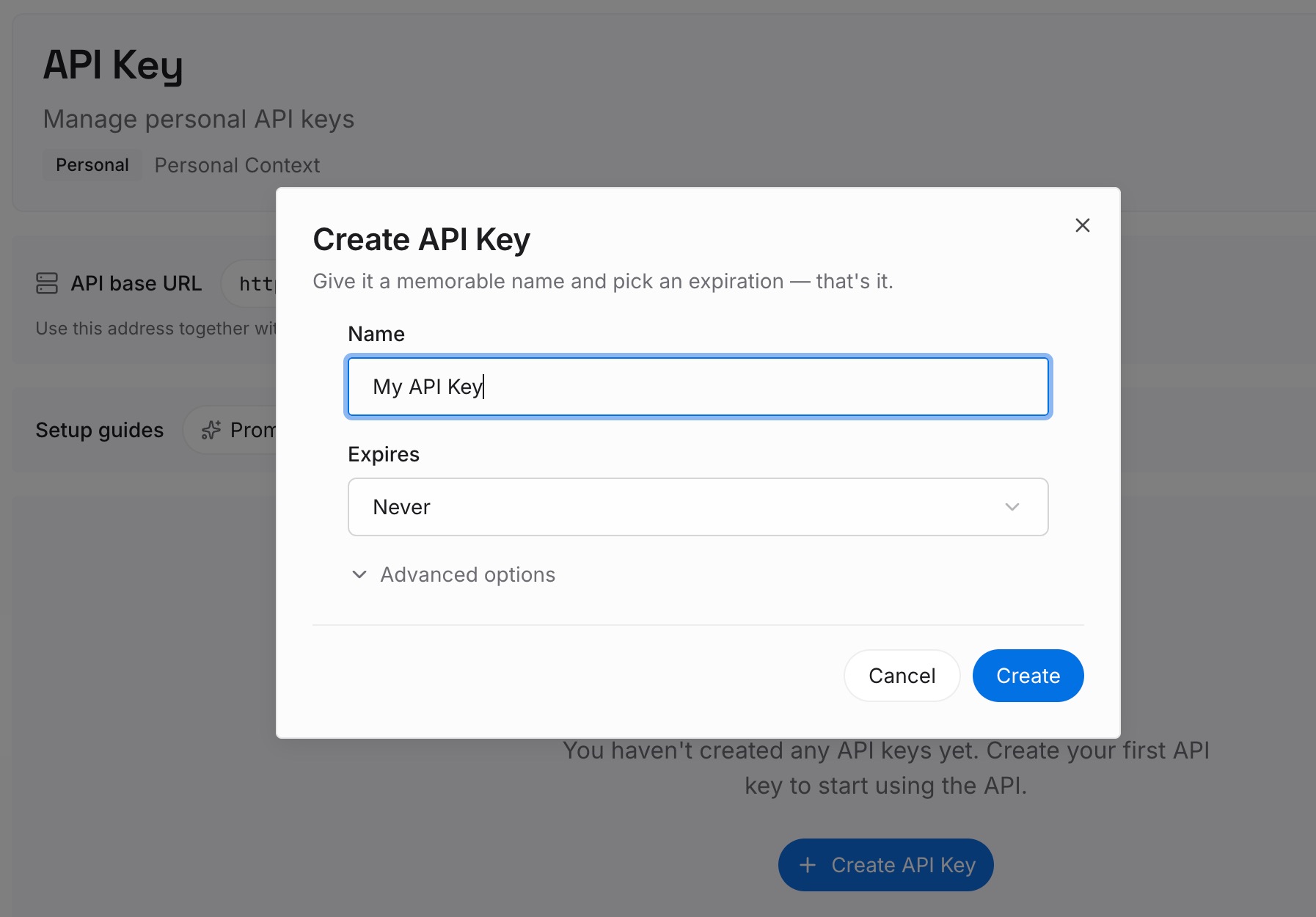
Step 1: Create an API key
Sign in to MemoryLake and create an API key. One credential for every tool you connect, which is the part that makes this survive your next migration.
Step 2: Upload your first memories
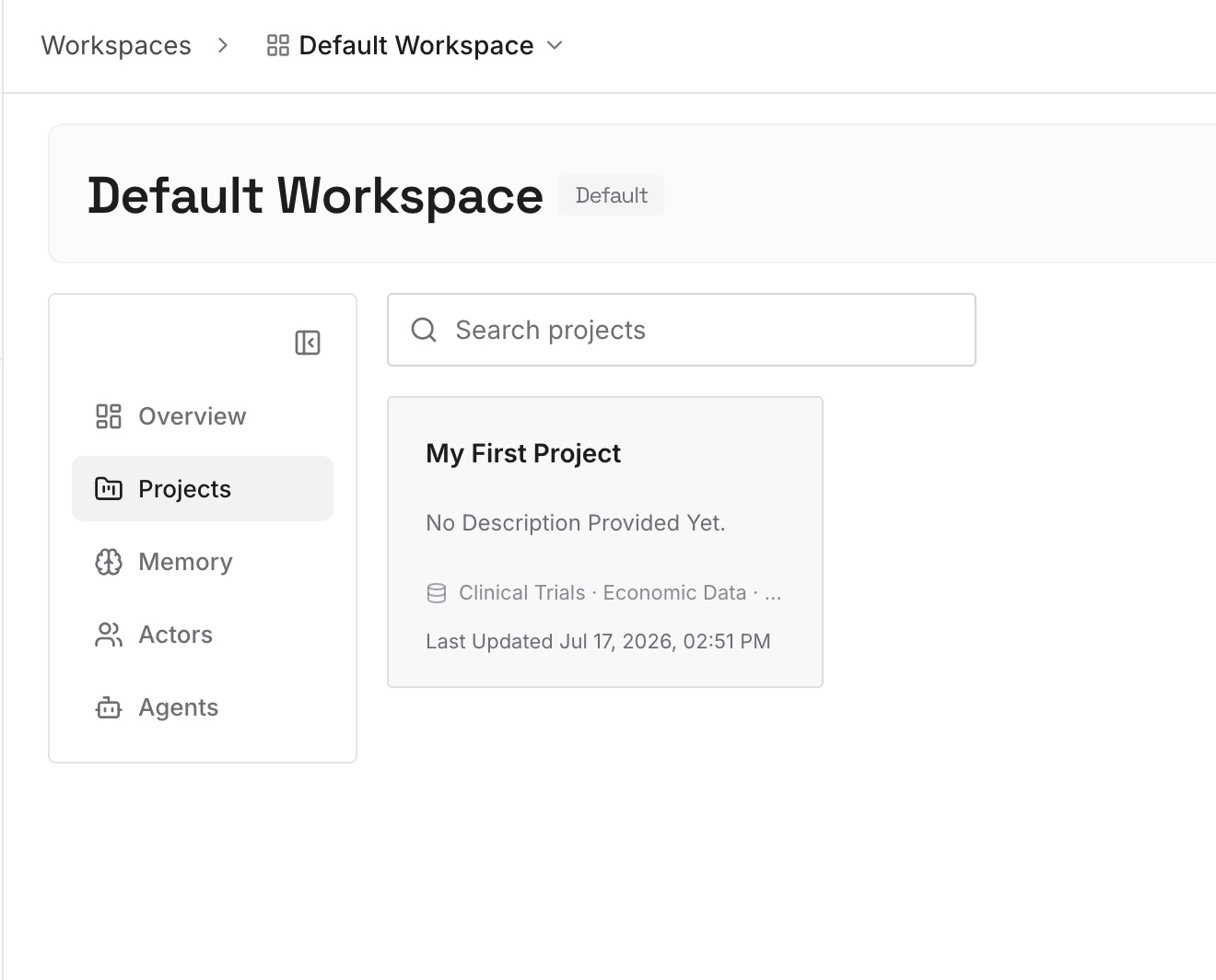
Upload what you extracted in Step 2 above — the decisions, the constraints, the open loops, the reasons behind them — plus the reference files that explain the project. Keep entries short and factual, one idea per entry, so retrieval returns something usable rather than a wall of text. Entries about why you rejected an approach are worth twice what entries about what you chose are, because the rejection is the part every fresh assistant will otherwise re-propose.
Step 3: Connect your AI & agents
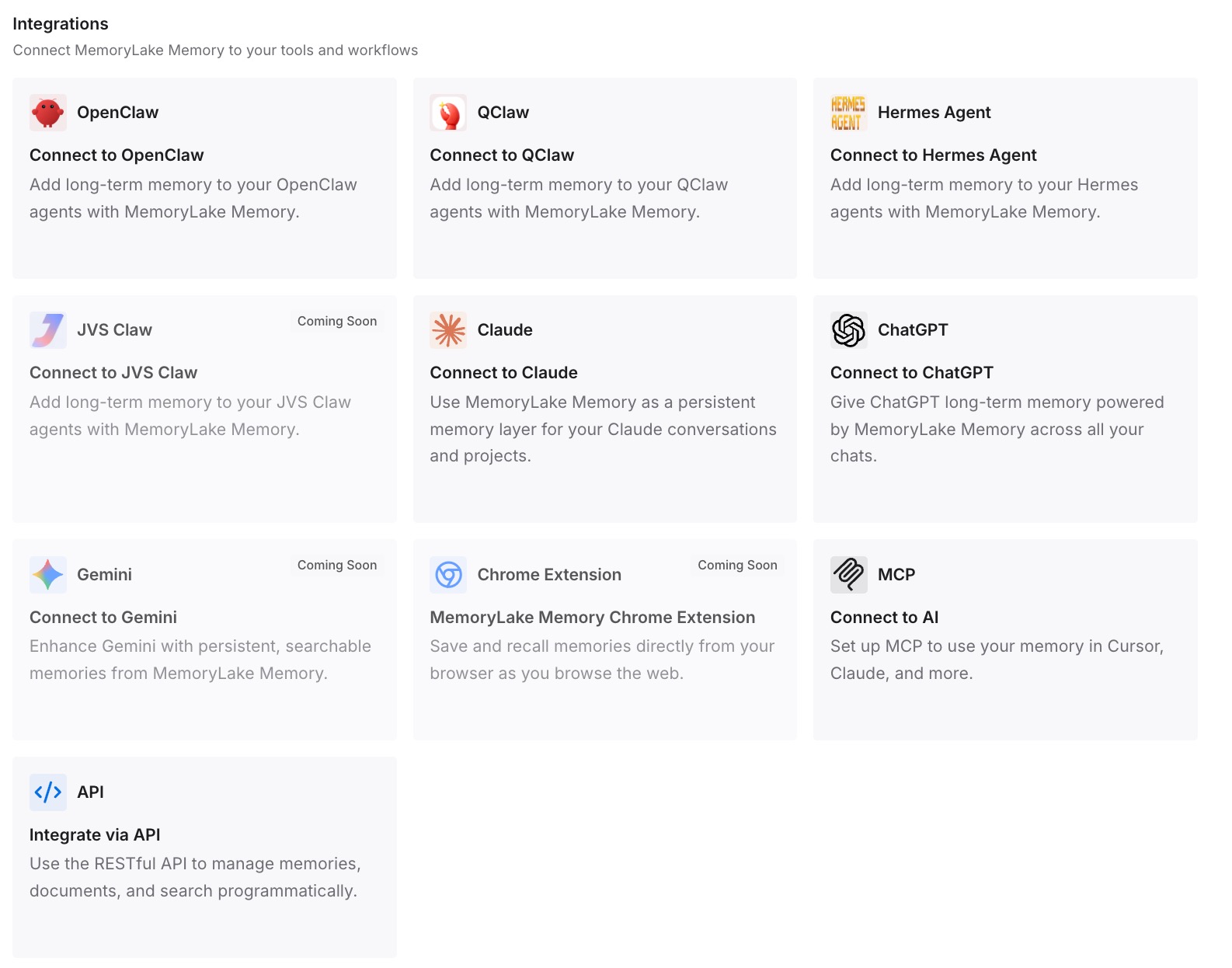
Connect your tools. MemoryLake is reachable over MCP and over an API, so MCP-native agents — Codex, Claude Code, and OpenClaw among them — connect by pointing at the MCP server, and anything else reads the same memory through the API. Codex keeps its local memories doing what they're good at, recalling recent work on this machine; the durable knowledge lives somewhere your teammates and your other tools can also reach.
Honest limits: MemoryLake does not import Brain, because Brain has no documented export — you re-state the conclusions once, by hand, and that's the actual cost. It also isn't a research tool. It won't replace what Perplexity does; it holds what you concluded after Perplexity helped you find it.
What this changes in practice
Migrations stop being re-derivations. The expensive part of this move isn't files or instructions — those take an hour. It's reading a memory graph and retyping its conclusions. Doing that into a tool-independent layer means the next move costs an hour too.
Team knowledge stays team knowledge. This is the quiet win. A Project supports up to 9,999 contributors on Enterprise; Codex memories support one machine. Anything that lands in a shared layer instead keeps the property that made the Project valuable in the first place.
Research and build stop being separate memories. The pattern most people actually have is research in one tool, implementation in another, and the same context explained twice. One layer both can read removes the second explanation — the same problem covered in how to stop re-explaining context to your AI.
Vendor changes stop being events. Spaces became Projects. Brain arrived in research preview. Codex memories are configurable and off unless enabled. Every one of those is a docs update if your knowledge lives outside the tools, and a scramble if it doesn't.
Best practices for moving out of a Perplexity Project
Read Brain before you cancel anything. Access to the graph ends with access to the plan. Do the reading while you still have both, and check the Project's files in the same pass — content that felt missing inside a Space is usually still there and just wasn't being retrieved.
Use the provenance links. Every Brain entry links to the session, file, or source behind it. When an entry looks important but vague, click through — the source usually contains the specific version worth keeping.
Keep required rules in checked-in files. Codex's docs say it directly, and it applies regardless of which memory layer you adopt: rules that must always apply belong in AGENTS.md or documentation, not in a recall layer.
Don't expect Codex memories to appear on demand. Generation happens in the background after chats go idle, can be skipped under rate-limit pressure, and the docs note memories "may not update right away when a chat ends." Absence right after a session is normal, not a bug.
Check the machine boundary before you rely on it. Codex memories are local and per-machine, and the IDE extension uses the connected host's store. If you work across two computers, assume two separate memories.
Tell your collaborators. If the Project had contributors, the migration removes their access to a knowledge base they were using. That's a decision to make out loud, not a side effect.
Conclusion
The old version of this migration was "export your Spaces content and paste it somewhere." That's no longer the whole job, because both ends of the trip now maintain derived memory that neither will hand over. Files and instructions move in an hour. Brain's conclusions move at the speed of you reading and retyping them, and Codex's memories can't be seeded at all.
So do the reading once, and put the output somewhere that isn't inside either tool — checked-in documentation, a shared memory layer, ideally both, split by whether a rule must always hold. Then the next rename, the next research preview, and the next tool are events you read about rather than projects you schedule. If your destination is a different agent, migrating Perplexity Spaces to Claude Code covers that route, and migrating ChatGPT memory to Codex covers the other common source for the same destination.