
What actually transfers
On the Perplexity side. Export is per thread. Open a thread, use the share / more-options menu, and export it — PDF is the most consistently available format, with Markdown and DOCX also offered. The export contains your prompts and Perplexity's full responses, formatting and links survive, and citation markers are preserved with the cited URLs, titles, and source snippets collected at the end. For research work, that citation block is the single most valuable thing in the file.
What Perplexity does not offer is an official one-click export of an entire Space. Community browser extensions do bulk exports — whole Spaces, selected threads, or your full library, straight into Notion or Markdown — and some support scheduled backups. They are genuinely useful, and they also need access to your Perplexity account and often your Notion workspace, so treat granting that access as a decision rather than a formality, especially with client work.
Files you uploaded into a Space are a separate matter. Perplexity is not a document store: keep the originals wherever they came from, and re-upload rather than treating the Space as the archive.
On the Notion side. Go to Settings → Import → Text & Markdown and upload .md or .txt files one at a time, or zip a folder and use the ZIP importer for a batch. Each file becomes its own Notion page. File size limits are 5 MB per file on the Free plan and 50 MB on paid plans. Standard headings, lists, and code blocks import cleanly; anchor links and tool-specific Markdown extensions don't. Note also that CSV and ZIP use different import options, so mixed batches need more than one pass.
Once the pages exist in your workspace, Notion AI can answer questions from them like any other content it has access to. That part genuinely works, and it's the reason this migration is worth doing.
What doesn't transfer. Three things, in order of how much they hurt:
- The reasoning. A thread is a sequence: you asked, Perplexity answered, you pushed back, it narrowed. The export flattens that into a document. Six weeks later the document tells you the conclusion but not that you'd already rejected the obvious alternative for a good reason.
- The Space's standing context. A Space carries instructions and files that shape every thread inside it. Notion has no equivalent container for "always answer in this context." You rebuild it as a page and a convention.
- Everything you never asked. The judgment call about which of two conflicting sources to trust lived in your head, not in the thread.
The manual migration
Step 1: Get the research out of Perplexity
Work Space by Space and be selective — a research Space accumulates a lot of one-off lookups that nobody needs preserved.
- Export the threads that reached a conclusion, as Markdown if it's offered, since Markdown is what Notion imports cleanly. PDF is fine as a human-readable record but won't become editable Notion content.
- Name files so they'll be usable as page titles.
competitor-pricing-tiers-june.mdbecomes a findable page;thread-3.mdbecomes a mystery. - Copy the Space's instructions and the list of uploaded files into a plain text file of its own. This is the piece people forget, and it's the piece that explains everything else.
- Collect your original uploads from wherever they live so you're not depending on the Space to hold them.
Step 2: Rebuild it as something Notion AI can actually use
Importing 40 Markdown files gives you 40 loose pages. That's a dump, not a knowledge base — and Notion AI's answers will be about as organized as the input.
- Create a parent page per research area and import into it, so structure exists from the start.
- Add one context page per area holding what the Space used to carry implicitly: the question you were investigating, the scope, the sources you trust and the ones you'd rejected, and the conclusions so far. Write the rejections down explicitly. This single page is the closest you'll get to preserving the thread's reasoning.
- Keep the citation blocks. Don't tidy them away — they're what makes a claim checkable a quarter from now, and they're what stops someone re-running research you already did.
- Do a spot check on a few pages after import: headings and code blocks should be intact, and any anchor links you were relying on will need fixing by hand.
Reckon on an afternoon for a serious Space. Most of that time is deciding what deserves to survive, which is time well spent.
The Better Way: One Memory Layer, Either Tool
Here's the pattern behind the whole exercise. Your research knowledge keeps ending up inside whichever product you happened to be using, and every move between products costs you a manual export, a manual reorganization, and whatever the export format couldn't carry.
Notion AI answering from your workspace is real and useful. It's also scoped to Notion. When you're back in Perplexity next week doing fresh research, it can't see what you already established. When you're in Claude or Codex writing something up, they can't see it either — so you paste. And nothing in Notion knows why the conclusion in that page is the conclusion.
The structural fix is to keep the research memory in a layer that isn't owned by either tool. MemoryLake is built for that: memory as its own layer, reachable over MCP or an API, so the documents can live in Notion while the knowledge is available to everything you use.
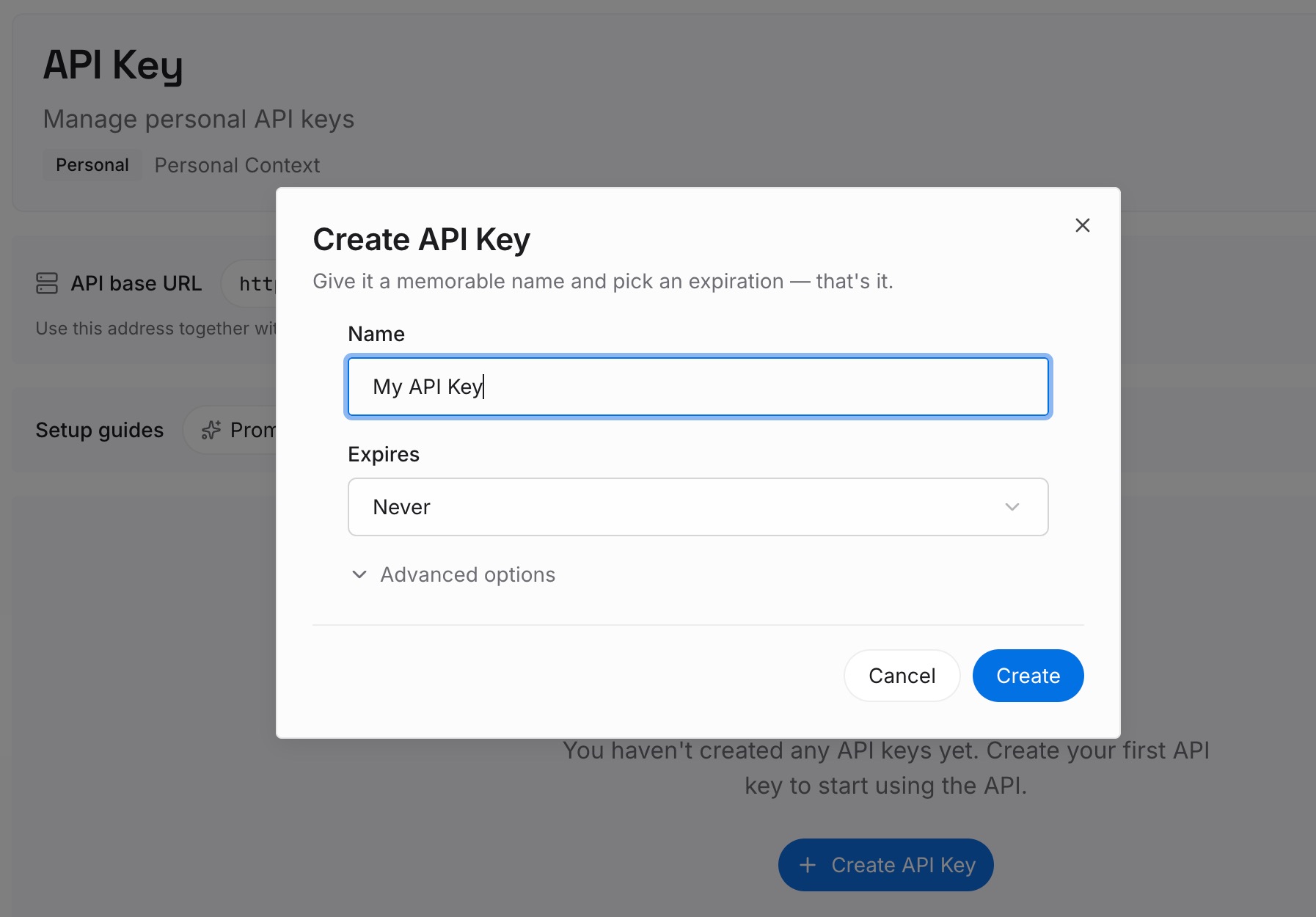
Step 1: Create an API key
Generate a key and make your first request in about 30 seconds.
Step 2: Upload your first memories
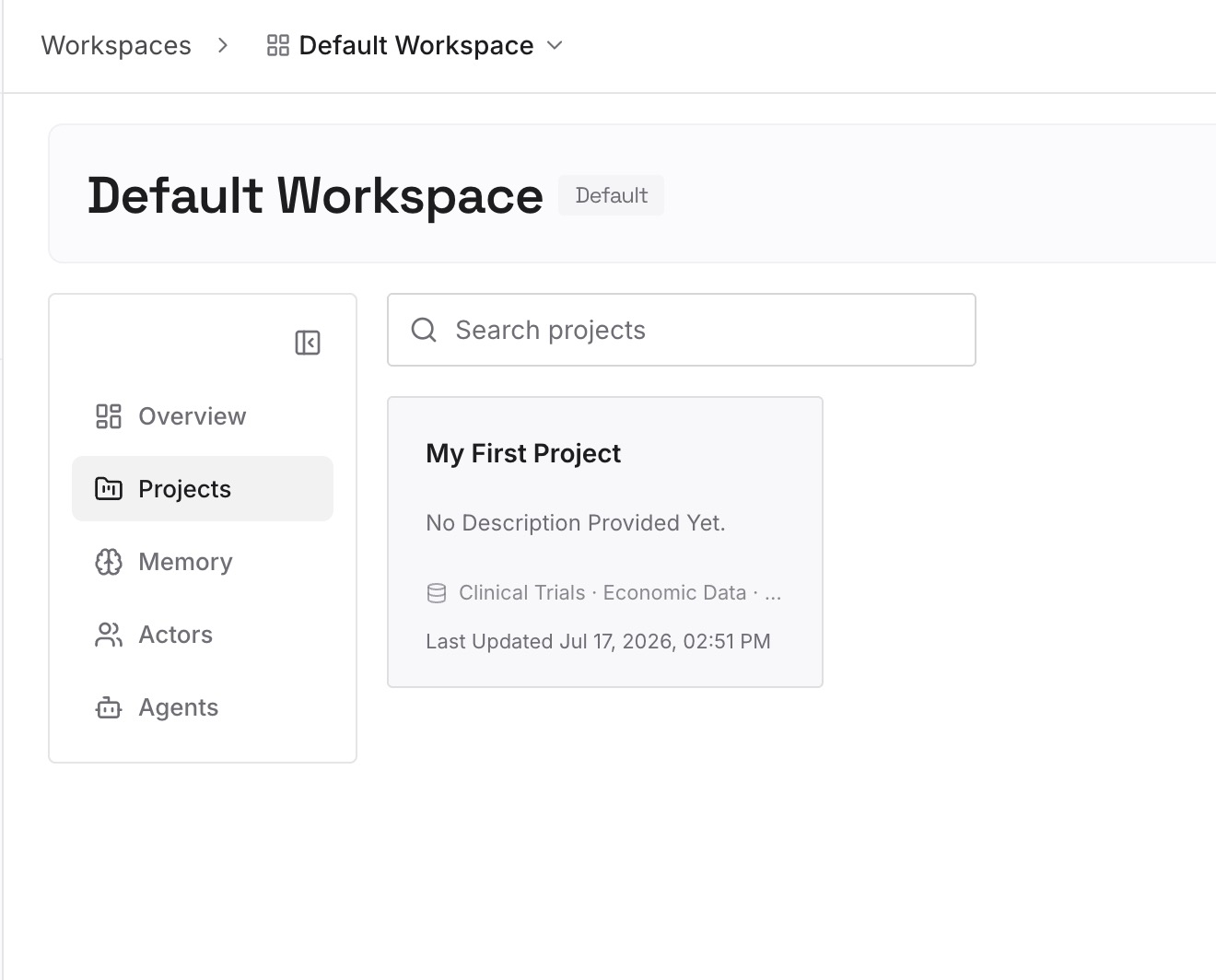
Put in the durable material from the migration you just did: the exported threads, the context pages, the source lists, the PDFs and screenshots you'd otherwise re-hunt. Documents, images, and other files all go to the same place.
Step 3: Connect your AI & agents
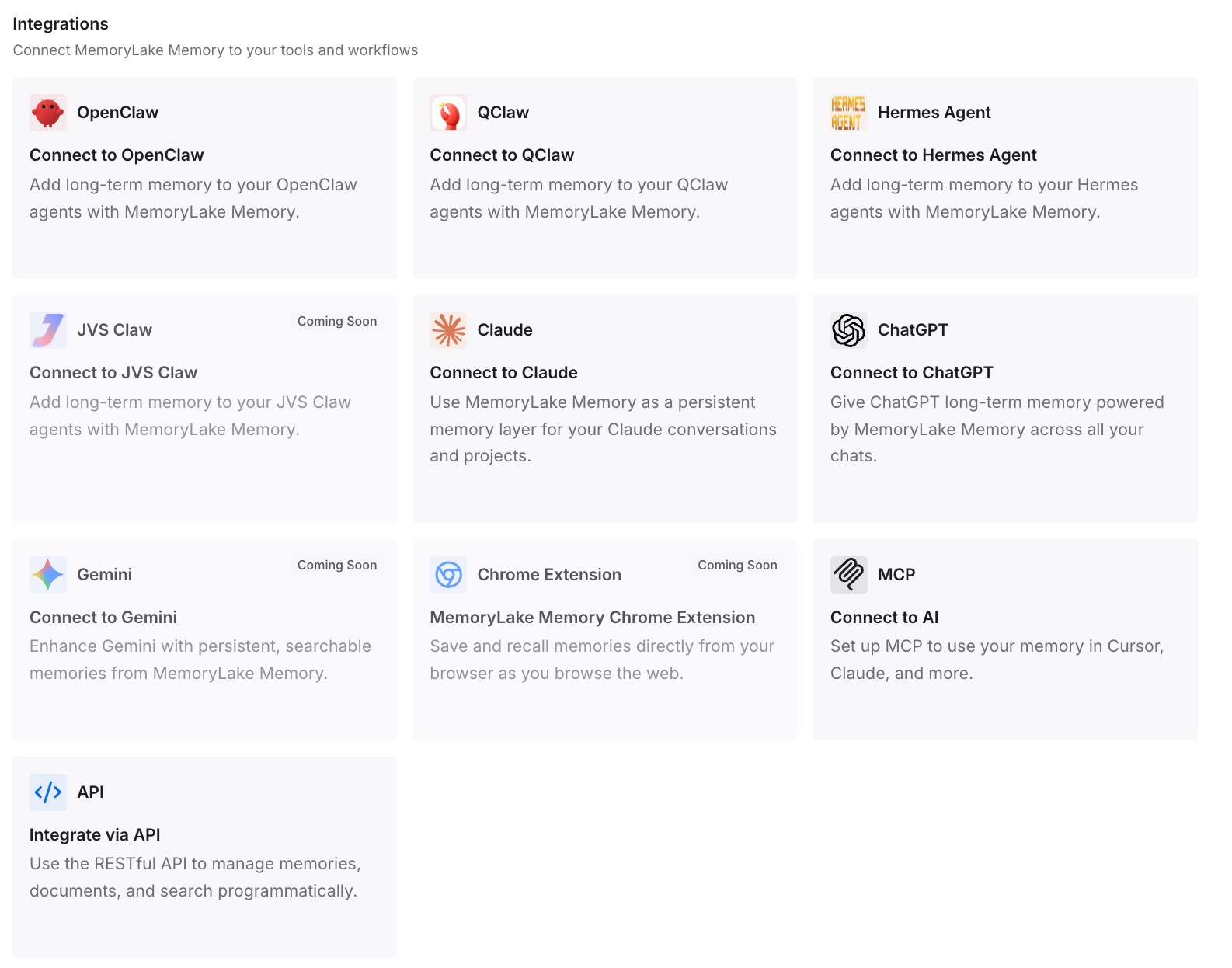
Give Claude, Codex, OpenClaw, and other agents access over MCP. For tools without a native MCP client — Perplexity and consumer ChatGPT among them — retrieve the relevant memories through the API and drop them into the prompt or the workflow that needs them. Notion keeps being your team's document surface; the research memory stops being trapped inside it.
What this changes in practice
The obvious win is that the next migration isn't one. Research memory that lives outside Notion and outside Perplexity doesn't need exporting when your team changes tools, which — given how fast this category moves — is worth more than it sounds.
The less obvious win is recall quality. A Notion page answers "what did we conclude?" A memory layer that also holds the rejected options and the reasons answers "why is this still the conclusion?" — which is the question that actually comes up when someone new joins and suggests the thing you already tried.
And it removes the paste tax. Research is rarely consumed in the tool it was produced in: findings become a brief, a spec, a deck, a set of talking points, usually in a different AI tool. Every one of those handoffs is currently a copy-paste, which is why keeping one memory across your AI tools tends to save more time than any single-tool optimization.
Best practices for research that has to outlive its tool
Write down what you ruled out
Conclusions are cheap to reconstruct; eliminated options are expensive. One line — "not going with the vendor benchmark, methodology only covered single-region" — saves someone a full re-investigation. This is the highest-value habit on this list and nearly nobody does it.
Keep citations attached to claims
A finding without its source is a rumour by next quarter. Perplexity's exports preserve citation blocks; don't strip them during cleanup, and carry them into whatever memory you store.
Separate the document from the knowledge
Notion is a good place for documents people read, comment on, and version. It's not a good place for the working memory of every AI tool you use, because only Notion can read it. Let each layer do its job: documents in Notion, retrievable knowledge in a memory layer your tools can query. The same split explains why Perplexity forgets your Spaces content between sessions in the first place.
Conclusion
Moving from Perplexity Spaces to Notion AI is a real, doable migration: export threads as Markdown, import them via Settings → Import → Text & Markdown, structure them under parent pages, and Notion AI will answer from them. Do it thread by thread, keep the citations, and write a context page per research area.
Then notice what the exercise revealed. The findings survived the move because they were text. The reasoning didn't, because it lived in the thread — and the thread doesn't export. Research knowledge that only exists inside one product will keep paying this tax every time your stack changes. A memory layer that sits outside your tools is what turns "migrate the research" into "point the new tool at the same memory," and it's what keeps the reasoning attached to the conclusion. If your destination might be a different tool, the same approach applies to moving Spaces into Claude or going the other way out of Notion AI.