
What actually transfers
Project instructions transfer, with room to spare. Perplexity lets you add instructions "up to 8,000 characters" that tell Computer how to work inside the Project. Zed's AGENTS.md has no documented character cap, so this content moves over comfortably. That's the single cleanest part of the migration.
Files transfer, manually. Each Project has Files — uploaded individually, as folders, or imported from connected file sources — and Computer "can also create, update, and manage files on your behalf." Download them and put them in your repo. Zed's agent reads your filesystem, so anything on disk is reachable.
Personal-versus-project scoping has an equivalent. Perplexity separates project instructions from individual memory. Zed separates personal instructions at ~/.config/zed/AGENTS.md (on Windows, %APPDATA%\Zed\AGENTS.md) from project instruction files, and "Project instructions override personal AGENTS.md when they conflict." Different mechanism, same distinction.
What does not transfer — and this is most of what a mature Project holds:
Brain's generated memory. This is the big one, and it's worth being precise: Perplexity does have memory. Brain "helps build ongoing memory for all work done in a project," it "builds a live and updating knowledge based on the project's activity to give Computer better context," and you "can view the current memory generated in the Brain tab." Brain runs are billed to the project creator, and you control whether they run automatically or manually in the Settings tab.
Zed has nothing that generates memory from activity. It has always-on instructions and on-demand Skills. So Brain's accumulated output doesn't move — but because it's visible in the Brain tab, it can be read and copied, which is the actual migration step.
The project summary. Perplexity's project summary "generates a running status update of the work done in a project," and can draw on Brain for context. There's no Zed equivalent, and a status update is the wrong content for an always-on instruction file anyway.
Collaboration, entirely. Roles (Owner, Can edit, Can view), access scopes (Restricted by default, Organization can view, Organization can edit on Enterprise, or anyone with the link), contributor limits of up to 5 on non-Enterprise Projects and up to 9,999 on Enterprise-owned ones, and Slack or Teams channels bound to the project so their context is included. Zed's instruction files are shared by committing them to git. That's a real capability change, not a format change.
Connectors, credentials, and connected tools. Project-level connector choices, connector-specific instructions, and shared project-level credentials are Perplexity infrastructure.
Search conversations and Computer tasks. Sessions stay in Perplexity.
The manual migration
Step 1: Extract the instructions and read the Brain tab
Two exports, and the second is the one people skip.
Copy the project instructions. Open the Settings tab, Context section — that's where "instructions that are used for every query run in the project" live, along with prioritized web links and domains and the default mode. Copy the instructions out. Also note the prioritized domains: they don't transfer as a setting, but "prefer sources from X" is a legitimate line to keep in prose.
Open the Brain tab and read what it built. This is the step that determines whether the migration preserves anything valuable. Brain has been accumulating a working model of the project from its activity; that content is visible, and it's the closest thing you have to an export of months of work.
Read it critically rather than copying wholesale. You're looking for durable claims — the constraint that shaped a decision, the source that turned out to be authoritative, the approach that was investigated and dropped. Skip anything that's a status snapshot; that's what the project summary was for, and it expires.
Download the files. Files section, everything you still need.
Step 2: Set up Zed's instruction layer — and check for a shadowing file
Now the part with a specific trap in it.
Zed's project instruction loader uses the first matching file from this list: .rules, .cursorrules, .windsurfrules, .clinerules, .github/copilot-instructions.md, AGENT.md, AGENTS.md, CLAUDE.md, GEMINI.md.
First match, not all matches. If your repo has a leftover .cursorrules from an earlier tool, it wins and your new AGENTS.md is never read. Delete or fold in the stragglers before you write anything.
Then split what you extracted:
Always-true guidance → AGENTS.md. Your Perplexity project instructions, minus anything about Computer specifically. Repository conventions, preferred tone, project constraints — Zed's docs name exactly those as instruction material.
Universal preferences → ~/.config/zed/AGENTS.md. Anything true across every project you open.
Repeatable procedures → Skills. Zed's split is explicit: instructions are for always-on guidance, Skills for "reusable task workflows" invoked by name. A research or review procedure you'd built into your Perplexity instructions belongs here rather than in the always-on file.
One more documented caveat if you use Zed with other agents: "External Agents and Terminal Threads may read their own native instruction files directly. Do not assume Zed's instruction loader controls those agents." Setting up AGENTS.md configures the Zed Agent, not everything you launch from inside Zed.
If you're arriving from Zed's older Rules system, the mapping is documented too: on-demand Rules became Skills, always-on Rules became personal AGENTS.md, and project .rules files remain supported as compatibility instruction files. Related ground is covered in why Zed forgets project context.
The Better Way: Put the Research Knowledge Somewhere an Editor Can't Hold It
Look at what you just did and the gap is obvious. Instructions moved into a file. Files moved onto disk. And the thing that took months to build — everything Brain assembled about your project, its sources, and its dead ends — got manually retyped into a markdown file that ships with every request, or lost.
That's not a Zed shortcoming. An editor's instruction file is for steering the agent, which is why Zed separates always-on Instructions from on-demand Skills in the first place. Research knowledge is a third category, and neither container fits it.
That's what MemoryLake holds: your durable project knowledge as retrievable entries your tools read from, rather than a document loaded in full. Setup is three steps.
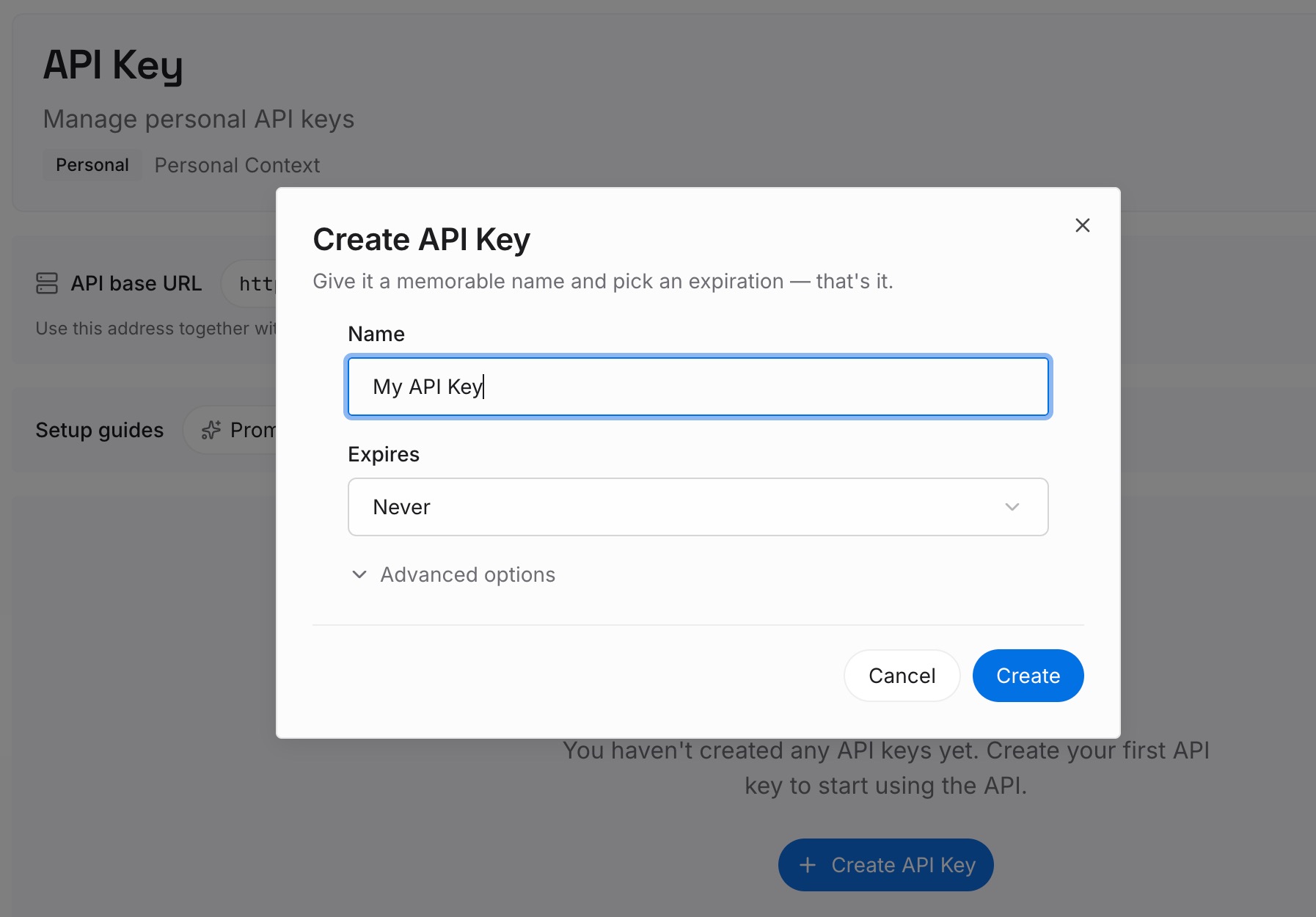
Step 1: Create an API key
Sign in to MemoryLake and create an API key. One credential across the tools you connect.
Step 2: Upload your first memories
Work from the Brain tab you just read, and write short entries — one claim each:
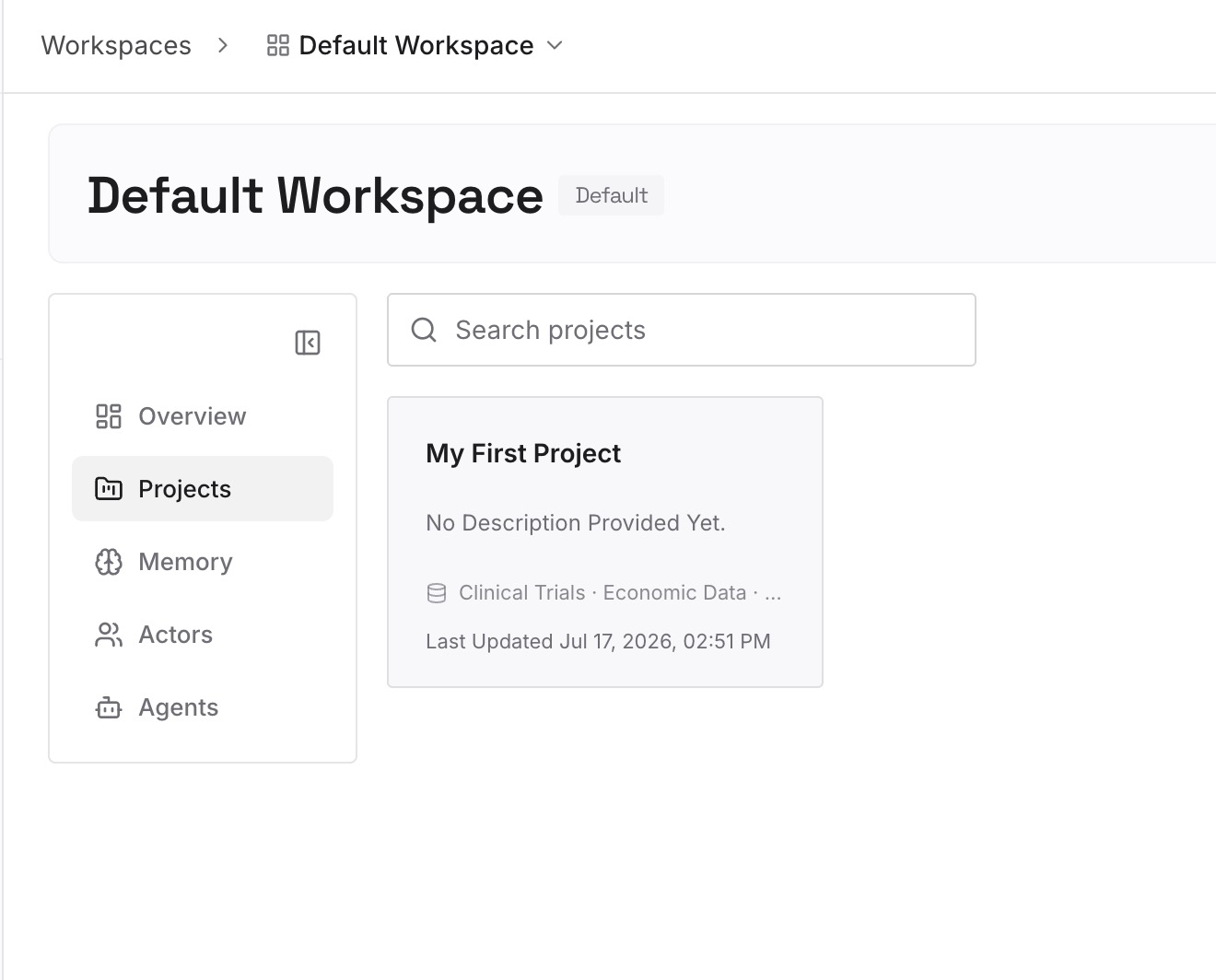
Findings with their source. "The 2025 filing supersedes the 2024 guidance on retention periods" plus where that came from. A research project's value is in the conclusions, and a conclusion without a source can't be checked later.
Sources that turned out to be authoritative, and ones that didn't. Perplexity's prioritized-domains setting encoded some of this; write down the judgment, not just the domain list.
Lines of inquiry you closed. The most expensive thing to rediscover and the one no artifact records.
Constraints that shaped decisions. The regulatory limit, the data-availability gap, the deadline that ruled out the thorough option.
Skip anything that was a status update. If it would be stale in a fortnight, it belonged to the project summary, not here.
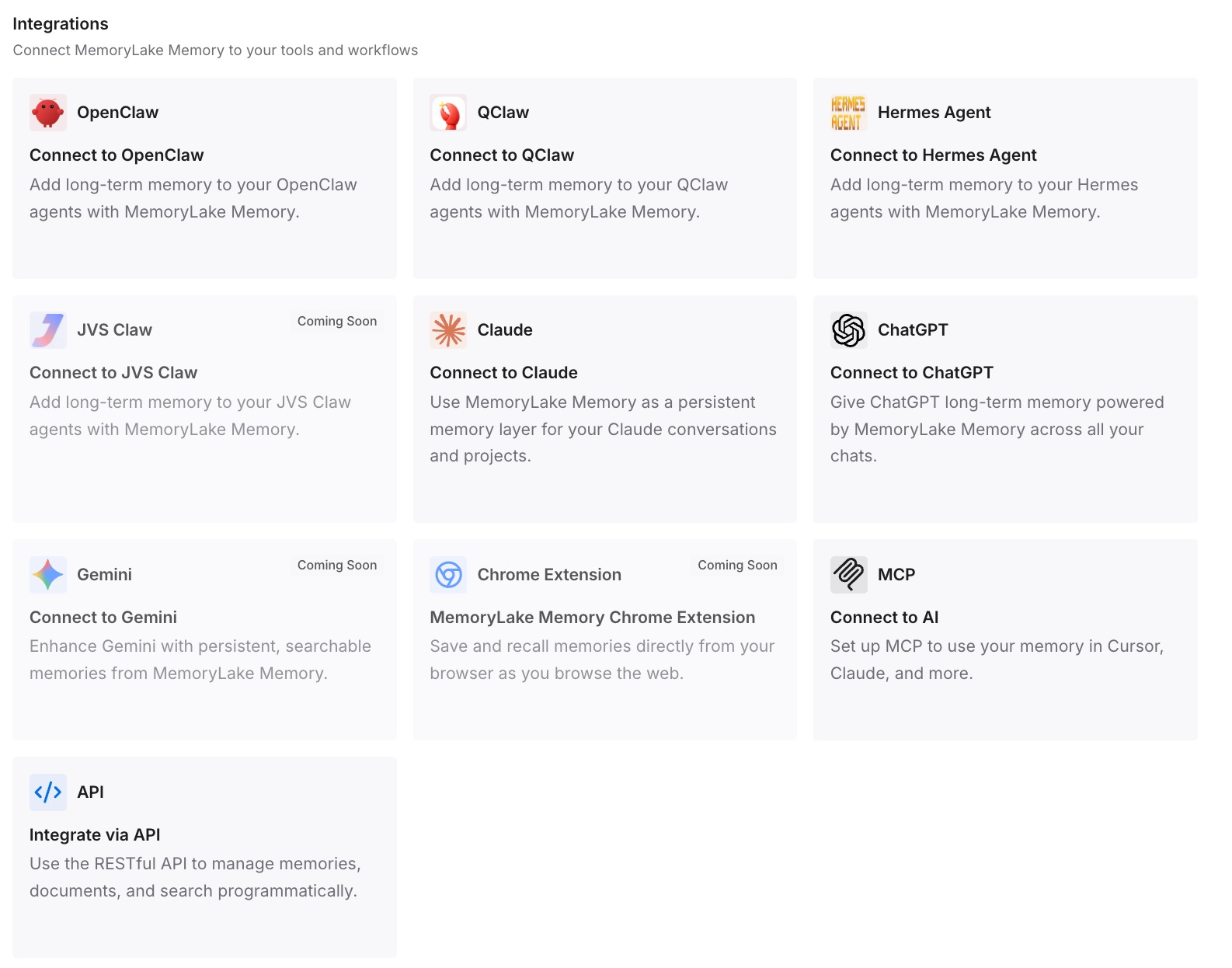
Step 3: Connect your AI & agents
Connect the tools you use. MemoryLake is reachable over MCP and over an API, so MCP-native agents — Claude Code, Codex, and OpenClaw among them — connect by pointing at the MCP server, while other assistants read the same memory through the API. So the knowledge is available in Zed and in whatever else you're using, without living inside either.
Three honest limits, and the first matters here. MemoryLake does not read Perplexity or Brain — it can't export your Project, and Step 2 above is manual work you do by reading the Brain tab. It isn't a replacement for AGENTS.md or Skills, which are how you steer Zed's agent. And it isn't a collaboration platform: the roles, scopes, and channel bindings you had in Perplexity are a genuine capability you're leaving behind.
What this changes in practice
Brain's output survives the move. Not automatically, and not completely — but read once and written down as entries, the durable half outlives the platform.
AGENTS.md stays short enough to be followed. Instructions carry direction. They don't carry a research corpus, which is what keeps always-on content proportionate.
A leftover rules file can't silently win. Once you know Zed takes the first matching file, .cursorrules becomes something you delete during setup rather than debug in October.
Losing collaboration is a decision, not a surprise. You had up to 9,999 contributors available on Enterprise Projects and Slack channel binding. Git plus a shared memory layer is a different model — worth choosing knowingly.
The next tool is cheap. Research knowledge kept outside an editor is readable from any of them — the general shape in why RAG isn't memory.
Best practices for this migration
Read the Brain tab before you cancel anything. It's the only view of what the platform learned, and once access ends, so does the view.
Extract claims, not status. A finding with a source lasts. A running status update doesn't.
Delete .cursorrules, .windsurfrules, and .clinerules from the repo. First-match loading means a stale file outranks your new AGENTS.md.
Split always-on from on-demand. Zed's own distinction: Instructions for persistent guidance, Skills for reusable task workflows. Putting a procedure in the always-on file is the most common way to bloat it.
Keep prioritized domains as prose. The setting doesn't transfer; the judgment behind it should.
Remember external agents read their own files. Configuring AGENTS.md steers the Zed Agent, not every agent you run inside Zed.
Decide Brain's run mode before you leave. If you're keeping the Project alive during a transition, automatic Brain runs are billed to the project creator — worth checking rather than discovering.
Date your entries. Research findings age faster than code conventions — the general problem in what AI memory is and isn't.
Conclusion
Spaces are Projects now, and a Project is a lot more than an instruction file: Search conversations, Computer tasks, files, connectors, collaborators up to 9,999 on Enterprise, Slack and Teams bindings, a running project summary, and Brain building live memory from the project's activity. Zed's agent is a different animal — always-on AGENTS.md instructions plus on-demand Skills, reading your local filesystem.
So the migration is: instructions move cleanly into AGENTS.md, files move onto disk, procedures become Skills, and collaboration doesn't come with you. The step that decides whether the move preserves anything worthwhile is opening the Brain tab, reading what months of work assembled, and writing the durable claims down as entries somewhere neither platform owns. Do that and Zed starts informed. Skip it and you've migrated a settings file.