
What actually transfers
Here is the split, in SillyTavern's words. Some fields are what it calls permanent tokens — "These will always be sent to the AI with every generation request: Character Name, Character Description Box, Character Personality Box, Scenario Box."
And some are not: "The first message box - only sent once at the start of the chat" and "Example messages box - only kept until chat history fills up the context (optionally these can be forced to be kept in context)."
That second pile is where most of the craft usually sits. The first message is where writers set voice and length; SillyTavern says so plainly, noting the model "is more likely to pick up the style and length constraints from the first message than anything else." Example messages are where people teach cadence. Both are documented as impermanent by design, and neither has an obvious home on the other side.
The permanent pile is the easy half. Description, personality and scenario are always-on prose, and SillyTavern is explicit about what that implies: "This information is always included in the prompt, so all important facts should be included here." ChatGPT's Custom Instructions are shaped the same way — OpenAI describes them as the place for "explicit information or instructions" you want applied. Those two line up almost exactly, and that is the part of a card that survives a copy-paste intact.
A few things do not travel at all, and it is worth knowing which before you start.
Creator's metadata never reached the model in the first place. SillyTavern says the Created by, Character Version, Creator's Notes and Tags to Embed fields are "not used for prompt building, but provides additional metadata about the character." If you have been writing meaning into Creator's Notes, no model has ever read it. Move it into the description before you go anywhere, or accept that it was always for humans. It also notes that embedded tags "are not imported by default when importing the character," so tag structure is fragile even between SillyTavern instances.
Only one lorebook rides along with a card. SillyTavern supports binding World Info to a character, and on export "this file will also get embedded in the character card data" — but it adds the constraint directly: "Note that only the primary World Info file gets exported with the character." Any additional lorebooks you shift-clicked on, plus persona-bound and chat-bound lorebooks, are separate files with separate scopes.
Keyword activation is a SillyTavern engine feature. World Info entries fire on keys, and SillyTavern notes that "activation keywords, titles, and other information that is not in the Content field is not inserted into context." ChatGPT's documented personalization surfaces are Custom Instructions, the memory summary and legacy saved memories; its documentation does not describe a keyword-trigger mechanism equivalent to World Info activation. The entry text carries over fine. The gate is what you rebuild by hand.
Prompt overrides are conditional even inside SillyTavern. The Main Prompt and Post-History Instructions boxes only take effect if the matching user setting is enabled — "Prefer Char. Prompt" and "Prefer Char. Instructions" respectively. Cards built by other people often ship with these filled in, quietly inactive on your install.
Chat logs export, with documented losses. The JSONL export is the real one: SillyTavern says to "use this to share or migrate chats including all their metadata (but excluding images and file attachments)." The plain-text export is a reading copy, and the docs warn that "it can't be re-imported again as it loses important metadata."
If you are coming from a hosted platform rather than a local install, the equivalent exercise for Character.AI's keyword-gated entries is covered in migrating Character AI Lorebooks to ChatGPT, which deals with a store whose own import documentation lists ordering and position settings among the things it leaves out. This piece is about the card itself, on a platform that keeps them.
The manual migration
Step 1: Split the card by lifespan, not by field order
Open a card and rewrite it into two lists before you touch ChatGPT.
The always-on list. Everything from the description, personality and scenario boxes. This is what SillyTavern sends on every single generation, so it is already written to be true all the time. Check it for things that are actually scene-specific and pull them out — a lot of cards have plot in the description, which has been costing tokens on every reply.
The setup list. The first message and the example messages. These are style instructions wearing a costume. Read them and answer one question in prose: what do they teach the model about voice, length, pacing and formatting? Write that answer down as sentences. "Replies run two to four paragraphs. Actions in italics, speech in quotes. Never speaks for the user." That paragraph is the portable version of an example block.
Do the same for any bound World Info while you are here, and check how many lorebooks a character actually uses. Persona-bound entries activate whenever that persona is selected regardless of character; chat-bound entries live in one conversation only. Those scopes do not exist on the other side, so they need to become plain conditions in words.
There is also a token reality check worth doing, because SillyTavern states it bluntly: "If you're working with an AI model with a 2048 context token limit, a 1000-token character definition cuts the AI's 'memory' in half." Most cards were written under tighter budgets than you are moving to. Some of the compression in them is no longer necessary, and some of it is now unreadable.
Step 2: Rebuild in ChatGPT through the surfaces it documents, then check what stuck
The always-on list goes into Custom Instructions. Keep it shorter than you want to — it is in play on every response, which is the same trade-off SillyTavern's permanent tokens describe.
The setup list goes in as standing style guidance rather than as sample dialogue. Sample dialogue works in SillyTavern because the engine positions it deliberately; pasted into a chat it is just a long message that scrolls away.
Conditional lore is the part with real choices. You can promote an entry into the always-on pile, which is simple and spends budget on a faction nobody has mentioned in weeks. You can put a world into a Project and let the boundary do scoping work — OpenAI documents how that boundary behaves, noting that with project-only memory, "chats can reference other conversations in the same project, but they cannot reference conversations outside the project, and chats outside the project cannot reference conversations in it." Or you can paste entries at the start of a scene, which works and is exactly what you built a lorebook to stop doing.
Then check rather than assume. OpenAI's own advice is "if you want to know if ChatGPT has remembered something, just ask in chat," and it warns that the memory summary "will not include everything that ChatGPT remembers based on your chats." Ask for the character's three defining traits and see what comes back before you decide the migration worked.
The Better Way: Keep the decisions about your character, not just the boxes they were typed into
Strip a character card down and what is valuable is not the field layout. It is a set of decisions: this detail is true in every scene, this one only in the harbour arc, this voice runs short, this character never uses the protagonist's name. SillyTavern encodes those decisions as field placement and insertion settings. Another tool encodes them differently, or not at all.
Write the decisions down as decisions and they stop being tied to one engine's boxes.
MemoryLake is one addressable place to keep them. You write the entries into it yourself, in your own words, with the scope and reason for each, and any assistant you connect reads the same set. Nothing is pulled out of any tool's files; the layer holds what you put in it.
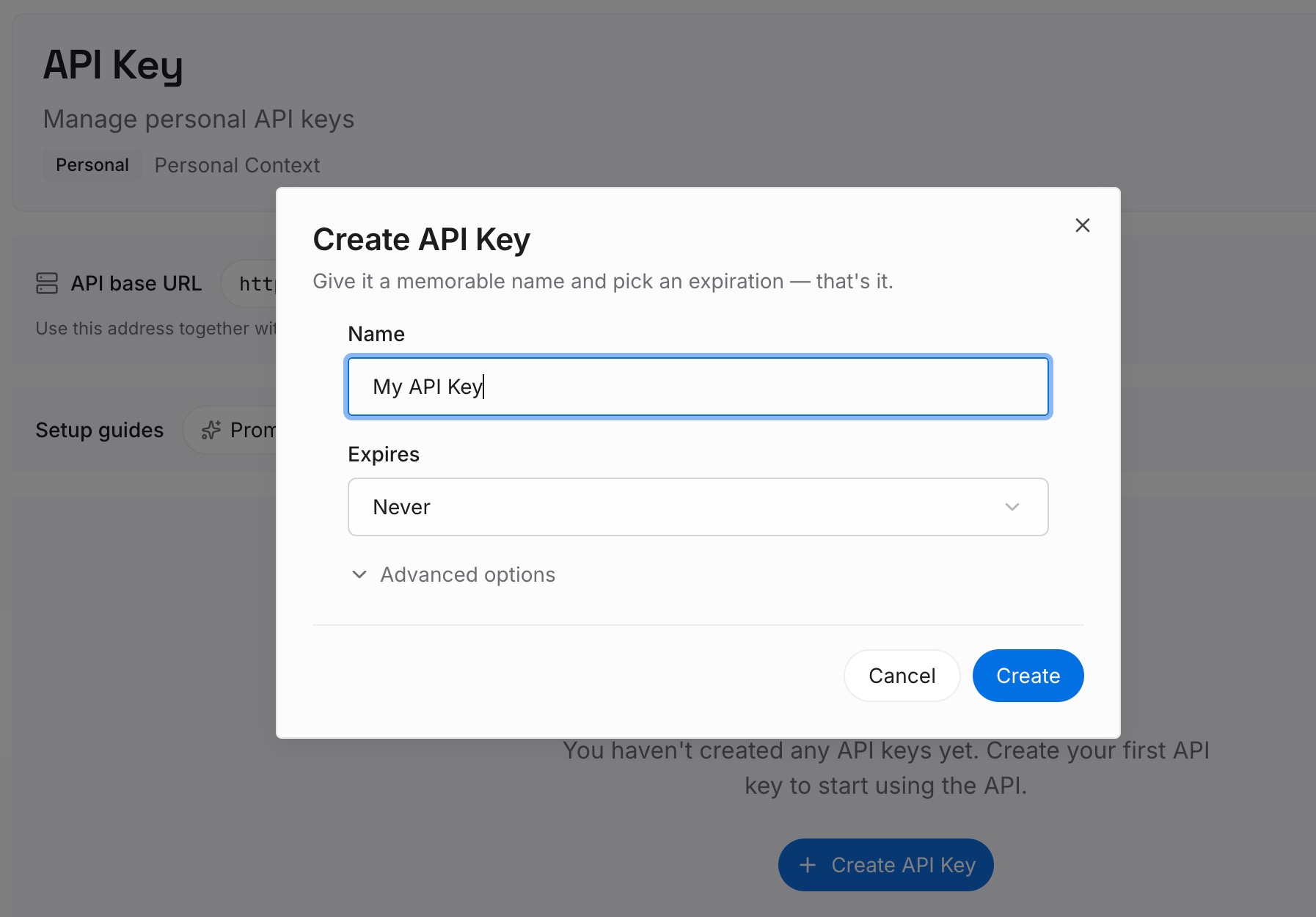
Step 1: Create an API key
Sign in, open your workspace settings, and generate an API key. This is the credential your assistants use to read the same entries, so create it once and keep it where you can reach it from every tool you write in.
Step 2: Upload your first memories
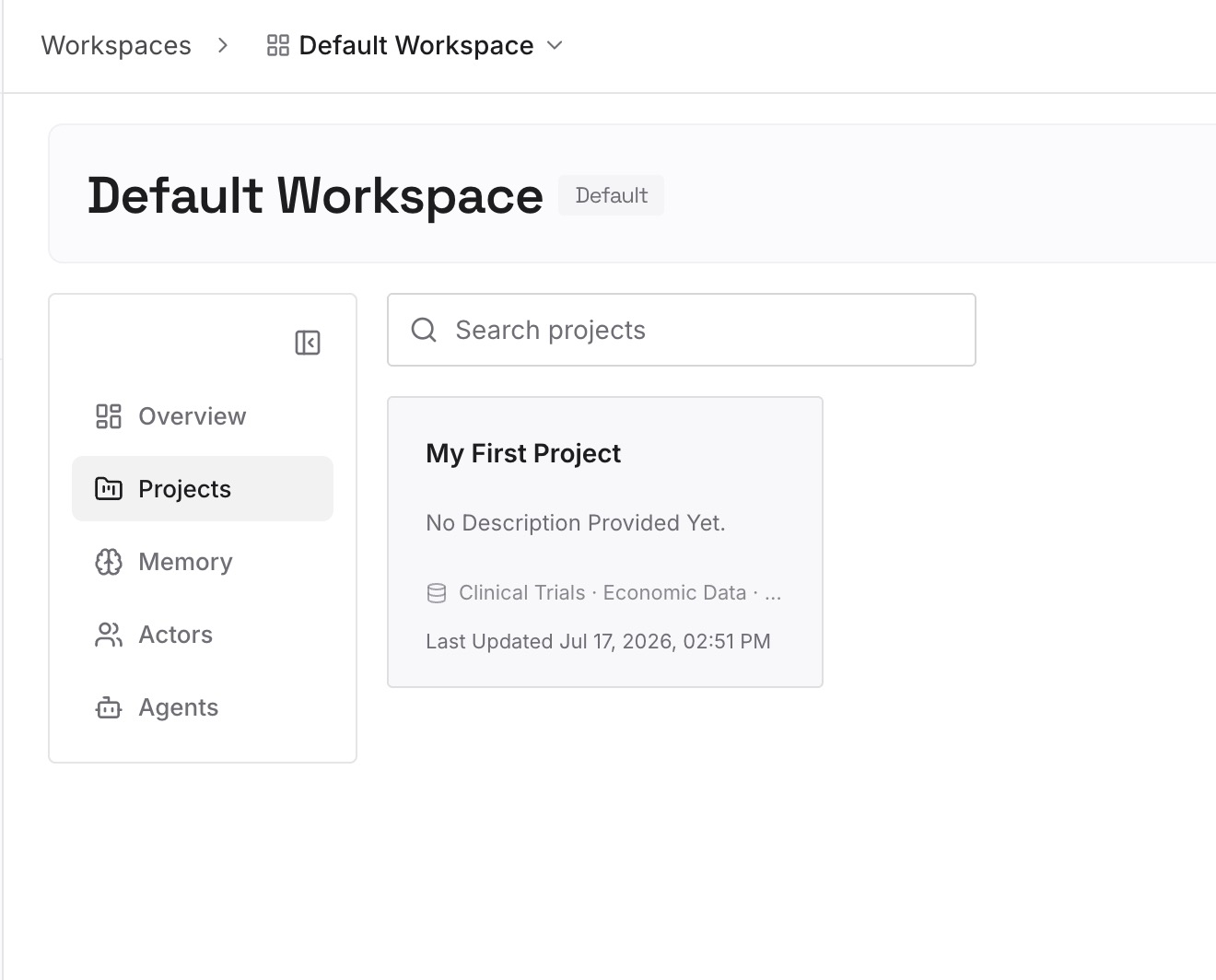
Bring the two lists across and keep the distinction SillyTavern taught you. One entry per subject. Always-on facts marked as always-on; conditional ones with the condition written as a sentence instead of a keyword list. Start with the characters you actually write, not the whole folder.
Step 3: Connect your AI & agents
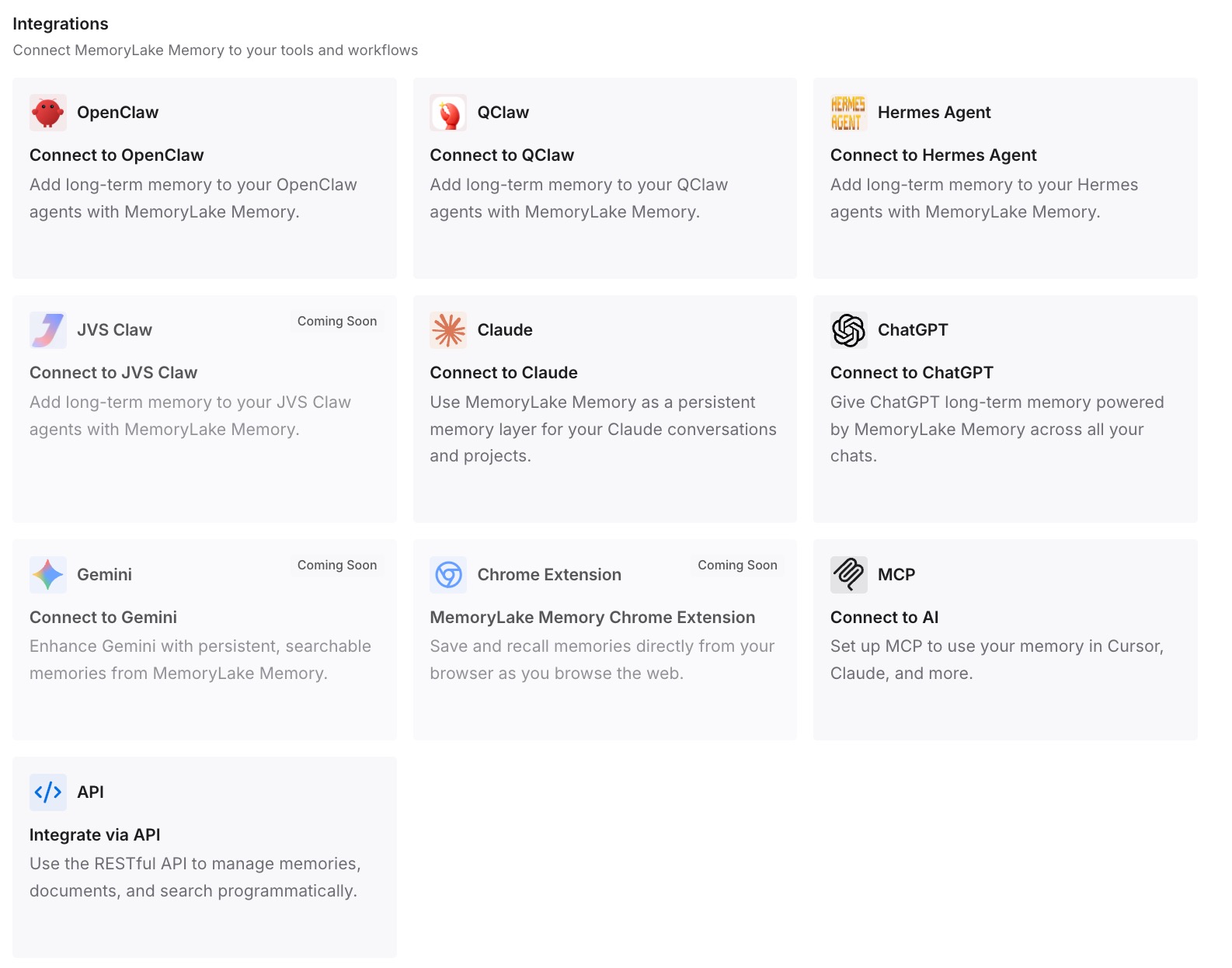
Connect ChatGPT and whatever else you use. The same character arrives in each, and a scene that needs the harbour district's history gets it without you rebuilding the harbour from memory.
What this changes in practice
The first difference is that your work stops being shaped by one engine's field list. A card is a format; a character is a set of decisions. Once those are written as sentences, importing to a different frontend or prompting a hosted assistant are the same job.
The second is that the impermanent half stops being invisible. Example messages that scroll out of context are doing nothing, quietly. A written style rule keeps working after the examples are gone — which is the same failure described in when Janitor AI forgets your worldbuilding, one layer up.
The third is that personas and characters stop blurring. SillyTavern separates them properly, and hosted assistants generally do not. Keeping the distinction in your own notes is what prevents the drift covered in when Character AI forgets your persona.
The fourth is auditability. A keyword you chose badly fails silently; a condition written in words can be read and corrected. That review habit is the subject of auditing what your AI remembers.
Best practices for moving a character card
Migrate by lifespan, not by field. Ask what gets sent every time and what gets sent once. SillyTavern documents both; most other tools only have the first kind.
Turn example messages into a style paragraph. They were teaching voice, length and formatting. Say those out loud and they survive anywhere.
Rescue anything in Creator's Notes. SillyTavern says creator metadata is not used for prompt building. If it carries meaning, it belongs in the description.
Move one character first. Run the whole process on a single card you actually use before committing to the folder. A narrower version of the same trip, from a hosted platform rather than a local install, is in our guide on migrating Character AI to ChatGPT.
Count your lorebooks before exporting. Only the primary World Info file is embedded in the exported card. Additional, persona-bound and chat-bound files are separate.
Export chats as JSONL, not text. The docs say the plain-text version cannot be re-imported because it loses metadata.
Scrub the export before you share it. SillyTavern gives this advice itself: if you are mindful of privacy, inspect the exported JSONL and remove anything you would not want to share. Do that pass before the file leaves your machine.
Expect the destination's list to be partial. OpenAI says the memory summary will not include everything and suggests asking in chat. The practical consequences are covered in ChatGPT's memory limitations.
Conclusion
SillyTavern did something genuinely useful: it told you which parts of a character are sent every time and which are sent once, and it put those facts in the documentation instead of leaving you to infer them from behaviour. That distinction is the most transferable idea in the whole format.
The migration is awkward because the destination's documented surfaces are built almost entirely around the permanent half. Custom Instructions behave like a description box. There is no documented equivalent of a first message that seeds voice and then steps aside, or of an example block that holds until the context fills.
So carry the split, not the boxes. Write down what is always true, write down what the examples were teaching, and keep both somewhere your next tool can read. The card format will change again. The decisions in it are yours, and they only survive if you say them in plain words.