
What actually transfers
Your Skills, as a directory move. Zed skills install "into ~/.agents/skills/ for global use, or into your project's .agents/skills/ folder for project-local use," and a skill is "a folder containing a SKILL.md file with metadata and instructions." Claude Code's layout is the same idea at a different path: personal at ~/.claude/skills/<skill-name>/SKILL.md, project at .claude/skills/<skill-name>/SKILL.md. Copy the folders, rename the parent directory, done.
Both sides also load them the same way. Zed: "By default, the agent picks up skills autonomously. It sees a catalog of every installed skill (name and description) in its system prompt, and calls the skill tool when a task matches a skill's description." Claude Code: "Claude uses skills when relevant, or you can invoke one directly with /skill-name."
Your instruction content, with a rename. Whatever is in the file Zed was actually reading becomes CLAUDE.md. If that file was already CLAUDE.md, you're done and you should double-check the next section, because it means Zed was reading it only if nothing earlier in the list existed.
Your personal layer, to a different home. Zed's personal instructions live at ~/.config/zed/AGENTS.md, or %APPDATA%\Zed\AGENTS.md on Windows. Claude Code's equivalent is ~/.claude/CLAUDE.md, described as "Personal preferences for all projects."
Nothing else transfers cleanly, and two things behave differently.
Precedence inverts, in both directions. Zed states it plainly: "Project instructions override personal AGENTS.md when they conflict." Claude Code doesn't override at all — "All discovered files are concatenated into context rather than overriding each other," ordered from the filesystem root down, and if two files disagree "Claude may pick one arbitrarily."
And for skills it flips the other way: Claude Code's rule is "Across levels, enterprise overrides personal, and personal overrides project," with the worked example that "with a deploy skill in both ~/.claude/skills/ and your project's .claude/skills/, /deploy runs the personal one." In Zed your project-scoped file won the conflict. In Claude Code your personal skill wins. If you and a teammate both have a skill with the same name, you will get different behavior from the same repo.
Zed's compatibility files stop being read. .rules, .cursorrules, .windsurfrules, and .github/copilot-instructions.md are all things Zed will happily load as project instructions. Claude Code reads none of them by default. .clinerules is the one partial exception — /init picks it up only when CLAUDE_CODE_NEW_INIT=1 is set, and silently skips it otherwise. If your instructions have been living in a compatibility filename this whole time, they are about to become invisible.
Zed's skill distribution mechanisms don't come along. Zed can hand a skill to a teammate as a self-contained zed://skill?data=… link that "embeds the full SKILL.md contents (base64url-encoded), so the recipient doesn't need access to your project or any registry" — with the nice property that "Nothing is written to disk until they explicitly save, so a shared link can never silently install instructions into someone's agent." It also installs from skills.sh, a community registry. Those are distribution paths, not the skills themselves; the files transfer, the sharing workflow doesn't.
Per-skill permission behavior differs. In Zed, "When the agent invokes a skill you created or installed, Zed prompts you to allow or deny it, using the same permission flow as other tools," and you can set per-skill defaults. Claude Code has its own permissions model; the disable-model-invocation toggle you may have set on a Zed skill has no direct counterpart in the file you're copying.
The manual migration
Step 1: Find out which file Zed was actually reading
This is the whole ballgame, and it takes one command.
List the candidates in your repo root, in Zed's priority order, and note the first one that exists:
ls -1 .rules .cursorrules .windsurfrules .clinerules \
      .github/copilot-instructions.md AGENT.md AGENTS.md CLAUDE.md GEMINI.md 2>/dev/null
The first line of output is your live instruction file. Everything below it has been dead weight in Zed — possibly for months, possibly contradicting the file that was winning.
Three outcomes to plan for. If the winner is CLAUDE.md, nothing to do. If it's AGENTS.md, Claude Code won't read it, and the fix is either a rename or an import (next step). If it's a compatibility file like .cursorrules, its content needs to move into CLAUDE.md, because that filename has no reader on the other side.
Also check your personal file at ~/.config/zed/AGENTS.md. Zed's project-over-personal precedence means anything in there that conflicted with the project file has been losing — and in Claude Code it will now be concatenated in instead, so a preference you thought was overridden is about to become active again.
Step 2: Move the skills, then rebuild the instruction layer
Skills first, because it's mechanical. Copy ~/.agents/skills/* into ~/.claude/skills/, and any project .agents/skills/* into .claude/skills/. The directory name becomes the command you type, and Claude Code reads the description in the frontmatter to decide when to load it automatically, so the same descriptions keep working.
Two things to know once they're in. Custom commands and skills are now the same thing on the Claude Code side: "A file at .claude/commands/deploy.md and a skill at .claude/skills/deploy/SKILL.md both create /deploy and work the same way." And nested skills load contextually — "Skills also load from nested .claude/skills/ directories below your working directory," which becomes available "When Claude reads or edits a file in a subdirectory." That's closer to Zed's project scoping than the top-level directories suggest.
Watch for name collisions with the bundled set. A project skill can replace a built-in one: "a code-review skill in your project's .claude/skills/ replaces the bundled /code-review." Usually fine, occasionally a surprise.
Then the instruction file, and pick one shape. Two clean options.
Rename to CLAUDE.md if Claude Code is now your only agent in that repo. Or keep AGENTS.md as the source of truth and add a CLAUDE.md that imports it — the documented pattern is a one-line @AGENTS.md at the top, after which "Claude loads the imported file at session start, then appends the rest." That's the right choice if teammates are still in Zed or another agent reads AGENTS.md, because it keeps one file authoritative instead of two drifting copies.
Split what was one file into scoped rules. Claude Code gives you a container Zed doesn't: .claude/rules/ files with a paths: frontmatter field of globs, which "only apply when Claude is working with files matching the specified patterns." Rules without a paths field "are loaded at launch with the same priority as .claude/CLAUDE.md." If your Zed instruction file had a "when working on the frontend…" section, that section is now a path-scoped rule instead of always-on text.
And know what turns on by itself. Claude Code has a second mechanism Zed doesn't: auto memory, which is on by default and stores notes Claude writes for itself at ~/.claude/projects/<project>/memory/. It records four kinds — user, feedback, project, and reference — and it "skips anything it can derive from the codebase" plus "anything your CLAUDE.md files already say." Run /memory after a week and read it. The general mechanics are in why Claude Code forgets project context.
To confirm what actually loaded, run /context and check the list under Memory files. That's the authoritative answer, and the docs use it as the first debugging step because "If a file is missing there, Claude can't see it."
The Better Way: Stop Letting the Filename Decide What Your Agent Knows
Step back and look at what the migration actually was. A file got renamed. A folder got moved. And the risky part — the part where behavior silently changed — was entirely about which file a loader picked.
That's not a Zed problem or a Claude Code problem. It's what happens when durable knowledge lives in files whose discovery rules differ per tool. Zed takes the first match from a list of nine. Claude Code concatenates everything it finds and picks arbitrarily among contradictions. Both cap what they'll carry, because always-on content ships with every request.
That's what MemoryLake holds: your project's durable knowledge in a layer your tools query, so a filename is a preference rather than the thing your agent's understanding depends on. Setup is three steps.
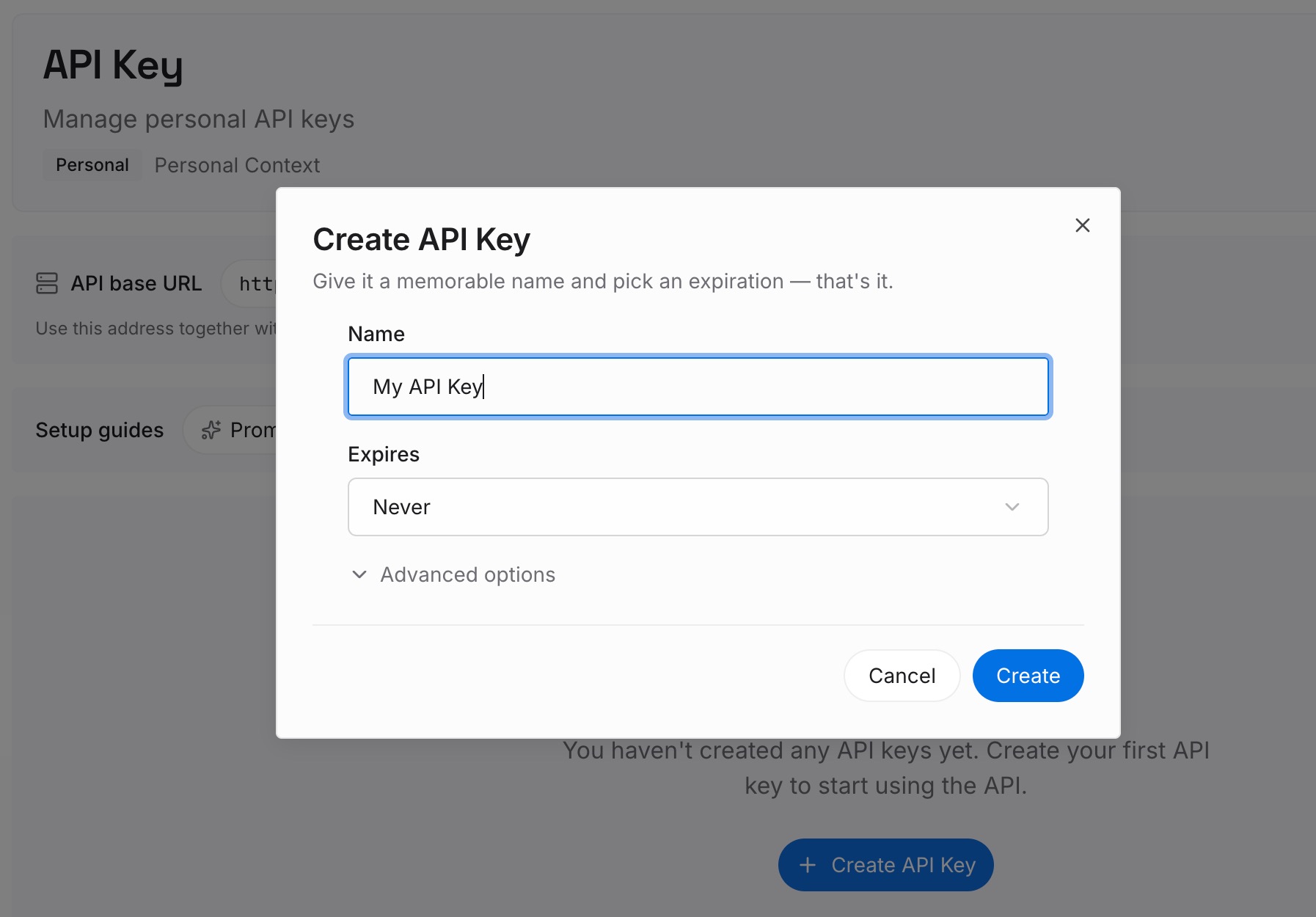
Step 1: Create an API key
Sign in to MemoryLake and create an API key. One credential across the tools you connect.
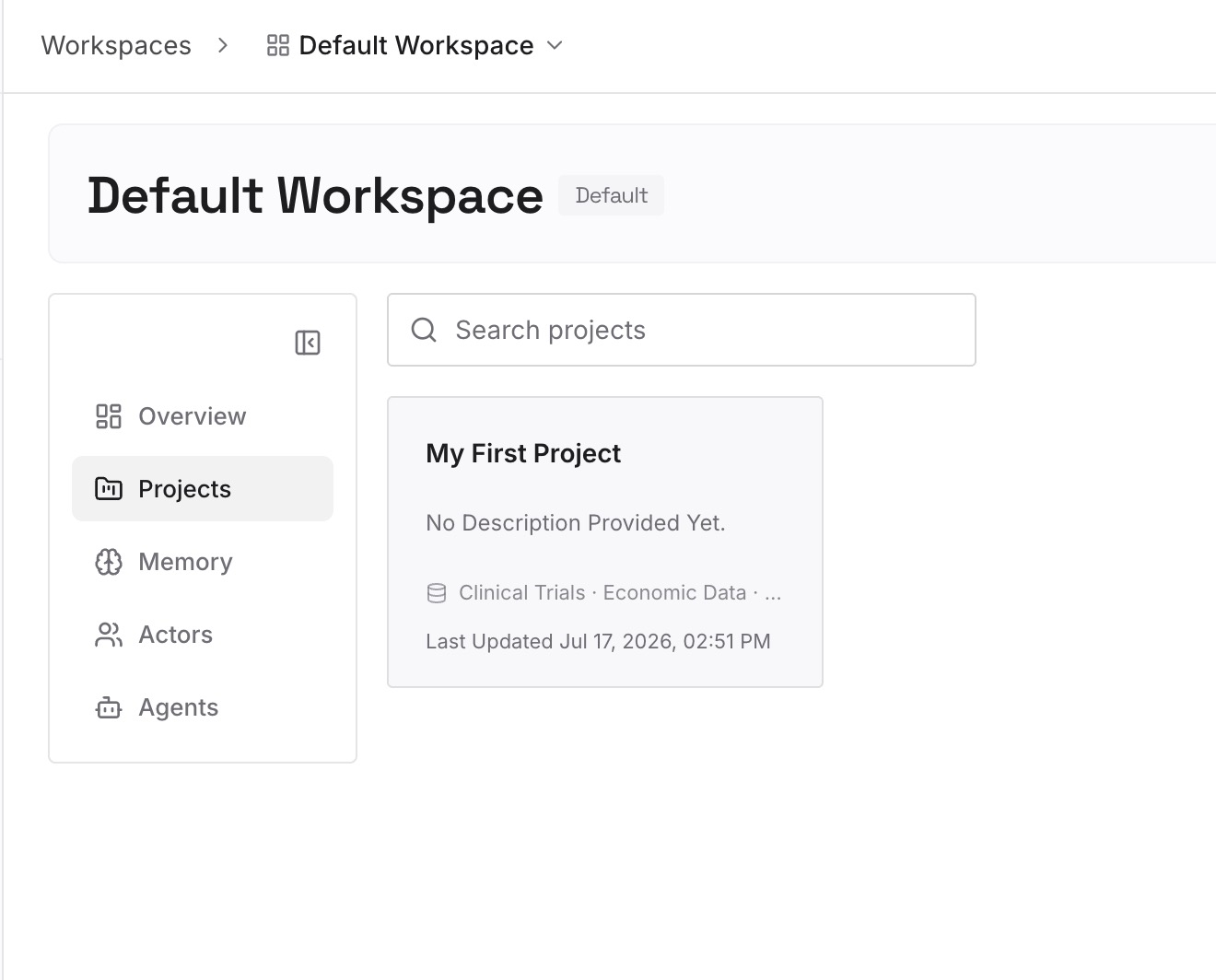
Step 2: Upload your first memories
Short entries, one claim each. What to write while the audit from Step 1 is fresh:
The decisions buried in the file that was losing. If .cursorrules had been shadowed by AGENTS.md for six months, it contains constraints nobody has been applying. Read it before you delete it.
Decisions with the reason attached. "Migrations are additive-only because the read replica lags under load." An instruction states the policy; only this stops the alternative being proposed again.
Approaches already rejected in this codebase. The category that appears in no instruction file and no commit message, and gets re-proposed on every fresh session.
Environmental facts nothing announces. The test that only fails in CI, the undocumented rate limit, the ordering requirement between two migrations.
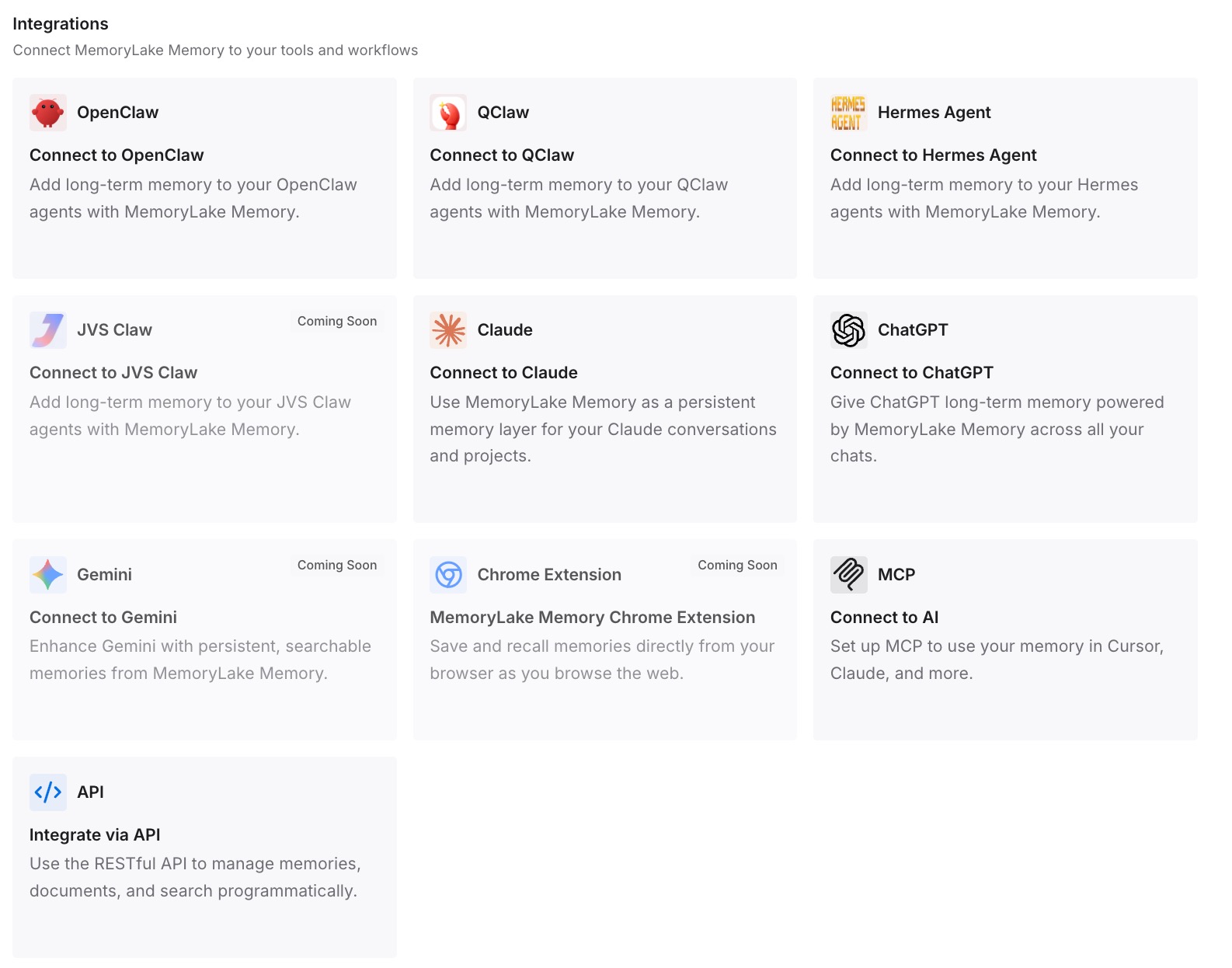
Step 3: Connect your AI & agents
Connect the tools you use. MemoryLake is reachable over MCP and over an API, so MCP-native agents — Claude Code, Codex, and OpenClaw among them — connect by pointing at the MCP server, while other assistants read the same memory through the API. Which means you can run Zed and Claude Code side by side on the same repo without maintaining two copies of the same reasoning.
Three honest limits. MemoryLake does not write your CLAUDE.md, your AGENTS.md, or your skills — those are how you steer each tool, and the loader behavior above is theirs, not something a memory layer changes. It holds only what you or your agents put into it, so Step 2 is manual. And instructions are context rather than enforced configuration; for anything that must hold every time, Claude Code's own answer is a hook, not a file.
What this changes in practice
"Which file is live?" becomes a one-line check. Zed takes the first match from nine candidates. Now you know the list and the order.
Shadowed files stop being landmines. Once you've read the losers and merged what mattered, there's no forgotten .cursorrules waiting to confuse the next person.
Skills stop being tool-specific. The same SKILL.md runs in Zed, Claude Code, Cursor, and Codex. You wrote it once.
Instruction files get shorter. Path-scoped rules mean the "when working on X" sections stop loading on every message.
A teammate on a different editor isn't a fork. One authoritative instruction file plus a queryable memory layer beats two files drifting apart — the shape covered in what persistent memory actually means.
Best practices for switching from Zed to Claude Code
Find the winning file before you change anything. Zed reads the first match from .rules through GEMINI.md; everything after it was inert.
Read the shadowed files, then delete them. They may contain constraints that haven't applied in months.
Rename to CLAUDE.md, or import AGENTS.md from it. Import when other agents or teammates still read AGENTS.md; rename when they don't.
Move skills folder-for-folder, then check for name clashes. Personal skills beat project skills in Claude Code, which is the reverse of Zed's instruction precedence.
Expect your personal file to matter more, not less. Zed's project instructions overrode it; Claude Code concatenates both.
Split always-on text into path-scoped rules. A paths: frontmatter field is the container Zed didn't have.
Verify with /context, not memory. The Memory files list is what actually loaded.
Open the auto memory folder after a week. It's on by default and it holds what your instruction file deliberately doesn't.
Keep the reasoning out of the instruction file. Both tools cap what they carry, and the reasoning is the first thing cut — the general problem in why agents ignore the instruction files you wrote.
Conclusion
Zed to Claude Code looks like a rename and mostly is, but the rename is where the risk lives. Zed picks the first matching project instruction file from a nine-item list in which AGENTS.md precedes CLAUDE.md; Claude Code reads CLAUDE.md and not AGENTS.md. So the file that has been steering your agent may not be the file that will steer it tomorrow, and Zed's docs already warn you not to assume its loader controls other agents.
Skills are the easy half: both tools are folders containing SKILL.md, so ~/.agents/skills/ becomes ~/.claude/skills/ and the descriptions keep working. Watch the precedence flip — personal skills win in Claude Code, where project instructions won in Zed — and remember that Zed's compatibility filenames have no reader on the other side.
Audit which file was live, merge the ones that weren't, decide between renaming and importing, split always-on text into path-scoped rules, and put the decisions and rejected approaches somewhere both editors can query. Then the loader's priority list stops being a thing you have to hold in your head.