
Why your memories may not be reaching the agent
The default agent changed underneath the feature
The sentence quoted above is doing two things at once. It scopes memories to "the legacy Cascade agent only," and it tells you which agent you are actually using: "The Devin Local agent — the default agent for new tabs."
Nothing broke. A newer agent became the default, and one older persistence mechanism did not come with it. But the practical effect for anyone who assumed their accumulated context was following them around is real: open a new tab, and it is not.
The vendor already recommends against relying on them
This is not a case where documentation and practice disagree. Devin's own guidance, written before the agent question even arises, says where durable knowledge belongs:
"Recommendation: For knowledge you want Cascade to reliably reuse, write it as a Rule or add it to AGENTS.md in your repo rather than relying on auto-generated Memories. Rules are version-controlled, shareable with your team, and give you explicit control over activation."And the feature comparison table is blunt about what memories are for: "Let Cascade remember one-off facts; for durable knowledge, prefer Rules or AGENTS.md."
So the migration wizard is not a workaround for a regression. It is tooling that helps you do what the docs recommended anyway.
Four persistence mechanisms, each with a different trigger
The reason "just move it to a Rule" is not one instruction is that Devin Desktop distinguishes four things, and the right destination depends on what you have.
Rules "Tell Cascade how to behave (e.g. 'use bun, not npm')" and are activated by one of always_on, glob, model_decision, or manual. Best for "Coding conventions, style guides, project constraints."
AGENTS.md gives "Location-scoped rules with zero config," activated automatically: "root = always-on, subdirectory = glob." Best for "Directory-specific conventions without frontmatter."
Workflows are "Prompt templates for repeatable multi-step tasks," activated "Manual only via /[workflow-name] slash command." Best for "Deployments, PR reviews, release checklists."
Skills are "Multi-step procedures bundled with supporting files (scripts, templates)," "Dynamically invoked by the model, or @mention," and the docs single them out: "Complex tasks where Cascade needs reference files — invest here."
That last line explains why the wizard targets skills specifically rather than rules.
The activation modes have documented context costs
If you are about to move a lot of content into rules, this table is the thing to read first, because Devin publishes what each mode costs.
always_on puts the "Full rule content... in the system prompt on every message," at a cost of "Every message." model_decision shows "Only the description... in the system prompt. Cascade reads the full rule file when it decides the description is relevant" — cost is "Description always; full content on demand." glob applies "when Cascade reads or edits a file matching the globs pattern," costing "Only when matching files are touched." manual is "not in the system prompt" and activates when you type @rule-name.
Two exceptions to remember: "The global rules file (global_rules.md) and root-level AGENTS.md files don't use frontmatter — they are always on."
There are hard character limits
The constraint that catches people mid-migration:
"Workspace rule files are limited to 12,000 characters each. The global rules file is limited to 6,000 characters."
Global rules live in a single file at ~/.codeium/windsurf/memories/global_rules.md, "applied across all workspaces," always on, capped at 6,000 characters. Workspace rules are "One file per rule, each with its own activation mode," at 12,000 characters per file, in .devin/rules/*.md (preferred) or .windsurf/rules/*.md (fallback), with "The legacy single-file .windsurfrules at the workspace root" also still read.
So the global file is the smallest budget you have and the one most people reach for first. Dumping a year of memories into it does not fit.
What people try
Assuming memories follow the new agent. The most common assumption, and the reason this article exists. They apply to the legacy Cascade agent only.
Concluding Devin has no persistent context. Also wrong, in the other direction. Rules, AGENTS.md, Workflows, and Skills all persist, with more explicit activation control than an auto-generated memory ever had.
Pasting everything into global_rules.md. Understandable — one file, always on, no frontmatter to learn. It is also capped at 6,000 characters and paid for on every message in every workspace.
Making every rule always_on. The safe-feeling choice that quietly consumes the context window. model_decision exists precisely so a long rule can be described cheaply and read on demand.
Migrating memories one at a time by hand. Unnecessary. There is a command for this: Devin: Open Cascade Migration Wizard.
Treating rules as a filing cabinet. Devin's best practices push back directly: "Keep rules simple, concise, and specific. Rules that are too long or vague may confuse Cascade," and "There's no need to add generic rules (e.g. 'write good code')." Project facts are not behavior instructions, and putting them in rules is how a rules directory stops working — the pattern behind why Devin forgets your coding style even when the style is written down somewhere.
The Fix: Sort the Memories, Then Send Each Kind to Its Right Home
Step 1: Read what is actually in your memories
Before running the wizard, look at what you have. Memories are "Context Cascade auto-generates during conversations," so the contents will be a mix — and the mix is the whole reason a single destination is wrong.
Sort what you find into four piles as you read.
Behavior. "Use bun, not npm." "Prefer early returns." These become Rules, and the activation mode is a real decision rather than a formality.
Location-specific conventions. Anything that is only true inside one directory. These become AGENTS.md files, where you get glob behavior with no frontmatter at all.
Procedures with supporting files. Anything multi-step that needs a script or a template. These are Skills, which is where the docs tell you to invest.
Facts. Why the API is versioned in the path. What a domain term means internally. Which service owns which queue. These match none of the four mechanisms cleanly, and we will come back to them.
Step 2: Run the wizard, then place the rest by activation mode
Open the command palette and run Devin: Open Cascade Migration Wizard. This is the documented path for the memories you rely on, and it targets skills — the mechanism built for procedures bundled with reference files.
For everything the wizard does not cover, place it deliberately:
Behavior that must hold everywhere goes in ~/.codeium/windsurf/memories/global_rules.md, remembering the 6,000-character cap and that it is always on with no frontmatter.
Behavior scoped to a project goes in .devin/rules/*.md — the preferred location, which "takes precedence" over .windsurf/. Give each rule a trigger in frontmatter. Use glob with a pattern for file-type rules, model_decision for anything long enough that you would rather pay for a description than the whole file, and reserve always_on for the short list that genuinely applies to every message.
Directory conventions go in AGENTS.md in the relevant directory, where root level is always-on and a subdirectory is "auto-glob for that directory."
Two discovery details that save debugging. Devin searches "up to the git root directory to find rules in parent directories," and when several folders are open, "rules are deduplicated and displayed with the shortest relative path." But when you create a rule it "will be saved in the .devin/rules directory of your current workspace, not necessarily at the git root" — so check where it landed.
Follow the formatting guidance while you are in there. Devin asks for "bullet points, numbered lists, and markdown" over long paragraphs, and notes that "XML tags can be an effective way to communicate and group similar rules together."
Step 3: Give the fourth pile somewhere to live
Three of the four piles now have a home that fits. The fourth does not, and pretending otherwise is what makes rules directories decay.
Facts about your project are not instructions. They have no natural activation mode: always_on overpays for something you need occasionally, glob needs a file pattern that facts do not have, manual requires you to know the rule exists and @-mention it, and model_decision gets closer but still asks you to write a description of a fact rather than the fact itself. Meanwhile the global file has 6,000 characters and every workspace rule has 12,000, and none of that budget should go to background knowledge.
A memory layer holds them without an activation mode, because the agent reads it when the subject comes up rather than when a pattern matches. MemoryLake sets up in three steps.
Step 1: Create an API key
Sign in and generate an API key from your dashboard. It is not scoped to an agent, so it does not have the property that started this article — nothing about it belongs to Cascade rather than to the Local agent.
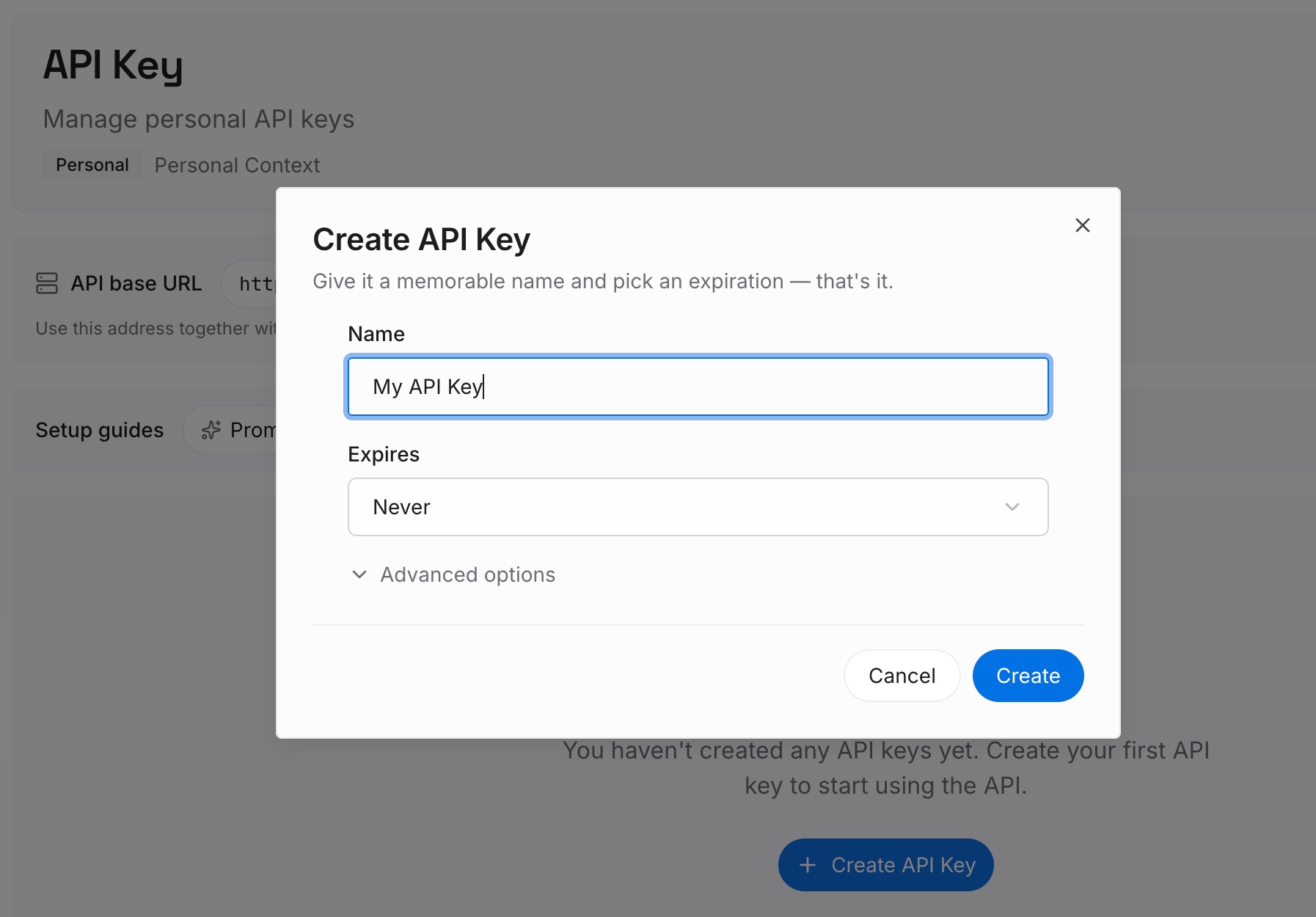
Step 2: Upload your first memories
Put in the fourth pile: architectural decisions and the reasons behind them, domain vocabulary, service ownership, why a workaround exists, the corrections you have given more than once.
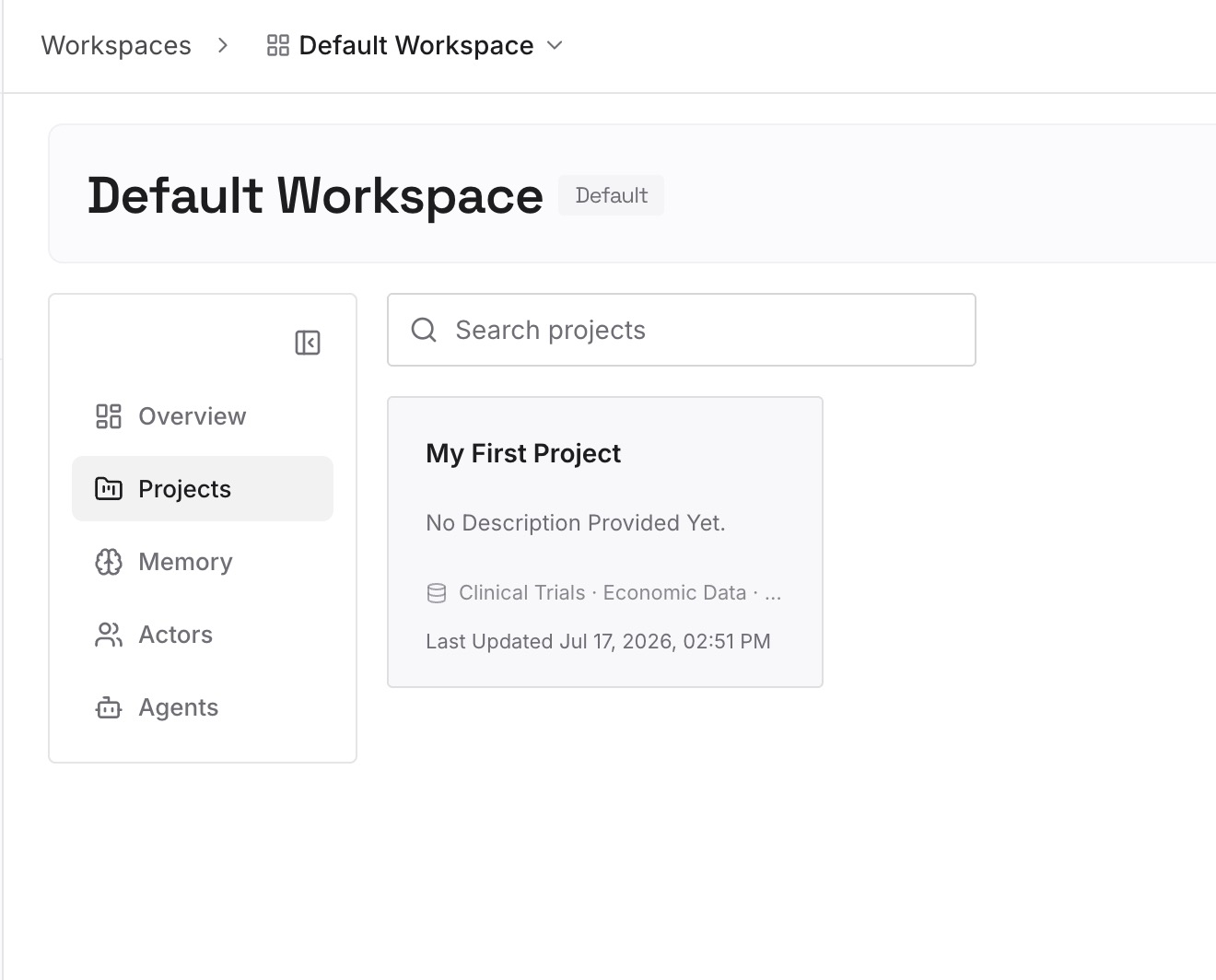
Leave behavior in rules and procedures in skills. Those mechanisms are good at their jobs and have documented activation semantics; this is for the material that has none.
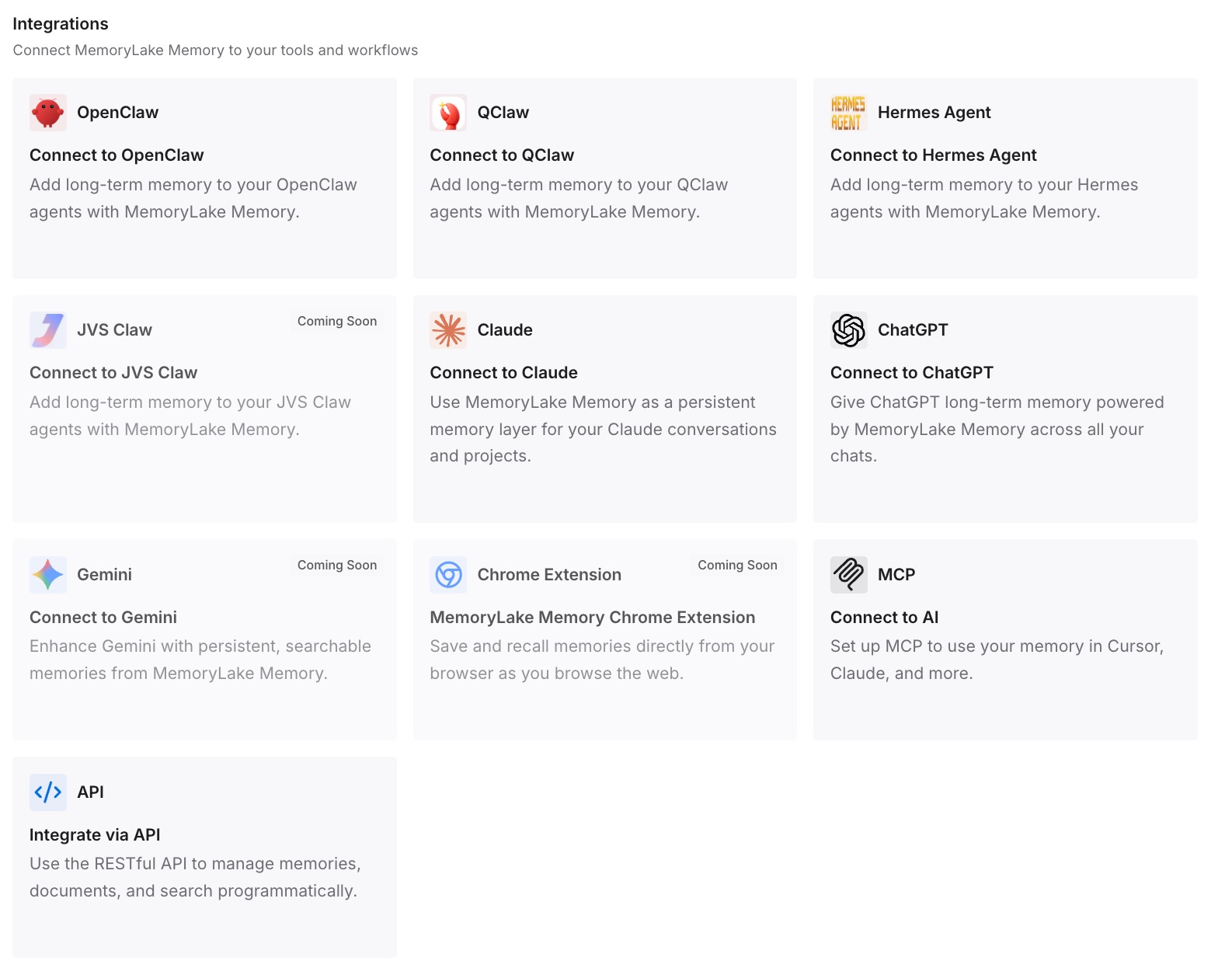
Step 3: Connect your AI & agents
Point Devin Desktop at the store. Your character budgets go to behavior, your always-on set stays short enough to be followed, and the knowledge that made the old memories valuable stops depending on which agent a tab happens to open with — the case made in turning project docs into AI memory.
What this changes in practice
The first change is that agent selection stops being a knowledge decision. Right now, whether the auto-generated layer applies depends on whether the tab is Cascade or Local. Knowledge should not be tab-dependent.
The second is that character limits stop being a design constraint. 6,000 characters global and 12,000 per workspace rule is workable for behavior and cramped for behavior plus facts, and the second thing does not need to be there.
The third is that the version-control argument finally applies to everything. Devin's recommendation for Rules over Memories rests on them being "version-controlled, shareable with your team, and give you explicit control over activation." Those are the right properties, and background facts deserve them too — the concern behind keeping team AI context when someone leaves.
Best practices for Devin Desktop rules and skills
- Run the wizard rather than migrating by hand.
Devin: Open Cascade Migration Wizardis the documented path. - Match each memory to a mechanism. Behavior to Rules, directory conventions to
AGENTS.md, procedures with files to Skills. - Choose
triggerdeliberately. The docs publish the context cost of each mode;always_onis the expensive one. - Respect the caps. 12,000 characters per workspace rule file, 6,000 for the global file.
- Prefer
.devin/over.windsurf/. It is the preferred location and takes precedence; the legacy.windsurfrulesis still read. - Check where a new rule was saved. It goes to the current workspace's
.devin/rules, not necessarily the git root. - Keep rules short and specific. Long or vague rules "may confuse Cascade," and generic advice is already in the model.
- Know that system rules add, not override. Enterprise system-level rules "are merged with workspace and global rules... without overriding user-defined rules," and carry a "System" label users cannot delete.
Conclusion
The specific thing to act on is small and concrete: auto-generated memories apply to the legacy Cascade agent, the default agent for new tabs does not persist them, and there is a first-party wizard for moving what you rely on into skills. Run it.
The larger point is the one Devin's own docs make. Auto-generated memory is good for one-off facts and a poor foundation for knowledge you need reliably. Sort what you have, put behavior and procedures where they belong with the activation mode that fits, and keep the background facts in a layer that no single agent owns.