
What OpenAI added on October 20
The change applies to GPT-5.6 and later models in the Responses API. You set the lifetime with prompt_cache_options.ttl, which accepts two values: 30m, the default, and 12h. OpenAI's guide describes when to use each. The 30-minute lifetime is for "Conversations and agent steps that reuse context frequently." The 12-hour lifetime is for "Stable instructions or reference material reused across longer gaps."
You can set the lifetime for a whole request or for individual breakpoints. The guide says "The request-level ttl applies to the implicit breakpoint and to explicit breakpoints without their own ttl." An explicit breakpoint can override it with prompt_cache_breakpoint.ttl.
Writing to the 12-hour cache is billed at a higher write rate than the 30-minute cache, and reads cost the same for both. OpenAI's own advice is to compare: "Compare the higher 12-hour write rate with the cost of rewriting the prefix after 30-minute coverage expires." Check the current rates on OpenAI's pricing page for the model you use.
Older models keep their own setting. The guide says these new settings "do not change the older-model prompt_cache_retention parameter", and the migration checklist says "Replace prompt_cache_retention with prompt_cache_options.ttl" when you move to GPT-5.6 or later.
What the prompt cache actually holds
The cache doesn't store your prompt as text. OpenAI explains that the model computes intermediate key-value states while processing input, and "Prompt caching preserves that state for a reusable prefix: the unchanged tokens at the beginning of a prompt." It adds: "The prompt cache stores key-value (KV) tensors, not the tokens themselves."
Two consequences follow. First, a match has to be exact. "Cache reuse requires the entire rendered prefix to match." Second, the cache doesn't change what the model does with that prefix. In the FAQ: "Prompt caching does not change how the model generates output tokens."
In other words, caching is about cost and latency on input the model has already processed. It isn't a place to store information, and it doesn't make the model remember anything.
What the 12-hour lifetime promises, and what it leaves open
The number in the name is a minimum. OpenAI's guide says "OpenAI may retain entries longer than the requested minimum", and that the setting "does not set a deletion deadline or change the maximum data-retention policy." The data-controls page makes the same distinction: prompt_cache_options.ttl "controls the minimum cache lifetime, not this maximum application-state retention period."
The minimum is about pricing eligibility, not a guarantee of reuse. "The minimum lifetime governs eligibility for cache-read pricing. It does not guarantee that every request reuses stored KV tensors or has lower latency." Location matters too: "Cached states live on individual machines," and "A request can reuse a cached prefix only if it reaches a machine holding a matching entry that has not expired." The cache is also scoped: "Caches are not shared across organizations and cannot be reused across regional processing boundaries."
Reads don't restart the 12-hour clock. "A 30-minute read refreshes coverage to at least 30 minutes after that read." When that read lands on an entry with 12-hour coverage, the entry keeps whichever expiry is later, and the guide says "It does not restart a 12-hour clock or incur another write charge."
Upgrading costs a new write. "Upgrading valid 30-minute coverage to 12 hours charges a new 12-hour write for those tokens, without credit for the earlier write." If you switch a busy prefix from 30 minutes to 12 hours, the first request after the switch pays for a fresh write.
And there is no manual control over expiry. "Manual cache clearing is not currently available."
Which content belongs behind a 12-hour breakpoint
OpenAI's recommendation is to split a prompt by how often its parts change. Keep material you reuse throughout the day at the start of the prompt with a 12-hour breakpoint. Give session context that changes more frequently the 30-minute default. Leave the current question after the last breakpoint, where in explicit-only mode it "does not incur a cache-write charge."
A long-lived prefix is the place for:
- Developer instructions that define the agent's role and rules.
- Tool definitions, which the guide says to keep stable: "Preserve tool definitions, ordering, and schemas."
- Reference material the agent consults on most requests.
What doesn't belong there is anything that changes per user or per day. The guide is specific: "If developer instructions or shared material contain timestamps, user-specific content, or other dynamic content, place those at the end rather than the beginning, or move them into later conversation messages."
Two structural details matter. "Top-level instructions cannot contain an explicit breakpoint", so reusable instructions you want to mark go "in an input_text block inside a developer message." And the prefix has to clear the minimum size. For GPT-5.6 and later, the guide sets it at 1,024 visible input tokens.
What breaks a long-lived prefix
Because a match must be exact from the first token, any change before a breakpoint invalidates what follows it. "If content or a relevant setting changes before a breakpoint, the prefix after that change cannot match the existing cache entry."
That includes settings, not just text. The guide lists model, tools, parallel_tool_calls, text.format, reasoning.effort, text.verbosity, and context_management as settings that can affect the cached prefix. On GPT-6 models, it suggests appending a configuration_update item to change reasoning effort instead of changing the request-level setting.
Rewriting history breaks it too. The guide's advice is to "Append new messages rather than rewriting earlier turns", because "Summarization, compaction, or context truncation can change the prefix and reset cache reuse." Our guide to Claude Code's idle compaction shows the same trade-off from the other side, where compaction happens right before a cache expires.
Even extending a message can do it. If one request ends with a message containing one block of content and the next request adds to that same message, the old endpoint is now inside a message rather than at its end, and without an explicit breakpoint there, the prefix saved at that point isn't reused.
What your agent still forgets
Here is the part a longer cache doesn't change. OpenAI's conversation-state guide starts from the basics: "While each text generation request is independent and stateless, you can still implement multi-turn conversations by providing additional messages as parameters to your text generation request." Whatever the model should know has to reach it through the request, whether you send it yourself or reference stored conversation state.
The cache makes a stable prefix cheaper to send again. It doesn't add anything to it. If your agent learns on Tuesday morning that a customer has switched plans, that fact isn't in the 12-hour prefix you wrote at 8 a.m. To include it, you either append it to the conversation or edit the prefix. Editing the prefix is a change before the breakpoint, which means a new write.
So the design question shifts. A long-lived prefix rewards keeping shared material stable for hours. An agent that improves over the day accumulates facts that belong somewhere else: in the conversation, in a store your application retrieves from, or in a curated list you update and periodically fold back into the prefix. For conversations, OpenAI's Conversations API is one route. The guide says it can "persist conversation state as a long-running object with its own durable identifier." For durable facts across conversations, you need a source you maintain. Our comparison of AI memory APIs for developers covers the options.
What people try first
Putting everything in the 12-hour prefix. The user's name, today's date, the latest ticket. Each of those changes, and each change before the breakpoint forces a new write.
Assuming 12 hours means exactly 12 hours. It's a minimum for pricing eligibility. Entries may live longer, and a request may still miss if it doesn't reach a machine with the entry.
Expecting reads to extend the 12-hour window. A read extends coverage to at least 30 minutes after the read, and doesn't restart the 12-hour clock.
Treating the cache as the agent's memory. The cache holds processed state for a prefix you send. It holds no facts of its own and changes nothing about output.
Switching the setting without measuring. The 12-hour write costs more. Whether it pays off depends on how often the prefix is reused and how long the gaps are.
The Fix: Split the prompt by how often it changes, give only the stable part 12 hours, and keep facts in a source you maintain
Step 1: Sort your prompt into stable, session, and current
Take one real request from your agent and mark each part:
- Stable: instructions, tool definitions, and reference material that are identical across users and stay that way for hours.
- Session: context for the current conversation or task that is reused over the next few minutes.
- Current: the new question or tool result in this request.
Anything with a timestamp, a user identifier, or per-request data moves out of the stable part. If the stable part falls below the minimum cacheable size, the guide suggests "shortening it or expanding it with useful, stable instructions, examples, or reference material" and measuring the result.
Step 2: Place the breakpoints and measure the result
Put the stable part first, inside a developer message, with an explicit breakpoint set to 12h. Put session context after it with the 30-minute default. Leave the current input after the last breakpoint. On GPT-5.6 and later, a request can create up to four cache writes, so you have room for a few layers.
Then measure. The usage object reports cached_tokens and cache_write_tokens, and for these models cache_write_tokens_details splits writes into ttl_30m_tokens and ttl_12h_tokens. Watch how often the 12-hour prefix is written. If it's rewritten several times a day, check whether something in it is changing.
Step 3: Keep the facts your agent learns in a source you maintain
Decide where new knowledge goes. Short-lived context stays in the conversation. Facts that should outlast a conversation, like a customer's plan, a decision a team made, or a correction a user gave, go into a store you curate.
On a schedule that suits your reuse pattern, fold the facts that every request needs into the stable prefix. That makes the rewrite a deliberate event rather than something triggered by every new detail. Retrieve the rest per request and place it after the breakpoints.
Setting this up in MemoryLake
A 12-hour cache works best when the stable part of your prompt changes on your schedule, not your agent's. That means the facts your agent relies on need a home that's separate from both the cache and any single conversation.
MemoryLake is a memory layer for keeping those facts in one list you maintain, available to the assistants you connect, such as Codex, Claude Code, and ChatGPT.
You write the entries yourself, in your own words. Nothing is read out of, written to, or deleted from OpenAI's prompt cache, your API conversations, your stored responses, or any vendor's store. Leave out secrets and personal data your policies don't allow outside your systems.
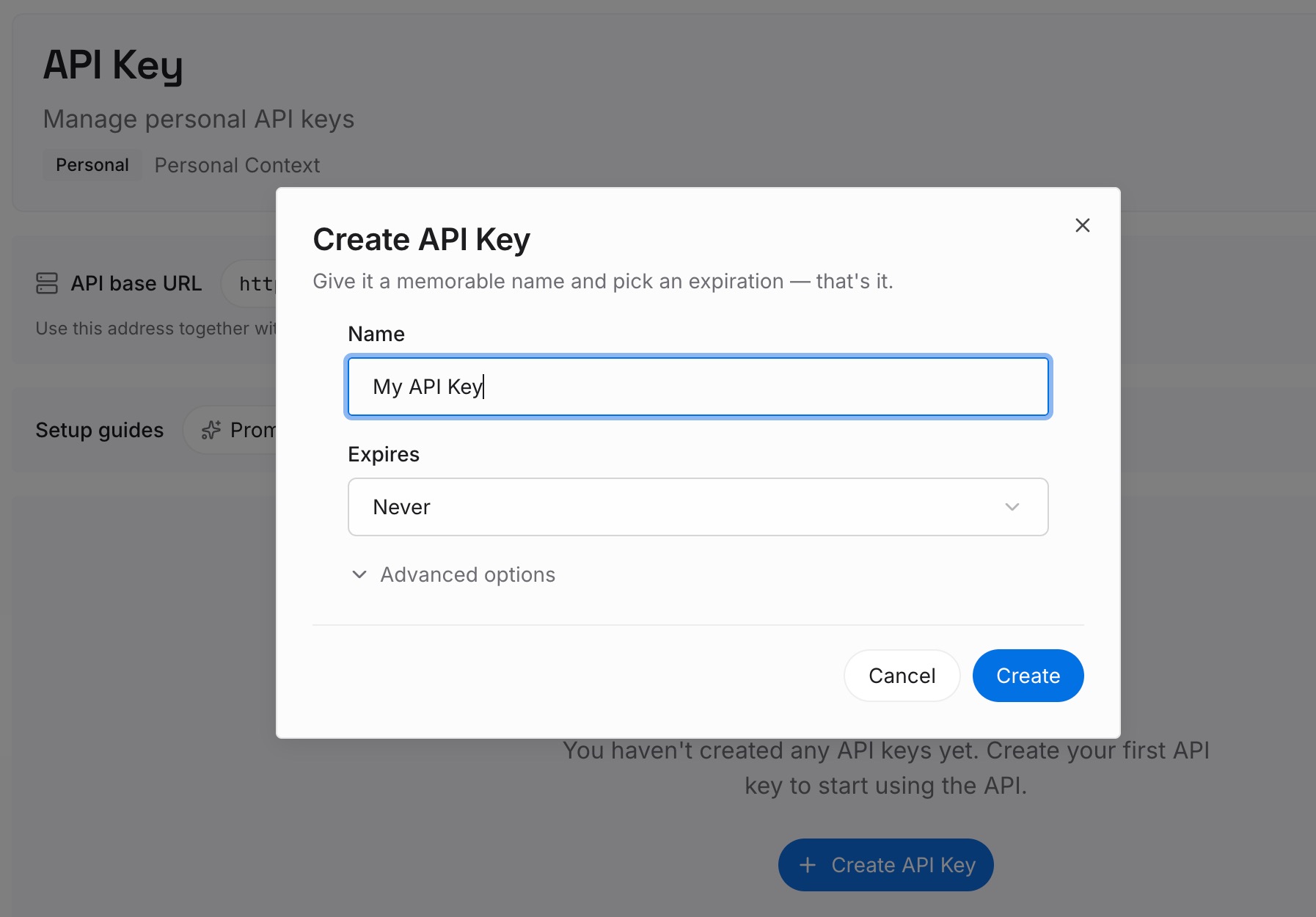
Step 1: Create an API key
Sign in and generate a key from the dashboard. The key belongs to your MemoryLake workspace and is separate from your OpenAI API keys.
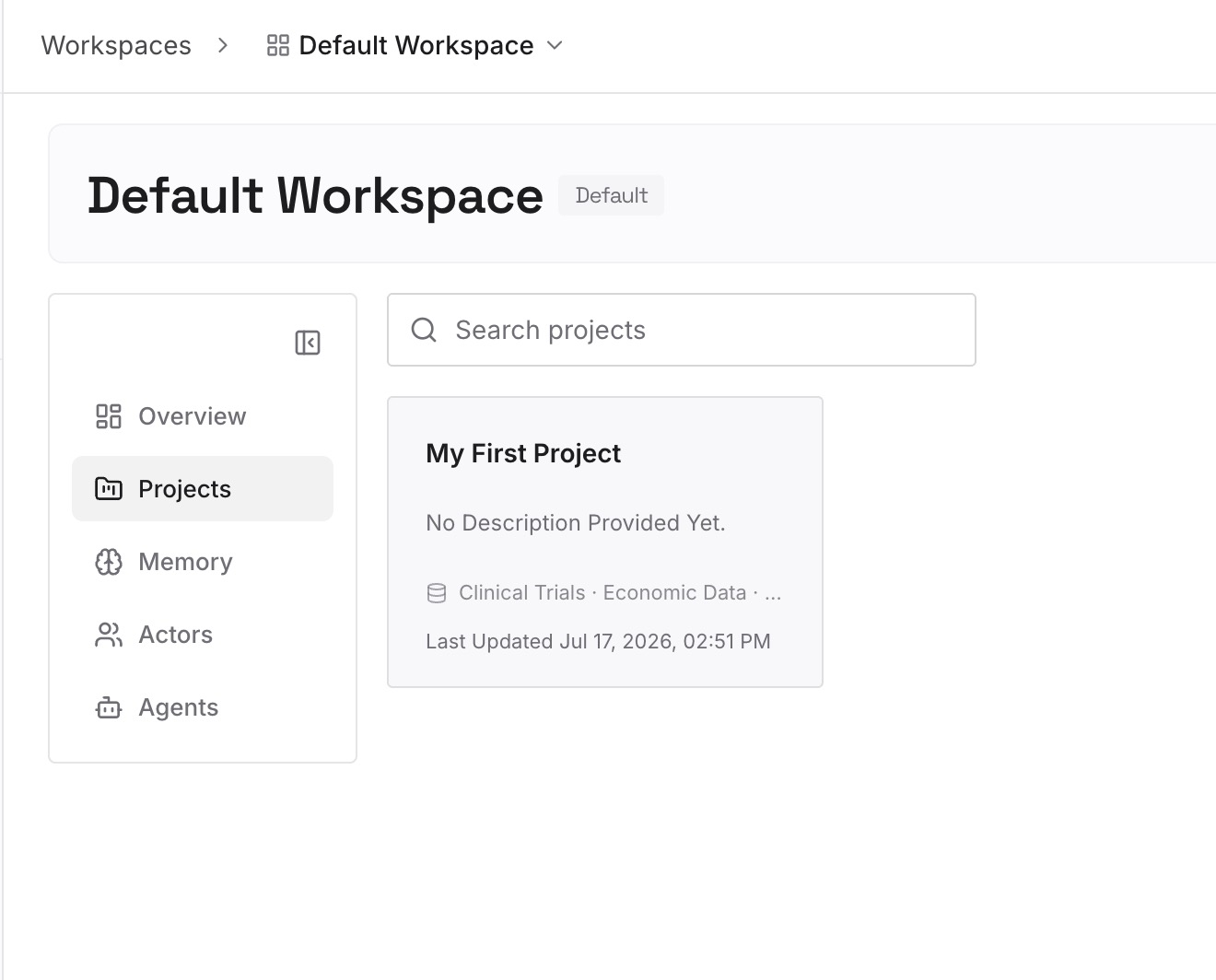
Step 2: Upload your first memories
Start with the facts you sorted out in Step 3 of the fix: the decisions, corrections, and reference points your agent should know across conversations. One point per entry, dated, so you can see what changed since the last prefix rebuild.
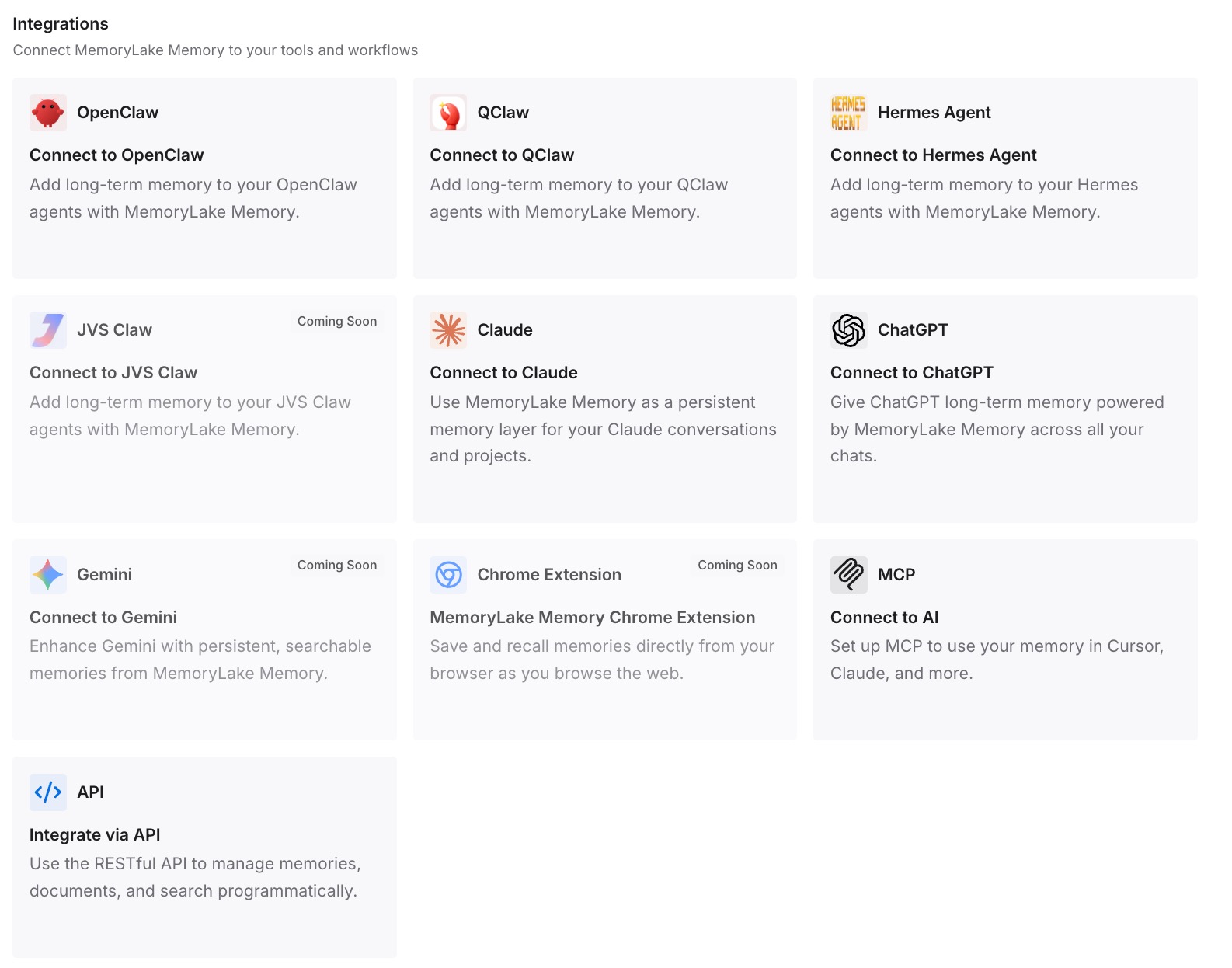
Step 3: Connect your AI & agents
Connect the assistants and coding agents you use. When it's time to rebuild the stable prefix, you work from one list instead of reconstructing it from old conversations.
What this changes in practice
The first difference is that the 12-hour prefix stays stable. With per-user and per-day data moved out, it changes only when you rebuild it, and the write count in the usage object shows that.
The second is that new knowledge has a clear destination. It goes into the conversation or into your maintained list, not into an edit of the cached prefix in the middle of the day.
The third is that the cost decision becomes measurable. You can compare 12-hour and 30-minute writes on real traffic instead of guessing. For the broader trade-off between trimming prompts and keeping context, our guide to why shorter prompts alone aren't enough covers the other levers.
Best practices for 12-hour prompt caching
Use 12 hours only for content that is identical for hours. Instructions, tools, and shared reference material.
Keep timestamps and user data out of the stable prefix. Move them to the end or into later messages.
Append instead of rewriting. Compaction and truncation change the prefix.
Put reusable instructions in a developer message. Top-level instructions can't hold an explicit breakpoint.
Read the write breakdown. ttl_12h_tokens shows how often the long-lived prefix is being rewritten.
Rebuild the prefix on a schedule. Fold in new facts deliberately, not one at a time.
Keep durable facts outside the cache. Our guide to how much memory to give an AI agent covers what to keep and what to leave out.
Conclusion
OpenAI's 12-hour prompt caching lets agents reuse stable instructions, tools, and reference material across longer gaps at the cached-input rate. The documentation is careful about its limits: the 12 hours is a minimum for pricing eligibility, not a deletion deadline or a guarantee of reuse, reads don't restart the 12-hour clock, and any change before a breakpoint breaks the match.
The cache also doesn't hold knowledge. Each request still has to carry what the model should know. Split your prompt by how often it changes, give only the stable part 12 hours, and keep the facts your agent learns in a source you maintain and fold in on your own schedule.