
What changed in OpenClaw 2026.10.5
The change came in pull request #167404, merged on October 8 and shipped in the 2026.10.5 release. Its problem statement is plain: "Agents saved learned skills for things that are not procedures: facts about the user (a birthday) and knowledge about one codebase (its test command, env vars, naming rules)."
The fix is in the prompts that decide what gets saved. According to the pull request, the shared authoring standard used by the skill_workshop tool, the background review, and /learn now opens with "a skill is a procedure, not memory". The do-not-capture list gained one item: "knowledge about one codebase, which belongs in the repository's docs or AGENTS.md." And the always-on Skill Workshop section of the system prompt "carries both points in one clause each, so the foreground agent follows them too."
The pull request also describes what you'll see when you ask for something that no longer qualifies: "When asked to /learn codebase specifics or a plain fact, the agent says where that belongs instead of creating a skill." Personal procedures are unaffected. The rule is scoped "to one codebase's knowledge, not to all coding work," so a method like the pull request's own example, "how I publish my blog", is still learned.
OpenClaw tested it with three trials per side. The old prompts saved a codebase-specific skill every time; the new ones saved none, and "each reply says it belongs in the repo's docs/AGENTS.md". A personal procedure was saved in all three trials both before and after.
The same release carries a second fix, from pull request #167639. Before it, "learned skills with names longer than 63 characters disappear from Skill Workshop's list, and patch/archive/restore refuse them, even though they stay loaded in model context." After it, "every skill an earlier release saved is listed and manageable again". That matters for the cleanup below: some of the skills you need to review may only now be showing up in the list.
What Skill Workshop now saves, and where it sends the rest
The current Skill Workshop page draws three lines. Procedures stay: "the method for a task the user repeats, so the agent does not work it out again each time." Facts go elsewhere: "Facts about the user or the world belong in memory." And repository knowledge goes to the repository: "Knowledge about one codebase, such as its conventions, build commands, or architecture, belongs in that repository's docs or AGENTS.md, where every agent working there reads it, so the agent does not save it as a learned skill."
The self-learning page, which describes the background review, is more specific about what it skips. The review "does not capture environment-specific or transient failures, negative claims about tools, unresolved failures or guesses, knowledge about one codebase, one-off tasks, personal facts, secrets, or generic advice without concrete commands, paths, or ids." It also keeps single-request details in the conversation: "Details true of only one request, such as one product, order, menu, date, place, or booking, stay in the conversation."
The pull request explains why repository knowledge was the main target: "Skill Workshop is designed for a personal claw: its skills are agent-wide, while a repository already has an owner for its own conventions."
Why the skills you already saved didn't change
Everything above is about what happens from now on. The pull request is explicit that it changed "prompt and docs text only," that it "writes no state", and that the result is "No config or stored-data change." Nothing in the release notes or the Skill Workshop page describes a pass that reviews existing learned skills against the new rule.
So a skill saved last month that holds your repository's test command is still a learned skill today. Three properties of learned skills mean it still has an effect.
Learned skills are always visible to their agent. The Skill Workshop page says they "belong to one agent and are always visible to it: they bypass agents.defaults.skills and agents.entries.<id>.skills allowlists. To hide one, archive it." You can't scope a learned skill away from a project with the allowlist you'd use for other skills.
They follow the agent into every project. The pull request's own description of the problem is that codebase knowledge saved as a learned skill "loads in every session of the agent, including unrelated projects." The skills page lists Workshop skills at the fifth level of loading precedence, below workspace, project-agent, personal-agent, and managed skills, and the skill catalog that goes into the system prompt includes each eligible skill's name, description, and location.
Unused-skill cleanup won't necessarily catch them. With learning on, OpenClaw archives a learned skill "with no activity for 30 days." Activity includes "a recorded read of its SKILL.md, a foreground skill_workshop view, and its last change". A skill the agent keeps opening because its description matches your work counts as active, whether or not its contents still belong there. The cleanup also has a scope limit: "Cleanup only runs for agents whose default runtime is the embedded OpenClaw harness," and "cleanup stays off for Codex agents rather than archiving skills that are in use."
The pull request calls the change a "two-way door" because it writes no state, so a revert restores the previous wording. The consequence is that sorting the existing skills is your job.
Where each kind of entry belongs now
OpenClaw's documentation gives a specific home for each kind of content the new rule moves out of learned skills.
Facts and preferences about you go into memory. OpenClaw's memory overview says it "remembers things by writing plain Markdown files in your agent's workspace". Two files matter here. USER.md holds "stable preferences, communication style, relationships, and active-project context written as directives." MEMORY.md holds "Durable non-profile facts and decisions." Both load at the start of a session. Day-to-day observations go in dated daily notes under memory/, which are searchable but "are not injected into the bootstrap prompt on every turn." The memory page's own tip for getting something in: "If you want your agent to remember something, just ask it". The agent "writes the note to the appropriate file."
Codebase knowledge goes into the repository. That means the repository's own docs or its AGENTS.md, the file every agent working in that repository reads. This is a different file from the AGENTS.md in your OpenClaw agent's workspace. OpenClaw's FAQ lists the workspace files as AGENTS.md, SOUL.md, IDENTITY.md, USER.md, MEMORY.md, and the daily notes, and suggests putting "operating rules in AGENTS.md and durable facts in memory." Put a project's build command in the workspace file and it loads with your agent wherever it works, the same issue that started this. If the repository already has an instruction file, our guide to moving CLAUDE.md content into AGENTS.md covers how the two common formats relate.
Procedures stay as learned skills. A method for a class of task you repeat is exactly what the Workshop is for. A skill that mixes a general method with one repository's details can be split. The pull request describes this as "the intended split: general methods stay, and codebase facts go to the repository."
Assumptions that lead people astray
Assuming the update cleaned up old skills. The release changed what gets saved from now on. The pull request says existing skills are untouched.
Assuming unused skills will be archived automatically. Only skills with no activity for 30 days are archived, a skill the agent reads counts as active, and cleanup is off for agents on the Codex harness.
Assuming an allowlist keeps a learned skill out of a project. Learned skills bypass the agent and default skill allowlists. Archiving is the documented way to hide one.
Assuming the agent can no longer save a fact. The change is in prompts. The model still decides, and the Workshop's write validation checks names, frontmatter, paths, size, and security findings, not whether content is a fact.
Assuming everything is already listed. Before 2026.10.5, long-named skills were missing from the list while still loaded.
The Fix: Sort your learned skills, move facts and codebase notes out, then archive the originals
Step 1: List every learned skill and sort it into three piles
Update to 2026.10.5 or later first, so long-named skills appear. Then open Plugins → Skill workshop in the Control UI, or run openclaw skills workshop list. The Control UI lists learned skills most used first and flags any idle for two weeks. openclaw skills workshop show <name> prints a skill's contents.
For each skill, ask: is this a method for a task I repeat? Then sort it:
- Procedure: steps for a class of task, with the commands, paths, or ids that make them work. Keep it.
- Fact about you or the world: a preference, a date, a relationship, a decision. Move it to memory.
- Knowledge about one codebase: its conventions, build or test commands, environment variables, architecture. Move it to that repository.
Some skills will be mixed. Note which parts belong where.
Step 2: Move facts to memory and codebase knowledge to the repository
For facts, the simplest route is the one OpenClaw documents: ask the agent to remember them. Profile-type preferences belong in USER.md; durable non-profile facts and decisions belong in MEMORY.md. Check the file afterward to see what was written.
For codebase knowledge, add it to that repository's AGENTS.md or docs, and commit it like any other change, so whoever owns the repository can review it. Other agents and people working there will read it too.
For mixed skills, edit the skill so only the general method remains. The skill_workshop tool supports a patch that "Replaces one exact, unique span", and every change saves the previous version first, so a bad edit can be restored.
Step 3: Archive what you moved, then confirm in a new session
Once the content lives somewhere else, archive the original with openclaw skills workshop archive <name> --reason "Superseded" or the Archive button. Archive is versioned: "restore it any time." The reason appears in the change feed, which keeps the newest 500 entries per agent.
Then start a new session. "Changed skills load in new sessions. A running session keeps the skill snapshot it started with." Ask the agent to do a task from the affected project and check that it reads the repository's AGENTS.md instead of the old skill. Repeat from a second, unrelated project and confirm the codebase details no longer come with it.
Setting this up in MemoryLake
OpenClaw now separates three kinds of knowledge: how to do a task, what's true about you, and how one codebase works. The middle one is also the kind you may want outside OpenClaw, in the other assistants you use. MemoryLake is a memory layer for keeping those facts and decisions in one list you maintain, available to OpenClaw through its integration and to other assistants you connect, such as ChatGPT and Claude Code.
You write the entries yourself, in your own words. Nothing is read out of, written to, or deleted from your learned skills, your USER.md or MEMORY.md, any repository's AGENTS.md, or any vendor's store. Repository conventions still belong in the repository, where everyone working on it can review them. Leave out secrets and anything your organization keeps internal.
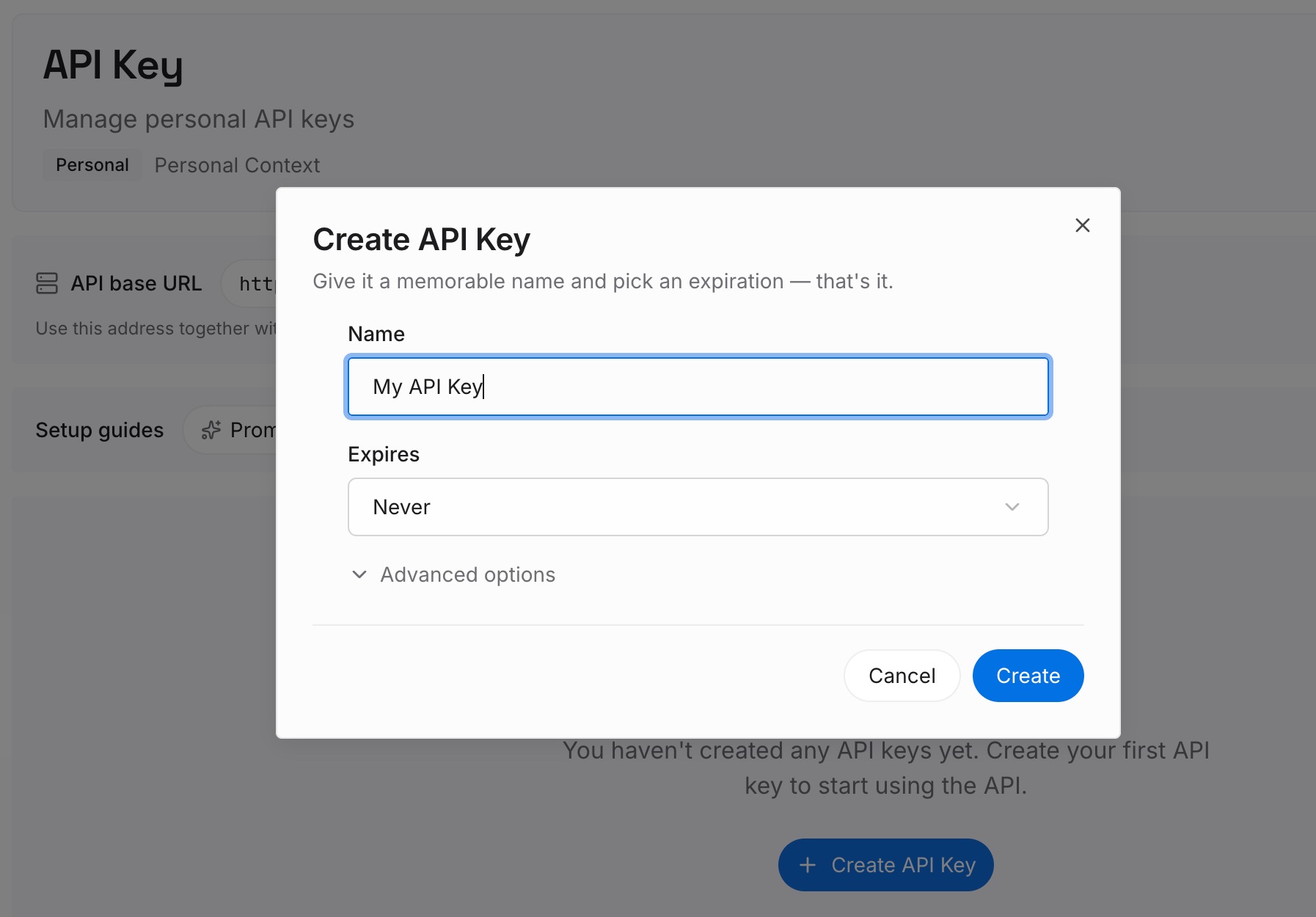
Step 1: Create an API key
Sign in and generate a key from the dashboard. The key belongs to your MemoryLake workspace and is separate from your OpenClaw configuration.
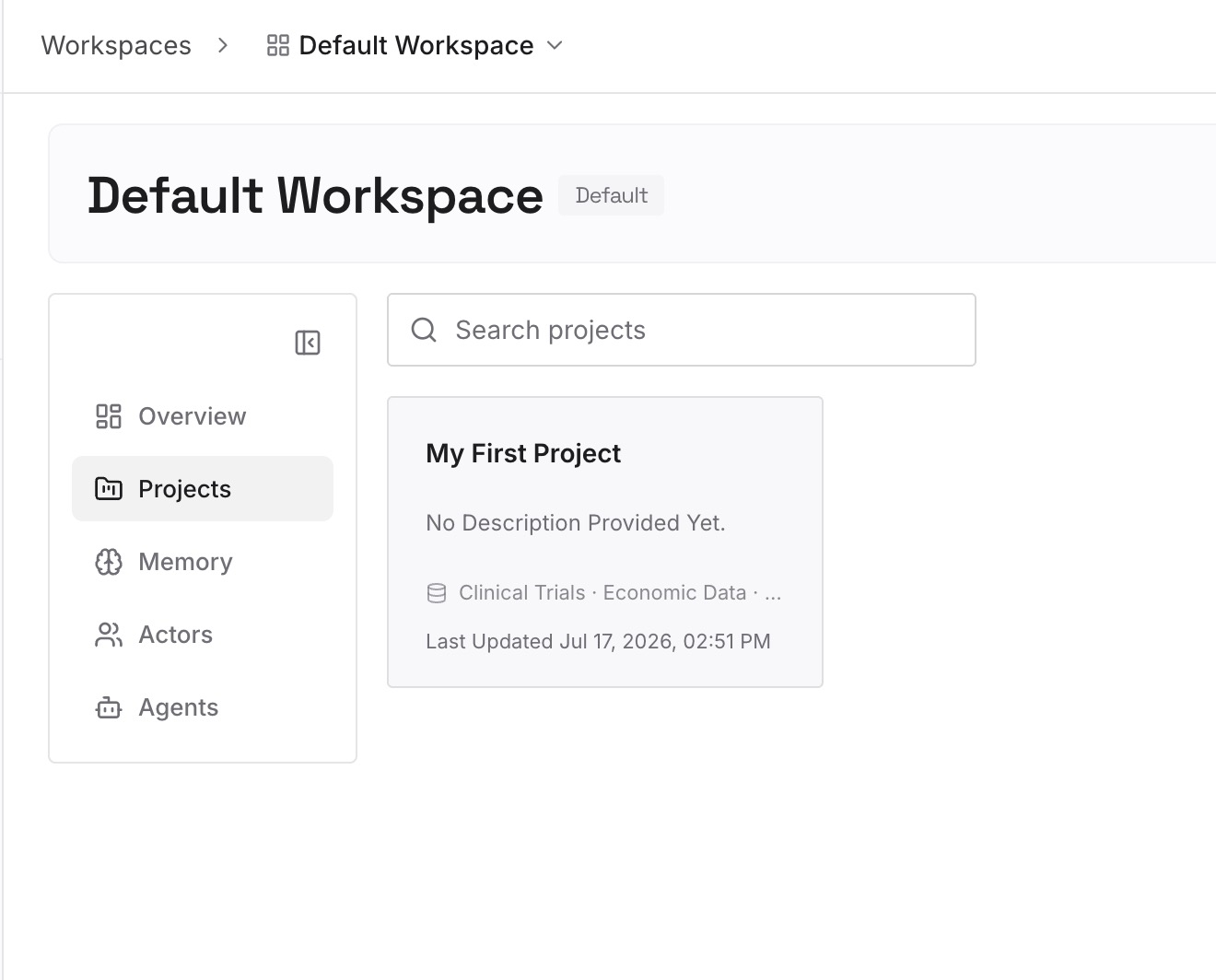
Step 2: Upload your first memories
Start with the facts you pulled out of learned skills in the sort above: preferences, standing decisions, details about people and projects. One fact per entry, dated, so an outdated one is easy to find and remove.
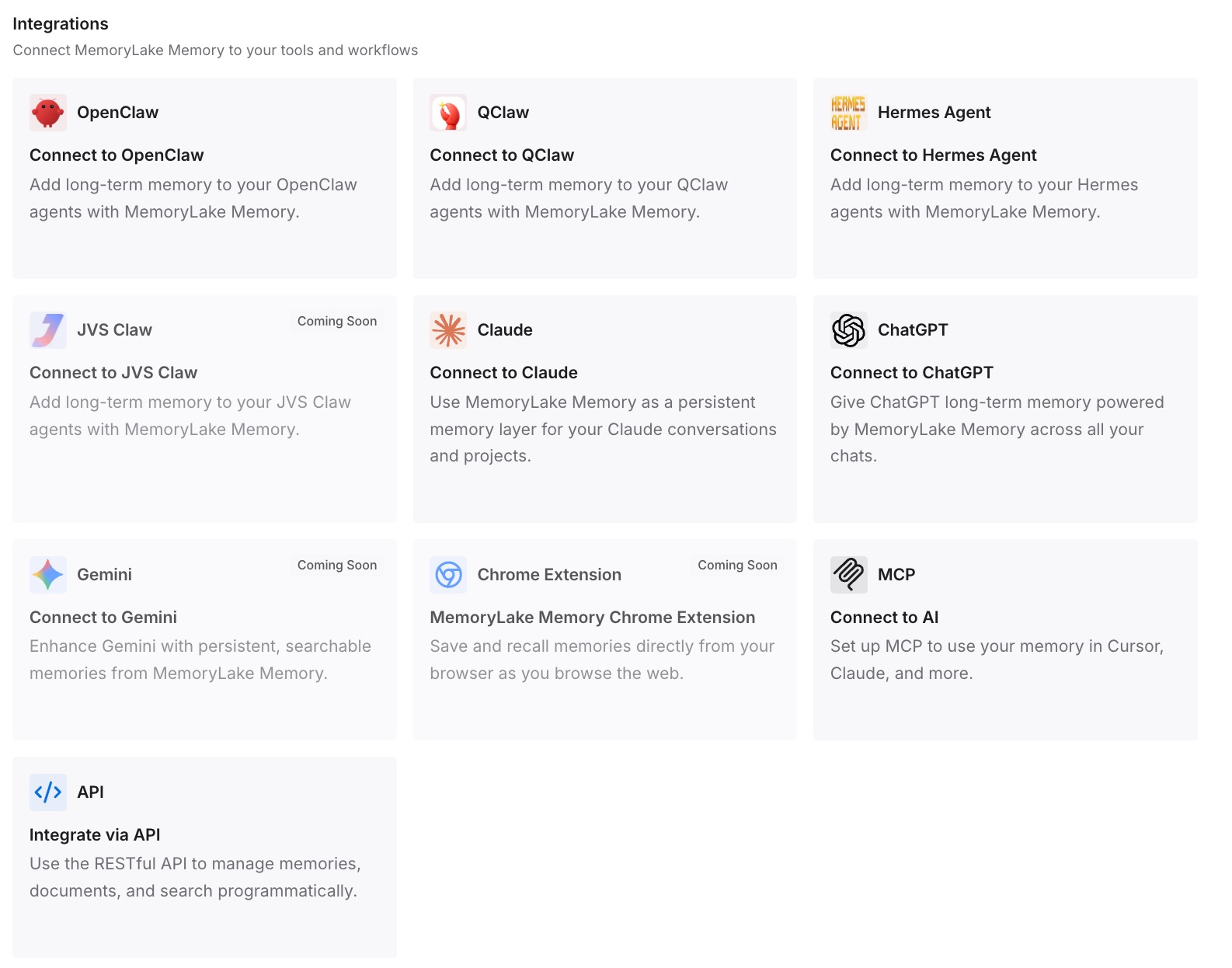
Step 3: Connect your AI & agents
Connect OpenClaw and the other assistants you use. Your learned skills keep the procedures, the repository keeps its conventions, and the facts you wrote are available wherever you work.
What this changes in practice
The first difference is that each project gets its own rules. Codebase knowledge in a repository's AGENTS.md loads where that codebase is, instead of riding along with your agent into everything else.
The second is that facts are easier to correct. A preference saved in a skill is hard to find when it changes, because you have to know which skill it's in. In USER.md, MEMORY.md, or a list you maintain, a change is one edit.
The third is a smaller learned-skill list that's easier to trust. OpenClaw's background review aims to keep "your learned skills a small set of repeatable procedures". Removing what isn't a procedure brings the existing list in line with that goal. Where the line between skills and rules sits in another tool, our comparison of Cursor skills and rules covers it.
Best practices for cleaning up OpenClaw learned skills
Update before you sort. Long-named skills only appear in the list from 2026.10.5.
Put repository knowledge in the repository. Use its AGENTS.md or docs, not your workspace AGENTS.md.
Split mixed skills instead of deleting them. Keep the general method.
Archive with a reason. The change feed then explains what moved and where.
Check from an unrelated project. That's where a misplaced codebase skill shows up.
Watch what self-learning saves next. Review the Learned row when it appears. Other vendors publish similar lists of what their memory leaves out; our look at Grok Build's memory exclusions covers one.
Conclusion
OpenClaw 2026.10.5 changed what the Skill Workshop saves: procedures stay, facts go to memory, and knowledge about one codebase goes to that repository's docs or AGENTS.md. It didn't change what was already saved. Learned skills stay visible to their agent regardless of allowlists, load in every project that agent works in, and avoid unused-skill cleanup as long as they're being read.
Sort each learned skill, move facts to memory and codebase notes to the repository, archive the originals, and check from a new session in an unrelated project. Our deep dive on OpenClaw memory covers the rest of the memory system, and our roundup of memory setups for OpenClaw agents compares the options.