
The short answer
Grok Bot keeps memory per Bot, and since October 22 a personal Bot remembers what it saved across all your chats with it. Meta Muse keeps an editable Memory.md file and offers a forget skill. ChatGPT dots start from your ChatGPT memory and keep separate notes of their own. Claude Duet uses your Claude account's memory directly and adds to it.
At a glance
| Grok Bot | Meta Muse | ChatGPT dots | Claude Duet | |
|---|---|---|---|---|
| Launched | August 11, 2026 | September 8, 2026 | September 29, 2026 | October 21, 2026 (research preview) |
| Where memory starts | Each Bot learns on its own | What you share with Muse | Relevant ChatGPT memory | Your existing Claude memory |
| Where it's kept | With each Bot | Memories, including a Memory.md file | The dot's own notes, separate from ChatGPT memory | Your Claude account memory |
| Across channels | App, Slack, voice calls | Muse app and WhatsApp | ChatGPT, Slack, Teams, calls | Main thread and channels share memory |
| Team version | Team Bots: team memory plus private notes per person | Not described in Meta's help articles | Business and Enterprise workspaces, with admin controls | Not available on Team or Enterprise yet |
| How you review it | Ask the Bot | Ask Muse, or open Memory.md | Ask the dot | Your Claude memory settings |
How each one handles memory
Grok Bot
Grok Bot is built around Bots rather than chats. xAI's design essay says "Memory and Routines belong to the Bot because they reflect what that particular role knows and does over time", while tools and skills live at the account level. Each Bot you create has its own memory, and Bots don't read each other's.
The October 22 release added the rule for chats: "What a personal Bot saves to memory in one chat is remembered in all your chats with it, and only you can change it." xAI's documentation describes what a Bot keeps: "A Bot can retain stable working preferences, important facts, and summaries from its work."
Grok Bot is also the only one of the four whose documentation describes a shared agent for a whole team. A Team Bot keeps team memory that every teammate's chat reads, saved "only when someone says the whole team should have it," and private notes for each person. Our guide to Grok Bot's per-Bot memory covers the design in more depth.
What it does well: memory scoped to a role, so a finance Bot and a research Bot each stay focused, plus a clear split between team and personal memory.
Meta Muse
Muse treats memory as files you can open. Meta's data management article says information you share "may be saved in Memories so Muse can personalize responses", and that "You can edit and delete information in the Memory.md file directly." Muse also has separate files for its personality and identity, Soul.md and Identity.md.
Meta's launch post describes the goal: Muse "remembers what matters to a person, so it can make suggestions unprompted and act on details that person only mentioned once." On the Mac, the Muse app can also read information from apps on your computer, such as iMessage, Notes, and Calendar, when you grant permission.
Muse has a specific way to forget. "Forgetting works by asking Muse to look for information about a specific person, topic or matter in its memories and supporting files and remove it to the best of its ability." Meta is also direct about a limit of deletion: "After you delete something from Muse, Muse may still remember information it learned from what you deleted."
Meta's October model announcement says its new Muse Wonder models have Active Memory, "the ability to carry what matters to you across conversations", and that Meta plans to bring them to Muse soon, starting with subscribers.
What it does well: memory you can read and edit as a file, a forget skill that searches memories and supporting files, and a documented data download.
ChatGPT dots
A dot has two sources of memory. OpenAI's tasks and memory page says "Your dot starts with relevant context from ChatGPT memory. It also keeps its own notes about preferences, decisions, and ongoing work so it can use them in later conversations." Those notes "are separate from ChatGPT's saved memory and are not a complete transcript of everything you've said."
The separation has consequences. "Changing a ChatGPT saved-memory setting doesn't necessarily change the notes your dot has already made." OpenAI's admin documentation adds: "Turning off ChatGPT Memory stops memory sharing with the dot, but doesn't erase information it already has."
A dot is the same agent in every channel. "ChatGPT, Slack, and Teams are ways to reach the same dot. Switching between them doesn't create a separate dot or reset its saved notes." It can also search your past ChatGPT conversations for context. Our guide to what a dot keeps and how to clear it goes through the controls.
What it does well: a head start from ChatGPT memory, one agent across chat and work messaging, and a reach into Codex threads, which our guide to how context moves between dots and Codex covers.
Claude Duet
Duet works from your Claude memory rather than a memory of its own. Anthropic's getting-started article says "Claude Duet runs on your Claude account, so the memory, skills, and connectors you've set up in Claude are there from your first message." The memory article adds that Duet "also uses and adds to your memory, so what Claude knows about you is there from your first message."
Duet has a main thread plus separate channels for topics, and "they share the same memory." It can search past chats: "It searches your Claude Duet chats and your chats in Claude outside of projects." That search uses the same Search and reference chats setting as Claude, so turning it off there turns it off for Duet.
Duet is a research preview for Pro and Max users in the US, through a waitlist, and isn't available on Team or Enterprise plans yet. Our guide to Claude Duet and your Claude memory covers what it reads and adds.
What it does well: no second memory to manage. What Claude knows, Duet knows, and what Duet learns, Claude can use.
Where they differ most
Where the memory starts
Duet and dots both begin with what you've already built. Duet uses your Claude memory directly; a dot starts with relevant ChatGPT memory and then keeps its own notes. Grok Bot and Muse, as their documentation describes them, build memory as you work with them. A Grok Bot also builds it per Bot: a new Bot doesn't inherit what another Bot learned.
One memory or two
For Duet, there's one memory, your Claude account's. For dots, there are two: ChatGPT memory and the dot's own notes, and changing a ChatGPT memory setting doesn't necessarily change the dot's notes. Grok Bot has one memory per Bot, plus team memory for Team Bots. Muse keeps memories within Muse, with Memory.md as the file you can see.
Who can change it
For a personal Grok Bot, only you. For a Team Bot, team memory is shared and each person's notes are theirs. Muse lets you edit Memory.md yourself or ask it to forget. A dot updates its own notes as your decisions and priorities change. Duet's memory is your Claude memory, which you review and edit in Claude's settings.
What deleting does
Each company describes deletion carefully. Deleting a Grok Bot, in xAI's release notes, "permanently erases its conversations, memory, routines, and attachments," while its documentation notes that shared computer files and sign-ins may remain on the computer. Muse's Reset deletes "all information including chat history, files and active tasks", and Meta notes that deleting individual items doesn't guarantee Muse forgets what it learned from them. For dots, OpenAI says "Deleting a dot removes its own context", while files, Codex threads, and ChatGPT conversations it created "are stored separately and aren't all deleted with it."
Getting your data out
Muse documents a download: in Settings, under Data controls, Download your Muse data gives you "a copy of your chats, files and other agent information". For Claude, Duet's memory is part of your Claude account. The Grok Bot and dots documentation covers reviewing and deleting what the agent knows; it doesn't describe a separate memory download.
What people try first
Assuming they all share one memory with the company's chatbot. Only Duet uses the chatbot's memory directly. A dot keeps its own notes, and Grok Bot and Muse keep their own.
Turning off chatbot memory to reset the agent. For dots, OpenAI says that stops sharing but doesn't erase what the dot already has.
Deleting a message to make the agent forget. Muse's documentation warns that it may still remember what it learned. The forget skill is the documented route.
Copying an agent to keep its knowledge. A duplicated Grok Bot doesn't copy learned memory.
The Fix: Learn where your agent keeps memory, check it, then keep the important part where you control it
Step 1: Find out where your agent's memory lives
Use the table above. If you use Duet, review your Claude memory. If you use a dot, remember there are two places: ChatGPT memory and the dot's notes. If you use Grok Bot, each Bot is separate. If you use Muse, open Memory.md.
Step 2: Ask it what it knows, and correct it
Ask your agent to list what it remembers about you and your work, then correct anything stale. xAI and Meta both point to asking the agent directly. For Muse, use the forget skill to remove a topic. For a Grok Team Bot, ask separately what's saved for the team.
Step 3: Keep the facts you depend on in one place you control
Each agent's memory stays with that agent. If you use more than one, or might switch, write down the decisions, preferences, and facts you'd want any of them to know, dated and in your own words. That list works no matter which agent you open.
Setting this up in MemoryLake
Personal agents learn a lot about you, and each keeps what it learns in its own place. The context that matters across all of them, your preferences, your projects, the decisions you've made, is easier to manage in one list than in four.
MemoryLake is a memory layer for keeping that context in one list you maintain, available to the assistants you connect, such as ChatGPT, Claude Code, and Codex.
You write the entries yourself, in your own words. Nothing is read out of, written to, or deleted from Grok Bot, Meta Muse, your dot, Claude Duet, their memory files and notes, or any vendor's store. For work content, follow your organization's policy on what you keep outside its tools.
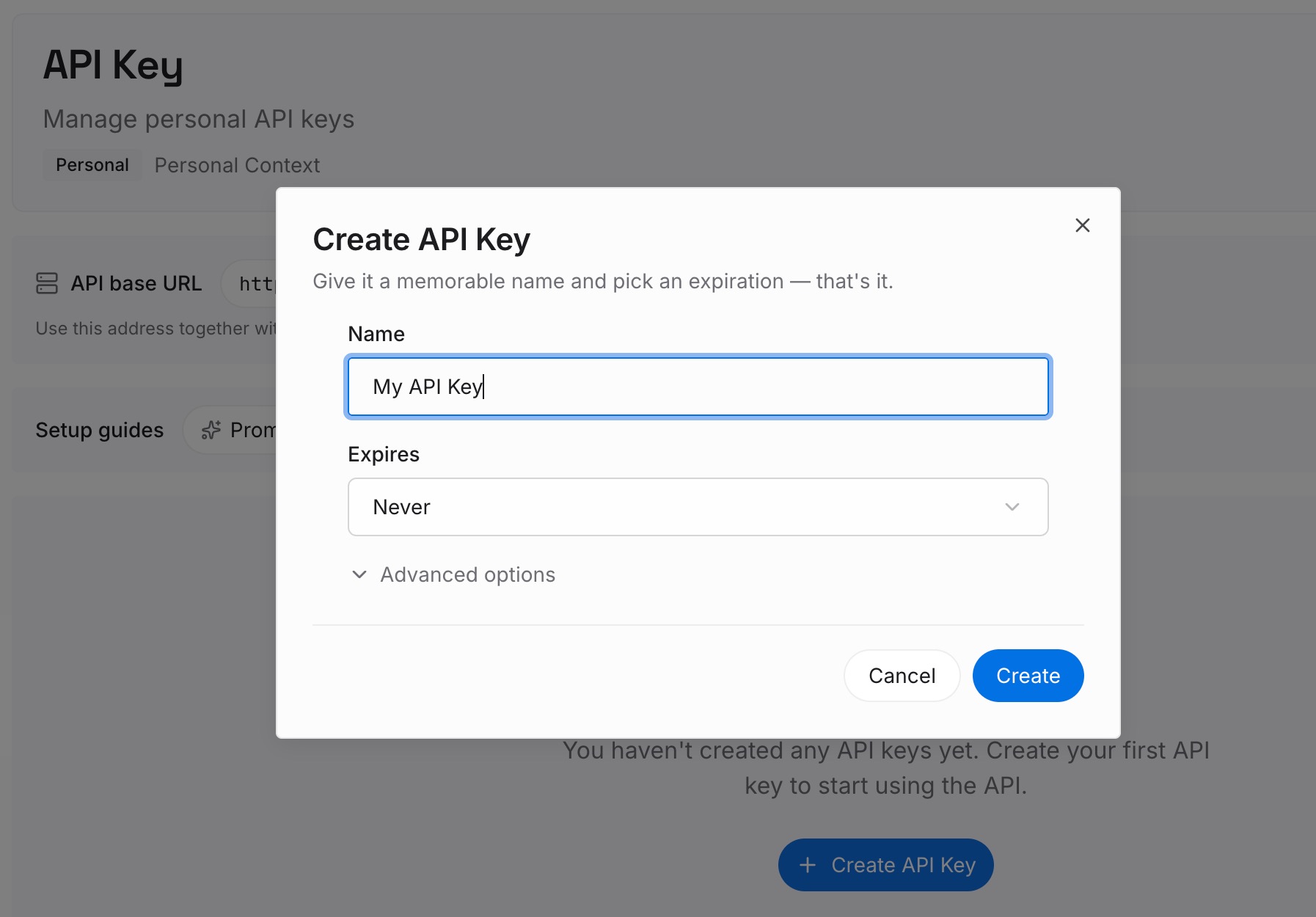
Step 1: Create an API key
Sign in and generate a key from the dashboard. The key belongs to your MemoryLake workspace and is separate from your accounts with each agent.
Step 2: Upload your first memories
Start with what you corrected in Step 2 of the fix and the facts from Step 3: preferences, projects, and decisions. One point per entry, dated, and labeled with what it's about.

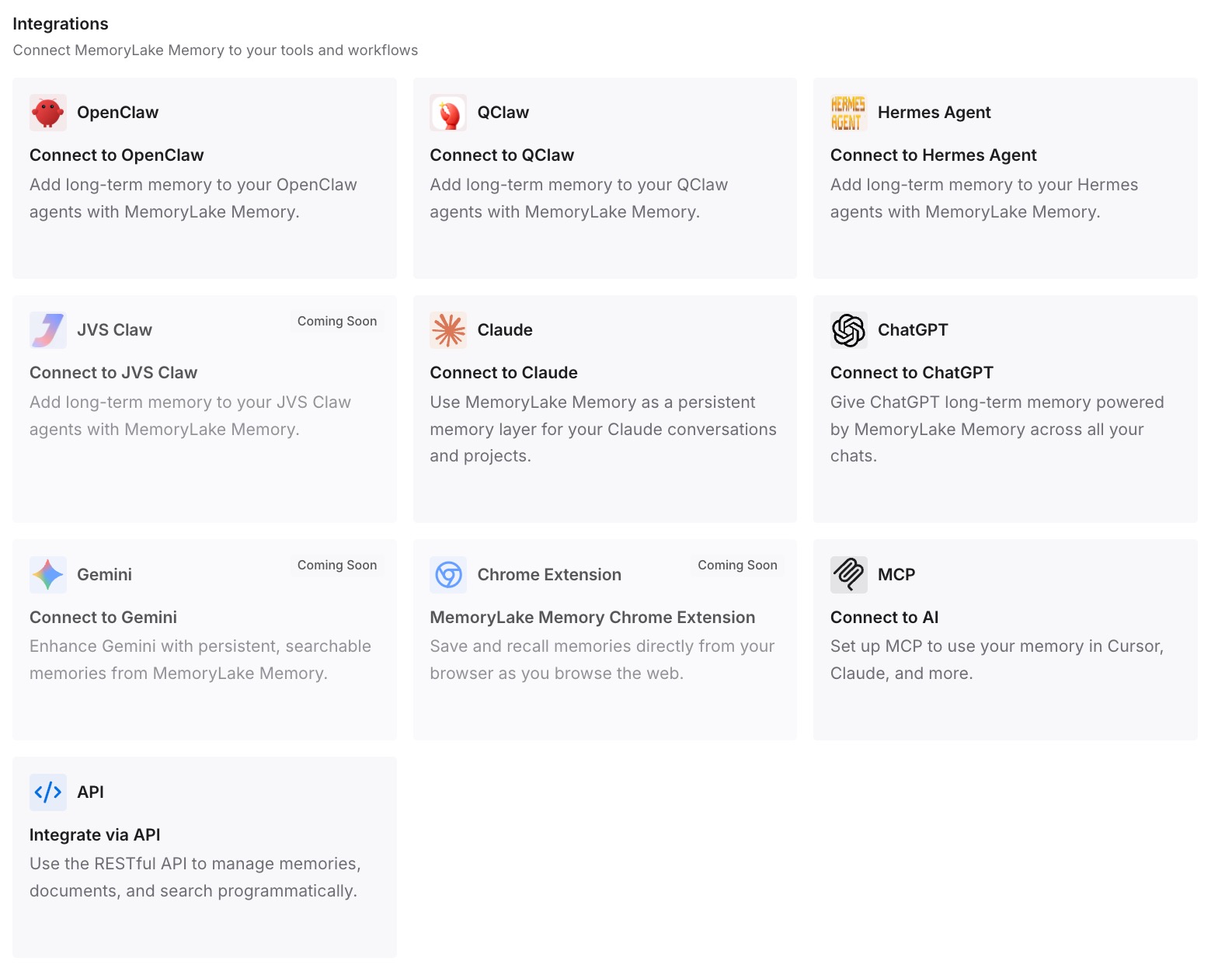
Step 3: Connect your AI & agents
Connect ChatGPT and the other assistants you use. The context you rely on is in one place, whichever agent you're working with today.
What this changes in practice
The first difference is that you know what your agent knows. You've checked where its memory lives and what's in it.
The second is that switching or adding an agent doesn't mean starting over. The facts you depend on are written down and ready.
The third is that deletion and privacy settings stop being surprises. You know which switch affects which memory, and what deleting actually removes. For a wider look at memory tools for this kind of assistant, our roundup of AI memory tools for personal AI assistants covers more options.
Best practices for personal agent memory
Know whether your agent has one memory or two. Dots keep notes separate from ChatGPT memory.
Review what it remembers on a schedule. Asking the agent directly is the simplest check.
Use the documented forget route. Muse's forget skill, or telling the agent directly.
Keep changing facts in their source. Memory is for preferences and decisions, not live numbers.
Check deletion rules before you rely on them. Each company describes what's removed and what isn't.
Decide what's personal before sharing. Especially when turning a Grok Bot into a Team Bot.
Write down what you can't afford to lose. None of the four documents moving its memory to another company's agent.
Conclusion
Grok Bot, Meta Muse, ChatGPT dots, and Claude Duet each remember you, in different ways. Grok Bot keeps memory per Bot, now across all your chats with a personal Bot. Muse keeps memories you can open in Memory.md and a forget skill. Dots start from ChatGPT memory and keep separate notes of their own. Duet uses and adds to your Claude account's memory.
None of them shares memory with another company's agent. Learn where yours keeps it, check it regularly, and keep the facts you depend on in a place you control, so the agent you use next starts with what the last one learned.