
Why your old Claude setup looks different now
Start with the account-wide layer. Anthropic describes it this way: "Instructions are account-wide settings that help Claude understand your general instructions that Claude should consider in responses." And the scope is total: "Any instructions you add here will be applied to all of your conversations with Claude." This is the field many people still call personal preferences.
Now the Cowork change. The same article says: "If you used Global instructions in Claude Cowork, they're part of Instructions for Claude once you have the new Claude experience. Check this setting to make sure your instructions are what you want."
The Cowork getting-started guide spells out what that means for scope: "In the new Claude experience, Global instructions are part of Instructions for Claude in Settings > General, and they apply to every conversation."
Read those two sentences together and the consequence is clear. Instructions you wrote for Cowork — Anthropic's own examples for that field were "your preferred tone, output format, or background on your role" — now apply to every conversation, including quick chats they were never written for. An instruction like "always produce a formatted document" made sense for a task that ends in a file. It makes less sense when you ask a one-line question.
Then styles. The current overview lists skills as the feature that "can customize how Claude communicates, apply specialized expertise, or define repeatable behaviors you activate on demand," and gives the use cases as "Adjust the tone and format of Claude's responses" and "Apply communication patterns based on your own writing or preferences." Its summary line is direct: "Use skills when you want to customize how Claude formats and delivers its responses." Styles are not among the three features it names.
The last piece is the one that changes how a rebuilt style behaves. Skills are not always on. Anthropic's skills article explains that "Skills work through progressive disclosure—Claude determines which skills are relevant and loads the information it needs to complete that task." And it draws the comparison itself: "Custom instructions apply broadly to all your conversations. Skills are task-specific and only load when relevant, making them better for specialized workflows."
So a tone rule you want everywhere and a format you want for one kind of task now belong in different places. An earlier guide here on stopping Claude from forgetting system prompts sorted instructions across the levels Claude documented at the time; the sorting principle still holds, and the set of levels has changed.
What people try instead
Leaving the merged field as it is. The migration kept your words, so everything seems fine. But a field that now holds both your old personal preferences and your old Cowork instructions can contradict itself, and it applies to every conversation. Anthropic's own advice is to check it.
Pasting an old style into Instructions for Claude. This makes the tone apply everywhere, which is sometimes right. For a style you only used for one kind of writing — release notes, customer replies, a formal report — it means every casual answer now arrives in that register.
Turning every style into a skill and expecting it to apply every time. A skill loads when Claude judges it relevant. That is the design, and it suits task-specific formats. It is the wrong container for a rule you need applied to every reply.
Relying on memory to carry tone. Claude's memory captures context about you and your work, and it is separate from instructions. Anthropic describes memory as something Claude uses to "remember context from your chats and carry it into new conversations and Cowork tasks." It is not a place where a formatting rule is guaranteed to be applied.
Rewriting everything from scratch. Tempting, and usually unnecessary. Most of what you wrote is still good; it is in a field with a different scope.
The Fix: Sort each old instruction by where it should apply, then rebuild it in the right place
The work is a sort, not a rewrite. Every instruction you had answers one question: should this apply to every conversation, to one project, or to one kind of task?
Step 1: Read Instructions for Claude as it now stands
Open Settings and find Instructions for Claude. Copy the whole contents into a text file before you change anything.
Now read it line by line and mark where each line came from, if you can tell: your old personal preferences, or your old Cowork global instructions. The Cowork lines are the ones most likely to be scoped wrongly for chat, because they were written for longer tasks that end in a deliverable.
Keep a line in this field only if it is true for every conversation you will ever have with Claude: how you want to be addressed, your role, the language and spelling conventions you use, a hard constraint that applies to everything. Anthropic's own examples for the field are "Your preferred approaches or methods," "Common terms or concepts you use," "Typical scenarios you encounter," and "General communication instructions." That list is a good test of scope.
Anything that fails the test moves out in the next two steps.
Step 2: Move task-specific tone and format into skills
Take each old style, and each Cowork line about output format, and ask what task it was for. A style for release notes is a skill for writing release notes. A Cowork instruction about producing documents in a house template is a skill for that template.
Write each as a skill with a clear description of when it applies, because the description is how Claude decides relevance. Anthropic describes custom skills as a way to "Automate personal workflows and customize Claude to match your work style," and notes that anyone can create one "by writing instructions in Markdown." Skills also require code execution to be enabled, so check that setting if a skill never seems to load.
Keep the skill focused on one task. A skill that tries to be your whole voice will load inconsistently, because it will be relevant to everything and specific to nothing. For the broader question of carrying a voice across sessions, how to make Claude remember your writing style covers what each mechanism can and cannot hold.
Step 3: Put project-bound context back into projects, then test all three layers
Some of what sat in personal preferences or Cowork instructions was really about one body of work: a client, a product, a book. That belongs in project instructions, which Anthropic says "only apply to chats within that project."
One wrinkle in the documentation is worth knowing here. The personalization overview says that "Projects are available to all users, including those with free Claude accounts," and that free users can create up to five, while the same page's summary advises using project instructions for a particular project "(paid plans only)." If you are on a free plan and the option is not where you expect, that is the likely reason to check your plan's current features rather than your setup.
Then test. Start three conversations: a plain chat with a short question, a chat inside the relevant project, and a task that should trigger one of your new skills. The short question should come back in your general register, without the formatting you moved out. The project chat should know the project's context. The skill task should pick up the format — and if it does not, sharpen the skill's description. Long-running project context has its own behaviour, covered in how Claude projects handle memory across threads.
Setting this up in MemoryLake
Step 1 produces something worth keeping on its own: a short, deliberately scoped description of how you work, separated from task formats and project detail. MemoryLake is a place to keep that description so it does not depend on the next rename of a settings field.
You write the entries yourself, in your own words. Nothing is read out of, written to, or deleted from Instructions for Claude, your projects, your skills, or any vendor's store.
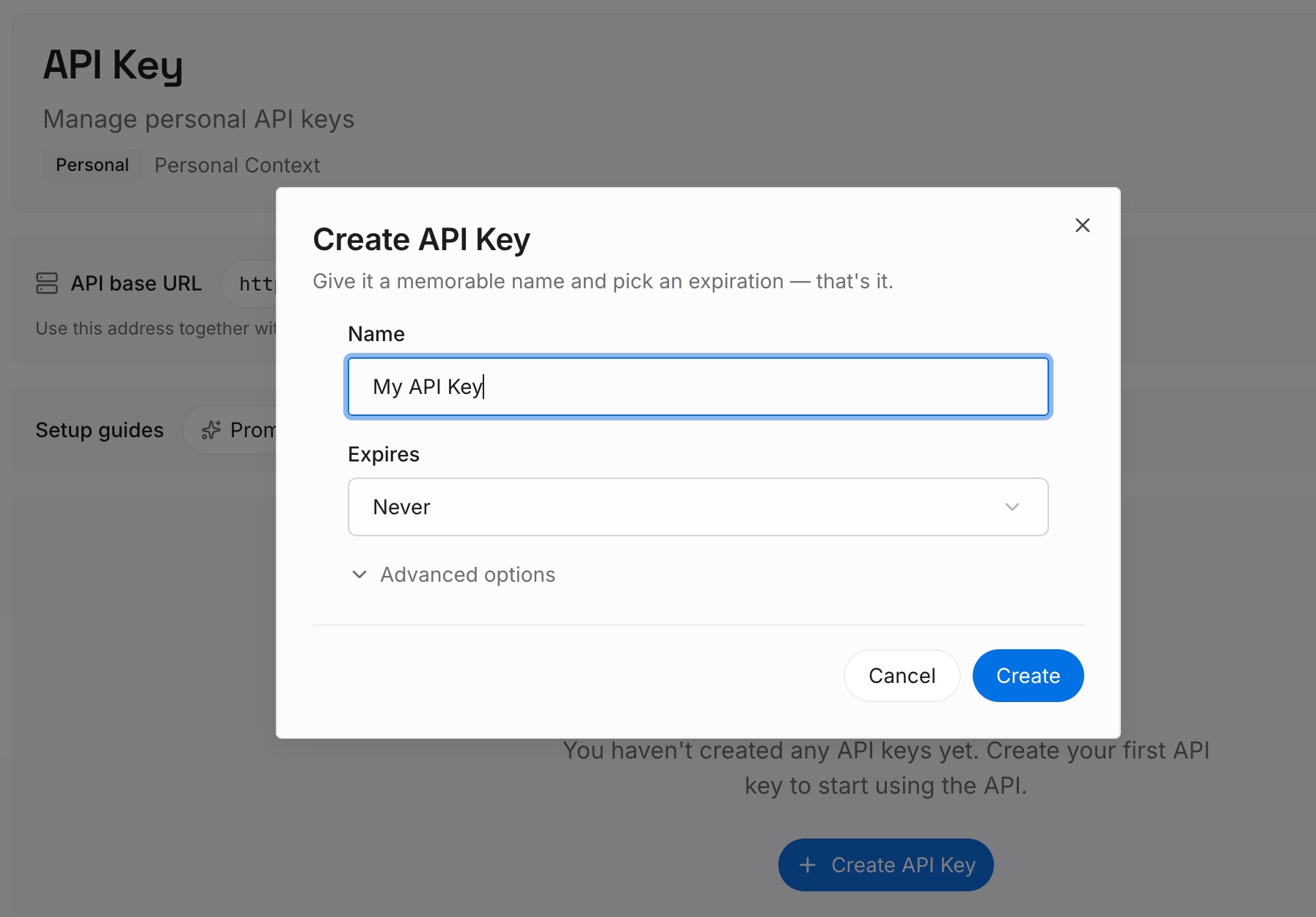
Step 1: Create an API key
Sign in and generate a key from the dashboard. The key is what lets an assistant read the entries you have written, independently of which settings page Claude uses this year.
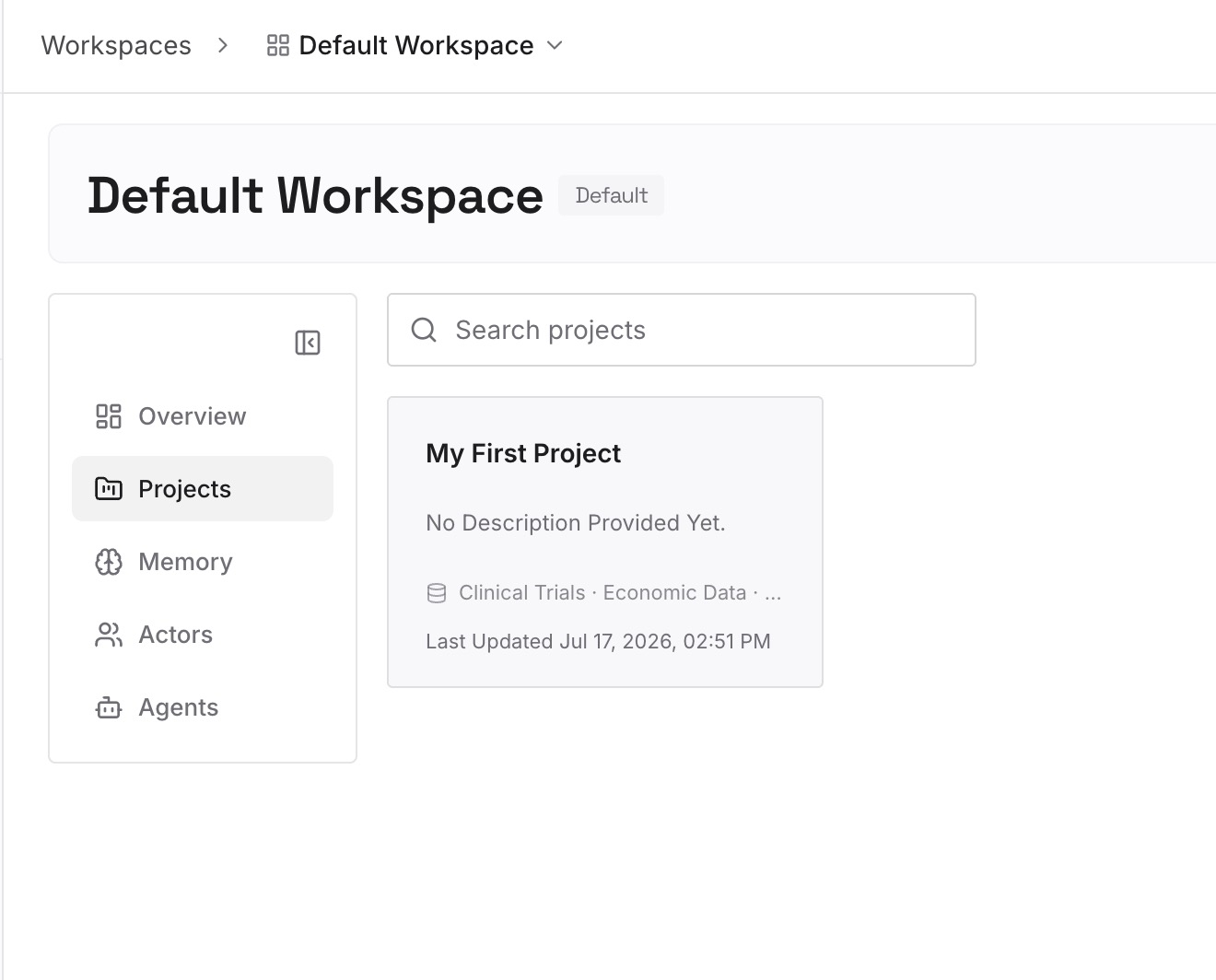
Step 2: Upload your first memories
Start with the lines that passed the every-conversation test in Step 1, one per entry. Add the reasons behind the ones that are not obvious — why you prefer a format, which audience a register is for — because the reason is what tells you later whether the rule still applies.
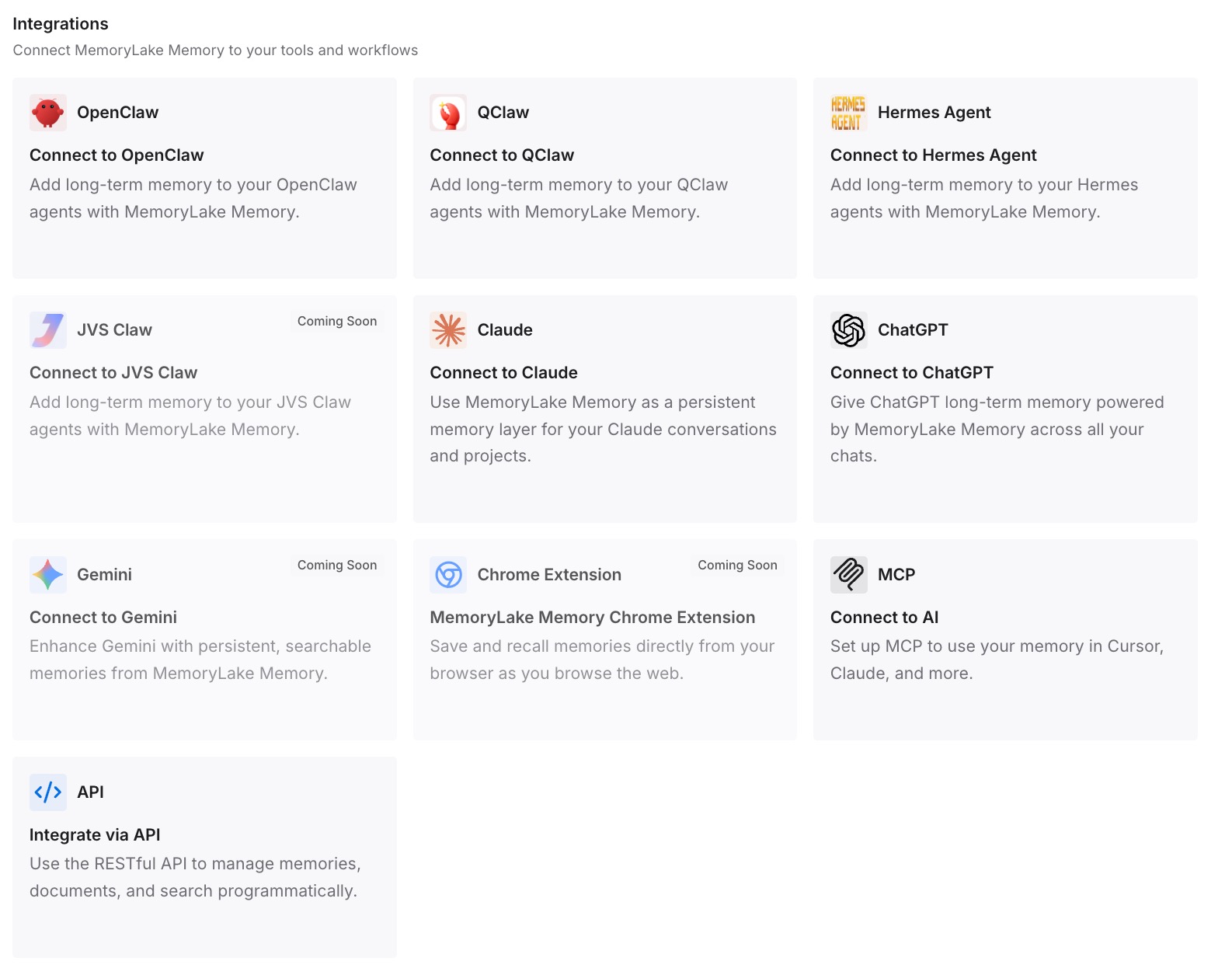
Step 3: Connect your AI & agents
Connect Claude and the other assistants you use. The same short description of how you work is then available in each, so a settings change in one tool does not mean re-explaining yourself in all of them.
What this changes in practice
The first difference is fewer surprising replies. When the account-wide field holds only what is true everywhere, a quick question stops coming back formatted as a deliverable.
The second is that tone becomes deliberate per task. A skill for a specific kind of writing applies when that kind of writing is happening, which is closer to how most people actually used styles.
The third is a clearer boundary between instructions and memory. Instructions are rules you set. Memory is context Claude accumulates. Mixing the two is how people end up trying to give Claude permanent domain knowledge through a settings field built for direction rather than documents.
The fourth is that the next change costs less. There will be another reorganisation. A written, scoped description of how you work moves in minutes; an accumulation of overlapping fields takes an afternoon to untangle.
Best practices for Claude personalization after the merge
Copy the merged field before editing it. It is the only record of what the migration produced, and you will want to compare against it.
Scope every line. Every conversation, one project, or one task. If you cannot say which, the line is probably trying to do two jobs.
Write skill descriptions as trigger conditions. Relevance decides whether a skill loads, so describe the situation it is for, not just what it does. A skill is procedure rather than memory — why agent skills aren't memory sets out the difference.
Keep project detail in projects. Project instructions apply only inside the project, which is exactly what client- or product-specific context needs.
Do not rely on memory for formatting. Memory carries context about you. A format you need every time should be an instruction or a skill.
Know where your context came from. If you imported memory from another assistant, what actually arrives in a Claude memory import is worth reading before you assume a preference is set, and searching past chats inside projects is how you recover a decision made in an old conversation.
Conclusion
The new Claude experience did not throw away your setup. It moved it. Personal preferences are Instructions for Claude, Cowork global instructions now live in the same field and "apply to every conversation," and Anthropic's current documentation points tone and format to skills, which load when relevant rather than always.
Each of those changes is reasonable. Together they mean an instruction you wrote for one context may now be applying in another, and a style rebuilt as a skill may apply less often than the style did.
Copy the merged field, sort every line by scope, move task formats into focused skills and project detail into projects, then test all three layers. Keep the short list of what is true everywhere somewhere of your own, and the next settings change will take minutes instead of an afternoon.