
Why Kiro now has two ways to load context on demand
Start with the problem powers were built for. Kiro's documentation states it in two sentences: "Without framework context, agents guess." and "With too much context, agents slow down." Connecting several MCP servers means loading every tool definition up front, before any work begins.
Powers answer that with activation. "Instead of loading all MCP tools at once, powers activate dynamically based on keywords in your conversation." When a task starts, Kiro "Reads the task description," "Evaluates installed powers against the task," and "Loads only relevant powers into context." And they switch off again: Kiro's own example is that when you move from payments to database work, "the Supabase power activates and Stripe deactivates."
A power is a package. It follows the Agent Plugins specification, with a required plugin.json manifest and optional skills/, mcp.json and a dev.kiro/ folder for "Kiro-specific extensions like steering files." The manifest's keywords field is the trigger: an "Array of strings that trigger activation. Use terms that match how developers talk about your tool."
Steering works differently. Kiro describes it as giving the agent "persistent knowledge about your project through markdown files," and it now supports four inclusion modes. "Always included" is the default, for "core standards that should influence all code generation." Conditional inclusion loads a file "only when working with files that match the specified pattern." Manual inclusion loads it when you reference it in chat. And auto inclusion loads it "when your request matches the description," which Kiro notes "works similarly to skills."
So both have a way to load only when relevant. Kiro's documentation spells out the intended division in a section titled "How powers differ from skills and steering":
"Powers are plugins that bundle MCP tools, skills, and knowledge into a single installable package. They activate dynamically based on context. Use for integrations where you need both tools and guidance."
"Steering is Kiro-specific context that shapes agent behavior. It supports always, auto, fileMatch, and manual modes. Use for project standards and conventions."
There is one more difference the comparison does not spell out but the installation pages make plain: where each lives. Steering lives in the repository — "The agent automatically looks for steering files in the .kiro/steering/ folder at the root of your repository." Powers are installed through the powers panel, from the registry, a GitHub URL or a local folder. A legacy-format power registers its MCP servers "in your ~/.kiro/settings/mcp.json configuration file," and an Agent Plugins power's servers "are managed internally by Kiro." Either way, a power is part of your setup, not the repository's.
What people try instead
Putting everything in always-on steering. It works, and every task pays for it. A long block of notes about a payments API loads while you fix a typo in the README. Kiro's own advice for context-heavy material is a narrower mode.
Turning team conventions into a power. A power is installed per person. If your team's error-handling rules live in a power you installed, a colleague who has not installed it works without them, and the repository gives no sign that anything is missing.
Relying on keywords for project facts. Keywords suit integrations, because people naturally say "Stripe" or "database" when working with them. Project conventions rarely come with a word that reliably appears in the request.
Treating auto steering and powers as the same thing. Both activate on relevance. Only one brings MCP tools with it, and only one travels with the repository.
Assuming inclusion modes behave identically on every surface. Kiro's steering page currently says two things here. Its capability table marks "Inclusion modes (always, fileMatch, manual)" as supported on the IDE, CLI, Web and Mobile. The same page also carries a note: "On Kiro CLI, inclusion modes are not currently supported. All steering files in the .kiro/steering/ directory are loaded automatically." Until the two agree, verify the behaviour on the CLI yourself rather than assuming either statement. An earlier guide on splitting Kiro steering for the IDE and the CLI was written around the second statement.
The Fix: Route each piece of context by who needs it and when it applies
The routing comes down to two questions for every piece of context: does everyone who works in this repository need it, and what should trigger it?
Step 1: Sort each piece of context by audience and trigger
List what your agent currently knows, from steering files and anything you repeat in prompts. For each item, write down two things.
Audience: is this true for everyone working in the repository, or is it about a tool some people use? Error-handling conventions, directory layout and test commands are team facts. How to call a particular vendor's API with the right idempotency pattern is tool expertise.
Trigger: when should it load? Always, when certain files are open, when a request matches a description, or only when someone asks for it?
This produces a simple grid. Team facts with any trigger go to steering. Tool expertise that comes with tools goes to a power. Tool expertise without tools — usage notes for a library, for instance — can go to either, and the audience question usually settles it.
Step 2: Keep team conventions in steering, with the narrowest mode that still fires
For each team fact, choose the inclusion mode that loads it exactly when it applies.
Genuinely universal standards stay "always." Kiro's examples for that mode are "your technology stack, coding conventions, and fundamental architectural principles."
Conventions tied to a part of the codebase get conditional inclusion with a file pattern, so component rules load when component files are in play.
Longer guidance that only matters for certain requests gets auto inclusion, with a name and a description Kiro can match. Kiro's recommended use for auto is "Context-heavy guidance that should only load when relevant."
Procedures you run occasionally — a migration checklist, a troubleshooting guide — get manual inclusion, which Kiro recommends for "Specialized workflows, troubleshooting guides, migration procedures, or context-heavy documentation that's only needed occasionally."
One structural rule matters for every mode: "The inclusion configuration must be the first content in the file - no blank lines or content before it." A front-matter block after a blank line is not a front-matter block.
If you use custom agents, check their configuration as well. Kiro notes that "When using custom agents, steering files are not automatically included. You must explicitly add them to the agent's resources configuration to load steering context."
Step 3: Move tool expertise into powers, check the keywords, then verify on each surface
For integrations, install the power rather than rebuilding its guidance in steering. If your team uses a private tool, Kiro supports building one: a plugin.json with a clear description and keywords, plus skills and an optional MCP configuration.
Read the keywords of every power you install. They decide when it activates, and they are written for how developers typically talk about the tool, which may not match how your team does.
Then verify. Start a task that should trigger a power and one that should not, and confirm the tools appear and disappear. Start a task that touches a conditionally included area and confirm the steering loads. Do this in the IDE and, if you use it, the CLI, given the conflicting notes on the steering page. And if powers are part of how your team works, write down which ones, so a new colleague can install the same set.
Setting this up in MemoryLake
Step 1 produces a list of team facts that are true regardless of which agent, surface or plugin is loaded. MemoryLake is a place to keep that list so it does not depend on one tool's folder layout or inclusion modes.
You write the entries yourself, in your own words. Nothing is read out of, written to, or deleted from .kiro/steering, your installed powers, or any vendor's store.
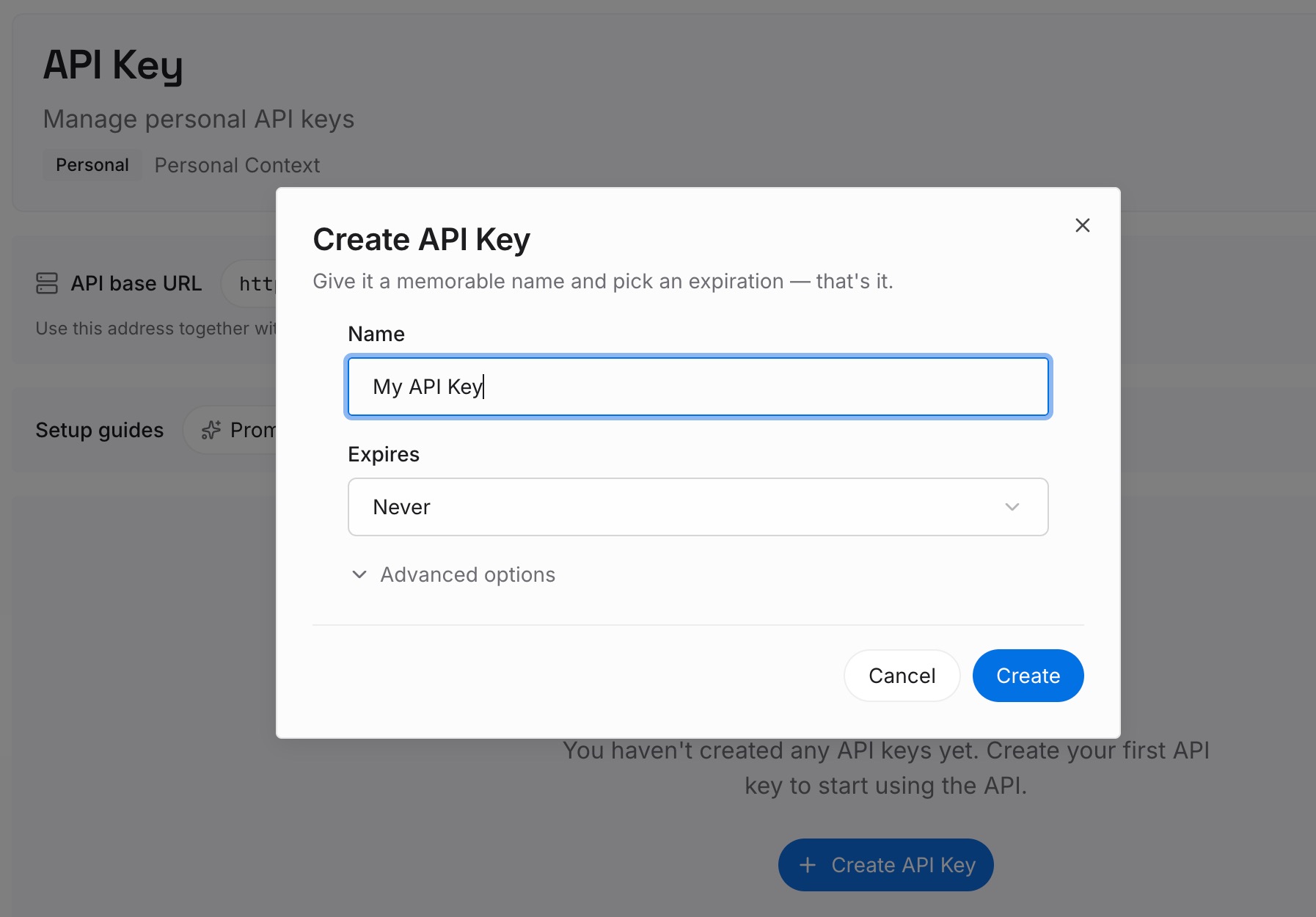
Step 1: Create an API key
Sign in and generate a key from the dashboard. The key is what lets an agent read the entries you have written, in Kiro or in any other tool on the team.
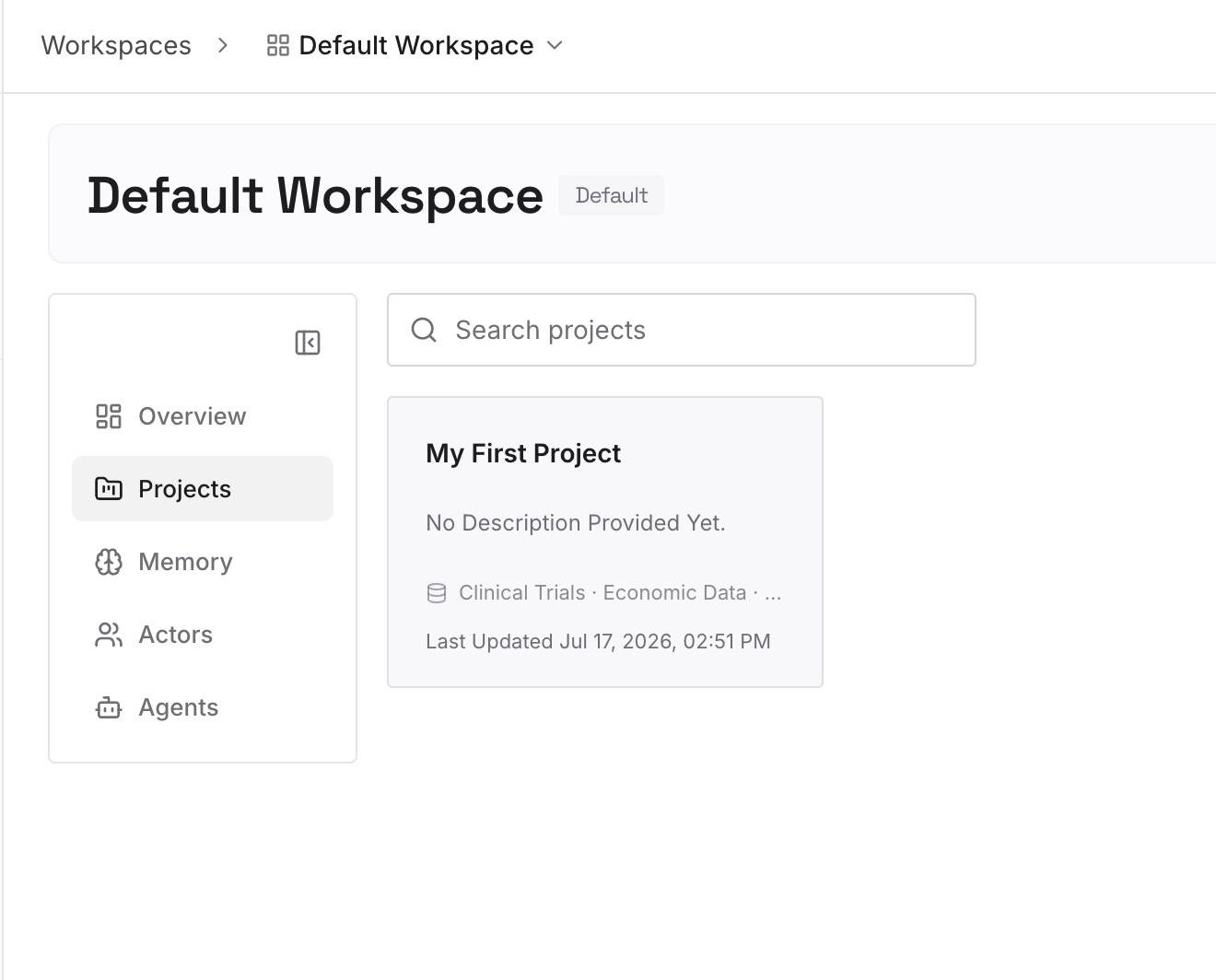
Step 2: Upload your first memories
Add the team facts from Step 1, one per entry, with the reason each convention exists. The reason is what lets someone decide later whether the rule should move, change or stay.
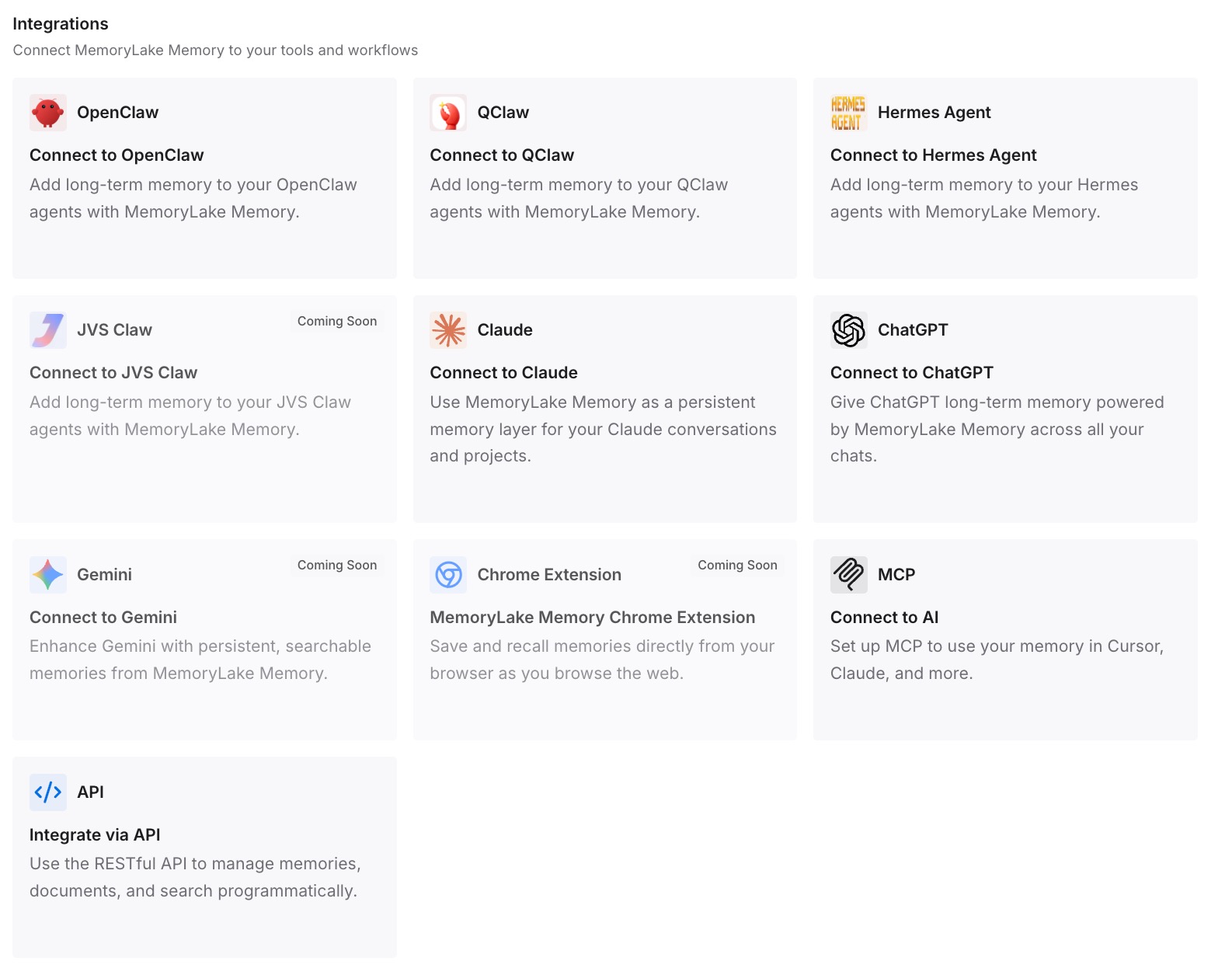
Step 3: Connect your AI & agents
Point your agents at the workspace. The same conventions are then available whichever surface or plugin set a teammate happens to be using.
What this changes in practice
The first difference is a smaller baseline. Integration guidance that loads with its power is not paying rent on every task. The broader point — that a bigger window changes what fits, not what deserves to be there — is the one behind why long context isn't memory.
The second is that team knowledge stays with the team. Conventions in steering are in the repository, reviewed and shared. Powers stay a matter of each person's setup, which is right for tools and wrong for rules everyone must follow.
The third is that context costs become legible. When always-on steering holds only universal facts, the fixed part of every request is small and known. Teams tracking how memory reduces token usage usually find the savings in what they stopped sending every time, a point also made in where token cost savings come from.
The fourth is resilience to long sessions. Context that loads on demand can also drop out when a session is compacted; knowing which facts must survive is the question in deciding what survives Kiro compaction.
Best practices for Kiro powers and steering
Route by audience first. If everyone in the repository needs it, it belongs in steering. If it comes with a tool some people use, it belongs in a power.
Use the narrowest inclusion mode that still fires. Always for universal standards, file patterns for area-specific rules, auto for heavy guidance, manual for occasional procedures.
Put front matter first. Inclusion settings only work as the first content in the file.
Read every power's keywords. They decide activation, and they are written for the average developer rather than for your team's vocabulary.
Keep a list of the powers your team relies on. A power installed on one machine is invisible to the repository and to the next person who clones it.
Verify on each surface. Kiro's steering page currently gives two different statements about inclusion modes on the CLI. Test rather than assume, and treat MCP servers as part of the same picture — MCP is the missing memory layer only when the facts behind the tools are kept somewhere too. If you later move tools, migrating from Kiro to Codex shows which pieces transfer.
Conclusion
Kiro's powers and steering solve related problems in different places. Powers bring an integration's tools and guidance together and switch them on and off with the conversation. Steering holds the repository's own standards, with four inclusion modes to control when each file loads.
Kiro's documentation states the division directly: powers "for integrations where you need both tools and guidance," steering "for project standards and conventions." The part to add from the installation pages is that steering travels with the repository and powers travel with the person.
Sort every piece of context by audience and trigger, keep team facts in steering with the narrowest mode that fires, let powers carry tool expertise, and verify on every surface you use. Keep the team's conventions written down somewhere that does not depend on any one of those mechanisms.