
Why your team's AI memory doesn't exist yet
Personal memory is personal by design
Consider what would happen otherwise. If your assistant's memory pooled with your colleagues', then everything you'd ever told it — including drafts, half-formed opinions, and things about your own work habits — would surface in their answers. Every vendor has landed on the same answer: memory belongs to the account that created it.
OpenAI goes further and documents the consequence for workspaces: if a workspace owner turns off Memory for the workspace, "existing saved memories for members in that workspace are deleted." Memory is a per-member feature under org-level control, not a shared asset.
The layers vendors do offer teams are instructions, not memory
There are real team-scoped mechanisms, and they're worth using — they're just a different thing. Cursor documents team rules managed from the dashboard on Team and Enterprise plans. GitHub Copilot has an organization instructions layer, ranked last in its stated precedence — "Personal instructions take the highest priority. Repository instructions come next, and then organization instructions are prioritized last" — but still supplied to the model. Repository files like AGENTS.md are shared by definition because they're in version control.
Every one of those is declarative and static: someone writes a rule, everyone gets it. That's ideal for conventions and useless for the thing teams actually lose, which is accumulated knowledge — the decision made in a meeting three weeks ago, the reason a workaround exists, what you tried before this approach. Nobody is going to open the org instructions dashboard to record that a vendor's API rate-limits differently than documented.
Shared project spaces have walls in both directions
The natural next guess is a shared workspace feature. It helps, and it has documented boundaries. OpenAI's Projects documentation states that "Shared projects do not have access to any individual member's context or custom instructions or memories outside the project" — so sharing a project deliberately cuts it off from personal context. And once a project is shared, its memory mode switches and "It cannot be reverted to default memory." Those walls are the right call for client work and sensitive projects; they also mean a shared project is an island, not a team brain. The full picture is in why ChatGPT Projects don't share memory.
And the export path is blocked exactly where teams live
If you thought you could at least collect everyone's data and reconcile it manually, check the availability rules first. OpenAI's export documentation says exports requested from ChatGPT settings are "Available for Free, Plus, Pro, and eligible ChatGPT Edu workspaces" and explicitly "Not available for ChatGPT Business or Enterprise workspaces."
So on the plans most teams are on, there is no self-serve bulk export to reconcile from. Whatever your team knows collectively either gets written down somewhere shared, or it stays distributed across six private memories that will never meet.
What people try
A wiki. The honest answer for humans, and it fails for agents in a specific way: wikis are written as narrative documents, and agents get either the whole page or a retrieved chunk with no indication of what's current. Wikis also rot silently, and nothing about an assistant reading one tells you whether the page is from March.
A long AGENTS.md in the repo. Better, because it's version-controlled and every tool reads it. It hits a ceiling fast: Cursor advises keeping rules under 500 lines, and Claude Code recommends targeting under 200 lines per file, noting longer files "consume more context and reduce adherence." A team knowledge base doesn't fit in a file that loads on every request.
A pinned Slack thread. Findable by people, invisible to assistants, and gone from everyone's attention in a week.
Each person's custom instructions. Six copies, and small ones: OpenAI documents a limit of 1,500 characters for Free and Go users and 5,000 for Plus, Pro, Enterprise, Business, and Education. That's a paragraph or two of preferences, not a shared body of knowledge — and updating it means asking six people to paste the same text.
Onboarding docs. Written once at the moment the team knows the least about what a newcomer will actually need, then never updated because the people who could update it no longer remember what confused them.
The Fix: One Shared Memory Layer (Under 10 Minutes, No Code)
The structural move is to stop trying to share personal memory and instead create one team-owned memory layer that every assistant reads from. Personal memory keeps doing its job — knowing how each person likes to work. The shared layer holds what's true about the work itself.
That's what MemoryLake does, and setting it up is three steps with no code involved.
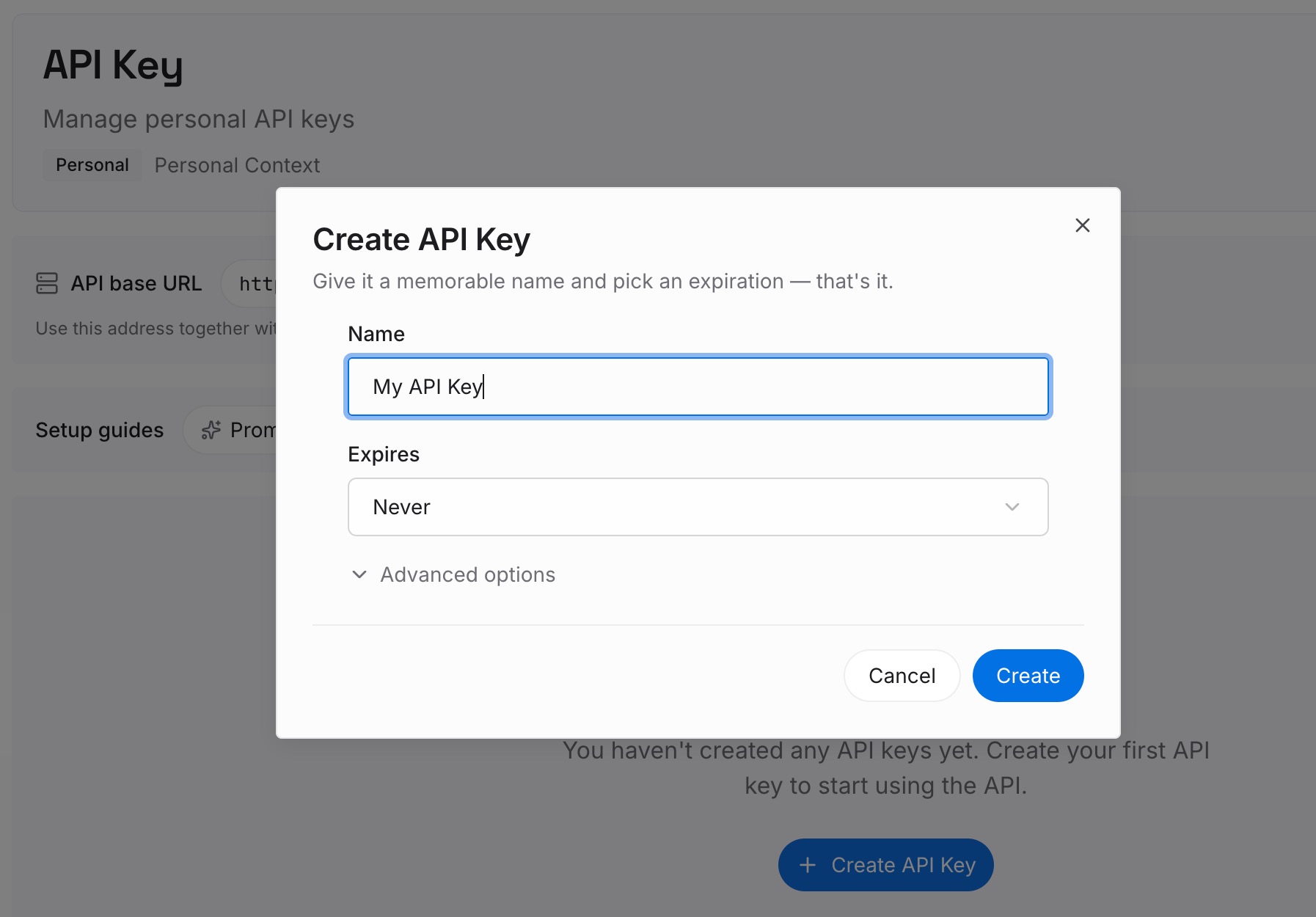
Step 1: Create an API key
Sign in to MemoryLake and create an API key. This is the credential your team's tools use to read and write the shared memory. One credential, independent of any assistant, so adding a tool later doesn't mean re-doing setup.
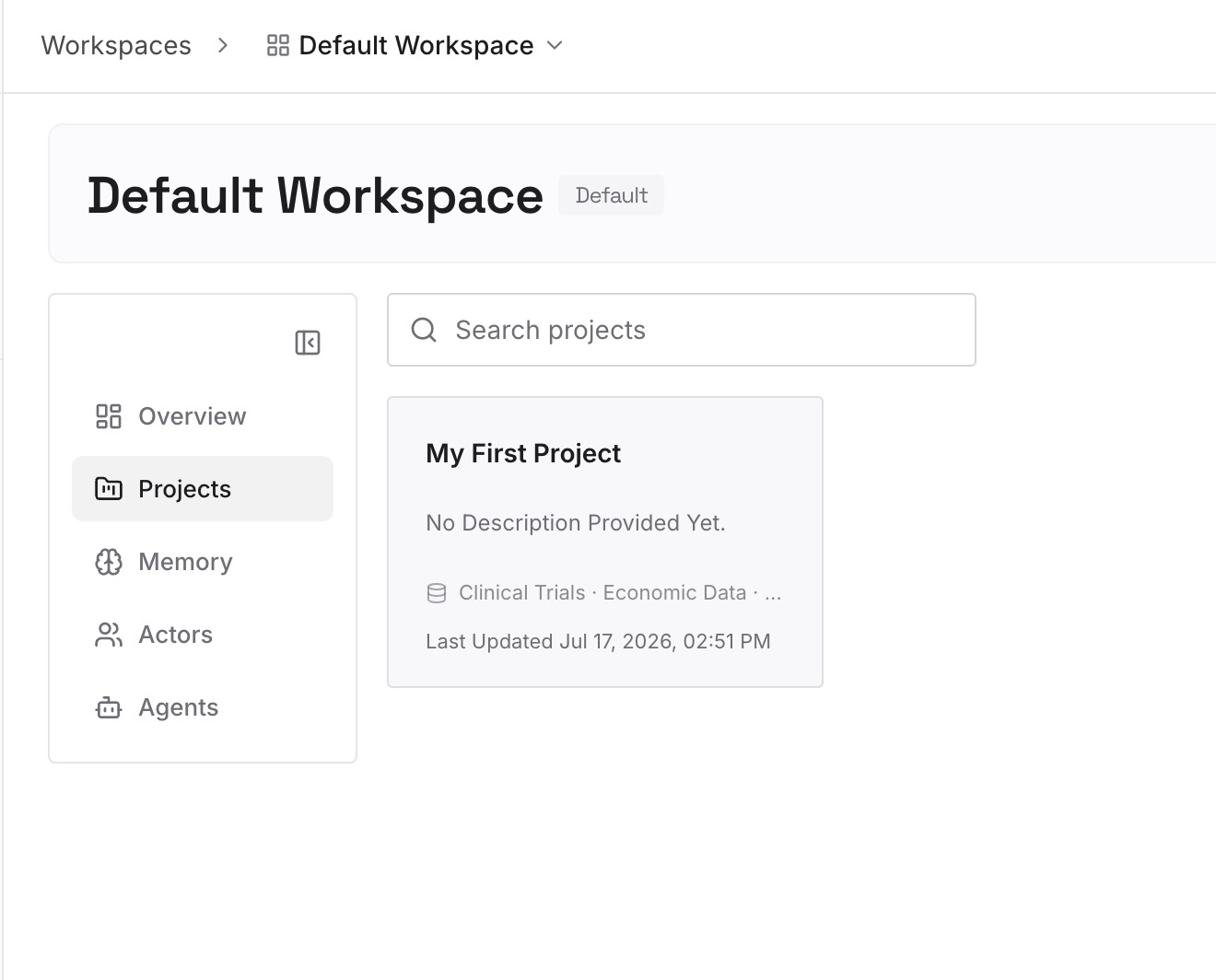
Step 2: Upload your first memories
Don't start with documents. Start with the twenty sentences your team keeps saying out loud. In practice they come from four places:
Decisions and their reasons. "We use event sourcing for the ledger because auditors need to replay state." The reason is the load-bearing half — without it, the decision looks arbitrary and gets re-litigated.
Rejections. "We evaluated the queue-based design in March and dropped it; ordering guarantees didn't hold under retry." This is the highest-value category in any team memory, because every fresh assistant and every new hire will propose it again otherwise.
Constraints that look wrong from outside. The service that can't be restarted during business hours. The table nobody is allowed to add columns to. The customer contract that dictates a retention period.
Corrections that recur. If two people have given the same correction to their assistant this month, it belongs here. That's the clearest signal you have.
Keep each entry to one claim, stated plainly enough that a new teammate could act on it without a follow-up question. Ten minutes of typing gets you most of the value; the rest accumulates as you work.
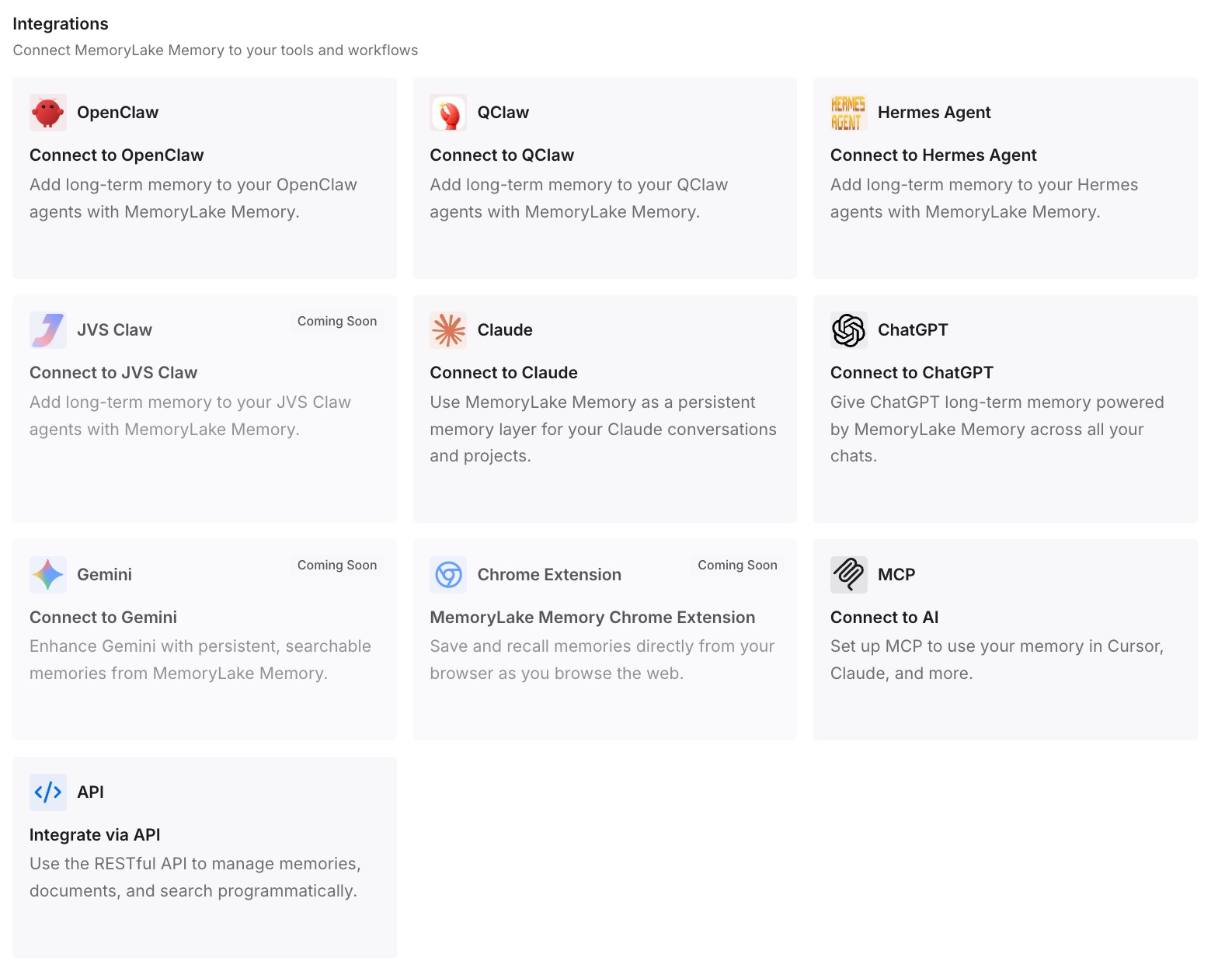
Step 3: Connect your AI & agents
Connect the tools your team already uses. MemoryLake is reachable over MCP and over an API, so MCP-native agents — Claude Code, Codex, and OpenClaw among them — connect by pointing at the MCP server, while other assistants read the same memory through the API. Each person keeps their own personal memory and their own preferences; what changes is that all six assistants now answer questions about your project from the same source.
Three honest limits, because a shared layer is not a magic org chart. It does not import anyone's existing personal memory — there's no export for that, so the first entries are typed by hand. It isn't a permissions system for your document stores; if you need per-file access control over a corpus, that's what enterprise connectors are for and you should keep them. And it isn't enforcement: it's what your assistants know, not a rule they can't break.
What this changes in practice
Onboarding stops being oral tradition. A new hire's assistant knows why the codebase looks the way it does on day one. That's usually worth more than the documentation you'd have written instead, because it's the part nobody writes down.
Corrections stop being individual. Today, one person discovering a gotcha teaches one assistant. In a shared layer, the discovery is available to everyone by the next question they ask.
Answers stop diverging by person. With per-account memory, two colleagues asking the same question legitimately get different answers shaped by their own histories. A shared layer gives them at least the same facts about the project, so disagreements are about substance instead of about whose assistant knew what.
Tool sprawl stops being a knowledge problem. People will use different assistants; that's not worth fighting. What's worth fixing is the knowledge being trapped in each one — the shape described in cross-tool memory for knowledge workers and syncing AI memory across your tools.
Agent work gets less repetitive. When several agents work on the same codebase, each one starting from a blank slate multiplies the same misunderstanding. That's the failure pattern in multi-agent memory, and it's the same fix at a different scale.
Best practices for a team memory that survives
One claim per entry. Long entries retrieve poorly and age badly. If an entry has two ideas in it, one of them will be wrong before the other and you won't notice.
Always record the why. "Don't use library X" gets ignored the moment someone finds a use case. "Don't use library X — the maintainer archived it in 2025 and the fork we depend on is unmaintained" survives.
Put conventions in the repo, knowledge in the layer. Version-controlled files are the right place for rules that must be in context every time. The shared layer is for the growing body of facts. Mixing them makes both worse.
Assign an owner, not a committee. One person who prunes stale entries monthly. Ten minutes a month, and it's the difference between a knowledge base and an archive.
Delete aggressively. A stale entry is worse than a missing one, because a missing entry prompts a question and a stale one produces confident wrong work.
Don't put secrets in it. Credentials belong in a secret manager. A memory layer holds knowledge.
Keep personal preferences personal. How someone likes their code explained isn't team knowledge. Let individual memory and custom instructions handle that — it's what they're for, and it keeps the shared layer clean.
Conclusion
The reason your team doesn't have a shared AI memory isn't that the tools are immature. It's that every vendor made the correct decision to keep memory tied to individual accounts, which means no amount of configuration will merge six private memories into one team brain. The team-scoped features that do exist — Cursor's team rules, Copilot's organization instructions, repository files — are declarative layers for rules, not places where knowledge accumulates.
So the shared layer has to be something you decide to create. Twenty sentences, one API key, and the tools your team already uses. Ten minutes now buys you the version of AI assistance people assumed they were getting: one that knows how your work actually works, for everyone, not one person at a time. If the symptom in your organization is broader than one team, enterprise AI forgetting covers the same problem at scale.