
Why the same steering file behaves differently on each surface
Kiro's steering page opens with a capability table, and the rows are the whole design. "Workspace steering (.kiro/steering/)" is available in IDE, CLI, Web, and Mobile. "Global steering (~/.kiro/steering/)" is available in IDE and CLI, and marked unavailable for Web and Mobile. "Cloud steering managed in Web settings" is Web only. "Generate foundation files via UI" is IDE only. "Inclusion modes (always, fileMatch, manual)" is marked available across all four.
That last row is where the confusion starts, because the info note further down the page narrows it: inclusion modes are not currently supported on the CLI, where everything in the directory loads automatically. So the right mental model is not "my rules follow me everywhere." It is closer to: the files follow you, and the gating does not.
The global directory has its own boundary, written in the same voice. "On Web, 'Global steering' refers to your local ~/.kiro/steering/ directory, which the cloud sandbox cannot read." The documented route is Configuration Sync: "To reuse personal steering across cloud sessions, upload it through Configuration Sync; the cloud copy then applies to every cloud session."
There is a fourth case that catches people who have started building their own agents. The documentation says: "When using custom agents, steering files are not automatically included. You must explicitly add them to the agent's resources configuration to load steering context." A glob such as file://.kiro/steering/**/*.md in the agent's resources is what brings them back.
And one filename opts out of gating entirely. Kiro supports the AGENTS.md standard, with a caveat stated on the page: "AGENTS.md files do not support inclusion modes and are always included." If you keep a shared cross-tool file in the repository root, it is an always-on file by definition, no matter how disciplined you were about front matter elsewhere.
What people try instead
Deleting the front matter and starting over. The instinct when a conditional file misbehaves is to assume the YAML is wrong. Often it isn't. The documentation does warn that "The inclusion configuration must be the first content in the file - no blank lines or content before it," which is worth checking once — but if the file works in the IDE and not in the CLI, the front matter is fine and the surface is the variable.
Moving everything into the three foundation files. product.md, tech.md, and structure.md are real and useful, and the docs say "These foundation files are included in every interaction by default, forming the baseline of Kiro's project understanding." The failure mode is treating that as permission to consolidate: everything you fold in becomes always-on everywhere, which is exactly the outcome you were trying to avoid.
Putting personal preferences in the global directory and assuming they travel. They travel to the IDE and the CLI. The cloud sandbox is documented as unable to read that directory, so the preferences quietly stop applying in web sessions — and nothing announces it.
Trimming the directory until the CLI behaves. This works, in the sense that fewer files load. It also strips the IDE of the conditional guidance that made it good. You end up tuning one surface by degrading another.
Assuming this is the same problem as rule trigger modes elsewhere. It looks similar but the failure is different in kind. When a tool supports trigger modes everywhere and a rule still doesn't fire, the question is which mode you picked, which is the ground covered in how to choose Windsurf rule trigger modes. Here the mode is correct and the surface ignores it.
The Fix: Sort steering by what every surface must load, and gate the rest
Step 1: Split the directory into an always-on tier and a gated tier
Take everything in .kiro/steering/ and sort it into two piles by one question: would this be acceptable if it loaded on every task, on every surface, forever?
The yes pile is your always-on tier — the foundation files plus anything genuinely universal. Kiro's own descriptions are a good filter: product.md "Defines your product's purpose, target users, key features, and business objectives," tech.md "Documents your chosen frameworks, libraries, development tools, and technical constraints," and structure.md "Outlines file organization, naming conventions, import patterns, and architectural decisions." Keep this tier deliberately small, because on the CLI it is the only tier that exists.
The no pile is your gated tier: framework-specific conventions, migration procedures, troubleshooting guides, anything long. These get front matter — and you accept that on the CLI they will load anyway, which is the point of keeping the pile from growing without limit.
Follow the naming advice while you are in there. The docs suggest names that indicate scope, such as api-rest-conventions.md, testing-unit-patterns.md, and components-form-validation.md, with "One domain per file." Names matter more than usual here, because on the surfaces where everything loads, the filename is the only signal about what a file is for.
Step 2: Pick the inclusion mode that matches how the file should arrive
Four modes are documented, and they are not interchangeable.
inclusion: always is the default and needs no front matter to behave that way. inclusion: fileMatch takes a fileMatchPattern, which accepts a single glob such as components/**/*.tsx or an array such as ["**/*.ts", "**/*.tsx", "**/tsconfig.*.json"]. inclusion: manual makes files "available on-demand by referencing them with #steering-file-name in your chat messages," and the docs note that "Manual steering files also appear as slash commands - type / in chat to see and select them." inclusion: auto requires two fields — name ("Identifier for the steering file. Used for display and matching") and description ("When to include this file. Kiro matches this against your requests") — and the file is pulled in "when your request matches the description."
The documented use cases are worth following rather than reinventing. Manual is "Best for: Specialized workflows, troubleshooting guides, migration procedures, or context-heavy documentation that's only needed occasionally." Auto is "Best for: Context-heavy guidance that should only load when relevant - like specialized domain knowledge, complex workflows, or detailed reference material that would overwhelm always-on steering."
One more mechanism belongs here. Instead of pasting a spec into a steering file, reference the live file with #[[file:<relative_file_name>]] — the docs give #[[file:api/openapi.yaml]], #[[file:components/ui/button.tsx]], and #[[file:.env.example]] as examples. A pointer stays current; a paste starts drifting the day you write it. The same reasoning applies to scoping instructions by path rather than by prose, as in how to scope Amp instructions to files.
Step 3: Place each file by surface, then verify on the surface you actually use
Now decide where each file physically lives, using the capability table rather than habit.
Repository standards go in .kiro/steering/ and are committed. Personal preferences go in ~/.kiro/steering/, and the conflict rule is documented: "In case of conflicting instructions between global and workspace steering, Kiro will prioritize the workspace steering instructions." For cloud sessions, upload personal steering from Settings and Sync in Kiro Web, then create or edit the cloud copy under Settings and Steering.
Teams have a documented path too: "The global steering feature can be used to define centralized steering files that apply to entire teams. Team steering files can be pushed to user's PCs via MDM solutions or Group Policies, or downloaded by users to their PCs from a central repository, and placed into the ~/.kiro/steering folder."
Then verify where it counts. Open the surface you spend most of your day in and run a task that should not trigger a gated file, and one that should. On the CLI, expect everything in the workspace directory to arrive; that expectation is the verification. If you use custom agents, confirm the resources glob is present, because without it steering context does not load for that agent at all.
Setting this up in MemoryLake
Steering files are the standing brief — conventions, stack, structure. They are a poor fit for the other half of project knowledge: what you decided, when, and why you rejected the alternative. That half needs to be retrievable on demand rather than loaded on every task, and it should not change shape depending on whether you opened the IDE or the terminal. A store you write MemoryLake entries into on purpose keeps that record in one place. You write the entries yourself, in your own words. Nothing is read out of, written to, or deleted from your Kiro directories.
Step 1: Create an API key
Sign in and generate an API key from your workspace settings. This is the credential your agents and integrations use, so create it before you start moving anything in.
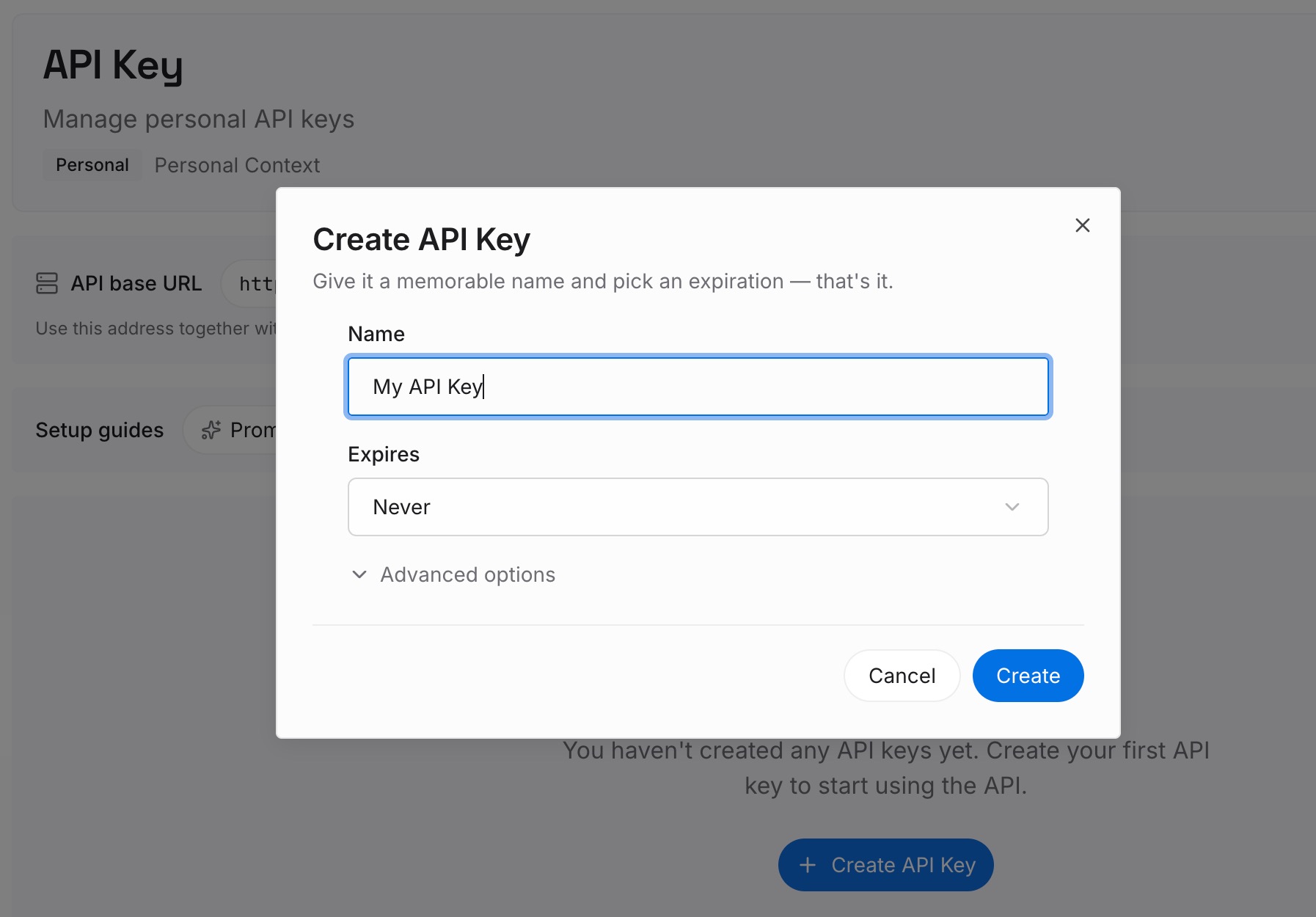
Step 2: Upload your first memories
Start with the decisions your steering files imply but never state: why the stack is what it is, which approach you rejected and on what grounds, which constraint exists for a reason nobody remembers. Write each as a short standalone note so it can be retrieved on its own.
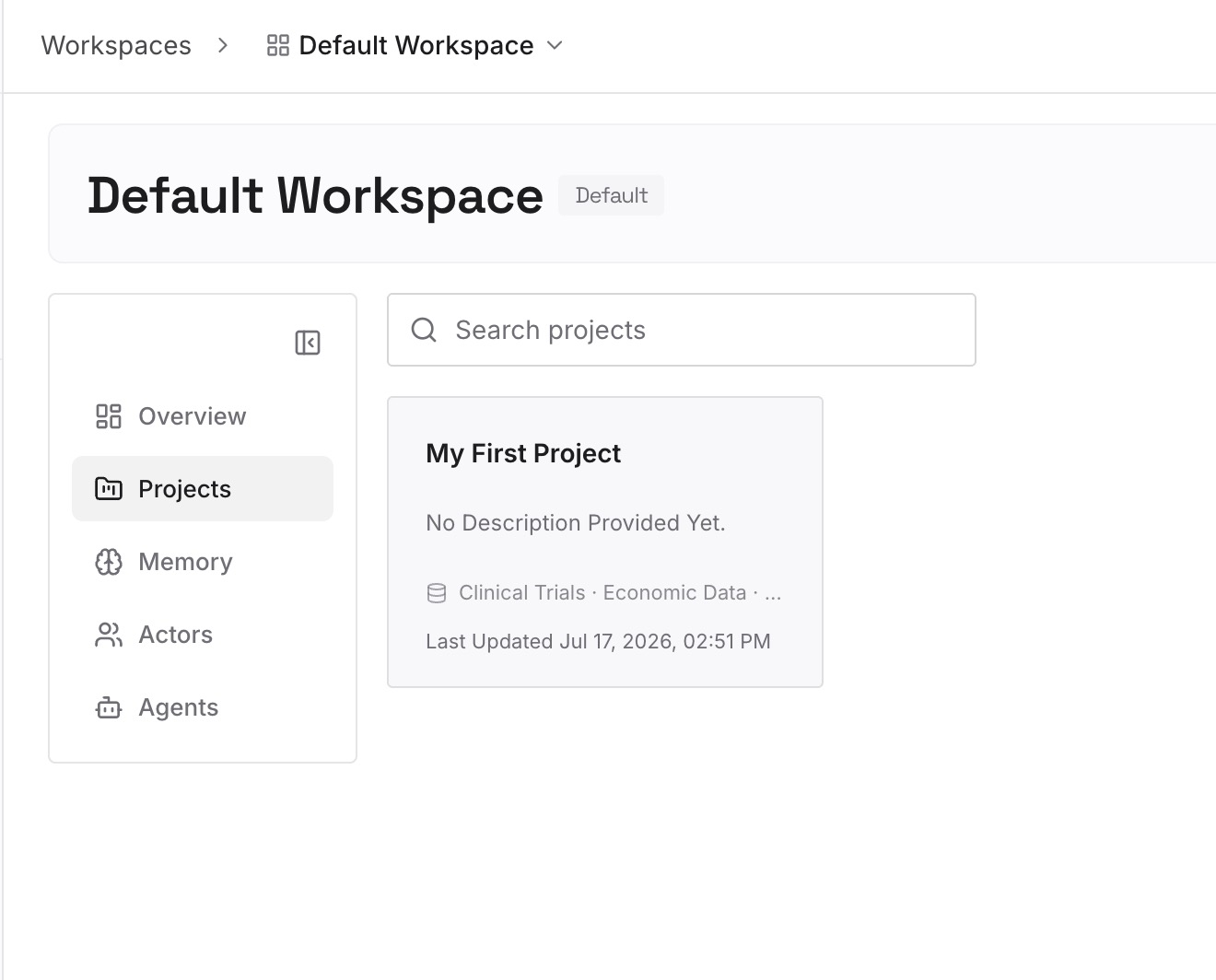
Step 3: Connect your AI & agents
Connect the assistants and agents you use. The record then follows you across surfaces and across tools, rather than depending on which directory a given session can read.
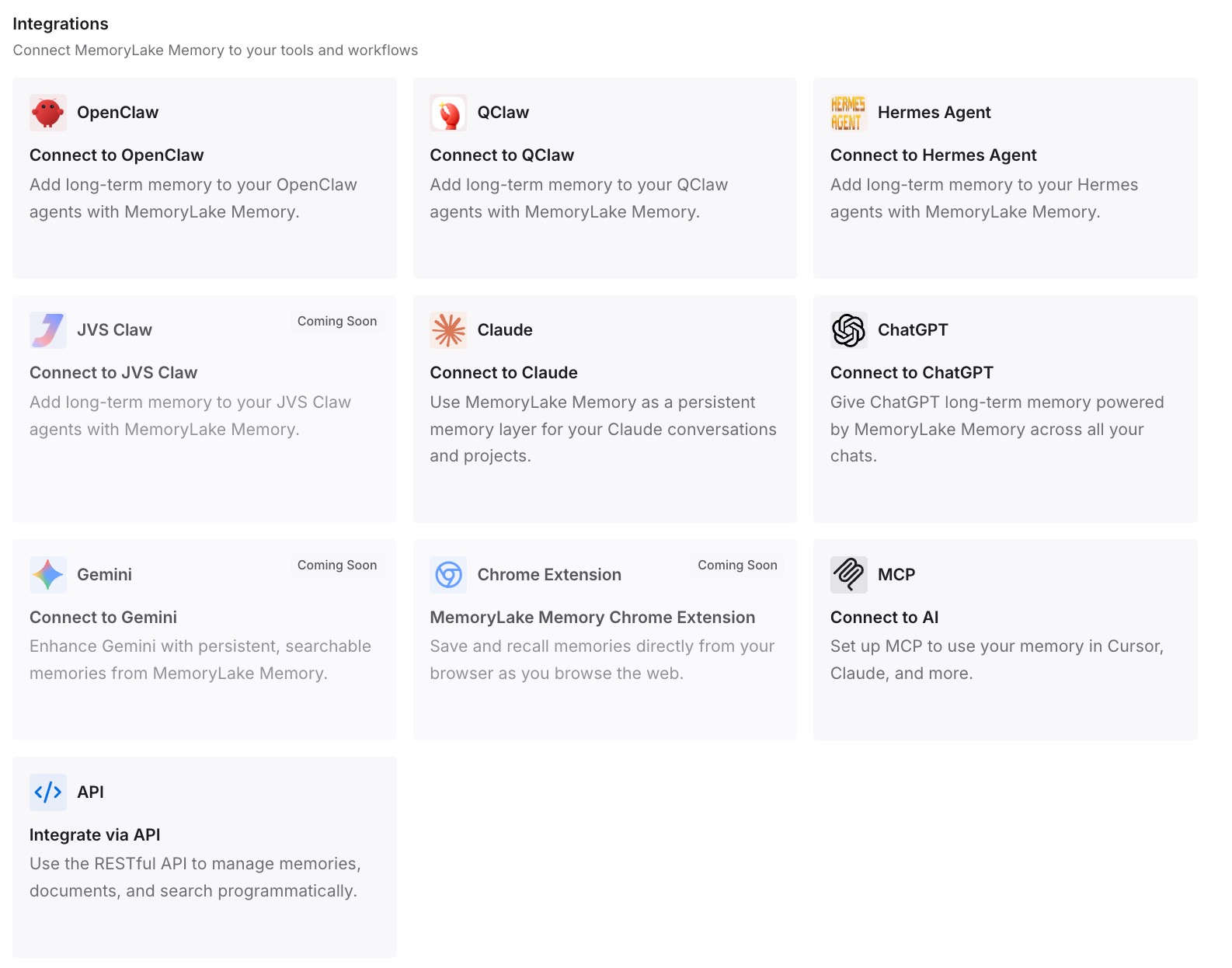
What this changes in practice
Your always-on tier becomes a budget rather than a folder. Once you accept that one surface loads everything, the size of that directory is a decision you make on purpose instead of one that accumulates. That budget interacts directly with how much room is left later in a long session, which is the same trade-off examined in what survives Kiro compaction.
Reviews get a second channel. On Kiro Web, feedback on pull requests becomes steering: comment with guidance like "always use our standard error handling" and "the agent learns and applies those patterns to future work across all your repositories." There is an important limit stated alongside it — "Only your feedback (the user who created the task) influences the agent's learnings. Other reviewers' comments don't affect what the agent learns." A senior reviewer's comment on someone else's task is not teaching the agent anything.
Cross-tool files stop being a free win. A root AGENTS.md is convenient and always included, which means it belongs in your always-on budget rather than outside it. If you maintain one file across several agents, each tool's loading contract differs, and the shared file is only as useful as the least gated reader of it.
Moving between tools gets easier to plan. When the gating lives in front matter rather than in a tool-specific UI, you can see at a glance what would need re-expressing elsewhere — which is the practical half of how to migrate from Kiro to Claude Code.
Best practices for steering that crosses surfaces
Write the surface assumption into the file. One line at the top of a gated file saying "expected to load only for src/components" costs nothing and tells the next person what to check when it shows up somewhere else.
Keep the always-on tier under review on a schedule. It is the tier that costs something on every task on every surface, and it is the one that grows by accident.
Prefer file references to pasted content. A #[[file:...]] pointer to a live spec cannot go stale in the way a copied excerpt does.
Give auto-inclusion files descriptions that read like triggers, not summaries. The field's documented job is "When to include this file," so a description phrased as a condition — "Use when creating or modifying API endpoints" — does more work than a topic label. Shared context files behave the same way in other tools, as in how Cursor Projects share context files.
Audit what is actually available rather than what you remember writing. A directory listing is not the same as a load list, and the gap between the two is the same problem described in how to find Zed skills missing from your catalog.
Conclusion
Kiro gives you four inclusion modes, two directories, and one agent across five surfaces — and it documents, clearly, where the gating applies and where it doesn't. The CLI loads everything in the workspace directory. The cloud sandbox cannot read your global directory. Custom agents load no steering unless you list it in resources. A root AGENTS.md is always included.
Sort your files into an always-on tier you would accept everywhere and a gated tier you keep deliberately small, put personal preferences where the surface you use can actually read them, and verify on that surface rather than on the one where it happened to work first. Then keep the decisions behind those conventions somewhere retrievable, so the reasoning survives the next time the file layout changes.