
Why the same questions keep coming back
The answer has a shelf life you didn't choose
Slack is explicit about this, and the numbers are load-bearing. On the free version, per Slack's own documentation: "You can view and search messages and files from the last 90 days." Files are included in that horizon — "Files include things like clips, PDFs, documents, images, screenshots, and audio and video files."
What happens past it is spelled out too: "When your workspace reaches the visibility limit, Slack will start hiding messages and files older than 90 days to make room for new ones." And further out, "Messages and files more than one year old will be permanently deleted."
Paid plans lift the visibility limit — "When you upgrade, your messages and files beyond the 90-day limit will be revealed" — but retention is still a policy someone set. Even on free, "Workspace Owners can use basic data retention settings: either keep all messages and files for one year, or delete them after 90 days."
So a well-written answer in a thread is not a durable artifact. It's a message with an expiry date attached to it by a plan and a retention setting, and nobody who wrote it was thinking about either.
Search returns messages, not answers
Slack's description of search is accurate and worth reading closely: "You can search your message and file history for all the conversations you have access to, and find decisions that have been made about past projects or files that have been shared during meetings."
Finding the conversation is the part that works. The part that doesn't is that a conversation is not an answer. What you get back is the thread — the first wrong guess, the correction two messages later, the "actually, ignore that" from someone who joined at the end. The reader has to reconstruct the conclusion from a discussion, which is precisely the work the original responder already did.
There's a second, quieter failure: search requires the searcher to guess the vocabulary. The person who wrote the answer said "auth token rotation." The person who needs it types "login keeps breaking." No amount of index quality closes that gap on its own.
AI answers help, and they are scoped to Slack
Slack has shipped real capability here, and it's worth being precise about it rather than vague. Slack's own framing: "The AI features built into Slack, backed by the knowledge in your workspace, are here to help you and your team work more productively."
Two of those features are directly relevant. Automatic search filtering — "Slack AI will automatically apply the right search filters to natural language queries (like 'slides Sarah made for the marketing meeting last week') to surface relevant messages." And answers: "Ask a question in your own words and get a concise answer based on relevant information in Slack, rather than sifting through search results," where "Answers include citations that refer to the source messages or files that informed them."
Three boundaries come with it, all documented. First, availability is by plan: automatic search filters appear from Pro upward, while Search answers is listed on Business+ and Enterprise+. Second, the corpus is what you personally can reach — "AI-generated responses only include information available to you (like messages and other content from public channels, and any private channels and direct messages you belong to)." Third, reaching outside Slack is its own tier: "If you're on the Enterprise+ plan, an Org Owner or Admin can enable enterprise search to include content and information from other sources (like Google Drive, GitHub, and more) in search results," and connected-source data "will be included in Slackbot responses and enterprise search results."
None of that is a flaw. It's a scope. A tool that answers from your workspace's messages answers well about things that were said in your workspace's messages, on the plan that includes it.
Nothing turns the answer into knowledge
This is the structural one. A generated answer is derived per request from messages that still exist. It cites them; it doesn't replace them. So the answer inherits every property of its sources — the same visibility horizon, the same retention policy, the same dependency on the discussion having happened in Slack in the first place.
Which means the third time you answer the same question, the value of that answer is still zero the moment the thread goes quiet. The team's understanding hasn't accumulated. It has been re-derived, again, by a person.
The expert is faster than the search, so people ask the expert
The final reason the loop is stable: asking is cheap and reliable. A colleague who knows the answer returns it in ninety seconds with the caveats included. Search takes four minutes and might return a thread that was later overturned. Every individual decision to ask a person instead of searching is rational, which is why exhortations to "search first" don't hold. The incentive has to change, not the norm.
What teams try
Pinning the answer. Works for the ten things you thought of in advance. Pins are a curated list someone has to curate, and the questions that repeat are rarely the ones you predicted.
A channel canvas as a living FAQ. Better, because it's editable and lives where the channel is. It also decays exactly like any hand-maintained document, and it needs an owner who notices when an answer stops being true.
Standing up a #faq channel. This creates a second place to search rather than fewer places. The question now has two homes, neither authoritative.
Writing it in the wiki and pasting the link. The right instinct, and it moves the work rather than removing it: someone still has to translate a discussion into a page. Turning existing material into something queryable is its own job — turning project docs into AI memory covers what that conversion actually involves.
Leaning on Slack's AI answers. Genuinely useful on the plans that include it, and bounded to Slack content as documented above.
Everyone pasting context into their own AI assistant. The fastest path to an answer for one person, and it stops there — the memory sits in an individual account. That split is the subject of cross-tool memory for knowledge workers, and inside a single vendor's tooling it shows up as projects that don't share memory.
The Fix: Put an Answering Bot Where the Question Gets Asked
The reframe that makes this solvable: you're not trying to reduce the number of questions. You're trying to make the first good answer worth something on the second, fifth, and twentieth ask.
That requires two properties at once, and most setups have only one. The answer has to arrive in the channel, because that's where people ask. And the exchange has to be written back somewhere durable, because that's the only way the twentieth ask is cheaper than the first.
That combination is what MemoryLake's IM connection is for: you connect a workspace's memory to Slack, your team DMs the bot or @-mentions it in a channel, and answers come from the project memory you designate rather than a general-purpose model's generic knowledge. Per the MemoryLake documentation, every exchange becomes memory — so the answer accrues instead of scrolling away. Setup is three steps.
Step 1: Add IM connection
In the console, open the workspace you want to expose, switch to its IM tab, and choose Slack as the platform. Two prerequisites are worth checking before you start: you need the owner or admin role — the docs are direct that "members can neither see nor edit integrations" — and the workspace needs at least one project, plus an agent linked to that workspace.
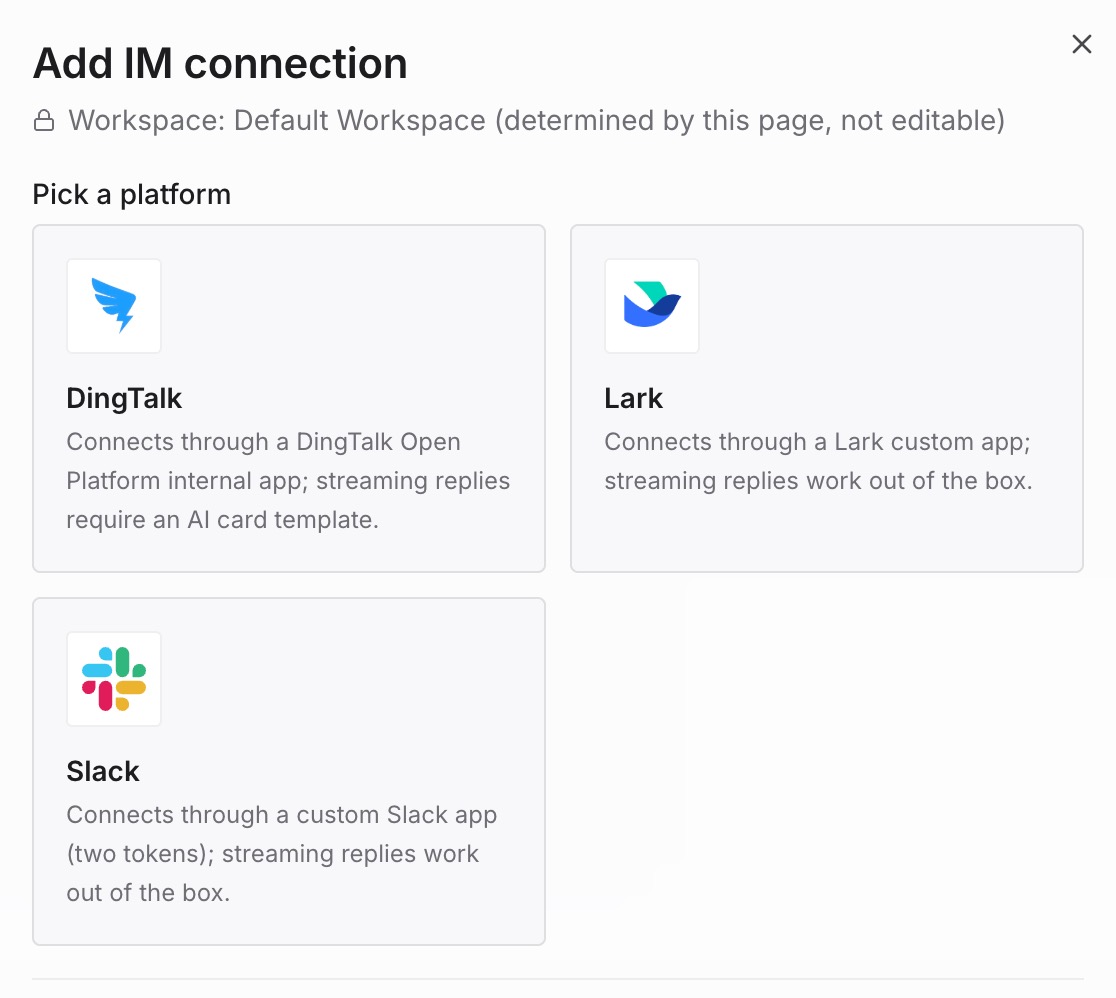
Step 2: Enter the app credentials
Slack side first. You're after two values: a Bot User OAuth Token (starts with xoxb-) and an App-Level Token (starts with xapp-). Creating the app from a manifest sets the scopes, event subscriptions, DM entrance and Socket Mode in one paste, which is the difference between ten minutes and an afternoon of hunting toggles. The documentation is blunt about the timeline: "Nothing on the Slack side requires a review cycle — one person can finish the setup in about ten minutes."
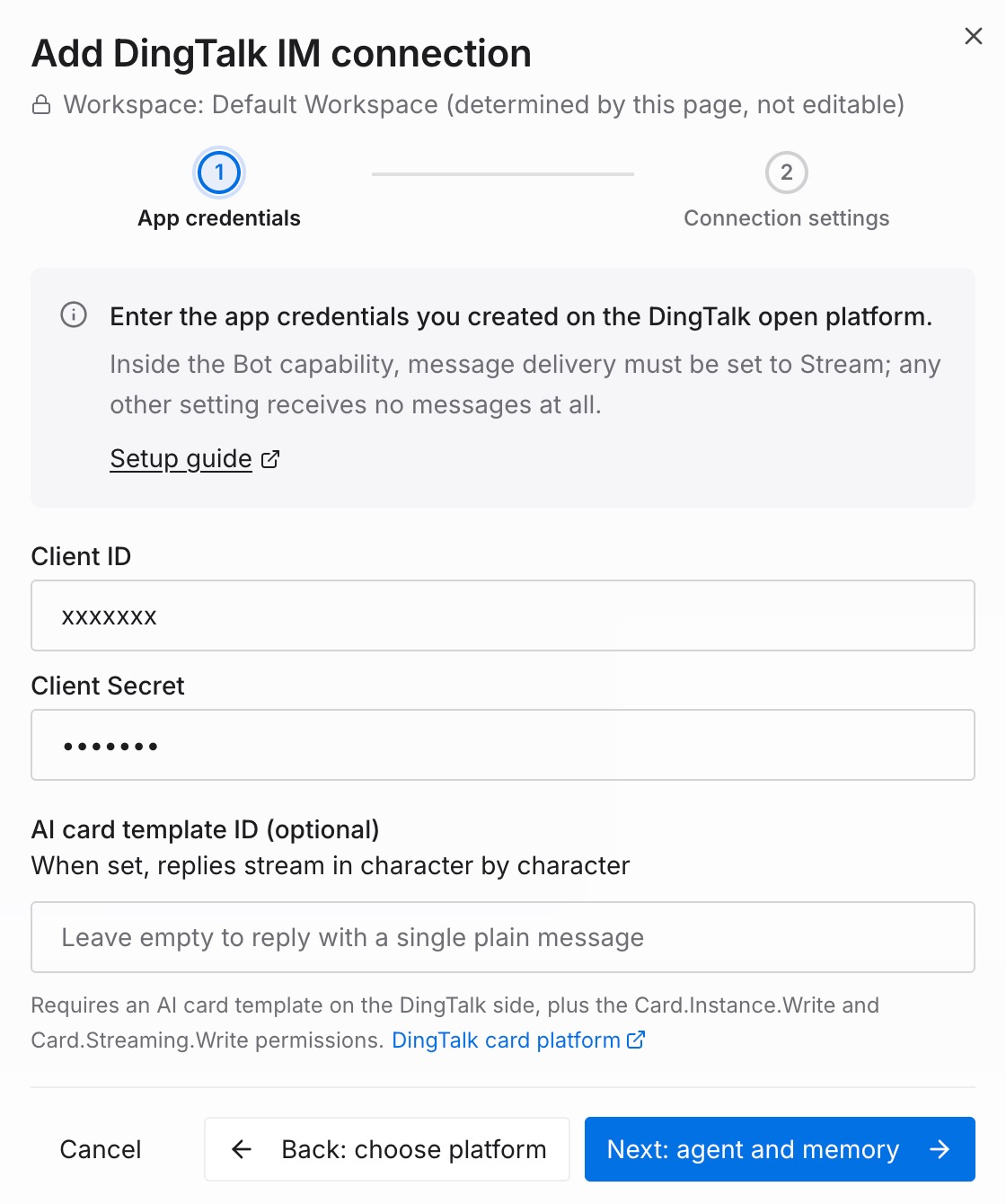
Paste both tokens into the form. One caveat if you're on the free plan: "You can add up to 10 third-party or custom apps," and a bot counts against that.
Step 3: Create and connect
Pick the agent that answers Slack messages, then set the memory scope — one required read-write project the bot reads from and writes into, plus any read-only projects it may search but never write to. Read that choice carefully, because the docs frame it as what it is: "The read-write project is an authorization decision." Everyone who can reach the bot writes into that project and can read what's already there, so it should be a project meant for team sharing. Then Create & connect, and the card reads Connected.
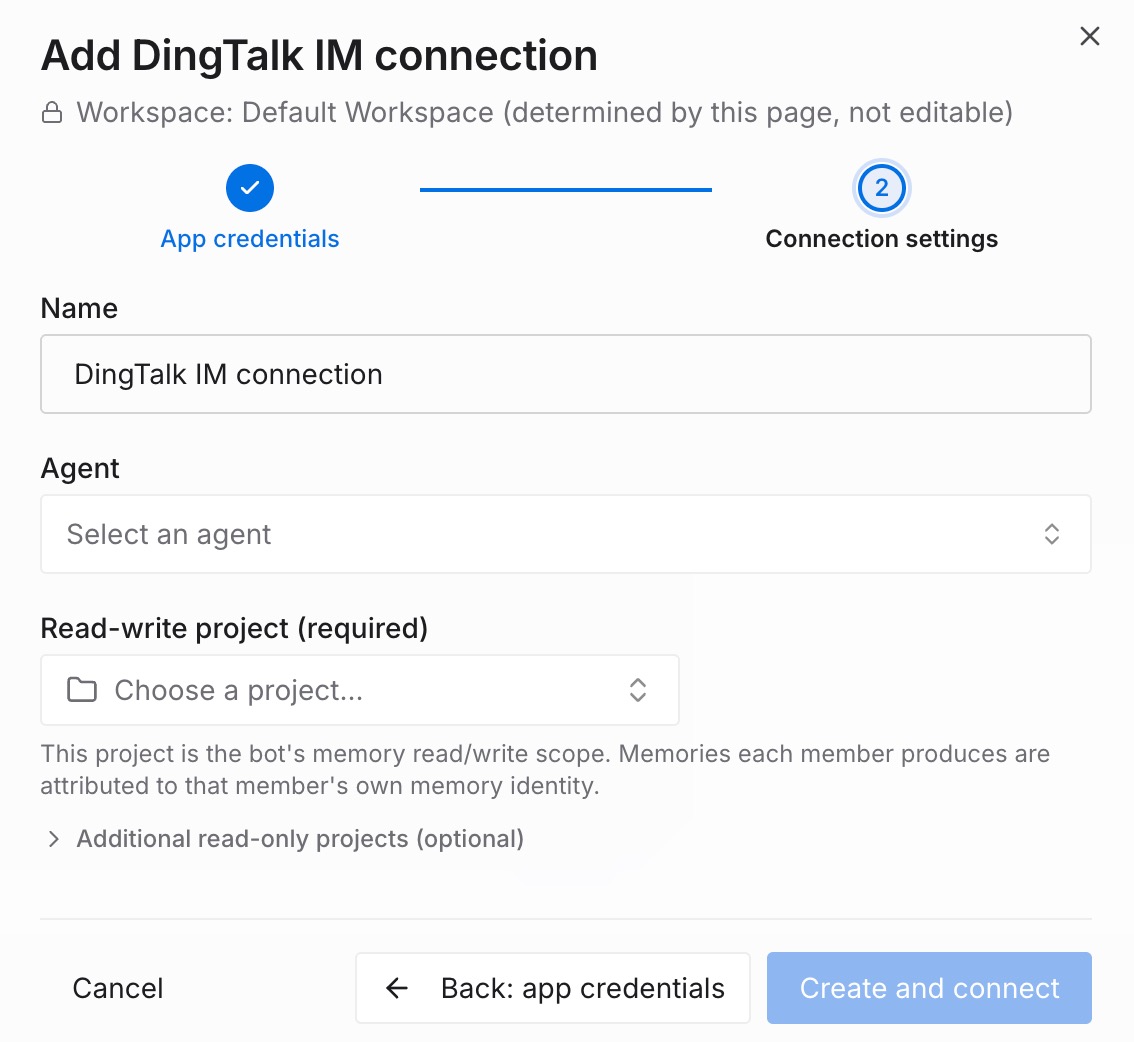
Three honest limits. The bot cannot see your Slack history — in a channel it only receives messages that mention it, and the documentation states the consequence plainly: "It also means the bot cannot see any other conversation in the channel." Follow-ups inside a thread have to mention it too. Files behave the same way: "A file posted to a channel on its own (without a mention) never reaches the bot — Slack does not deliver it." And this is context, not enforcement — it answers from what your team has put into the project, so the first week is only as good as what you loaded.
What this changes in practice
The second person to ask gets the answer without a human. The exchange from the first ask is in the project, so the question stops routing to whoever answered it last time.
Answers stop having an expiry date. What lands in the project doesn't inherit a 90-day visibility window or a channel retention setting. Deleting the integration later doesn't take it either — memory already written into projects belongs to the project, not the connection.
Nobody has to know the right vocabulary. Asking in your own words in the channel is the interface, which removes the search-term guessing game entirely.
Questions in a busy channel stop cluttering it. The answer lands in a thread under the question, so the channel stays readable.
Two people can ask at once without collisions. Conversation context is per-person, so A's exchange never surfaces inside B's — while project memory is shared, which is the point.
Onboarding stops running through one person's calendar. A new hire asking the obvious things in a channel is getting answers from the same corpus a senior engineer would have quoted, at 11pm on a Tuesday.
Best practices for answering once
Load the twenty questions you already answer monthly. Not the wiki wholesale. The recurring questions, with the answer and the reason behind it — the reason is what survives when the specifics change.
Write one claim per entry. "Staging deploys need X because the router globs that directory" retrieves cleanly. A four-page runbook does not.
Pick the read-write project deliberately. It's a sharing boundary. Put team-shareable material there and keep sensitive material in a project that isn't wired to chat.
Record what was decided against, not just what was decided. Every new person proposes the approach you rejected last quarter, and nothing in a thread records why it was rejected.
Answer in the channel, not the DM, when the answer is general. A DM answer helps one person; a channel answer plus a stored exchange helps the next five.
Let the bot handle the retrieval and keep the judgment. For anything contested, the useful pattern is asking it for what the team has established, then adding the call yourself — which is the distinction drawn in what persistent memory actually means.
Conclusion
The repetition isn't a discipline problem. It's a storage-and-routing problem wearing a discipline problem's clothes: chat is where questions get asked, chat has a documented visibility horizon and retention policy, and search over messages hands back discussions that a human still has to resolve into an answer. Slack's AI features close part of that gap well, within a documented scope — your workspace's content, what you personally can access, and the plan you're on.
What none of it does is turn the answer into something the team owns. That takes a place for the conclusion to live and a way to reach it from the channel where the question appears. Load the questions you already answer every month, connect the bot to the channel where they get asked, and the third person to ask gets a real answer without pinging anyone. The expert stays the expert. They just stop being the index.