
Why Codex skips instructions you wrote
One file per directory, and the override always wins
Codex builds an instruction chain at startup with a documented precedence. At the global level, in your Codex home directory — "defaults to ~/.codex, unless you set CODEX_HOME" — it "reads AGENTS.override.md if it exists. Otherwise, Codex reads AGENTS.md. Codex uses only the first non-empty file at this level."
Then project scope: starting at the project root, walking down to your working directory, "In each directory along the path, it checks for AGENTS.override.md, then AGENTS.md, then any fallback names in project_doc_fallback_filenames. Codex includes at most one file per directory."
That last sentence is the whole failure. An AGENTS.override.md isn't merged with the AGENTS.md beside it — it replaces it. The docs describe the intended use as temporary: "Use ~/.codex/AGENTS.override.md when you need a temporary global override without deleting the base file. Remove the override to restore the shared guidance." Temporary files have a way of becoming permanent, and six months later nobody remembers that the repo's actual rules are being suppressed by one somebody committed during an incident.
The search stops where you launched, so anything deeper is invisible
"Starting at the project root (typically the Git root), Codex walks down to your current working directory." And: "Codex stops searching once it reaches your current directory, so place overrides as close to specialized work as possible."
Read that as a constraint rather than advice. If you run Codex from the repository root, the carefully-written AGENTS.md inside services/payments/ is not in the chain — you're above it, not below it. Sibling directories are never in the chain either. The set of files that load is a single vertical path, and which path depends entirely on where you were standing when you started.
There's a related gap: "If Codex cannot find a project root, it only checks the current directory."
The chain is capped, and the two official pages describe the cap differently
"Codex skips empty files and stops adding files once the combined size reaches the limit defined by project_doc_max_bytes (32 KiB by default)." The advice that follows is concrete: "Raise the limit or split instructions across nested directories when you hit the cap."
Worth flagging an inconsistency rather than pretending it away. The advanced configuration page describes the same setting as "how much to read from each AGENTS.md file," while the AGENTS.md page describes it as a combined-size stopping point. Those aren't the same rule. Treat 32 KiB as a real ceiling you can hit, and verify the outcome with the dump command below rather than reasoning from either sentence — that's what the "Instructions truncated" troubleshooting entry exists for.
Either way, truncation is silent, and it takes the end of the chain: the files closest to your working directory, which are the specific ones you most wanted.
A filename that isn't on the list doesn't exist
Codex reads AGENTS.override.md, AGENTS.md, and whatever you list in project_doc_fallback_filenames. You can extend that:
# ~/.codex/config.toml
project_doc_fallback_filenames = ["TEAM_GUIDE.md", ".agents.md"]
project_doc_max_bytes = 65536
With that in place, "Codex checks each directory in this order: AGENTS.override.md, AGENTS.md, TEAM_GUIDE.md, .agents.md." And then the line that matters: "Filenames not on this list are ignored for instruction discovery."
Which means CONTRIBUTING.md, CLAUDE.md, .cursorrules, and .github/copilot-instructions.md are all invisible to Codex by default. In a repo where several agents are in use, that's the most common version of this problem: the instructions exist, they're good, and they're in a file Codex was never going to open. The cross-tool version of the file-standard question is covered in migrating your CLAUDE.md to AGENTS.md.
The chain is built once, so editing mid-session changes nothing
"Codex builds an instruction chain when it starts (once per run; in the TUI this usually means once per launched session)." And, from the verification guidance: "If instructions look stale, restart Codex in the target directory. Codex rebuilds the instruction chain on every run (and at the start of each TUI session), so there is no cache to clear manually."
So the natural debugging move — notice Codex ignoring a rule, add the rule more emphatically, ask again — cannot work inside the same session. You're editing a file that was already read. Restarting is the fix, and it's cheap once you know.
Empty files, and a CODEX_HOME you forgot you set
Two quick ones from the troubleshooting list. "Codex ignores empty files" — a placeholder AGENTS.md created by tooling and never filled in still occupies its directory's one slot. And: "Profile confusion: Run echo $CODEX_HOME before launching Codex. A non-default value points Codex at a different home directory than the one you edited." If a wrapper script or a project-specific automation profile set it, your global file isn't where you think it is.
What people try
Rewriting the rule in stronger language. Understandable, and it can't help if the file didn't load. Check loading before you check wording.
Moving everything into one giant root AGENTS.md. This does defeat the one-file-per-directory rule, and it walks straight into the 32 KiB cap. The docs point the other way: split across nested directories.
Repeating the constraint in the prompt every run. Works, permanently, at the same cost each time — the loop described in how to stop re-explaining context to AI.
Deleting override files on sight. Sometimes right, sometimes deletes the rule that was intentional. Read what's in it first.
Assuming instructions are enforcement. They're guidance included in the first turn. For something that must hold every time, a CI check is the guarantee — the general point in why agents ignore the instruction files you wrote.
Symlinking CLAUDE.md to AGENTS.md and hoping. Adding the filename to project_doc_fallback_filenames is the documented route, and it's one line.
The Fix: Ask Codex What It Loaded, Then Flatten
Two commands and a cleanup pass. Stop guessing first.
Dump the chain from the repository root. The documented check:
codex --ask-for-approval never "Summarize the current instructions.""Codex should echo guidance from global and project files in precedence order." If a rule you wrote isn't in the summary, the problem is discovery, not adherence — and you've just saved yourself an afternoon of prompt engineering.
Dump it again from the directory you actually work in. Because the chain depends on where you start:
codex --cd services/payments --ask-for-approval never "Show which instruction files are active."The docs describe the expected output as "the global file first, the repository root AGENTS.md second, and the payments override last." Compare that against what you believe should load. The gap is your bug.
Get a log if you want a record rather than prose. "To audit which instruction files Codex loaded, opt into a plaintext TUI log with codex -c log_dir=./.codex-log and check ./.codex-log/codex-tui.log, or inspect the most recent session-*.jsonl file if you enabled session logging." Also confirm the workspace: "Verify you are in the intended repository and that codex status reports the workspace root you expect."
Then clean up, in this order. Find every AGENTS.override.md in the repo and in ~/.codex, decide whether the suppression is intentional, and merge-and-delete the ones that aren't. Add any other agents' instruction filenames to project_doc_fallback_filenames so they stop being invisible. Split anything near 32 KiB into nested directories rather than raising the limit and forgetting. Delete empty instruction files so they stop occupying a slot. And check echo $CODEX_HOME.
That gets your instructions loading. What it can't fix is that the chain is capped on purpose. Once discovery is correct, you're rationing a 32 KiB budget across every directory you work in — and the first thing squeezed out is always the same category: why a constraint exists, what was tried before, which approach was rejected and for what reason. Rules survive the cut. Reasoning doesn't.
That's what MemoryLake holds: your project's durable knowledge in a layer your tools read from, so instruction files stay small and the reasoning stays available. Setup is three steps.
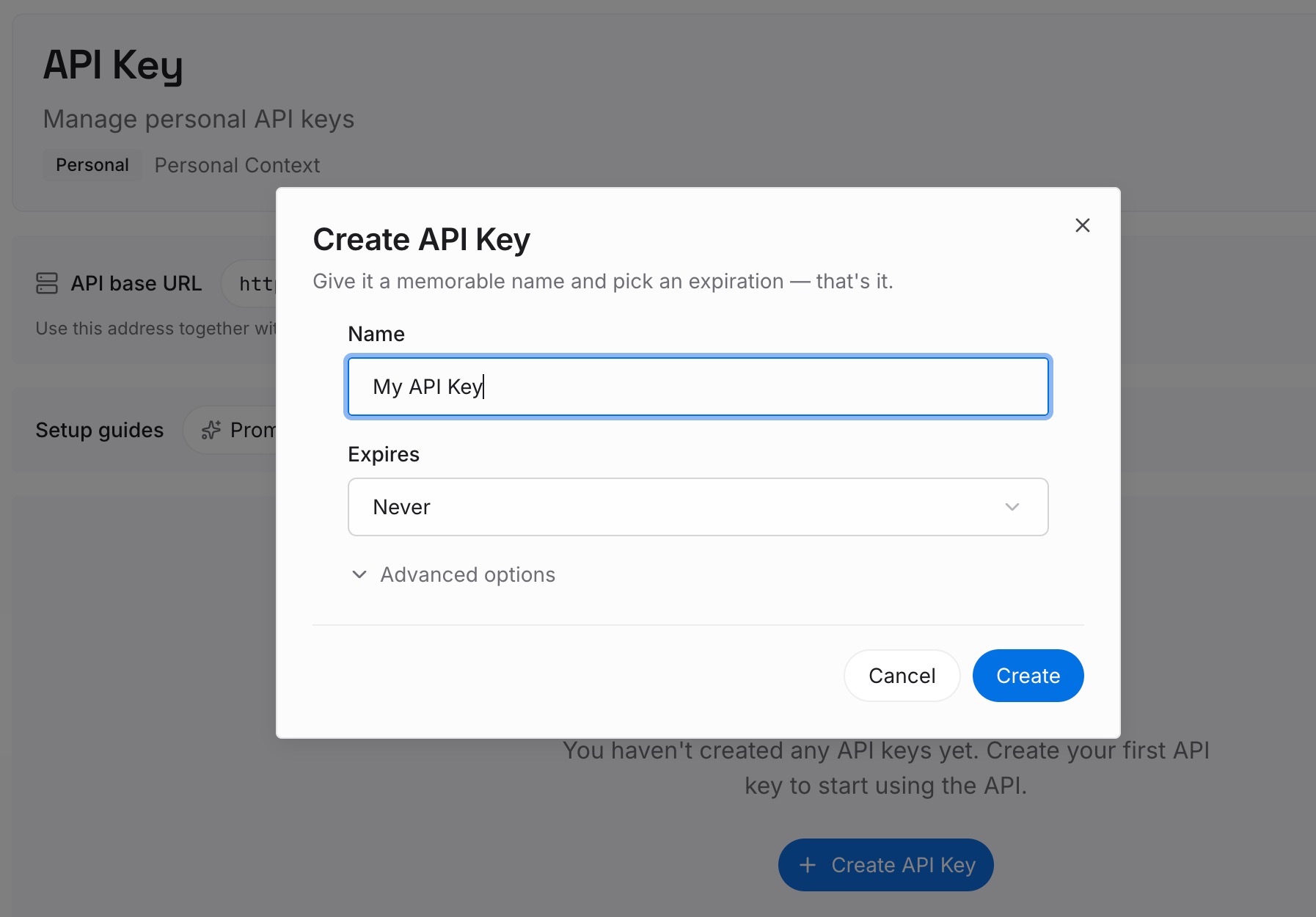
Step 1: Create an API key
Sign in to MemoryLake and create an API key. One credential across the tools you connect.
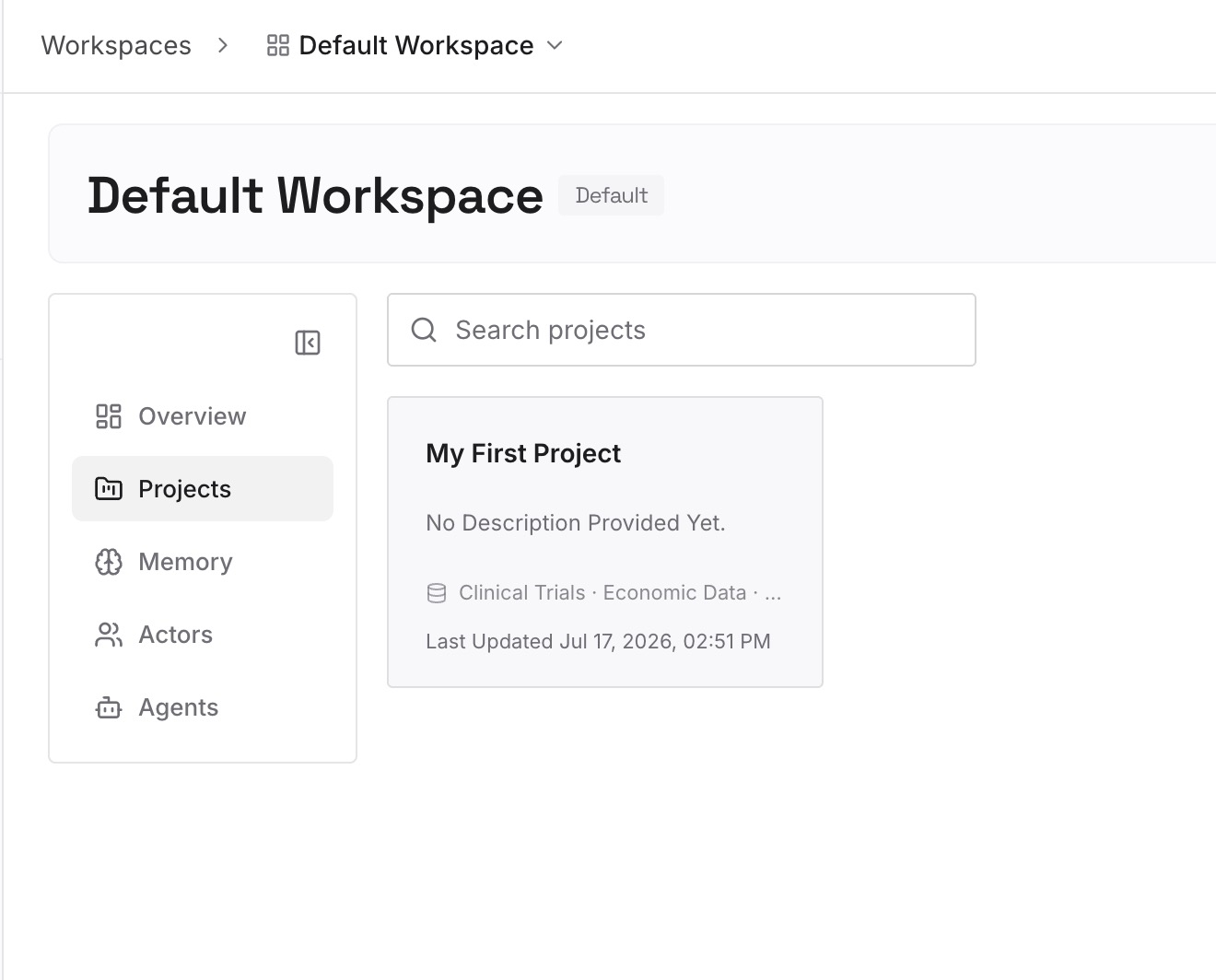
Step 2: Upload your first memories
Short entries, one claim each. What belongs outside the chain rather than inside it:
Constraints with the reason attached. "Payments uses make test-payments because the npm script doesn't start the sandbox stub." An AGENTS.md line states the command. Only the reason stops someone deleting it as redundant.
Approaches already rejected in this codebase. The category that fits nowhere in an instruction file and gets proposed on every fresh run.
Environmental facts nothing announces. The rate limit that isn't documented, the test that only fails in CI, the ordering requirement between two migrations.
Decisions from incidents. The reason the override existed in the first place, so the next person can tell an intentional suppression from a leftover.
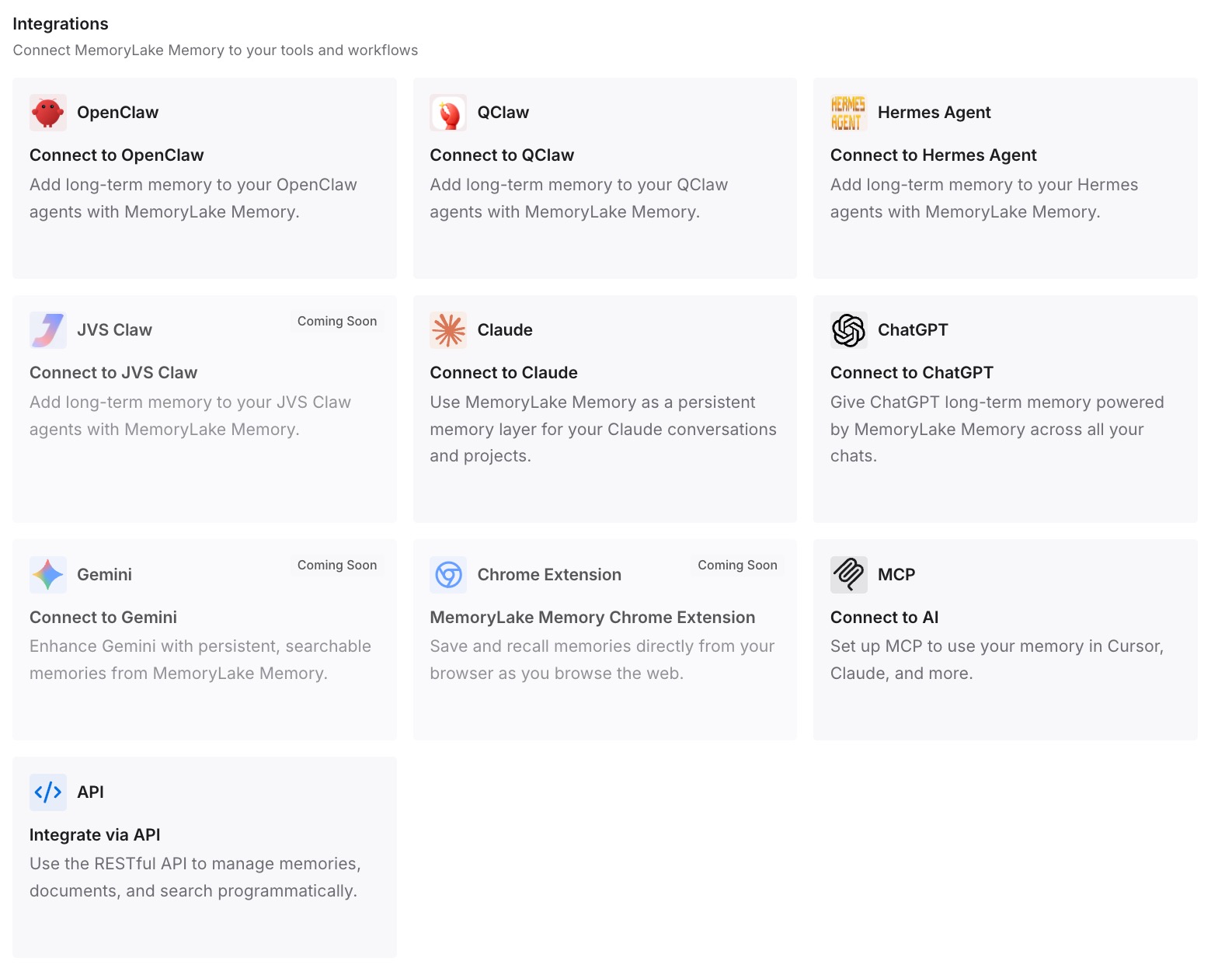
Step 3: Connect your AI & agents
Connect the tools you use. MemoryLake is reachable over MCP and over an API, so MCP-native agents — Claude Code, Codex, and OpenClaw among them — connect by pointing at the MCP server, while other assistants read the same memory through the API. The practical effect is that what you retrieve doesn't count against the instruction budget, because it isn't shipped in the first turn.
Three honest limits. MemoryLake does not write your AGENTS.md files and does not change how Codex discovers them — the six mechanisms above are Codex's, and the fixes are all on your side. It holds only what you or your agents put into it, so Step 2 is manual. And instructions are guidance rather than enforced configuration; a memory layer doesn't change compliance, and for hard requirements CI is still the answer.
What this changes in practice
"It ignored my rule" becomes a one-command question. Ask Codex to summarise its current instructions. Either your rule is in the list or it isn't, and the two cases have completely different fixes.
Override files stop being landmines. Once flattened, there's no shadowed file to rediscover in November.
Instruction files get smaller. The chain was creeping toward 32 KiB because it was doing two jobs. Separate them and the cap stops being a constraint.
Other agents' files stop being dead weight. One line in config.toml and the CLAUDE.md or TEAM_GUIDE.md your team already maintains starts counting.
Restarting becomes reflex. The chain builds once per run. Knowing that turns a confusing session into a five-second fix.
Best practices for AGENTS.md that Codex actually loads
Dump the chain before you edit anything. Ask Codex to summarise its current instructions, from the root and from your working directory.
Never leave a permanent AGENTS.override.md. It suppresses the file beside it, and the docs frame it as temporary.
Launch from the directory you want the rules for. The chain stops at your working directory; deeper files never load.
Split near the cap, don't just raise it. Nested directories are the documented remedy for hitting project_doc_max_bytes.
List every other agent's instruction filename in project_doc_fallback_filenames. Filenames not on the list are ignored for instruction discovery.
Delete empty instruction files. An empty file is skipped, and it still occupies its directory's single slot.
Restart after editing. The instruction chain is built once per run, so mid-session edits don't apply.
Check echo $CODEX_HOME when the global file seems to have no effect. A non-default value points at a different home than the one you edited.
Keep the reasoning out of the chain. Instructions are capped and always-on; the argument behind a rule is what lets an agent handle the case you didn't write down — the general problem in why RAG isn't memory.
Conclusion
Codex is unusually explicit about how it finds instructions, which makes this a solvable problem rather than a mysterious one. It reads at most one file per directory, with AGENTS.override.md beating AGENTS.md. It walks from the project root down to your working directory and stops there. It concatenates root-first and stops adding once the combined size hits project_doc_max_bytes, 32 KiB by default. It ignores filenames that aren't on the discovery list, ignores empty files, and builds the whole chain once per run.
Six mechanisms, all silent, and every one of them visible in about ten seconds by asking Codex to summarise the instructions it loaded. Do that from the root and from the directory you actually work in, flatten the overrides that were meant to be temporary, add your other agents' filenames to the fallback list, and split rather than grow when you approach the cap.
Then put the constraints, the incidents, and the rejected approaches in a layer you can query instead of one you ship in the first turn — so the instruction chain stays small enough to load completely, and the reasoning is still there when it matters.