
Why Replit starts over on your Project
Memory is off until you turn it on
Open Settings, select Customization, then the Memory tab. Per the docs, that's where you "opt in to Memory, turn it off later, choose whether to share with collaborators, and view or update the Memory file." Two defaults are stated explicitly: "Memories are private by default, and collaborator sharing is off by default."
So a fresh Workspace remembers nothing by design. Worth confirming before you conclude anything else is wrong.
There are three memory scopes, and they don't overlap
Once Memory is on, what gets retained depends on which scope the content lands in. The documentation distinguishes:
User memory captures "durable workspace preferences and working style," and it "belongs to one builder and workspace."
Project memory captures "conventions, gotchas, and fixes." It "stays with one Project and is retrieved when relevant."
Custom memory is "context you define with its own access and visibility settings," and it "follows the access and visibility settings defined for it."
Read that as a routing table and a lot becomes clear. A convention you established while working on one Project doesn't follow you to the next one — Project memory stays with its Project. A working-style preference is tied to one builder and Workspace. If you expected either to be universal, the gap you're seeing is the documented boundary rather than a failure.
Memories hold context, not instructions
This is the sentence that reframes the whole feature: "Memories retain useful context, not executable instructions."
And the precedence is stated too: "Your explicit request and Custom Instructions take priority over memory."
So Memory is evidence Replit consults, not a rule it obeys. If you've been writing directives into memory — "always use the repository pattern," "never install new dependencies without asking" — you've put a rule in the layer that isn't for rules. The docs call memories "contextual evidence, not executable instructions." Those belong in Custom Instructions, which "Replit uses across that Workspace's Projects and sessions" and which, notably, "You write them, and Replit does not modify them."
Shared Projects are excluded unless you opt in again
The default that catches teams: "By default, Replit does not use your Memory in Projects that other collaborators can edit."
This is sensible privacy design — your accumulated context doesn't leak into a space other people work in — and it means the Projects most likely to need shared context are the ones getting none of it. The documented switch is the same place: "Turn it on in Settings → Customization → Memory when you want Replit to use Memory in Projects that other collaborators can edit."
If your team Project feels like it has amnesia while your solo Project feels fine, this is almost certainly why.
Memory deliberately excludes some categories
Also worth knowing so you don't wait for something that isn't coming. Per the docs, "Memories do not retain personal information," and specifically not "sensitive traits, third-party personal data, credentials, or project-confidential facts." Replit describes handling Memory securely because it's derived from workspace activity.
That's the right call, and it means anything in those categories needs a home you control.
Custom Instructions and Skills are separate layers with separate jobs
Replit publishes a decision table, and it's the clearest statement of the model:
| Who maintains it | When Replit uses it | Best for | |
|---|---|---|---|
| Custom Instructions | You or your team | Always, across sessions | Stable preferences and rules you want applied consistently |
| Skills | You or your team | When relevant to a particular task | Repeatable procedures, workflows, and supporting material |
| Memories | Replit, with your oversight | When relevant context is useful | Avoiding repetition of useful preferences from past work |
The guidance that follows is worth taking literally. Custom Instructions are for "a rule that should stay true across your Workspace, such as an approved library or a data-handling requirement" — managed in Workspace Settings → Customization, and kept to "a small set of guidelines that are always true," short enough that "they leave room for the work at hand." Skills are for "a reusable approach to a specific kind of work," because "Stable procedural knowledge belongs in Skills." And MCP is for connecting external tools "rather than provide guidance or context."
Three layers, three maintainers, three activation conditions. Most "it forgot my project" reports are one item filed under the wrong heading.
What people try
Re-describing the Project at the top of each Conversation. Works, indefinitely, at unchanged cost — the loop in how to stop re-explaining context to AI.
Writing rules into the Memory file. Understandable, given it's editable. Memories retain context rather than executable instructions, and your explicit request and Custom Instructions outrank them anyway.
Putting everything into Custom Instructions. They're always-on across the Workspace, which is exactly why the docs say to keep them short and specific. A long instruction block competes with the work in front of it.
Making one Project for all the work. Gets you shared Project memory at the cost of the separation you wanted, and the retained context becomes a blur across unrelated builds.
Assuming shared Projects inherit your Memory. They don't, by default. This is a setting, not a bug.
Keeping a doc of decisions in the repo. The right instinct and the wrong container — nothing reads it unless something points there. That's the general shape in why Replit Agent forgets task history.
The Fix: Turn Memory On, Then File Each Thing in Its Own Layer
Fifteen minutes of routing, and the difference is large.
Opt in to Memory. Settings → Customization → Memory. While you're there, review the Memory file — you can view and update it directly — and delete anything that's no longer true.
Decide the collaborator-sharing question deliberately. If your team works in Projects others can edit and you want Replit using your Memory there, turn sharing on. If you don't, leave it off and accept that those Projects need their context from a layer that is shared.
Move rules to Custom Instructions. Approved libraries, security requirements, data-handling policies — the things that are always true. Written by you, unmodified by Replit, applied across the Workspace's Projects and sessions. Keep the list small.
Move procedures to Skills. Release prep, review checklists, anything multi-step you repeat. Stable procedural knowledge belongs there, invoked when relevant to the task.
Let Memory do its actual job. Preferences and working style it can pick up from past work, so you stop repeating them. Oversee it rather than authoring it.
That covers direction and procedure. What no layer holds is the reasoning behind your Project — the constraint that makes an odd choice correct, the approach you tried in week two that broke, the domain fact that spans every Project you build. Custom Instructions are meant to stay short. Project memory stays with its Project. And the categories Replit deliberately excludes need somewhere else regardless.
That's what MemoryLake is for: your durable knowledge in a layer your tools read from, independent of one Workspace or one Project. Setup is three steps.
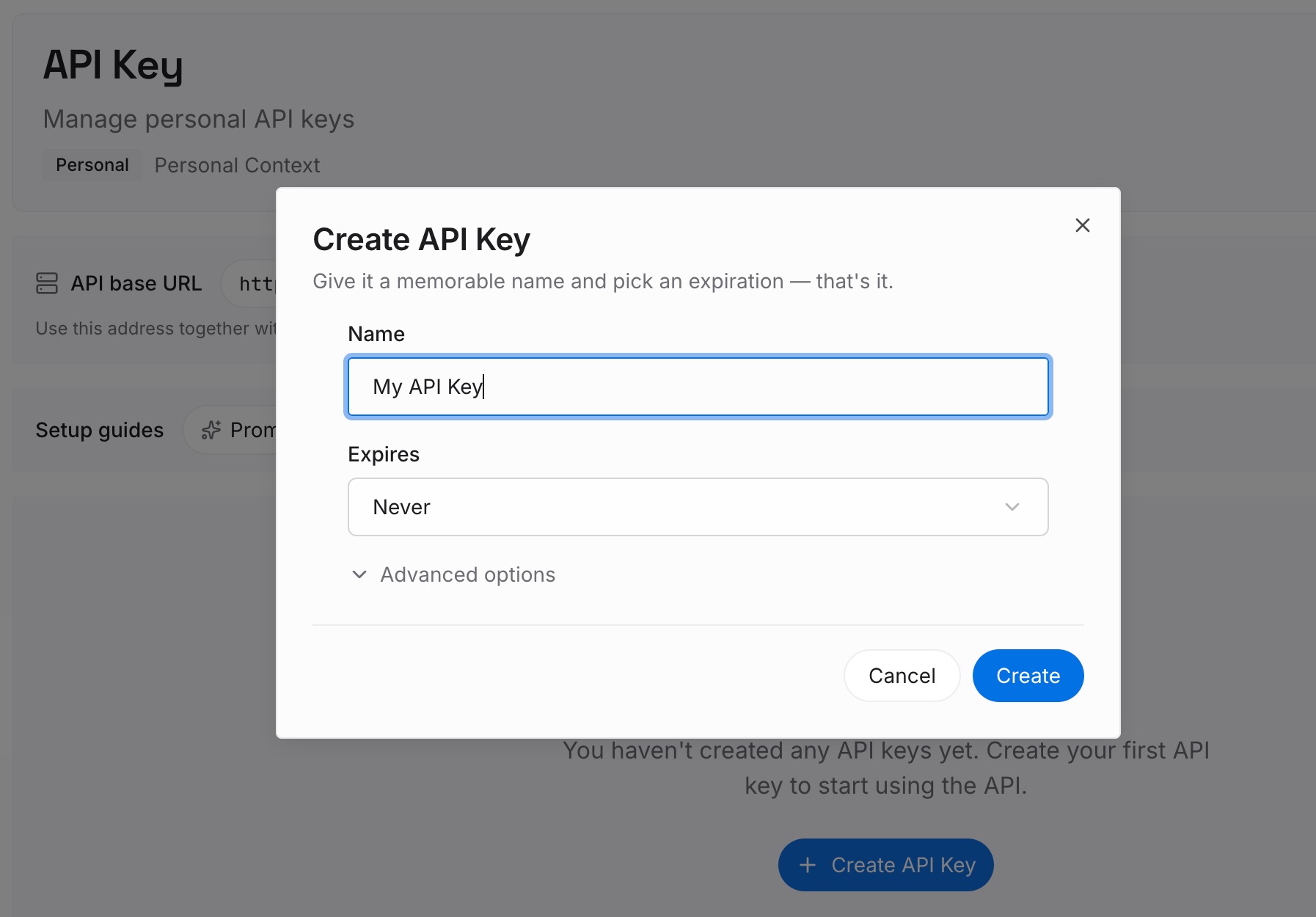
Step 1: Create an API key
Sign in to MemoryLake and create an API key. One credential across the tools you connect.
Step 2: Upload your first memories
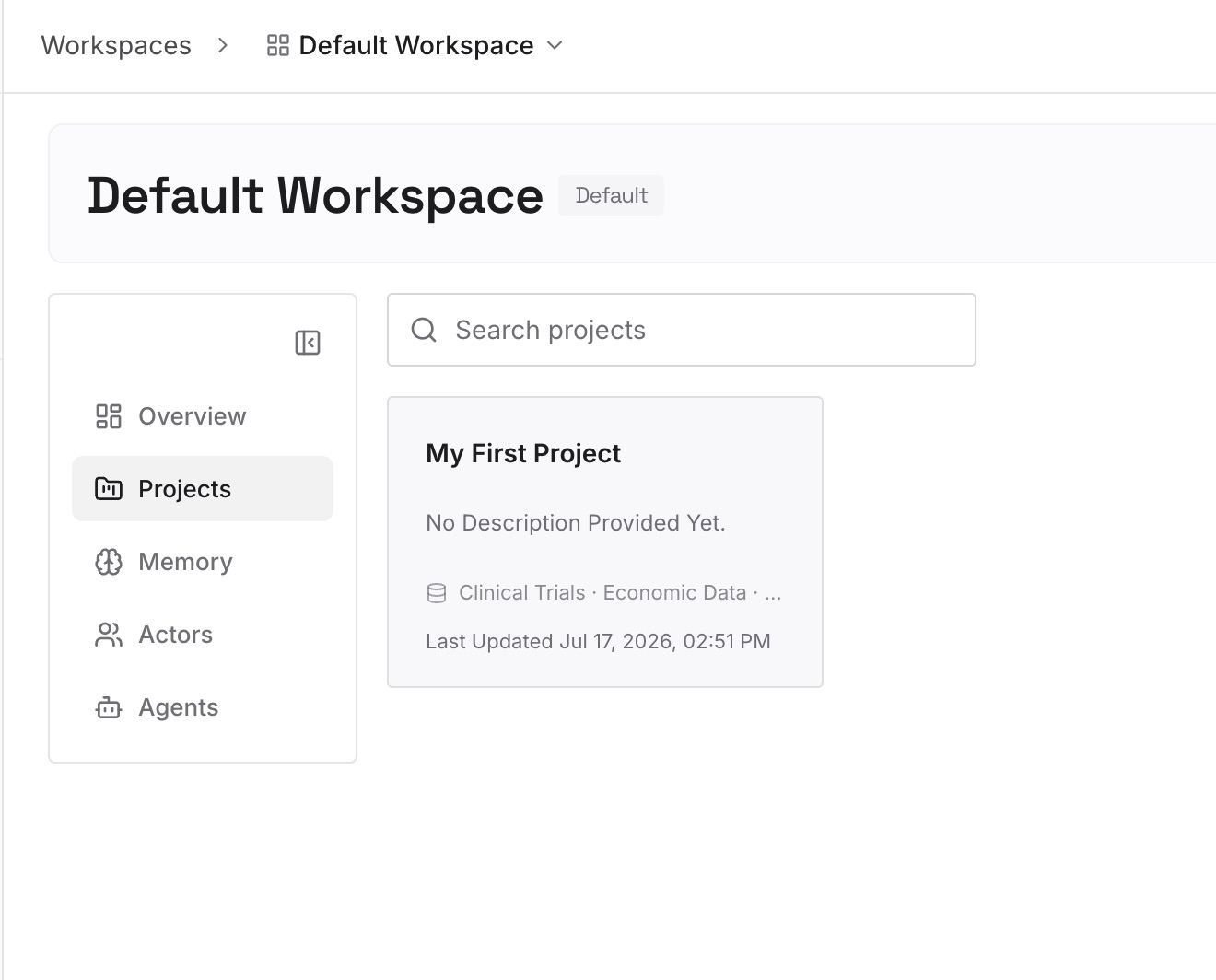
Short entries, one claim each. What earns its place:
Decisions with the constraint attached. "Auth stays server-side because the client bundle is already over budget." A preference can't carry that; a memory entry can.
What broke and why. The gotchas Project memory captures well — written down once, in a place that isn't scoped to one Project.
Knowledge that spans Projects. Domain vocabulary, standards, integration quirks. Project memory stays with its Project by design; this doesn't belong to any one of them.
Requirements you can't put in Memory. The confidential or credential-adjacent constraints Replit's Memory deliberately excludes still need to be somewhere your agents can read.
Step 3: Connect your AI & agents
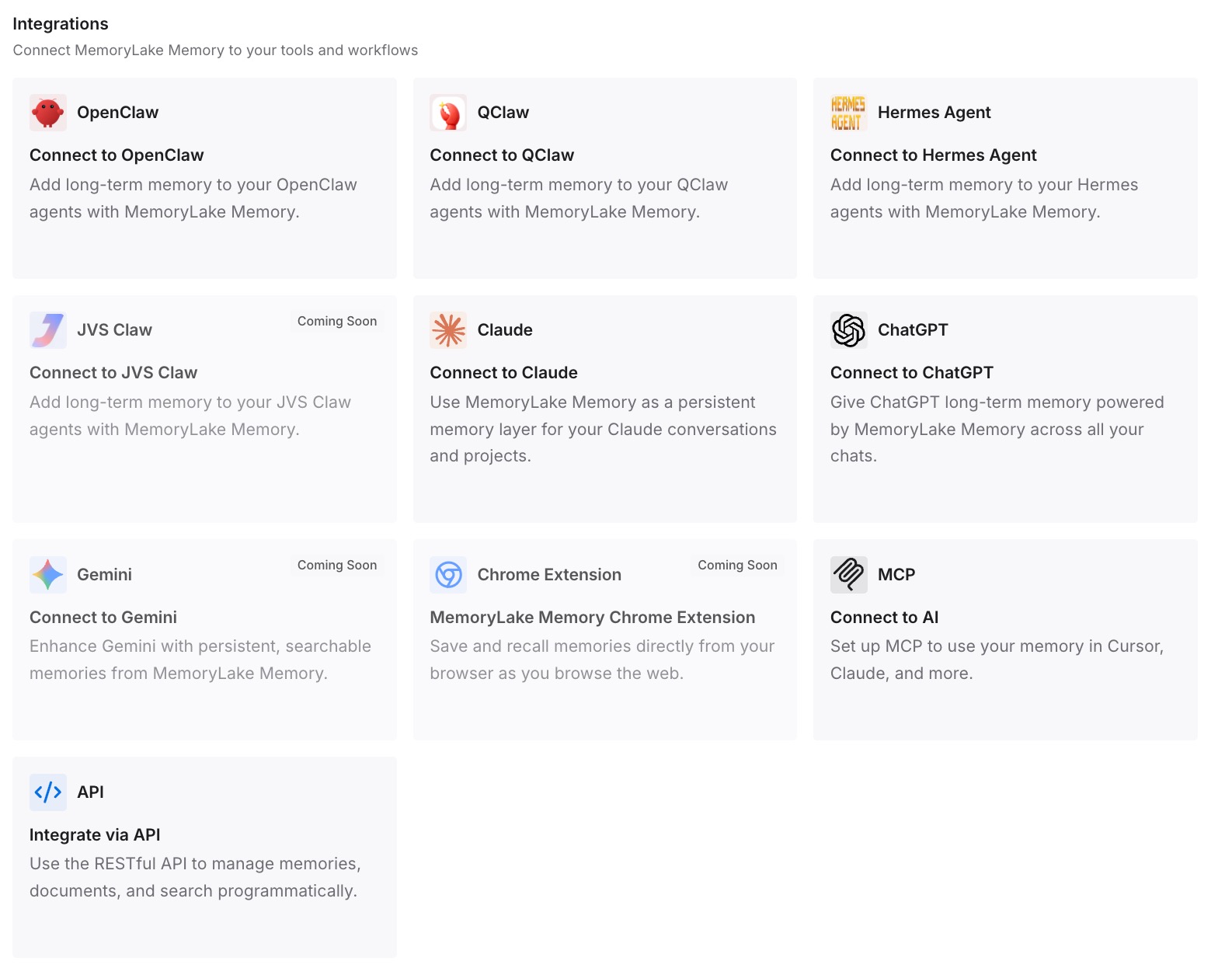
Connect the tools you use. MemoryLake is reachable over MCP and over an API, so MCP-native agents — Claude Code, Codex, and OpenClaw among them — connect by pointing at the MCP server, while other assistants read the same memory through the API.
Three honest limits. MemoryLake does not write into Replit's Memory file and isn't a substitute for Custom Instructions or Skills — those are how you steer the agent inside Replit. It holds only what you or your agents write into it, so Step 2 is manual. And it isn't a secrets manager: credentials belong in a secrets store, not in memory of any kind.
What this changes in practice
A new Project starts informed. Project memory doesn't travel between Projects. Knowledge kept outside them does, so build number four begins where build number three left off.
Team Projects stop being the amnesiac ones. Whether or not you turn on collaborator sharing, shared knowledge in an external layer is available to everyone working there.
Custom Instructions go back to being short. When substance lives elsewhere, the always-on list is a handful of genuine rules rather than a document competing with your prompt.
The excluded categories get a home. Memory deliberately skips project-confidential facts. Those constraints still shape the work, and now they're written somewhere the agent can read.
Your context isn't Replit-shaped. The same reasoning is useful in Cursor or Claude Code — the shape covered in what persistent memory actually means.
Best practices for Replit Agent context
Check the Memory toggle first. It's opt-in. Everything else is downstream of that.
Route by permanence, not by convenience. Always true → Custom Instructions. Repeatable procedure → Skills. Picked up from past work → Memory.
Never write rules into Memory. It retains context rather than executable instructions, and your explicit request and Custom Instructions take priority over it anyway.
Keep Custom Instructions short. The docs say to leave room for the work at hand. A small set of guidelines that are always true is the target.
Decide collaborator sharing on purpose. The default is off. Know which way you want it and why.
Review the Memory file periodically. It's viewable and editable. A stale preference is worse than an absent one.
Don't put secrets anywhere near memory. Replit excludes credentials and confidential facts deliberately; use a secrets store.
Write the reason next to the rule. A rule survives one Project. The reason survives the next four — the general point in why RAG isn't memory.
Conclusion
Replit Agent does retain context, and the reason it appears not to usually comes down to four documented facts: Memory is opt-in, memories retain context rather than executable instructions, the three memory scopes are bounded to a builder, a Project, or your own visibility settings, and shared Projects are excluded by default.
Turn Memory on, file rules in Custom Instructions, put procedures in Skills, and make the collaborator-sharing call knowingly. Then take the layer none of them is shaped for — decisions and their constraints, the things that broke, the domain knowledge that outlives any single Project — and keep it somewhere your agents can query. That's what makes the fifth Project as well-informed as the first one was by the end.