
Why "here's my writing, copy it" doesn't work
One sample gets you one good draft
Pasting samples works inside a single conversation because the samples are literally in context — the model can see them while writing. That's why the first attempt is often impressive and misleading. Nothing about that conversation stores the samples for next time; when the thread ends, so does the calibration.
That's not a memory failure, it's how a context window works. The samples were working material for one request.
The arithmetic doesn't fit in the field
Suppose you tried to make it permanent by pasting samples into custom instructions. Three paragraphs of representative prose is roughly 1,200–1,800 characters. On Free or Go, that's your entire budget with nothing left for actual instructions. On Plus or Pro you'd get maybe eight paragraphs — enough to demonstrate one register, on one topic, with no room for the rules that tell ChatGPT what to do with them.
And samples in a settings field are the least efficient possible encoding: you're spending your whole budget on data the model has to infer rules from, every time, instead of on the rules themselves.
An uploaded sample isn't remembered either
The next attempt is uploading a document of your writing. This helps in the conversation where you upload it and doesn't persist as memory afterward — the boundary described in why ChatGPT forgets uploaded files.
Projects change this somewhat, since project files persist within the project and project memory is scoped to it. That's a real option for a single ongoing body of work, with the trade that a project is walled: OpenAI documents that shared projects don't have access to members' context or memories outside the project, and once shared, a project's memory mode "cannot be reverted to default memory." Useful, bounded, and not a general answer — see why ChatGPT Projects don't share memory.
Memory notices your style; it doesn't reproduce it
Memory does pick up something about how you write, because OpenAI describes it as "a continually updated synthesis of context from your past chats." A synthesis is a summary, and summaries of style come out as adjectives: "prefers concise, direct writing." That's a description of your voice, not a specification of it, and adjectives are exactly what produces the generic-competent register everyone recognizes.
You also can't audit it precisely — the docs note the summary "will not include everything that ChatGPT remembers based on your chats," and suggest asking in chat if you want to know whether something is stored. Fine for a preference. Insufficient for a voice.
What people try
"Write like me" with samples, every time. Works, costs tokens on every conversation, and lives entirely in your habits. It's the tax described in stopping re-explaining context to your AI.
A style guide document in the chat. Better than samples for token efficiency, still per-conversation, and usually written as prose that the model has to interpret rather than rules it can check.
Stuffing the instructions field with adjectives. "Write in a clear, engaging, conversational, authoritative voice." Every one of those words means something different to a model than to you, and together they cancel out. This is how you get output that sounds like everyone.
Building a style GPT. A reasonable idea: a custom GPT with your samples as Knowledge. Two things to know first. GPTs use uploaded Knowledge as reference, which is what you want — but per OpenAI, "GPTs do not use saved memory, custom instructions, or previous conversations. Each conversation starts fresh," so your other preferences don't carry in. And as of now, new GPT creation and publishing "are not available on personal ChatGPT accounts, including Free, Go, Plus, and Pro."
Fine-tuning. Overkill for a writing voice, and it doesn't help in the ChatGPT product where you're actually working.
The Fix: Convert Voice Into Rules, Keep Samples Retrievable
The move that works is a conversion. You do it once, it takes about thirty minutes, and it produces two artifacts: a short rule set that fits in the field, and a sample library that stays available for calibration.
Step A — derive the rules from your own writing. Take three pieces you'd be happy to have cloned. Then extract rules in these categories, because these are the ones that visibly change output:
- Sentence rhythm. Average length, and whether you mix short and long. "Most sentences under 20 words; use one short sentence per paragraph for emphasis."
- Person and stance. First person singular or plural, whether you address the reader as "you," whether you make claims or hedge.
- Hedging policy. This is the highest-impact rule most people never write. "No 'it's worth noting', 'arguably', 'in many cases'. State the claim or cut it."
- Openings. What you never open with. "Never start with a definition, a rhetorical question, or 'In today's…'."
- Structure. Whether you use headers, how long paragraphs run, whether you like lists or avoid them.
- Vocabulary bans. The specific words you don't use. Every writer has a list; writing it down is worth more than any positive instruction.
- Punctuation habits. Em dashes, semicolons, parentheses — say which you use and which you don't.
- Evidence style. Whether you cite numbers, name sources inline, or argue from example.
Eight to twelve rules in that shape fit comfortably in 1,500 characters, and unlike adjectives, each one is checkable.
Step B — keep the samples where they can be retrieved. Rules get you 80% of the way; samples calibrate the rest. They just don't belong in a settings field. That's what MemoryLake is for here: a memory layer your assistants read from, holding your style rules, your sample library, and the notes about which register applies to which kind of writing. Setup is three steps.
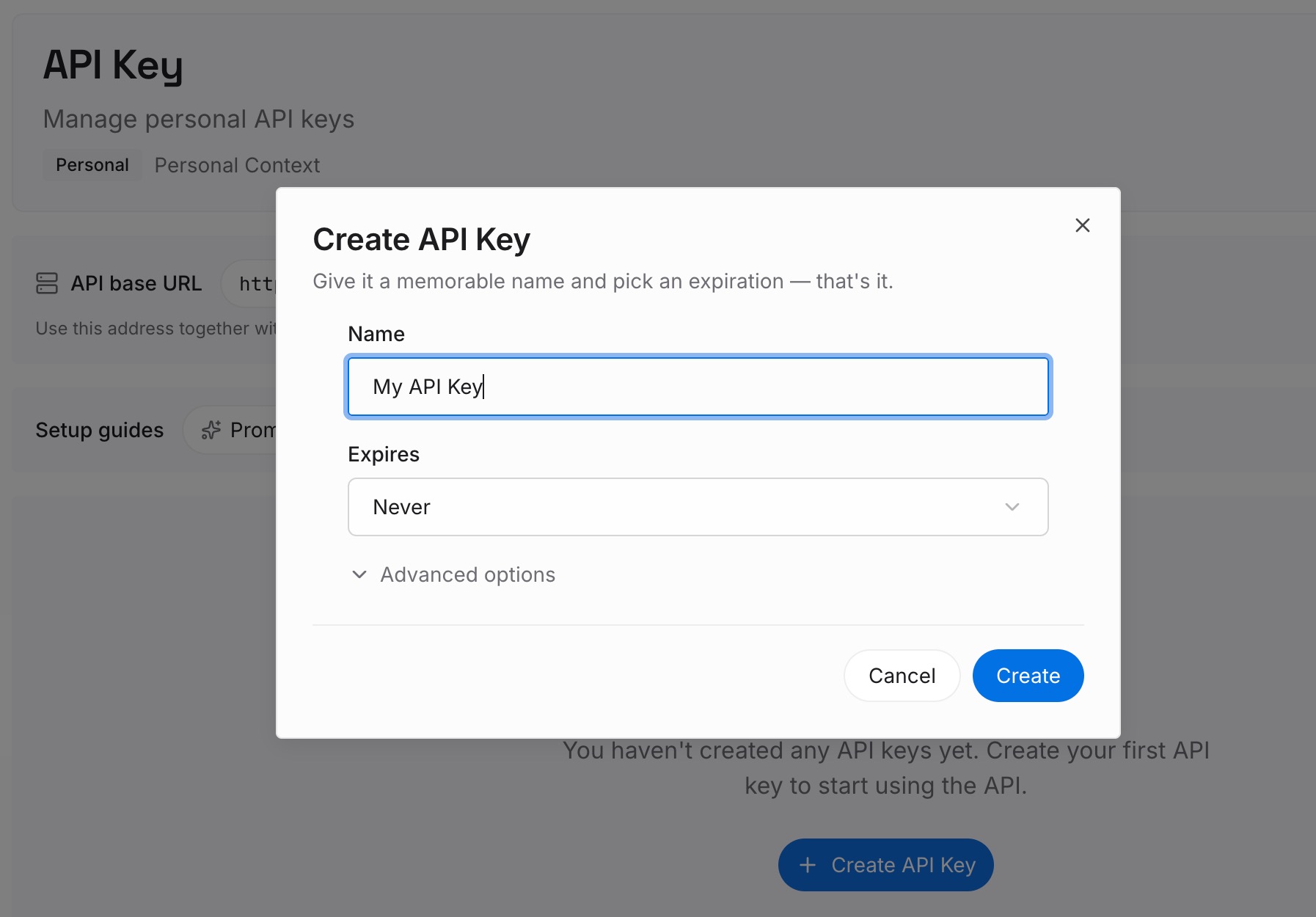
Step 1: Create an API key
Sign in to MemoryLake and create an API key. One credential across the tools you connect — worth noting because writing rarely happens in one assistant only.
Step 2: Upload your first memories
Upload the rule set as individual entries, one rule per entry, so a retrieval returns the relevant ones rather than a wall. Then add the sample library, and — this is the part people skip — a short note per sample saying what it exemplifies: "this is my register for technical explainers," "this is how I write when pushing back on a bad idea." Different jobs need different registers, and unlabelled samples average into mush.
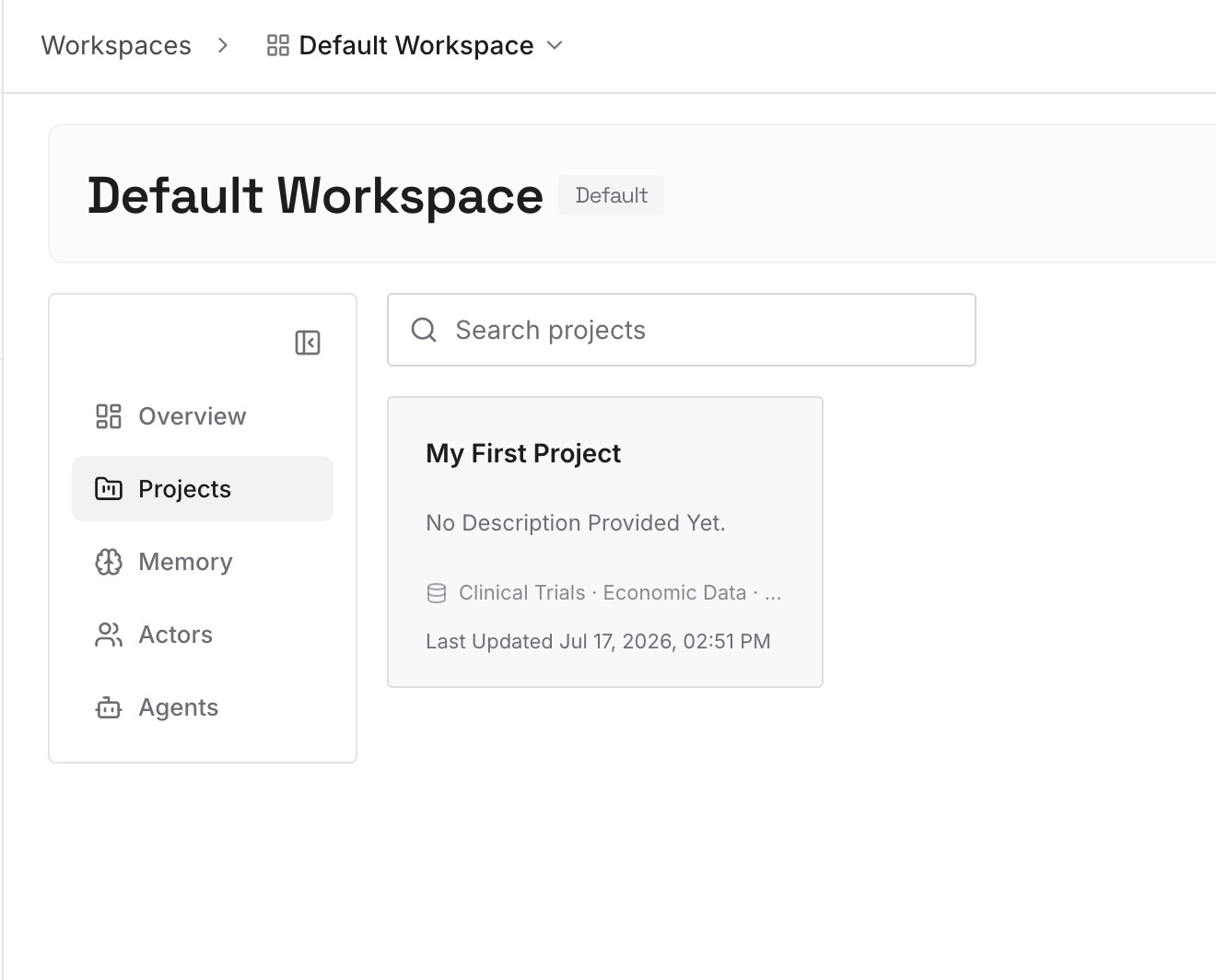
Add the negative examples too. A paragraph you rewrote because it sounded generic, with a one-line note on what was wrong, teaches more than three good samples.
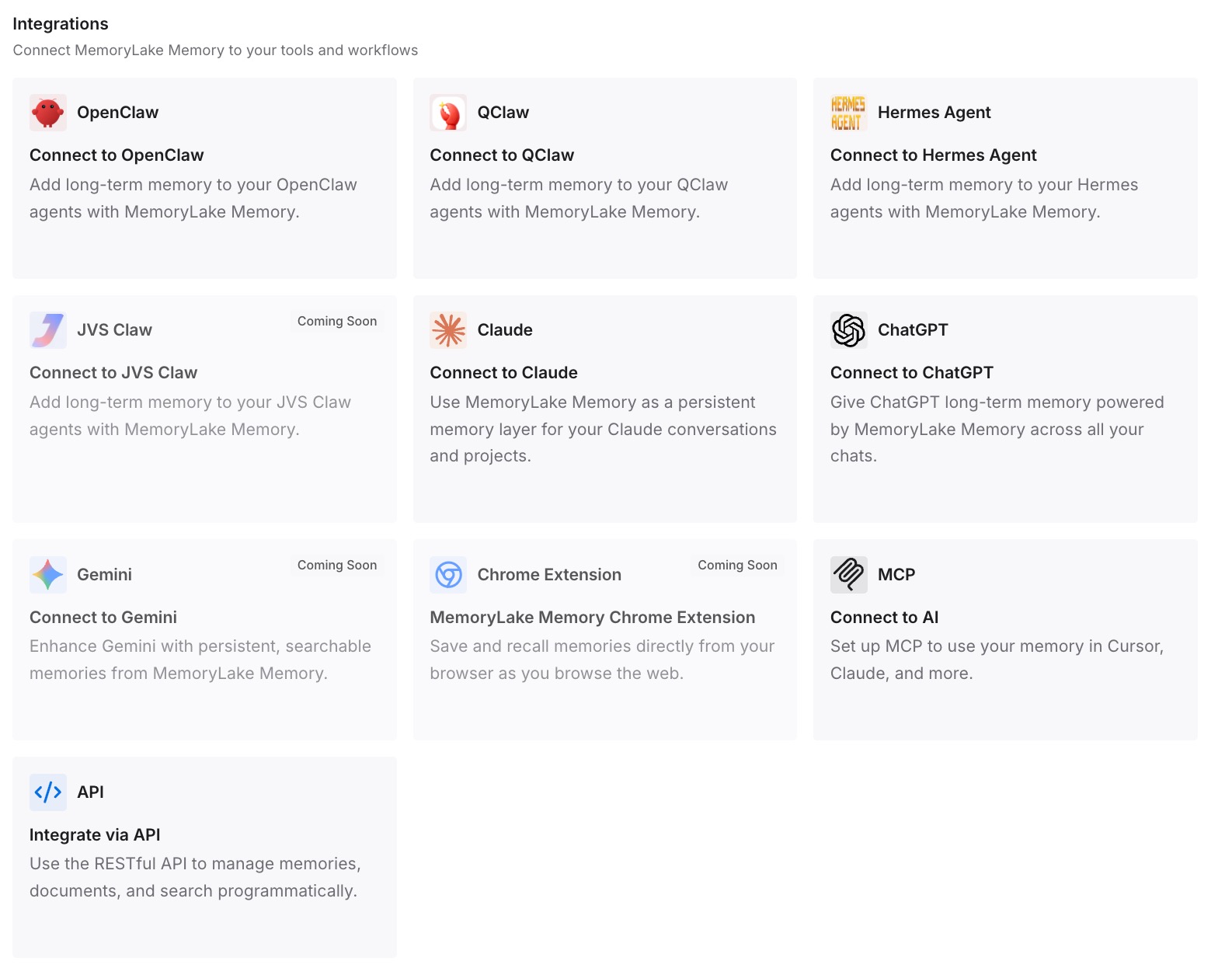
Step 3: Connect your AI & agents
Connect the tools you write in. MemoryLake is reachable over MCP and over an API, so MCP-native agents — Claude Code, Codex, and OpenClaw among them — connect by pointing at the MCP server, and other assistants read the same memory through the API. Keep the eight to twelve rules in your custom instructions field as the always-on layer; the samples and register notes come in when the task calls for them.
Two honest limits. A memory layer doesn't make a model write like you — it removes the re-pasting and the guessing; the rules you write are still what does the work. And nothing here is enforcement: style instructions shape output, they don't guarantee it, in any assistant.
What this changes in practice
The first draft starts closer. Not perfect — closer. The measurable difference is how much editing you do, and rules cut it more than samples do because rules are unambiguous.
Your bans actually hold. The single biggest quality jump for most people is a specific list of words and openings the model must not use. Adjectives never achieve this; a ban list does.
Register stops being random. With labelled samples, "write this as a technical explainer" and "write this as a short internal note" produce genuinely different output instead of the same middle voice.
The instructions field stops overflowing. Rules are compact. Once the samples live elsewhere, you have room for the rules plus your other preferences, without trading one against another.
The same voice works in other tools. Custom instructions are ChatGPT-only and, per OpenAI, will not get an API — "There will be no API for custom instructions." A portable style layer is the only way the voice follows you, whether you're drafting in a chat or a code editor. The Claude-side version of the same problem is why Claude forgets your writing style.
Best practices for a style setup that holds
Write rules, not adjectives. If two people could read your instruction and produce different output, it isn't a rule yet.
Lead with the bans. What you never do is more distinctive than what you do, and easier to comply with. Ban lists are the highest-yield part of any style spec.
Label every sample with its register. An unlabelled library trains an average. A labelled one lets you ask for a specific voice.
Keep negative examples. One "here's the generic version I rejected, and why" is worth several positive samples.
Test with a fixed prompt. Use the same brief each time you change a rule. Otherwise you can't tell whether the rule helped or the topic was easier.
Iterate the rules, not the samples. When output is wrong, ask which rule was missing. Add it. Adding another sample rarely fixes a specific recurring problem.
Count your characters. 1,500 on Free and Go, 5,000 on Plus, Pro, Enterprise, Business, and Education. Rules fit; prose doesn't.
Separate personal voice from organizational standards. Your voice and your company's brand rules are different documents with different owners — the latter is closer to making ChatGPT remember your brand guidelines.
Conclusion
"Teach ChatGPT my writing style" fails as a memory problem and works as a compression problem. Your voice is hundreds of consistent small choices; the field you can store it in holds 1,500 or 5,000 characters. Pasting samples spends the whole budget on raw material and asks the model to re-derive the rules every time.
Do the derivation yourself, once. Eight to twelve testable rules — rhythm, stance, hedging policy, forbidden openings, structure, banned words, punctuation, evidence style — fit in the field and hold. Keep the samples and register notes in a layer you can retrieve from, label them by what they exemplify, and iterate the rules rather than the library. That's a voice that survives next month, and the tool you switch to after that. The diagnostic side, if you want it first, is in why ChatGPT forgets your writing style.