
Why Codex still doesn't remember what you expect
Memories are off until you turn them on, in one of two places
The documentation states it plainly: "Local Codex memories are off by default."
There are two ways to enable them. In the ChatGPT desktop app, open Settings > Personalization and turn on Enable memories. For a config-based setup, add the feature flag to config.toml:
[features]
memories = true
If you use Codex across the desktop app, the CLI, and the IDE extension, note that the IDE extension "uses the connected Codex host's local memory store" — it does not maintain its own. Enable it on the host and the extension follows.
One more distinction that trips people up: ChatGPT on the web is a separate system. "ChatGPT web uses ChatGPT memory, while local Codex clients use a separate local memory store and controls." And ChatGPT Work "doesn't use a local Codex memory store or local memory controls" at all. Turning on one does not turn on the other.
Writes are deferred, and they can be skipped
Even with memories on, nothing appears the moment a chat ends. "Memories may not update right away when a chat ends. Codex waits until a chat has been idle long enough to avoid summarizing work that's still in progress." Codex also "skips active or short-lived sessions."
That is reasonable design and it produces a confusing first day: you enable the feature, finish a session, look for a memory, and find nothing.
The edge that matters more is quieter. "Memory generation can also skip a background pass when your Codex rate-limit remaining percentage is below the configured threshold, so Codex doesn't spend quota when you're near a limit."
Read that in terms of when it fires. The sessions most likely to be skipped are the long, dense, hard ones at the end of a heavy day — exactly the sessions with the most worth remembering. The threshold is configurable via memories.min_rate_limit_remaining_percent, but the default behaviour is that your busiest work is the least likely to be recorded.
What it writes is generated state, and you are told not to edit it
The store lives under your Codex home directory, ~/.codex by default, and "The main memory files live under ~/.codex/memories/ and include summaries, durable entries, recent inputs, and supporting evidence from prior chats."
Then the instruction that defines the whole feature's role: "Treat these files as generated state. You can inspect them when troubleshooting or before sharing your Codex home directory, but don't rely on editing them by hand as your primary control surface."
So it is inspectable but not authored. You can read it to find out why Codex believes something; you cannot maintain it as the canonical record of how your project works. That is a deliberate boundary, and it is the same boundary the documentation draws again a few lines later.
External context can be excluded from memory generation entirely
This is the most interesting key in the set. memories.disable_on_external_context, "when true, keeps chats that used external context such as MCP tool calls, web search, or tool search out of memory generation." An older key, memories.no_memories_if_mcp_or_web_search, is still accepted as an alias.
A vendor shipping a switch that keeps externally-influenced sessions out of the memory store is a meaningful signal about how these systems fail. Content an agent fetched from somewhere else is a plausible route into durable memory, and OpenAI gave you a way to close it.
The trade-off is real, though. Turn it on and your research-heavy sessions — often the ones with the most genuinely new information — stop contributing. Turn it off and anything an agent read can influence what it remembers.
The rest of the keys, briefly
Four more are worth knowing. memories.generate_memories "controls whether newly created chats can be stored as memory-generation inputs." memories.use_memories "controls whether Codex injects existing memories into future sessions" — the two directions are separate, so you can read without writing or write without reading. And memories.extract_model and memories.consolidation_model override the models used for per-chat extraction and global consolidation respectively.
Per chat, /memories in the desktop app and the Codex TUI controls whether that chat can use existing memories and whether it can feed future ones. "Chat-level choices don't change your global memory settings."
What people try
Concluding Codex has no memory. Understandable and, since the store is off by default, the most common wrong turn. Check Settings > Personalization first.
Writing everything into AGENTS.md. This works, and the documentation actively recommends it for one specific category — but a growing instruction file competes for context on every request, and it is the wrong shape for reasoning.
Hand-editing ~/.codex/memories/. Explicitly discouraged: these are generated files, and Codex's consolidation passes are the thing that maintains them. Your edits are not the control surface.
Enabling memories and assuming it is now handled. Deferred writes and rate-limit skips mean coverage is patchy by design. Nothing guarantees a given session left a trace.
Turning disable_on_external_context on and forgetting. A safe default that silently excludes your most information-dense sessions.
Pasting context at the start of every session. Reliable, manual, and works until the day you forget.
The Fix: Split What Must Hold From What Is Nice to Recall
The documentation gives you the split, and it is worth quoting in full because it is the clearest statement any vendor has published on this:
"Keep required team guidance in AGENTS.md or checked-in documentation. Treat memories as a helpful recall layer, not as the only source for rules that must always apply."
Three tiers, then. Rules that must hold every time go in AGENTS.md or checked-in docs. Convenience recall — your preferences, how you like output shaped — is what the local store is for, and letting it work automatically is the point. Between those sits everything durable that is neither an instruction nor a nice-to-have: the decisions and their reasons, the approaches ruled out, the constraints that make the obvious answer wrong. That tier cannot live in a store that skips a pass when you are near a rate limit, and it should not live in an instruction file that loads on every request.
That is the layer MemoryLake holds — durable project knowledge your tools query deliberately, so AGENTS.md stays short and the local store stays a convenience. Setup is three steps.
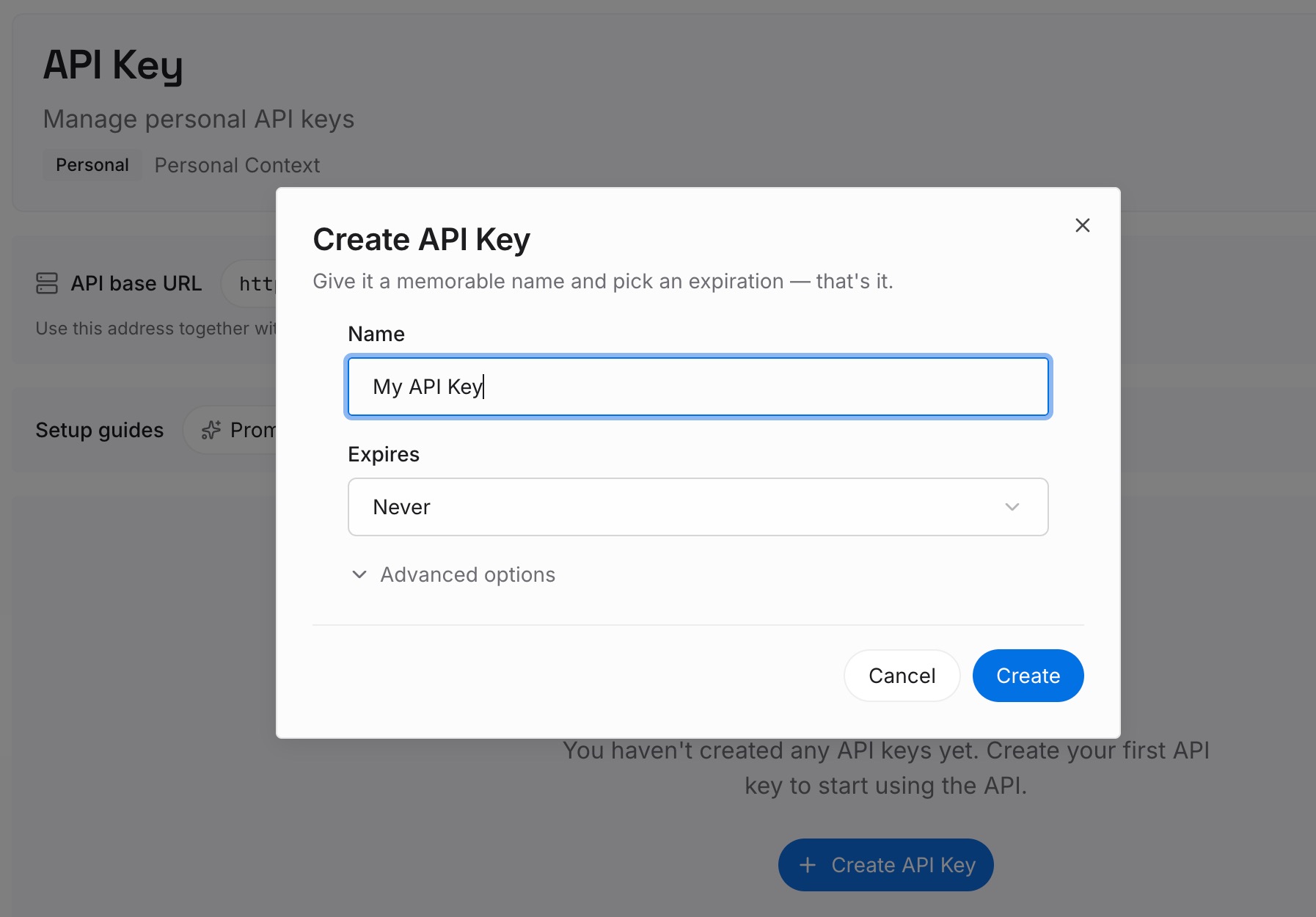
Step 1: Create an API key
Sign in and create an API key. One credential across the tools you connect.
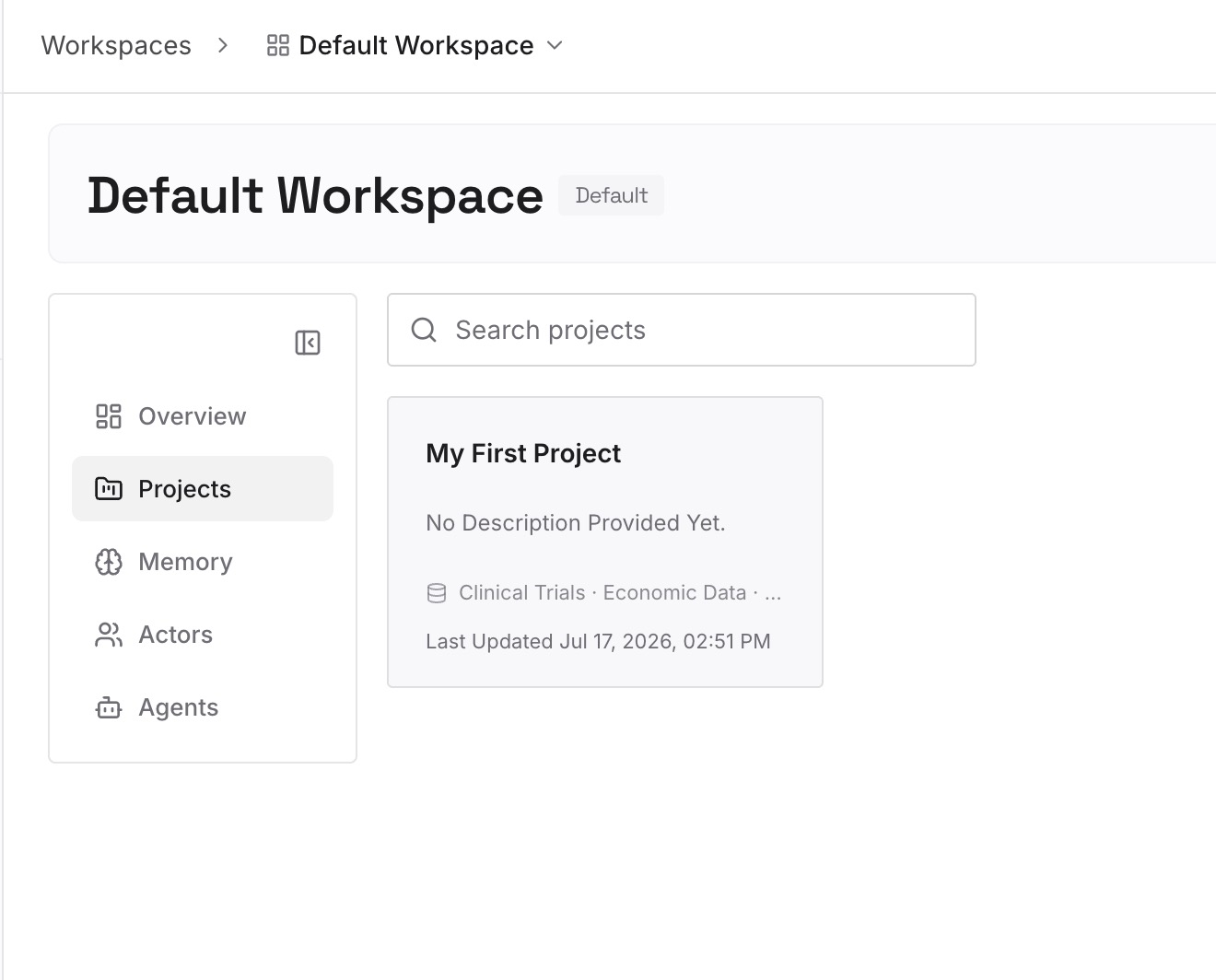
Step 2: Upload your first memories
Short entries, one claim each. The useful test is whether losing it would cost you an argument rather than a keystroke:
Decisions with their reasons. "We batch writes because the connection pool saturates at 200 concurrent." The rule can go in AGENTS.md; the reason is what stops it being reverted next quarter.
Approaches already ruled out. The category that appears in no instruction file and no commit message, and gets re-proposed by every fresh session.
Environmental facts nothing announces. The undocumented rate limit, the ordering dependency, the test that only fails in CI.
Anything you would hate to lose to a skipped pass. If it matters and the local store's coverage is best-effort, do not rely on best-effort.
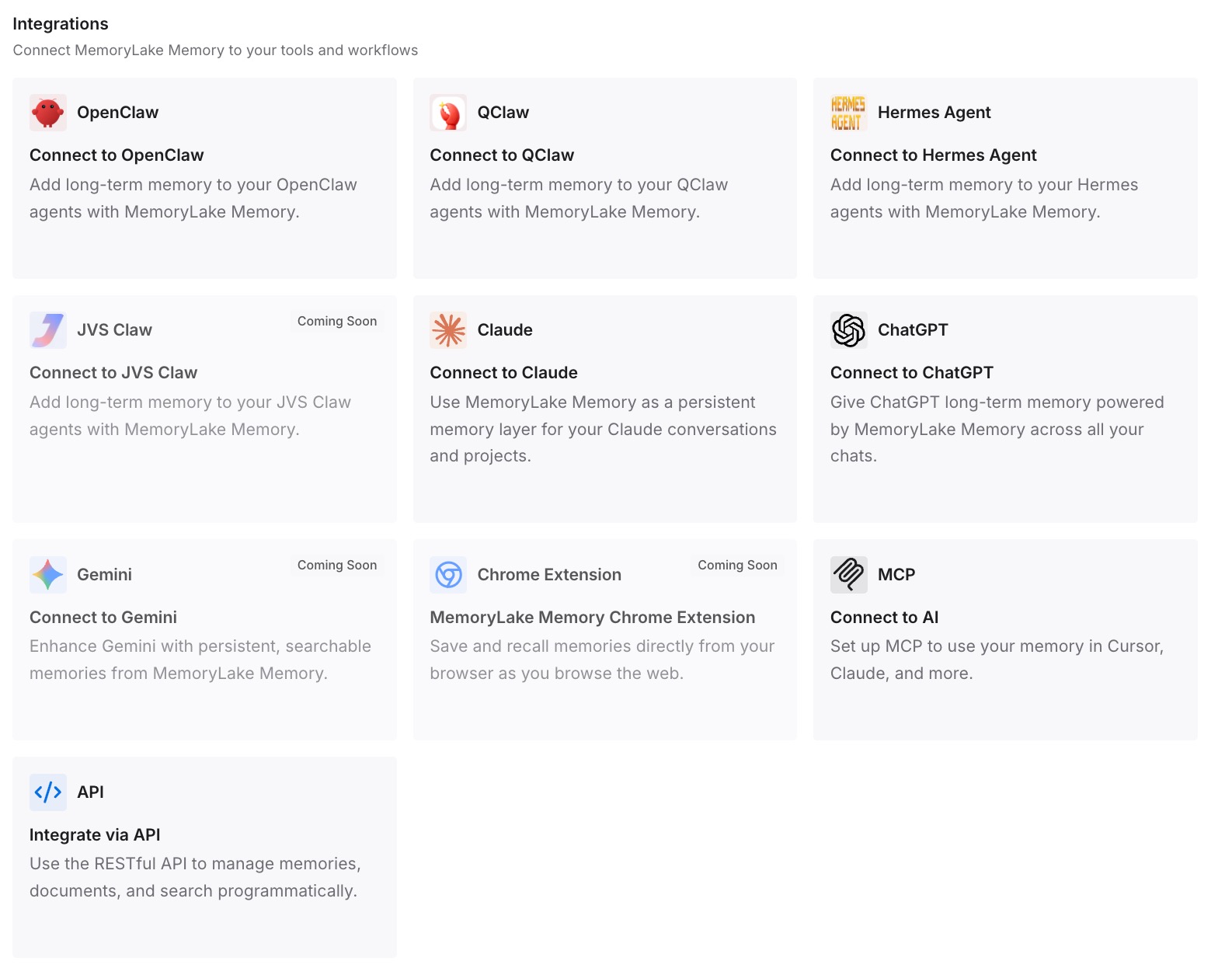
Step 3: Connect your AI & agents
Connect what you use. MemoryLake is reachable over MCP and over an API, and Codex supports MCP servers — worth noting that if you keep memories.disable_on_external_context set to true, sessions that use MCP tools stop contributing to Codex's own local memories. That is a reason to be deliberate about which store holds what, not a reason to avoid either.
Three honest limits. MemoryLake does not read, write, or delete ~/.codex/memories/ — that is generated state OpenAI maintains, and no external tool should be editing it. It does not write your AGENTS.md, which remains how you steer Codex. And nothing lands in memory unless you or your agents put it there, so Step 2 is deliberate.
What this changes in practice
"Does Codex remember?" gets a real answer. Yes, once enabled — and you know where the files are.
A skipped background pass stops costing you anything important. The durable tier is not in the store that skips.
AGENTS.md stops growing. Instructions stay instructions; reasoning moves out.
You can inspect without editing. Read ~/.codex/memories/ to understand a belief, change the durable layer to correct one.
Research-heavy sessions stay safe to run. Excluding external context from Codex's own store costs you less when the important conclusions were written down on purpose.
Best practices for Codex local memories
Turn them on explicitly, and check the surface you actually use. Off by default; the IDE extension follows its host; ChatGPT web is a separate system.
Decide disable_on_external_context deliberately. It closes a real path into memory and excludes your most information-dense sessions. Pick knowingly.
Do not put secrets in memories. The docs are direct: "Don't store secrets in memories." Codex redacts secrets from generated fields, but review the files before sharing your Codex home directory.
Read the files before you conclude the feature is wrong. Inspection is supported; hand-editing as a control surface is not.
Keep required guidance in AGENTS.md. Vendor's own advice, and the local store is not a substitute for it.
Separate reading from writing. use_memories and generate_memories are independent keys, which is useful on shared or sensitive work.
Audit what accumulated, periodically. The general practice is in how to audit what your AI remembers.
Keep the durable layer small. More entries is not better — the argument is in why agent memory should keep less.
Conclusion
Codex remembers more than most of its users think, and less than the word "memory" implies. There is a documented local store at ~/.codex/memories/ holding summaries, durable entries, recent inputs, and supporting evidence — off by default, enabled from Settings > Personalization or a config.toml feature flag, with per-chat control through /memories and half a dozen configuration keys behind it.
Its coverage is deliberately best-effort. Writes wait until a chat has been idle, short sessions are skipped, and a background pass can be skipped outright when your remaining rate limit is below the configured threshold. The files are generated state you are told to inspect but not to hand-edit. And disable_on_external_context will keep any session that touched MCP or web search out of memory generation entirely, which is a genuinely good control and a genuinely large exclusion.
None of that is a flaw; it is a scope. The documentation names the scope itself: keep required guidance in AGENTS.md or checked-in docs, and treat memories as a helpful recall layer rather than the only source for rules that must always apply. Turn the store on, let it handle convenience, and put the decisions you would argue about into something that does not skip a pass when you are busy. The broader reason context alone does not solve this is in why long context isn't memory.