
Why your docs aren't working as memory
Documents answer "what is this," memory answers "what should I do"
Almost all internal documentation is descriptive. It explains the system, walks through the design, lists options considered. That's the right register for a human joining a team, because a human reads the surrounding paragraphs and infers the rule.
An agent needs the rule stated. The valuable sentence in a twelve-page design doc is often one line — "the retry logic must be idempotent because the upstream duplicates on timeout" — and it's buried in the middle of a section about something else. Retrieval might return that page. It won't necessarily return that line, and even if it does, the model has to guess whether the paragraph is a current constraint or a historical consideration.
Retrieval gives you passages, and passages hedge
Even a well-tuned retrieval setup has documented limits. OpenAI's own description of indexed knowledge sources says they're "initially designed to work best for Q&A and search related queries" and that "the most relevant data is sent to the model based on query intent, limiting performance in scenarios requiring aggregation from numerous sources or very complex queries."
That's an honest description of what document retrieval is for. Your question — "what did we decide about X?" — is usually an aggregation question spread across a meeting note, a doc revision, and a PR comment. Retrieval finds the documents. It doesn't produce the conclusion. That distinction is the whole subject of why RAG isn't memory.
Nothing in a document tells you whether it's still true
A page has a last-edited timestamp, which tells you when someone touched it, not whether its claims hold. Documentation decays claim by claim: three paragraphs stay correct, one silently stops being true after a migration, and no edit ever happens because nobody re-reads the whole page.
For a human that's manageable — you notice the tone of a stale doc. For an agent it's indistinguishable from current fact, and the agent acts on it. This is why provenance matters more for memory than for docs, a point covered in memory provenance explained.
And you can't fix it by loading the docs into context
The obvious workaround — put the docs in the always-on instruction file — collides with published guidance from every vendor. Claude Code recommends targeting under 200 lines per CLAUDE.md and notes longer files "consume more context and reduce adherence." Cursor advises keeping rules under 500 lines. And Claude Code is explicit that splitting content into @path imports "helps organization but doesn't reduce context, since imported files load at launch" — so the import trick doesn't buy you room.
There's a second cost beyond size. Claude Code's docs warn that "if two rules contradict each other, Claude may pick one arbitrarily." Dumping five documents written at different times into one context is a reliable way to manufacture contradictions.
What people try
Pointing the agent at the docs folder. Works when the answer is in one file and you know which one. Fails on exactly the questions you care about, because those answers are spread across files or were never written down at all.
One giant CONTEXT.md. The most common attempt. It grows to 800 lines, gets loaded on every request, contains three contradictions, and adherence to the rules that matter drops because they're competing with reference material.
Indexing everything into a vector store. Useful for finding source material and no substitute for a conclusion. You'll get the design doc back; you still won't learn that the design was abandoned.
Asking the agent to summarize the docs. Tempting, and it produces a plausible summary that flattens exactly the distinctions you need — current versus historical, decided versus considered, rule versus example.
Copying the docs into the assistant's memory. Better direction, wrong granularity. A pasted page becomes one enormous memory entry that retrieves for everything and helps with nothing.
Doing nothing and re-explaining. The status quo, with a cost that's easy to underestimate — you pay it on every message, forever, in tokens and in attention. That's the habit stopping re-explaining context to your AI addresses.
The Fix: Extract the Claims, Not the Documents
The conversion is not an import job. It's a reading job with a specific output format: one claim per entry, stated as an instruction or a fact, with the reason attached. Do it once for your core documents and the rest accumulates naturally as you work.
Before the mechanics, the triage. Sort everything in your docs into four piles:
Promote to memory. Decisions and their reasons. Constraints that look arbitrary from outside. Conventions that differ from tool defaults. Gotchas learned the hard way. Rejections — what you tried and abandoned, and why. These are short, durable, and the exact material an agent can't infer from the codebase.
Leave as documents, and reference them. Long procedures, reference tables, API surface descriptions, anything with more than a few steps. These belong in files; if your tool supports on-demand packages — skills, in most current tools — that's their home, so they load when relevant instead of always.
Delete. Anything describing a system you no longer run. This is a third of most docs folders and it's the highest-risk third, because it reads as authoritative.
Ask a person. The gaps you'll discover while doing this: the decisions nobody wrote down. Write those down now, while you've noticed.
Then the setup, which is three steps.
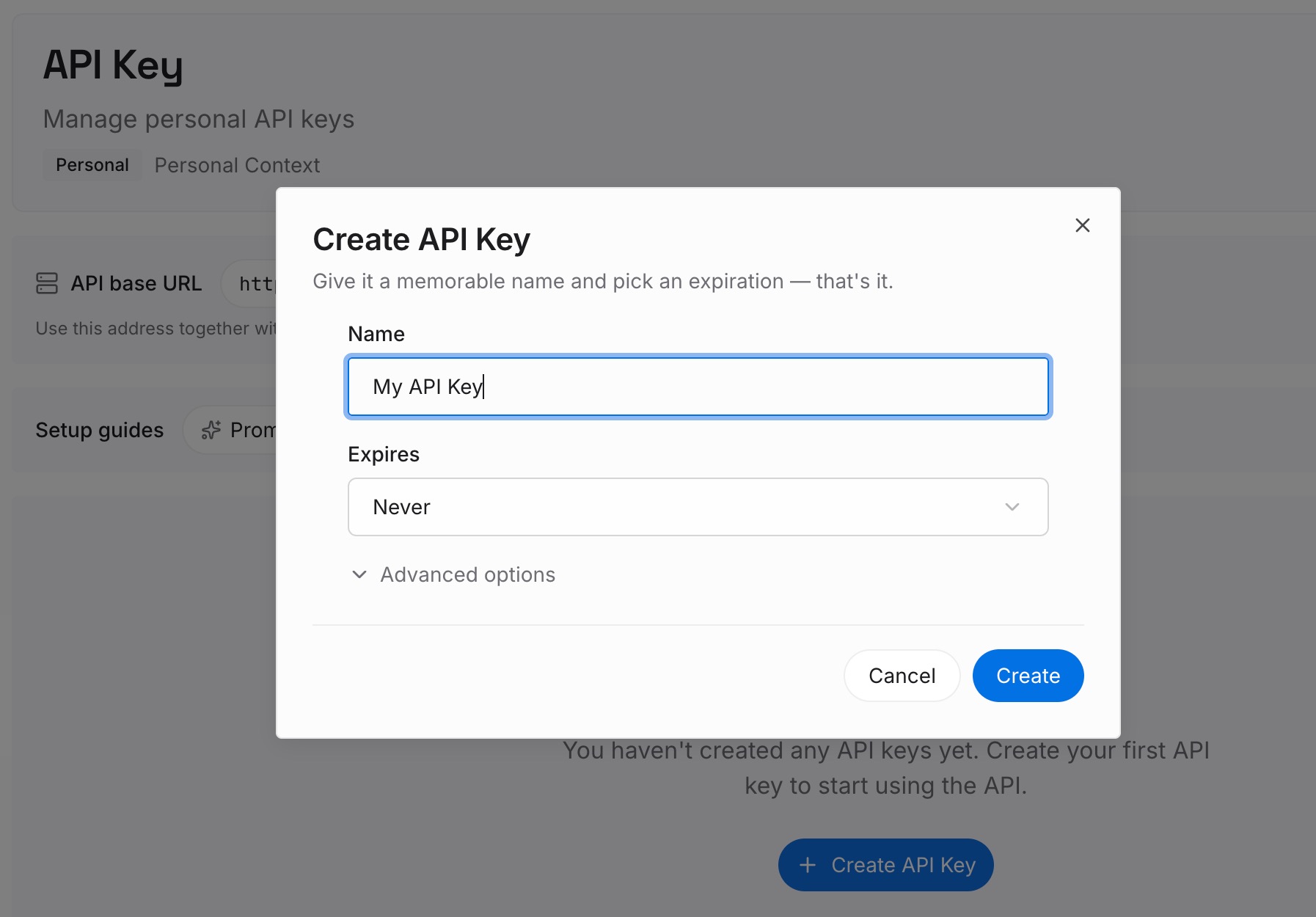
Step 1: Create an API key
Sign in to MemoryLake and create an API key. One credential your agents use to read and write memory, independent of which assistant you use — so this conversion survives your next tool change.
Step 2: Upload your first memories
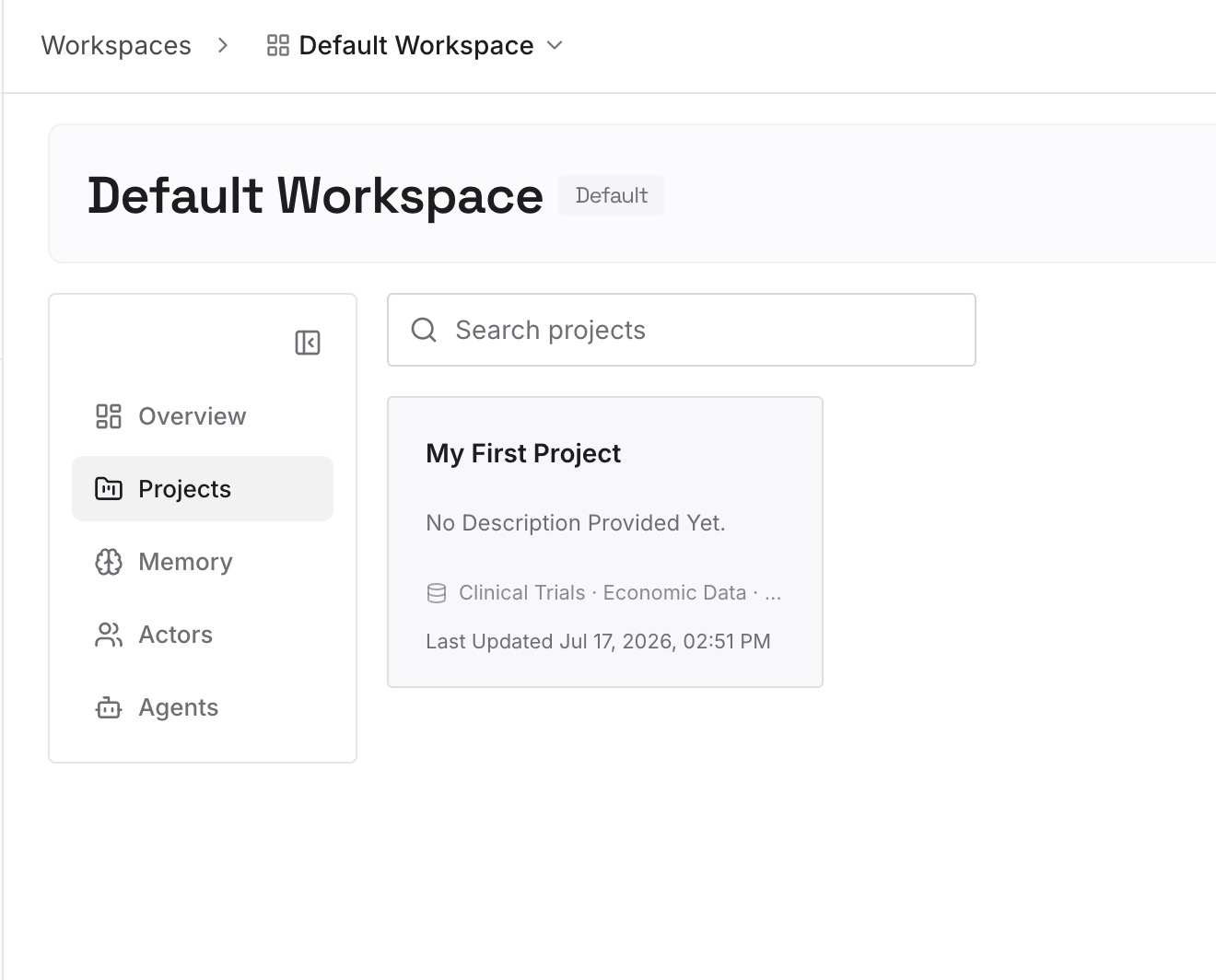
Work through the promote pile and write each item as a standalone entry. Four rules make the difference between a memory layer and a second docs folder:
One claim per entry. If it has two ideas, split it. Entries with one idea retrieve precisely and age visibly.
State the rule, then the reason. "Retries must be idempotent — the upstream duplicates on timeout." The reason is what stops someone, human or model, from overriding the rule the first time it's inconvenient.
Make it verifiable. "API handlers live in src/api/handlers/" beats "keep the code organized." A model can act on the first and not the second.
Record rejections explicitly. "Considered and rejected: queue-based ordering, March 2026 — ordering guarantees broke under retry." Without this, every fresh agent re-proposes it with enthusiasm, and you re-explain from scratch.
Expect the conversion ratio to surprise you: a twelve-page architecture doc typically yields six to ten entries. That's not loss — the other eleven pages are explanation a model doesn't need, or history that's no longer true.
Step 3: Connect your AI & agents
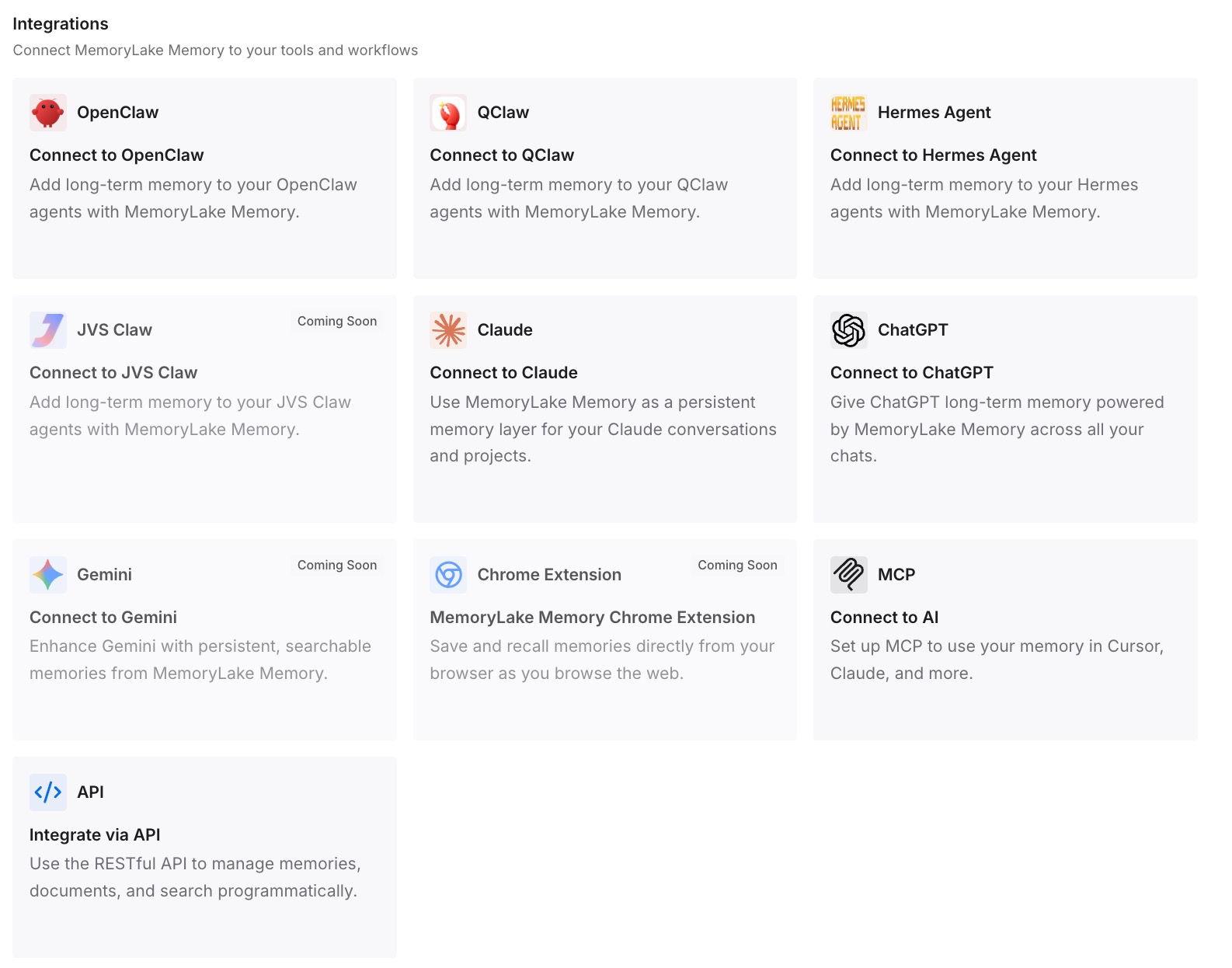
Connect your tools. MemoryLake is reachable over MCP and over an API, so MCP-native agents — Claude Code, Codex, and OpenClaw among them — connect by pointing at the MCP server, and other assistants read the same memory through the API. Your instruction files stay short and do their narrow job; the extracted claims become queryable, so an agent gets the four relevant entries instead of twelve pages or nothing.
Two honest limits. This doesn't read your documents for you — the extraction is judgment work, done once, by someone who knows which claims still hold. And it isn't an enforcement layer: rules that must hold regardless of what a model decides belong in a hook or a CI check, not in memory.
What this changes in practice
Questions get answers instead of sources. "What did we decide about the ledger schema?" returns the decision, not three documents that mention schemas.
Stale knowledge becomes visible. A short list of dated claims can be reviewed. A folder of documents can't — nobody re-reads a twelve-page doc to check paragraph nine.
Token cost drops on every request. Instruction files shrink, pasted context disappears, and retrieval sends a few hundred tokens instead of thousands. The arithmetic is in how memory cuts token cost.
Docs get better at being docs. Once claims live elsewhere, documentation can be narrative and thorough without pretending to be a rule set. Both artifacts improve by not competing.
New agents start informed. The point of the exercise. Whatever you adopt next reads the extracted claims on day one instead of relearning your project through trial and error.
Best practices: a conversion recipe you can run this week
Start with the three documents people cite most. Not the biggest ones — the ones someone links in Slack when a newcomer asks a question. Those contain the highest density of load-bearing claims.
Extract while reading, not after. Keep a scratch file open and write the entry the moment you spot the claim. Reading the whole doc first and then summarizing produces flattened, hedge-preserving text.
Convert hedges into decisions or drop them. "We're currently leaning toward X" is not a memory entry. Either it's the decision — write it as one — or it's history, and history goes in the doc.
Date anything time-sensitive. If a claim depends on a vendor's current behavior or a version, say so in the entry. It's the difference between a fact and a trap six months from now.
Cap the always-on layer deliberately. Whatever you keep in instruction files should be short enough to read in one screen. Everything else is retrievable. Vendor guidance converges here for a reason.
Version the extraction, not just the docs. Keeping the claims in something reviewable — a diff, a change log — is what stops drift. That's the underlying idea in git for AI memory.
Add an entry every time you correct an agent twice. The single best maintenance habit. A repeated correction is a missing entry announcing itself.
Conclusion
The reason a documented project still feels undocumented to an agent is that documentation and memory are different formats for different readers. Docs explain; memory instructs. Docs tolerate hedging; memory needs decisions. Docs are long by design; the layer an agent loads on every request has to be short by necessity.
So the conversion is extraction, not import: read the documents you actually cite, pull out the claims that still hold, attach the reasons, record the rejections, and delete the third that describes a system you no longer run. It's an afternoon for most projects. What you get back is the thing you thought you already had — a project whose knowledge is available to whoever, or whatever, is working on it. If you want the conceptual grounding first, what persistent memory actually is covers the distinction in more depth.