
What an always-on agent is
Anthropic's first point is that the name describes an experience, not a process that never stops. In the post's words: "In reality, the agent spends most of its time asleep, waking up periodically to do work."
Each stretch of work is a run. The post describes a run as one where "the agent receives an event, completes its task, and then saves information about what happened". A run works inside a session, which the post defines as the transcript of messages and tool calls. When the run ends, the agent goes back to sleep.
Underneath, Anthropic says, an always-on agent uses the same core loop as other agents. What makes it different is the architecture around that loop: what wakes it up, what it carries from one run to the next, and how its work reaches you.
The post credits two model changes for renewed interest: better judgment about when to check in, and lower cost for long tasks.
The five primitives
Anthropic lists them in one line: "The surrounding architecture of an always-on agent has five core primitives: an event inbox, timers, memory, permissions, and an outbox."
Event inbox. Most agents run only when you send a message. An always-on agent can be triggered by webhooks, scheduled tasks, and background jobs. Instead of each source calling the agent directly, every source writes an event to an inbox, and a worker picks events up from there. Anthropic recommends that "The inbox should be the source of truth", so that if a worker dies mid-run, a new one can retry the same event. It also recommends one active worker per inbox at a time, so two runs don't overwrite each other.
Timers. These make the agent proactive. Anthropic separates two kinds: "A follow-up is a deadline that the agent sets for itself, such as checking in on a reply." A schedule is a recurring task on a known cadence, such as a daily newsletter. A scheduler checks for due timers and adds an event to the inbox.
Memory. Covered in detail below.
Permissions. A run holds the user's access and operates unattended, so for each tool call the agent has to decide whether to proceed, block it, or wait for approval.
Outbox. Always-on agents do most of their work in the background, and the user gets the outcome rather than every step. A run can end by sending a message, by deciding nothing needs to be sent, or by asking for permission or input.
The pieces form a cycle. An event starts a run, the agent reads its memory, does its work within its permissions, updates its memory, and delivers a result. The post sums it up: "Each run is brief, but the cycle keeps going indefinitely, and that's what makes the agent feel like it's always on."
Why memory is the primitive that makes it feel continuous
Of the five, memory is the one that turns a series of disconnected runs into something that feels like one assistant. Anthropic says so directly: "Always-on agents work across many disjointed runs and rely on memory to maintain continuity."
The post makes two structural recommendations.
Memory gets its own store. Like the inbox and timers, memory should be stored separately. Anthropic notes that in its own products, including Claude Code's auto memory and the memory tool in the Messages API, memory is a directory of files. For an always-on agent, those directories should map to durable storage, usually a database or an object store. "This way memories outlive the worker."
If you've used Claude Code's version of this, our guide to what Claude Code auto memory is covers how its memory files are loaded and indexed.
Memory holds only what can't be found elsewhere. This is the rule that shapes everything else: "As a rule of thumb, memory should only hold what the agent can't look up again." The post continues: "If something already lives in another system, such as an issue tracker, you should save a pointer instead."
The four kinds of memory Anthropic recommends
The post breaks memory into four types. Each one answers a different question the agent would otherwise have to ask again on every run.
User instructions
"Any instructions from the user about agent behavior should be saved in their own file and loaded at the start of every run."
The reason is that the person isn't watching: "The user won't always be around to steer the agent, so the instructions have to carry over between runs." If you told the agent last week to never email a client before noon, that instruction has to be in a file the next run loads, not in last week's session.
User notes
"The agent should save what it's learned about the user, such as their role, their preferences, or any corrections they've given."
Anthropic suggests starting with one file and moving to several small files as the notes grow. In that case, only an index is loaded at the start of each run, and the agent pulls individual files into context when it needs them.
Past messages
"The agent should keep track of what it's already told the user so nothing is repeated."
This can be a separate file loaded at the start of each run, or the worker can load the agent's last few messages with the user.
Task progress
"For each ongoing task, the agent should keep a progress file that covers what's been done and what's left."
Any new run can read that file and pick up where the previous one stopped. Like user notes, the post suggests loading only an index at the start and pulling individual progress files in as needed.
Dreaming
Beyond what's saved during a run, the post describes an optional extra step called dreaming, which reviews past sessions to curate memories. In Anthropic's words: "Dreaming can replace outdated entries and find patterns that only show up across many runs." The post points to Anthropic's earlier writing on agent memory for more, which we covered in our guide to how Claude decides what to remember.
What memory should leave out
The rule that memory should hold only what the agent can't look up again cuts both ways. It tells you what to keep, and it tells you what to leave out.
Anything that lives in another system. Ticket details, document contents, calendar entries, and code already have a home. Copying them into memory creates a second version that can drift out of date. A pointer, such as a ticket ID or a document link, is enough.
The full transcript. The session already records messages and tool calls. Memory is for what the agent learned from them, not for a second copy.
Context the agent loads anyway. Anthropic notes that before any work, the agent loads the system prompt, tool definitions, and memory files, and that this overhead is included in every run. The post recommends keeping it lean and using prompt caching to lower costs. Every line in memory is a line paid for on every run.
Why the session isn't enough
It's tempting to think the session handles continuity on its own. Anthropic draws a clear line between what a session carries and what it doesn't.
"A new session starts only with this context overhead and the events that triggered the run." An existing session, by contrast, brings back the messages and tool calls from its earlier runs. Events that continue earlier work, such as a reply from the user, resume an existing session; everything else starts a new one.
So whether the agent sees last week's conversation depends on which session a new event lands in. A timer firing a daily task may start fresh. Only memory is loaded either way.
Long sessions have their own problem. When a session gets too long, the post says, you can compact the older messages or start a new session. Then the key sentence: "Both approaches lose detail, so anything that needs to persist should be saved to memory along the way."
That's the core design principle for anyone building or using one of these agents. Compaction is a way to keep a session running, not a way to remember. If a decision matters next month, it belongs in memory before the session is compacted, not in the hope that a summary keeps it.
Permissions: where the risk sits
Memory makes an always-on agent useful. Permissions decide how much damage it can do. Anthropic is direct: "Permissions are where always-on agents carry the most risk."
The post describes three components:
- Credential store. The recommended pattern is a proxy outside the agent's environment that adds credentials to outgoing requests, so the agent sends its requests without the real credentials.
- Auto mode. Anthropic points to auto mode in Claude Code, which uses classifiers to review higher-risk actions and block ones they identify as dangerous. User review is still needed for the most important decisions.
- Deferred tool calls. When the agent needs approval, the run ends and the session is saved mid-call. The request goes to the user, and their answer comes back as an event that starts a new run and resumes the saved session.
For memory, the deferred pattern matters: the saved session and the memory files have to be durable for the reply to restart the work where it stopped.
The outbox and how much an agent should say
An always-on agent decides when to speak. Anthropic notes that most always-on agents can get by with a send tool that delivers messages directly, and a formal outbox is only needed when you want to pace messages or recover from errors.
On volume, the guidance is practical: an agent that sends too many messages becomes noisy, and one that sends too few misses things. The post's recommendation: "In practice, it's better for the agent to start quiet and then earn more of the user's attention over time."
The past messages memory type supports this.
What people get wrong first
Assuming the agent is always running. It's asleep most of the time and wakes for events and timers.
Relying on the session to remember. A new session starts with only the context overhead and the triggering events.
Treating compaction as memory. Anthropic says both compaction and new sessions lose detail.
Saving everything. Memory should hold only what the agent can't look up again.
Keeping instructions in conversation. User instructions belong in their own file, loaded at the start of every run.
The Fix: Give an always-on agent memory it can rely on
Step 1: Separate the four kinds
Keep user instructions, user notes, past messages, and task progress in separate files or records, so each can be loaded or updated on its own.
Step 2: Store pointers, not copies
For anything that lives in another system, record where it is. Keep the facts that exist nowhere else.
Step 3: Save before the session ends
Write decisions and progress to memory during the run, not after a compaction or a new session has already dropped them.
Step 4: Keep the shared parts in one place
Instructions and preferences that apply across agents and tools shouldn't be rewritten for each one. Keep them in a store you maintain.
Setting this up in MemoryLake
Anthropic's post describes memory for an agent you build yourself. You may also want the same thing across the assistants you already use: the instructions, preferences, and project decisions that every tool should start with, kept somewhere other than a single session.
MemoryLake is a memory layer for that kind of working context, such as instructions, preferences, and decisions, kept in one place you maintain and available to the assistants you connect, such as ChatGPT, Claude Code, and Codex.
You write the entries yourself, in your own words. Nothing is read out of, written to, or deleted from your agents' memory directories, their sessions or transcripts, Claude Code's auto memory, the Messages API memory tool, or any vendor's store. Always-on agents, sessions, and compaction work the way Anthropic describes them.
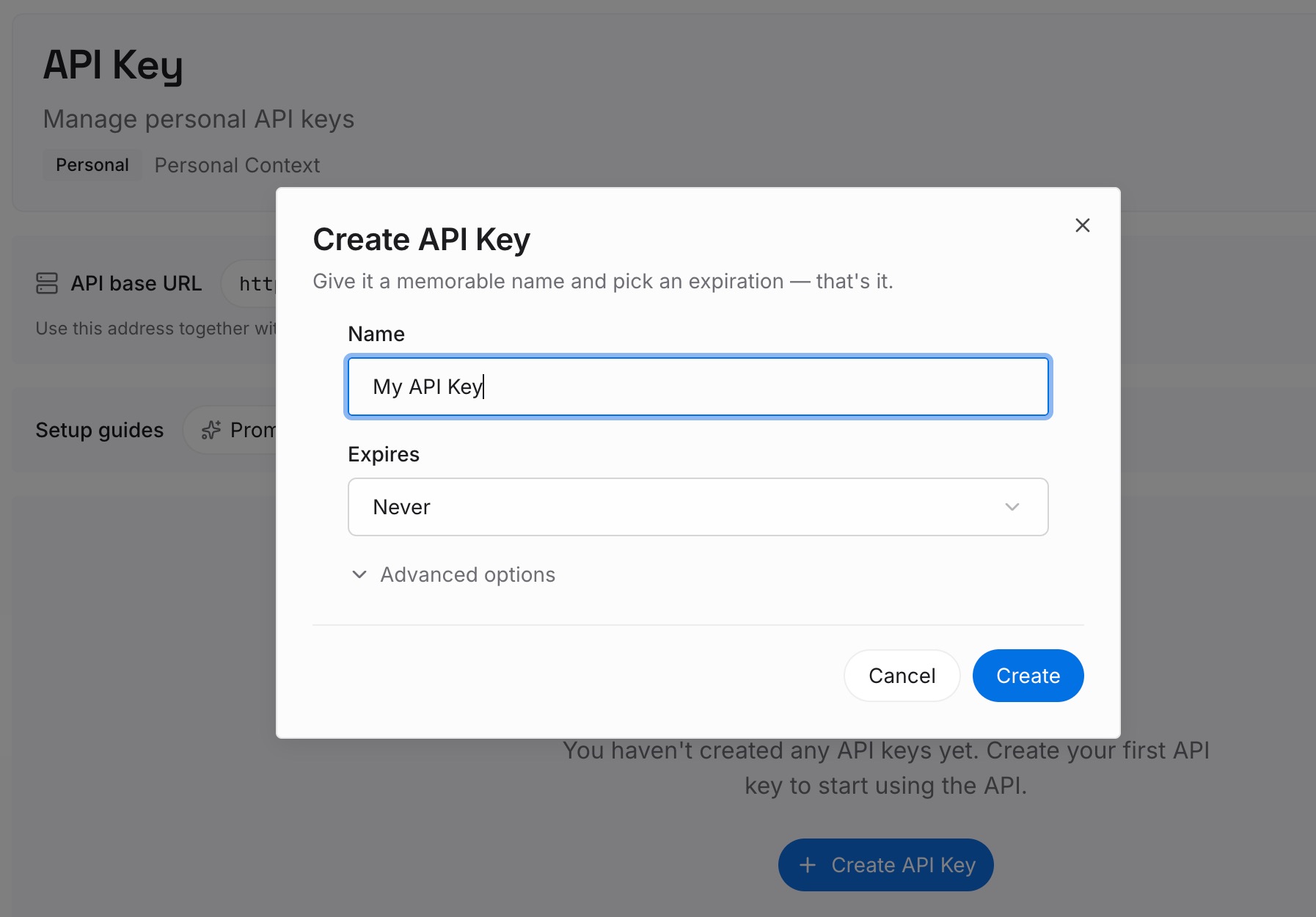
Step 1: Create an API key
Sign in and generate a key from the dashboard. Store it with your other credentials, outside the agent's working files.
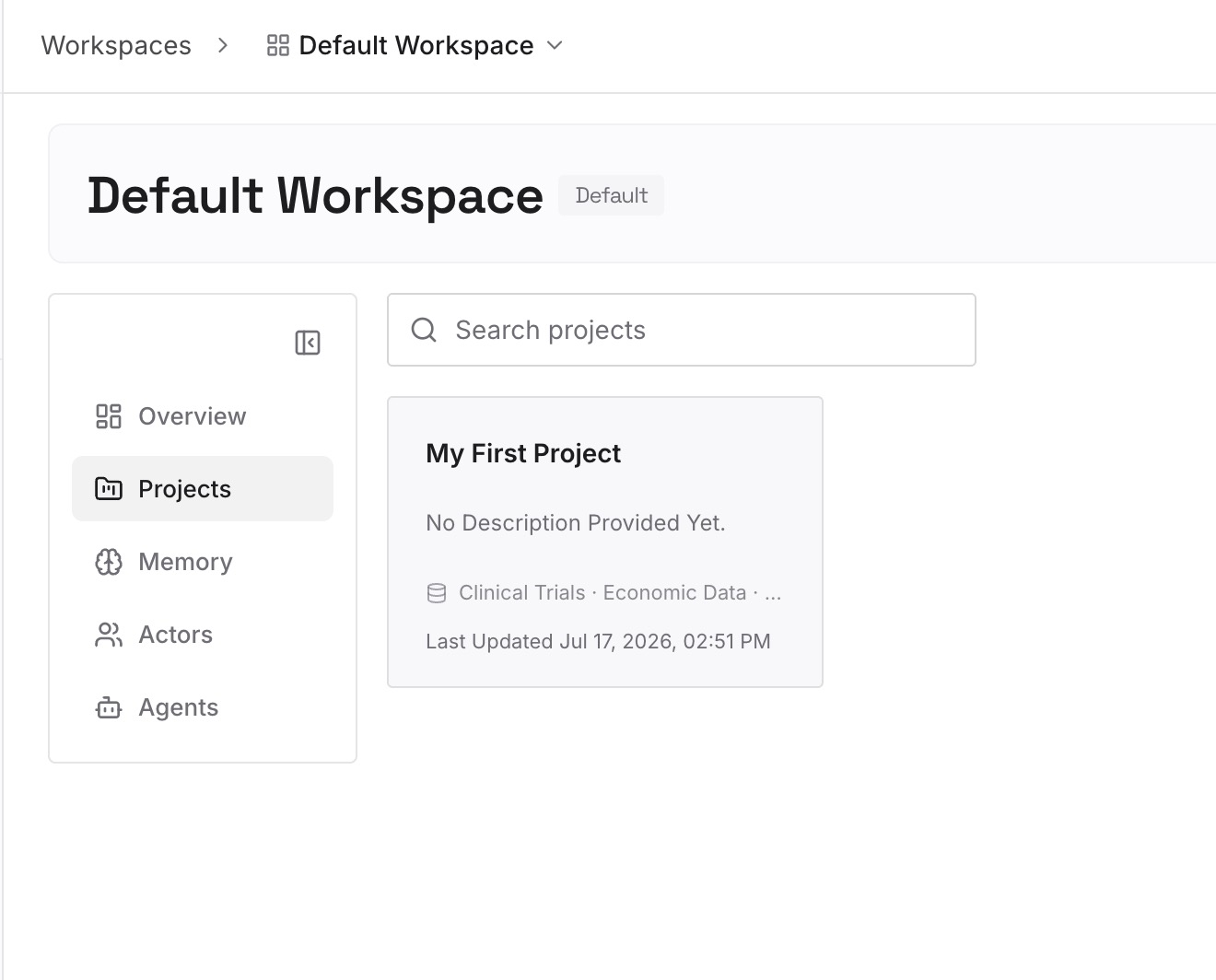
Step 2: Upload your first memories
Start with the four kinds from Step 1 of the fix that apply across tools: standing instructions, what an assistant should know about you, and the decisions an ongoing project depends on. One instruction or decision per entry.
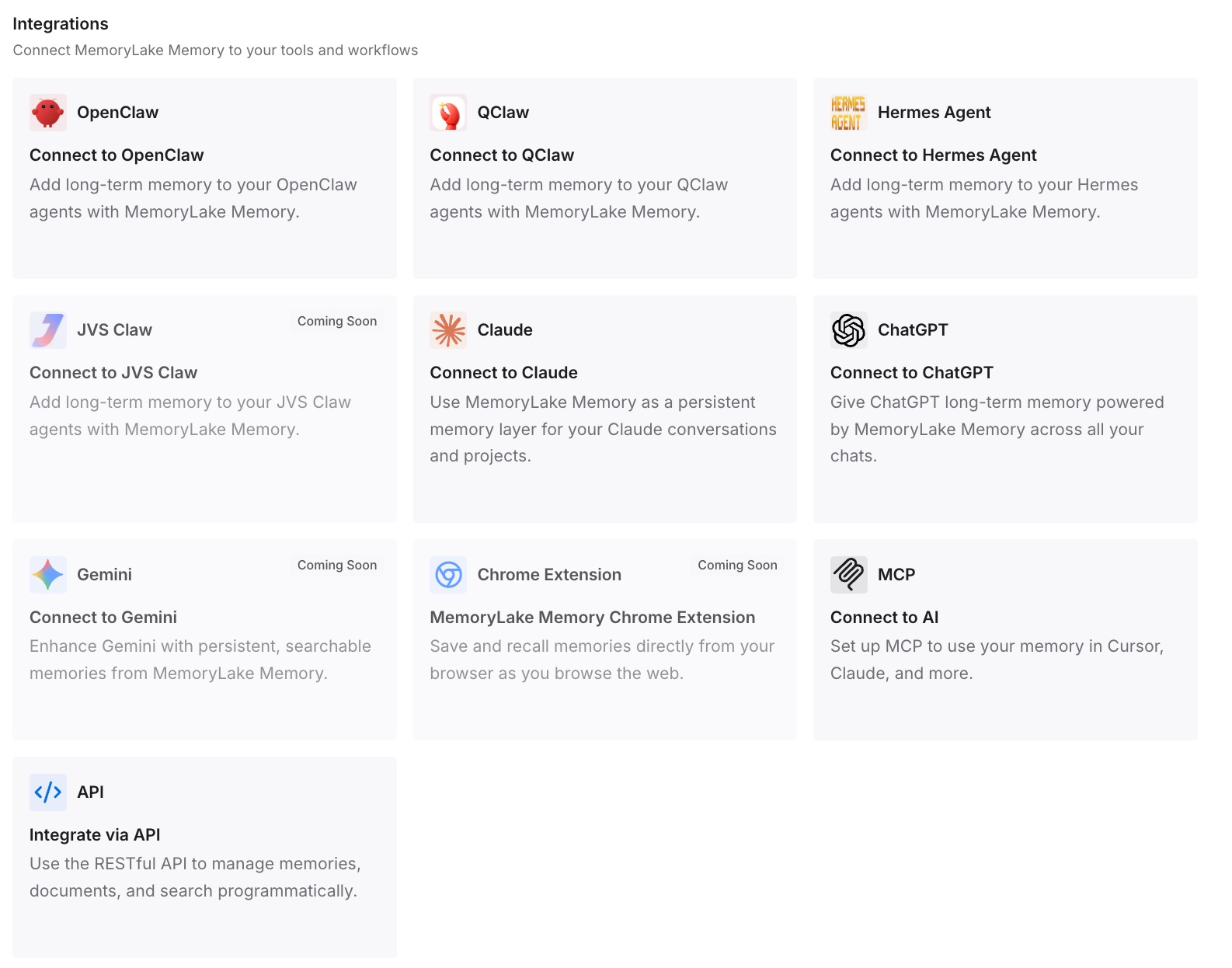
Step 3: Connect your AI & agents
Connect ChatGPT, Claude Code, Codex, or the other assistants you use. Each one can draw on the same entries, so a new session starts with the context you wrote down.
What this changes in practice
The first difference is that a new session isn't a blank slate. The instructions and decisions you rely on are written down, not left in a transcript.
The second is less repetition. You don't re-explain your preferences to each assistant, and you don't re-explain them after a session is compacted.
The third is a clear line between memory and records: your tools keep their own data, and the shared context sits in one place you can correct.
Best practices for always-on agents
Design for sleep. Assume each run starts with only what memory and the triggering event provide.
Load instructions every run. Keep them in their own file so they apply even when you're not watching.
Keep memory lean. Every line is loaded on every run, so store pointers for anything that lives elsewhere.
Track what's been said. A record of past messages keeps a proactive agent from repeating itself.
Write progress as you go. A progress file lets the next run continue instead of starting over.
Don't trust compaction with decisions. Save anything that has to persist before the session is compacted.
Start quiet. Let the agent earn more of your attention over time.
Conclusion
Always-on agents aren't always running. In Anthropic's description, they sleep, wake for events and timers, do a short run, and save what happened. Five primitives make that work: an event inbox, timers, memory, permissions, and an outbox.
Memory is what makes the runs feel continuous. Anthropic recommends four kinds, user instructions, user notes, past messages, and task progress, stored durably and kept lean, holding only what the agent can't look up again. Because a new session starts with little context and compaction loses detail, anything that has to persist should be written to memory during the run.