
What Claude Code hooks are
Anthropic's definition: "Hooks are user-defined shell commands, HTTP endpoints, MCP tool calls, LLM prompts, or subagents that execute automatically at specific points in Claude Code's lifecycle."
They run in more places than the terminal. "Claude Code fires the same hook events wherever it runs: sessions in the terminal, IDE extensions, the Desktop app, and cloud sessions."
Each hook is attached to an event. The reference lists dozens, from SessionStart when a session begins or resumes, to PreToolUse before a tool call runs, to PreCompact and PostCompact around compaction, to SessionEnd when a session terminates.
Hooks can also do side-effect work, such as formatting files after an edit, blocking a risky command, or sending a notification. This guide is about the subset that puts text into Claude's context, because that text behaves like memory, with some rules of its own.
Where hooks are defined
Where you define a hook sets its scope. The reference lists the locations:
~/.claude/settings.jsonfor all your projects, local to your machine..claude/settings.jsonfor a single project, and can be committed to the repo..claude/settings.local.jsonfor a single project, not shared.- Managed policy settings for an organization, controlled by admins.
- A plugin's
hooks/hooks.jsonwhile the plugin is enabled. - Skill or subagent frontmatter while that skill or subagent is in use.
Hook entries combine rather than replace each other. "Hook entries merge across settings levels rather than replacing each other: user, project, and local settings add their own hooks without removing managed ones".
One limit is worth knowing for remote work: "Cloud sessions don't read your local ~/.claude/settings.json." A hook you rely on locally won't run in a cloud session unless it's defined somewhere the cloud session reads.
To see what's configured, type /hooks. Anthropic describes it as "a read-only browser for your configured hooks" that labels each hook with where it comes from.
Which hooks can add context for Claude
Not every hook can talk to Claude. The ones that can use a field called additionalContext. Anthropic explains: "The additionalContext field passes a string from your hook into Claude's context window."
Where that text appears depends on the event:
SessionStartandSubagentStart: "at the start of the conversation, before the first prompt"UserPromptSubmitandUserPromptExpansion: "alongside the submitted prompt"PreToolUse,PostToolUse,PostToolUseFailure, andPostToolBatch: "next to the tool result"StopandSubagentStop: at the end of the turn, so Claude can act on the feedbackPostModelSwitch: "with the next request after the switch"
For UserPromptSubmit, plain output works too. The reference describes two channels, plain stdout and additionalContext, and says: "Neither channel produces a visible transcript entry."
That's the part that surprises people. Claude Code wraps the text in a system reminder: "Claude reads the reminder on the next model request, but it doesn't appear as a chat message in the interface." Claude sees it, and the chat doesn't show it.
If you want to see what hooks added, the transcript view shows more of the session than the chat does. We covered it in our guide to what transcript view shows in Claude Code.
How much context a hook can add
There's a size limit. "If a value exceeds 10,000 characters, Claude Code writes the text to a file in the session directory and passes Claude the file path with a preview of up to the first 2,000 characters instead. Claude can read the file, but Claude Code doesn't ask it to."
So a hook that dumps a long report doesn't put the whole report in front of Claude. It puts a preview and a path, and whether Claude opens the file is up to Claude.
When several hooks fire on the same event, all of them count. "When several hooks return additionalContext for the same event, Claude receives all of the values."
How to write context a hook adds
Anthropic gives specific advice on wording: "Write the text as factual statements rather than imperative system instructions."
The reason is security. Text that sounds like a command from outside the conversation can look like a prompt injection. Anthropic warns that such framing "can trigger Claude's prompt-injection defenses, which causes Claude to surface the text to you instead of treating it as context".
The examples it gives read as plain facts: "The deployment target is production" or "This repo uses bun test". It also lists the kinds of information hooks are good for:
- Environment state: the current branch, deployment target, or feature flags
- Conditional project rules: which test command applies to the file just edited, which directories are read-only in a worktree
- External data: open issues, recent CI results, content from an internal service
What these have in common is that they change. That's the reason to use a hook instead of a file.
Why a resumed session replays old hook output
Here's the behavior from the introduction, in full. "Claude Code saves the injected text in the session transcript."
When you come back to a session, the past turns aren't re-run. "For mid-session events like PostToolUse or UserPromptSubmit, when you resume with --continue or --resume, Claude Code replays the saved text rather than re-running the hook for past turns, so values like timestamps or commit SHAs become stale."
In practice, Claude sees what your hooks said at the time. If a hook reported a CI status, a branch, or an issue list yesterday, that's what's in the resumed conversation's history, next to the turns where it fired.
SessionStart is the exception. Anthropic says SessionStart hooks run again on resume, with the source field set to resume, or to fork if you added --fork-session, "so they can refresh their context".
So if you want fresh values in a resumed session, a SessionStart hook with a resume matcher is the documented place for them. The older values are still in the history, so it helps for the new text to say what's current.
What happens to hook context at compaction
Compaction summarizes earlier parts of a conversation to free space. Anthropic's hooks guide is direct about the risk: "This can lose important details."
Hook text sits in the conversation history, which is what compaction summarizes. Hooks give you two ways to manage that.
Re-inject after compaction. SessionStart has a compact matcher, which fires after auto or manual compaction. The guide's recommendation: "Use a SessionStart hook with a compact matcher to re-inject critical context after every compaction."
Shape the summary itself. PreCompact runs before compaction, and its output has a special role. "When a PreCompact hook exits 0 and doesn't block, Claude Code uses its stdout as instructions for the compaction summary." The same 10,000-character cap applies, and longer output is cut at the cap.
PreCompact can also block compaction, with different results depending on timing. If compaction was triggered proactively, blocking it means the conversation continues uncompacted. If it was triggered to recover from a context-limit error, "the underlying error surfaces and the current request fails".
PostCompact receives the summary that was generated, in a field called compact_summary, which is useful for logging or updating notes outside Claude Code. The reference lists it with no decision control, for side effects like logging.
The SessionStart matchers
Because SessionStart is the main way hooks refresh context, its matchers are worth knowing. The reference lists five:
startupfor a new sessionresumefor--resume,--continue, or/resumeclearfor/clearcompactfor auto or manual compactionforkfor a new session forked from an existing one
There's a timing detail too. At launch and after /clear, SessionStart hooks run in the background so you can type right away, but "Claude's first response still waits for the hooks to finish, so their context reaches Claude." The reference also says that if you run /clear or switch conversations while background hooks are still running, nothing they return applies to the session.
When CLAUDE.md is the better place
Anthropic answers this directly in the reference: "For instructions that never change, prefer CLAUDE.md. It loads without running a script and is the standard place for static project conventions."
The SessionStart section says the same: "For static context that doesn't require a script, use CLAUDE.md instead."
A simple test: if the text would be the same every time the hook runs, it belongs in CLAUDE.md. If it depends on the moment, such as the branch, the time, or the latest build, a hook is the right tool.
CLAUDE.md has its own behavior around compaction. The reference notes an InstructionsLoaded load reason of compact, which fires when instruction files are re-loaded after a compaction. If you've been putting static rules in a hook to make them survive compaction, CLAUDE.md is the documented home for them. To check how your CLAUDE.md files load and what they cost, see our guide to what /doctor checks in Claude Code.
Turning hooks off
To remove a hook, delete its entry from the settings file. To turn all hooks off temporarily, the reference describes a disableAllHooks setting, which follows settings precedence. Admins have a stronger version: with allowManagedHooksOnly in managed settings, user, project, local, and plugin hooks are blocked.
If a hook's context seems to have vanished, check those two settings before debugging the script.
What people try first
Trusting values in a resumed session. Mid-session hook output is replayed from the transcript, so timestamps and commit SHAs can be stale.
Looking for hook output in the chat. Added context doesn't appear as a chat message.
Putting static rules in a hook. Anthropic recommends CLAUDE.md for instructions that never change.
Writing hook text as commands. Imperative framing can trigger prompt-injection defenses.
Returning a long report. Over 10,000 characters, Claude gets a preview and a file path.
Expecting local hooks in cloud sessions. Cloud sessions don't read your local user settings.
The Fix: Give Claude current context without stale leftovers
Step 1: Move static rules to CLAUDE.md
If a hook always says the same thing, put that text in CLAUDE.md instead.
Step 2: Refresh on resume and after compaction
Use SessionStart with resume and compact matchers for values that change.
Step 3: Write facts, keep them short
Phrase hook output as factual statements, label what's current, and stay under 10,000 characters.
Step 4: Write down the reasons
Keep the decisions behind your conventions, such as why a directory is read-only or why a test command differs, somewhere that isn't regenerated each session.
Setting this up in MemoryLake
Hooks are good at the present tense: what branch you're on, what CI says right now. CLAUDE.md is good at fixed conventions. Neither is built for the decisions that change slowly and need to reach more than one tool, such as why the team chose a migration order or which approach was already ruled out.
MemoryLake is a memory layer for that kind of project context, such as decisions, constraints, and conventions, kept in one place you maintain and available to the assistants you connect, such as ChatGPT, Claude Code, and Codex.
You write the entries yourself, in your own words. Nothing is read out of, written to, or deleted from your hooks, your settings files, your CLAUDE.md files, your session transcripts, your compaction summaries, or any vendor's store. Hooks, compaction, and resume work the way Anthropic describes them.
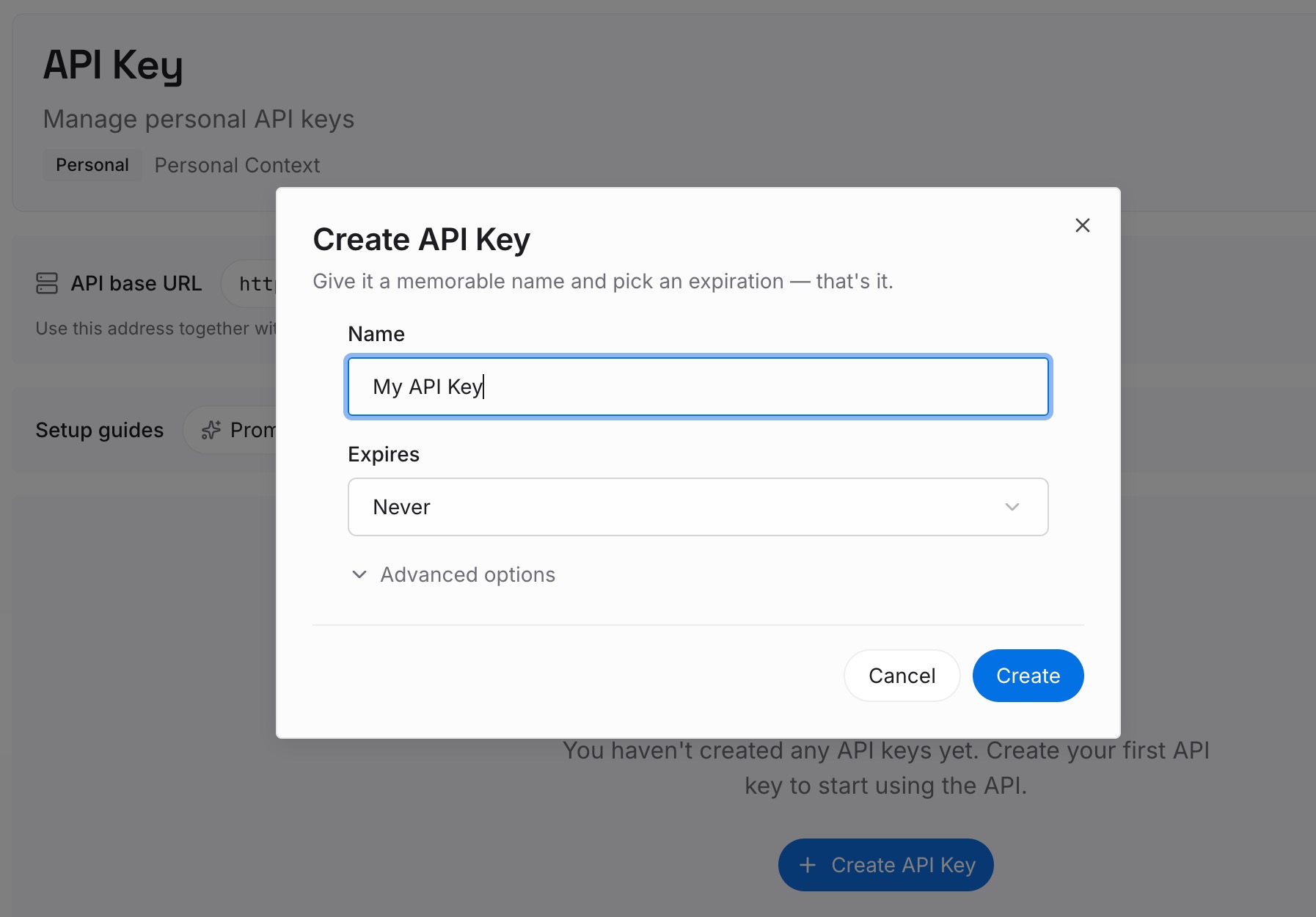
Step 1: Create an API key
Sign in and generate a key from the dashboard. Store it outside your repositories and out of hook scripts, like any other credential.
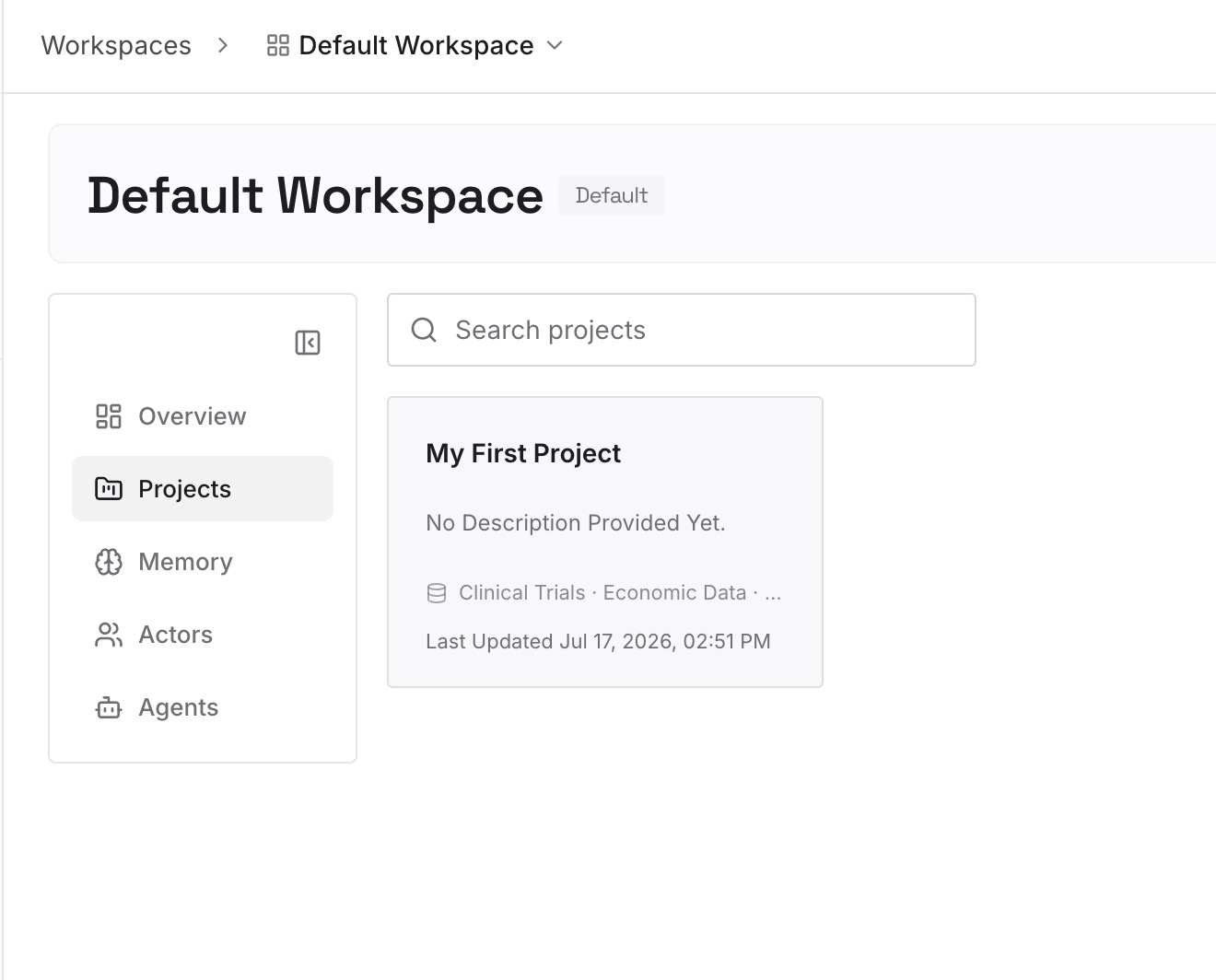
Step 2: Upload your first memories
Start with what you wrote in Step 4 of the fix: the reasons behind your conventions and the decisions your hooks assume. One decision per entry.
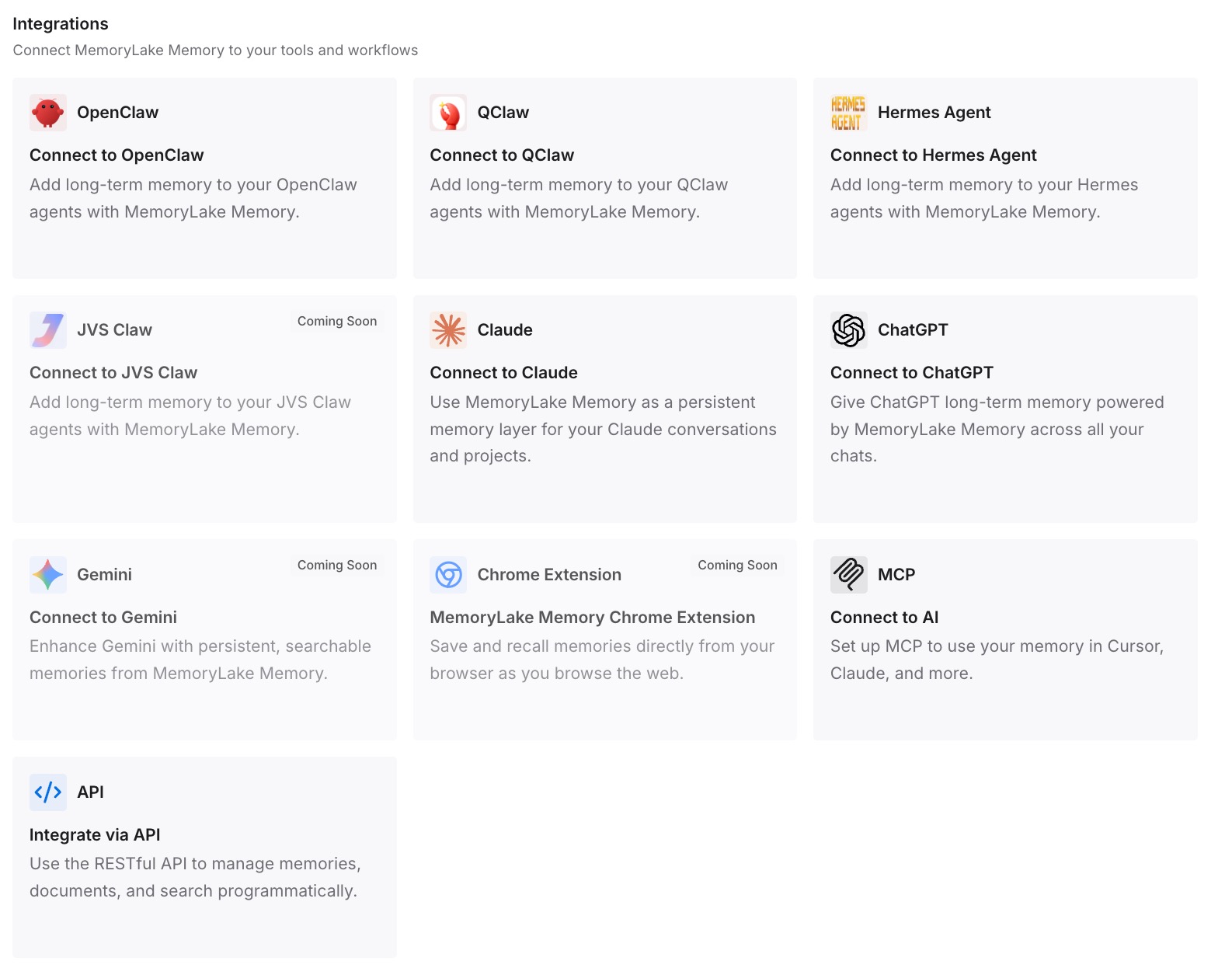
Step 3: Connect your AI & agents
Connect Claude Code and any other assistants you use. Hooks keep supplying the current state, and the reasoning is available alongside it.
What this changes in practice
The first difference is a cleaner split. Hooks carry what changes by the minute, CLAUDE.md carries fixed conventions, and the slower-moving decisions have their own place.
The second is less stale context. Decisions aren't frozen into a transcript at the moment a hook fired.
The third is continuity across tools. Codex or another assistant working on the same repository can use the same decisions without its own hook setup.
Best practices for Claude Code hooks
Use hooks for what changes. Branches, builds, and issue lists, not fixed rules.
Put fixed rules in CLAUDE.md. It loads without running a script.
Refresh on resume. Only SessionStart re-runs when you resume.
Plan for compaction. Use a compact matcher to re-inject what matters, or PreCompact to guide the summary.
Write facts, not commands. It keeps hook text from looking like an injection.
Stay under the size cap. Long output becomes a file path and a preview.
Check /hooks when something's missing. It shows where each hook comes from.
Conclusion
Claude Code hooks run automatically at points in a session's lifecycle, and several of them can add context for Claude through additionalContext: SessionStart, SubagentStart, UserPromptSubmit, the tool events, Stop, and PostModelSwitch, among others. That text reaches Claude as a system reminder and doesn't appear as a chat message.
Claude Code saves hook text in the transcript and replays it on resume for past turns, so values can go stale, and only SessionStart runs again. Use SessionStart matchers and PreCompact to manage context across resume and compaction, keep static rules in CLAUDE.md, and keep the decisions behind your setup somewhere that isn't regenerated each session.