
What a mod is
Anthropic's documentation starts with a definition: "A mod is a plugin that changes how Claude Code looks and behaves."
A mod is code. "It's made of JavaScript or TypeScript event handlers: Claude Code calls one when an event happens, such as a tool call, a submitted prompt, or a part of the interface being drawn, and the handler can watch the event, change it, or take it over."
The documentation calls those handlers hooks, which can be confusing, because Claude Code already has hooks you configure in a settings file. On the mod pages, Anthropic calls the settings-file kind a settings hook. The difference is where they run: "A mod's handlers are functions that run inside Claude Code instead."
A small mod is three files: a plugin manifest, a hooks.json that points to the code, and a code file that registers the handlers.
What a mod can do
Because a mod runs inside Claude Code, Anthropic lists things it can do that settings hooks, skills, status lines, and MCP servers can't:
- Draw an interface you can use, such as a pane beside the transcript or a band above the prompt, with tabs, buttons, and text fields.
- Redraw Claude Code's own interface, such as a tool call's row, the spinner, or the dialog Claude asks questions in.
- Step into a tool call or a request, for example holding a tool call while you're asked a question, or sending a request to a different model.
- Run your own code on a command, a
/commandthat runs at once, with no Claude turn, even while Claude is working. - Share data between hooks, so one hook can record something and another can display it.
Some of Claude Code's own features are built as mods. The built-in list includes /diff, and a built-in mod that "Loads AGENTS.md as project instructions". You can see built-in mods in the Installed tab of /plugin, but "You can't update or uninstall a built-in mod."
How mods differ from settings hooks, skills, plugins, and MCP servers
Plugins. A mod isn't a separate thing from a plugin. It installs as a plugin, from a marketplace, and a plugin can hold a mod alongside skills, commands, agents, and MCP servers.
Settings hooks. A settings hook is a shell command, HTTP request, or prompt that Claude Code runs on a lifecycle event. It can allow, block, or change a tool call or prompt, and add context for Claude, but it can't draw anything. We covered settings hooks, and which ones can add context, in our guide to what Claude Code hooks are.
Skills. A skill is a SKILL.md file of instructions Claude reads. It changes what Claude knows and does, not what Claude Code does.
MCP servers. An MCP server gives Claude tools to reach an external system.
Anthropic's comparison sums up when to pick a mod: when you want a pane, a band above the prompt, a custom command, or to rewrite an event. If a settings hook, a skill, or an MCP server already does what you need, the documentation suggests comparing them before writing a mod.
Installing a mod, and deciding whether to trust it
You install a mod the way you install any plugin: run /plugin install with the plugin name, an @, and the marketplace name in a session. If you install from your shell while a session is open, run /reload-plugins to load it.
Anthropic also shares sample mods in a public repository, such as one that draws a forecast of your context window above the prompt and one that holds a risky shell command and shows what it would change.
Before installing, take the warning seriously. "A mod is code that runs with your permissions." The documentation lists what a mod can reach once it loads, including your files, your environment variables and settings files, and your session: "every prompt you send and every tool call Claude makes".
And: "Mods aren't sandboxed." If you turn on sandboxing, it isolates the Bash commands Claude runs, but a process a mod starts runs outside it.
There are limits. "A mod can restyle much of Claude Code's interface, but not the permission prompt." And Anthropic describes a built-in guard that, when loaded, by default stops a user's mod from approving tool calls your rules or hooks would stop.
To see what a mod does before you install it, run claude plugin validate on its folder. The output lists the events the mod handles and what it asks Claude Code to do.
Where mods run
Mods work in the Claude Code CLI, the Code tab of the Claude Desktop app, and the VS Code extension. Anthropic's table adds the edge cases:
claude -pand the Agent SDK: hooks run, but nothing is drawn.- Remote Control: hooks run in the session on your machine, and drawing appears in the terminal there.
- Cloud sessions: hooks run for a plugin that reaches the cloud session, but nothing is drawn.
- WSL sessions in the Desktop app: mods don't run, because plugins aren't available there.
A mod that draws can check where it's running and fall back to a line in the transcript or a command's text reply.
What a mod keeps between sessions
This is the part worth understanding before you rely on a mod. Anthropic's documentation says: "Where a mod keeps a value decides how long the value lasts: until the module reloads, until the session ends, or from one session to the next."
There are three places:
A module-level variable. It lasts until the module reloads, which during development happens every time you save a file. Anthropic describes these as values you can lose.
$.state. It lasts until "The session ends, or the user runs /clear, /resume, or /branch". It's meant for values a drawing depends on that should survive a module reload. That's why the pane in the opening example went blank after /clear.
$.store. It lasts until the mod deletes the value, or until no session reads or writes the store for the cleanupPeriodDays period. Anthropic describes it as "A key-value store that every session on the machine shares." It's saved as a JSON file of the plugin's own under ~/.claude/plugins/store/, and the documentation lists settings, history, and "anything the user expects to find next time" as what it's for.
So the counter that remembered yesterday's total was in $.store. The pane that reset was drawing from $.state.
A well-built mod bridges the two. Anthropic notes that if a mod copies a saved value from $.store into $.state when a session starts, it has to copy it again after /clear, /resume, or /branch, because those commands reset $.state and the session-start hook doesn't fire again. If a mod's display resets when its data shouldn't, that's the place the author needs to look.
Two practical points follow. A mod's store is on your machine, shared by sessions there, so it isn't the same as something your teammates or another computer can see. And it's subject to the same retention period Claude Code uses elsewhere, if nothing touches it.
How to turn mods off
"Mods are on by default." To stop them, Anthropic lists three levels:
- One mod: disable or uninstall its plugin from the Installed tab in
/plugin. - Every installed mod, for one session: start Claude Code with
--safe-mode, which also disables your other customizations. - Every mod you installed, in every session: set
disableAllHookstotruein~/.claude/settings.json. Your settings hooks and custom status line stop too.
Built-in mods are different: "The settings and flags that stop installed mods, such as disableAllHooks, --bare, and --safe-mode, don't stop built-in mods." Organizations can also limit which mods load through managed settings.
What people try first
Expecting a mod's pane to survive /clear. $.state resets on /clear, /resume, and /branch.
Expecting a mod's data on another machine. $.store is shared by sessions on the machine where it's saved.
Installing without checking. Run claude plugin validate to see what a mod does.
Assuming the sandbox covers mods. Mods aren't sandboxed.
Using a mod for project knowledge. A mod changes how Claude Code behaves; project knowledge belongs in instruction files.
The Fix: Use mods for behavior, and keep context elsewhere
Step 1: Check what a mod does before installing
Run claude plugin validate on its folder and read the events and calls it lists.
Step 2: Know where each value lives
If you write a mod, put values that must survive /clear in $.store, and reload them into $.state after a reset.
Step 3: Keep project knowledge in instruction files
Conventions and structure belong in CLAUDE.md or AGENTS.md, which load as project instructions.
Step 4: Write down what you learn in a session
A mod's pane can track progress, but the decisions behind it should be recorded somewhere that outlasts the session and the machine.
Setting this up in MemoryLake
A mod is a good way to see what's happening in a session. The decisions and lessons from that session, such as which approach worked or why a file is off-limits, need a home that doesn't reset on /clear and isn't tied to one machine.
MemoryLake is a memory layer for that kind of project context, such as decisions, conventions, and lessons learned, kept in one place you maintain and available to the assistants you connect, such as ChatGPT, Claude Code, and Codex.
You write the entries yourself, in your own words. Nothing is read out of, written to, or deleted from your mods, their $.state or $.store, your plugins, your settings files, your sessions, or any vendor's store. Mods and their state work the way Anthropic describes them.
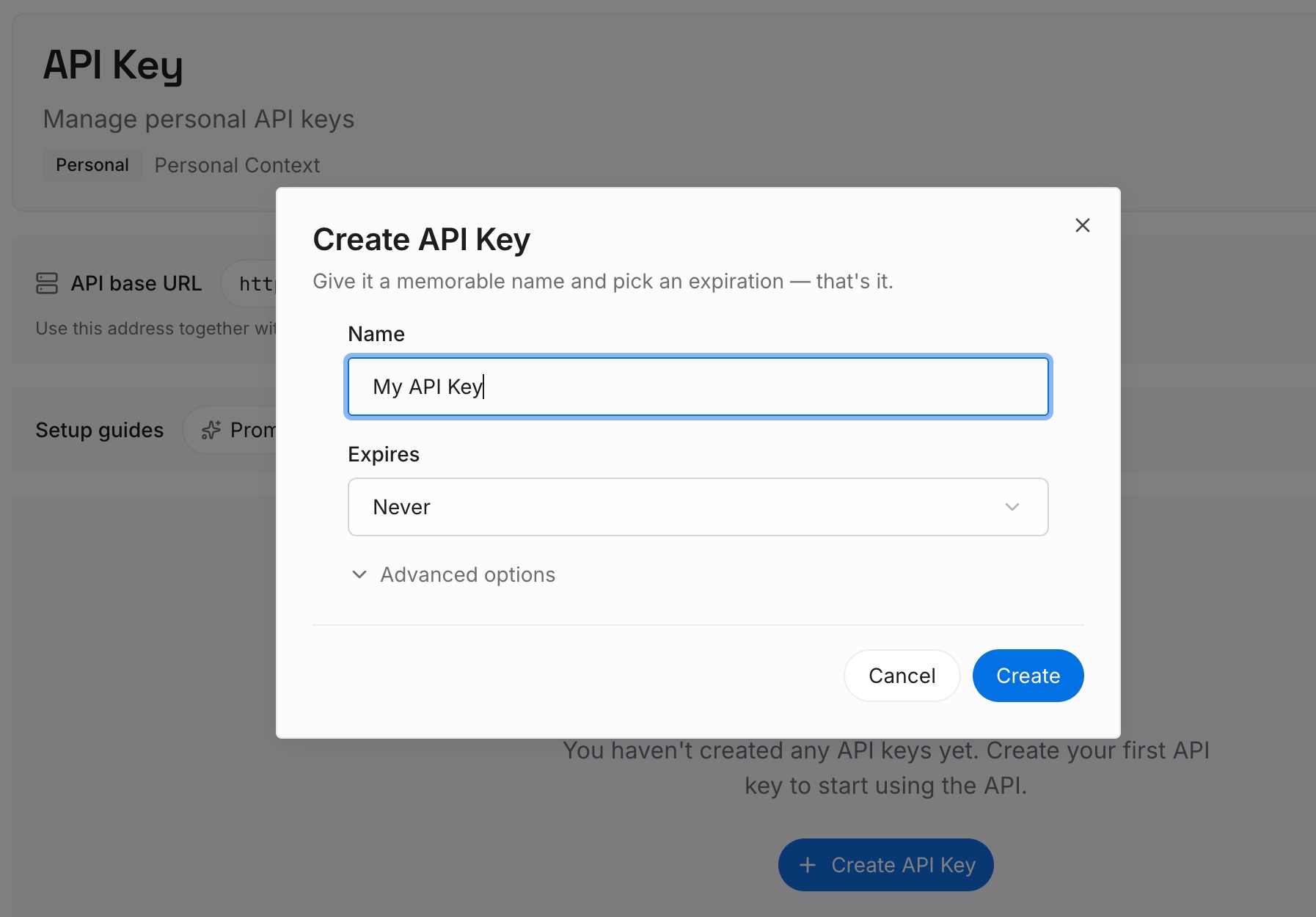
Step 1: Create an API key
Sign in and generate a key from the dashboard. Keep it out of plugin and mod code, like any other credential.
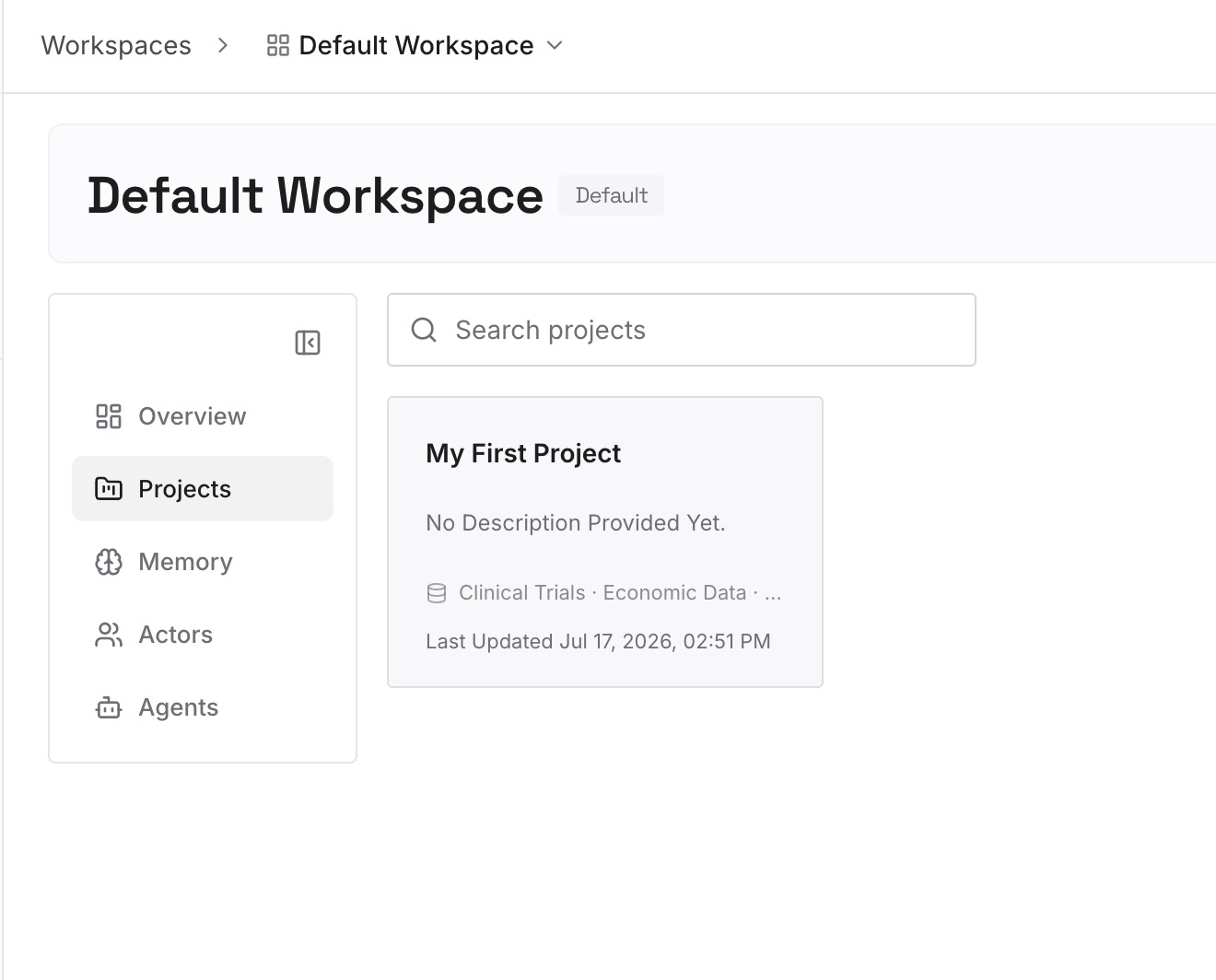
Step 2: Upload your first memories
Start with what you wrote in Step 4 of the fix: decisions from recent sessions, conventions you rely on, and lessons you don't want to relearn. One decision per entry.
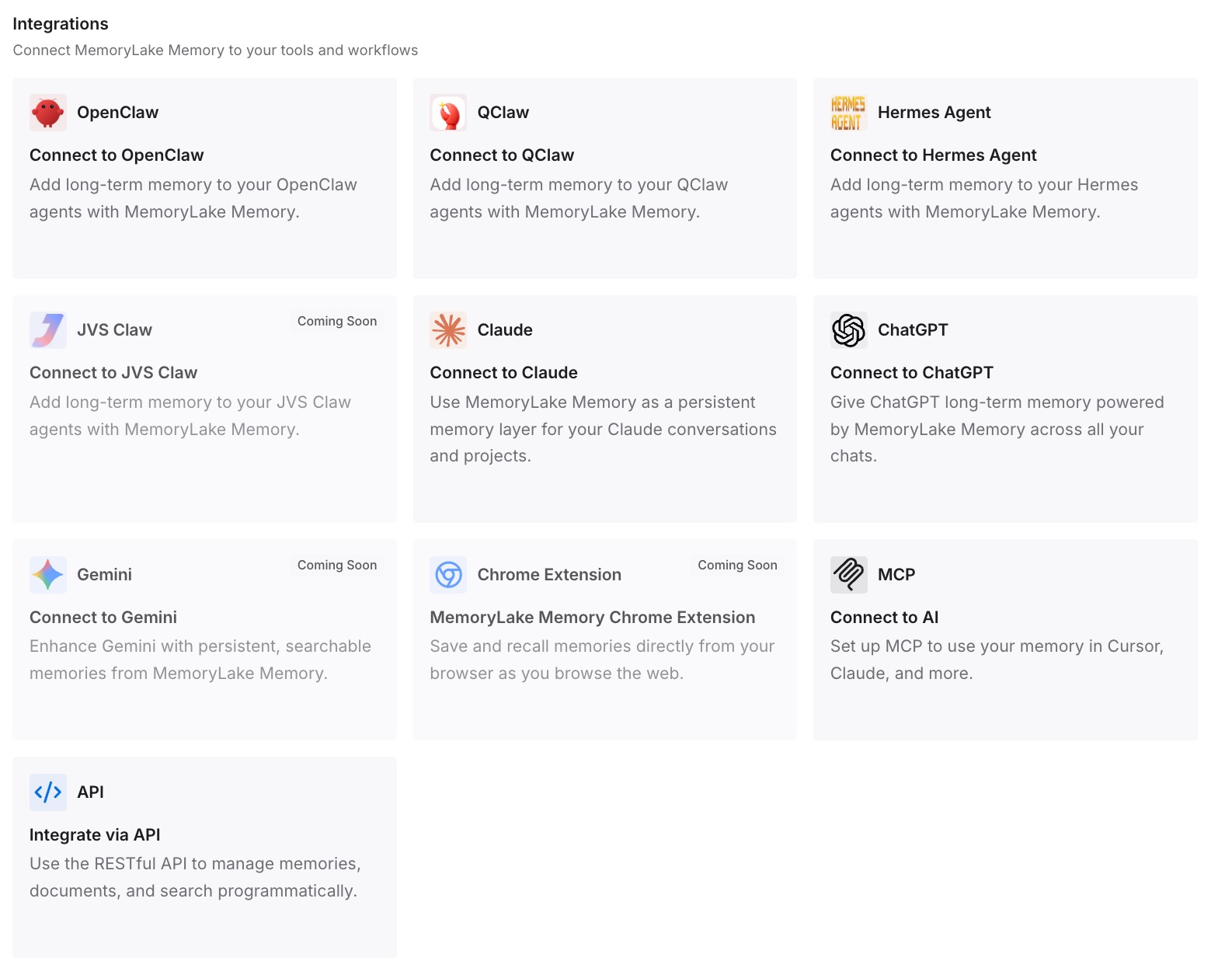
Step 3: Connect your AI & agents
Connect Claude Code and the other assistants you use. A new session, or another machine, can draw on the same entries.
What this changes in practice
The first difference is that /clear stops costing you context. A mod's display can reset, and the decisions are still written down.
The second is portability. What you learned isn't tied to one machine's store.
The third is a cleaner split. Mods handle how Claude Code behaves, and your project context lives in one place.
Best practices for Claude Code mods
Treat mods as code. They run with your permissions and aren't sandboxed.
Validate before installing. claude plugin validate lists what a mod does.
Reload after shell installs. Run /reload-plugins in an open session.
Know the three lifetimes. Variables, $.state, and $.store each last a different length of time.
Expect resets on /clear. $.state goes back to its defaults.
Use --safe-mode to troubleshoot. It disables installed mods for one session.
Keep context out of mods. Use instruction files and a memory you maintain.
Conclusion
A Claude Code mod is a plugin made of JavaScript or TypeScript handlers that run inside Claude Code. It can draw panes and bands, redraw parts of the interface, step into tool calls and requests, and add commands, which settings hooks, skills, and MCP servers can't. It also runs with your permissions and isn't sandboxed, so validate before you install.
What a mod keeps depends on where it stores a value. Module variables last until a reload, $.state lasts until the session ends or you run /clear, /resume, or /branch, and $.store persists across sessions on your machine until the mod deletes it or it goes unused for the retention period. For context that has to outlast all of that, write it down somewhere you maintain.