
What ChatGPT Sites is
A Site is a hosted web experience that ChatGPT builds for you. OpenAI gives examples: "You can build issue dashboards, document finders, and other Sites that use visitors' connected apps."
Its suggested uses include:
- "Turning a presentation into an interactive pitch."
- "Turning a data export you have permission to use into a business performance dashboard."
- "Turning team resources into a customer support app or employee learning hub."
To start, you ask ChatGPT to build a website. OpenAI says to include the word website in your prompt, or mention @Sites.
Who can use Sites
OpenAI's article says: "ChatGPT Sites is available to ChatGPT Plus and Pro accounts, as well as Business and Enterprise workspaces." It isn't on every plan: "Sites is not available on Free or Go."
Where you build it matters too. On the web, you select Work. In the desktop app, you select ChatGPT and then Work, or select Codex. OpenAI also notes that "Sites is not available in the ChatGPT Classic app."
In managed workspaces, "Workspace settings and role permissions determine who can use Sites." In Enterprise, "public publishing is off by default and must be enabled by an admin."
How usage and storage work
Building a Site uses the same allowance as Codex. OpenAI says: "Building or editing a Site counts toward your Codex usage. Usage for running and hosting Sites, including traffic and storage, is separate."
On Plus and Pro, "there's no fixed limit on the number of Sites you can create. Usage and storage limits still apply across your Sites." For Enterprise, "Charges for running and hosting Sites are currently waived".
Storage has one firm number: "Each Site's database can store up to 10 GB." OpenAI says file storage has no fixed limit per Site.
How building a Site works
The flow, from OpenAI's steps:
- Describe the website you want, and add "the content, files, data, links, and constraints ChatGPT should use."
- Review the preview ChatGPT generates, and ask for changes.
- Deploy the Site to generate its URL. "New Sites are private by default. Workspace admins may also have access."
- Open the Site and review its content and full URL.
- Choose who can access it in Share, then save.
Publishing and editing are separate. OpenAI says "Deploying changes to an existing Site updates its live version." To review changes first, save a version and deploy only after you've checked it.
Edits happen in a chat. You can open the chat where the Site was created, or start from the Sites list, and "The chat opens with a reference to the Site."
What information a Site can include
This is the part to read before you build anything from a working conversation. OpenAI's FAQ asks the question directly, and answers: "Depending on how you create and publish a Site, Sites can include information from ChatGPT prompts, instructions, conversation context, uploaded or referenced files, site code, generated artifacts, hosted URLs, access settings, storage, metadata, logs, and operational data needed to host, secure, debug, or enforce policy on the Site."
That list starts with what you said. Prompts, instructions, and conversation context are the first three entries. If the conversation you built the Site from contains names, figures, or internal details, ChatGPT may use them while building.
OpenAI's guidance on what to publish is consistent with that. It says: "Use content you have permission to share, and choose an audience that matches the content." And before sharing, it says to "check that it does not include information or content you do not want to share."
Information can also flow the other way. OpenAI's training FAQ gives an example: "if you ask ChatGPT to edit a published Site or retrieve information from it, ChatGPT may bring relevant information from the Site into your conversation to help complete your request."
How training settings apply
OpenAI's FAQ separates plans:
- Business and Enterprise/Edu. "OpenAI does not use these conversations or the Site information included in them to train its models by default."
- Free, Go, Plus, and Pro. OpenAI may use your conversations to train its models if Improve the model for everyone is on, "which includes conversations where you use ChatGPT to create, design, edit, or manage a Site."
If you build Sites from a personal account and care about training, check that setting in Data controls.
Why each visitor uses their own connected apps
A Site can show data from tools like an issue tracker, but it doesn't share your access. OpenAI's article repeats the rule several times: "Each visitor uses their own connected accounts and existing permissions."
Here's how it works for a visitor, according to the article:
- They sign in and approve access. The visitor reviews "which data and actions the Site requests" and chooses their own connected account.
- The Site works within their permissions. "The Site can use the data and actions you approve, within your existing app permissions."
- Approval is limited. "If Read and write is offered, approve it only if you want the Site to make changes in that app."
- Your accounts stay yours. "Sharing the Site doesn't let other visitors use your connected accounts."
There are conditions. The Site has to be private to the workspace, the visitor has to belong to it, and admins have to allow connected-app access for Sites. OpenAI adds that "Being invited to view a Site, including as an external viewer, doesn't by itself give you connected-app access."
While you build, your own connections are in use. OpenAI says "ChatGPT uses your available connections while building and previewing the Site." That's another reason to review the preview with your data before sharing it.
Scheduled updates don't get visitor access
Sites can run cloud schedules for recurring work. But the access a visitor approved doesn't carry over to them. OpenAI says: "A scheduled task can't use app access that a visitor approved while using the Site." And: "Your approval also doesn't give background scheduled tasks access to your connected apps."
If a schedule needs data, it has to reach it through the database or another supported connection that works in the cloud.
Sharing and publishing
A new Site starts narrow. "A new Site is limited to its owner and workspace admins until access is changed." The access options include selected users or groups, named external viewers, anyone in the workspace where supported, and anyone on the internet when public publishing is enabled.
OpenAI's warning for the widest option: "If you choose Anyone on the Internet, the Site will be publicly accessible. Carefully review your Site before proceeding."
A Site isn't the same as a shared conversation link. Our guide to what a ChatGPT shared link carries explains what a conversation link includes.
Check the address too. For personal accounts, OpenAI says Sites uses a randomly generated identifier by default instead of your username, but "If you choose to make your profile public or change your username, Sites may use your username in the URL."
Editors get real power. OpenAI says to "Give edit access only to trusted collaborators. Editors can inspect the live database and publish code that uses the Site's secrets and storage."
What versions and backups cover
This part is easy to overlook. Versions cover code, not data. OpenAI says: "Restoring an earlier version restores the code, not your database or uploaded files."
Publishing can change data before a release finishes: "Publishing can change the Site's database before the new version goes live. If publishing fails, some database changes may already have been saved."
And there's no combined backup. OpenAI says "Sites doesn't have a built-in way to back up your database records and uploaded files together and restore them into a new Site." To save the code, you can ask Codex to export it. If you have exported data, OpenAI says you can use it as a starting point to rebuild the Site manually.
What deleting a Site removes
You can take a Site down in two ways. Restricting access in Share makes it private again. Deleting it is final: "Deleting a site permanently removes it, and you cannot restore deleted sites." To confirm, you type the Site's slug in the dialog.
Before deleting, export what you might want later: the code through Codex, and any data you have a way to export. After deletion, there's nothing to restore from.
Files you uploaded to ChatGPT outside the Site follow their own rules. Our guide to cleaning up your ChatGPT Library covers how saved files are kept and removed.
What people try first
Building a Site straight from a working chat and publishing it. The Site can include information from prompts, instructions, and conversation context. Review the preview first.
Assuming visitors see your connected data. Each visitor uses their own connected accounts and permissions.
Restoring a version to undo a bad publish. It restores code, not the database or uploaded files.
Expecting a schedule to use visitors' app access. Scheduled tasks can't use access a visitor approved.
Deleting a Site to clean up. It can't be restored.
The Fix: Build Sites from content you mean to share
Step 1: Start from a clean brief
Instead of building from a long working conversation, write a short brief with the content, files, and constraints the Site should use. OpenAI's own prompt example asks ChatGPT to "Use only supplied materials".
Step 2: Review the preview as a visitor
Check the content, forms, links, and files. OpenAI suggests testing the Site "as an intended visitor" and confirming access matches your audience.
Step 3: Choose the narrowest audience that works
Start private, share with selected people, and widen only when needed.
Step 4: Export before big changes or deletion
Ask Codex to export the code, and keep a copy of any data you can export.
Setting this up in MemoryLake
Sites shows how easily context from a conversation can travel into something other people see. OpenAI's own list of what a Site can include starts with your prompts, instructions, and conversation context. The safest way to build is from context you chose on purpose.
MemoryLake is a memory layer for keeping the project facts you're willing to reuse, such as product descriptions, approved figures, and team resources, in one place you maintain, available to the assistants you connect, such as ChatGPT, Claude Code, and Codex.
You write the entries yourself, in your own words. Nothing is read out of, written to, or deleted from your ChatGPT Sites, your Site databases, your conversations, your connected apps, your saved memories, or any vendor's store. Building, sharing, and deleting Sites work the way OpenAI describes them.
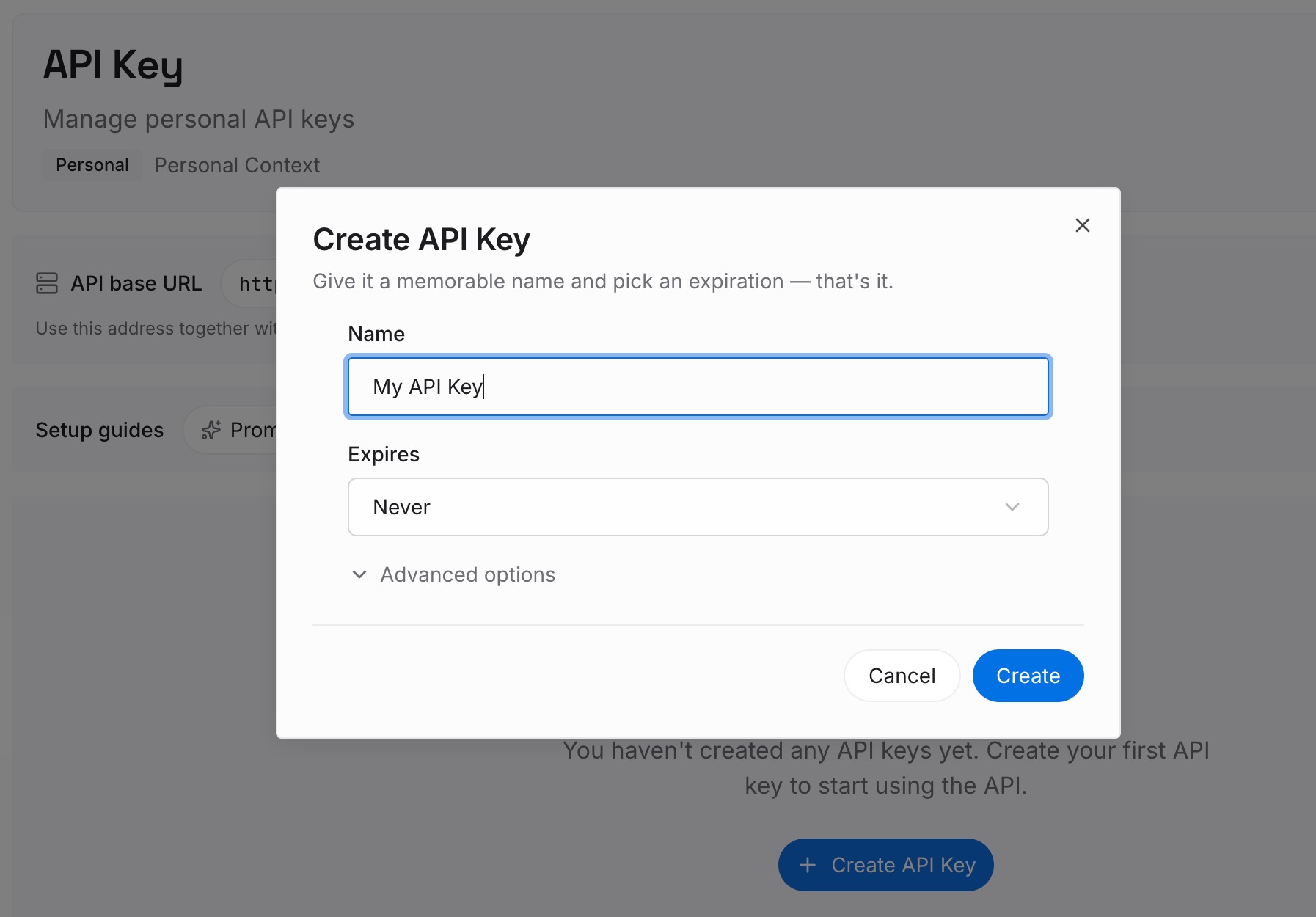
Step 1: Create an API key
Sign in and generate a key from the dashboard. The key belongs to your MemoryLake workspace and is separate from your OpenAI account.
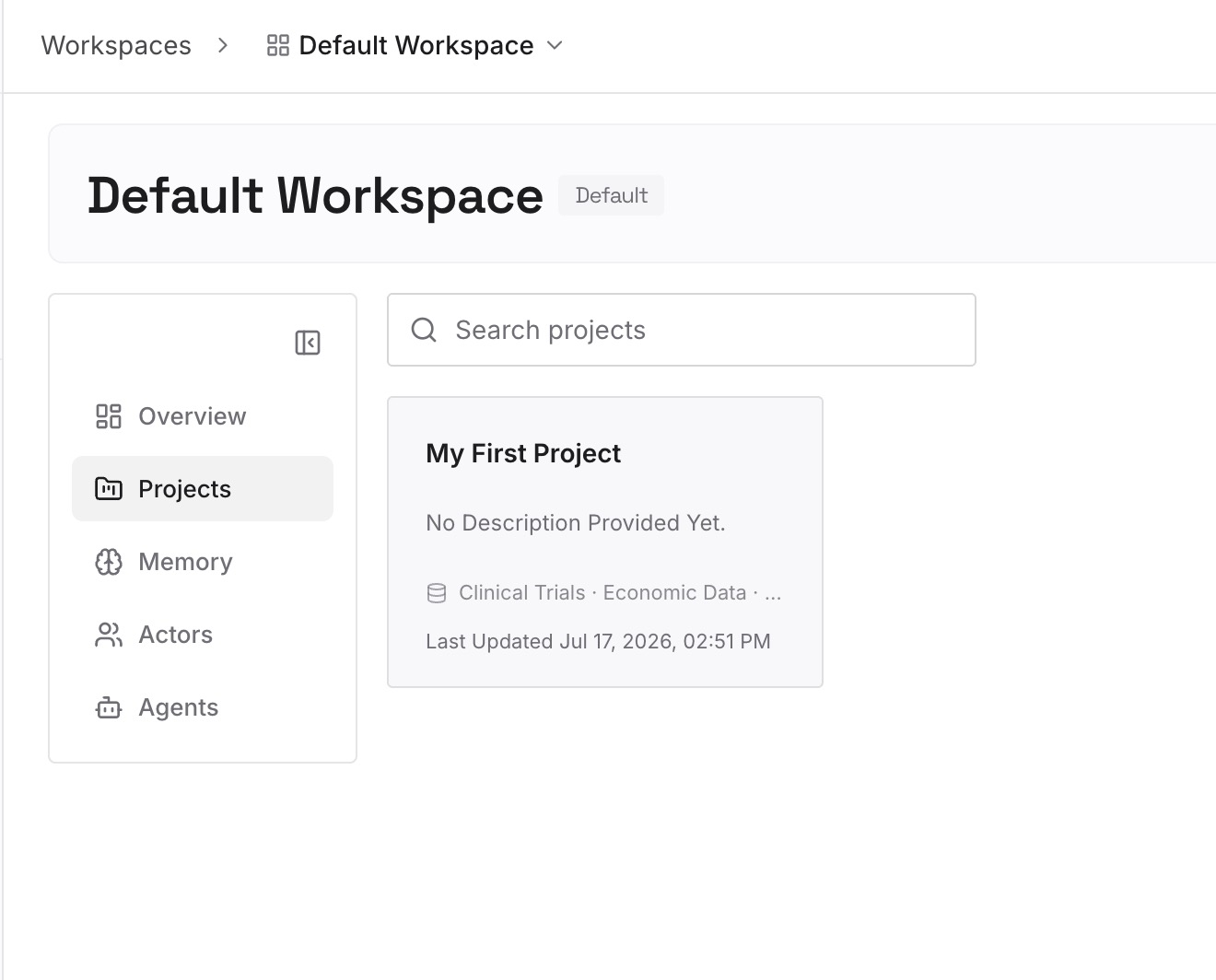
Step 2: Upload your first memories
Start with the brief from Step 1 of the fix: the content and facts you're comfortable putting on a Site. One item per entry, so you can update one without rewriting the rest.
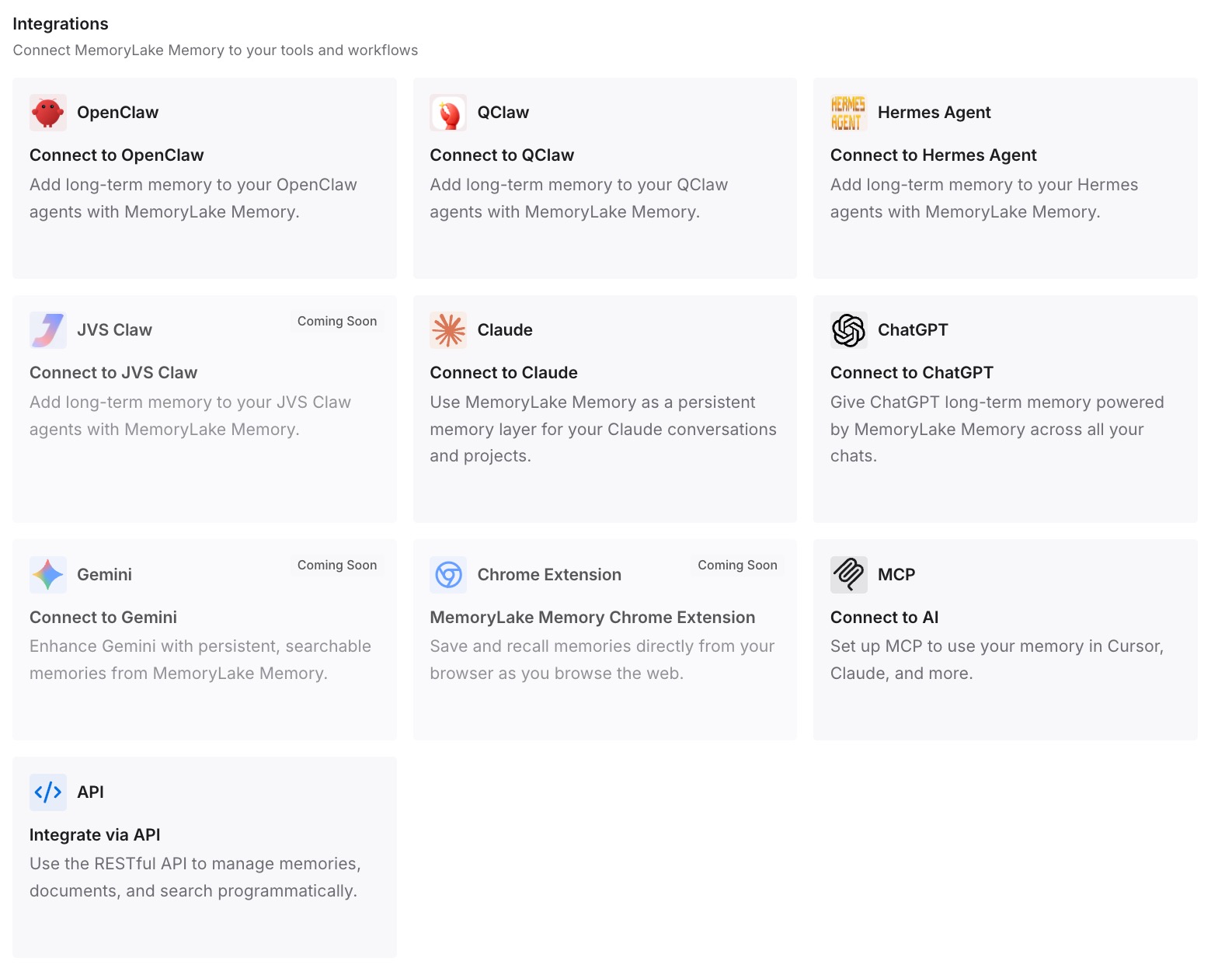
Step 3: Connect your AI & agents
Connect ChatGPT and any other assistants you use. A new Site can start from the same approved context.
What this changes in practice
The first difference is a cleaner starting point. A Site built from a brief carries what you chose, not everything from a long chat.
The second is easier rebuilds. If a Site is deleted, the content behind it is still written down.
The third is consistency. The same approved facts can feed several Sites and other tools.
Best practices for ChatGPT Sites
Build from a brief, not a long chat. A Site can include conversation context.
Review the preview before publishing. Check content, forms, files, and links.
Start private. New Sites are private by default, so widen access deliberately.
Check the URL. A public profile or username change can put your username in it.
Give edit access carefully. Editors can inspect the database and publish code.
Export before risky changes. Restoring a version doesn't restore data.
Delete only when you're sure. Deleted Sites can't be restored.
Conclusion
ChatGPT Sites lets Plus, Pro, Business, and Enterprise users create, preview, publish, and share websites and lightweight apps from a conversation. Building and editing a Site counts toward Codex usage, new Sites start private, and each visitor uses their own connected accounts, which scheduled tasks can't borrow.
OpenAI says a Site can include information from your prompts, instructions, and conversation context, along with files, code, and data. Restoring a version brings back code but not the database or uploaded files, and deleting a Site is permanent. Build from content you mean to share, review the preview as a visitor, and export before big changes.