
What Claude Docs is
A doc is a saved document, not a chat message. Anthropic says: "A doc is a rich-text document saved to your Claude account. It can include headings, tables, and other formatting, and it can have more than one tab, like sections of a notebook."
You find docs again in one place: "Every doc you create is saved in the Artifacts tab, so you can find it again from any conversation."
Claude works on a doc in a particular way. The help article says Claude "drafts it in front of you, asks clarifying questions up front, and leaves comments explaining its choices."
Who has it
"Claude Docs is available on Free, Pro, Max, Ultra, Team, and Enterprise plans, and it's on by default." On Enterprise, it turned on by default on October 15, 2026. Owners manage it in Organization settings > Artifacts, and on Enterprise they can limit it to specific groups with custom roles.
Usage is shared with the rest of Claude. Anthropic notes: "Larger requests, like drafting a long doc from several sources, use more of your limit than a typical message."
Where you can create a doc
You can ask for a doc wherever you talk to Claude:
- Web and desktop. Ask in any conversation, or start from the Artifacts tab and pick a Docs template. You can also start your request with
/docs, or choose Output, then Docs, from the message box. - Claude Code. "Ask Claude to turn the session you're in into a spec, runbook, or readout." On desktop, the doc opens in the side panel. In the terminal, Claude gives you a link to open it on the web.
- iOS and Android. Ask for a doc in any conversation and check back for the result. You can view and edit docs on mobile, but you can't change sharing settings there.
Anthropic's examples of requests show the range: turning a plan into a product spec, drafting a status report from notes, writing an onboarding guide from a deck in Google Drive, or pulling account notes into a one-page brief.
What Claude draws on when it drafts
This is the part that makes a first draft useful, and the part to understand before you share. Anthropic's help article says: "Claude starts from the context it already has. When you ask for a doc, Claude can draw on your files, memory, projects, skills, and the apps you've connected, so you don't start from a blank page."
So a doc you ask for can include:
- Your files, such as notes or a spreadsheet you've uploaded.
- Your memory, the context Claude has saved about you and your work.
- Your projects, with their instructions and knowledge.
- Your skills, such as a house style or a document template.
- Your connected apps, such as Google Drive or a CRM.
Anthropic's tip for better results follows from this: "If the content lives somewhere specific, name the file or connected app Claude should use."
Why that matters when you share
Claude's memory holds things like your role, your projects, the people you work with, and your preferences. Anthropic's memory article lists "The people and places in your work and life" among what Claude remembers. When Claude drafts from that memory, details from it can end up in the document text.
Once the doc is shared, its text is what others read, including anything Claude wrote into it from your context. Read a first draft before you share it, especially one Claude assembled from several sources. If something came from memory that shouldn't be there, our guide to making Claude forget something explains how to edit or delete memory entries.
Editing with Claude and your team
Nothing in a doc is locked while Claude works. "You can edit alongside Claude at any time, and the final say is always yours."
There are three ways to change a doc:
- Edit directly. "Your changes save automatically and appear right away for everyone who has the doc open."
- Ask Claude. Ask for changes in the conversation, and "Claude edits the doc and tells you what changed."
- Use comments. Select text and leave a comment. "To ask Claude for an edit, mention @Claude in a comment." Claude replies in the thread, makes the change, and explains what it did.
People with edit access can work on the same doc at the same time as you and Claude, and everyone's edits appear in real time.
Whose permissions Claude uses
When several people share a doc, any of them can ask Claude to work on it. Anthropic's rule is that Claude acts as the person who asked: "Claude works on a doc only when a signed-in person asks it to, and it can't do anything that person doesn't have permission to do."
It repeats the point for teams: "Claude always acts with the permissions of the person who asked, so it can't edit a doc for someone who only has view access."
And every change has a name on it: "Every change is attributed to whoever made it, whether that's a person or Claude."
That covers what Claude is allowed to do in the doc. The help article doesn't say whose memory or connected apps Claude draws on when a teammate, rather than the owner, asks it for an edit. If that matters for your work, test it with a low-stakes doc before relying on it.
Why charts don't update on their own
A doc can hold charts, diagrams, graphs, and timelines. Anthropic suggests asking Claude to add them instead of pasting screenshots: "Claude pulls the data from your connected apps and builds the chart in the doc."
But a chart in a doc is a snapshot. The help article is explicit: "Charts and diagrams don't update on their own, even when the data comes from a connected app like Salesforce or Google Sheets. To refresh one, ask Claude to pull the latest data."
That's a different design from a dashboard. If you need numbers that stay current when someone opens them, Claude Data is built for that: it refreshes a dashboard's data when someone opens it and the data is due for a refresh. In a doc, the number is whatever it was when Claude last pulled it, so note the date next to any chart you share.
Sharing, exporting, and deleting a doc
Sharing
"Docs start private to you." To share, open the doc and select Share. A few rules are specific to docs:
- Two access levels. "Viewers can read the doc. Editors can read, edit, comment on, and export it. There's no comment-only access level yet."
- Outside your organization. Where your plan and settings allow, you can invite people by email or turn on link sharing. "People who use the link sign in to Claude and can only view the doc."
- Plan limits. "Free plans can't send invitations, and email invitations are off by default on Enterprise plans."
- Accounts. "Opening a shared doc requires a Claude account."
Exporting
Select Export and choose Word (.docx), PDF, Markdown, or Google Docs. You can also ask Claude to turn a doc into a presentation with Claude Slides.
Deleting
"Only the owner can rename or delete a doc." And deletion is final. Anthropic warns: "Deleting a doc is permanent. There's no trash, and the doc becomes unavailable to everyone you shared it with after you delete it."
If others rely on a doc, export a copy before you delete it.
Current limitations
Anthropic lists a few gaps:
- No comment-only access. Shared people can view or edit.
- Static charts. Charts and diagrams need a manual refresh.
- Compliance logging. "Activity inside a doc, like edits and comments, isn't recorded in the Compliance API yet."
- Mobile sharing. "You can't change sharing settings in the Claude app for iOS and Android."
How it compares with ChatGPT Space
OpenAI's Space is the closest equivalent in ChatGPT, and it raises a similar question about what reaches other people when you share a page built from your context. Our guide to what ChatGPT Space is covers how it handles that.
What people try first
Sharing the first draft unread. Claude can draw on your memory and files, and whatever it writes into the doc is what others see.
Expecting charts to stay current. They don't update on their own. Ask Claude to pull the latest data.
Giving someone view access and asking them to have Claude edit. Claude acts with the permissions of the person who asked.
Deleting a doc to tidy up. There's no trash, and everyone you shared it with loses it.
Looking for comment-only access. It isn't available yet.
The Fix: Use Claude Docs without surprises
Step 1: Name your sources
Tell Claude which files or connected apps to use, so the draft draws on what you intend.
Step 2: Review before sharing
Read the draft for details that came from memory or other context and don't belong in a shared document.
Step 3: Date your charts
Note when each chart's data was pulled, and ask Claude to refresh it before you share an update.
Step 4: Keep shared context separate from personal context
Write down the facts the team should always see, such as project scope and decisions, separately from what Claude remembers about you.
Setting this up in MemoryLake
Claude Docs works well because Claude starts from your context. For documents other people read, it helps to know which context you meant to share: the project facts and decisions, not every detail Claude has learned about you.
MemoryLake is a memory layer for that kind of deliberately shared working context, such as project scope, decisions, and conventions, kept in one place you maintain and available to the assistants you connect, such as ChatGPT, Claude Code, and Codex.
You write the entries yourself, in your own words. Nothing is read out of, written to, or deleted from your Claude account, your docs, your artifacts, your Claude memory, your projects, or any vendor's store. Claude Docs, sharing, and permissions work the way Anthropic describes them.
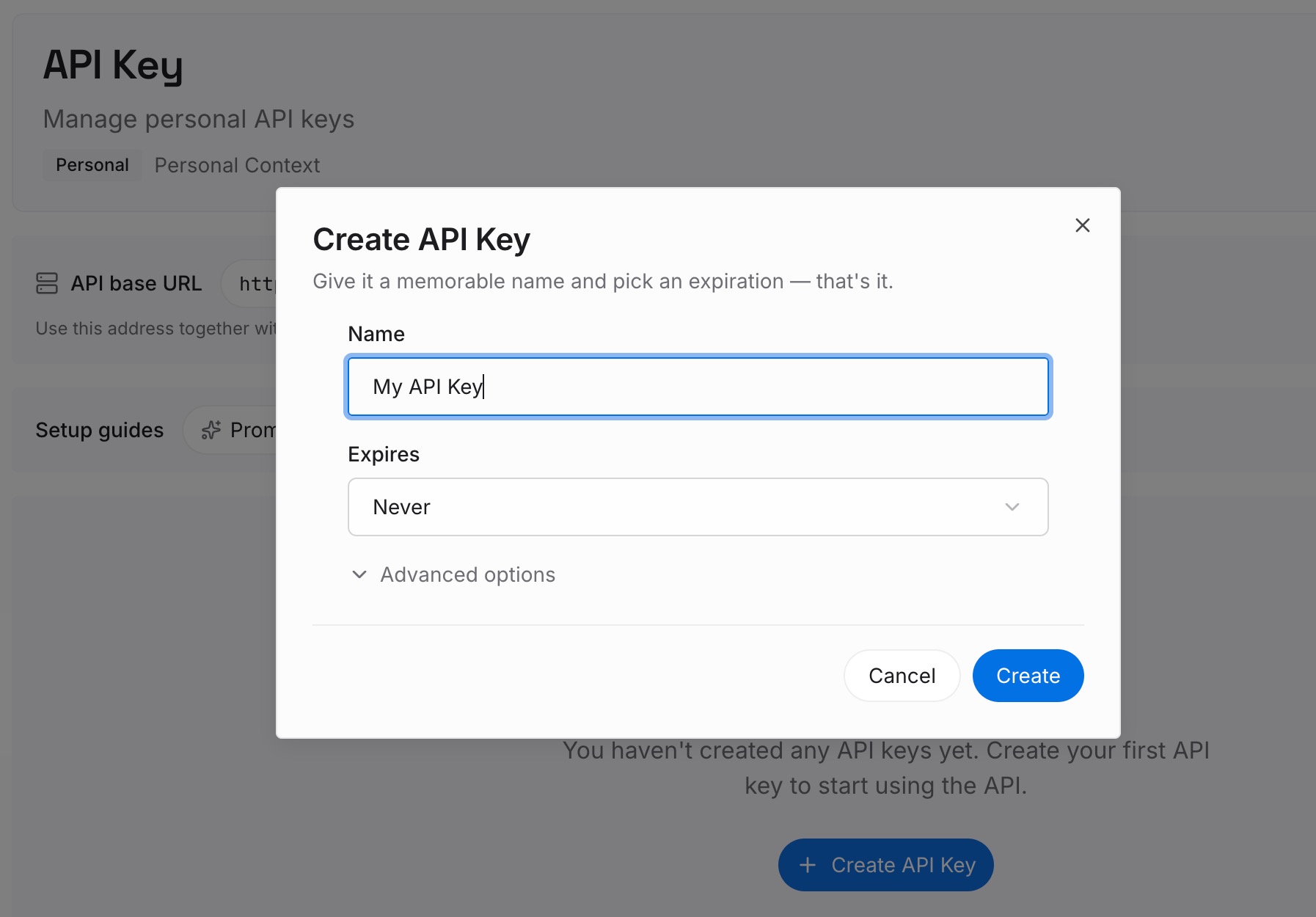
Step 1: Create an API key
Sign in and generate a key from the dashboard. The key belongs to your MemoryLake workspace and is separate from your Claude account.
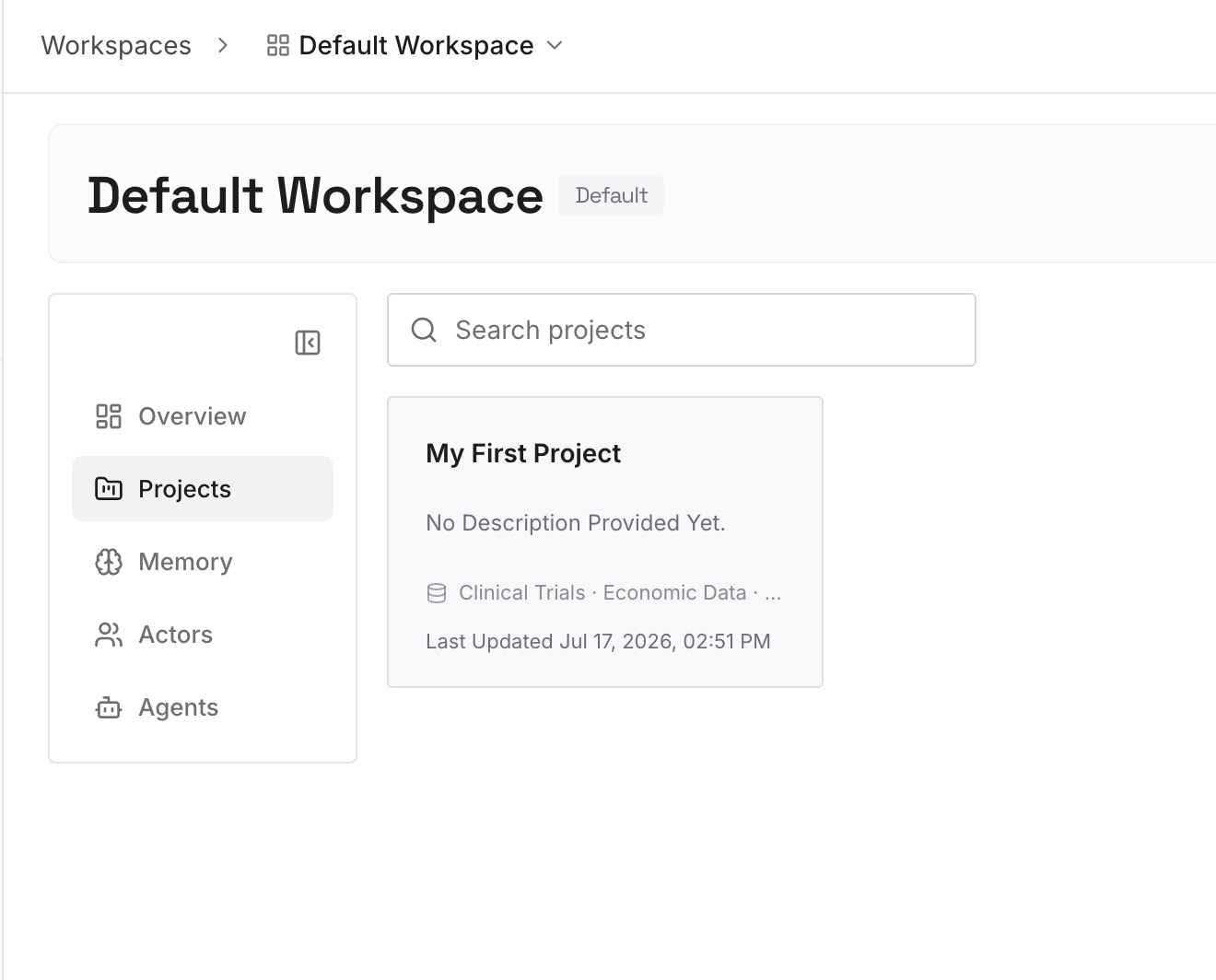
Step 2: Upload your first memories
Start with what you wrote in Step 4 of the fix: the project facts and decisions that belong in shared documents. One item per entry.
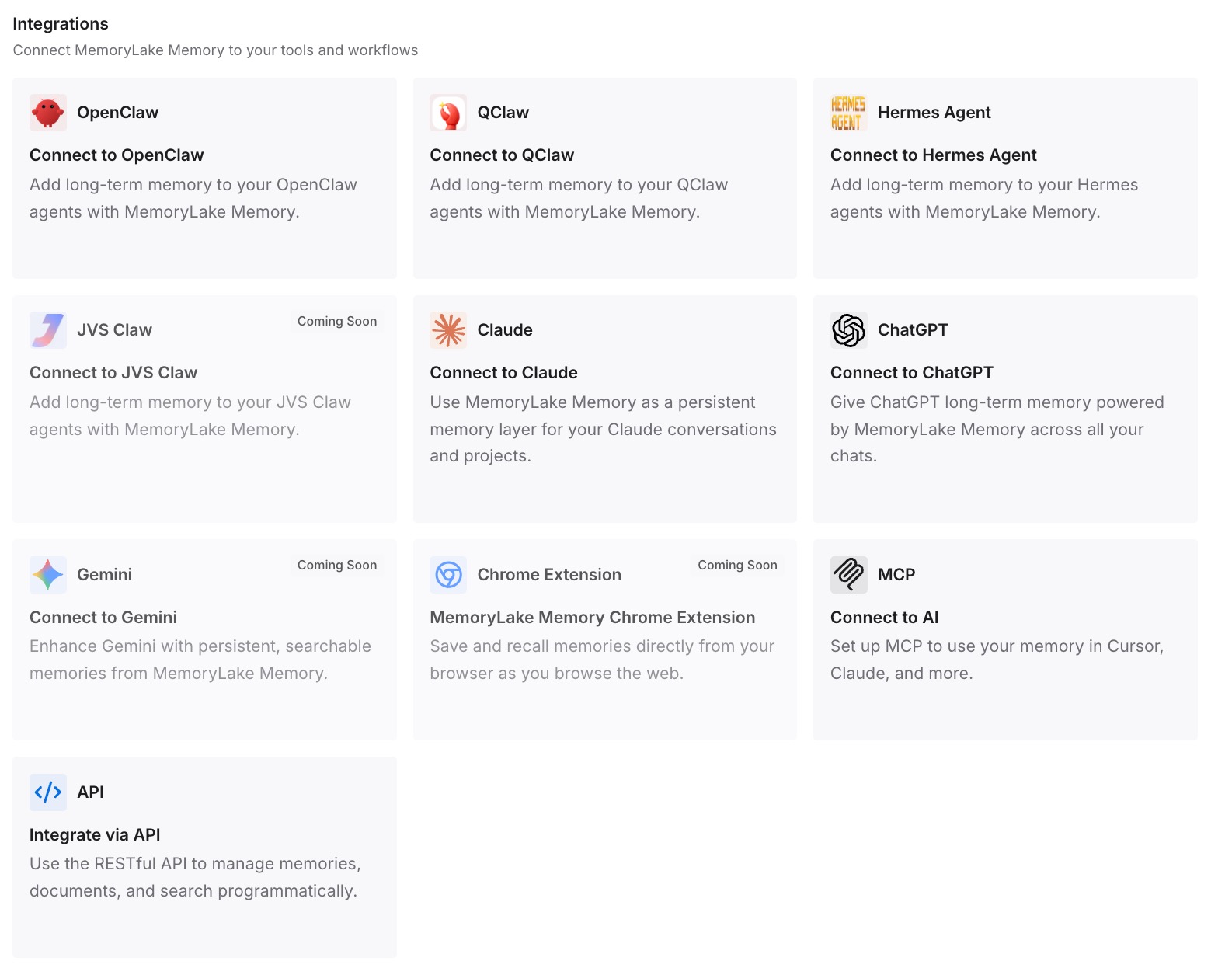
Step 3: Connect your AI & agents
Connect Claude Code and any other assistants you use. When you draft in another tool, the same shared facts are available there.
What this changes in practice
The first difference is cleaner shared drafts. The facts meant for the team are written down separately from personal memory.
The second is the same facts everywhere. A spec drafted in Claude and a script written in Codex start from the same entries.
The third is context that outlives a doc. If a doc is deleted, the decisions behind it are still written down.
Best practices for Claude Docs
Tell Claude where to look. Name the file or connected app for each request.
Read before you share. Drafts can draw on memory, projects, and files.
Refresh charts on purpose. They don't update on their own.
Share edit access only when needed. Editors can also export the doc.
Export before deleting. There's no trash.
Check outside sharing settings. Link viewers can only view, and Enterprise email invitations are off by default.
Keep team facts separate. Write down what every reader should see.
Conclusion
Claude Docs creates living documents in any conversation, including in Claude Code. When it drafts, Claude can draw on your files, memory, projects, skills, and connected apps, so review a draft before sharing it. Claude works on a doc only when a signed-in person asks, with that person's permissions, and every change is attributed.
Charts and diagrams are snapshots that don't update on their own. Docs start private, share with view or edit access, export to Word, PDF, Markdown, or Google Docs, and delete permanently with no trash. Keep the facts you mean to share written down separately from what Claude remembers about you.