
What Claude Meetings is
Claude Meetings puts Claude into a video call as a participant rather than as a recorder running in the background. Anthropic describes what it does there: "It takes the notes, answers questions, and builds artifacts, such as docs, whiteboards, and slides, live during the call."
The launch post's example: a team planning a customer event asks Claude to start a doc, and Claude writes up what's been said while teammates on the invite edit it. When someone asks what last year's event cost, Claude asks for approval to look it up and posts the answer in the meeting chat.
Everything from the call collects in one place. Anthropic's post says that after the call, "any notes, action items, plan, and whiteboard are on the meeting's page" in Claude.
Two things about the launch are worth knowing up front:
- One platform for now. The help article says Claude joins Google Meet calls. The launch post adds: "Support for other video conferencing platforms is coming soon."
- Partners are coming, not live. The post says Anthropic is "working with partners like Gong, Attention, Granola, Fireflies.ai, and Otter so you'll soon be able to send a meeting's transcript to the tools your team already uses".
Who can use it during the beta
Claude Meetings is a business feature. "Claude Meetings is rolling out in beta on Team and Enterprise plans in Claude and Claude Desktop."
How it gets turned on depends on the plan:
- Team plans. "On Team plans, Claude Meetings is on by default, and an owner can turn it off."
- Enterprise plans. "On Enterprise plans, an owner turns it on for all or part of the organization." To turn it on for part of the organization, an owner uses custom roles.
Some organizations can't use it yet. "While it's in beta, it isn't available to some organizations, including those with zero data retention (ZDR), HIPAA-ready configuration, or customer-managed encryption keys (CMEK)."
How Claude gets into a call
Before anything else, the help article puts a warning first: "Before you add Claude or turn on auto-join, make sure everyone on your call is okay with being transcribed."
From there, adding Claude to a meeting takes four steps. Go to Meetings in Claude, connect your Google Calendar, select a meeting on your calendar, and select Add Claude. An owner has to enable Google Calendar for your organization before you can connect it.
The rule for when Claude shows up is short: "Claude joins a meeting when someone adds it or has auto-join on."
Auto-join is a personal setting. You'll find it under Settings, then Capabilities, then Meetings, then Auto-join. The article says: "You can add Claude to all your meetings or all your meetings except one-on-ones. Owners can't set auto-join for you."
The host still decides. "Claude usually joins without having to ask. If it does ask, the host can let it in." And if the host says no: "If the host declines, Claude doesn't try that call again unless someone adds it, and you'll see that it was declined."
That last point matters if you rely on auto-join. If a host declines, Claude doesn't take part in that call, so check the meeting afterward instead of assuming it was covered.
What Claude does during the call
It answers questions, in writing by default. You can say Claude's name and then ask your question, or type it in the Meet chat. The default response is text: "By default, Claude answers in writing in the Meet chat."
It builds things. You can say "Claude, make a doc" or "Claude, make a whiteboard." The article adds: "Anyone on your team can ask, and Claude attaches each one to the meeting page."
It can use connected tools, with permission. Claude can do things like send a Slack message during the call. Permission works per person: "It uses each person's connected tools with that person's permission. It asks the first time, and a yes applies going forward. For now, when someone asks out loud, Claude asks each time to confirm who's speaking."
It can be paused or removed. "To pause Claude, ask it to stop listening or use the meeting page. To resume, use the meeting page." To make it leave, ask it, or select Remove Claude on the meeting page.
It can come back. "If you add Claude again, it returns to the same meeting page." There's also a time limit: "Claude can stay for up to eight hours and warns you before it leaves."
What Claude saves, and what it doesn't
The privacy section of the help article is two sentences long. "When Claude joins, it appears as a participant and posts a notice in the call's chat. It saves a transcript, summary, and screen descriptions, not audio."
So the record of a meeting is text:
- A transcript. What was said, in writing.
- Notes. After the meeting, the page has "the notes, including a summary and any action items".
- Screen descriptions. Written descriptions of what was shown on screen, rather than a video.
- The things you made. Docs, whiteboards, and other artifacts Claude built during the call.
There is no audio file to go back to.
During the call, the meeting page shows the work as it happens. "The page has the live transcript, the chat, and everything Claude has made." You can open it from the link Claude posts in the Meet chat when it joins.
The help article doesn't say how long meeting pages are kept. If your organization has retention requirements, that's a question for your admin before you rely on meeting pages as your only record.
Who can see the meeting page
Visibility follows the invite and your organization.
People from your organization on the invite. "People from your organization on the invite can see the notes and edit what Claude made, and the meeting page can be shared with others in your organization." They also get a summary by email: "People from your organization on the invite get a recap email with a link to it."
Everyone on the call, for anything posted in Meet. The article flags this in a note: "Anything Claude posts in the Meet chat is visible to everyone on the call." That includes answers and results from connected tools.
Not outside guests. The same note continues: "The chat on the Claude meeting page is internal to the organization so outside guests can't see it."
So if you'd rather not show an answer to the whole call, ask in the meeting page chat.
Calls with people outside your organization
This is the part of the beta where the defaults differ by plan, so it's worth reading both sources.
What owners control. The help article lists the organization setting for Meetings with external guests as "Internal meetings only (the default on Enterprise plans) or allowed (the default on Team plans)."
What happens when outside guests aren't allowed. "By default, Claude is set to stay out of calls when someone from outside your organization is invited, and to leave if someone from outside, including another company's notetaker bot, joins partway through."
What each person controls. "Each person also has their own Meetings with external guests setting" under Settings, then Capabilities, then Meetings.
Since the organization default differs by plan, check two places before an external call: your organization's setting and your own.
When Claude does join a call with outside guests, its behavior changes. "On calls with outside guests, Claude listens and takes notes, and posts its notice in the call's chat but doesn't reply there. What guests say is included in the notes and transcript."
And the outputs stay inside your organization: "Live docs, whiteboards, and chat are on the meeting page, and guests don't get that page or the recap email."
In other words, a guest's words become part of your organization's record, but the guest doesn't get the meeting page or the recap. That's a reason to mention Claude's presence out loud at the start of a client call, beyond the notice it posts.
Asking about a past meeting later
This is where Claude Meetings goes beyond a notetaker. After the call, there are two ways back in.
The calendar view. "The calendar in Meetings shows your past and upcoming meetings, so you can go back to any meeting Claude joined or add Claude to the next one."
A regular chat. "After the meeting, in a regular chat, you can ask Claude about past meetings you have access to."
The phrase that matters is "you have access to". Access to a meeting page comes from being on the invite or having the page shared with you inside your organization. If you weren't invited, ask someone who was to share the page.
Three limits are worth keeping in mind:
- Claude saves what it takes part in. If Claude wasn't in the call, was declined by the host, or left because an outside guest joined, don't expect notes from the parts it missed.
- Pausing means it stops listening. The help article describes pausing as asking Claude to stop listening, so plan for a gap in the transcript for that stretch.
- The help article describes this as asking about meetings, not as memory. It doesn't say meeting content is added to Claude's memory. Treat the meeting page as the source and ask about it directly.
The bigger limit is scope. A meeting page holds one meeting, so a decision made, revisited, and reversed across three calls lives on three pages.
What the beta costs in usage terms
The help article separates what's included from what counts toward usage:
- "Notes, transcripts, and answers that don't use your connected tools are included on Team and Enterprise plans."
- "Docs and whiteboards made in a meeting are free through February 10, 2027."
- "Using your connected tools counts toward your own usage and can lead to charges for your organization."
The last point follows the permission model. Because Claude uses each person's connected tools with that person's permission, the usage counts for the person whose tool was used.
What people try first
Expecting an audio recording. Claude saves a transcript, summary, and screen descriptions, not audio.
Assuming Claude joins every call. It joins when someone adds it or has auto-join on, and a host can decline it.
Assuming an owner turned on auto-join for everyone. Owners can't set auto-join for you.
Asking about a meeting you weren't invited to. Claude answers about past meetings you have access to.
Sharing sensitive results in the Meet chat. Anything Claude posts there is visible to everyone on the call.
The Fix: Get a meeting record you can use later
Step 1: Check your settings before the call
Confirm Claude Meetings is on for your role, decide on auto-join, and check both your organization's and your own setting for meetings with external guests.
Step 2: Tell everyone on the call
Anthropic asks you to make sure everyone is okay with being transcribed. Say it at the start, especially with outside guests.
Step 3: Ask for the record you'll need
Before the call ends, ask Claude to list decisions and action items, and to share a recap with the team.
Step 4: Write down the decisions that outlast the meeting
Copy the decisions, owners, and constraints that matter beyond this call into a place you maintain, in your own words.
Setting this up in MemoryLake
A meeting page is a good record of one call. The decisions in it, such as who owns the launch date or why a vendor was ruled out, are context you'll need in the next meeting, in a planning doc, and in the coding tools that build what the meeting decided.
MemoryLake is a memory layer for that kind of working context, such as decisions, owners, and constraints, kept in one place you maintain and available to the assistants you connect, such as ChatGPT, Claude Code, and Codex.
You write the entries yourself, in your own words. Nothing is read out of, written to, or deleted from your meeting pages, transcripts, notes, recap emails, Google Calendar, Claude's memory, or any vendor's store. Claude Meetings, its settings, and its pages work the way Anthropic describes them.
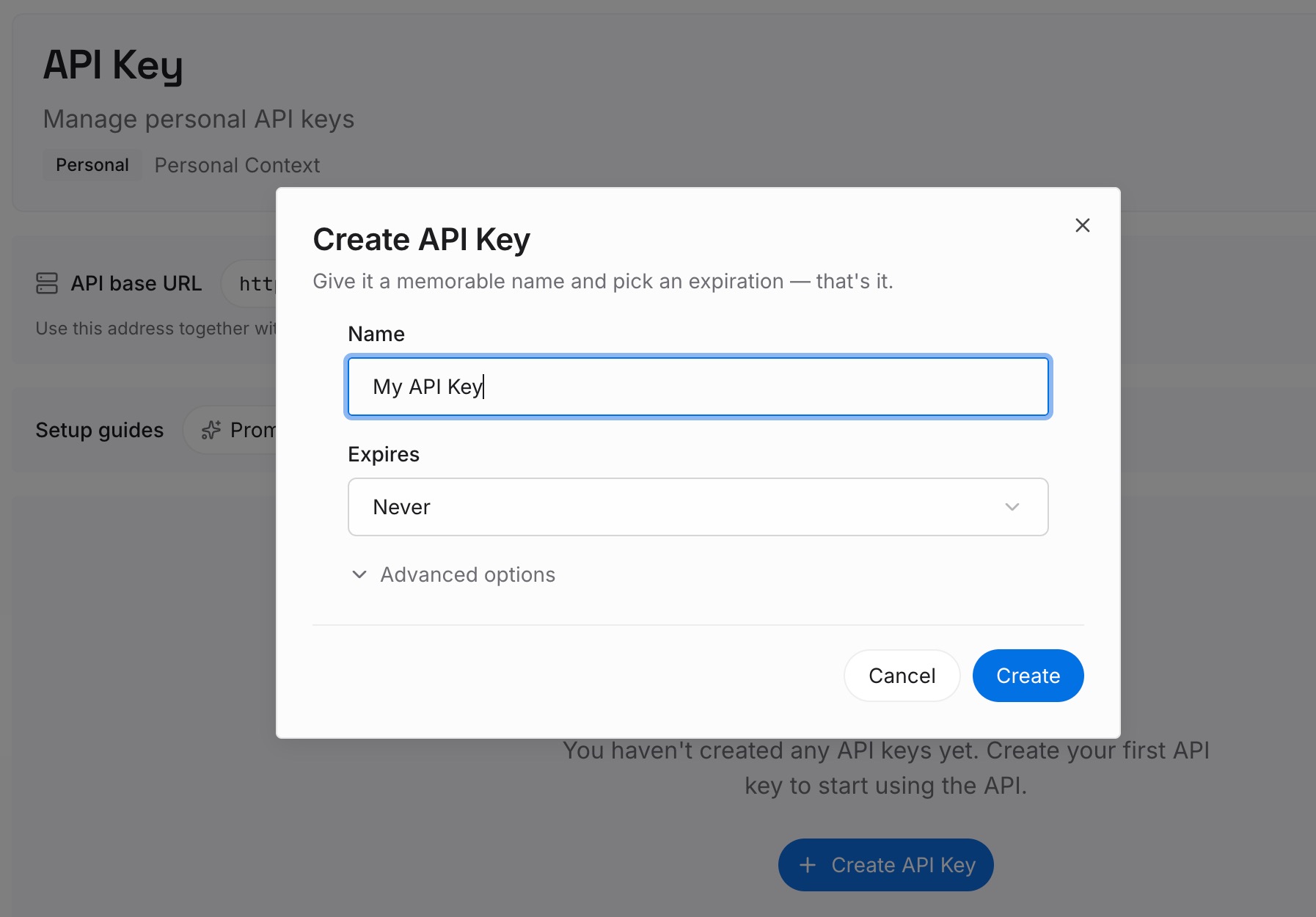
Step 1: Create an API key
Sign in and generate a key from the dashboard. The key belongs to your MemoryLake workspace and is separate from your Claude organization.
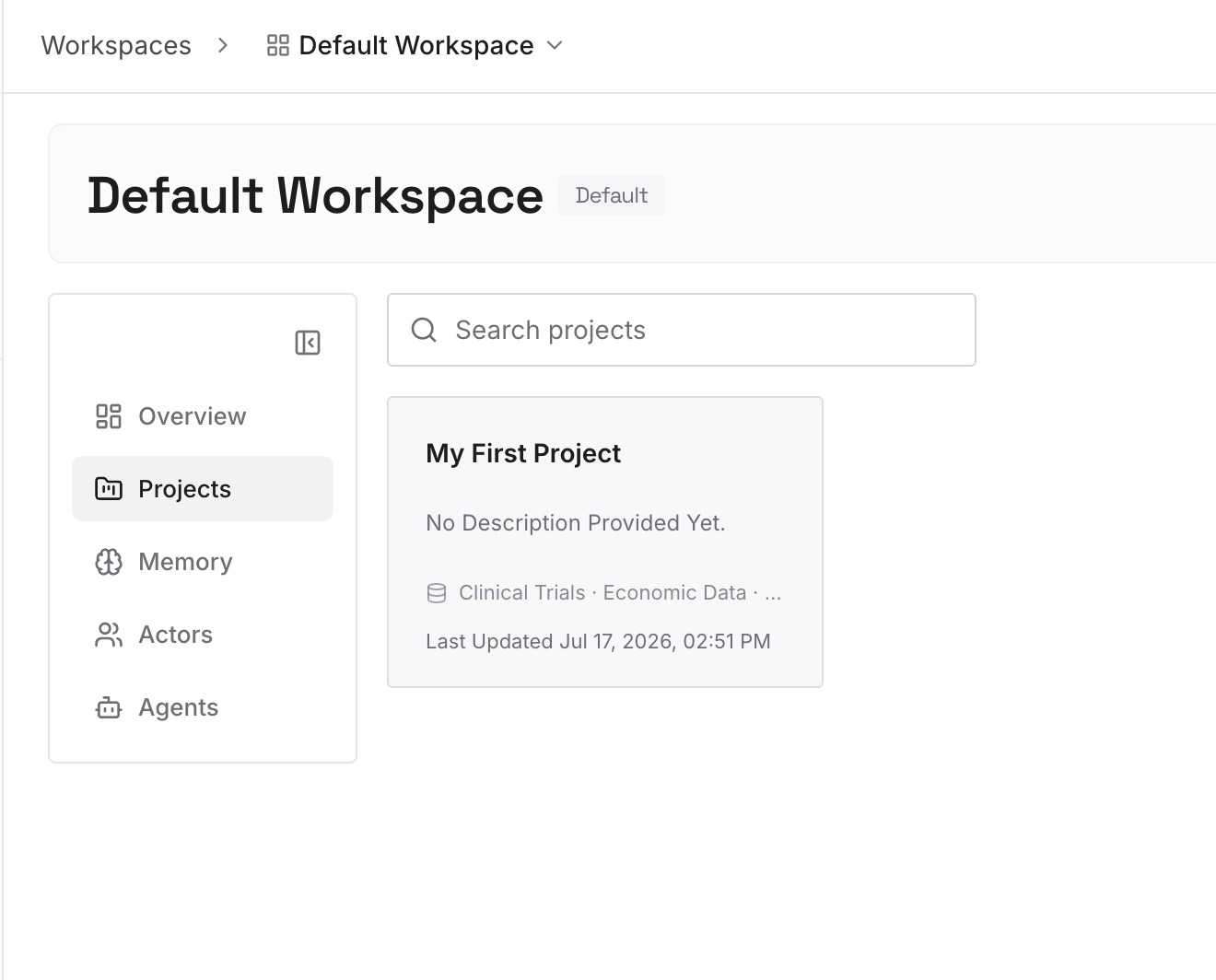
Step 2: Upload your first memories
Start with what you wrote in Step 4 of the fix: each decision, who owns it, and why it was made. One decision per entry, with the meeting date.
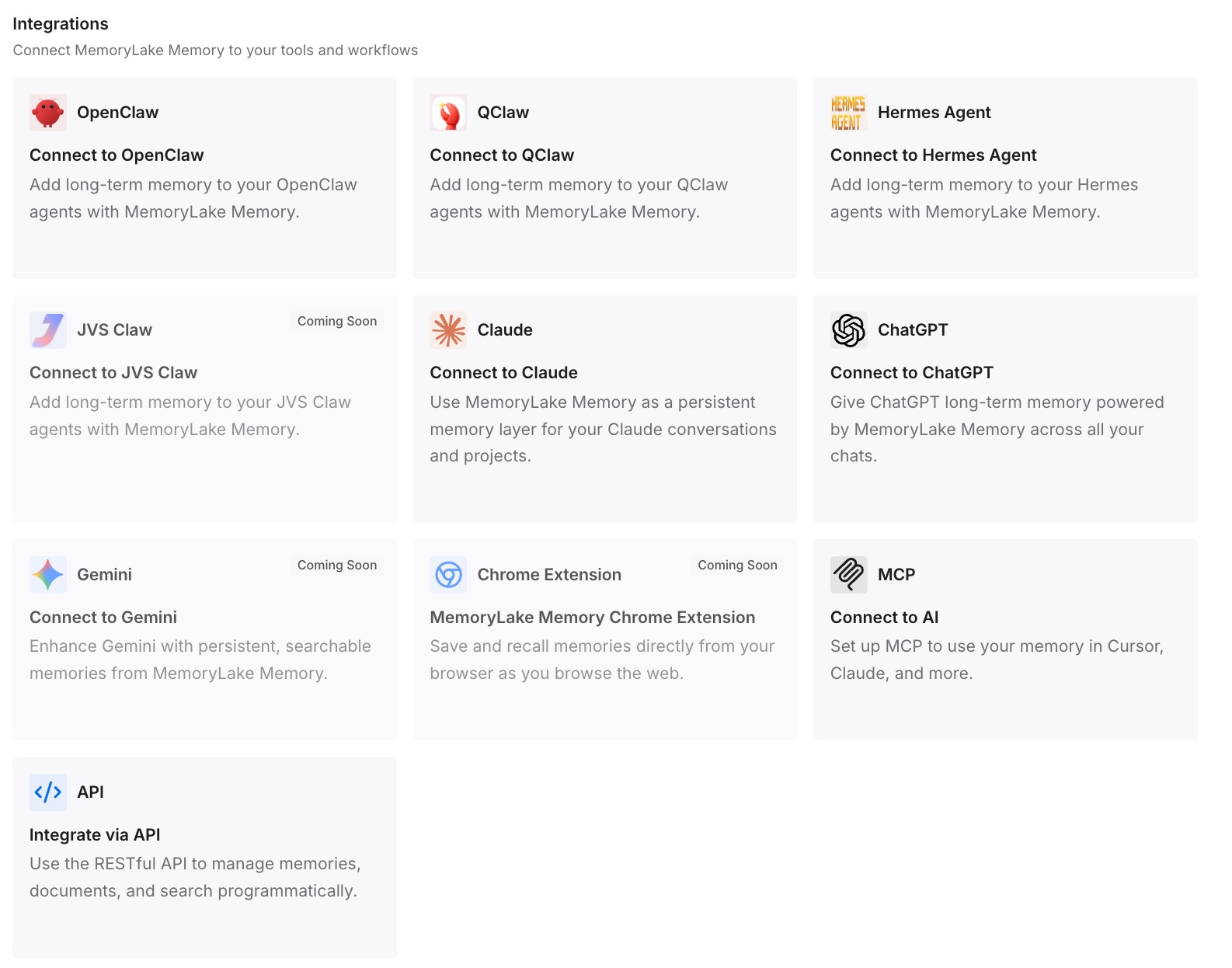
Step 3: Connect your AI & agents
Connect ChatGPT, Claude Code, Codex, or the other assistants you use. A teammate who wasn't on the invite, or a coding agent working on the follow-up, can draw on the same decisions.
What this changes in practice
The first difference is that decisions stop being scattered across meeting pages. When a decision changes, you update one entry instead of searching three transcripts.
The second is access that doesn't depend on the invite list.
The third is continuity across tools. The reasoning behind a plan is available when it turns into tickets and code.
Best practices for Claude Meetings
Get consent first. Everyone on the call should be okay with being transcribed.
Use the right chat. The Meet chat is visible to everyone on the call, and the meeting page chat is internal to your organization.
Check external guest settings. Both the organization setting and your own apply.
Ask for decisions explicitly. A summary is more useful when Claude has been asked to capture decisions and owners.
Keep lasting decisions outside the page. A meeting page holds one call.
For more on the documents Claude can build during a call, see our guide to what Claude Docs is and what it draws on.
Conclusion
Claude Meetings, in beta on Team and Enterprise plans since November 12, adds Claude to Google Meet calls as a visible participant. It answers questions in writing, builds docs and whiteboards, and saves a transcript, summary, and screen descriptions, not audio. Everything goes on a meeting page that people from your organization on the invite can see and edit, and outside guests don't get that page or the recap email.
After the call, you can return to the meeting from the calendar in Meetings or ask Claude about past meetings you have access to in a regular chat. Each page holds one meeting. Keep the decisions that outlast a single call somewhere you maintain, so the next meeting and the next tool start with them.