
What a Codex worktree is
OpenAI's documentation opens with the purpose: "Worktrees let Codex run multiple independent chats in the same project without interfering with each other."
Under the hood, a Codex worktree is a Git worktree. "Worktrees only work in projects that are part of a Git repository since they use Git worktrees under the hood." The documentation explains what that means: "Each worktree has its own copy of every file in your repo but they all share the same metadata (.git folder) about commits, branches, etc."
The ChatGPT desktop app uses three terms:
- Local is your own checkout, the repository you created.
- Worktree is a Git worktree the app created from your local checkout.
- Handoff is the flow that moves a chat between Local and a worktree.
OpenAI suggests thinking of them as foreground and background: "You can think of Local as the foreground and Worktree as the background."
The repository and the worktree stay on the machine that holds the project. "Worktrees don't run locally on your phone." The ChatGPT mobile app can start, guide, approve, and review worktree chats, but it does that by controlling Codex on your connected computer.
How to start a chat in a worktree
The steps are short:
- In the new chat view, select Worktree under the composer. Optionally choose a local environment to run setup scripts.
- Below the composer, choose the Git branch to base the worktree on.
- Submit your prompt. Codex creates the worktree from that branch.
- When you're ready, keep working on the worktree or hand the chat off to Local.
The project has to be in a Git repository.
What a new worktree starts with
A worktree isn't an empty folder. OpenAI's documentation describes exactly what Codex puts in it.
The branch's latest commit. "The starting commit is the HEAD commit of the branch selected when you start your chat."
Your uncommitted changes, if you chose a branch that has them. "If you chose a branch with local changes, Codex applies the uncommitted changes to the worktree as well."
Every tracked file. "Local Codex-managed worktrees start from a Git checkout, so tracked files are already present."
No branch of its own. "The worktree isn't checked out as a branch." It's in a detached HEAD state, and the documentation gives the reason: "This lets Codex create several worktrees without polluting your branches."
Your local instruction override. Codex copies one ignored file automatically. "Codex automatically copies an ignored AGENTS.override.md into local managed worktrees, so you don't need to list it in .worktreeinclude." If you keep personal instructions for Codex in that file, they're present in the worktree too.
Whatever your setup script installs. If you chose a local environment, its setup script runs. OpenAI explains why that matters: "Since worktrees run in different directories than your local chats, your project might not be fully set up and might be missing dependencies or files that aren't checked into your repository." And: "Setup scripts run automatically when Codex creates a new worktree at the start of a new chat."
What a new worktree leaves out
The flip side of starting from a Git checkout is that anything Git ignores stays behind, unless you say otherwise.
Ignored files, by default. OpenAI's examples include .env files and a secrets file. To bring specific ones, add a .worktreeinclude file at the repository root and list the paths or patterns to copy. The documentation is precise about the limits: "Codex only copies ignored files that match .worktreeinclude; it doesn't copy other local files that Git doesn't track."
Tracked files in the include list. "Don't list tracked files." They're already there.
Symlinks and existing files. "Codex skips source symlinks and won't overwrite files that already exist in the new checkout."
Other kinds of worktrees. The include behavior has a scope: "This behavior applies to local ChatGPT desktop app managed worktrees, not remote worktrees or Git worktrees you create yourself from the command line."
Installed dependencies. Unless a setup script installs them, a fresh worktree may not have your node_modules or build output. That's what local environment setup scripts are for.
Moving a chat between Local and a worktree
Handoff moves a chat and its code in either direction. OpenAI's documentation says: "Handing off to or from Local moves your chat and code so you can continue in the other checkout."
Two details make Handoff predictable:
- A chat keeps its worktree. "Each chat keeps the same associated worktree over time. If you hand the chat back to a worktree later, Codex returns it to that same background environment so you can pick up where you left off."
- Ignored files don't travel. "Since Handoff uses Git operations, any files that are part of your
.gitignorefile won't move with the chat unless Codex copies them into a local managed worktree with.worktreeinclude."
We covered Handoff in detail, including what moves with a chat between your computer and a remote host, in our guide to what moves with your chat in Codex Handoff.
The branch rule that trips people up
Git has a rule Codex can't work around. The documentation puts it in bold: "Git only allows a branch to be checked out in one place at a time."
That shows up when you turn a worktree into a branch. If you select Create branch here on the worktree and then try to check out that branch in your local checkout, Git refuses with an error that the branch is already used by a worktree.
OpenAI's advice: "If you plan on checking out the branch locally, use Handoff to move the chat into Local instead of trying to keep the same branch checked out in both places at once."
When Codex deletes a worktree
Worktrees take space. "Worktrees can take up a lot of disk space. Each one has its own set of repository files, dependencies, build caches, etc." So the desktop app limits how many it keeps.
The default limit. "By default, Codex keeps your most recent 15 Codex-managed worktrees. You can change this limit or turn off automatic deletion in settings if you prefer to manage disk usage yourself."
When deletion happens. The documentation lists two triggers:
- You archive the associated chat.
- Codex needs to delete older worktrees to stay within your configured limit.
The first one is easy to overlook. Archiving a chat sounds like tidying up the sidebar, but for a chat with a Codex-managed worktree, it also deletes the worktree. Archiving in Codex has other effects too, which we covered in our guide to the Codex agent command center and what archive and delete do.
What's protected. Codex-managed worktrees aren't deleted automatically if a pinned chat is tied to them or if the chat is still in progress.
Older permanent worktrees. "Permanent worktrees created in earlier versions remain available and protected from automatic cleanup. You can no longer create permanent worktrees from the project menu."
How to restore a deleted worktree
Deleting a worktree doesn't delete the chat. OpenAI's FAQ says: "Chats can remain in your history even if the underlying worktree directory is deleted."
And the work is saved first: "Before deleting a Codex-managed worktree, Codex saves a snapshot of the work on it. If you open a chat after its worktree was deleted, you'll see the option to restore it."
So the recovery path is simple: open the chat and choose the restore option.
The documentation doesn't say how long snapshots are kept, or whether a snapshot includes ignored files copied through .worktreeinclude. If a worktree held something you can't recreate, such as a local secret or a generated file, keep your own copy rather than relying on the snapshot.
Where worktrees live
"Codex creates worktrees in $CODEX_HOME/worktrees." You can change the location. OpenAI's FAQ says to open Settings, then Worktrees, and change Worktree root.
That's useful if your home drive is small, or if you want worktrees on a faster disk. It's also worth knowing when you clean up disk space by hand. The protections for pinned and in-progress chats, and the snapshot step, are documented for Codex's own cleanup, not for folders you remove yourself.
Worktrees for scheduled tasks
Worktrees aren't only for chats you start yourself. "For Git repositories, scheduled tasks can run on dedicated background worktrees so they don't conflict with your ongoing work."
Projects outside Git work differently: "In non-version-controlled projects, scheduled tasks run directly in the project directory."
What a worktree doesn't hold
A worktree holds files. The chat attached to it holds the conversation. What neither is designed to hold is the reasoning that carries from one chat to the next: why this approach was chosen, which alternatives failed, and what the code is waiting on.
Worktrees are, by design, disposable. When one is deleted, the snapshot keeps the work on it. The decisions made along the way live in that chat's conversation, which is easy to lose track of once there are dozens of chats.
What people try first
Archiving old chats to clean up. For a chat with a Codex-managed worktree, archiving deletes the worktree.
Expecting .env files in a new worktree. Ignored files aren't copied unless they match .worktreeinclude.
Checking out the worktree's branch locally. Git allows a branch in one place at a time. Use Handoff instead.
Deleting the worktrees folder by hand. The snapshot step is documented for Codex's own cleanup, not for folders you remove yourself.
Assuming the chat is gone with the worktree. Chats can stay in your history, and you can restore the worktree from the chat.
The Fix: Use worktrees without losing work
Step 1: Set up what a new worktree needs
Add a local environment setup script for dependencies, and a .worktreeinclude file for the ignored files a worktree needs.
Step 2: Protect the chats you'll come back to
Pin chats whose worktrees you want to keep, or raise the limit in settings.
Step 3: Restore instead of redoing
If a worktree was deleted, open the chat and use the restore option before starting over.
Step 4: Write down the reasoning
Keep the decisions behind a worktree's changes, such as the approach and what you ruled out, outside the chat.
Setting this up in MemoryLake
A worktree is a good place for parallel work, and Codex is careful about saving it before cleanup. The decisions behind that work are what the next chat, in a new worktree or in Local, needs to pick up without re-asking.
MemoryLake is a memory layer for that kind of project context, such as decisions, constraints, and conventions, kept in one place you maintain and available to the assistants you connect, such as ChatGPT, Claude Code, and Codex.
You write the entries yourself, in your own words. Nothing is read out of, written to, or deleted from your worktrees, their snapshots, your Codex chats, your .worktreeinclude or AGENTS.override.md files, your Codex memories, or any vendor's store. Worktrees, Handoff, and cleanup work the way OpenAI describes them.
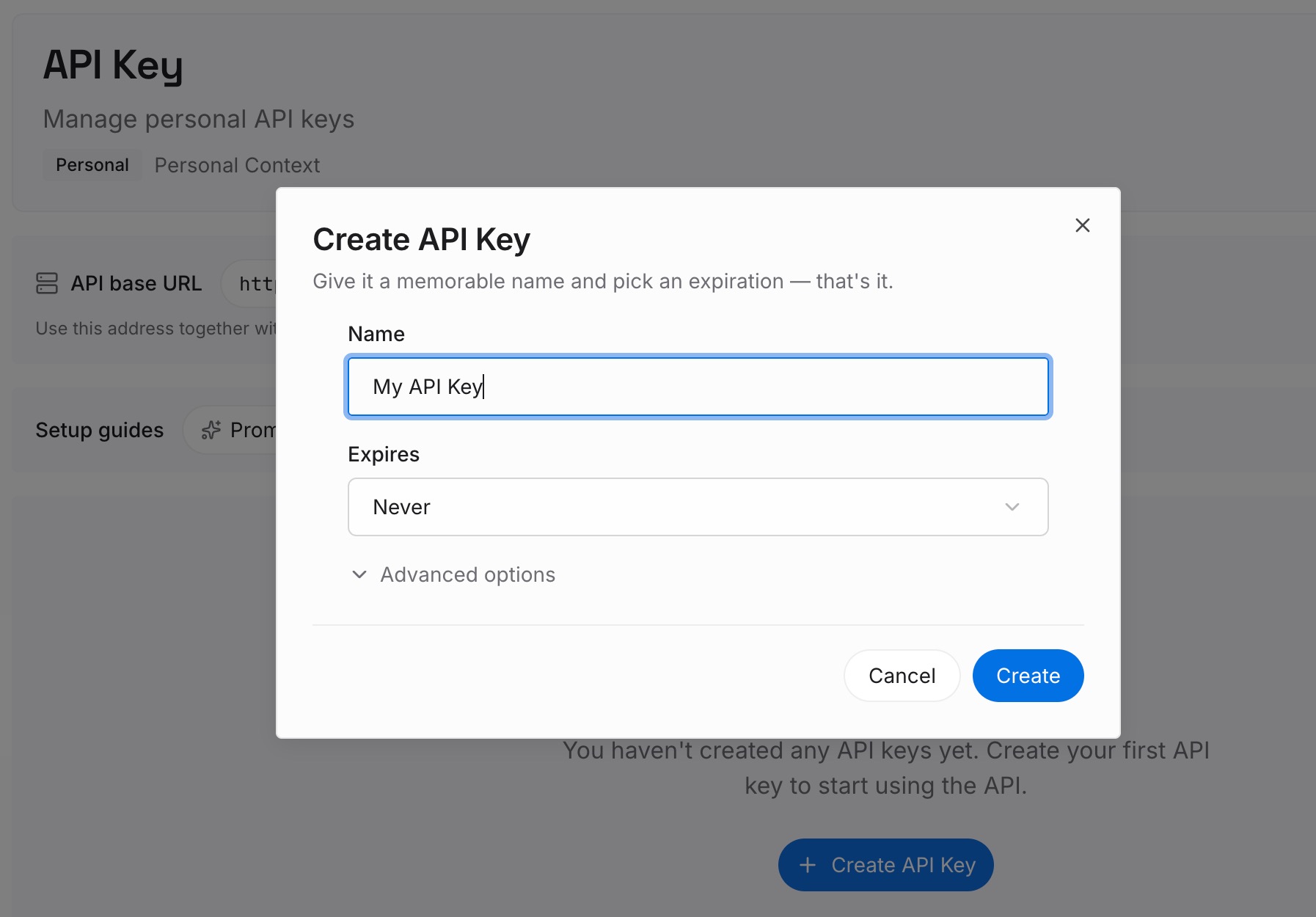
Step 1: Create an API key
Sign in and generate a key from the dashboard. Store it outside your repositories, like any other credential, and don't add it to .worktreeinclude.
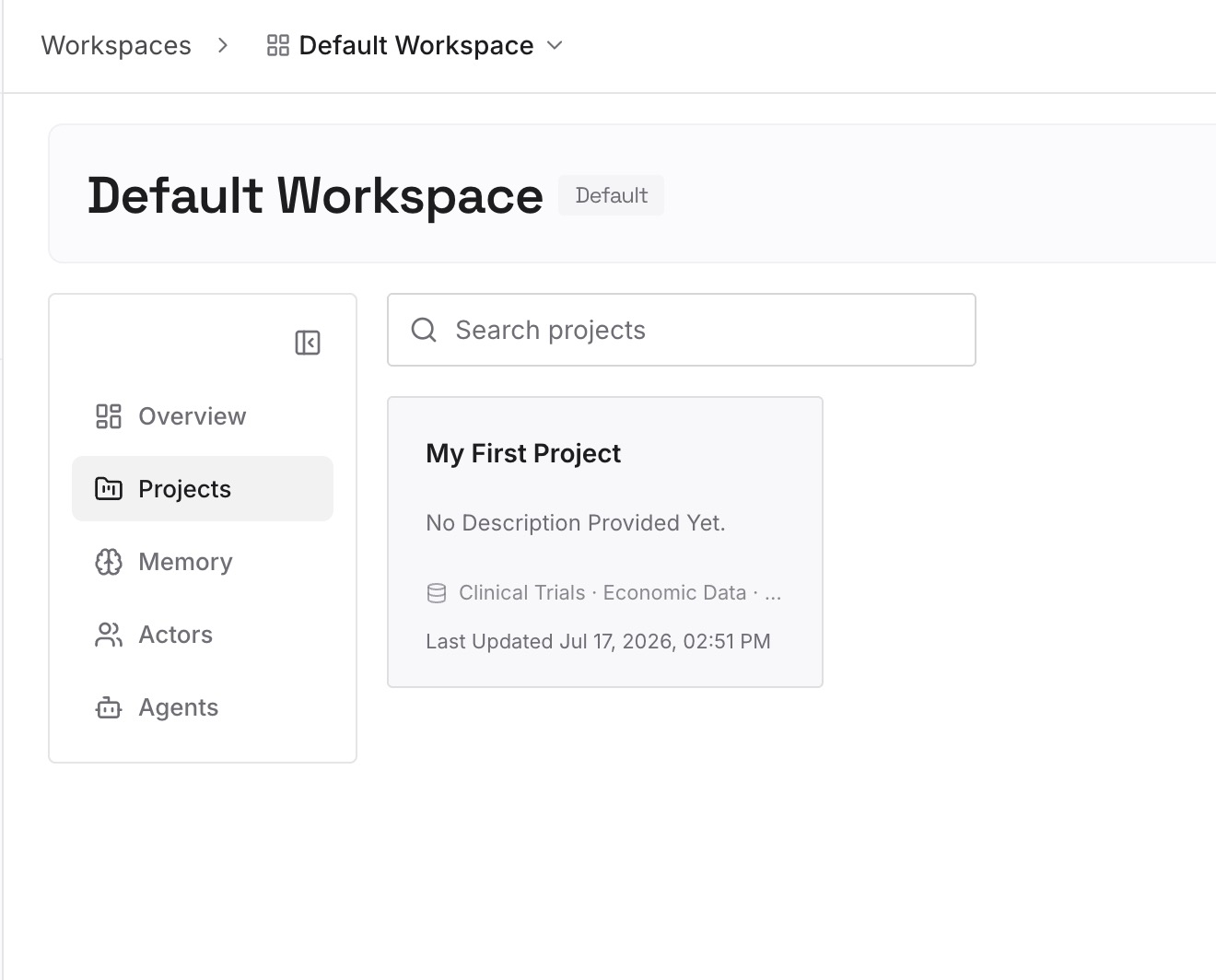
Step 2: Upload your first memories
Start with what you wrote in Step 4 of the fix: the approach for each piece of work, the alternatives you tried, and the constraints that shaped it. One decision per entry.
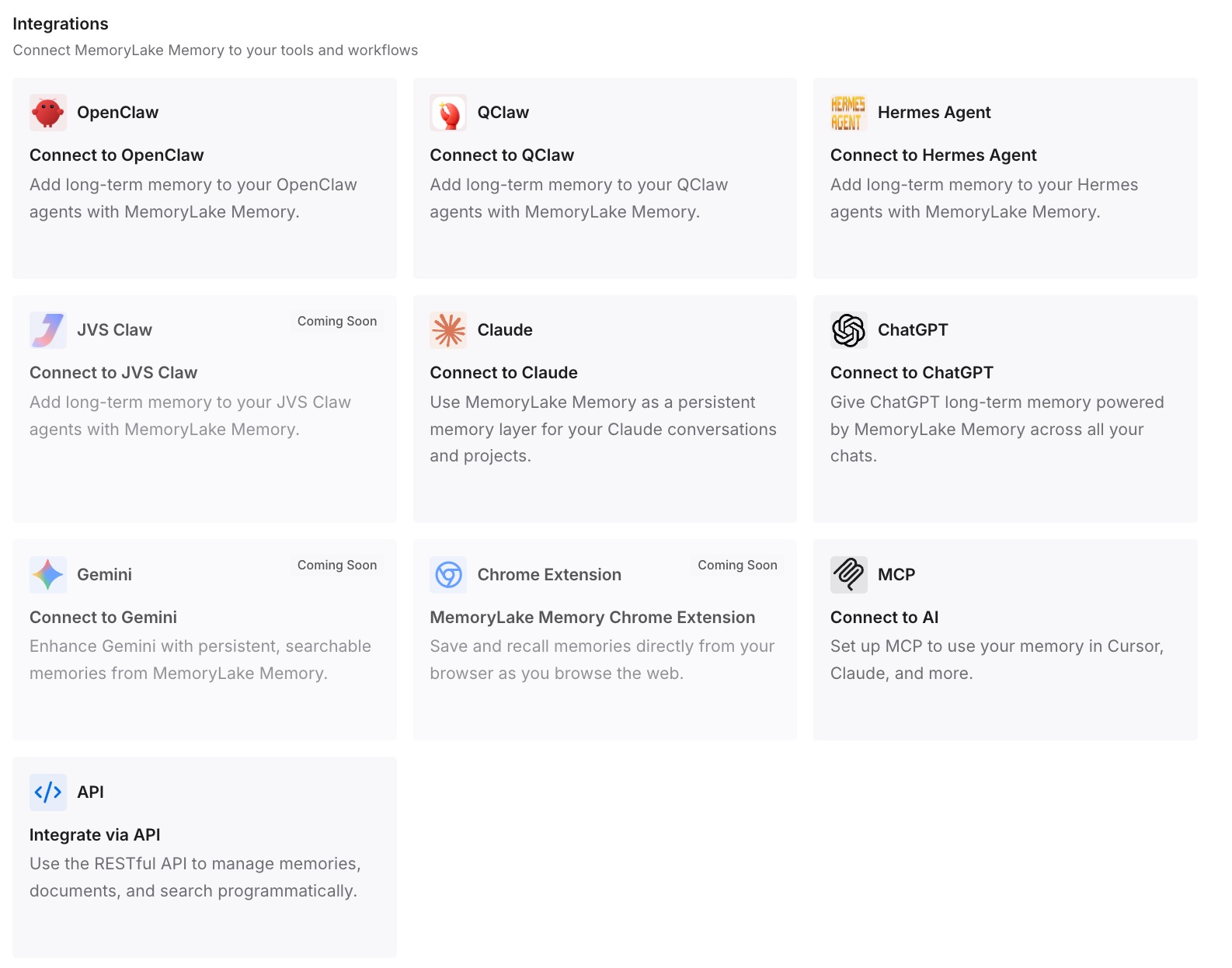
Step 3: Connect your AI & agents
Connect Codex and any other assistants you use. A new chat in a fresh worktree, or a chat handed off to Local, can draw on the same decisions.
What this changes in practice
The first difference is that cleanup stops being a risk to your reasoning. A worktree can be archived and deleted, and the decisions behind it are still written down.
The second is faster starts for parallel chats. Each new worktree chat can draw on the project's settled decisions instead of rediscovering them.
The third is continuity across tools. Claude Code or another assistant working on the same repository can use the same entries.
Best practices for Codex worktrees
Use worktrees for background work. Keep Local for what you're actively testing.
Add a setup script. New worktrees may not have dependencies unless something installs them.
List ignored files in .worktreeinclude. Only matching ignored files are copied.
Pin what you'll revisit. Pinned chats keep their worktrees.
Archive deliberately. Archiving deletes a chat's Codex-managed worktree.
Restore before redoing. Codex saves a snapshot before it deletes a managed worktree.
Keep the why elsewhere. A worktree holds files, not reasons.
Conclusion
A Codex worktree is a Git worktree the ChatGPT desktop app creates so a chat can work in the background without touching your local checkout. It starts from the HEAD commit of the branch you chose, includes your uncommitted changes if that branch had them, has every tracked file, and copies only the ignored files you list in .worktreeinclude, plus AGENTS.override.md.
Codex keeps your most recent 15 managed worktrees by default and deletes a chat's worktree when you archive the chat. Pinned and in-progress chats are protected, and before deleting a managed worktree, Codex saves a snapshot you can restore from the chat. Keep the reasoning behind the work somewhere the next chat can read.