
The four ways "the agent ignored my rules" actually happens
1. The file never loaded
The most common cause, and the most embarrassing, because there's usually no error.
Cursor documents the sharpest version: "A plain .md file in .cursor/rules is ignored by the rules system because it has no frontmatter to specify description, globs, and alwaysApply." The file is in the right directory with a sensible name, and it is silently skipped. This hits hardest right after migrating from a tool whose rules were plain markdown — you copy the folder across, everything looks right, and none of it applies.
Zed has a different trap with the same result. Its project instructions come from a list of filenames — .rules, .cursorrules, .windsurfrules, .clinerules, .github/copilot-instructions.md, AGENT.md, AGENTS.md, CLAUDE.md, GEMINI.md — and the documentation says "Zed uses the first matching file in this list." First match, not merged and not most-specific. A .cursorrules file left behind by an experiment six months ago outranks the AGENTS.md you wrote yesterday.
GitHub Copilot trips people on location. Its documentation supports AGENTS.md files anywhere in the repository, with the nearest file in the directory tree taking precedence, but lists CLAUDE.md or GEMINI.md as alternatives in the repository root. In a monorepo, that distinction means your nested CLAUDE.md files are invisible to Copilot even though the root one works fine.
The check for all three is the same: before editing content, confirm the file's name, its location, and — where the tool requires it — its frontmatter.
2. It loaded, but it isn't in context right now
This one is sneakier, because the file is valid and being read; it just isn't present at the moment you care about.
Scoped rules only apply to matching work. Cursor's four application modes decide when a rule enters context: alwaysApply: true for always, a description for intelligent application, globs for specific files, and manual rules that require an explicit @-mention. A rule set to manual will never insert itself. Claude Code's .claude/rules/ behaves similarly — rules with a paths: frontmatter field apply when Claude works with matching files, while "Rules without a paths field are loaded unconditionally." Cline's conditional rules work the same way, activating based on frontmatter glob patterns evaluated against your current work: open files, visible tabs, mentioned paths, files being edited.
None of that is a bug. It's the mechanism that keeps context small. But it means "the rule exists" and "the rule is in front of the model" are different states, and a rule scoped to src/api/** genuinely isn't loaded while the agent edits a component.
On-demand knowledge stays on the shelf until called. Zed's Skills are folders the agent loads when relevant or when you invoke them, which is efficient and also means a Skill you assumed was ambient may simply never have been picked up. The same is true of skills generally, which is why they aren't a substitute for memory — the distinction in why agent skills aren't memory.
Compaction drops part of what was loaded. The most under-appreciated entry on this list. Claude Code's documentation states that project-root CLAUDE.md survives compaction — it's re-read from disk and re-injected — but "Nested CLAUDE.md files in subdirectories and rules with paths: frontmatter are not re-injected automatically; they reload the next time Claude reads a file in that subdirectory or a file matching the rule's patterns."
Read that against a real session. You work for an hour, the context compacts, and from that point the agent is operating with your root instructions but without the per-directory rules it had before — until it happens to touch a matching file again. Behavior changes mid-session, nothing errors, and the rules file you go back and inspect looks perfect.
3. It loaded, but something else contradicted it
Every one of these systems layers multiple sources, and each resolves conflicts differently.
Cline combines rather than replaces: "Cline processes all .md and .txt files inside .clinerules/, combining them into a unified set of rules," and across scopes, "When both workspace and global rules exist, Cline combines them. Workspace rules take precedence when they conflict with global rules." It also notes that "Rules without frontmatter are always active" — so an old always-on file keeps arguing with your new one forever.
Claude Code concatenates up the directory tree, ordered from filesystem root down to your working directory, and its docs warn about the consequence directly: "if two rules contradict each other, Claude may pick one arbitrarily," recommending a periodic review across CLAUDE.md, nested files, and .claude/rules/.
Copilot supplies several layers at once with a stated ranking: "Personal instructions take the highest priority. Repository instructions come next, and then organization instructions are prioritized last. However, all sets of relevant instructions are provided to Copilot." That last sentence is the important one — lower priority doesn't mean excluded. If your organization has instructions configured, they're in there, possibly written by someone you've never met, quietly shaping output you didn't configure.
Zed resolves the other way for repo files: "Project instructions override personal AGENTS.md when they conflict."
When an agent's behavior looks arbitrary — following a rule on Monday and not Tuesday — a contradiction across layers is a better first hypothesis than model variance.
4. It loaded, it was unambiguous, and the model didn't comply
This one is real, and it's the only one the vendors' own documentation warns you about in advance.
Claude Code's docs explain the mechanism: "CLAUDE.md content is delivered as a user message after the system prompt, not as part of the system prompt itself. Claude reads it and tries to follow it, but there's no guarantee of strict compliance, especially for vague or conflicting instructions." Elsewhere the same docs describe instructions as "context, not enforced configuration." Cursor puts the same idea positively: "Large language models don't retain memory between completions. Rules provide persistent, reusable context at the prompt level."
Context at the prompt level. Not configuration, not policy, not a guarantee. Which leads to the only correct response for rules that genuinely cannot be broken: don't express them as instructions at all. Both ecosystems point at the same alternative — a hook that runs as a command at a fixed lifecycle event, or a check in CI. A lint rule doesn't need to be persuaded.
What people try
Making the rule louder. ALL CAPS, "IMPORTANT:", "you MUST". Occasionally helps at the margin, does nothing for the first three failure modes, and adds noise that makes the file harder to maintain.
Making the file longer. The reflex when a rule is missed is to explain it more thoroughly, which makes the file bigger, which makes adherence worse. Vendors converge here: Cursor advises keeping rules under 500 lines and splitting large ones into composable pieces; Claude Code recommends targeting under 200 lines per file and notes that "Longer files consume more context and reduce adherence."
Setting everything to always-apply. Solves failure mode 2 by brute force and creates failure mode 3 at scale — now every rule is in context all the time, including the contradictory ones, on every task.
Duplicating the file for every tool. A .cursorrules, a CLAUDE.md, a copilot-instructions.md, all with the same content. Works for a week. Then one gets updated and you have a contradiction you can't see, plus — on Zed — a very good chance the stale one wins by being first in the list.
Blaming the model and switching tools. The expensive version. The new tool has its own loading rules, and the same four failure modes reappear in a different shape.
The Fix: Keep the Rule Set Small and the Knowledge Retrievable
Step back and most bloated instruction files are trying to do two unrelated jobs. A small number of things genuinely must be in front of the model every time — the conventions, the prohibitions, the commands. Everything else is knowledge: architecture decisions, why a constraint exists, what was tried and rejected, how a subsystem behaves. That material doesn't need to be resident. It needs to be findable when relevant.
Separating them fixes the first three failure modes structurally. A short always-on file is easy to verify loaded, hard to contradict, and cheap enough to keep in context. And the knowledge moves somewhere retrieval can reach it, instead of competing for space in a file the tool may or may not read.
MemoryLake is that second layer: one memory store your agents read from, independent of each tool's filename conventions and precedence rules. Setup is three steps.
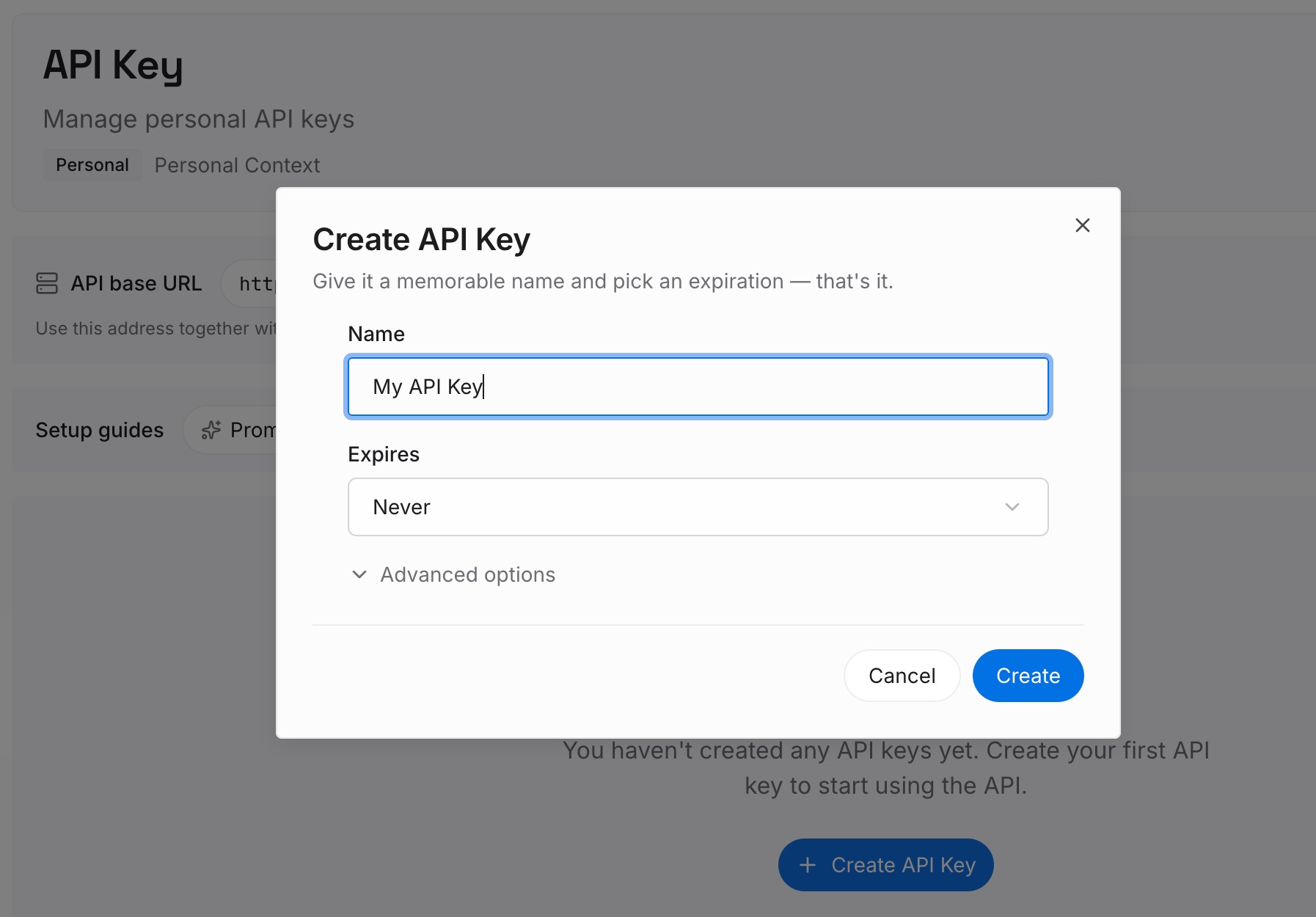
Step 1: Create an API key
Sign in to MemoryLake and create an API key. One credential across every agent you connect — which matters here precisely because each tool disagrees about where files live.
Step 2: Upload your first memories
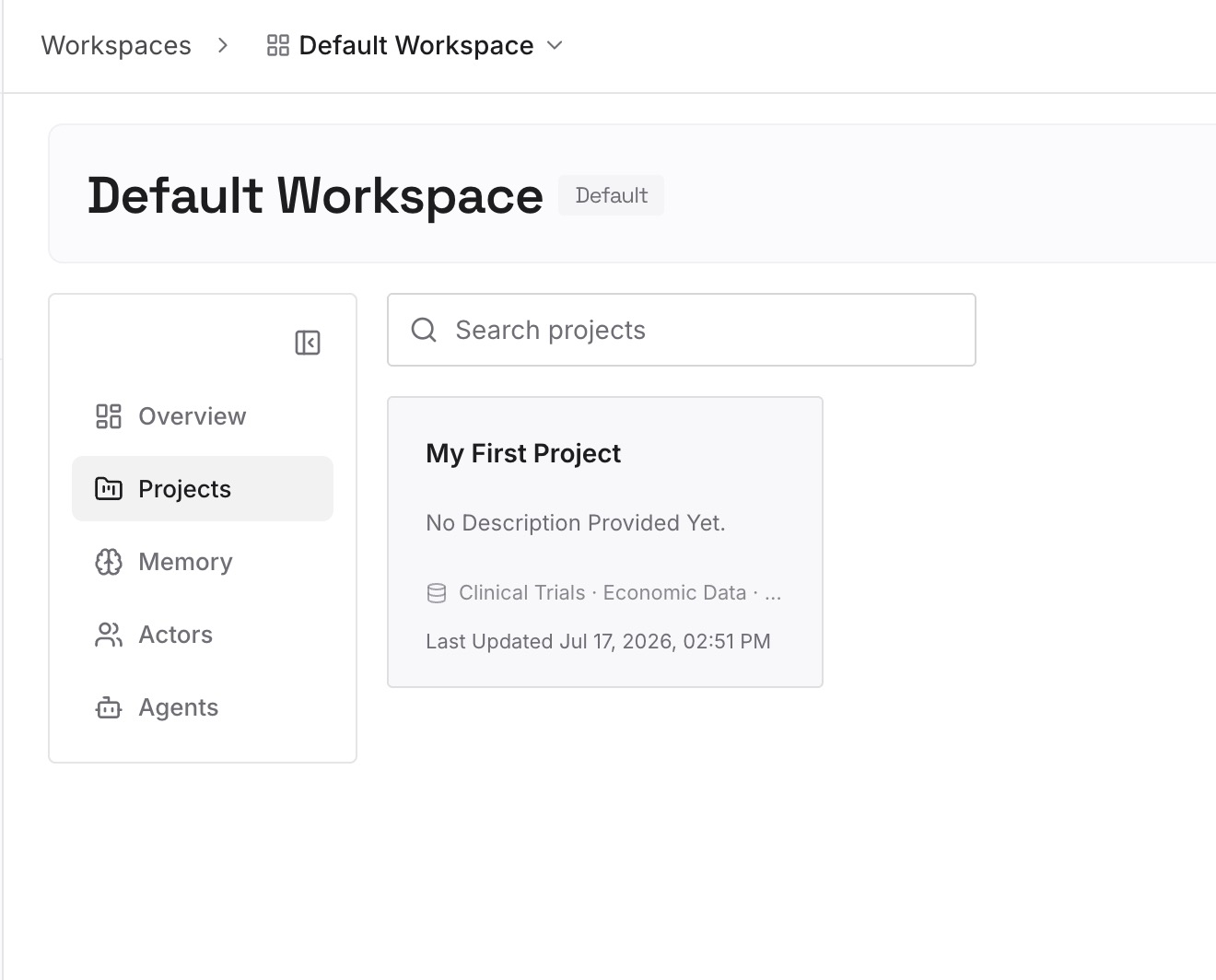
Move the reference material out of your rules files: architecture decisions and their reasoning, constraints that look arbitrary without context, approaches you tried and abandoned, the behavior of subsystems people keep re-explaining. Keep entries short and single-topic. What stays behind in the rules file should be the short list you'd defend in a code review.
Step 3: Connect your AI & agents
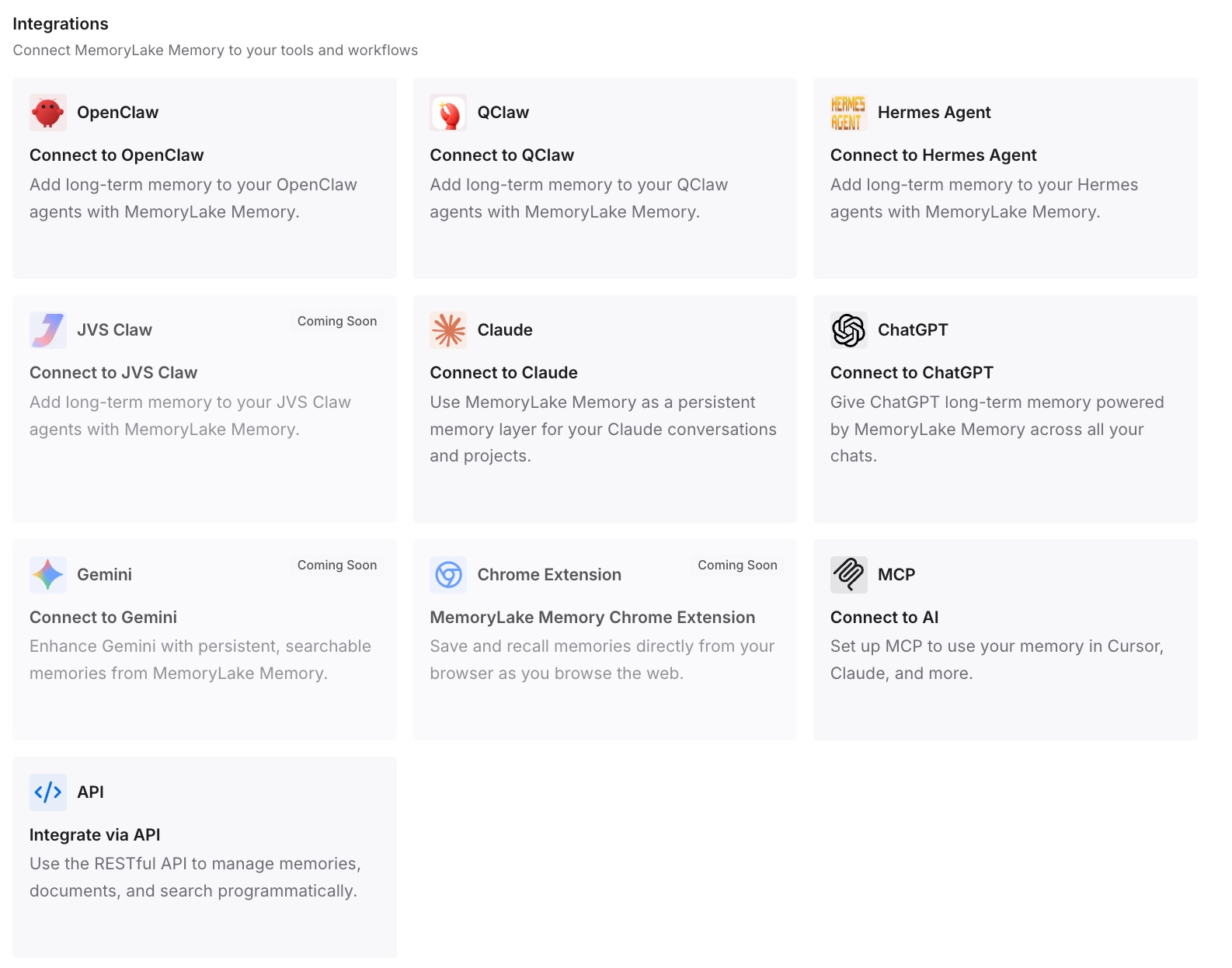
Connect your tools. MemoryLake is reachable over MCP and over an API, so MCP-native agents — Claude Code, Codex, and OpenClaw among them — connect by pointing at the MCP server, and other tools read the same memory through the API. Each tool keeps its own small instruction file for the must-always-apply set, and they all draw on the same body of knowledge instead of five drifting copies.
Two honest limits, both relevant to this article's subject. A memory layer does not fix failure mode 4 — it's still context, not enforcement, and anything that must hold regardless of what the model decides belongs in a hook or CI. And it doesn't make your files load; if .cursor/rules is full of plain .md files, that's still a frontmatter problem you have to fix.
What this changes in practice
Diagnosis gets fast. With a short always-on file, "did it load?" is answerable at a glance instead of being buried under 400 lines of mixed content.
Contradictions get rarer. Most contradictions come from long files edited by different people at different times. Short files with a single job don't accumulate them at the same rate.
Adherence goes up without changing models. This is the counterintuitive part: removing text from the instructions file usually improves compliance, because the remaining rules aren't competing with reference material for attention.
Tool migrations stop resetting your setup. When the knowledge isn't in tool-specific files, moving editors means writing one short rules file in the new tool's format — not re-deriving everything. That's the difference visible in migrating CLAUDE.md to GitHub Copilot.
Mid-session behavior stabilizes. Once the durable knowledge is retrievable rather than dependent on which files happen to be resident after compaction, the agent stops getting quietly less informed as the session goes on.
A diagnostic checklist to run before rewriting anything
Confirm the file loads. Claude Code exposes the loaded memory files in-session via /context, and offers an InstructionsLoaded hook to log exactly which instruction files load, when, and why. Use whatever equivalent your tool provides before assuming the model is at fault.
Check for frontmatter where it's required. In .cursor/rules, a plain .md file is ignored. This is a five-minute audit with a high hit rate.
List the competing filenames. On Zed especially, run through the nine-name list and delete or consolidate leftovers. First match wins, silently.
Check whether the rule is scoped. A paths:, globs:, or applyTo pattern means the rule is absent unless matching files are in play. Manual-mode rules never load themselves at all.
Ask whether the session compacted. If behavior changed partway through a long session, nested files and path-scoped rules may not have been re-injected. Starting a fresh session is a quick way to confirm.
Look one layer up. Personal, repository, and organization instructions are all supplied in Copilot; workspace and global rules combine in Cline; the whole directory tree concatenates in Claude Code. The rule being contradicted may live in a file you didn't write.
Then, and only then, rewrite for specificity. Concrete beats abstract: "Use 2-space indentation" over "format code properly." That's the fix for failure mode 4 — and it only works once you've ruled out the other three.
Conclusion
"The agent ignores my rules" is four different problems wearing the same shirt. Three of them are configuration and have exact answers: check the filename and frontmatter, check whether the rule is scoped or was dropped at compaction, check what else is loaded that contradicts it. The fourth is a genuine limitation that every vendor documents up front — instructions are context, not enforcement — and the answer there is a hook or a CI check, not a stronger adjective.
The reason this keeps happening is that instruction files get used as knowledge bases, which makes them long, which makes all four failure modes worse simultaneously. Keep the always-on set short enough to verify, move the reference knowledge somewhere retrievable, and put the non-negotiables where they're enforced rather than suggested. If you're chasing this in one specific tool, the tool-level versions are covered for Cursor, Claude Code, Copilot, Cline, Windsurf, and Zed.