
Why a new chat starts without your context
A conversation's context is everything in it: your messages, the replies, the files, the tool results. When you start a new chat, that working context doesn't come with you. What the new chat can get back depends on features the assistant offers outside the conversation, such as memory, chat search, project files, or instruction files.
Those features help, but they're selective by design. OpenAI's memory article says "Memory does not retain every detail from every conversation. ChatGPT decides which available information is relevant to a response, and Memory can change as your context changes." Claude's chat search pulls together relevant context from past chats when you ask for it.
So the details that matter most for continuing work, the current state, the half-finished step, the option you ruled out an hour ago, aren't something you want to leave to chance. That's what a handoff prompt carries.
What each assistant can recover on its own
Before writing a handoff, it helps to know what the new chat will already be able to find.
Claude
On paid plans, Claude can search earlier chats. Anthropic's help center says "You can prompt Claude to search through your previous conversations to find relevant information across sessions and reference specific details when needed." Its own example prompts include asking Claude to continue where you left off with a project. The scope is limited: chats outside projects are searched together, and searches in a project stay within that project.
Claude's memory can also carry context from earlier chats into new ones, and project files and instructions are available to every chat in that project. Anthropic's usage article recommends a new conversation in some cases: "Try starting a new conversation if you're approaching your usage limit in a longer chat."
Claude Code
Claude Code keeps sessions on your machine and can resume them with claude --continue, claude --resume, or /resume. It also loads CLAUDE.md files at the start of every session, and its auto memory keeps notes Claude writes for itself from your corrections and preferences.
When you resume a long conversation after a break, Claude Code may ask whether to resume or start fresh. Its sessions documentation describes the start-fresh option: "If the option says that Claude can look up this conversation, you can still refer to earlier work in the new conversation." Our guide to Claude Code's resume warning covers when each choice makes sense.
ChatGPT
With Reference chat history on, ChatGPT can use relevant information from past conversations. OpenAI notes "There is no separate storage limit for what ChatGPT can reference through chat history." Projects add files and instructions shared across chats in the project. For trying a different direction inside the same conversation, ChatGPT can also branch a chat, which our guide to branching a ChatGPT conversation covers.
Codex
Codex can resume a saved session with /resume, which its documentation describes as a way to "Continue work from a previous CLI session without starting over." /compact summarizes the visible chat to free tokens. Codex also reads AGENTS.md files, and its local memories, when turned on, carry context between chats on the same machine. OpenAI's memories page adds a caution worth keeping in mind: "Treat memories as a helpful recall layer, not as the only source for rules that must always apply."
The gap all four leave
Each assistant can find some of the past. None of these features is built to tell the next chat exactly where the work stands, which decisions are final, and what not to try again. That's the job of the handoff prompt.
What a good handoff prompt contains
A handoff prompt is short, specific, and written for a reader who knows nothing. These are the parts that do the work:
- The goal. One or two sentences on what the work is for and what done looks like.
- Current state. What's finished, what's in progress, and where the in-progress part stopped.
- Decisions and their reasons. What was settled and why, so the new chat doesn't reopen it.
- Constraints. Requirements, preferences, and limits that apply to everything that follows.
- What was ruled out. Approaches you tried or rejected, with a word on why.
- Open questions. What still needs an answer.
- The next step. The one thing the new chat should do first.
- Materials. Which files, links, or documents the new chat needs, and which it doesn't.
Leave out the history of how you got there, apart from the decisions. Leave out pleasantries. A good handoff fits on one screen.
What people try first
Pasting the whole old conversation. It brings everything, including the noise, and in Claude it brings the same length problem into the new chat.
Starting fresh and hoping memory fills in. Memory and search help, but they don't reliably bring back the current state of the work.
Writing a summary from memory. You'll remember the goal and forget the decision you made two hours ago.
Asking for a summary with no structure. You get a recap of the conversation, not a brief the next chat can act on.
The Fix: Ask the old chat for a structured handoff, check it, then open the new chat with it
Step 1: Ask the old chat to write the handoff before you leave
The old chat has the context, so it should write the first draft. Ask for the structure, not a recap. A prompt like this works across Claude, ChatGPT, Claude Code, and Codex:
Write a handoff for a new chat that will continue this work and has none of this conversation.
Use these headings: Goal, Current state, Decisions (with the reason for each), Constraints,
Ruled out (with why), Open questions, Next step, Materials needed.
Be specific: names, numbers, file paths, exact wording where it matters.
Keep it under one page. Don't include the history of how we got here except the decisions.
In Claude Code or Codex, add one line asking it to include the files it changed and the commands needed to check the work.
Step 2: Read it and fix what's wrong
The draft will be good and not perfect. Check three things: that the current state matches what you know, that every decision you care about is there with its reason, and that the next step is the one you'd choose. Add anything it missed. If a decision is wrong in the draft, correct it here rather than in the new chat.
Save the final version somewhere you control, not only in the old chat.
Step 3: Open the new chat with the handoff, then confirm
Paste the handoff as the first message and attach only the materials it lists. Then ask the new chat to restate the goal, the current state, and the next step in its own words before it does anything. If its restatement is off, the handoff needs one more line.
In Claude Code, put the parts that apply to every session, such as project conventions, into CLAUDE.md instead of repeating them in each handoff. In Codex, the same goes for AGENTS.md. In Claude or ChatGPT, rules that apply across chats in a project belong in that project's instructions.
Setting this up in MemoryLake
A handoff prompt carries one piece of work from one chat to the next. Over a few weeks, the decisions and constraints in those handoffs start to repeat: the same conventions, the same preferences, the same settled questions. They're the context you'd want every new chat to start with, in every assistant you use.
MemoryLake is a memory layer for keeping that recurring context in one list you maintain, available to ChatGPT and the other assistants you connect, such as Claude Code and Codex.
You write the entries yourself, in your own words. Nothing is read out of, written to, or deleted from your chats, your assistant memories, your project files, your session history, or any vendor's store. For work content, follow your organization's policy on what you keep outside its tools.
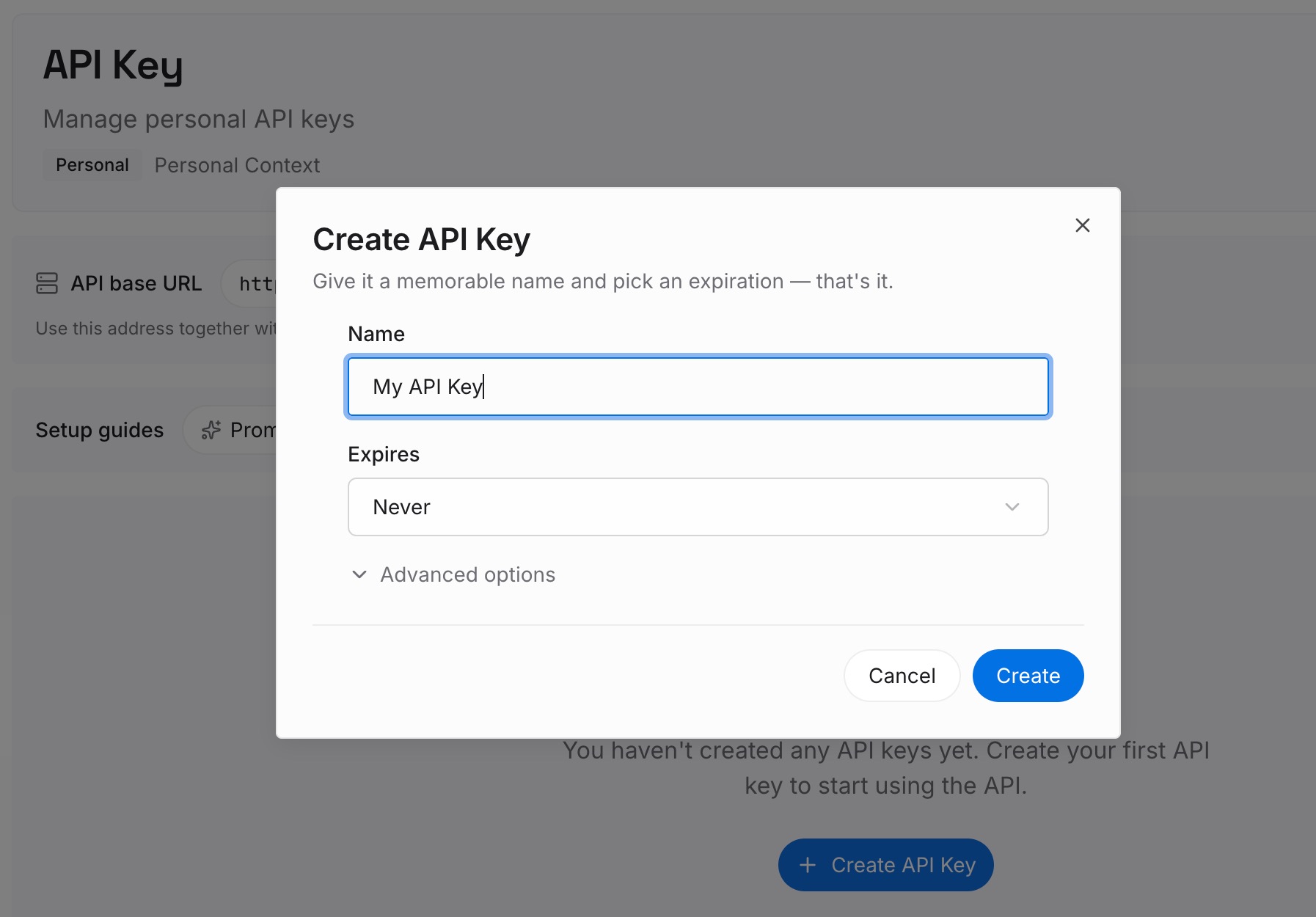
Step 1: Create an API key
Sign in and generate a key from the dashboard. The key belongs to your MemoryLake workspace and is separate from your assistant accounts.
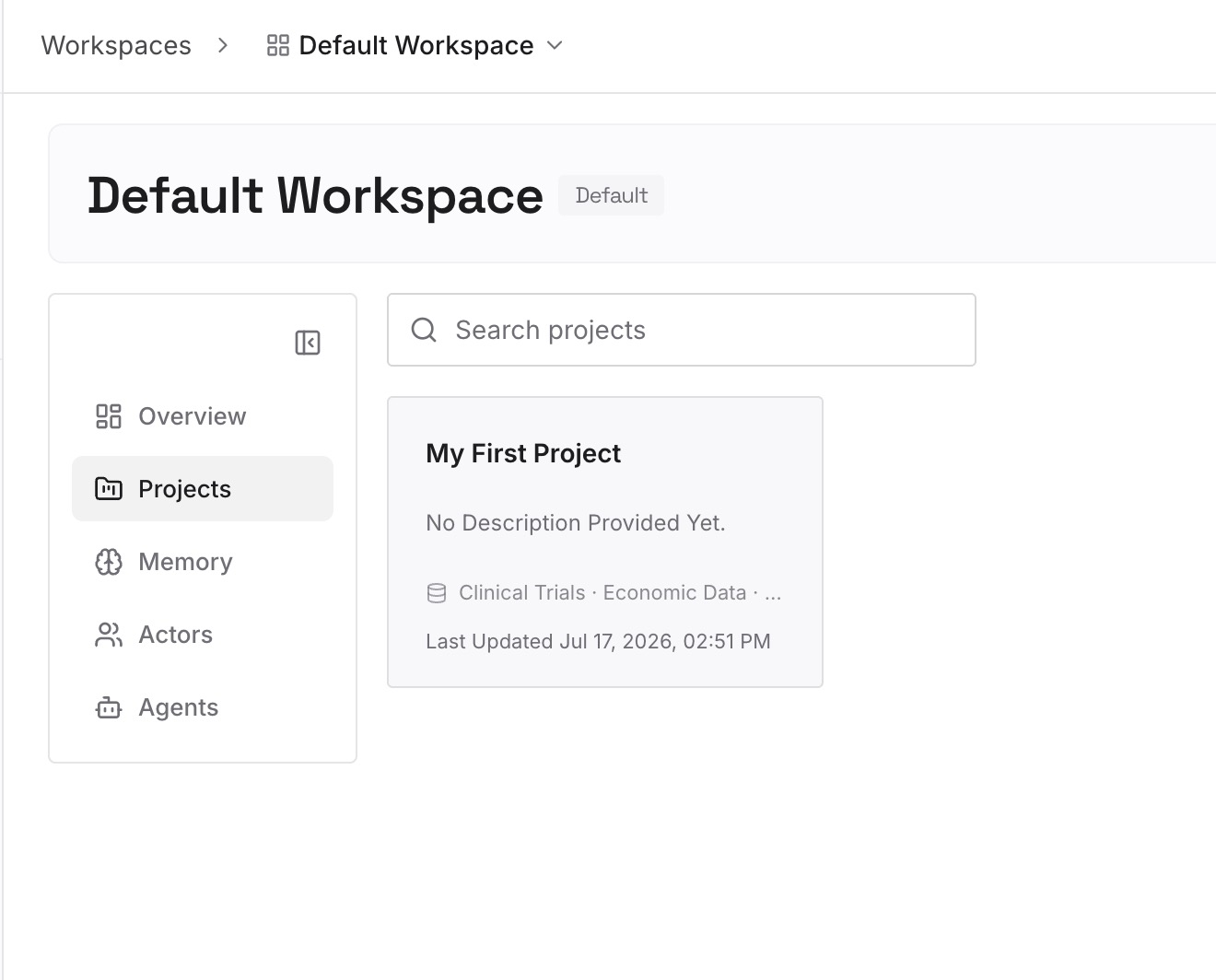
Step 2: Upload your first memories
Start with the Decisions and Constraints sections of your recent handoffs, the parts that would apply to the next piece of work too. One point per entry, dated, and labeled with the project it belongs to.
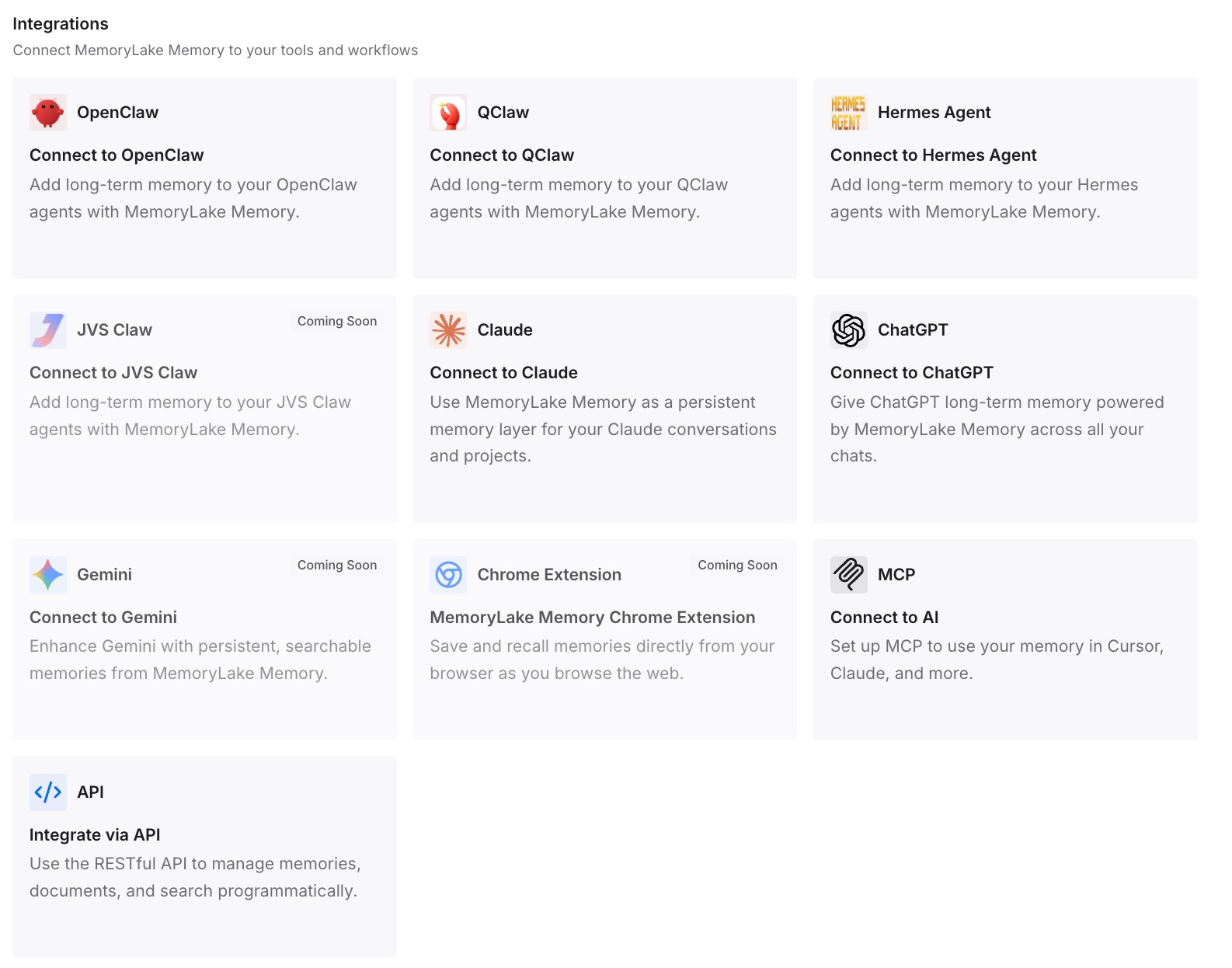
Step 3: Connect your AI & agents
Connect ChatGPT and the other assistants you use. Your next handoff can be shorter, because the standing context is already there.
What this changes in practice
The first difference is that leaving a chat stops costing you the work. The new chat starts with the goal, the state, and the next step in its first message.
The second is that decisions stay decided. The reasons travel with them, so the new chat doesn't argue its way back to an option you rejected.
The third is that you can move between assistants as easily as between chats. A handoff written in Claude works in ChatGPT, Claude Code, or Codex. If you're handing a chat to another person rather than to a new chat, our guide to sharing a Claude chat and the context it leaves out covers that case.
Best practices for handoff prompts
Ask the old chat to write it. It has the context you'd forget.
Use fixed headings. The structure is what makes it usable.
Include the reason for every decision. A decision without a reason gets reopened.
List what was ruled out. It saves the new chat from repeating dead ends.
Keep it to one screen. Long handoffs bring back the problem you left.
Check it before you paste it. Correct the state and decisions yourself.
Move standing rules into instruction files. CLAUDE.md, AGENTS.md, or project instructions, so handoffs stay short.
Ask the new chat to restate the plan. It's the quickest test that the handoff worked.
For keeping a record of a Codex session as well as handing it off, our guide to exporting a Codex chat covers saving the full conversation.
Conclusion
A new chat starts without the working context of the old one. Memory, chat search, resume, and instruction files can recover some of it, but not reliably the current state, the settled decisions, and the next step.
A handoff prompt fills that gap. Ask the old chat to write it under fixed headings, check and correct it, and open the new chat with it. Put the rules that apply to every session into the assistant's instruction files, and keep the recurring decisions somewhere you control. If Claude itself seems to lose track of earlier chats, our guide to making Claude remember previous conversations covers the settings that control it.