
Why an External Agent doesn't inherit your context
Zed hosts the thread; the agent owns everything else
The defining sentence is in the first paragraph of the docs: "Zed hosts the thread in the Agent Panel and Threads Sidebar, while the External Agent usually owns its own runtime, auth, model selection, tools, and native configuration."
That is a clean architectural split and it explains almost every surprise. The panel is Zed's. The conversation list is Zed's. The agent is a separate process communicating over ACP, and it brings its own everything.
The boundary table answers most questions with "it depends"
Zed publishes a Configuration Boundaries table. Read it as written, hedges included:
| Capability | Behavior in External Agent threads |
|---|---|
| Model/provider config | "Usually owned by the External Agent" |
| Auth/API keys/subscriptions | "Usually owned by the External Agent" |
| Zed Agent profiles | "Do not apply unless the integration says otherwise" |
| Zed Skills | "Do not apply as Zed Skills" |
| Native agent skills/instructions | "Depends on the agent" |
| Zed MCP servers | "May be forwarded over ACP" |
| Native MCP config | "May also be read by the agent" |
| Tool permissions | "Zed ACP/tool forwarding permissions may apply; native tool permissions depend on the agent" |
Two rows are firm and negative: Zed Agent profiles do not apply, and Zed Skills do not apply as Zed Skills. Everything else is "usually," "may," or "depends on the agent."
That is not vagueness for its own sake. Zed cannot promise what a third-party process does with a config file, so it declines to. But it means the answer to "will my instructions be read?" is genuinely unknown from Zed's side, and you have to establish it per agent.
Even the one file you'd bet on is hedged
The Claude Agent section says: "Claude-specific files such as CLAUDE.md may be read by Claude Agent directly."
May be. Not "are." The reason is the same architectural one — the agent reads its own config through its own runtime, so whether your file is picked up depends on how that agent was launched and what it considers its working directory. Which is the same class of problem behind why agents ignore your instruction files generally.
Credentials and remote projects add another layer
"Zed LLM provider API keys saved in the local keychain are not automatically the same as an External Agent's credentials." And for remote work: "External Agents may read credentials locally, remotely, or through their own sign-in flow."
So an Anthropic API key configured for Zed Agent "does not automatically configure Claude Agent," and a Cursor subscription "does not configure Zed's LLM provider settings." Each agent authenticates itself.
What people try
Assuming Zed Skills carry over. They do not — the table says so plainly. Skills written for Zed Agent are not available as Zed Skills in an external agent thread, and whether the agent has an equivalent of its own "depends on the agent."
Setting up a Zed Agent profile and expecting it to constrain the external agent. Profiles "do not apply unless the integration says otherwise." Tool permissions are especially worth checking here, since native tool permissions depend on the agent rather than on your Zed configuration.
Configuring MCP once in Zed and calling it done. Zed MCP servers "may be forwarded over ACP" and native MCP config "may also be read by the agent." Two maybes, which means the practical answer is to test rather than assume — a variation on the MCP layer being stateless by design.
Importing old threads and expecting a live handoff. Zed can import existing threads from configured external agents, and this is a real feature: "Zed connects to each selected agent over ACP and adds sessions that are not already in your history." But note what you get — "Imported threads are archived entries; open one to restore it and continue where you left off" — and note what gets skipped: "Sessions without an associated working directory are skipped."
Concluding that Zed External Agents have no context at all. Understandable if you only read the negative rows, and wrong. Each external agent brings its own instruction system, its own memory if it has one, and its own native config — the point is that those are the agent's, not Zed's. The context exists; it just does not come from the editor.
Solving it by standardizing on one agent. This does work, and it gives up the reason you installed External Agents in the first place. The feature exists so you can start a Claude Agent thread for one task and a Codex thread for another; collapsing to a single agent to avoid maintaining two instruction layers is paying for the flexibility and then not using it.
Copying the same instruction file into every agent's location. The obvious workaround, and it holds for about a month. Then one copy gets a correction the others do not, and you have two agents in the same editor confidently disagreeing about your conventions — with no error anywhere, because each one is faithfully reading the file it was given.
The Fix: Establish What Each Agent Reads, Then Put the Shared Half Somewhere Both Can Reach
Step 1: Test the boundary instead of inferring it
For each external agent you use, run one deliberate probe rather than trusting the table's hedges in either direction.
Put a distinctive, harmless instruction in the file you believe the agent reads — a specific formatting preference, a nonsense variable name to prefer, anything you will notice. Start an external agent thread from the Agent Panel and ask a question whose answer would reveal whether the instruction landed.
Do this for each layer separately: the agent's own instruction file, native MCP config, and any skills the agent supports natively. You will end up with a short per-agent table of what actually works in your setup, which is the thing Zed's docs cannot write for you because it depends on how the agent was installed and launched.
While you are there, check the working directory. Zed's thread import skips "Sessions without an associated working directory," which is a strong hint that working directory is load-bearing in this integration — and instruction file discovery is usually relative to it.
Step 2: Set up each agent's own layer, natively
Once you know what an agent reads, configure it there rather than in Zed.
For Claude Agent, that means its own auth (run /login in a Claude Agent thread) and Claude-native config. For Codex, it means "ChatGPT login, Codex API keys, OpenAI API keys, or Codex-native configuration depending on the installed version and environment." For Gemini CLI, its own Google or Vertex AI sign-in. For OpenCode, its own auth, model selection, and subscription behavior. For Poolside, pool login. Zed documents each of these as agent-owned, and the fastest way to fight the architecture is to try to centralize it in the editor.
If you are developing an ACP agent or running one not in the registry, the Custom Agents path adds an agent_servers entry in your settings file — and the same boundary rules apply to it.
Step 3: Put the knowledge both agents need outside both agents
Steps 1 and 2 get each agent working. They leave you maintaining N parallel instruction layers, one per agent, all describing the same project.
That is the actual cost of a multi-agent editor, and it is not a bug in Zed — it is the honest consequence of "the External Agent owns its own native configuration." The only thing that collapses N copies back into one is a store that none of the agents owns.
A memory layer does that. It is not a Zed setting and not an agent config, so it does not care which row of the boundary table applies. MemoryLake sets up in three steps.
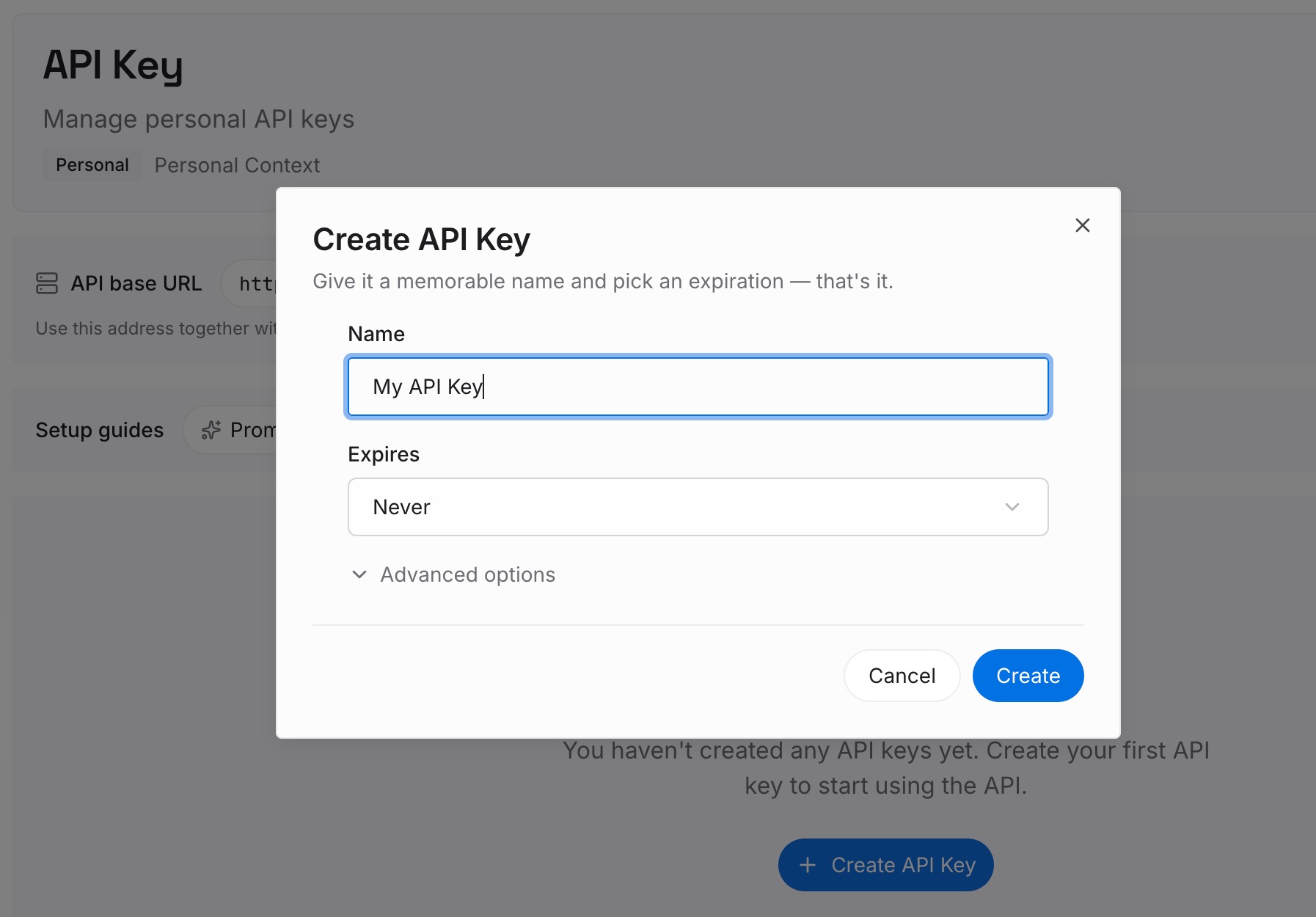
Step 1: Create an API key
Sign in and generate an API key from your dashboard. Because the credential is yours rather than an agent's, it sidesteps the auth fragmentation that Zed documents — Zed keychain keys, Claude Agent auth, and Codex auth are all separate, and this is separate from all of them.
Step 2: Upload your first memories
Put the project knowledge you have been duplicating: conventions, architectural decisions and their reasons, domain terms, the standing preferences you re-state in every new thread. Anything you have written into two different agents' instruction files is a candidate.
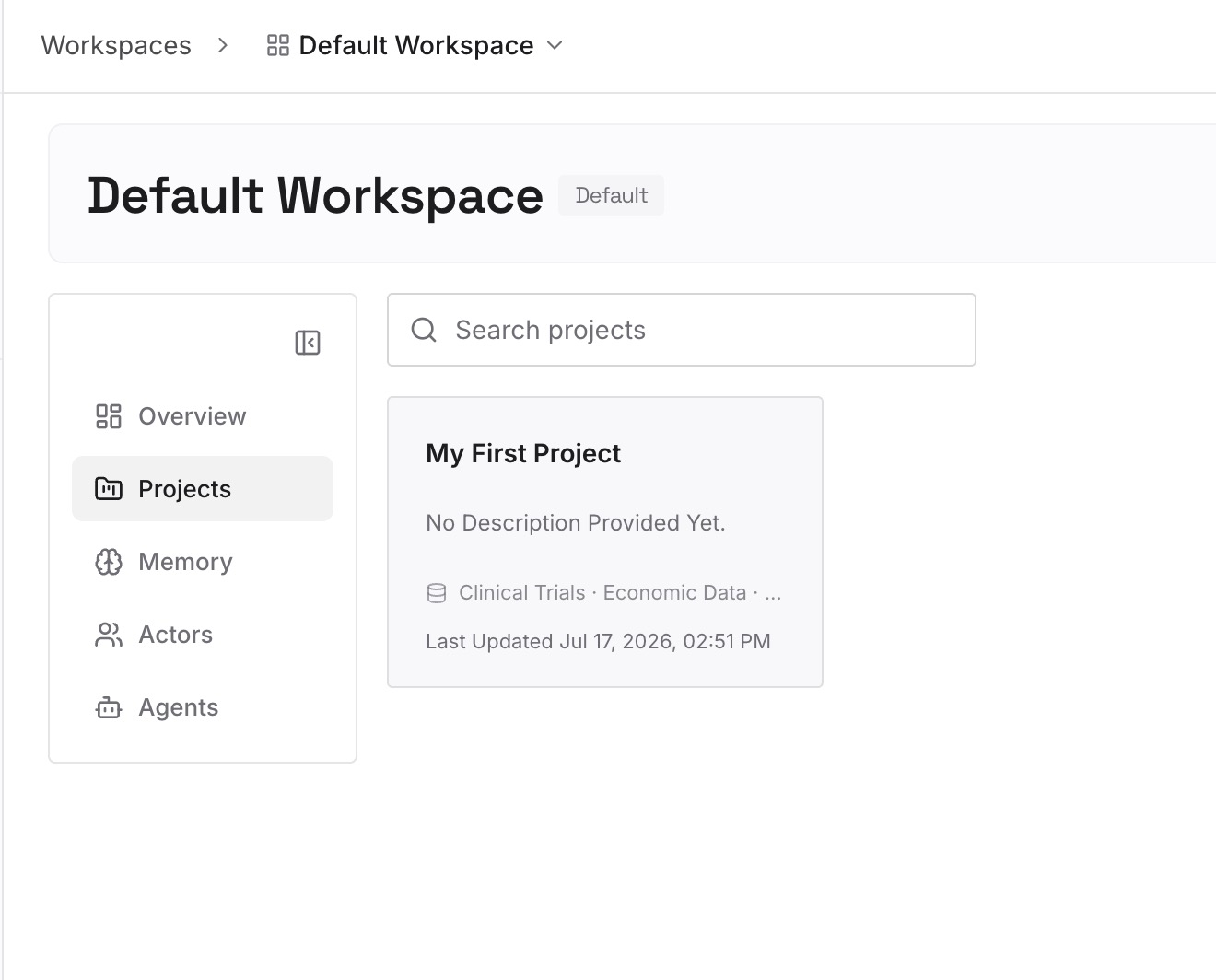
Keep each agent's genuinely agent-specific configuration where it belongs. This is for the facts, not the wiring.
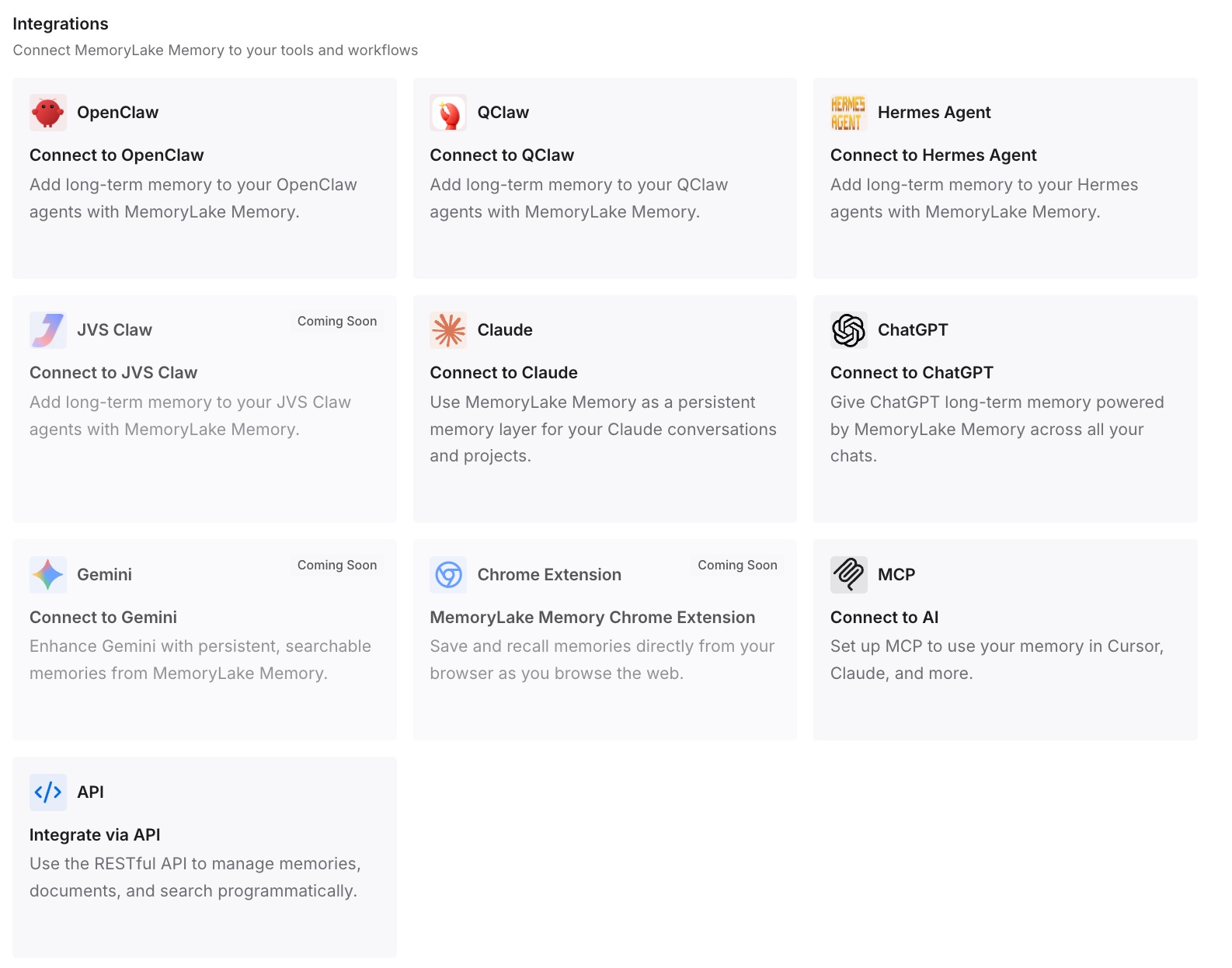
Step 3: Connect your AI & agents
Point each agent at the store. Switching from a Claude Agent thread to a Codex thread mid-task stops meaning a fresh explanation of the project, which is the thing the Agent Panel makes easy and the boundary makes expensive.
What this changes in practice
The first change is that switching agents becomes cheap. Zed's whole pitch is that you can pick the right agent per thread; that only pays off if changing threads does not mean re-establishing context. Today it usually does.
The second is that the boundary table stops being a source of surprises. When the durable knowledge lives outside, the hedged rows matter much less — you still care about auth and tool permissions, but you stop caring whether a particular instruction file is picked up, because the facts are not in it.
The third is that thread import becomes genuinely useful. Imported threads arrive as archived entries you open to continue; when the project knowledge is in a shared layer, continuing an old thread does not depend on how much of the original context happened to be in the transcript. It is the same reason a shared layer helps with cross-agent memory in general.
Best practices for External Agent threads in Zed
- Treat the boundary table as a checklist, not a spec. Two rows are firm negatives; the rest are per-agent facts you establish by testing.
- Configure auth per agent, and expect no sharing. A Zed keychain key does not configure Claude Agent; a Cursor subscription does not configure Zed's provider settings.
- Do not port Zed Skills. They do not apply as Zed Skills in external threads. Check whether the agent has a native equivalent instead.
- Verify MCP forwarding rather than assuming it. Zed MCP servers may be forwarded over ACP and native config may also be read — two maybes deserve one test.
- Mind the working directory. Sessions without one get skipped on import, and instruction discovery generally depends on it.
- Expect imported threads to be archives. Open one to restore it; re-importing is safe because threads already in your history are skipped.
- Keep one canonical source of project knowledge. If a paragraph exists in both
CLAUDE.mdand a Codex instruction file, it belongs in neither. - Re-test after updates. Codex's auth options vary "depending on the installed version and environment," which is a strong signal that these boundaries move.
Conclusion
Zed's External Agents docs are unusually trustworthy precisely because they refuse to over-promise. "Usually," "may," and "depends on the agent" are the correct answers when a separate process owns its own configuration, and pretending otherwise would just move the surprise later.
The practical reading is: let each agent own its wiring, stop trying to centralize that in the editor, and take the one thing that genuinely should be shared — what your team knows about the project — out of the agents entirely.