
What Anthropic actually published
Two documents matter here, published for different reasons.
The first is the release note, dated September 15, 2026. The forking line is one bullet among roughly sixty — a capability note, not an announcement. There is no blog post, no feature page, and as of this writing the Remote Control documentation page does not describe app-initiated forking. The behaviour exists; the narrative around it does not.
The second is the sessions documentation, which has described the mechanics for some time. It opens with a definition worth keeping: "A session is a saved conversation tied to a project directory. Claude Code stores it locally as you work, so you can resume where you left off, branch to try a different approach, or switch between tasks."
On branching: "Branching creates a copy of the conversation so far and switches you into it, leaving the original intact." Then the sentence that does the real work: "/branch copies the transcript and switches the running Claude Code process to write to it. That distinction determines what the branch inherits."
Anthropic then publishes the inheritance table outright. Conversation history is "Copied into the branch up to the point you ran /branch." Permission grants are "Carried over; the branch runs in the same process, so your existing grants still apply. If you fork into a separate process with --fork-session, the new process starts without them and you re-approve there."
The two rows that almost nobody quotes are the interesting ones. In-flight background subagents and background Bash commands "Keep running. Their output appears in the new branch you switched into, not in the original session." And the Remote Control connection "Stays connected. A phone or browser connected to the session follows you into the branch and keeps receiving new messages there."
That is the vendor stating, in its own documentation, that the live parts of your session move. The original keeps the transcript it had; the work still running, and the device you were watching from, go with the copy.
What this does and doesn't change
It does not change what is stored. The docs are explicit that "The original is unchanged on disk and remains in the session picker," and that branched sessions "get their own session IDs and appear as separate rows." You can return to either side at any time.
It does not make the fork a mirror. A fork is a copy taken at an instant, and from that instant the two transcripts are separate files with separate futures. Anthropic describes the same shape for subagents: "A subagent starts fresh unless it's a fork, which starts with a copy of your conversation so far." A copy of your conversation so far — not a link to it.
What changes is how easily forks get created, and therefore how many you end up with. Splitting a session used to mean being at the terminal running it. Now it can be initiated from a phone or browser while the session is attached over Remote Control, and the result lands as a background session on your computer.
That matters because Remote Control was already a multi-surface arrangement. Anthropic describes it as connecting "claude.ai/code or the Claude app for iOS and Android to a Claude Code session running on your machine," and is careful about what the surfaces are: "The web and mobile interfaces are a window into that local session." A window, singular. Forking gives you two sessions and one window, and the window follows the fork.
A second line in the same release belongs next to this one, because it is the same problem from another angle: "Fixed the context meter and auto-compact counting advisor-tool turns at roughly twice their real context size, which made auto-compact fire at about half the real window."
Compaction is not a copy operation, but it is a rewrite, and the docs describe its cost: Claude Code "clears older tool outputs first, then summarizes the conversation if needed. Your requests and key code snippets are preserved; detailed instructions from early in the conversation may be lost." Firing early means that rewrite happened sooner than intended, and the only place you would have noticed is a meter that was itself being miscounted. We took up the general version of this in what actually survives a compaction pass.
Both lines describe a conversation changing shape without an event you would notice: one splits, one shortens. Anthropic found the second and fixed it; the first is documented, intended behaviour. Neither is a reason to distrust the tool. Both are reasons to stop treating a conversation as the place your decisions live.
What people will take from this, and shouldn't
"Forking is like a git branch, so I can merge it back later." This analogy does most of the damage. Branching in version control exists so that divergent work can be reunited; the merge is the point. The sessions documentation describes creating branches and returning to either one, and describes no reconciliation between two session IDs. The comparison holds for the split and stops there.
"The original is untouched, so nothing is lost." Untouched on disk, yes. But the documentation says in-flight background work reports into the branch, "not in the original session," and that a connected phone or browser "follows you into the branch." Fork and walk away, and the original is exactly as complete as it was — and exactly as stale.
"I can keep both open and they will stay in sync." They will not, and there is a documented failure mode for the manual version: "If you resume the same session in two terminals without forking, messages from both interleave into one transcript." One transcript with two authors interleaved is not two synchronised conversations; it is a record that is hard to read afterwards.
"The phone shows me everything." The Remote Control page is careful here. When you switch conversations, "the connected device doesn't receive the switched-to conversation's title or earlier history, but new messages in both directions go to and from whichever conversation is open in your terminal." The device is a live view, not an archive.
The Fix: Write the conclusion somewhere neither copy owns
The reliable move is not to pick the right session. It is to stop asking a session to be the record at all.
Step 1: Decide what the fork is for before you create it
A fork is cheap now, which makes it worth being deliberate. There are two honest reasons to split: you want to try an approach you might throw away, or you want two lines of work to proceed without interleaving. Both produce a copy that will never rejoin.
Say which one out loud, in the branch name. Anthropic notes that if you omit a name, "Claude Code names the new branch after the first prompt in the conversation" — useful, but the first prompt describes where you started, not why you split.
Step 2: Lift anything settled out of the transcript first
Before you fork, take one pass over what the conversation has established: the decision you made and why, the constraint you discovered, the approach you ruled out. Those are conclusions. Everything else is the reasoning that produced them.
Conclusions have to be readable from both sides of a split, which means they cannot live only in the transcript about to be duplicated. Anthropic's own advice about compaction points the same way: "Put persistent rules in CLAUDE.md rather than relying on conversation history." That is the right instinct applied to one file in one repository. The same instinct applied to your working knowledge is the difference between a long context and a memory.
Step 3: Name one copy as the one you will come back to
After a split, two sessions are equally real and only one is the one you resume on Monday. Decide which, and write it down where you will see it — in the branch name, in the project file, or in the issue you are working from.
The failure here is rarely dramatic. It is opening the session picker, seeing two rows that look alike, picking the one with more recent activity, and continuing from reasoning you had already abandoned. The picker gives you names, timestamps and file sizes; it cannot tell you which side you meant — the same limit that makes a scrollback of past commands a weak substitute for a decision record.
Setting this up in MemoryLake
The point of all three steps is that the conclusion outlives the container it was reached in. MemoryLake is a store you write those conclusions into on purpose, separate from any one transcript and readable from every session you open afterwards. You write the entries yourself, in your own words. Nothing is read out of, written to, or deleted from Anthropic's systems — your sessions, transcripts and checkpoints stay entirely under Claude Code's own controls.
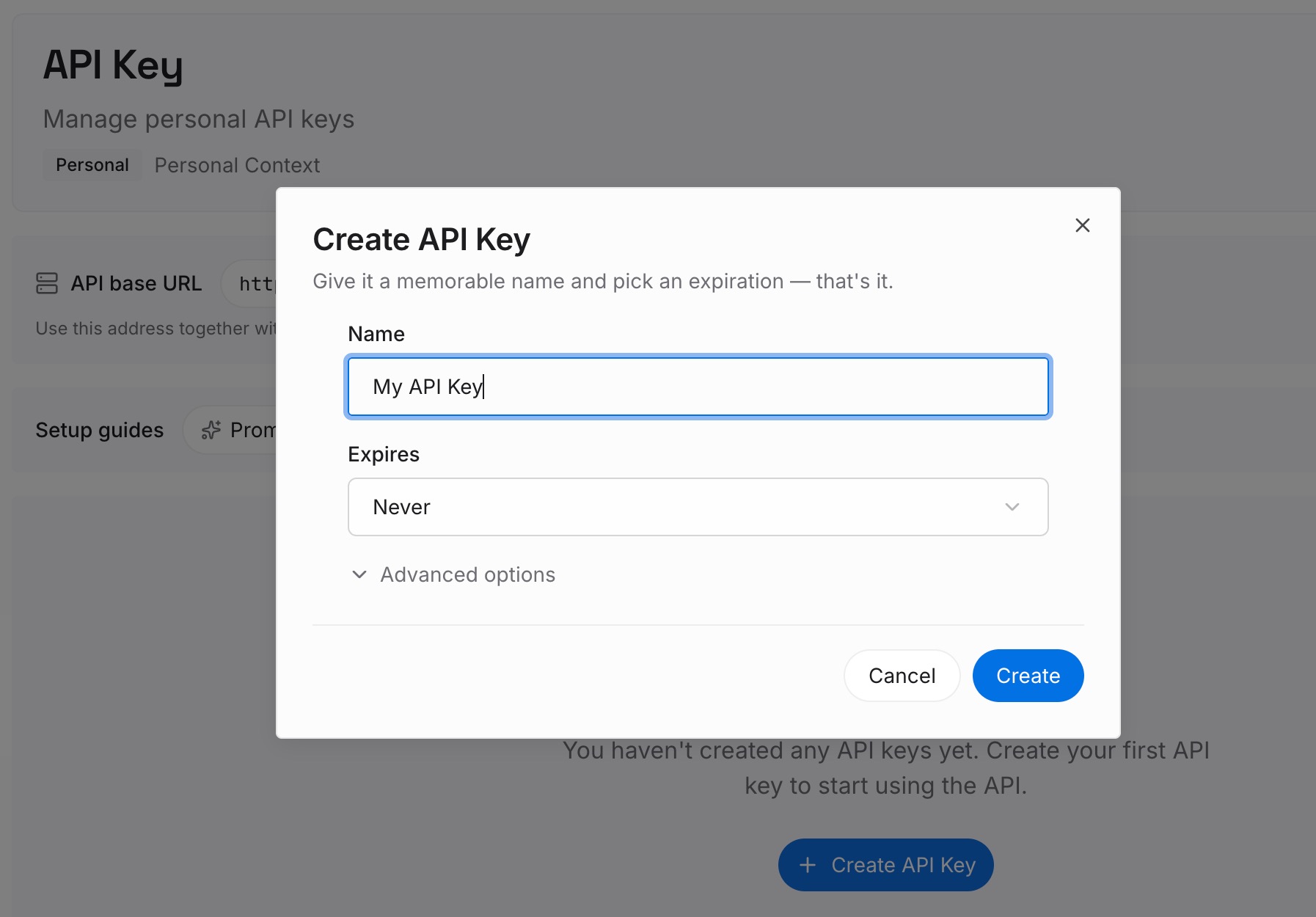
Step 1: Create an API key
Generate a key from the dashboard. It is what lets a forked session, the original, and a session you start next month all reach the same set of facts.
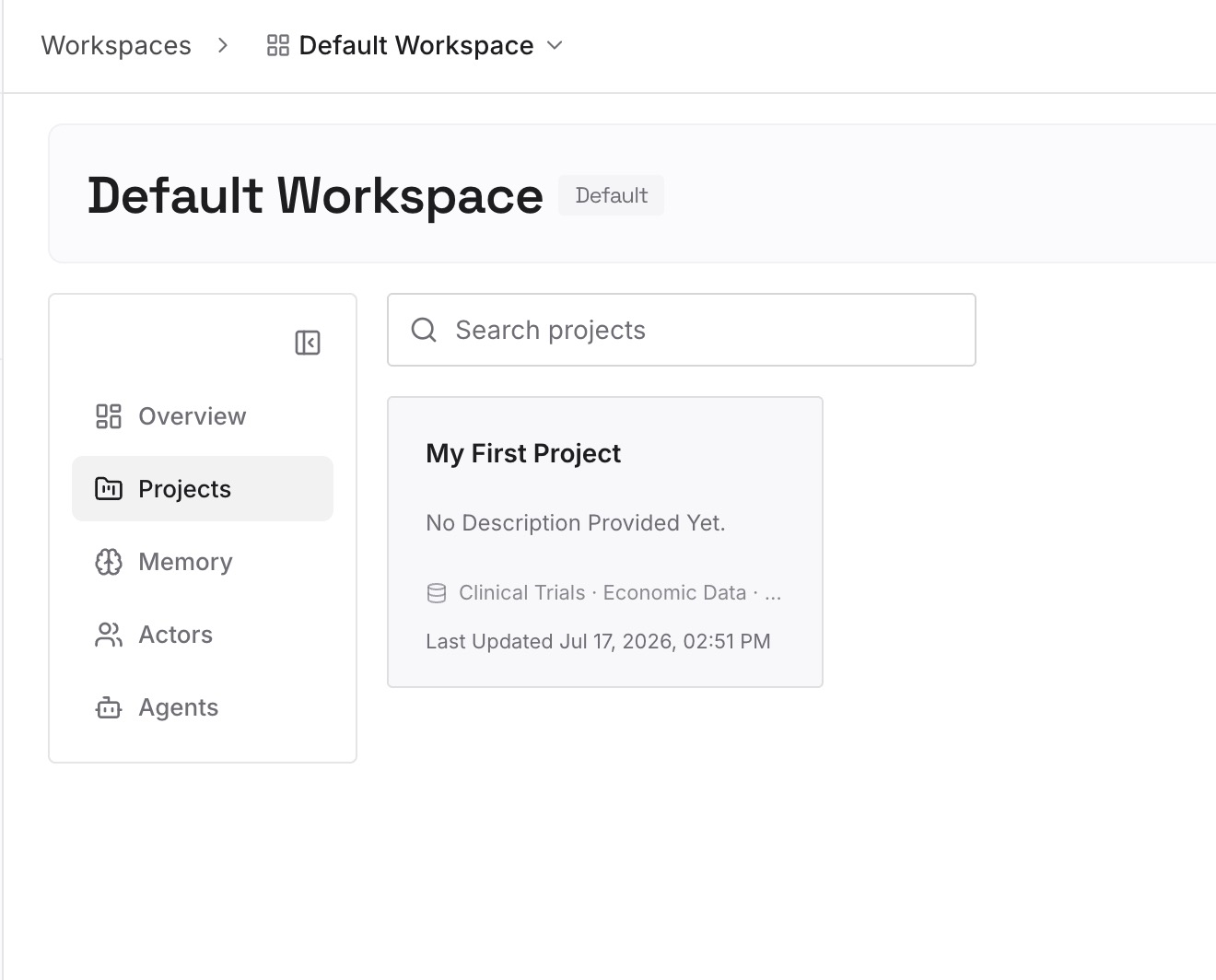
Step 2: Upload your first memories
Start with the decisions you would hate to re-argue: the approach you settled on, the constraint that made the obvious option wrong, the thing you already tried. A dozen short entries usually covers a project's worth of settled ground. Write them as statements, not as a narrative.
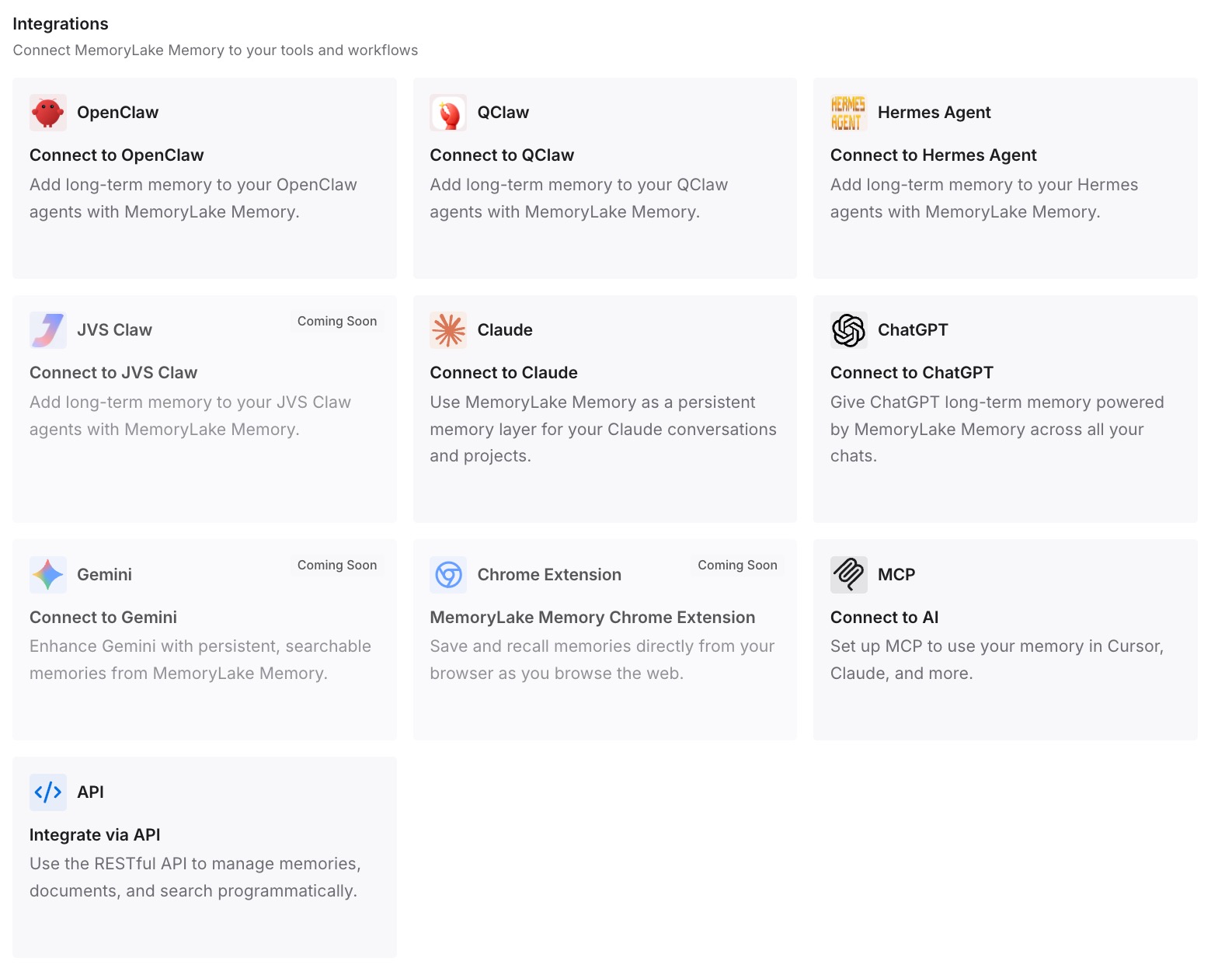
Step 3: Connect your AI & agents
Point Claude Code at the layer so those facts load at the start of a session rather than being reconstructed. Then test it the way that proves something: fork a session, open the copy, and ask for one of the facts back. If the copy answers, the split stopped being a fork in your knowledge.
What this changes in practice
The first change is that forking becomes free in the sense that matters. People hesitate to split a long session because the session is doubling as their notes, and splitting the notes feels reckless. Once the settled parts live outside it, you can split as often as the work calls for.
The second is that the session picker stops being a memory test. Two rows from the same afternoon are hard to tell apart on metadata alone. If the conclusions are elsewhere, picking the wrong row costs a few minutes of orientation rather than a repeated decision.
The third shows up when several sessions run at once. Anthropic supports this deliberately — background sessions, agent teams, cross-session messaging — and each is another context that starts without what the others know. We took up that problem in how agent teams share what they are working on and in sharing context between Claude Code sessions.
The fourth is that the transcript gets to be a transcript — an excellent record of what happened and a poor index of what was decided, which is why searchable logs keep disappointing people who wanted memory.
Best practices for working with forked Claude Code sessions
Name every fork at creation. The default name describes the beginning of the conversation; you need one that describes the reason for the split.
Fork before the experiment, not after it goes wrong. A fork taken at the moment of doubt gives you a clean pair. One taken after three exploratory turns copies the exploration into both sides.
Expect a separate process to ask again. The documentation is explicit that a fork into a separate process "starts without them and you re-approve there." Plan for the prompts rather than meeting them mid-run.
Check which conversation your device is attached to. After a fork, the connected phone or browser follows the branch. If you meant to keep watching the original, switch back deliberately.
Do not rely on the meter alone to tell you the conversation is intact. The September 15 fix is a reminder that the indicator and the thing it measures are separate systems.
Keep one written answer per decision, outside every session. If a fact matters enough that both halves of a fork would need it, it belongs in neither half.
Conclusion
Version 2.1.273 added a small, sensible convenience: you can now fork a Remote Control session from the Claude app, and the fork runs as a background session on your computer. The mechanics have been documented all along — a fork "copies the transcript," the original is "unchanged on disk," and in-flight work reports into "the new branch you switched into, not in the original session."
What the release changes is the arithmetic. Splitting a conversation used to require sitting in front of it; now it takes a tap from wherever you are. That means more forks, more session rows that look alike, and more moments where the thing you learned lives in exactly one of two places.
None of this is a flaw, and Anthropic is not announcing a memory feature here. It is a copy operation behaving like one, described accurately by the vendor in its own documentation. The conclusion to draw is not about forking. It is that a conversation was never the right place to keep what you had already decided, and forking makes that visible in a single afternoon.