
Why Claude chat history goes missing
The new Claude experience moved chats and tasks into one list
Anthropic's help article for the change is titled "Claude Cowork and chat are one Claude," and it describes the new layout: "Your quick questions and longer tasks live together in Recents." It is rolling out in stages, "starting with Pro and Max plans on web, desktop, and mobile," so two people on the same plan can see different sidebars.
Your history comes with you. Anthropic says "Your existing Cowork tasks, projects, connectors, skills, artifacts, and files carry over, and those Cowork tasks open as they did before, so you can continue them."
The catch is search. Under current limitations, the article says: "Search doesn't include older Cowork tasks. It covers your chats and new conversations, and you can still find older tasks by name in Recents." If the conversation you want was a Cowork task from before the switch, searching for words inside it may come up empty even though it is right there in Recents.
For the full list, Anthropic's help center points to Chats and tasks in the sidebar "to see your full chat history."
Some Cowork work was stored on your computer
Cowork tasks that ran locally behave differently. The new-experience article says "Memory from Cowork tasks that ran only on your computer stays with those tasks." Anthropic's account-migration article is more specific about where that work lives: "Desktop sessions and the folders you've connected are stored locally, not in the cloud, so they stay on your computer."
If you are looking on a different machine, or on the web, for something you did in a local Cowork session, look on the computer where you ran it.
Incognito chats were never saved
Incognito is designed to leave no history. Anthropic describes incognito chats as "temporary conversations that aren't saved to your chat history or to Claude's memory." Once closed, they are gone from your view: "Once closed, incognito chats cannot be reopened." And they can't be rescued after the fact: "once you start an incognito chat, it cannot be converted to a regular chat or saved to your history."
In the new experience, incognito chats still work, but Anthropic notes they "open in the previous experience." If you remember a conversation that looked slightly different from the rest, it may have been one of these.
You are signed in to a different account
Many people have both a personal Claude account and a work one on the same email address. Anthropic's article on moving a personal account into a Team or Enterprise organization describes one choice as "Keep both accounts: Your personal account stays active. You can switch between it and your organization account from your account menu." Conversations live in the account where you had them.
If you did migrate a personal account into an organization, the history takes a moment to settle. Anthropic says "After a migration, your chat list can take a little while to fill in. Searching by chat title works right away." Its advice if something still seems absent: "If chats still seem to be missing, sign out, sign back in, and search again."
A migration also leaves some things behind. The same article lists "Cowork sessions in the desktop app," "Cowork cloud sessions (web and mobile)," and "Claude Code cloud sessions (web, scheduled tasks, and mobile)" among what doesn't move, and notes that public share links to chats "stop working permanently."
The conversation was deleted, by you or by a policy
Deletion is quick. "When you delete a conversation, it's removed from your conversation history immediately and deleted from our back-end systems within 30 days."
On Enterprise plans, an organization can set a retention period. Anthropic's admin documentation says "Data past its retention period will be permanently deleted and cannot be recovered," with a minimum period of 30 days. Projects follow their own clock: "Project retention always takes precedence over chat retention for chats inside a project." Moving a chat out of a project makes it standalone again, under the chat retention period. If you are on an Enterprise plan and older chats are missing, ask your administrator what retention is set.
The conversation lives somewhere other than claude.ai
Two common places look like Claude but keep their history separately.
Claude in Google Docs, Sheets and Slides keeps conversations in your browser. Anthropic says "Chat history is saved in your browser per file. It will not be there in a different browser, in a private window, after clearing site data, or in a copy of the file made with File, Make a copy." Our guide to keeping Claude in Google Docs context across browsers covers this in detail.
Claude Code sessions on your machine are files on that machine, and they are cleaned up over time. Anthropic's memory documentation says "Claude Code deletes old session transcripts after the cleanupPeriodDays retention period." The memory files Claude Code keeps are excluded from that sweep; the transcripts are not.
Claude's own search has a scope
Sometimes the history is visible, but asking Claude to find an old conversation fails. That is a different tool with a different scope. Anthropic documents the boundaries for searching past chats as "All chats outside of projects" and "Individual project conversations (searches are limited to within each specific project)." Incognito chats are excluded. Why Claude can't find your old chat explains the project boundary.
What people try instead
Searching for words inside an older Cowork task. Search in the new experience covers chats and new conversations; older tasks are found by name in Recents.
Asking Claude to find the chat. Claude's past-chat search has its own scope, separate from your sidebar.
Assuming the account is right. A personal and a work account can share an email address and have separate histories.
Looking for a local Cowork session on another device. Desktop sessions are stored on the computer that ran them.
Hoping to reopen an incognito chat. Anthropic says closed incognito chats cannot be reopened.
Waiting for a deleted chat to come back. Deletion removes it from your history immediately.
The Fix: Check where you are looking, rule out the documented exits, then keep a copy
Step 1: Check the account, the list and the surface
Start with the account. Open your account menu and confirm whether you are in your personal account or an organization account. If you have both, check the other one.
Then check the full list. Open Chats and tasks from the sidebar rather than relying on the short list of recent items. If the conversation was a Cowork task from before the new experience, scroll Recents and look for it by name, since search doesn't include older Cowork tasks.
Then check the surface. Was this conversation in a project? Open the project. Was it in Google Docs? Open the same file in the same browser. Was it a Claude Code session or a local Cowork session? Look on the computer where it ran.
If you recently moved a personal account into an organization, search by title, then sign out and back in, as Anthropic suggests.
Step 2: Rule out the documented ways a conversation leaves
If the conversation still isn't there, work through the exits.
Was it incognito? Incognito chats show a distinct border and label while open, and aren't saved. Was it deleted, by you or someone with access to your account? Deleted chats leave your history immediately. Is your organization on Enterprise with a retention period? Ask your administrator. Was it a Claude Code session older than your cleanup period? The transcript may have been removed from that machine.
None of these can be reversed from your side. Knowing which one applies tells you whether to keep looking or to reconstruct what you need from elsewhere, such as a document you produced or a colleague's copy.
Step 3: Export your history and keep the decisions somewhere durable
Once you have found what you can, protect the rest. Individual users can export their data. Anthropic says "Data exports are available to individual Claude users on Free, Pro, and Max plans," run from Settings > Privacy on the web or Claude Desktop, with a download link that "will expire 24 hours after delivery." On Team and Enterprise plans, "only your organization's Primary Owner can access data exports."
Download the export and keep it. Our guide to reading your Claude data export explains what is inside and how to work through it.
Then pull out the parts that matter. A conversation's value is usually a handful of decisions and the reasons for them. Write those down somewhere that doesn't depend on a sidebar, a browser or a retention setting.
Setting this up in MemoryLake
Chat history is a record of how you got somewhere. The decisions at the end are what you actually need, and they are exactly what is hardest to rebuild when a conversation goes missing. MemoryLake is a memory layer for keeping those decisions in one list you maintain.
You write the entries yourself, in your own words. Nothing is read out of, written to, or deleted from your Claude account, your chat history, or any vendor's store. If your Claude account belongs to an organization, check its policy before copying work content elsewhere.
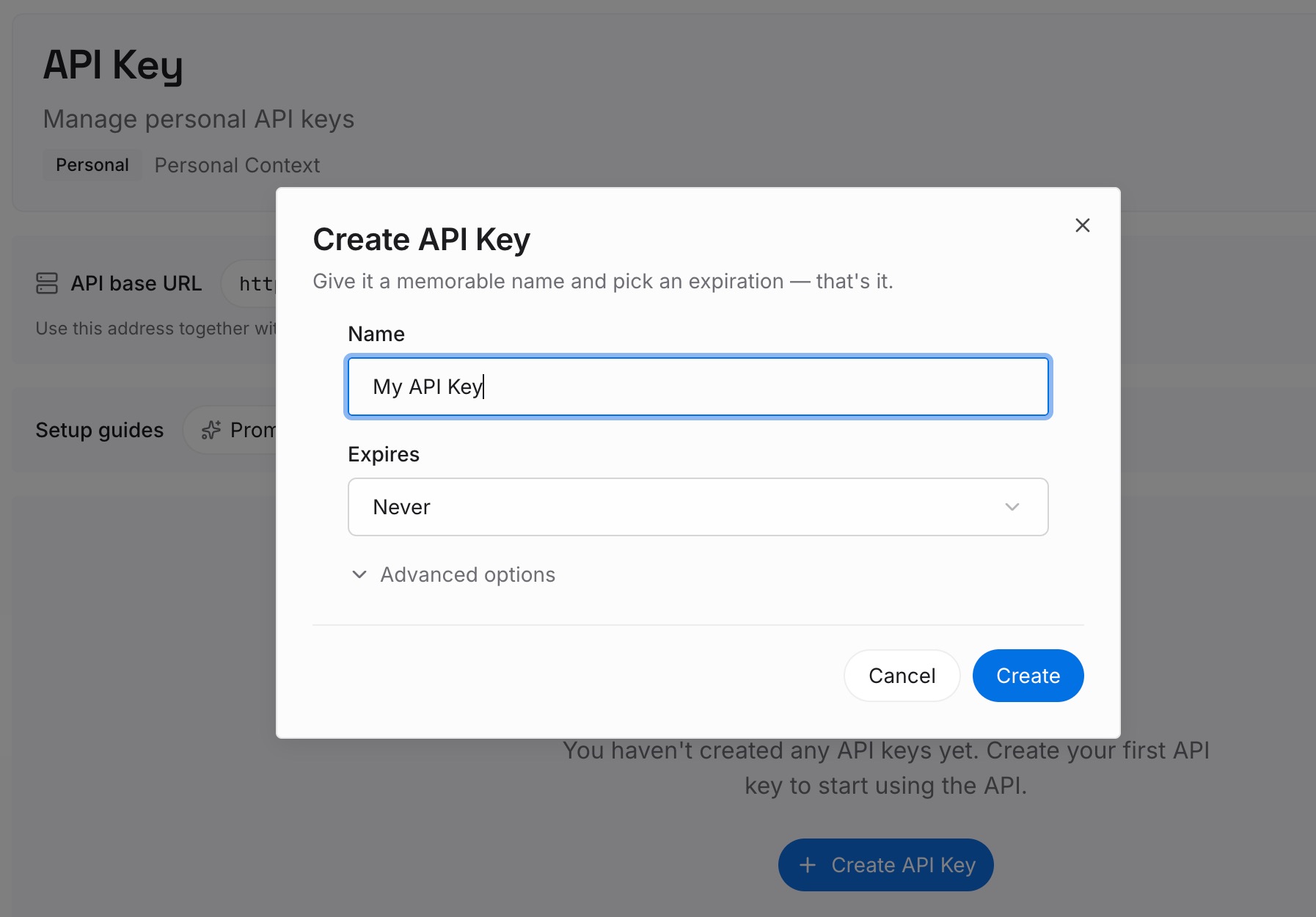
Step 1: Create an API key
Sign in and generate a key from the dashboard. The key belongs to your MemoryLake workspace and is separate from your Anthropic account.
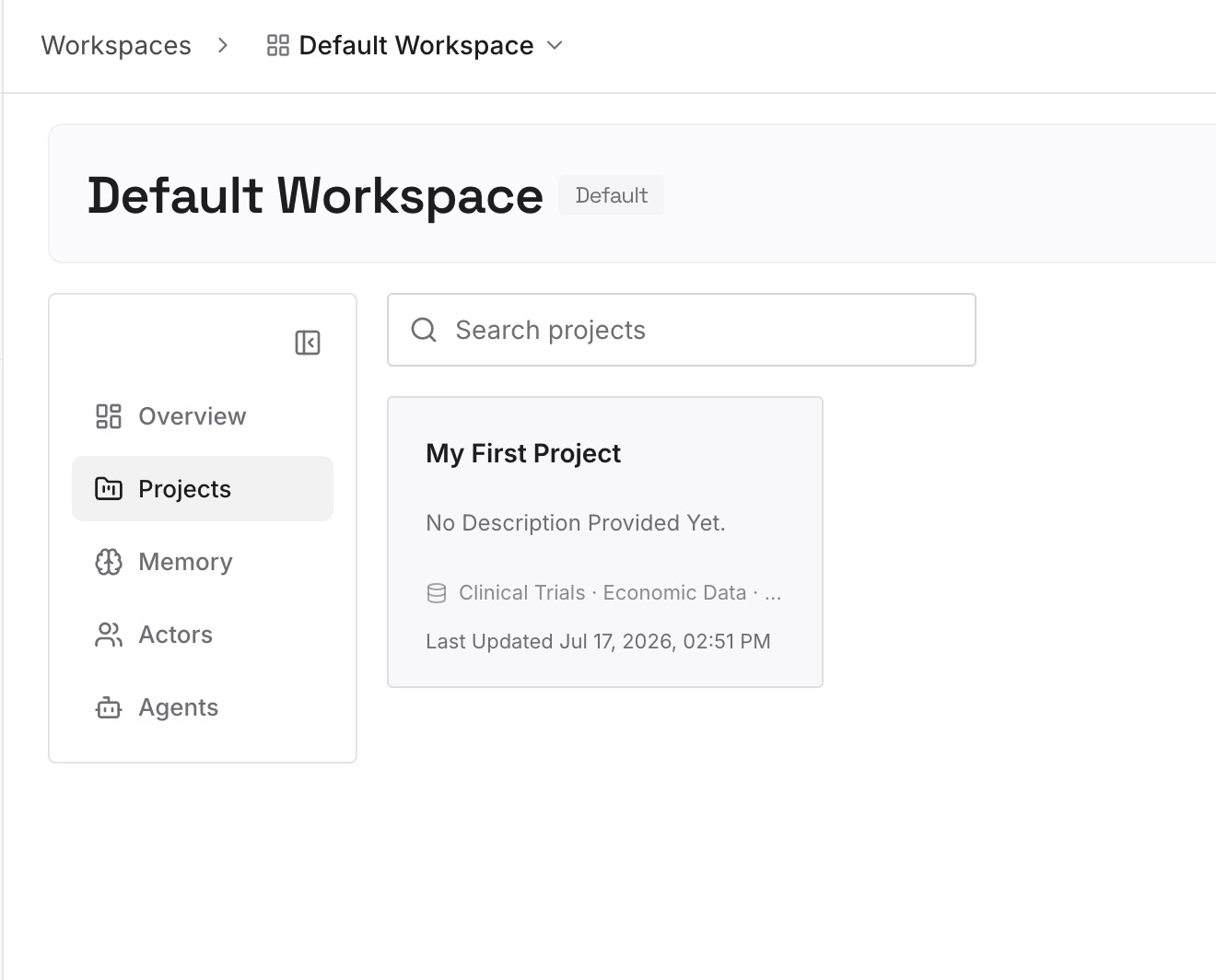
Step 2: Upload your first memories
Start with the decisions from the conversations you just recovered, or reconstructed. One decision per entry, dated, with a line on why it was made.
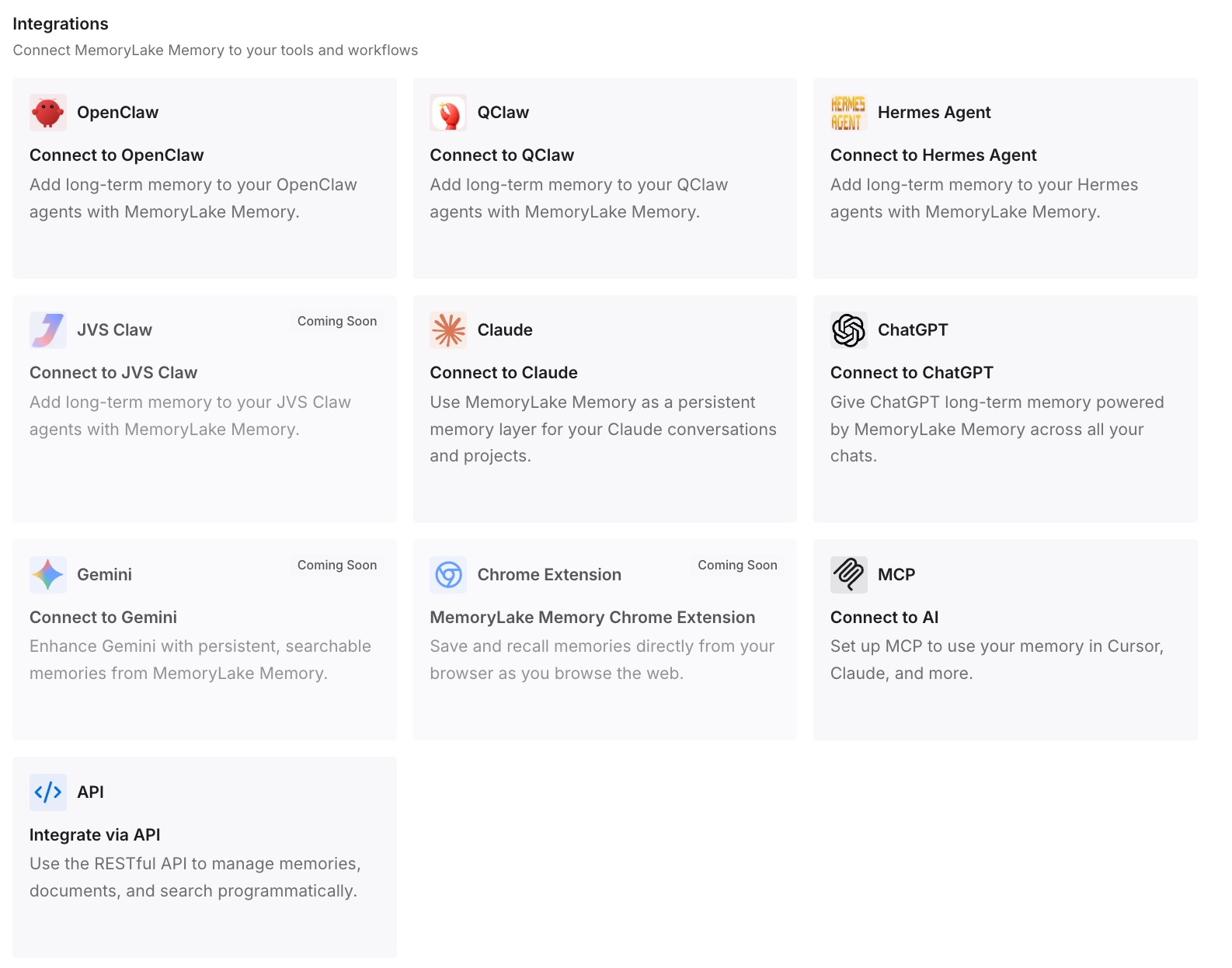
Step 3: Connect your AI & agents
Connect Claude and the other assistants you use. The same decisions are then available in each, whether or not the original conversation is still in your sidebar.
What this changes in practice
The first difference is a faster search. Knowing the documented reasons, you check the account, the full list and the surface in minutes instead of scrolling for an hour.
The second is calm about the new experience. Older Cowork tasks found by name in Recents stop looking like lost data.
The third is that missing conversations stop being costly. When the decisions from important chats are written down, a deleted or expired conversation takes only the path, not the conclusion. If you are moving those conversations to another assistant, migrating Claude conversations to ChatGPT covers the export route.
The fourth is better use of Claude's memory. Once you separate what Claude shows from what Claude remembers, you can use each for its job. Making Claude remember previous conversations covers the memory side, and controlling whether Cowork scheduled tasks use your memory covers recurring work.
Best practices for keeping Claude chat history findable
Open Chats and tasks for the full list. The sidebar's recent items are only the newest.
Find older Cowork tasks by name. Search doesn't cover them in the new experience.
Check which account you are in. Personal and organization histories are separate.
Use incognito only for throwaway questions. Closed incognito chats can't be reopened.
Move long-lived work into projects. On Enterprise, projects follow their own retention period.
Export periodically. The link expires 24 hours after delivery, so download it promptly.
Write down the decisions. They are what you will need if a conversation goes missing.
Conclusion
Missing Claude chat history usually has a documented explanation. In the new Claude experience, chats and Cowork tasks share Recents, and search doesn't cover older Cowork tasks, which you can still find by name. Local Cowork sessions stay on the computer that ran them. Incognito chats are never saved. Personal and organization accounts keep separate histories, and a recent migration can take a little while to fill in. Deletions, Enterprise retention periods and Claude Code's transcript cleanup remove conversations for good, and Claude in Google Docs keeps its history in your browser.
Check the account, the full list and the surface first. Rule out the exits that can't be reversed. Then export your history and keep the decisions that matter somewhere that doesn't depend on any of it.