
What actually transfers
The code transfers, and keeps transferring. Lovable's GitHub integration does export and two-way sync: changes made in Lovable sync to GitHub, and changes pushed to the active GitHub branch sync back into Lovable. There are two layers — a workspace connection that authorizes Lovable through its GitHub app and is reusable across projects, plus a project repository link connecting one Lovable project to one repository.
Some real limits are worth knowing before you rely on it. Lovable only edits and syncs one branch at a time, typically the repository default (usually main); to work elsewhere you pick a different branch in the project's GitHub settings, where you can also create one. You cannot import an existing GitHub repository into Lovable, and you cannot reconnect to the same repository after disconnecting — you'll get a new one. The GitHub app can't be installed twice on the same account or organization, files over 100 MB fail to sync, and renaming a GitHub username or organization breaks the connection.
Environment variables and secrets are the usual first stumble. Lovable's GitHub documentation doesn't address them, and in practice the repository is not where your provider keys live — practitioners who've done this move consistently report configuring Supabase, Stripe, and similar credentials by hand after cloning. Budget an hour for "it worked in Lovable" failures that turn out to be a missing env var.
Knowledge does not transfer, and it's the whole reason Cursor feels dumber. Lovable's Knowledge feature lets you provide persistent instructions and context to the agent, at two levels:
- Workspace Knowledge — shared rules across all projects in a workspace: coding style conventions, naming conventions, preferred libraries or frameworks, shared architectural patterns, testing requirements, code quality or linting rules. Only workspace owners and admins can manage it.
- Project Knowledge — persistent instructions and context for a single project: what the application does, user personas, database schema, architecture decisions, domain terminology, design guidelines, and links to important references. Editable by anyone with project edit permissions.
Both live under Settings → Knowledge and Project settings → Knowledge, both are capped at 10,000 characters, and — this is the part people underestimate — Knowledge is always included as background context for Lovable on every message, though Lovable's own documentation notes consistency may vary in extremely long conversations.
Read that list again and notice it's a rules file. Lovable was doing what .cursor/rules does; it just did it in a text box you may not have opened in months.
Chat history doesn't transfer, and this is the actual loss. Every "no, not like that" you typed, every constraint you discovered by hitting it, every approach you rejected — that's in the conversation, and the conversation stays in Lovable. Some of it is in Knowledge if you were disciplined. Most of it isn't, which is why Lovable losing track of project context between sessions is a familiar complaint on that side too.
The manual migration
Step 1: Get the code into Cursor, and confirm what the sync is doing
In your Lovable project, open Settings and connect GitHub if you haven't, which authorizes Lovable's GitHub app and creates the repository. Then clone it locally and open the folder in Cursor.
Decide your sync posture before you start editing, because two-way sync cuts both ways:
- Clean break — you're done with Lovable. Clone and work normally; nothing flows back.
- Keep both — Lovable for fast UI iteration, Cursor for logic. Legitimate and common, and the two aren't really competitors. Just remember Lovable is only watching one branch: commits you push to that branch flow back into Lovable, and work on other branches is invisible to it until you switch the branch picker.
Then handle the environment. Copy whatever .env.example exists, fill in the real values from your provider dashboards, and verify the app runs locally before you change any code. Doing this first means the next failure you see is your own, not a missing key.
One caution: don't disconnect the GitHub integration to "clean things up." You can't reconnect the same repository afterward — Lovable will create a new one — which turns a tidy-up into a fork of your own project.
Step 2: Convert Lovable Knowledge into Cursor rules
This is the part that determines whether Cursor feels like a downgrade.
Open both Knowledge levels in Lovable and copy them out. Then map them onto Cursor's model, which is more granular than Lovable's:
Cursor's project rules live in .cursor/rules as .mdc files, version-controlled, with frontmatter fields description, globs, and alwaysApply, and four activation modes:
- Always Apply — every chat session
- Apply Intelligently — when the Agent decides it's relevant based on the description
- Apply to Specific Files — when a file matches a pattern
- Apply Manually — when @-mentioned in chat
Because Lovable's Knowledge was always-on, the lazy conversion is to make everything Always Apply. Don't. You have 10,000 characters of Lovable Knowledge per level and Cursor's docs recommend keeping rules under 500 lines, split into composable pieces — so use the granularity you've just been given:
- Workspace Knowledge (coding standards, naming, preferred libraries, linting) → Cursor's User Rules, the global preferences under Customize → Rules that apply across all projects. That's the closest structural match, and it means your next project inherits them the way it did in Lovable.
- Project Knowledge that's genuinely global to the repo (what the app does, domain terminology) → an Always Apply rule in
.cursor/rules, orAGENTS.mdin the project root, which Cursor supports as an alternative to.cursor/rulesand also reads from subdirectories. - Project Knowledge that's area-specific (database schema, design guidelines) → scoped rules. A schema rule with
globspointing at your data layer only loads when you're in there. This is strictly better than what Lovable could do, and it's the main upgrade in the move. - Links to important references → keep them as a rule you @-mention, or as docs in the repo pointed at from
AGENTS.md. They don't need to be in every request.
Then write down what was never in Knowledge. Go through your Lovable chat history — or at least the last two weeks of it — and pull out the decisions. Not the code, the reasons: why this component structure, which library you tried and abandoned, what the client vetoed. Put each one in a dated document in the repo. This is tedious and it is the highest-value hour of the whole migration, because it's the only content in this process that cannot be reconstructed from artifacts.
Worth being honest about what you've built at the end of Step 2: a better-organized version of the same thing. Cursor's own documentation explains why the mechanism exists at all — "Large language models don't retain memory between completions. Rules provide persistent, reusable context at the prompt level." Rules are a way of re-supplying context every time. They hold what you remembered to write down, and they're one tool's format, which is exactly the situation you were in with Knowledge.
The Better Way: One Memory Layer, Either Tool
Look at what Step 2 actually was: you copied context out of one product's 10,000-character text box and into another product's file format, then hand-reconstructed the parts that were never in either.
Now consider that many people doing this migration keep using both tools — and here's the divergence nobody plans for. Your code stays in sync automatically, because that's what GitHub integration does. Your knowledge doesn't. Decisions you make in Cursor never reach Lovable's Knowledge, so Lovable keeps generating against a picture of the project that's a month stale, and the drift shows up as regenerated components that quietly violate rules you established elsewhere. Two-way code sync plus one-way knowledge is a worse failure mode than no sync at all, because it looks fine.
Keeping the knowledge in one layer both tools can read is what fixes that. MemoryLake is a memory layer that sits under your tools — decisions, schema, domain terminology, and the reasons behind them in one store, readable from Cursor over MCP and from anything else through the API. The store isn't capped at a text box, and it isn't a format you'll convert again at the next tool switch.
Fairness where it's due: Lovable's Knowledge is a well-designed feature for what it does. Two scoping levels, always applied, editable by the right people, and it genuinely makes the agent behave. .cursor/rules likewise is plain text, version-controlled, reviewed in pull requests, and inherited by your team automatically. Keep using both for standing rules. The memory layer is for the accumulated record — too long for a 10,000-character field, too specific to publish, and too easily lost to depend on someone typing it up.
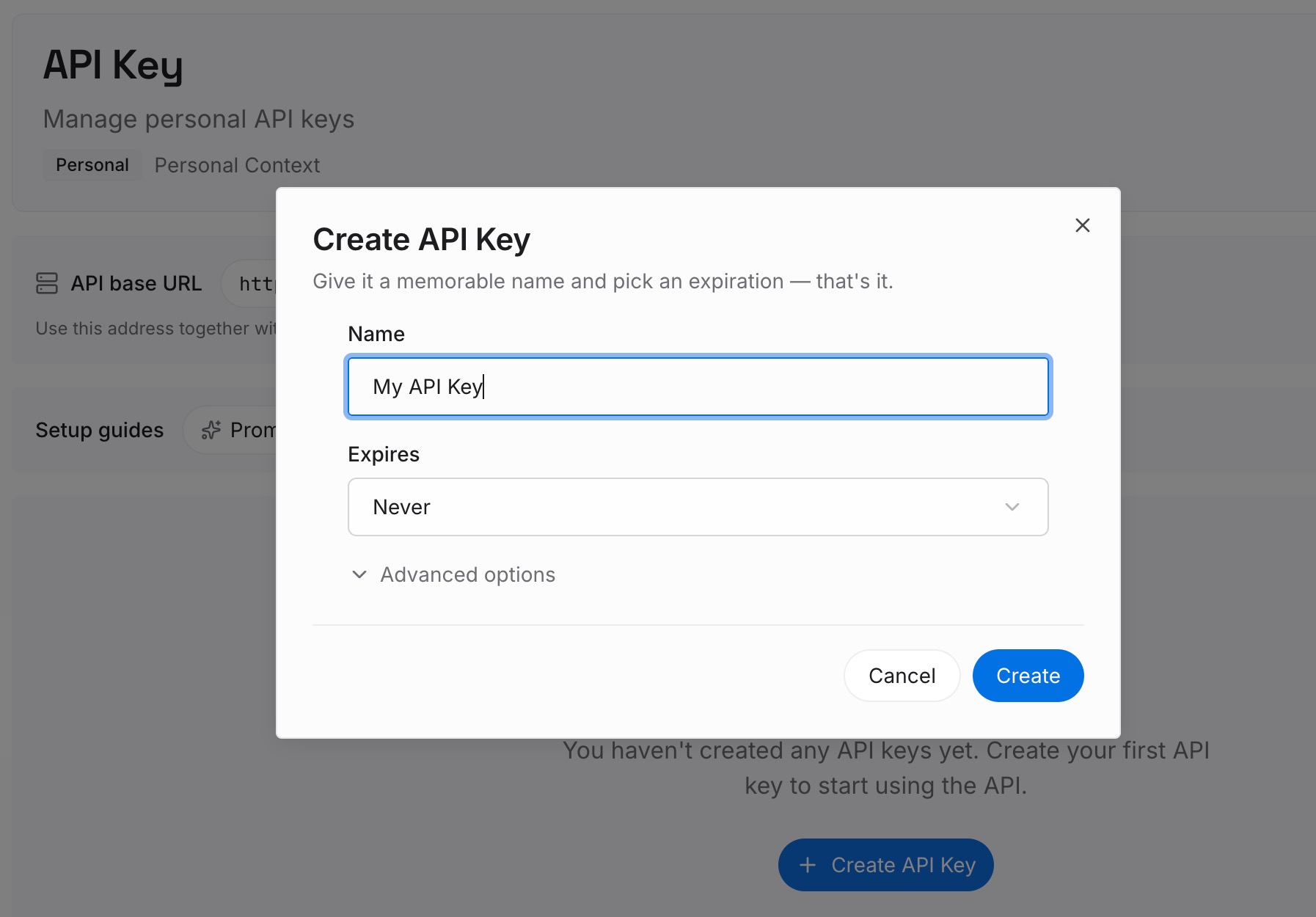
Step 1: Create an API key
Generate a key and make your first request in about 30 seconds. Keep it in your environment or a secret manager — you're already setting up env vars for this project, so add it there rather than in a file that syncs to GitHub.
Step 2: Upload your first memories
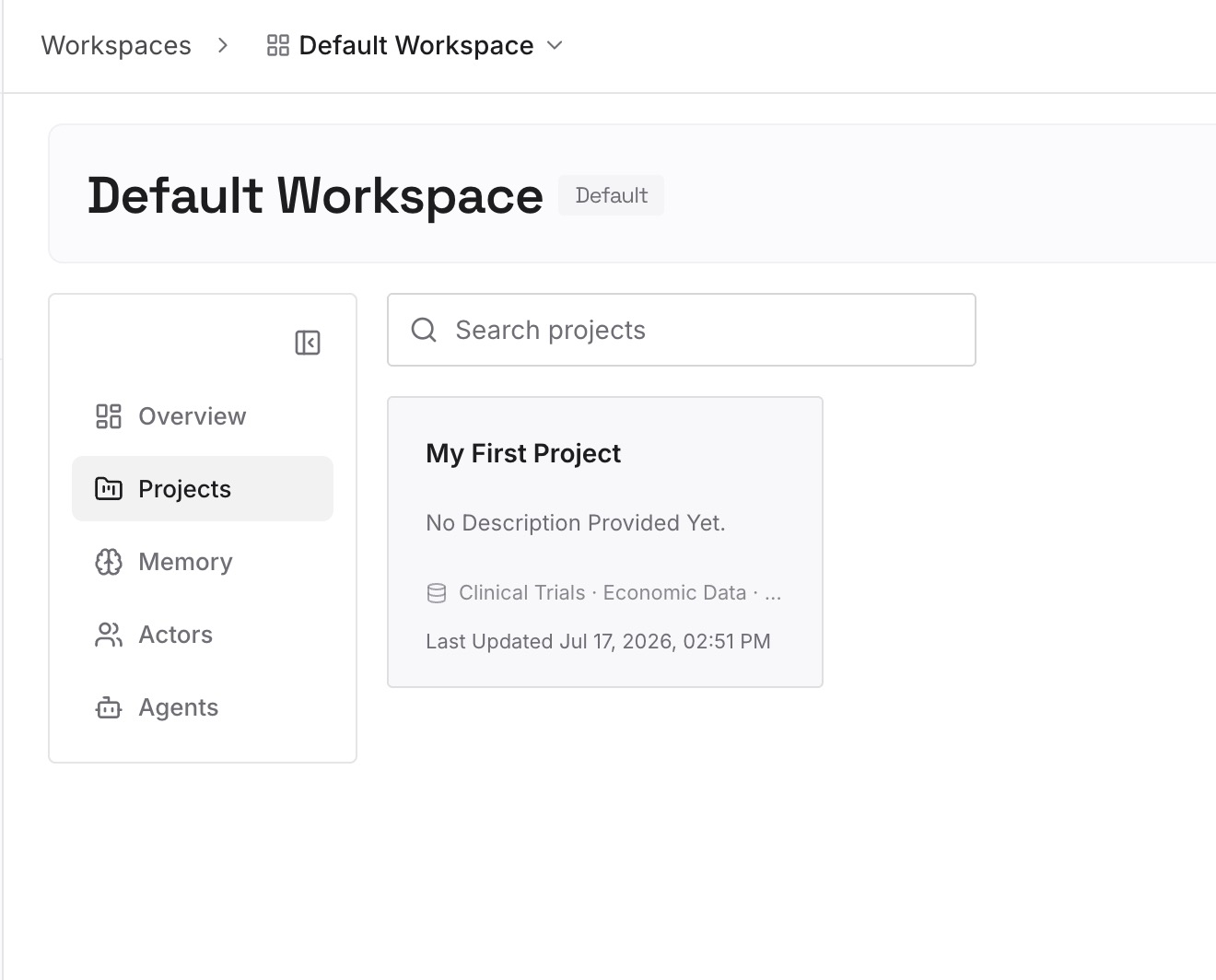
Drop in the documents, images, and files holding what Knowledge couldn't fit: the schema with its history, the architecture decisions and why, the design guidelines, the client constraints. Upload sources rather than summaries where you can.
Step 3: Connect your AI & agents
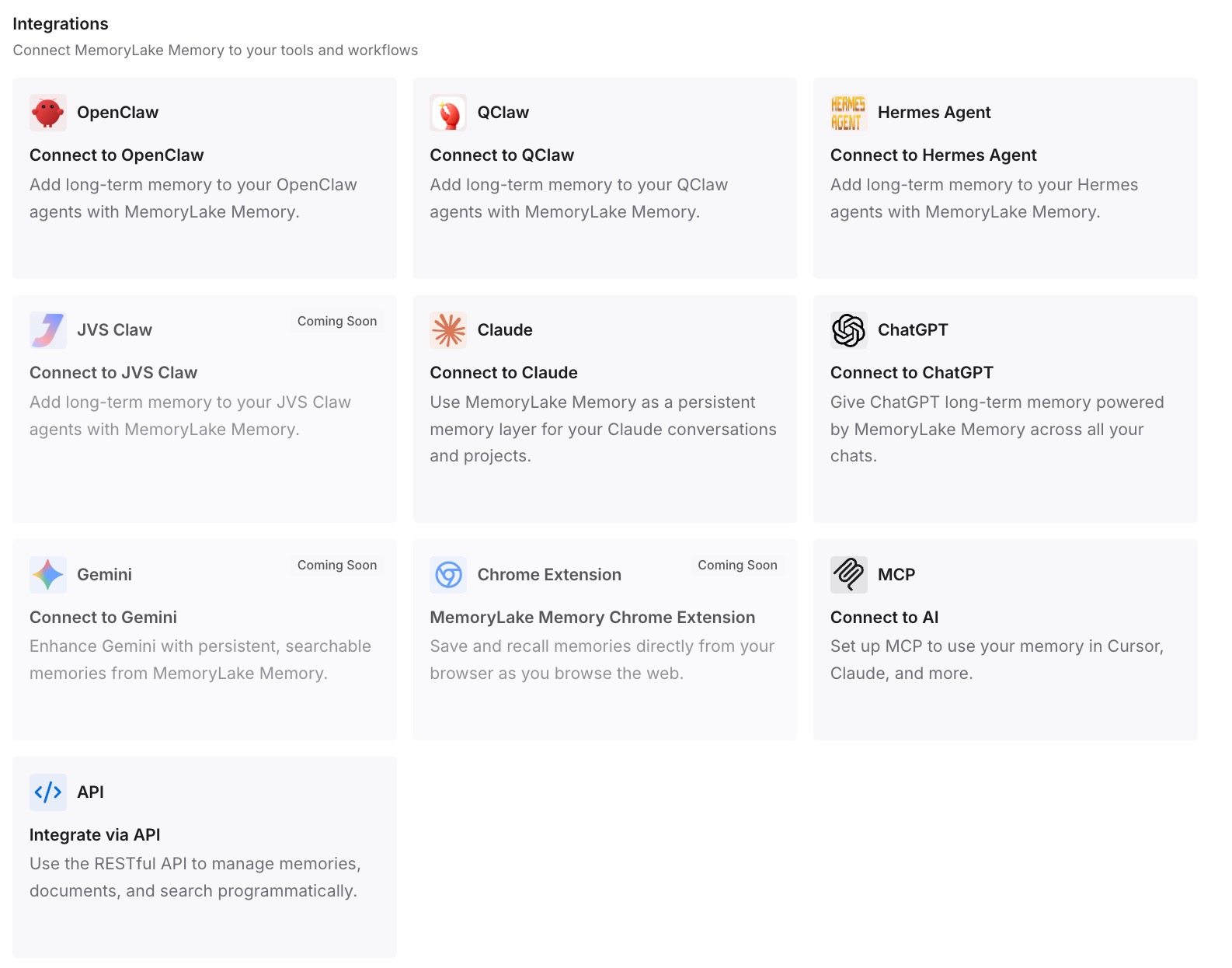
Give Claude, Codex, OpenClaw, and other AI agents access to memory via MCP or the API. Cursor supports MCP servers, so this is a configuration entry. For tools without an MCP client, retrieve what you need through the API and inject it into the prompt or workflow.
What this changes in practice
The first difference is on your first real task in Cursor. Instead of an editor that knows your file tree and nothing else, you get one that can answer why the auth flow is shaped that way — because the decision is in the store, not in a Lovable thread.
The second is that scoped rules start doing work Lovable couldn't. Your schema conventions load when you're in the data layer and stay out of the way when you're editing CSS. That's a genuine capability gain from the move, and it only materializes if you resist converting everything to Always Apply.
The third is the drift problem above. When both tools read one store, a decision made in Cursor is visible to whatever you use next — which is the difference between two tools cooperating and two tools slowly disagreeing about your project.
And it survives the next step. Plenty of people go Lovable → Cursor → something else within a year. The pattern is well-worn enough that prototype-platform-to-real-editor migrations are their own genre now. Knowledge in the tool means you redo this; knowledge underneath it means you don't.
Best practices for the move
Verify the app runs locally before changing anything
Clone, install, configure env vars, run. The most common "Lovable code is broken" report is a missing credential, and diagnosing that while also refactoring is miserable. Get a green run first, then start work.
Don't convert all Knowledge to Always Apply
Lovable's Knowledge was always-on because that was the only option. Cursor gives you globs and description-based activation — use them. Everything set to Always Apply is loaded on every request forever, and a bloated rules directory is the standard regret of this migration.
Migrate the reasons, not just the rules
Knowledge tells Cursor what your conventions are. It rarely says why, and the why is what stops an agent from cheerfully re-proposing the library you already abandoned. Pull the reasons out of your chat history while you still remember which threads matter.
Decide your sync posture explicitly
Either commit to the clean break or commit to keeping both — and if you keep both, remember Lovable watches one branch at a time and that its Knowledge won't learn anything from your Cursor work. Half-migrated projects where nobody knows which tool is authoritative are how components get regenerated over hand-written fixes.
Conclusion
Lovable to Cursor is not really a code migration — GitHub two-way sync handles the code, with the caveats that only one branch syncs, you can't import an existing repo into Lovable, and you can't reconnect a repository after disconnecting it. The migration is your Knowledge: two 10,000-character levels that were applied to every message, which need to become User Rules for the workspace-level conventions and scoped .cursor/rules for the project-specific ones, plus a dated document for every decision that only ever existed in a chat thread.
The choice worth making deliberately is where that knowledge lives afterward. In Cursor's rules, it serves this repo in this editor and gets converted again next time. In a layer both tools read, it stays current in both — which matters most in exactly the case people actually end up in, where Lovable and Cursor are both still open.