
What actually transfers
Rules content transfers almost verbatim. Windsurf rules are instructions to a model written in Markdown. Claude Code reads CLAUDE.md. There's no translation layer needed — you're changing where the text lives, not what it says.
Worth knowing the shape of what you're collecting, since it changed over Windsurf's life. Community documentation describes two systems coexisting: the legacy .windsurfrules plain-text file in the project root, and the newer .windsurf/rules/ directory of scoped Markdown rules, with current Devin Desktop builds preferring .devin/rules/ and keeping .windsurf/rules/ as a fallback. Rules across those files are reported to be capped at roughly 12,000 characters combined — worth checking against your own install, since these specifics come from practitioner guides rather than a current official reference.
That fallback behavior is why this migration feels optional. Your old rules keep being read, so nothing visibly degrades, and the inventory never happens.
Cascade memories don't transfer, and this is the actual loss. The distinction that matters, as the community guides put it: rules are static instructions you write and commit to version control, while Cascade memories are auto-generated and local — the agent records context from a session so it stops re-asking, but memories aren't shared with teammates and aren't a place to put deliberate conventions.
Read that carefully, because it cuts both ways. It means Windsurf did have a memory layer, and it was doing real work for you — every "it already knows that" moment you stopped noticing. It also means the layer was auto-generated from sessions, private to one machine, and never designed to be exported. There's no file you hand to Claude Code.
MCP connections need re-adding, not converting. They survived the Windsurf-to-Devin rebrand automatically; they don't follow you to a different editor. Claude Code supports MCP servers, so this is re-entering configuration rather than rewriting anything — but the credentials and environment variables each server needed are your problem again.
Extensions, keybindings, and your plan don't come at all. Those carried over in the rebrand because it was the same editor. Claude Code is a CLI, not a VS Code fork, so this part isn't a migration — it's a change of tool category, and worth naming up front so you're not surprised.
Scripts and automation need auditing. The rebrand moved .windsurf/tools/ to .devin/tools/, and the widely-reported summary of that transition was that the editor migrated itself but scripts did not. Anything that shelled out to a Windsurf path is already a latent breakage, and moving to Claude Code is a good moment to find it rather than a new cause of it.
The manual migration
Step 1: Collect your rules, and reconstruct what the memories held
Start with the files, because that part is mechanical. Look in the project root for .windsurfrules, then in .windsurf/rules/ and .devin/rules/ for scoped Markdown files. Collect all of them, including the ones you'd forgotten were there — the combined character cap means older rules often got trimmed rather than deleted, and half-rules are worse than none.
Sort what you find by real scope:
- Global to your work — how you want output formatted, languages and versions you default to, things true of every project.
- Global to this repository — conventions, architecture constraints, testing requirements.
- Specific to one area — rules that only apply to the API layer, the data layer, the tests.
Then do the part that isn't mechanical. Open Cascade — or Devin Desktop — and read what the agent seems to know that isn't written anywhere. The practical way to surface it is to ask directly: what conventions is it following, what has it been told about this project, what does it avoid doing. Because memories are auto-generated from sessions, the answers are often things you told it once in passing and never wrote down: a vendor quirk, a directory that shouldn't be touched, a build step that has to run first.
Write those down as ordinary text. This is the only irreplaceable hour in the migration — everything else is copying files. It's also the moment to notice how much of your editor's usefulness had accumulated in a local, per-machine store you never backed up.
Step 2: Rebuild them as CLAUDE.md at the right levels
Claude Code reads CLAUDE.md, and the placement does the scoping work:
- Global preferences go in
~/.claude/CLAUDE.md. - Repository conventions go in
CLAUDE.mdat the project root, committed, so your team gets them too. - Area-specific rules go in a
CLAUDE.mdin that subdirectory, or stay in a document you reference.
A useful habit for the third case: rather than inlining a long area-specific rule, keep it as a file in docs/ and put one line in the root CLAUDE.md pointing at it — "read docs/api-conventions.md before touching anything under src/api/." You can also pull specific files in with @path imports when they're relevant instead of always.
If you'd rather not start from a blank file, /init scaffolds a CLAUDE.md from the repository, and /memory opens the memory files for editing directly. Both are faster than writing from scratch, and both produce something you should then edit down.
Keep it short. Everything in scope loads on every task, so a long root file is a cost you pay on every request forever — and unlike Windsurf's combined character cap, nothing stops you from making it too long. The cap was doing you a favor.
Then set expectations correctly, because this is where people get disappointed. Rules files make knowledge available; they don't make the tool remember. Claude Code starts each session fresh from your files and compacts context in long sessions, which is why it forgets your project context between sessions even with a good CLAUDE.md, and why corrections you gave last week can come back undone. You've moved the rules. You haven't replaced the auto-generated memory layer you just lost, and Claude Code doesn't ship one.
The Better Way: One Memory Layer, Either Editor
Notice the shape of what just happened. You lost a memory layer because it was local to a machine and welded to a product, and the product changed out from under you — first by rebranding, then by ending the agent you used.
That's not a Windsurf failure. It's what happens to any knowledge that lives inside a tool: it's excellent until the tool changes, and then it's unrecoverable. Cascade memories were auto-generated and local by design; nobody promised they'd outlive Cascade.
The alternative is keeping that layer outside the editor entirely. MemoryLake is a memory layer your tools read from — the conventions, decisions, and constraints in one store, reachable from Claude Code over MCP and from anything else through the API. The next time an editor rebrands, sunsets an agent, or you simply want to try something new, the knowledge is a config entry rather than a reconstruction exercise.
To be fair to files: CLAUDE.md has genuine advantages a store doesn't. It's plain text, it lives in version control, it's reviewed in pull requests, and your team inherits it automatically. Keep it for standing rules — that's what it's for. The memory layer is for what accumulates: the vendor quirks, the reasons behind decisions, the things you'd otherwise only discover by interrogating an agent before you uninstall it.
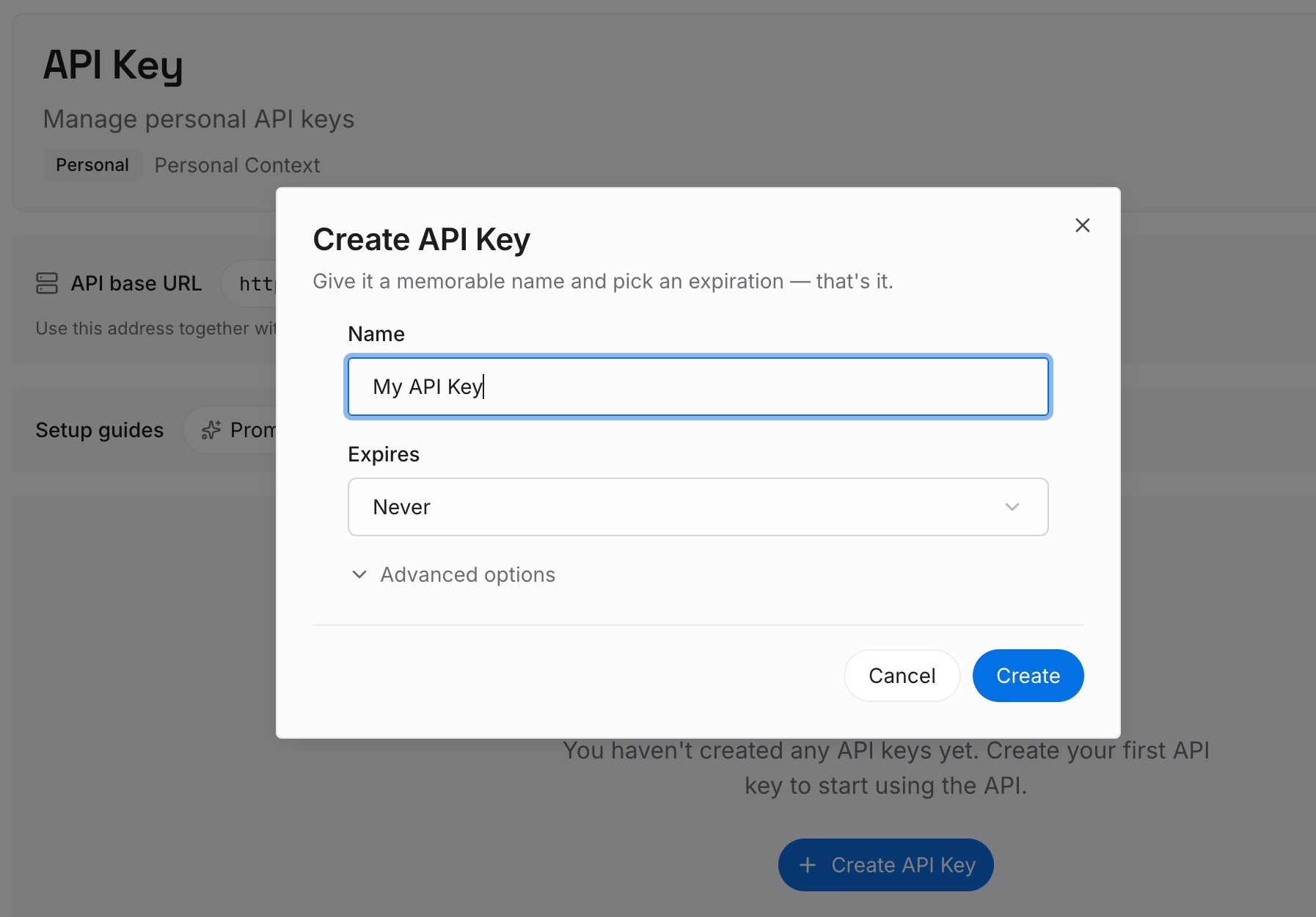
Step 1: Create an API key
Generate a key and make your first request in about 30 seconds. Keep it in your environment or a secret manager rather than inline in config — you're already re-entering MCP credentials for this move, so put them somewhere you won't have to hunt for next time.
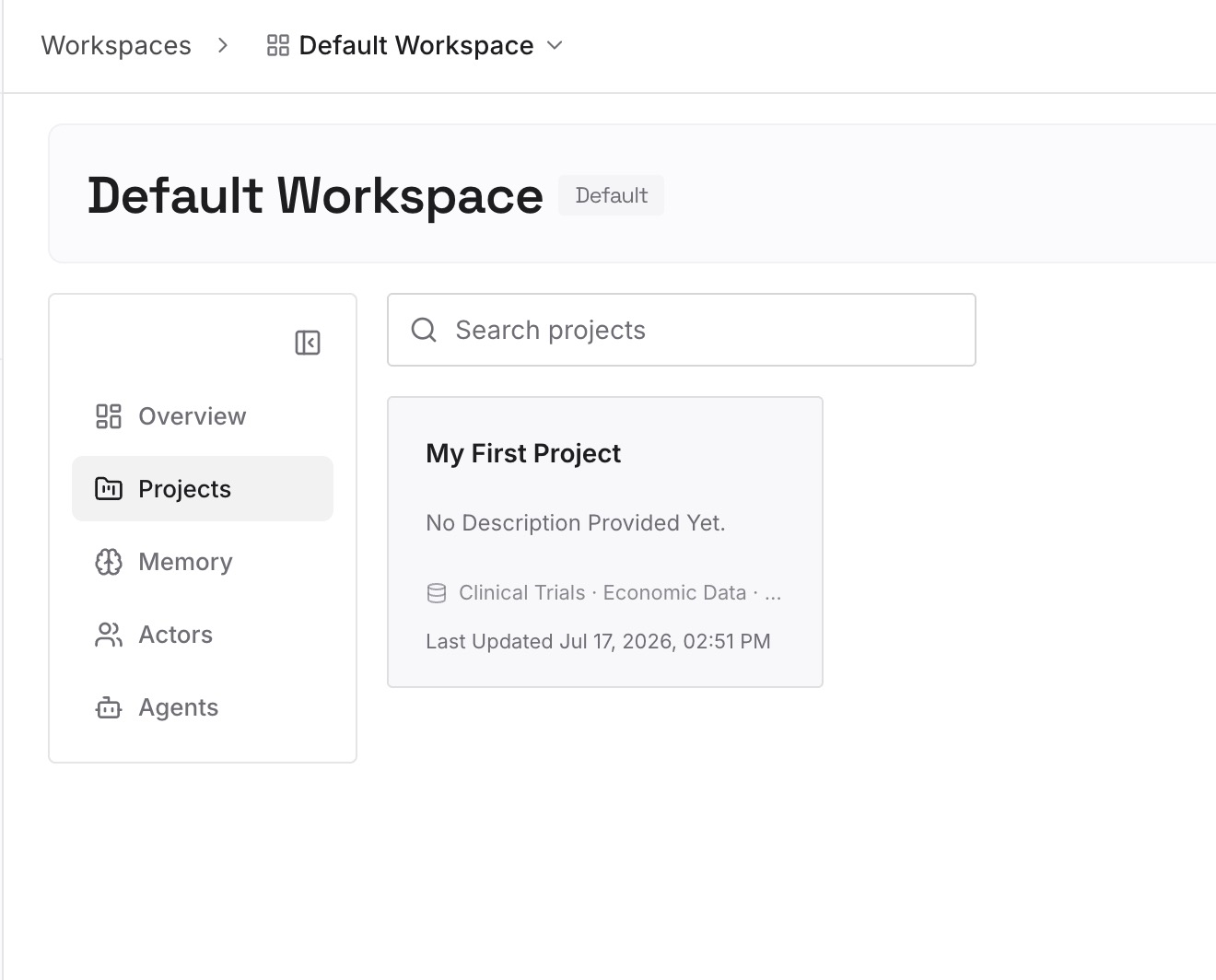
Step 2: Upload your first memories
Drop in the documents, images, and files holding what you reconstructed in Step 1, plus the reference material your rules were pointing at: architecture decisions with reasons, the build quirks, the constraints. Upload sources rather than summaries where you can.
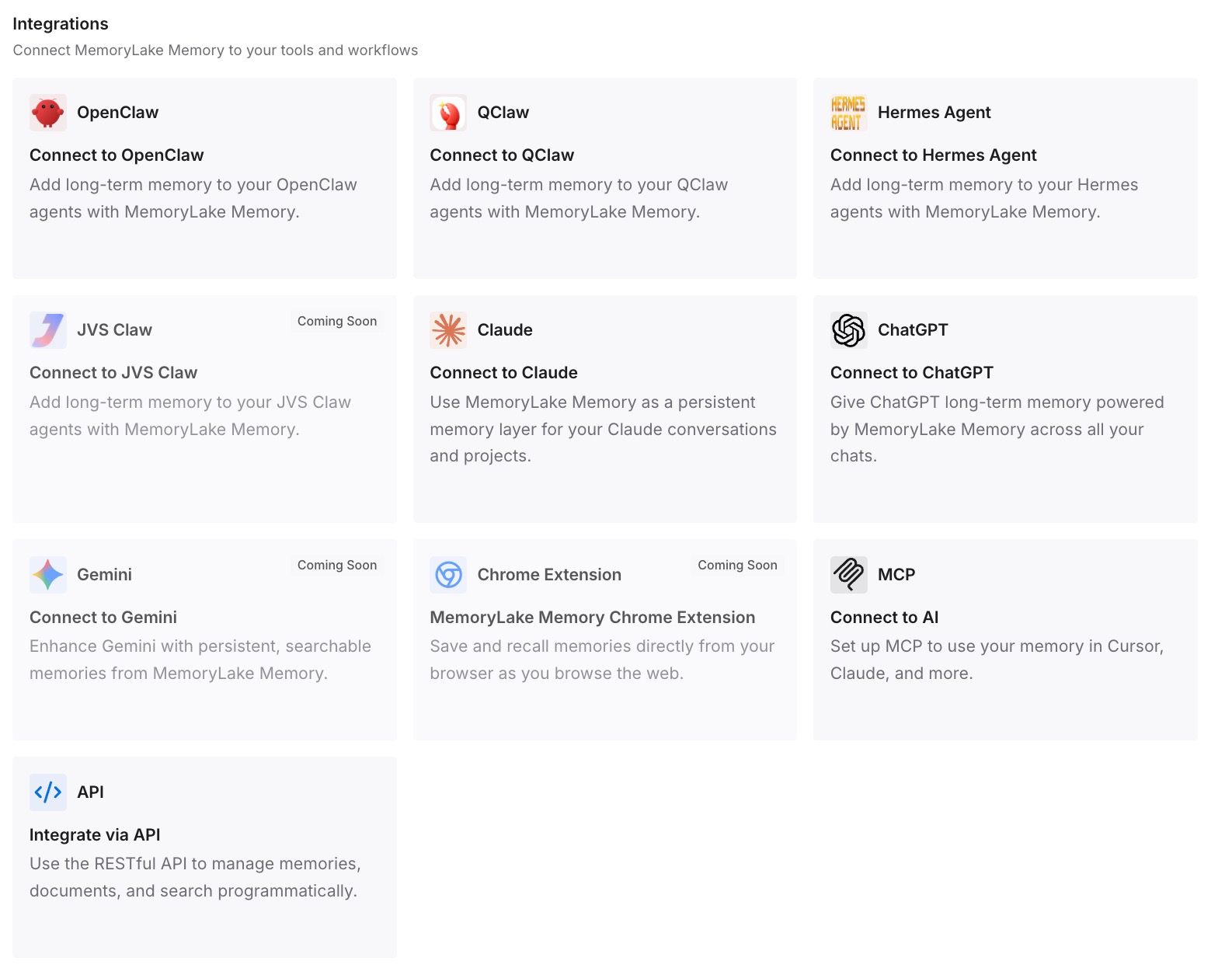
Step 3: Connect your AI & agents
Give Claude, Codex, OpenClaw, and other AI agents access to memory via MCP or the API. Claude Code supports MCP servers, so this is one configuration entry — and the same store is readable from whatever else you use, which is the point of doing it once.
What this changes in practice
The first difference is that the interrogation exercise in Step 1 is the last one. What you learned about your own project doesn't sit in a per-machine store you can't export; it's in a record you can read.
The second is machine independence. Cascade memories were local, and so is most of what replaced them — Claude Code's own knowledge lives in files in a checkout. A store means a second laptop, a container, or a teammate's session starts from the same knowledge instead of from nothing.
The third shows up when you run several sessions. Claude Code can now have sessions message each other, which is useful for coordination — but a message is text passed between two live sessions, not a shared base. A store is what makes the fourth session next week know what the first one learned.
And it makes the next tool change cheap. Cascade's EOL was a hard date announced with notice, and it still cost people their accumulated context. The version of this migration you don't want to repeat is the one where the knowledge is inside whatever you switch to.
Best practices for the switch
Interrogate the old agent before you uninstall it
This is the step everyone skips and the only one that's genuinely irreversible. Auto-generated memories are the accumulated result of things you said once. Ask the agent what it knows about the project, what conventions it's following, what it avoids — and write the answers down before the install is gone.
Don't mistake the fallback for a migration
Devin Desktop reading .windsurf/rules/ as a fallback means your old rules still work, which makes it easy to believe nothing needs doing. If you're leaving for a different editor, that fallback is irrelevant — Claude Code reads none of those paths.
Treat the 12,000-character cap as guidance you keep
Windsurf's combined rules limit forced you to be selective. CLAUDE.md has no such enforcement, and the natural result is a file that grows past the point where the model attends to all of it. Pick a budget and hold to it deliberately.
Audit your scripts while you're in there
The rebrand moved tool paths, and scripts didn't follow. Anything referencing a Windsurf path is already broken or about to be. Fixing it during a deliberate migration is much cheaper than discovering it in CI.
Separate rules from knowledge as you rebuild
CLAUDE.md is for short standing rules loaded every task. The reasons, history, and reference material belong in documents or a store retrieved when relevant. Rebuilding everything as one long rules file recreates the problem the character cap was protecting you from.
Conclusion
Windsurf to Claude Code is two jobs with very different costs. Moving rules is mechanical: collect .windsurfrules, .windsurf/rules/, and .devin/rules/, sort by scope, and place them as ~/.claude/CLAUDE.md, a committed root CLAUDE.md, and subdirectory files or referenced docs. Replacing Cascade's memories is not mechanical at all — they were auto-generated and local, there's no export, and the only way to recover them is to ask the agent what it knows before you walk away.
The lesson worth taking from Cascade's July 1 end of life is the one that isn't about Windsurf: a memory layer that lives inside a product has the lifespan of that product. Keeping it in a store your editors read from is what makes the next rebrand, sunset, or change of mind a configuration change instead of a reconstruction.