
Why the branch option is easy to lose
The feature shipped with a surface restriction stated in the same release note: "This feature is available today for all logged-in users on web." That single clause accounts for most of the confusion. If you reach for it in a mobile app and it isn't in the message menu, you are not looking at a broken account.
OpenAI is also explicit, in its memory documentation, that what you see is not universal: "Memory features and controls can vary by plan, region, platform, and workspace settings. If a setting described here is not visible, it may not be available for your account yet." That sentence is about memory controls, and the same pattern of variation is what people run into with any menu item that appears for a colleague and not for them.
Then there is the project case, which behaves differently on purpose. Inside a shared project, OpenAI documents branching as the collaboration model rather than an extra: "Chats in shared projects can be branched, not collaborated on synchronously." It describes what branching is for in the same place — "Branching lets you explore a different direction or 'remix' the thread without changing the original conversation—especially useful for testing alternate drafts, refining logic, or building on a teammate's work."
So a branch inside a project is a first-class action. What it produces is scoped: "Branched chats appear in the project alongside the original conversation." And moving one out later is conditional — "Members can see a branched chat while it remains in the shared project. Whether the chat can be moved elsewhere depends on the project's memory settings and available actions."
That conditionality is the part that surprises people, and it connects to a setting most people never open. Shared projects, per OpenAI's documentation, "automatically use project-only memory and cannot access an individual member's memories or context from outside the project." Which memory mode a project runs in decides a lot more than branching, and we went through the whole switch in choosing a project's memory mode.
The second failure — a branch that seems to know less — has nothing to do with the menu. A ChatGPT answer is shaped by more than the messages above it. OpenAI lists the sources memory can draw on: "past chats," "saved memories," "custom instructions," "files in Library," and "content from connected apps, such as Gmail." It also sets the expectation directly: "Memory does not retain every detail from every conversation. ChatGPT decides which available information is relevant to a response, and Memory can change as your context changes."
A branch copies the thread. The rest of that list is evaluated fresh.
What people try instead
Copying and pasting the conversation into a new chat. This works in the narrow sense that the text arrives. It also strips the thing branching is for: the new chat is now a chat about a transcript rather than a continuation of one, and you have doubled the token cost of every turn that follows.
Re-asking the question with more detail. The usual reflex when an answer feels thinner than before. It sometimes works and it teaches you nothing, because you never find out whether the original answer was leaning on a saved memory, a custom instruction, or a file you forgot you uploaded.
Assuming the feature was removed. A reasonable read when a menu item vanishes, and wrong often enough to be worth checking. The release note's "on web" clause and OpenAI's statement that controls vary by plan, region, platform, and workspace settings together explain most disappearances without anything having been retired.
Archiving the original instead of branching. A different operation with a different result. Archiving moves a chat out of your way; it does not give you a second live thread from a chosen point. What archiving does and doesn't do to what ChatGPT remembers is its own question, covered in what archived chats do to memory.
Treating the branch as a backup. It isn't one. A branch is a working copy for exploring an alternative, and it lives in the same account under the same settings as the original.
Sharing a link to the chat instead. Also a different operation, and one with its own rules about what travels. OpenAI notes that "Memory Sources are not included when you share a conversation through a shared link," which is a useful reminder that a link is not a snapshot of everything that shaped the answers. We took that apart in what a shared link actually carries.
The Fix: Branch on the surface that has it, then check what the new chat is reading
Two problems, two checks. Do them in order and you stop guessing.
Step 1: Confirm the surface, then find the menu
Open the conversation on the web, hover the specific message you want to branch from, and open More actions. The release note names the item exactly: Branch in new chat. It is per-message, not per-conversation, which is why it appears in the message menu rather than in the chat's own options.
If you are inside a shared project, expect branching to be present as part of how the project works. OpenAI's collaboration section states that after joining a shared project, "members can create new chats and branch existing conversations," and that moving chats is conditional: "Members can move eligible chats when the relevant action is available. Project memory settings and workspace restrictions can limit which chats can be moved."
If it still isn't there, treat it as availability rather than breakage. OpenAI's own phrasing for missing controls is that they "may not be available for your account yet," and its eligibility language elsewhere is similar — for moving a chat into a project, "the chat may not be eligible."
Step 2: Read the Sources panel on the branch's first answer
This is the step that answers "why does it know less." Ask the branch something whose answer depends on context, then look underneath the response. OpenAI describes the panel: "When ChatGPT uses relevant personal context, Sources may appear below the response. Sources can help you review information such as a past chat, saved memory, custom instruction, file, or connected email that contributed to personalization."
Compare that list against what the original chat was drawing on. If a saved memory or a custom instruction shows up in one and not the other, you have your answer, and it was never about the branch.
One caveat OpenAI states outright: "Sources may not show every factor that shaped a response." Treat the panel as evidence, not a full manifest. If you want a broader view of what has accumulated, the memory summary is the other place to look, and we went through its blind spots in what the memory summary leaves out.
Step 3: Write the decision down before the branch multiplies
Branching is cheap, which is why you end up with four of them. The point of an exploration is the conclusion, and a conclusion sitting in the third branch of a chat you opened on a Tuesday is a conclusion you will re-derive.
When a branch settles something — this approach, not that one, for this reason — put the sentence somewhere outside the branch. Then let the branches be disposable, which is what they are good at.
Setting this up in MemoryLake
Branches are for exploring. What you conclude from them needs a home that isn't one of four parallel threads. MemoryLake is a store you write those conclusions into on purpose, separate from any one chat, project, or account setting, and readable from every assistant you connect. You write the entries yourself, in your own words. Nothing is read out of, written to, or deleted from OpenAI's systems or any other vendor's store — your chats, saved memories, and project settings stay entirely under their own controls.
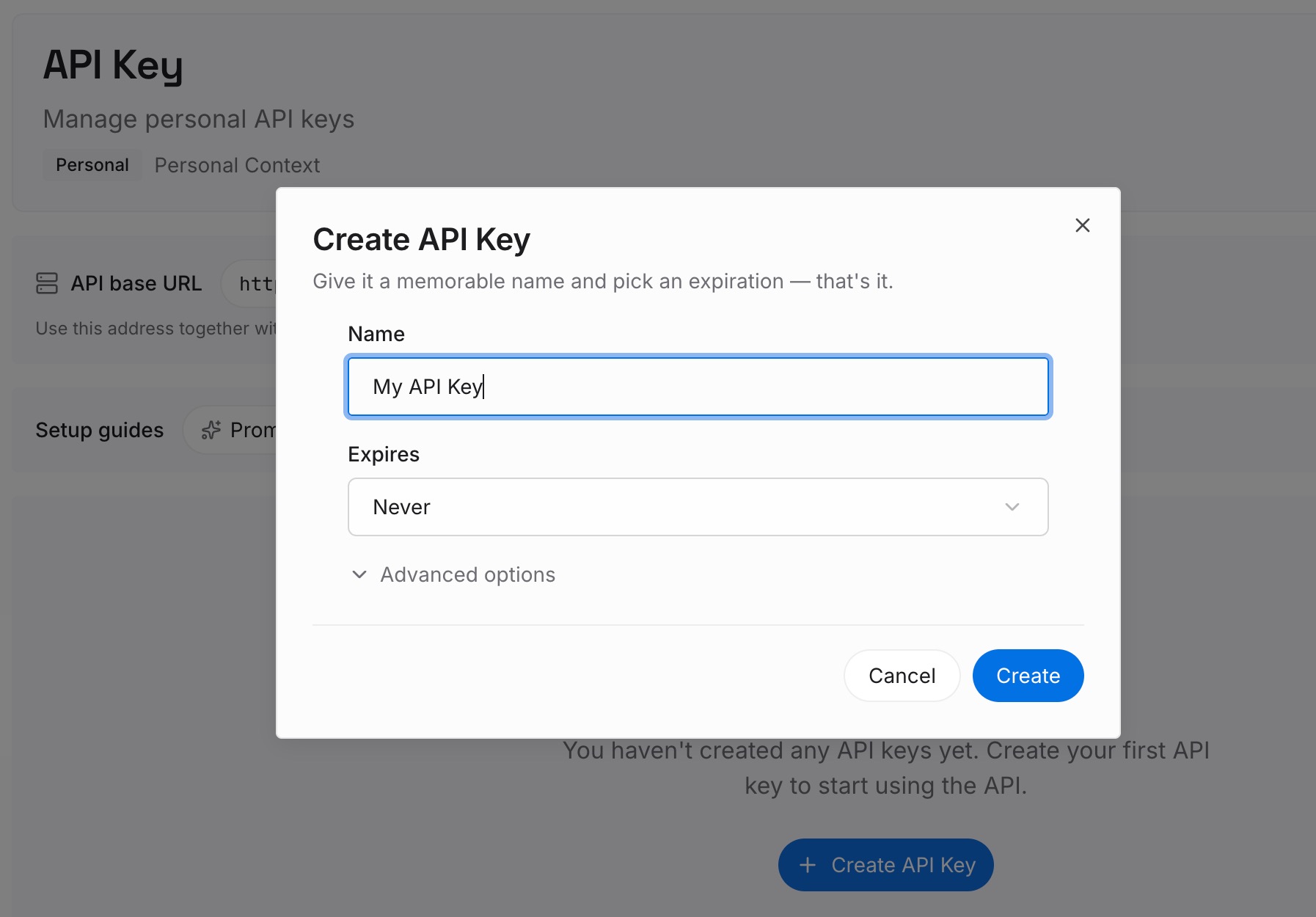
Step 1: Create an API key
Generate a key from the dashboard. It is what lets the assistant you use for drafting and the one you use for code reach the same set of facts without either of them needing a copy of your chat history.
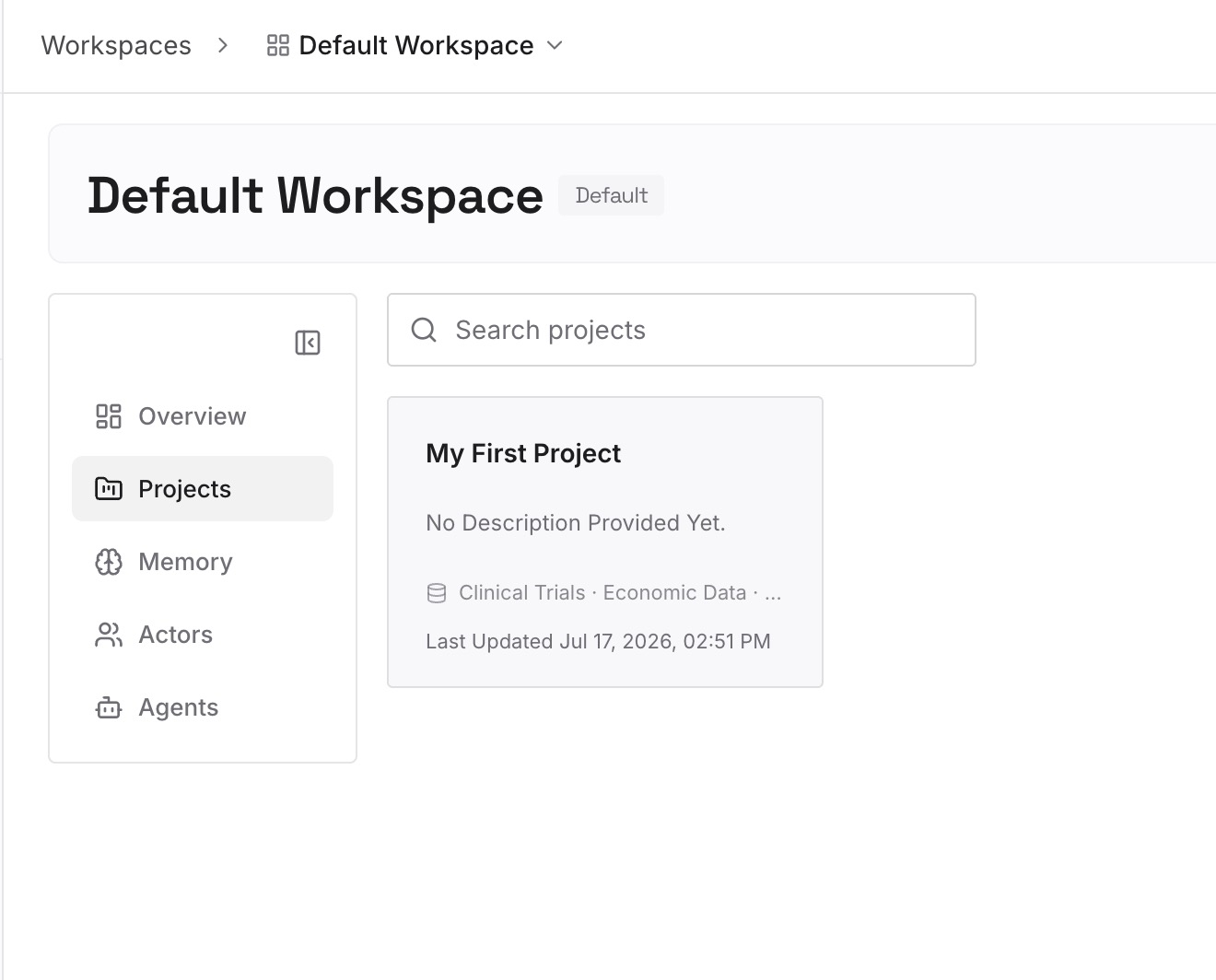
Step 2: Upload your first memories
Start with the outputs of past explorations: the option you ruled out and why, the constraint that made the decision, the wording you settled on. These are the things a branch produces and a transcript buries.
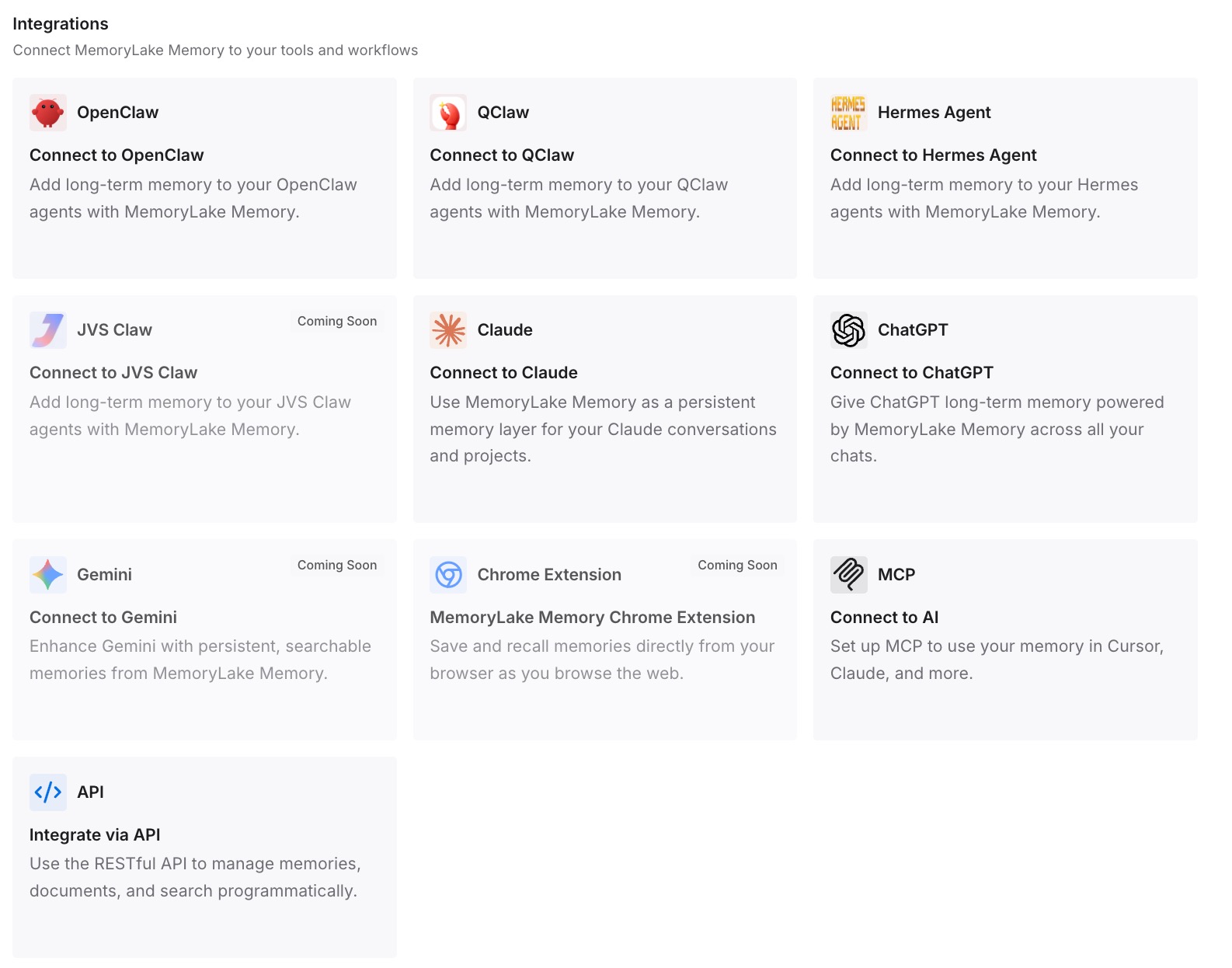
Step 3: Connect your AI & agents
Point your tools at the layer so those facts load at the start of a conversation instead of being inferred from what happens to be above the cursor. Then test it the only way that proves anything: ask a different assistant for one of the conclusions back. If it answers, the reasoning is no longer stored in a branch.
What this changes in practice
The first change is that a missing menu item stops being a mystery. The release note says web, and OpenAI says controls vary by plan, region, platform, and workspace settings. Between those two sentences you can usually tell in ten seconds whether to switch surfaces or stop looking.
The second is that "the branch knows less" turns into a question with an answer. The Sources panel names the past chat, saved memory, custom instruction, file, or connected email that contributed. Reading it once teaches you more about your own account than a week of re-prompting.
The third is that project branching stops feeling inconsistent. Inside a shared project, branching is the documented way to work in parallel, the branch stays in the project, and whether it can leave depends on the project's memory settings. That is a coherent design once you have read it, and invisible until you do.
The fourth is that you stop using branches as storage. They are excellent at holding a fork in the road and poor at holding a decision, and the fix is one sentence written somewhere else.
Best practices for branching a ChatGPT conversation
Branch from the last message that was still right. The point of choosing a message is choosing where the shared history ends. Picking the turn before things went sideways is the whole technique.
Name the branch immediately. Two chats with the same first ten messages are indistinguishable in a sidebar a day later.
Check Sources once per branch, not once per answer. One look at the first substantive response tells you what the branch is drawing on. After that you know.
Keep project branches inside the project until you are done. Whether a chat can move out depends on the project's memory settings and the actions available to you, so plan on it staying put.
Don't mistake a thin answer for a lost memory. OpenAI states that memory "does not retain every detail from every conversation" and that ChatGPT decides what is relevant. What ChatGPT can and can't hold onto in general is a separate subject, and we set out the boundaries in where ChatGPT's memory stops.
Close the loop in writing. A branch that produced a decision has done its job. Record the decision and let the branch go.
Conclusion
Branch in new chat is a small feature that is documented precisely. It lives in the More actions menu of a specific message, it starts a separate conversation from that point, and OpenAI's release note says it arrived for all logged-in users on web. When it isn't there, surface and availability explain it far more often than removal does.
The second question — why a branch seems to answer with less than the original — has a different answer, and it is not about branching at all. A ChatGPT response can draw on past chats, saved memories, custom instructions, files in Library, and connected apps. A branch copies the thread; everything else is evaluated again. The Sources panel below a response is where you find out which of those contributed, with OpenAI's own caveat that it may not show every factor.
Inside shared projects, branching is the collaboration model — "Chats in shared projects can be branched, not collaborated on synchronously" — branches stay alongside the original, and their portability depends on the project's memory settings.
Use branches for what they are good at: exploring a direction without losing the original thread. Then write down what the exploration concluded, somewhere that isn't one of the branches.