
Why one switch cannot do both jobs
Memory and training answer different questions. Memory decides what ChatGPT can pull in to personalize a reply to you. Training decides whether your content contributes to improving the models. The documentation for each is explicit about not touching the other.
On the training side: after describing how to turn off "Improve the model for everyone" under Settings and Data Controls, the FAQ adds that "Your conversations will still appear in your chat history but won't be used to train ChatGPT." Asked directly what happens to chats after you turn training off, the same page answers: "They'll still show up in your history, but they won't be used to improve ChatGPT."
On the memory side: "Turning off Memory does not delete your past chats. If you turn Memory on later, ChatGPT may create new remembered information from chats that remain in your history." That second sentence is the one worth reading twice. The switch controls whether memory is used and created, not whether the material that memory can be built from is still sitting there.
The memory side is not a single switch either. Depending on your account, the controls "may include Memory, Reference saved memories, Reference chat history, Memory summary, Manage, or Saved memories," and the sources memory can draw on are listed as "past chats," "saved memories," "custom instructions," "files in Library," and "content from connected apps, such as Gmail." Turning off one of those references does not touch the others — the documentation states that "Turning off Reference chat history does not delete your saved memories," while also noting a dependency in the other direction: "If your settings include Reference saved memories, turning it off also turns off Reference chat history."
There is one thing neither category covers, and OpenAI says so on both pages. From the memory page: "Turning off Memory or personalization does not disable limited safety and security uses of context in rare, high-risk situations. Those uses are separate from personalization controls."
What people try instead
Turning off training and calling it privacy. It is a real and reasonable setting, and it applies broadly — "Once you turn off model training, the setting applies to your entire account. It doesn't matter which device you're using." What it does not do is change what ChatGPT remembers about you or what stays in your history.
Turning off memory and assuming the record is gone. The record is the history, and the history is untouched. "Delete and turn off memory deletes the remembered information shown in the summary and turns Memory off. It does not delete past chats." Turn memory back on later and it can be rebuilt from what remains.
Deleting the chat. This is the most common mistake because it feels the most thorough. The documentation contradicts it twice: "Saved memories are stored separately from chat history. Deleting the original chat does not automatically delete a separate saved memory," and "Deleting a chat alone does not necessarily delete a separate saved memory created from that chat."
Telling ChatGPT to forget it. There is a documented control for this and a documented limit. "Don't mention this again reduces future references to the information. It does not delete the original source."
Reading the memory summary and treating it as the inventory. The summary is described as "a high-level view of information that ChatGPT may use to personalize responses," and the page states it "does not necessarily include every detail or source that Memory can reference." Asked whether the summary includes everything, the FAQ answers "No." That gap is the subject of what the ChatGPT memory summary leaves out.
Assuming a temporary chat is the same as memory off. It is stricter in some ways and narrower in others, which is worth separating out, and is covered on its own in ChatGPT temporary chat and memory.
The Fix: Flip one switch at a time and read the documented effect before the next one
Step 1: Separate the two panels and write down what each one governs
Open Settings and go to Personalization, then Memory. That is where the reference controls live — Memory itself, Reference saved memories, Reference chat history, the memory summary, and the saved-memory list, to the extent your account has them. Note which of those you can actually see, because the page warns that "Memory features and controls can vary by plan, region, platform, and workspace settings. If a setting described here is not visible, it may not be available for your account yet."
Now go to Data Controls. That is where "Improve the model for everyone" lives, along with export and account deletion. The documented path is short: click your profile icon, select Settings, go to Data Controls, turn off "Improve the model for everyone."
Write two headings on a scrap of paper — "what ChatGPT can reference" and "what contributes to training" — and put each control under one of them. Almost every argument about these settings dissolves here, because the two lists do not overlap.
One account-specific note belongs on the training list. The FAQ states that "If you use Codex on a personal ChatGPT plan, the 'Improve the model for everyone' setting also applies to your Codex tasks," and then draws a boundary around a different switch: "Codex has a separate setting for training on full environments in Codex Settings. Changing the ChatGPT setting or opting out through the privacy portal does not change that Codex setting." Business plans start from a different default: "By default, OpenAI does not use content from ChatGPT Business, Enterprise, Edu, or ChatGPT for Healthcare workspaces to train its models."
Step 2: Turn off one reference control and confirm the result on the Sources panel
Pick the narrowest control that matches your actual goal rather than the broadest one available.
If the goal is "stop drawing on my old conversations," that is Reference chat history, and the documented consequence is specific: "If you turn Reference chat history off, information remembered from past chats is scheduled for deletion from OpenAI systems within 30 days. The original chats remain in your history unless you delete them." If the goal is "stop using the specific facts I asked it to save," that is the saved-memory controls, and turning off chat history does not cover it.
Then verify rather than assume. Ask a question that would previously have been answered with personal context and look underneath the reply. "When ChatGPT uses relevant personal context, Sources may appear below the response," and sources "can help you review information such as a past chat, saved memory, custom instruction, file, or connected email that contributed to personalization." From there you may be able to "open or review the source," "correct or delete a saved memory," "delete a referenced chat," or "mark a source as relevant or not relevant."
Read the panel with the documented caveat in mind: "Sources may not show every factor that shaped a response." It is evidence, not an audit log. Two other limits are worth knowing while you are there: "Memory Sources are not included when you share a conversation through a shared link," and on capacity, "There is no separate storage limit for what ChatGPT can reference through chat history" — which is a different statement from the one people expect when they hit a saved-memory ceiling, a distinction drawn out in what to do when ChatGPT memory is full.
Step 3: Remove information from every source it landed in, not just the first one
If your goal is removal rather than reduction, the documentation gives a checklist, and the reason it is a checklist is that one deletion does not cascade. The steps listed are to "Delete an item from the memory summary or saved-memory controls," "Delete the chat where you shared or referenced the information," "Delete relevant files from Library," and "Disconnect an app that contains the information when you no longer want ChatGPT to access it."
Then the full source list to sweep: "the memory summary," "saved memories," "regular and archived chats," "files in Library," and "connected apps." Archived chats being on that list is the part people miss most often, which is why archiving gets treated as a soft delete when it isn't — the subject of what archiving does to ChatGPT memory.
Two documented timing facts close this out. On connected apps: "Disconnecting an app prevents future access to that app. It does not delete past conversations that already used app content." And on propagation: "It can take time for deletion and Memory updates to propagate. OpenAI may retain logs of deleted saved memories for up to 30 days for safety and debugging purposes." Neither is a reason to skip the sweep; both are reasons not to re-test five seconds later and conclude it failed.
Setting this up in MemoryLake
Once you have separated the two panels, a gap becomes obvious: the safest configuration for sensitive work is also the least useful one. Turn enough off and ChatGPT stops repeating things you would rather it forgot — and also stops knowing the project facts you actually want it to have. A store you write MemoryLake entries into on purpose resolves that by making the useful half explicit: you decide what goes in, so you are not relying on a system inferring it from conversations you would rather it did not keep. You write the entries yourself, in your own words. Nothing is read out of, written to, or deleted from your ChatGPT account, settings, or history.
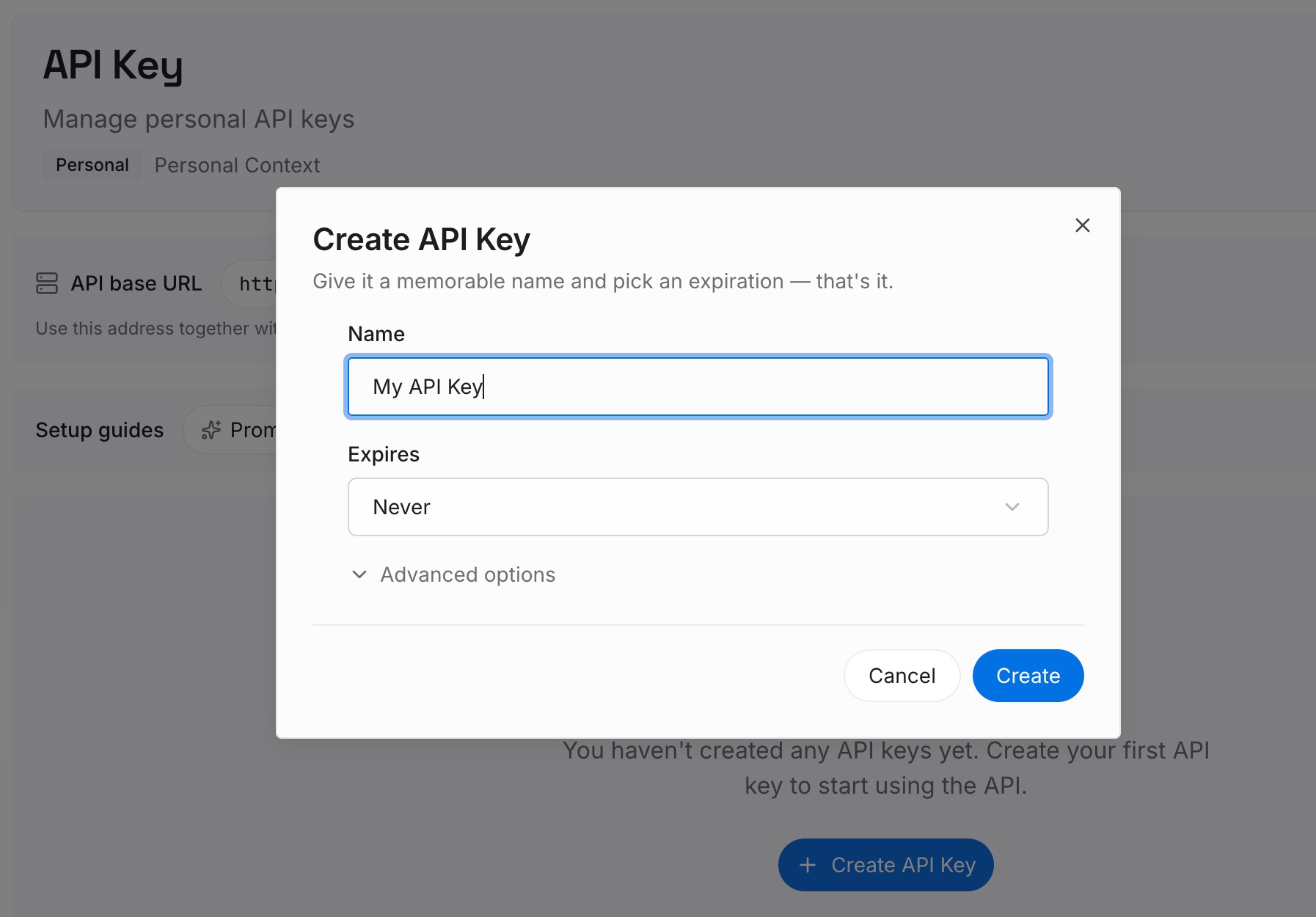
Step 1: Create an API key
Sign in and generate an API key from your workspace settings. This is the credential your assistants and integrations use, so create it before you start moving anything in.
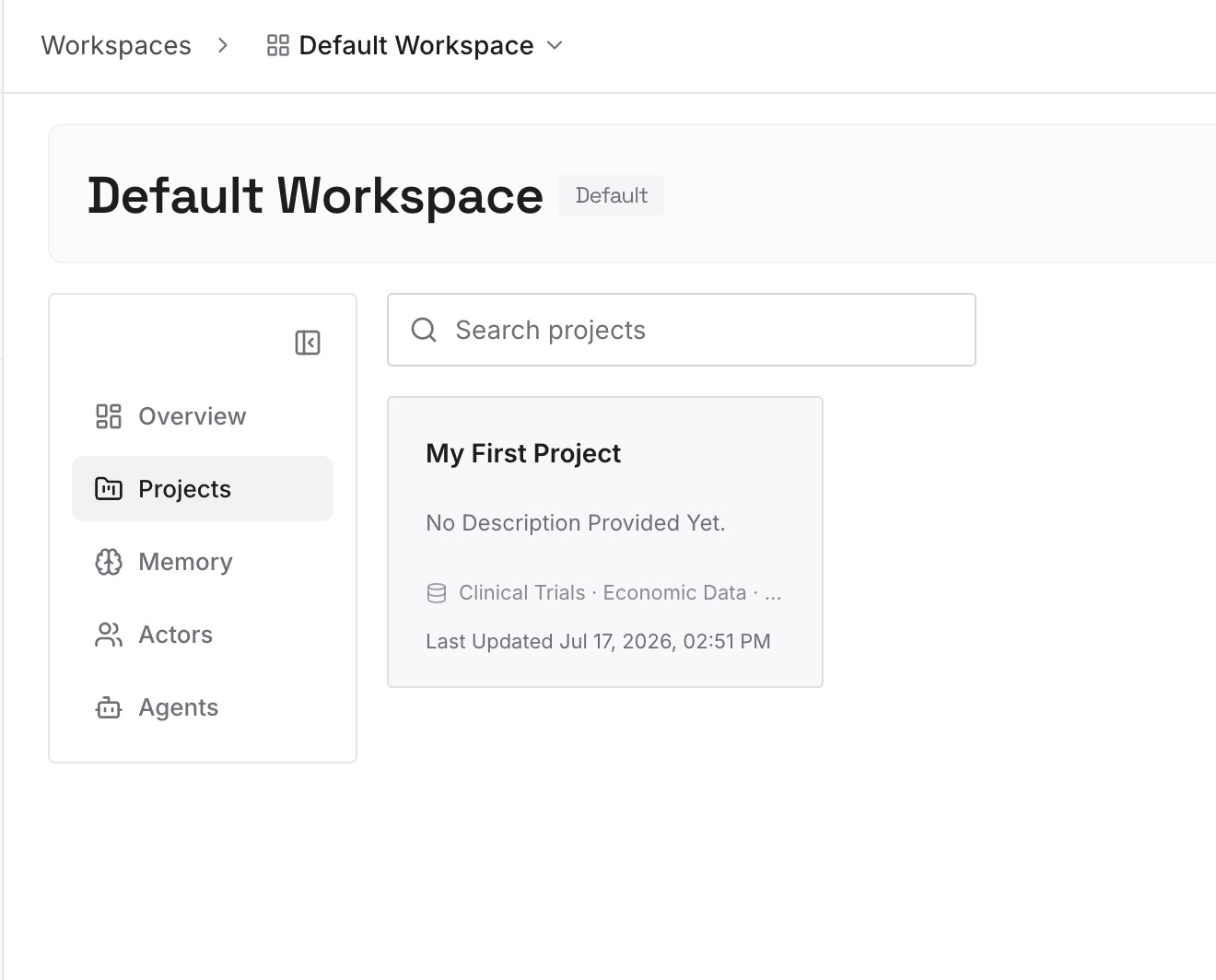
Step 2: Upload your first memories
Start with the facts you keep re-typing because you do not want them inferred: client naming conventions, definitions, the decisions behind a project's constraints. Write each as a short standalone note so it can be retrieved on its own — and leave out anything you would not want in a store at all.
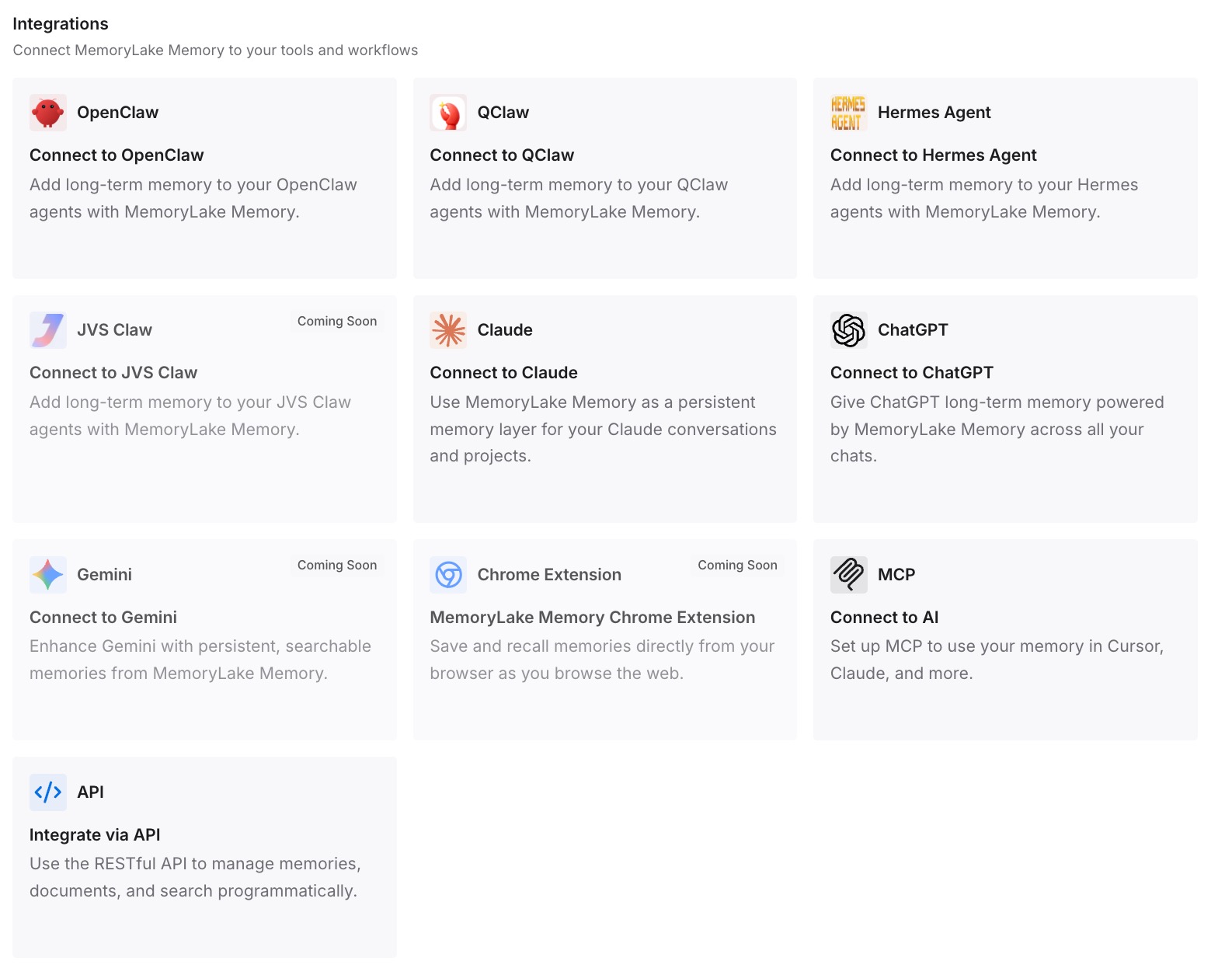
Step 3: Connect your AI & agents
Connect the assistants and agents you use. The context you chose to write down then reaches them deliberately, rather than depending on which reference control happens to be on this month.
What this changes in practice
Advice gets specific. "Turn off memory" stops being a single instruction and becomes a question: do you mean stop it referencing your history, stop it keeping facts about you, or stop your content contributing to training? Each has a different switch and a different documented consequence.
Temporary chats become a deliberate tool rather than a panic button. The documented behaviour is narrow and clear: they "Aren't used to train our models," "May be reviewed only to monitor for abuse," and "Don't get saved in your history and don't create memories," and "Temporary Chats are deleted from our systems after 30 days." The memory page adds that "Temporary chats do not create or update memories, even with personalization on," that you choose personalization before the conversation starts and "cannot change this choice after the conversation starts," and that "Saving a temporary chat converts it to a regular chat." That is a precise instrument for one conversation, not a setting for your account.
Reviewing what an assistant knows becomes a periodic task rather than a one-off panic. The sources, the controls, and the propagation delay are all documented, which makes it a checklist you can run, in the spirit of how to audit what your AI remembers.
And expectations get calibrated. Memory is described as selective by design: "Memory does not retain every detail from every conversation. ChatGPT decides which available information is relevant to a response, and Memory can change as your context changes." Asked whether it searches history for every reply, the FAQ answers "No. ChatGPT looks for relevant context when it is likely to improve a response." That selectivity is the root of a whole class of complaints, mapped out in ChatGPT memory limitations.
Best practices for the two panels
Name the switch, not the outcome. In a team document, write "Reference chat history: off" rather than "memory disabled." The second phrasing is what starts the arguments.
Test with a question, not with the settings page. A settings page tells you what you selected. A reply plus its Sources panel tells you what is being used — with the caveat that the panel may not show every factor.
Check both panels after any plan or workspace change. Controls are documented as varying by plan, region, platform, and workspace settings, and a setting you relied on may simply not be present after a move.
Do the source sweep in one sitting. Because deletions do not cascade between the summary, saved memories, chats, Library files, and connected apps, a partial sweep leaves the information reachable through whichever source you skipped.
Keep the facts you want remembered somewhere you control. The controls in these two panels are about restriction. Nothing in them makes a deliberate project record exist, and that is a separate job.
Conclusion
Two panels, two jobs. Data Controls decide whether your content helps improve the models, and turning that off leaves your history in place. Personalization decides what ChatGPT may reference, and turning that off leaves your history in place too — and lets memory be rebuilt from it later if you turn it back on.
Flip one switch at a time, read what OpenAI documents about that specific switch, and confirm on the Sources panel rather than in the settings page. If your goal is removal, run the full source sweep, including archived chats and connected apps, and give it time to propagate. Then decide separately what you do want an assistant to know, and write that down somewhere the answer does not depend on a toggle.