
What Reference chat history does
When the setting is available and on, ChatGPT can draw on your past conversations, not only on things you explicitly asked it to remember.
OpenAI's memory article describes the sources ChatGPT can use for personalization, depending on your plan and region. They include past chats, saved memories, custom instructions, saved files available through Library or Space, and content from connected apps such as Gmail. Reference chat history is the control for the first of those.
Two details shape how it behaves:
- It isn't a search on every message. The article's FAQ asks whether ChatGPT searches your history for every response, and answers no: "ChatGPT looks for relevant context when it is likely to improve a response."
- It changes over time. "Unlike an explicit saved memory, information derived from chat history can change as ChatGPT updates what is most useful to remember."
The article also says: "There is no separate storage limit for what ChatGPT can reference through chat history."
It can also affect how ChatGPT refers to you. The article says: "When Reference chat history is enabled, ChatGPT may also use the account name already shown in the product when that information is relevant." We covered where ChatGPT gets details like your name, and how to correct them, in our guide to how ChatGPT knows your name and location.
How it differs from saved memories
ChatGPT has two kinds of remembered information, and the article treats them separately.
Saved memories are explicit. The article describes them as "details that you explicitly ask ChatGPT to remember or that ChatGPT saves as useful context when that behavior is available." It adds: "Saved memories are stored separately from chat history."
Information from chat history is derived. ChatGPT works out what's useful from your conversations, and that can change as your conversations change.
The difference matters when you want to correct something. A saved memory is an item you can find and edit or delete. Information derived from chat history comes from the chats themselves.
Where to find the setting
The article gives the path:
- Open Settings.
- Select Personalization.
- Select Memory.
What you see there isn't the same for everyone. The article says: "Depending on your memory experience, available controls may include Memory, Reference saved memories, Reference chat history, Memory summary, Manage, or Saved memories."
Why the setting can be missing
If you followed that path and didn't find Reference chat history, the article lists several reasons why controls differ between accounts.
Your plan, region, platform, or workspace. "Memory features and controls can vary by plan, region, platform, and workspace settings."
It hasn't reached your account yet. "If a setting described here is not visible, it may not be available for your account yet."
Your memory experience. ChatGPT has two memory experiences. The article says "Improved Memory continually updates a broader summary of relevant context", while "Legacy saved memories use a more explicit list of individual memory items." Where the option is available, you can switch between them under Settings, Personalization, Memory. The controls listed for your account depend on which experience you use.
Your workspace admin. On Business, Enterprise, and other workspaces, the article says: "Workspace owners and admins can manage supported memory settings and role permissions." Its advice for a missing control is simple: "If a memory setting is unavailable in your workspace, contact your workspace admin."
A regulated workspace. The article says: "In ChatGPT for Healthcare and ChatGPT Enterprise with Regulated Workspace, improved memory is disabled by default." Owners and admins can make it available to the default workspace role or eligible custom roles.
A linked teen account. "For a linked teen account, a parent or guardian can manage supported memory controls through Parental controls."
If you have both a personal account and a work account, these differences can mean the two memory pages look different. That's expected.
Which other toggle turns it off with it
This is the detail to know before you turn one switch off and later find the other one off too.
The article says: "If your settings include Reference saved memories, turning it off also turns off Reference chat history."
The relationship goes one way. "When Reference saved memories is on, you can manage Reference chat history separately." And turning off chat history doesn't touch saved memories: "Turning off Reference chat history does not delete your saved memories."
So the order of switches matters:
- Reference saved memories off turns off Reference chat history as well.
- Reference saved memories on lets you choose Reference chat history on or off.
- Reference chat history off leaves Reference saved memories as it was.
If Reference chat history is off and you can't turn it on, check whether Reference saved memories is off.
What turning it off removes
The article is specific about what happens to information ChatGPT had derived from your chats: "If you turn Reference chat history off, information remembered from past chats is scheduled for deletion from OpenAI systems within 30 days."
And about what stays: "The original chats remain in your history unless you delete them."
So turning off Reference chat history:
- Removes the information ChatGPT had remembered from past chats, on a schedule of up to 30 days.
- Keeps your chats in your history.
- Keeps your saved memories.
The article makes a related point about the main Memory switch: "Turning off Memory does not delete your past chats." And it adds: "If you turn Memory on later, ChatGPT may create new remembered information from chats that remain in your history."
How deleting chats fits in
Turning off Reference chat history and deleting chats are different actions.
Deleting a chat removes that conversation from your history. But the article warns about saved memories: "Deleting a chat alone does not necessarily delete a separate saved memory created from that chat."
If you want something gone, the article lists where to remove it: the memory summary, saved memories, regular and archived chats, saved files available through Library or Space, and connected apps. It also notes: "It can take time for deletion and Memory updates to propagate."
How to see what chat history contributed
ChatGPT can show where a personalized answer came from. When it uses relevant personal context, Sources may appear below the response, including a past chat. Depending on the source, you may be able to open it, delete a referenced chat, or mark a source as relevant or not relevant.
The article sets expectations: "Sources may not show every factor that shaped a response." The memory summary has a similar limit: "It does not necessarily include every detail or source that Memory can reference."
So Sources and the summary are useful places to look, but neither is a complete list.
Temporary chats and locked chats
Two kinds of chats behave differently.
Temporary chats. Before starting one, you choose whether it uses existing memories, custom instructions, and plugins, or select Unpersonalized. The article says: "Temporary chats do not create or update memories, even with personalization on." If you save a temporary chat, it becomes a regular chat and follows your account's personalization settings.
Locked chats. The article says locked chats can use relevant information from regular Memory, but "New messages sent while a chat is locked do not personalize regular chats."
What people try first
Looking for the setting on every account. Controls vary by plan, region, platform, workspace, and memory experience.
Turning off Reference saved memories and expecting chat history to stay on. It turns off Reference chat history too.
Assuming turning it off deletes chats. The original chats stay in your history.
Assuming it deletes saved memories. It doesn't.
Expecting Sources to show everything. Sources may not show every factor.
The Fix: Decide what ChatGPT should draw on, and set the switches in order
Step 1: Check which controls you have
Open Settings, Personalization, Memory, and note which controls appear.
Step 2: Set Reference saved memories first
If it's off, Reference chat history is off too.
Step 3: Decide about chat history
Turn Reference chat history on if you want past conversations used, or off to schedule deletion of what was derived from them.
Step 4: Keep the context you depend on in your own words
Write down the project details and preferences you want every assistant to have, so they don't depend on which chats ChatGPT finds relevant.
Setting this up in MemoryLake
Reference chat history works from your conversations, and the article says what it derives can change as ChatGPT updates what's most useful. That's convenient for everyday personalization. For work context you need to be exact and stable, such as current project details, decisions, and the conventions you follow, it helps to have a version you wrote yourself.
MemoryLake is a memory layer for that kind of working context, such as projects, decisions, and preferences, kept in one place you maintain and available to the assistants you connect, such as ChatGPT, Claude Code, and Codex.
You write the entries yourself, in your own words. Nothing is read out of, written to, or deleted from your ChatGPT chats, your saved memories, your memory summary, your memory settings, or any vendor's store. Reference chat history works the way OpenAI describes it.
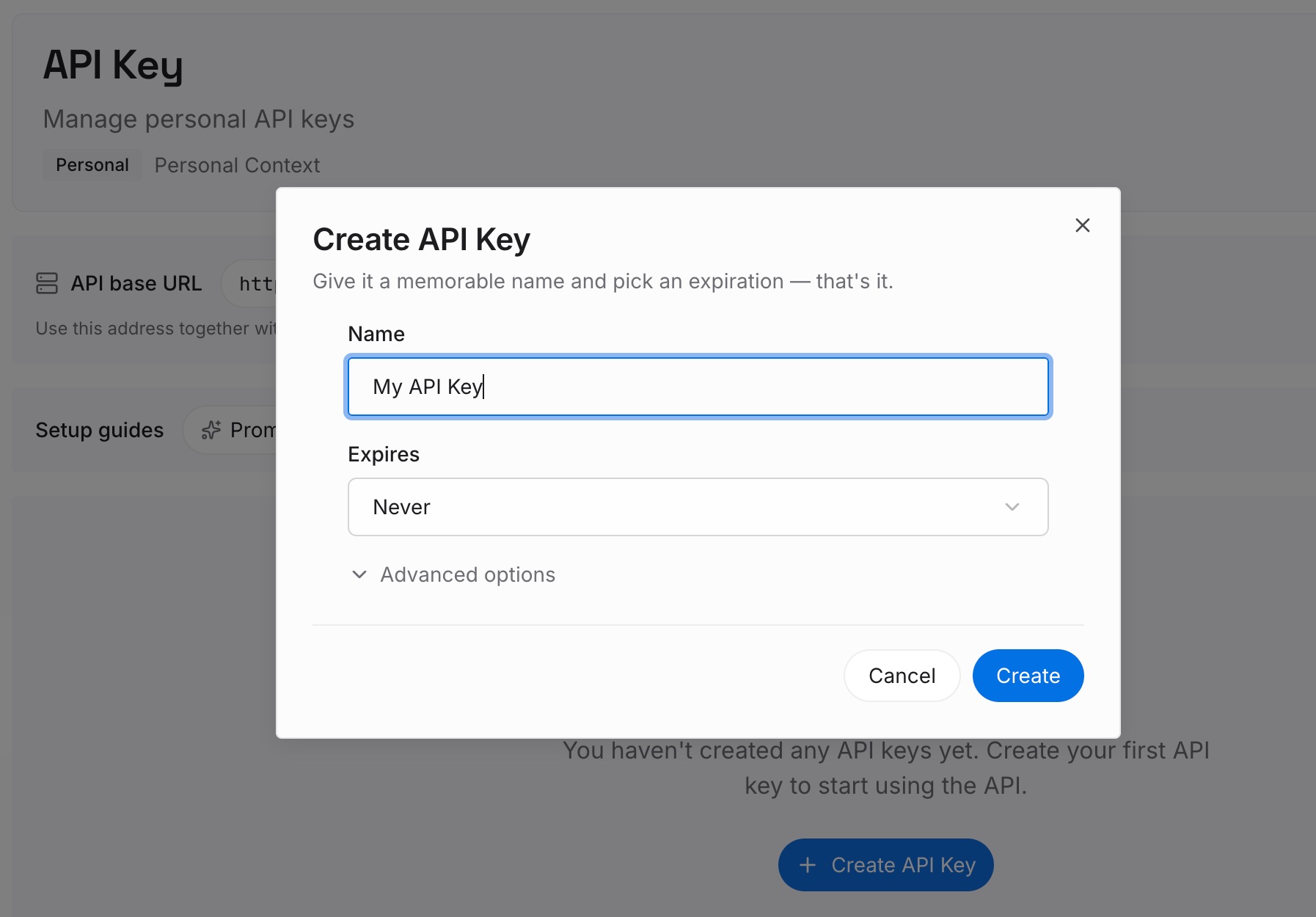
Step 1: Create an API key
Sign in and generate a key from the dashboard. Store it somewhere private, like any other credential.
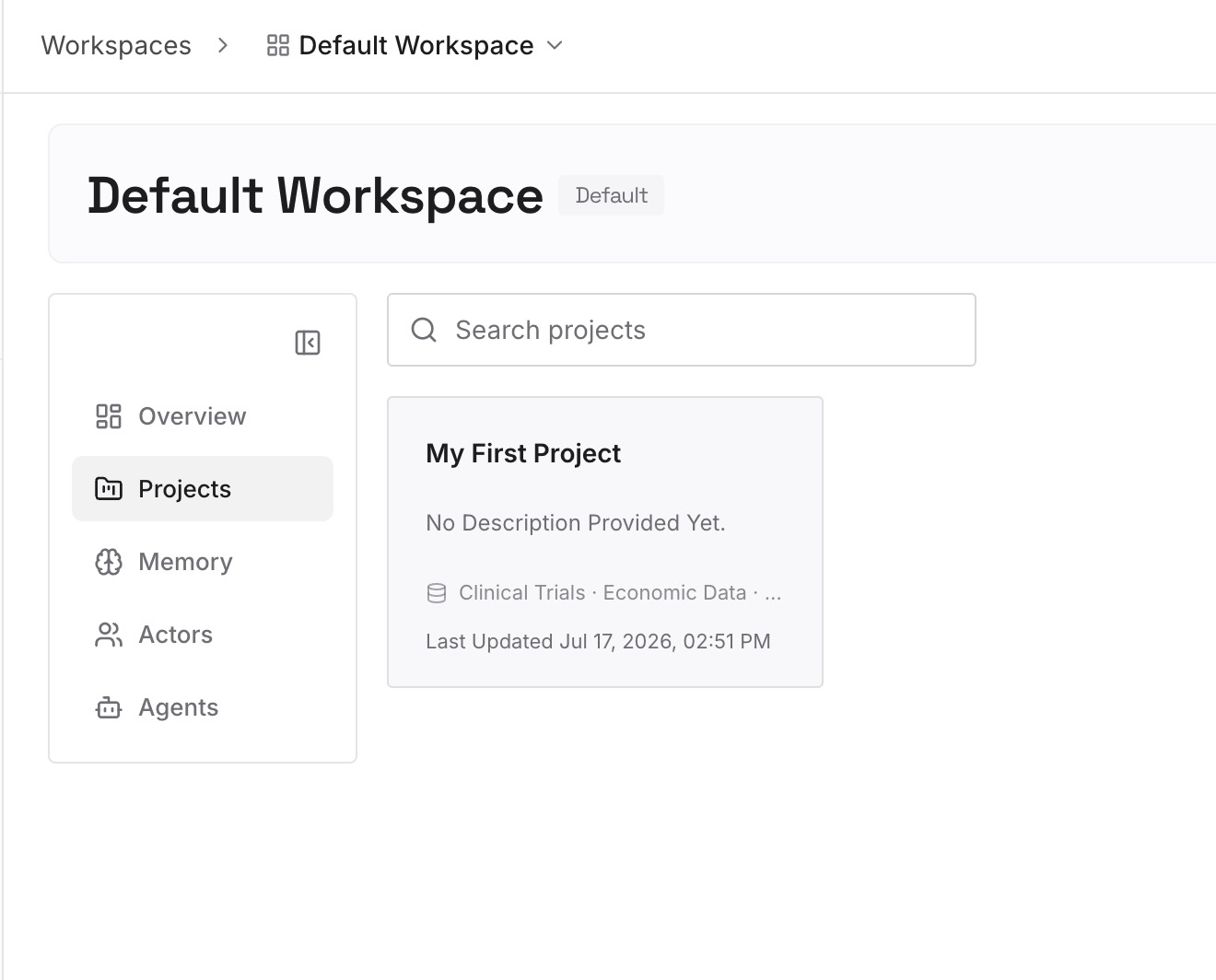
Step 2: Upload your first memories
Start with what you wrote in Step 4 of the fix: the details you want every assistant to have. One detail per entry.
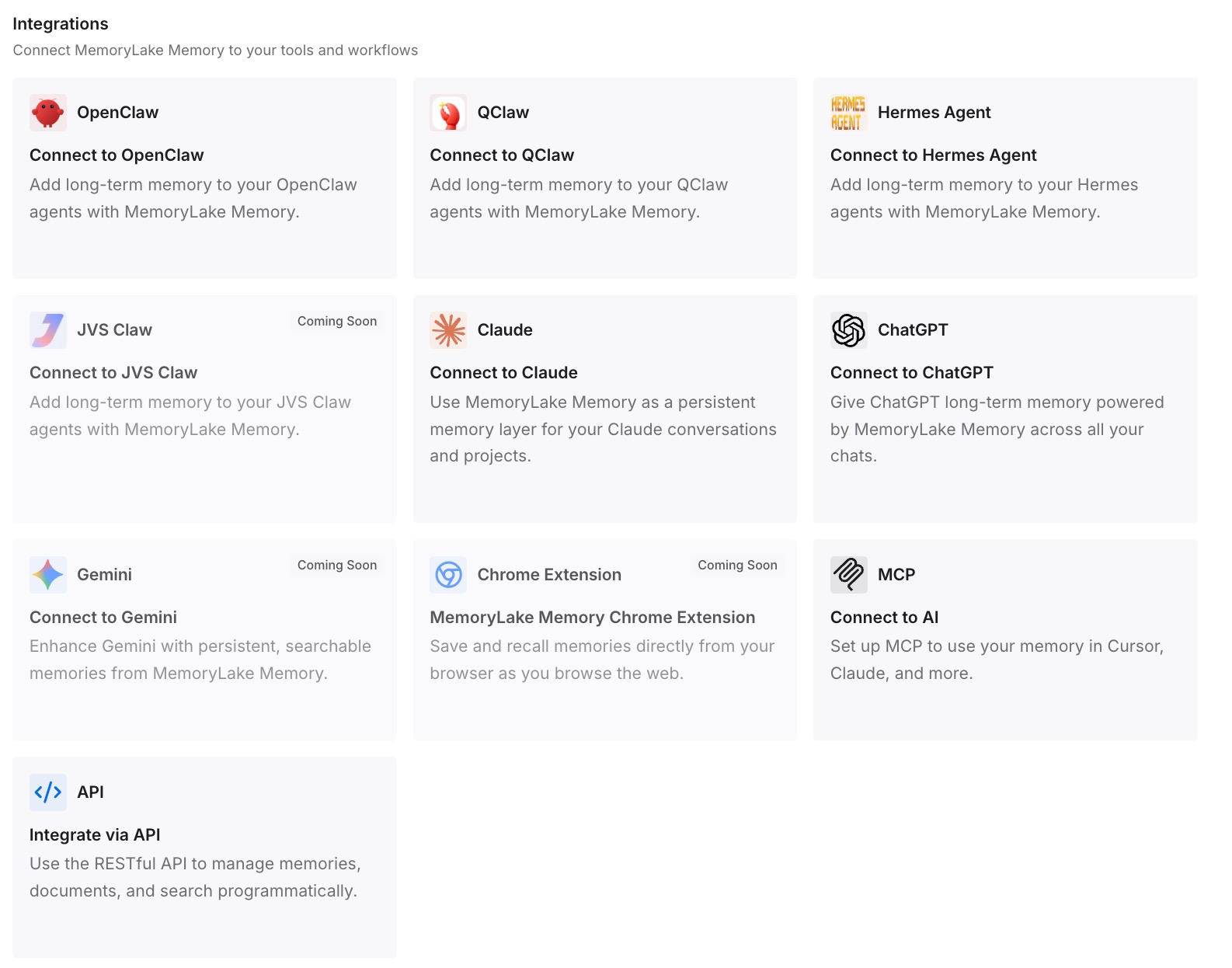
Step 3: Connect your AI & agents
Connect ChatGPT, Claude Code, Codex, and the other assistants you use. Each can draw on the same details, whatever your memory settings are in each tool.
What this changes in practice
The first difference is stability. The context you wrote stays as you wrote it until you change it.
The second is control. You decide what's in it, separately from what ChatGPT derives from chats.
The third is consistency across tools. The same context is available outside ChatGPT.
Best practices for Reference chat history
Check your controls first. They vary by account and memory experience.
Mind the order of switches. Reference saved memories off turns chat history off too.
Know what off means. Derived information is scheduled for deletion within 30 days, and chats stay.
Delete chats you don't want used. Turning off the setting doesn't remove them.
Use Sources to investigate. Remember they may not show everything.
Use temporary chats for one-off questions. They don't create or update memories.
Ask your admin about work accounts. Workspace settings can hide or limit memory controls.
Conclusion
Reference chat history lets ChatGPT use relevant information from your past conversations to personalize responses. It isn't a search on every message, and what it derives can change over time. Whether you see it depends on your plan, region, platform, workspace, and memory experience, and a missing setting in a workspace is a question for your admin.
Turning off Reference saved memories also turns off Reference chat history. Turning off chat history schedules what ChatGPT remembered from past chats for deletion within 30 days, while your chats and saved memories stay. If you want something gone completely, remove it from each place it lives.