
Length limits and usage limits are different
Anthropic separates the two clearly: "When working with Claude, you may encounter two different types of limits that work in distinct ways: usage limits and length limits."
Usage limits are about how much you use Claude over time. Paid plans have "a session limit that resets every five hours, and weekly limits that reset once every week." When you hit one, you wait or use usage credits.
Length limits are about one conversation. "Length limits relate to Claude's context window—the amount of information Claude can work with in a single chat." Anthropic's own summary: "usage limits control how much you can use Claude across all your conversations, while length limits control how long any single conversation can become."
That's why waiting for a reset doesn't help with a chat that's too long. The limit is the size of the conversation, and it's the same tomorrow.
How big a Claude chat can get
The size depends on the model. Anthropic's limits article says "On paid plans, the newest models support up to a 1M token context window, while others support 500K or 200K tokens." Its context window article lists each model: for chat, models like Claude Opus 5.5 and Sonnet 5.5 have 1M tokens, while some earlier models, including Opus 4.8 and Sonnet 4.6, have 500K.
There's one more detail: "A portion of the context window is always reserved for Claude's response, so the longest possible conversation is slightly smaller than the full window."
So the same conversation can be fine on one model and too long on another. If you switch to a model with a smaller window partway through a long chat, you can hit the limit sooner.
Why a Claude chat gets too long
Everything in the chat counts
The context window holds the whole conversation: your messages, Claude's replies, the files you attached, and the results of any tools Claude used. Anthropic's usage article lists the same kinds of things as factors in how fast you use Claude: "Message length", "File attachment size", "Current conversation length", and "Tool usage (e.g., Research, web search)".
A conversation where you pasted several long documents, ran a few web searches, and went through ten drafts fills up much faster than one with short questions.
Tools and connectors take a lot of room
Anthropic flags this directly: "Tools and connectors are token-intensive, so managing them helps both maximize your available context window and optimize your usage limits." Each connected app adds to what Claude carries, and each search or connector call adds its results to the conversation.
Automatic context management isn't on
This is the cause most worth checking. "For users with code execution enabled, Claude now automatically manages long conversations. When your conversation approaches the context window limit, Claude summarizes earlier messages to continue the conversation seamlessly."
The condition is in the note under it: "Code execution must be enabled for automatic context management." If code execution is off for your account, or your organization's owner turned it off, the automatic summarizing Anthropic describes doesn't apply, and a long chat runs into the length limit.
The first message is very large
Even with automatic context management on, Anthropic says "Rare edge cases (such as very large first messages) may still encounter context limits." If you start a chat by pasting an entire codebase or a very long document, there's little earlier conversation to summarize.
What automatic context management does
When it's on, Claude summarizes the earlier part of the conversation as it nears the limit, so you can keep going. Anthropic says "Your full chat history is preserved so Claude can reference it even after summarization." During long conversations you may see a note that Claude is organizing its thoughts, which is the feature at work.
Anthropic's two articles describe the reach a little differently. The limits article says it's "For users with code execution enabled". The context window article says it's "For users on paid plans with code execution enabled" and adds "This allows conversations to continue indefinitely in most cases." If you're on the Free plan and long chats still stop, that difference is worth knowing.
It has a cost. "Longer conversations that trigger automatic context management consume more of your usage limit." Anthropic's suggestion for that: "Try starting a new conversation if you're approaching your usage limit in a longer chat."
And a summary is a summary. The context window article describes it as Claude summarizing "earlier messages to make room for new content." The full history is still there for Claude to reference, but in the conversation itself, a summary now stands in for the early messages, so details you care about are worth restating.
What people try first
Waiting for the limit to reset. That's for usage limits. A length limit is the size of this one conversation.
Upgrading the plan for a bigger chat. Anthropic says "you can't increase the fixed context window size for your plan," though you can make better use of it.
Pasting the whole conversation into a new chat. That brings the same length problem with it.
Starting a new chat with nothing. It works, but Claude starts without the background you built up.
The Fix: Check the setting, trim what the chat carries, then start fresh with a summary
Step 1: Turn on code execution, or ask your owner to
On Free, Pro, and Max plans, Anthropic's file creation article says code execution "is enabled by default", and it gives the path to switch it on if it's off: open Settings, then Capabilities, and turn on Code execution and file creation. On mobile, the same toggle is under Capabilities in Settings.
On Team and Enterprise plans, it's an organization setting. The article says it's enabled by default for Team organizations and new Enterprise organizations, and "Organization owners can disable it in organization settings". If it's off for your organization, the condition Anthropic gives for automatic context management isn't met, and your owner is the one who can change it.
Step 2: Trim what the chat is carrying
Anthropic's limits article lists ways to make better use of the window. The ones that help a long chat most:
- "Turn off tools you don't need: Turn off apps you've connected when a conversation doesn't need them, and ask Claude not to search the web when you don't need current information."
- "Toggle extended thinking off: Turn off this feature when you don't need Claude's enhanced reasoning for a particular task."
- "Lower the effort level: Choose a lower effort level for routine tasks that don't need Claude's most thorough responses. Higher effort uses more tokens."
For documents you keep referring to, move them into a project. "Projects use retrieval-augmented generation (RAG), which allows Claude to work with larger amounts of information more efficiently by only loading relevant content into the context window." Our guide to working with a Claude project in RAG mode covers how that changes what Claude reads.
Step 3: Start a new chat with a handoff summary
When a chat has done its job or can't go further, Anthropic's guidance is plain: "If you hit a length limit, you can start a new conversation or use features like projects to work with larger amounts of information more efficiently."
The trick is to start the new chat with what matters. Before you leave the old one, ask Claude for a summary of the decisions made, the current state of the work, the open questions, and the next steps. Save it. Paste it into the first message of the new chat, and attach only the files the next part of the work needs.
If you're on a paid plan, the new chat can also look things up in the old one. Anthropic says "Users with paid plans (Pro, Max, Team, and Enterprise) can prompt Claude to search through previous conversations and reference relevant information in new chats." Our guide to making Claude remember previous conversations covers how chat search and memory work together.
Setting this up in MemoryLake
A long Claude chat ends up holding more than the current task. It holds the decisions, the reasons, and the background you'd need again next week. When the chat gets too long, the handoff summary is where that context survives, and it's also what you'd want available in your next project, your next chat, or another assistant.
MemoryLake is a memory layer for keeping that context in one list you maintain, available to ChatGPT and the other assistants you connect, such as Claude Code and Codex.
You write the entries yourself, in your own words. Nothing is read out of, written to, or deleted from your Claude chats, your Claude memory, your projects, or any vendor's store. For work content, follow your organization's policy on what you keep outside its tools.
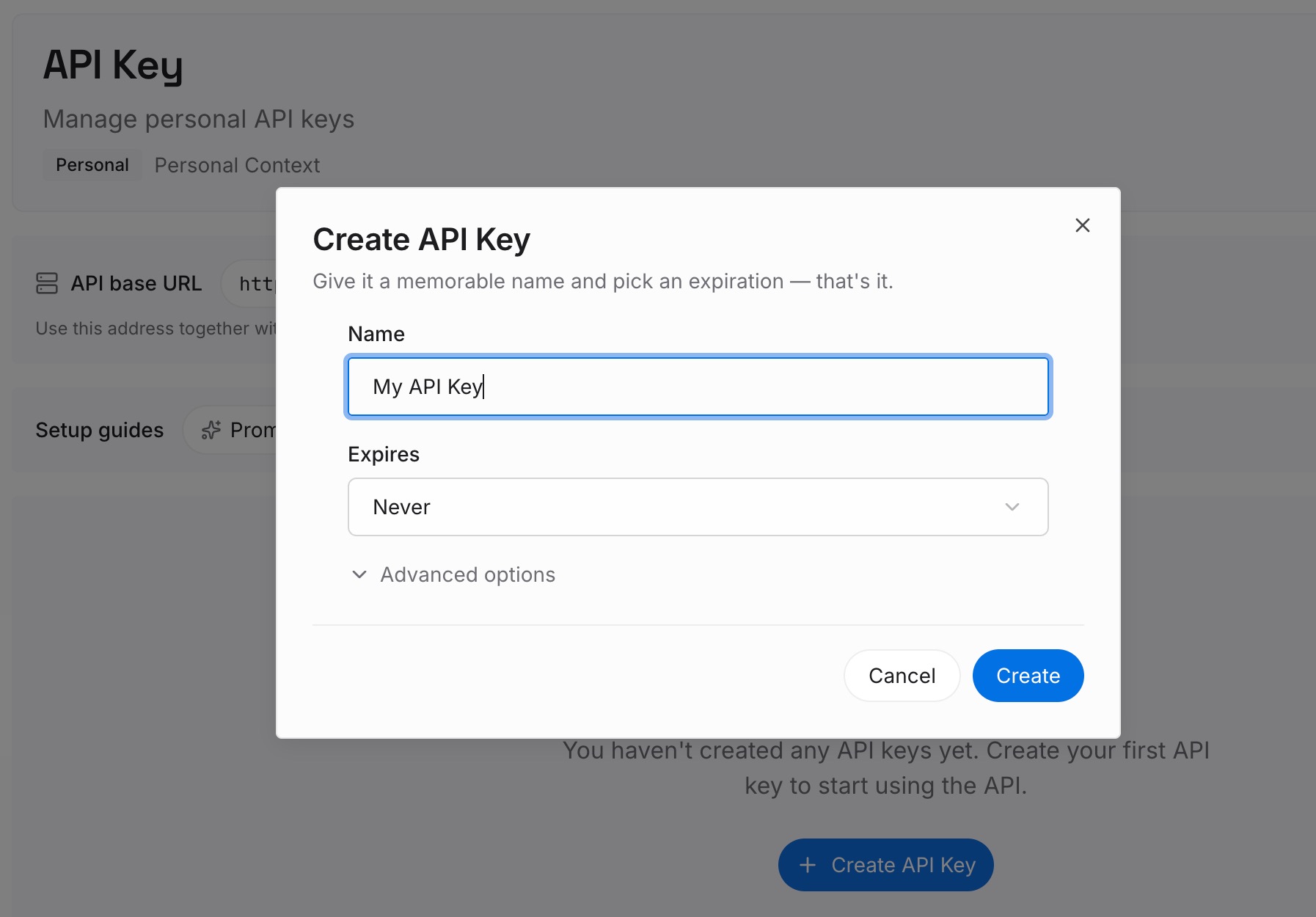
Step 1: Create an API key
Sign in and generate a key from the dashboard. The key belongs to your MemoryLake workspace and is separate from your Claude account.
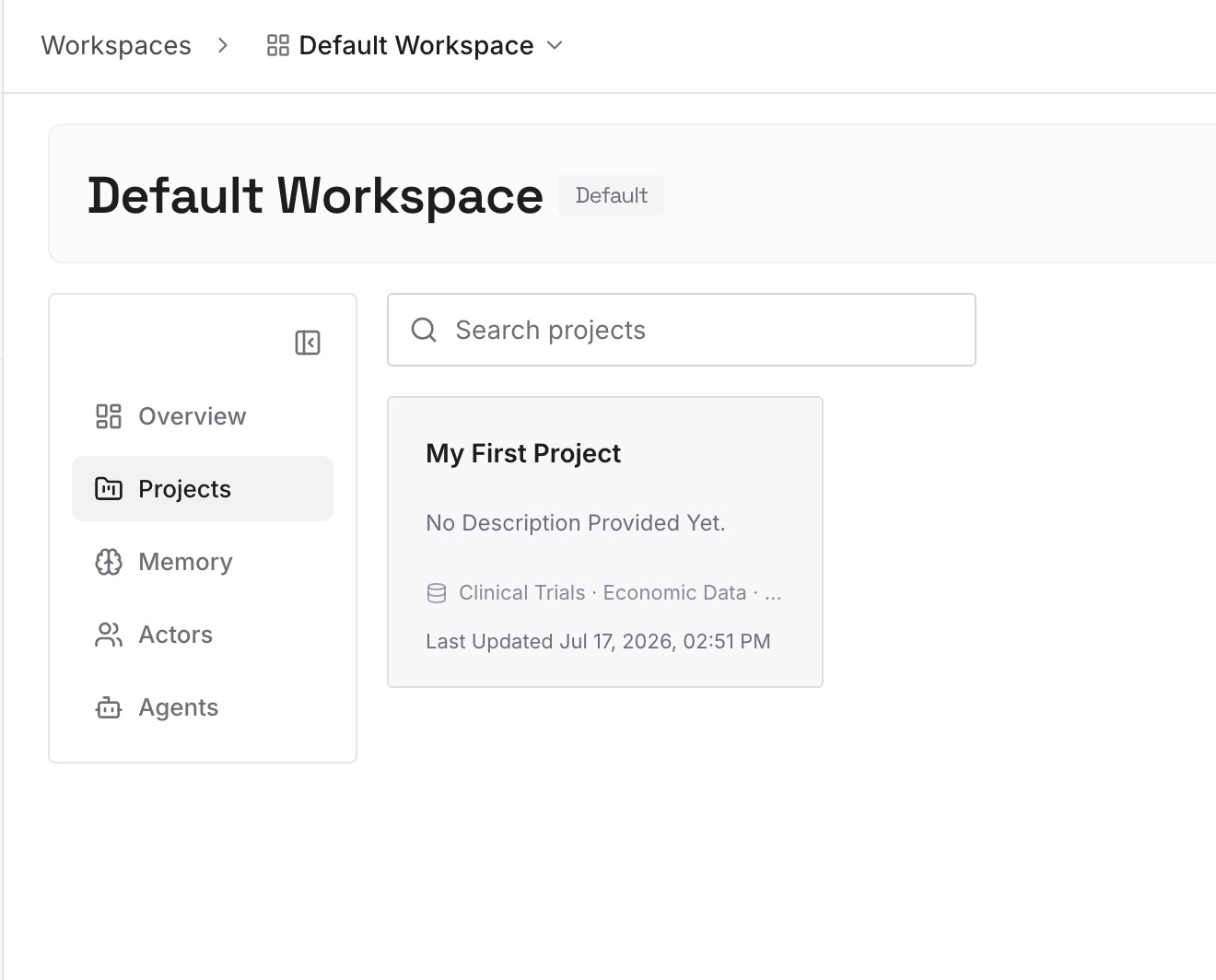
Step 2: Upload your first memories
Start with the handoff summary from Step 3 of the fix: the decisions, the current state, and the open questions. One point per entry, dated, and labeled with the project it belongs to.
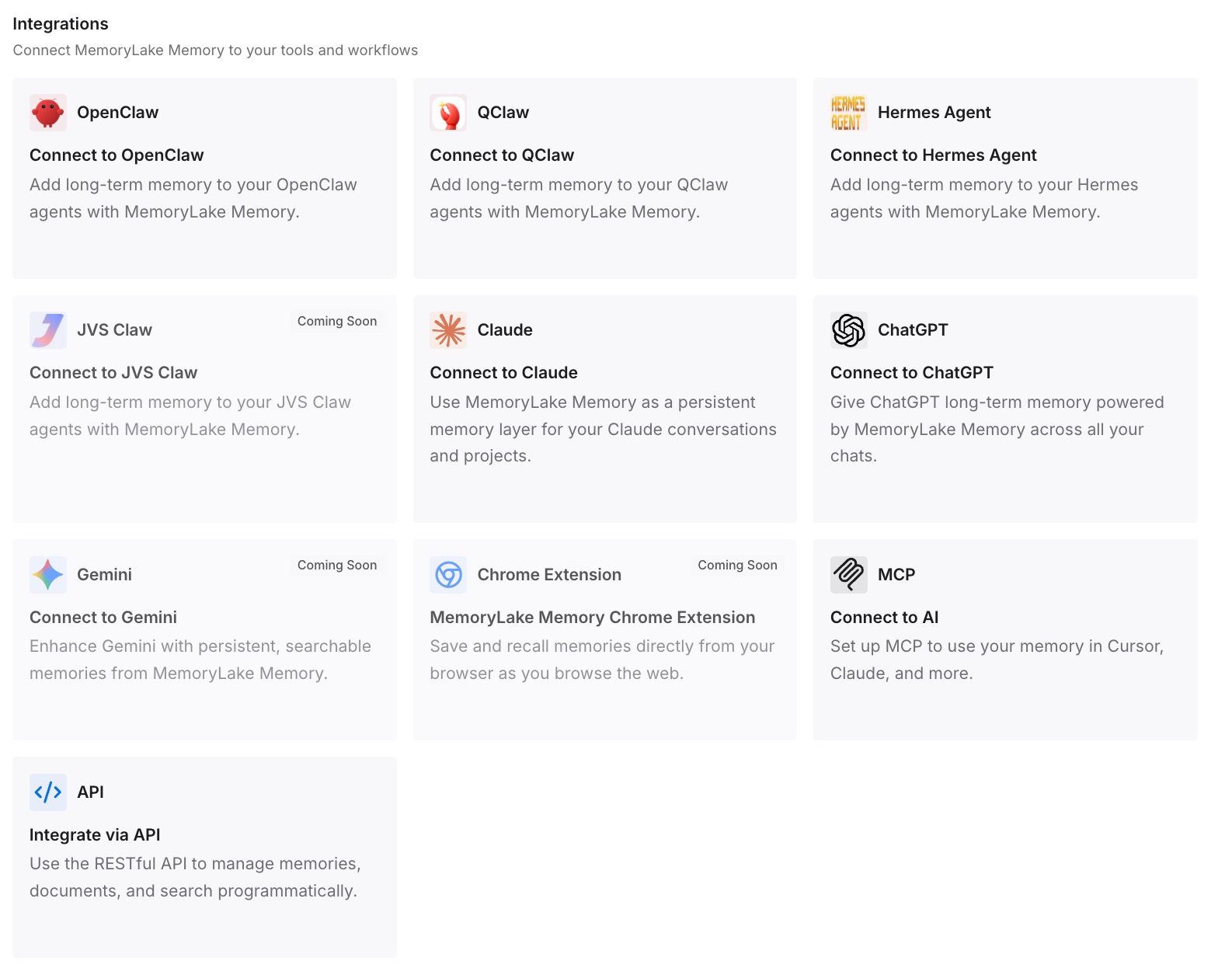
Step 3: Connect your AI & agents
Connect ChatGPT and the other assistants you use. The next chat starts with the context the long one built up, without carrying its length.
What this changes in practice
The first difference is that you know which limit you hit. A length limit is about one chat, and waiting for a reset won't change it.
The second is that long chats last longer. With code execution on, fewer tools connected, and reference files in a project, the conversation fills more slowly, and automatic context management can do its job.
The third is that ending a chat stops costing you the work. The summary goes with you into the next conversation. If you need to keep a full record of the old chat, our guide to reading your Claude data export covers what the export includes.
Best practices for long Claude chats
Check code execution first. Automatic context management needs it.
Know your model's window. Switching models mid-chat can change how much room you have.
Turn off tools you aren't using. Anthropic calls tools and connectors token-intensive.
Put long reference documents in a project. RAG loads only the relevant parts.
Start a new chat for unrelated work. Anthropic's Cowork tips say the same: "Starting a new conversation for unrelated work, so Claude isn't carrying extra context."
Write a handoff summary before you leave a long chat. Decisions, state, open questions, next steps.
Watch your usage in long chats. Automatic context management uses more of your limit.
If Claude seems to have forgotten things it should know across chats, our guide to why Claude memory isn't working covers the memory settings.
Conclusion
A Claude chat gets too long when the conversation fills the model's context window: messages, files, tool results, and thinking all count. With code execution enabled, Claude summarizes earlier messages and keeps going, at the cost of more usage. Without it, or with a very large first message, the chat stops at the length limit.
Check the setting, trim the tools and files a chat carries, and move reference material into a project. When a chat is done, start a new one with a short summary of what it decided, so the next conversation begins where this one ended.