
What Anthropic actually published
The release note is one bullet. The documentation page behind it, titled "How Claude remembers your project," carries the mechanism, and it opens with the scope: "Claude Code can read AGENTS.md as your project instructions, so a repository already set up for other coding agents works without adding a CLAUDE.md, an import, or a setting."
Then comes a table of three rows, which is the whole story compressed. A repository with "An AGENTS.md, and no CLAUDE.md or CLAUDE.local.md in your working directory or above it" gets "Your AGENTS.md." A repository with "An AGENTS.md and a CLAUDE.md or CLAUDE.local.md in your working directory or above it" gets "Your CLAUDE.md files only." And a repository with "A CLAUDE.md that already imports AGENTS.md" gets "Your CLAUDE.md, with AGENTS.md included through the import."
The counting rule is spelled out separately, and it is the part worth copying into your own notes. Files that "Count, so Claude reads them instead of AGENTS.md" are "a CLAUDE.md, .claude/CLAUDE.md, or CLAUDE.local.md in your working directory or any directory above it." Files that "Don't count, and keep loading alongside AGENTS.md" are "your ~/.claude/CLAUDE.md, your organization's managed CLAUDE.md, and .claude/rules/ files."
Anthropic also wrote the trap down in plain language, in a note of its own: "Because CLAUDE.local.md counts, adding one to keep your own uncommitted instructions in a project that relies on AGENTS.md stops Claude from reading AGENTS.md for you."
And there is a confirmation surface. When nothing counts, the docs say that at session start Claude reads "every AGENTS.md and .claude/AGENTS.md in your working directory and the directories above it," and that "In an interactive session you see a line such as no CLAUDE.md found; AGENTS.md loaded: /home/you/repo/AGENTS.md in the conversation."
There is a second change from the same week with the same shape. Version 2.1.275, published a day earlier, "Added syncing of the skills and plugins enabled on your claude.ai account to terminal sessions signed in with it; opt out with syncClaudeAiSkills: false or syncClaudeAiPlugins: false." Read the two together and the pattern is clear: what your session starts with has moved, twice, without anyone editing a file in the repository.
What this does and doesn't change
It changes which file is authoritative, not what the files say. If your repository has only an AGENTS.md, the behaviour improves and you do nothing. If it has both files, nothing changed at all — Claude reads the CLAUDE.md it always read, and the AGENTS.md next to it is still only reaching the other tools. The people most likely to be surprised are the ones who did the most work: whoever built an import or a symlink so both worlds stayed in sync now has two mechanisms doing one job.
It does not change how the files are parsed. Inside each AGENTS.md, "@path imports are expanded, claudeMdExcludes patterns apply, and subagents that skip project instructions skip these files too."
It does change how you verify. An AGENTS.md read through the setting behaves differently from a CLAUDE.md in four documented places. In /memory and the Memory files list in /context, a CLAUDE.md is "Listed" while the AGENTS.md is "Not listed. To confirm Claude read it, look for the AGENTS.md loaded line under the default value, or ask Claude what its project instructions say." InstructionsLoaded hooks "Fire" for one and "Don't fire" for the other, though they "fire as usual for an AGENTS.md that a CLAUDE.md imports or symlinks to." Directories added with --add-dir load their CLAUDE.md but not their AGENTS.md. And an @path import of a file outside your working directory "Loads only if you already approved external imports for this project, with no prompt."
It also does not arrive everywhere at once. The docs list the sessions where "Claude reads CLAUDE.md files only, and Project instructions doesn't appear in the /config settings panel": versions before v2.1.277, sessions that don't "fetch feature flags from Anthropic, for example because you use Amazon Bedrock or another third-party provider, or you disabled telemetry," your "first session after you install or upgrade," and setups where "you or your organization set disableAllHooks or allowManagedHooksOnly, or you disabled the built-in agents-md plugin."
What people will take from this, and shouldn't
"I can delete my CLAUDE.md now." Only if the repository has nothing Claude-specific in it. The docs describe keeping a CLAUDE.md when "some of your sessions can't load AGENTS.md directly," which is a real category, not a hypothetical one.
"Both files will be read from now on." Only under one of the four Project instructions values. The default, claude-md-or-agents-md, reads "Your CLAUDE.md files, or your AGENTS.md files when you have no CLAUDE.md or CLAUDE.local.md in your working directory or above it." Reading both is claude-md-and-agents-md, which reads them "together, each directory's CLAUDE.md files first and its AGENTS.md after them."
"My import is now redundant, so I should tear it out." The documentation says the opposite about one setup: for "A CLAUDE.md containing @AGENTS.md," it says "you can leave it. Keeping the import never makes Claude read AGENTS.md twice, whichever Project instructions value you use."
"Nothing in my setup is a duplicate." One of them is. For "A SessionStart hook that prints AGENTS.md," the guidance is "remove it. Once Claude reads AGENTS.md directly, the hook adds a second copy to the context."
"The file I wrote is the context." An instruction file is a standing brief, and the questions that break a long project are usually about decisions rather than conventions — which of two approaches you settled on in June, and why. That record is worth separating from the file your agents read at startup, which is the argument in why long context isn't memory.
The Fix: Decide which file carries the project, then confirm the session read it
Step 1: Inventory the files that count, not the ones you remember
The check runs upward, not just in the project root. Walk your working directory and every directory above it and look for exactly three names: CLAUDE.md, .claude/CLAUDE.md, and CLAUDE.local.md. A single one anywhere on that path is enough to make Claude read CLAUDE.md files only.
Two more names deserve a look, because they are documented under "Not read": "AGENTS.local.md, AGENTS.override.md, or anything under a .agents/ directory." If someone split personal overrides into one of those, they have not been reaching Claude Code and will not start now.
Your personal and organization-level files are safe either way. They "Don't count, and keep loading alongside AGENTS.md," so a ~/.claude/CLAUDE.md full of your own habits is not what is cancelling the repository's file.
Step 2: Pick a Project instructions value on purpose
Type /config and set Project instructions deliberately rather than inheriting the default. The four values map to four real situations: claude-md-or-agents-md when one file is clearly the project's; claude-md-and-agents-md when you want the shared file plus Claude-specific additions, and especially when you keep a CLAUDE.local.md; claude-md when the project has diverged and the shared file is for other tools only; and managed-only, which loads "Only your organization's managed CLAUDE.md and auto memory at launch."
The value can also live in settings rather than the panel, under the built-in agents-md plugin's ID in pluginConfigs, in your user settings file, a --settings file, or managed settings. One constraint matters for teams: "Claude Code ignores it in project and local settings files." You cannot ship this choice to your colleagues inside the repository, which means it belongs in your onboarding notes instead. Whichever route you take, "Your change applies from the next message you send and in every new session."
Step 3: Confirm the load, then remove only the workaround that duplicates
Start a session and look for the line. Under the default value with no counting file present, the conversation shows no CLAUDE.md found; AGENTS.md loaded: followed by the path. If you are using claude-md-and-agents-md, or if you kept an import, run /context and confirm CLAUDE.md appears under Memory files — the documented check for the import and symlink routes.
Then handle the old workaround by type rather than by instinct. Leave an @AGENTS.md import. Delete a CLAUDE.md that merely tells Claude in words to read the other file, because "Claude sees AGENTS.md only if it decides to open the file." A symlink needs "nothing, or delete the symlink. Either way Claude reads the content once." A SessionStart hook that prints the file should go.
Two constraints apply if you are choosing the symlink route for the first time. The Edit and Write tools "refuse to write through a symlink," and the refusal "directs Claude to edit the link's target, AGENTS.md, instead." And on Windows, "Creating a symlink there needs Administrator privileges or Developer Mode, and Git checks a committed symlink out as a plain text file unless core.symlinks is enabled."
Setting this up in MemoryLake
Instruction files answer "how should you work here." They are not the right home for "what did we decide, and when" — and once you are juggling two filenames and a setting, the difference gets sharper. A separate store you write MemoryLake entries into on purpose keeps decisions and their reasons in one place that does not depend on which filename won this week. You write the entries yourself, in your own words. Nothing is read out of, written to, or deleted from Anthropic's files or settings.
Step 1: Create an API key
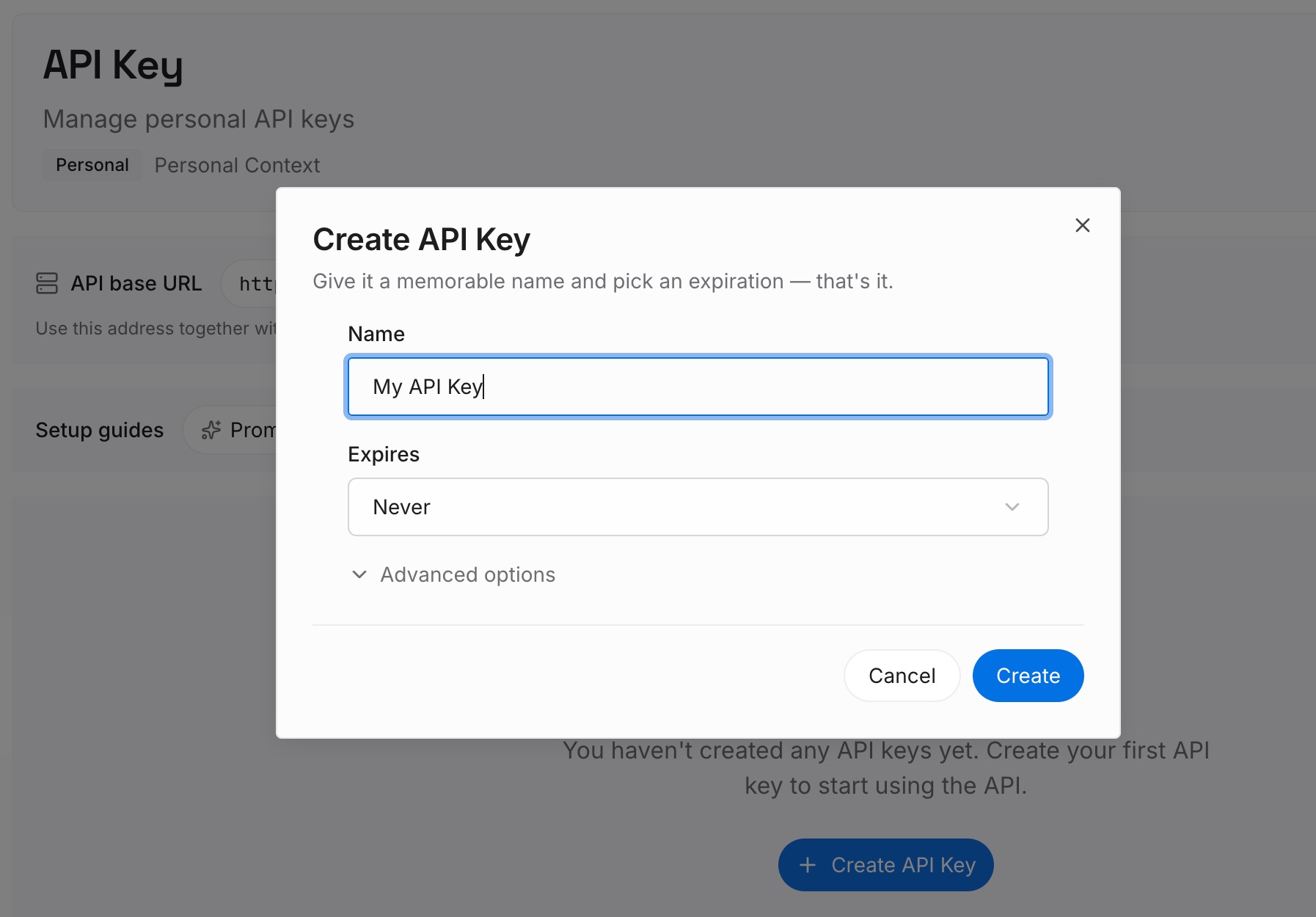
Sign in and generate an API key from your workspace settings. This is the credential your agents and integrations use, so create it before you start moving anything in.
Step 2: Upload your first memories
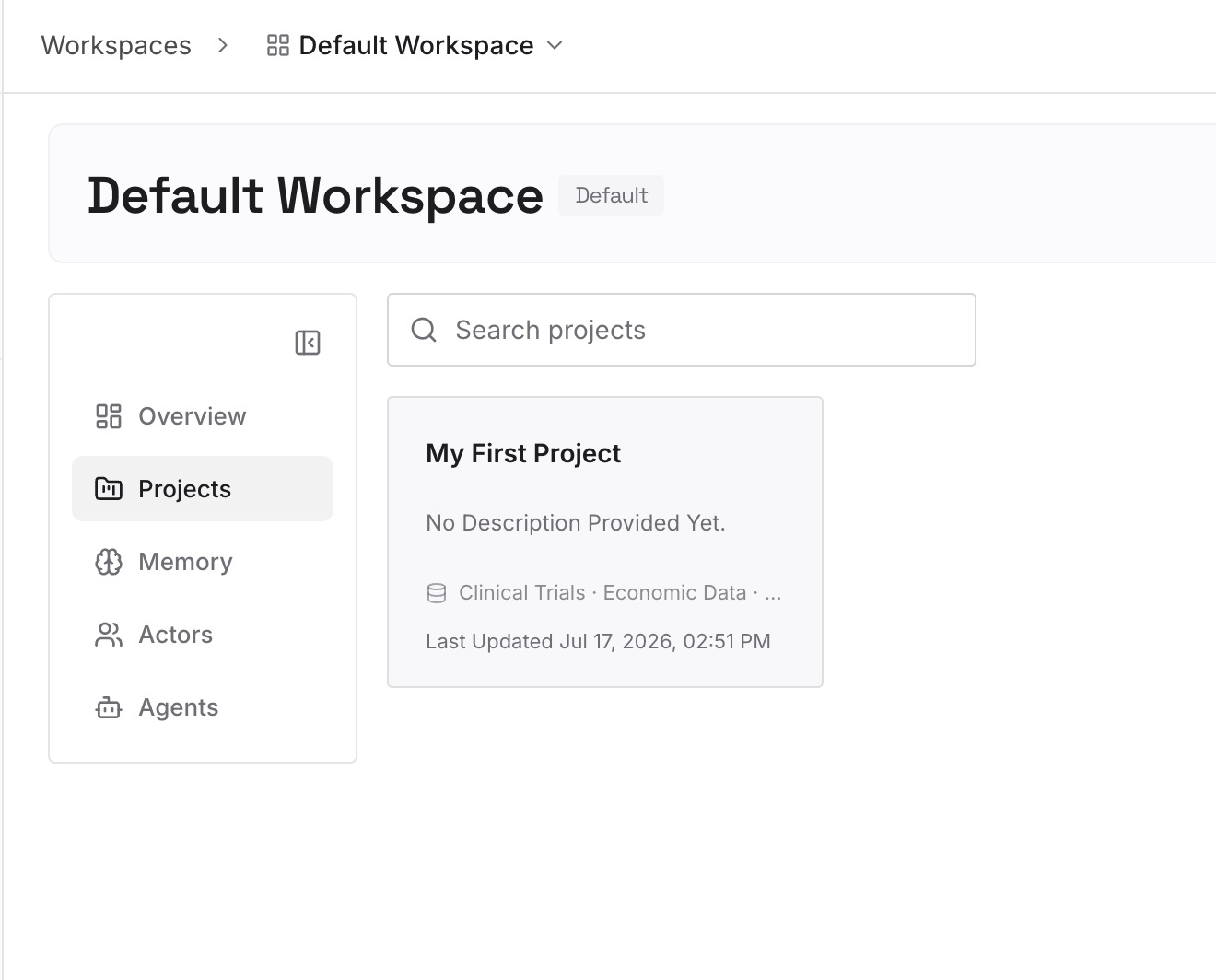
Start with the entries that keep getting re-explained: the architectural decisions, the conventions you argued about once, the reasons behind constraints that look arbitrary in a file. Write them as short, standalone notes rather than as a long document, so each one can be retrieved on its own.
Step 3: Connect your AI & agents
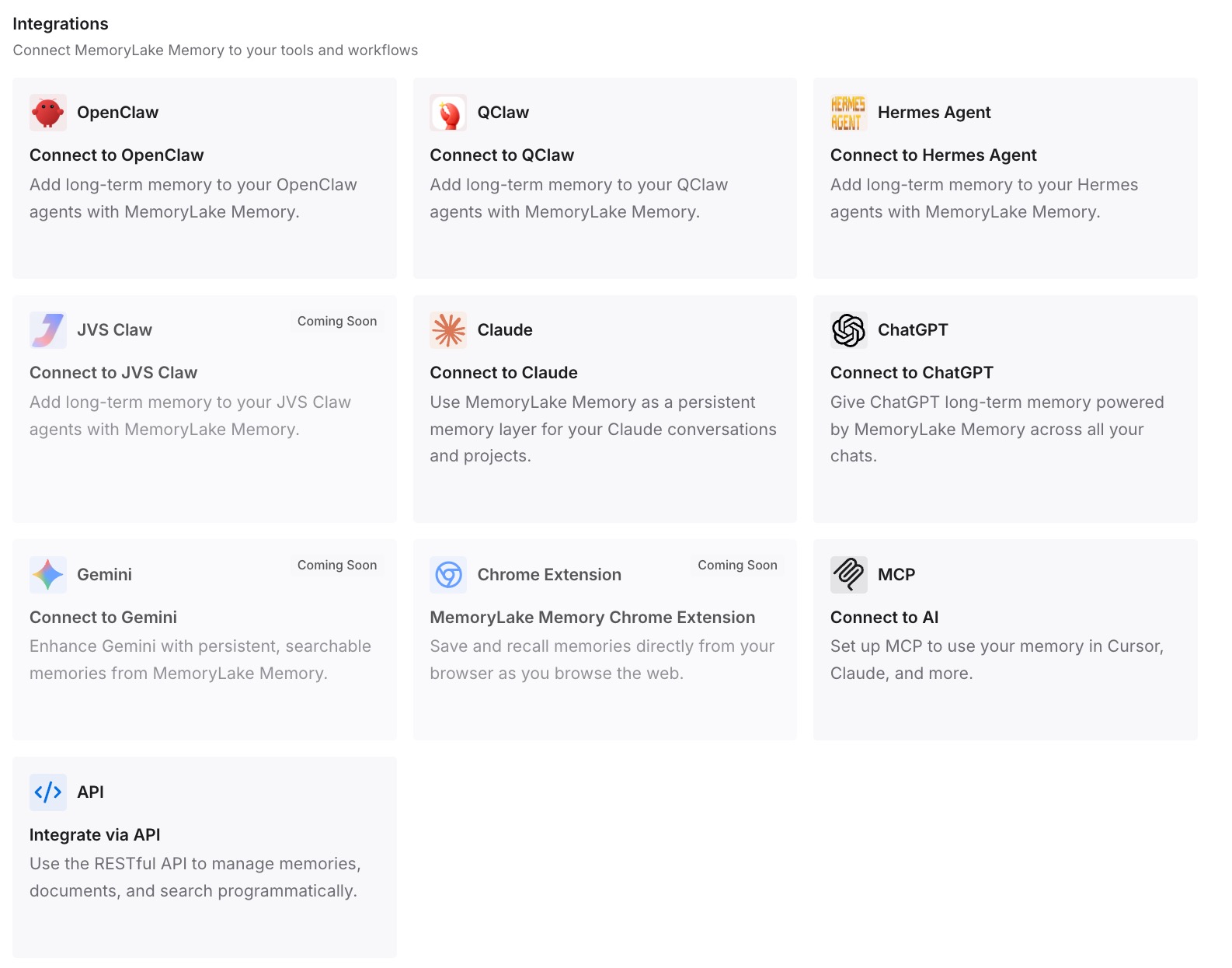
Connect the assistants and coding agents you actually use. Your standing store then travels with you across tools, independently of whichever instruction filename each tool prefers this month.
What this changes in practice
It changes onboarding. Before, "read the CLAUDE.md" was a complete instruction. Now a colleague can clone the same repository, run the same version, and get different project instructions because they kept a CLAUDE.local.md from a previous job. Nothing fails; the answers are just less informed. Write the expected Project instructions value into your setup notes, since the repository cannot carry it.
It changes what "one file for every tool" means. The shared-file idea is still good, but the rules around it differ per tool. Kiro's steering documentation, for example, states that "AGENTS.md files do not support inclusion modes and are always included" — the same filename, a different loading contract. If you maintain one file across several agents, the file is shared but the behaviour is not, which is the same gap described in why agents ignore your instruction files.
It changes what your migration notes are worth. If you already moved content into AGENTS.md following the path in how to migrate CLAUDE.md to AGENTS.md, the move itself still stands — but the "keep both files" ending is now the case where only one of them is read, so that is the step to revisit first.
And it changes how you read a quiet session. A session that does not complain is not a session that loaded everything — the same pattern as in layered setups, where the fix is to work out which layer won rather than to rewrite the content, as in how to reconcile conflicting CLAUDE.md layers.
Best practices for instruction files more than one agent reads
Put the counting rule in the repository, not in someone's head. A note near the top of the shared file naming the filenames that cancel it saves the next person a confusing afternoon.
Separate standing conventions from decisions with dates. Conventions belong in the file every tool reads. Decisions, trade-offs, and the reason a constraint exists belong somewhere retrievable, which is the distinction drawn in how to turn project docs into AI memory.
Check the load once per environment, not once per project. The documented unavailable cases are environmental — provider, telemetry, hook policy, first session after upgrade — so one check on a new machine or CI image covers every repository on it.
Keep an eye on what else arrives at startup. Skills and plugins from a signed-in claude.ai account now sync into terminal sessions, a second source of standing behaviour that no file in your repository controls — adjacent to the boundaries described in how to share context between Claude Code sessions.
Do not assume other agents changed too. The gap between what a shared file promises and what each tool loads is the same failure documented in how to stop Codex skipping AGENTS.md rules.
Finally, treat the file as a brief rather than an archive. Long instruction files compete with the rest of the session for room, and what survives a compaction is a separate question, covered in what to keep through Claude Code auto-compact.
Conclusion
The headline is that Claude Code reads AGENTS.md. The part that will actually change someone's afternoon is that it reads it only when three specific filenames are absent from the working directory and every directory above it, that a personal CLAUDE.local.md is one of them, and that the confirmation of which file loaded lives in a session line rather than in the /memory list.
Spend ten minutes: list the counting files, set Project instructions on purpose, start a session and read the load line. Then decide which file is the project's standing brief — and keep the decisions that explain it somewhere that does not change when a filename does.