
What changed on November 4
The v2.1.318 release notes list three changes to how Claude Code reports a sign-in that is about to end, or already has.
- An end date you can read. The release "Added the date a stored claude.ai sign-in ends to
claude auth status(loginExpiresAt) and toclaude -pJSON results (credential_expires_at)". - An early warning for scripts. It also "Added a one-line stderr warning to
claude -ptext output, starting 10 days before a stored claude.ai sign-in ends". - A clearer failure. It "Fixed the sign-in failure when a stored claude.ai login reaches its time limit: it now says so, and in
claude -pnamesclaude auth loginandclaude setup-token".
The same release fixed a related problem: "Fixed jobs exiting with Not logged in when another terminal or host signs in again to the same account and organization on the same home". The errors page explains the cause for older versions: "Before v2.1.318, Claude Code removed the stored login during that sign-in, before saving the new one."
Before this release, the warning you could rely on was the one at startup in an interactive session. Now a script or scheduled job that calls claude -p can see the date too, and can warn you before the job stops.
What Login expired means
Anthropic's errors reference describes the state precisely: "Claude Code tried to renew your saved claude.ai login and the OAuth service rejected the stored refresh token, so Claude Code cleared the saved credentials. After that, each model request stops locally with this message before it reaches the API, because only /login can create new credentials."
Three details in that description matter.
It applies to the claude.ai login. That's the login you create with /login for a Pro, Max, Ultra, Team, or Enterprise plan. Anthropic adds: "Sessions authenticated with an API key, CLAUDE_CODE_OAUTH_TOKEN, or a third-party provider don't use the saved login and never see this message."
Claude Code stops the request itself. Model requests stop before they reach the API. Retrying without signing in returns the same message on every request.
It isn't the same as a revoked token. The documentation separates the two: "This is not the same state as OAuth token revoked or expired. Those messages report a rejection the API returned. Claude Code itself produces Login expired for a login it already failed to renew, so it sends no request."
The same state in scripts and the SDK
In non-interactive mode and the Agent SDK, the wording changes. Anthropic gives the message as Failed to authenticate: OAuth session expired and could not be refreshed, with the structured error code authentication_failed. Search your logs for this wording rather than the interactive one.
Messages that look similar
A few neighbours on the errors page are worth telling apart:
- Not logged in. "No valid credential is available for this session." The fix is the same, but the cause can be a missing environment variable rather than an expired login.
- Anthropic profile login expired. A login expired message that ends with an instruction to re-authenticate your Anthropic profile belongs to a different credential, the one the
antCLI uses. - Account on hold. When renewal fails because the account itself is suspended, Anthropic says Claude Code shows a separate message instead.
The warning you get before it expires
Anthropic's authentication guide describes the earlier signal: "When the login you created with /login is within three days of expiring, Claude Code shows a warning at startup: Your login expires in 3 days · run /login to renew."
That warning doesn't stop anything. In Anthropic's words, "The warning is informational and never blocks a request: authentication keeps working until the login actually expires." It also only appears for the claude.ai login. The guide says it doesn't show "when a cloud provider, ANTHROPIC_API_KEY, ANTHROPIC_AUTH_TOKEN, or apiKeyHelper supplies the credential."
You can check the state yourself. Run /status. When the saved login is your active credential and can no longer be refreshed, the documentation says the Login row reads Expired — log in again, along with the organization and email saved for that login. Outside a session, claude auth status now includes the end date as loginExpiresAt.
What stops while you're signed out
Every model request in that session
Because each model request stops locally, Claude can't reply until you sign in again. The session stays open, and your earlier turns are still on screen.
Sessions that run without you
This is the case Anthropic singles out. "Renewing early matters most for sessions that run unattended. A background session in agent view or a Remote Control session that outlives the login stops making progress once the credential expires and can't recover until you sign in again."
If you leave background sessions running overnight, or drive a session from your phone through Remote Control, an expiring login is the point where they stall. Our guide to Claude Code agent view explains how those background sessions share your project context.
Scripts and scheduled jobs
A claude -p job signed in with the claude.ai login stops with the non-interactive message above. From v2.1.318, the stderr warning gives you ten days of notice, and the JSON result includes credential_expires_at for scripts that want to check it.
What stays on your machine
The expired credential and your work are stored in different places.
Your login. Anthropic's credential section says that on macOS, "credentials are stored in the encrypted macOS Keychain"; on Linux, they're in ~/.claude/.credentials.json. That's what the renewal failure clears.
Your session transcripts. Anthropic's sessions documentation says: "Claude Code stores sessions under ~/.claude/projects/<encoded-cwd>/*.jsonl." The errors page describes clearing credentials, not these files. After you sign in again, /resume and --continue read them as before. Our guide to finding Claude Code session history explains the folder layout.
Your auto memory. The memory documentation places it in the same configuration directory: "Each project gets its own memory directory at ~/.claude/projects/<project>/memory/." Our guide to Claude Code auto memory covers what loads from there at the start of a session.
Your instructions and settings. CLAUDE.md files and settings.json are files too, in your repository and your configuration directory.
One caution about the transcripts: the .claude directory guide says "Transcripts and history are not encrypted at rest. OS file permissions are the only protection." That's true whether you're signed in or not.
Sign back in with the same account
The fix Anthropic gives is short: "Run /login to sign in again. Retrying without signing in shows the same message on every request."
Sign in with the account the sessions belong to. Logging in as a different account in the same configuration directory changes the credential but keeps the same local folders, so that account then picks up your sessions and auto memory. Cloud sessions are tied to your claude.ai account, which is another reason to use the same one; our guide to why Claude Code forgets across machines covers what cloud sessions do and don't carry.
If you're signed in from another Claude Code window, you may not need to do anything in the stalled one. The errors page says that if you sign in "in another Claude Code window that uses the same configuration directory, an interactive session showing this message starts using that login on its own."
When you resume an old session after signing in, the first request may have to re-read a lot of context. Our guide to the resume usage warning explains when Claude Code warns about that and what to do instead.
For automation: a credential that doesn't depend on the browser login
Anthropic's advice for non-interactive runs is to sign in once interactively in the same environment, then rerun the command. "For automation that can't sign in interactively, authenticate with ANTHROPIC_API_KEY or generate a long-lived token with claude setup-token."
The long-lived token has its own limits. The authentication guide describes it as "a one-year OAuth token" and adds: "It can only make model requests, so it can't establish Remote Control sessions or fetch claude.ai connectors." It also says the command "does not save the token anywhere", so you store it yourself, for example in your CI system's secret store.
Remember the credential order if you add one of these. Anthropic's precedence list puts ANTHROPIC_API_KEY and CLAUDE_CODE_OAUTH_TOKEN ahead of the subscription login from /login, so a key left in your shell profile can change which credential a session uses. /status shows the credential in use.
What people try first
Retrying the prompt. The request stops before it reaches the API, so a retry returns the same message.
Restarting the session. Restarting doesn't create a new credential. Only /login does, or another Claude Code window that signs in with the same configuration directory.
Deleting the configuration folder to clear the login. That removes your session transcripts and auto memory along with the credential file. The documented fix is /login.
Signing in with whichever account the browser offers. If it's a different account, it now uses your local sessions and memory. Check /status after signing in.
Assuming the startup warning will block work. It doesn't. It's a reminder, and work continues until the login actually ends.
The Fix: Check the date, renew early, keep unattended work alive
Step 1: Check when your sign-in ends
Run /status in a session, or claude auth status from a terminal. On v2.1.318 or later, the output includes the end date. Update Claude Code if you don't see it.
Step 2: Renew before unattended work runs
If background sessions, Remote Control sessions, or scheduled claude -p jobs will run while you're away, run /login before you leave rather than after they stall. For jobs that run with no one at the keyboard, use ANTHROPIC_API_KEY or a token from claude setup-token, within the limits above.
Step 3: Sign back in to the same account and resume
After the error appears, run /login with the account the sessions belong to, confirm it with /status, and resume with /resume or --continue. Your transcripts and auto memory are where you left them.
Setting this up in MemoryLake
An expired login is a short interruption, but it shows how much of your working context sits on one machine, in one configuration directory, behind one sign-in. If you also switch machines or tools, the decisions and conventions in those files stay behind unless you copy them.
MemoryLake is a memory layer for keeping those facts in one place you maintain, available to the assistants you connect, such as ChatGPT, Claude Code, and Codex.
You write the entries yourself, in your own words. Nothing is read out of, written to, or deleted from your Claude Code sessions, your configuration directory, your credentials, your CLAUDE.md files, your auto memory, or any vendor's store. /login, claude auth status, and Claude Code's credential handling keep working the way Anthropic describes them.
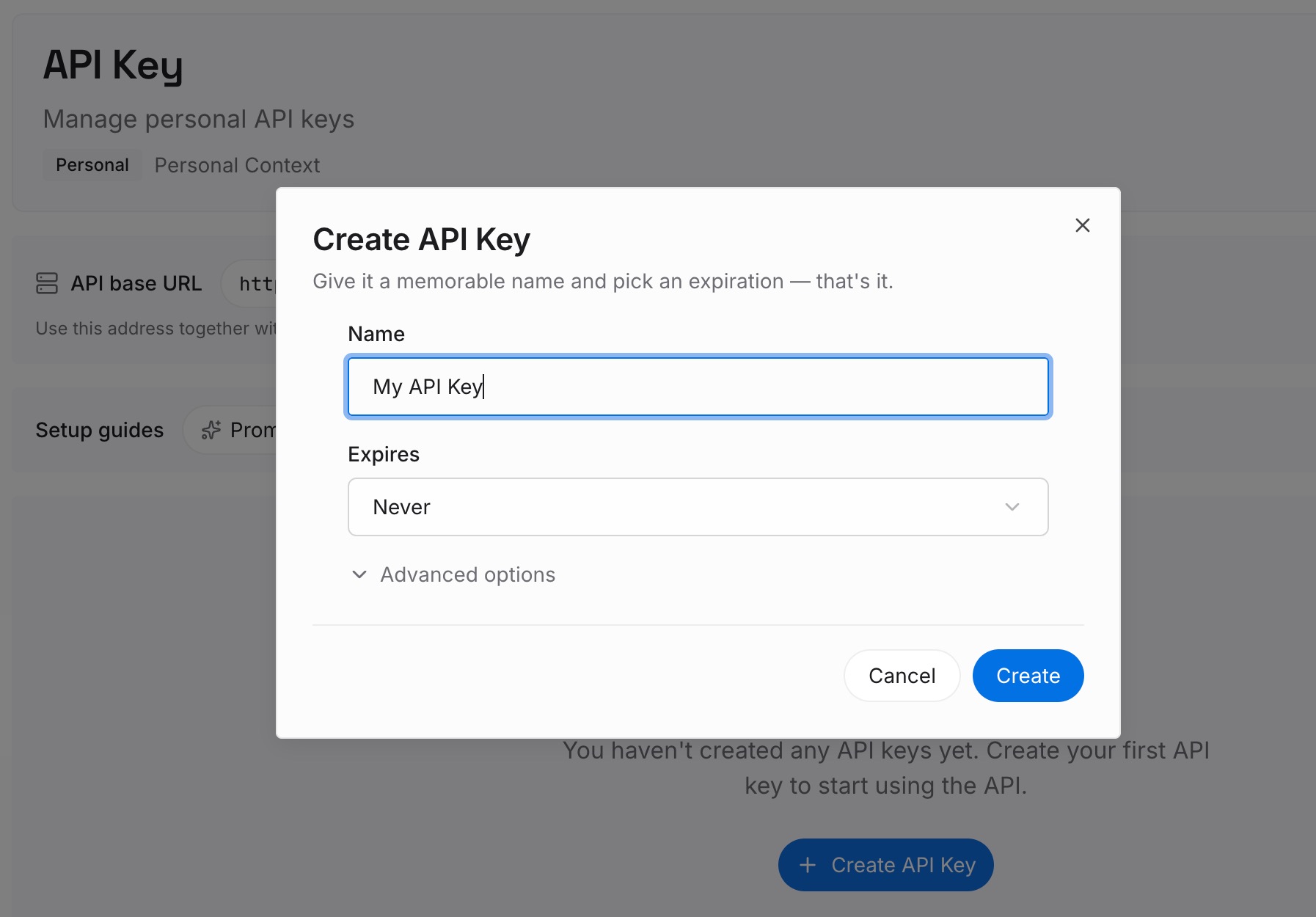
Step 1: Create an API key
Sign in and generate a key from the dashboard. The key belongs to your MemoryLake workspace and is separate from your Claude login.
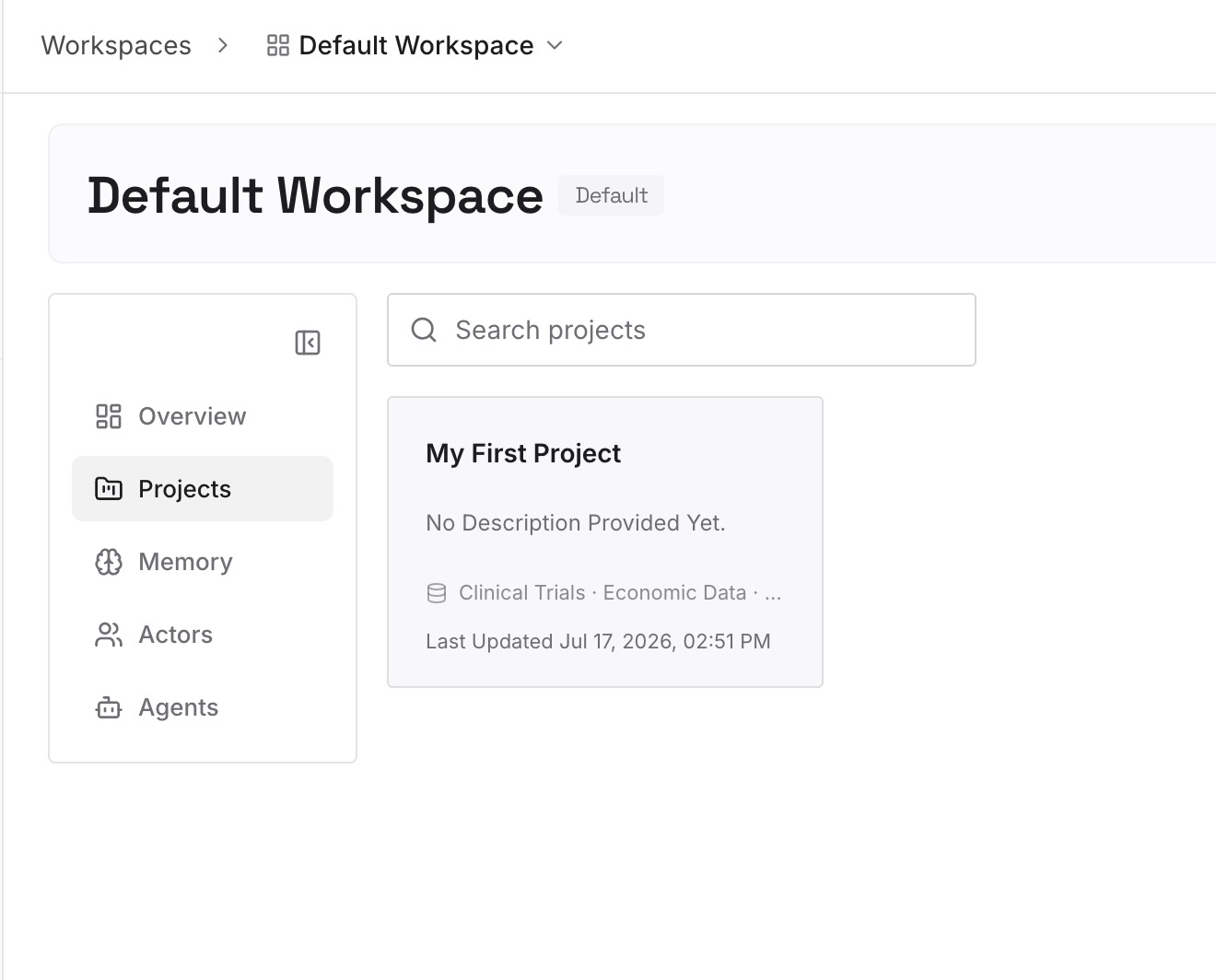
Step 2: Upload your first memories
Start with the project decisions and conventions you'd want after any interruption: what the code does, what you've ruled out, what's next. One point per entry.
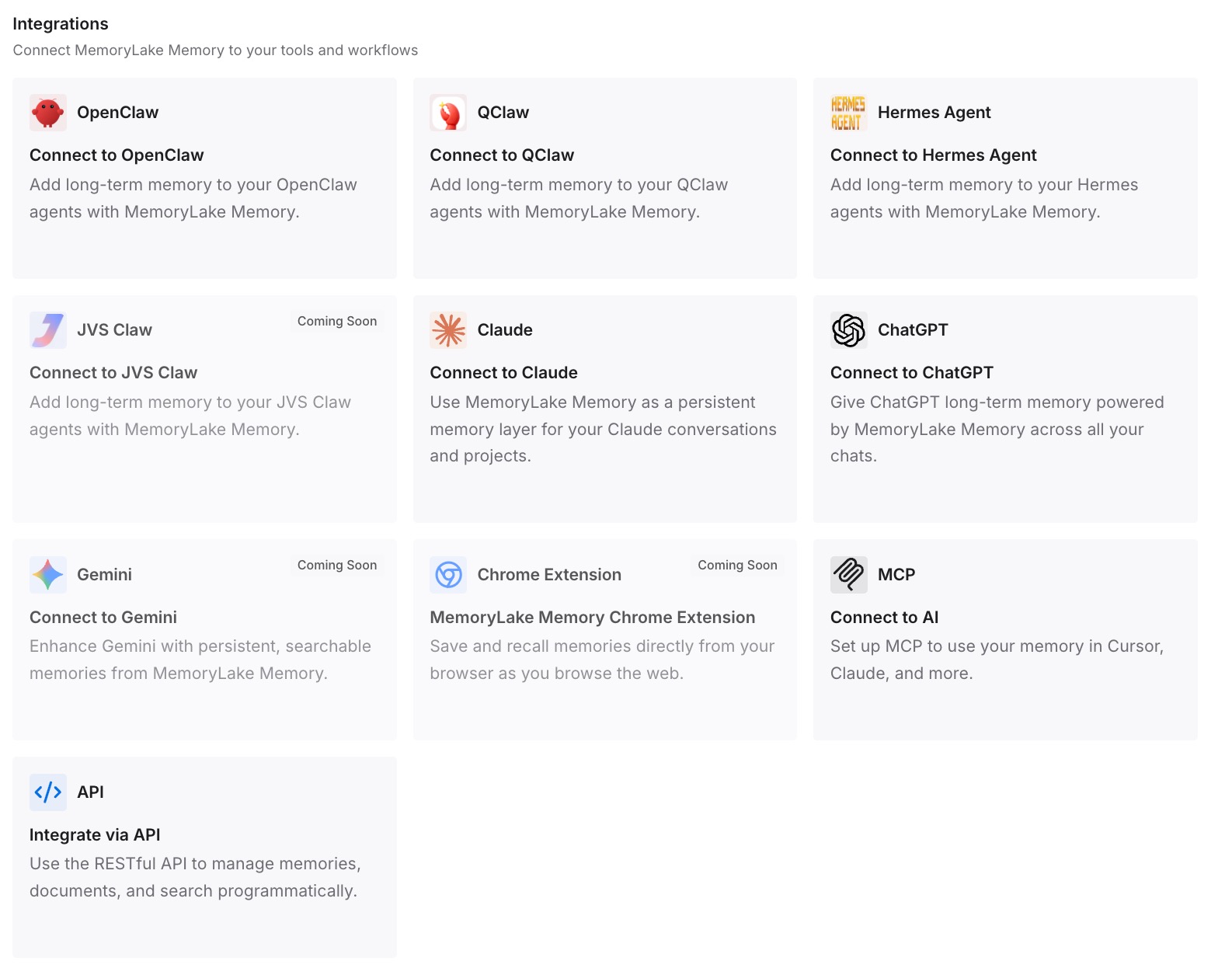
Step 3: Connect your AI & agents
Connect Claude Code and any other assistants you use. The entries are available after you sign back in, on another machine, or in another tool.
What this changes in practice
The first difference is warning time. With the end date in claude auth status and the ten-day stderr warning for claude -p, you can renew on your schedule instead of finding out from a stalled job.
The second is a calmer response to the error. The message is about a credential. Your sessions and auto memory are files on disk, and signing in with the same account brings them back into reach.
The third is less to rebuild when something bigger changes, such as a new machine or a new account. The facts you rely on aren't only in one configuration directory.
Best practices for Claude Code sign-ins
Read the end date. Use claude auth status on v2.1.318 or later.
Renew before you leave things running. Background and Remote Control sessions stall at expiry.
Sign back in with the same account. A different account in the same directory uses the same local sessions and memory.
Use the right credential for automation. An API key or a claude setup-token token, with their documented limits.
Watch for stray environment variables. They come ahead of /login in the credential order.
Don't delete the configuration folder to fix a login. It holds your transcripts and auto memory.
Protect transcript files. They aren't encrypted at rest.
Conclusion
Login expired means Claude Code couldn't renew your claude.ai login and cleared the saved credential. Each model request then stops locally until you run /login. Your session transcripts, auto memory, and instruction files are separate files in your configuration directory, and the documented fix is to sign in again.
What v2.1.318 adds is notice: the end date in claude auth status, a JSON field for claude -p, and a stderr warning ten days ahead. Use it to renew before unattended sessions and scheduled jobs stall, and sign back in with the account your sessions belong to.