
Why Claude Code forgets on your other machine
Auto memory is a directory, and the directory is local
Auto memory is on by default, and it does real work: Claude writes its own notes as it goes — build commands, debugging insights, conventions it discovers — into a per-project directory, with a MEMORY.md index loaded at the start of each conversation and topic files read on demand.
All of that lives under your home directory on one computer. The docs are explicit that all worktrees and subdirectories of a repo share one memory directory, and that the files are not shared across machines or cloud environments. So "Claude learned our build command" is a true statement about one laptop.
Every machine keeps its own version, and they drift
Because each machine learns separately, they don't just differ in volume — they disagree. Your laptop learned the build command before you fixed the Dockerfile; your desktop learned it after. Neither knows the other exists, so there's no conflict to notice and no reconciliation step.
Note what that does to trust. You can't tell from a session whether a missing fact was never learned or learned somewhere else. Both look identical from inside the conversation.
Worktrees share it; machines don't
There's one boundary that works in your favor, and knowing it makes the other boundary clearer. The documentation states that all worktrees and subdirectories in a repository share a single memory directory. So if you keep three worktrees for three branches, they're one memory, and something learned while working on a feature branch is available on main.
That's the right design, and it shows what the unit actually is: the repository on this filesystem. Cross that filesystem and you're in a different memory, which is why the same repo on a second computer starts empty while five worktrees on the first one don't.
A cloud or web session is another machine
This is the part that surprises people who thought they'd solved it. Claude Code sessions can run in places that aren't your terminal — the web and mobile clients, Remote Control, and since v2.1.224, claude self-hosted-runner, which turns your own machines or containers into places those sessions execute.
Every one of those is a separate filesystem as far as memory is concerned. The phrase in the documentation is "machines or cloud environments," and a self-hosted runner in a container is exactly that: not your laptop, therefore not your laptop's memory.
It's also a folder that housekeeping can touch
Local files come with local file lifecycles. Retention for the ~/.claude directory is governed by the same cleanupPeriodDays setting that sweeps session transcripts, so the memory directory lives inside a normal cleanup regime rather than outside one.
And it can be hit by bugs, which is worth stating precisely rather than dramatically. The changelog for v2.1.228, released August 11, 2026, includes: "Fixed session cleanup deleting contents inside a project's memory folder." One release fixed it. But the structural lesson stands on its own — a generated directory managed by a tool's own cleanup logic is a cache, not a record, and it should be treated that way even when there are no bugs in it.
Messaging between sessions doesn't move knowledge either
Claude Code sessions can now message each other, including across your machines, which sounds like it should solve this. It doesn't, by design. A message is text, not history or files. Cross-machine messaging is reply-only — another machine's session can answer you, not be addressed cold — and discovery relies on local files and sockets, so a container and its host can't see each other at all.
That's a coordination channel working as intended. It moves a sentence, not a memory.
What people try
Committing CLAUDE.md. Correct, and everyone should. The project file is version-controlled, so it travels with the repo to every machine and every teammate. Its limit is that it's the file you maintain — it holds your standing rules, not the hundred things Claude figured out while working.
Running /init again on the new machine. Gets you a starting CLAUDE.md from the repo, which is genuinely useful and also just a re-derivation of what's already visible in the code. It can't recover the flaky-test knowledge, because that was never in the repo.
Syncing ~/.claude with Dropbox or a dotfiles repo. The most popular attempt and the one to be careful with. You'd be syncing generated state alongside session data and credentials, on a path the tool assumes it owns exclusively, with two machines potentially writing at once. Practitioners do it; it isn't a documented configuration, and "my agent's memory folder was half-written by another host" is a bad afternoon. If you try it, sync narrowly and never while sessions are live.
Asking the agent to re-learn. Works, costs a session of exploration, and produces a slightly different set of notes than the other machine has. You're paying tokens to rebuild something you already own.
Using Remote Control so there's only ever one session. A real strategy: keep the work on one host and attach from elsewhere. It genuinely avoids drift, and it means your knowledge is now single-homed on a laptop that can be lost, wiped, or swept.
Every one of these manages a local cache. None of them makes the knowledge exist independently of a machine.
The Fix: Put the Shareable Half Where Machines Can't Own It
Split what's in that folder by who needs it, because the two halves have different homes.
Machine-specific state should stay machine-specific. Local paths, which container is running, the quirks of your own environment. Let auto memory keep it, and let it be disposable.
Everything a second machine or a second person would need should live outside any machine. The build command that actually works. The reason a directory is off-limits. The decision and its date. The flaky test and why it's flaky. None of that is about your laptop; it's about the project.
Two moves make that real. First, use the scopes that are already version-controlled: CLAUDE.md committed at the repo root, .claude/rules/ for path-scoped rules, and — if you use subagents — memory: project, which writes to .claude/agent-memory/<name-of-agent>/ and is shareable through version control rather than sitting in your home directory. Second, put the knowledge that isn't rule-shaped in a store every machine can read.
MemoryLake is a memory layer for that second part — decisions, incident writeups, and source documents in one store, reachable over MCP from Claude Code on any machine, from Codex, and from ChatGPT through the API. The laptop keeps its cache; the knowledge stops living on it.
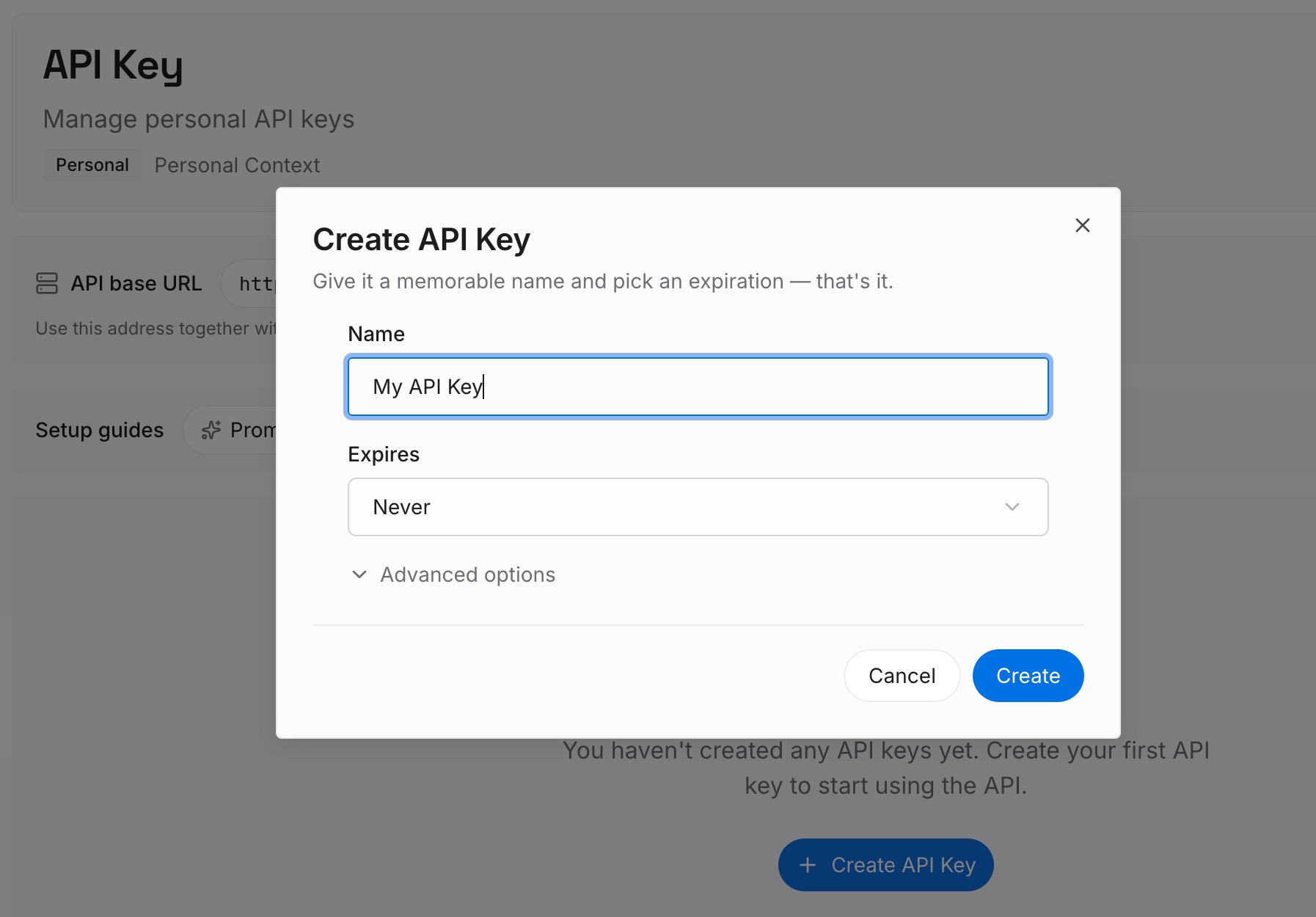
Step 1: Create an API key
Generate a key and make your first request in about 30 seconds. Keep it in your environment or a secret manager rather than pasting it into a session — and note that this is also what makes a new machine a five-minute setup instead of a re-learning exercise.
Step 2: Upload your first memories
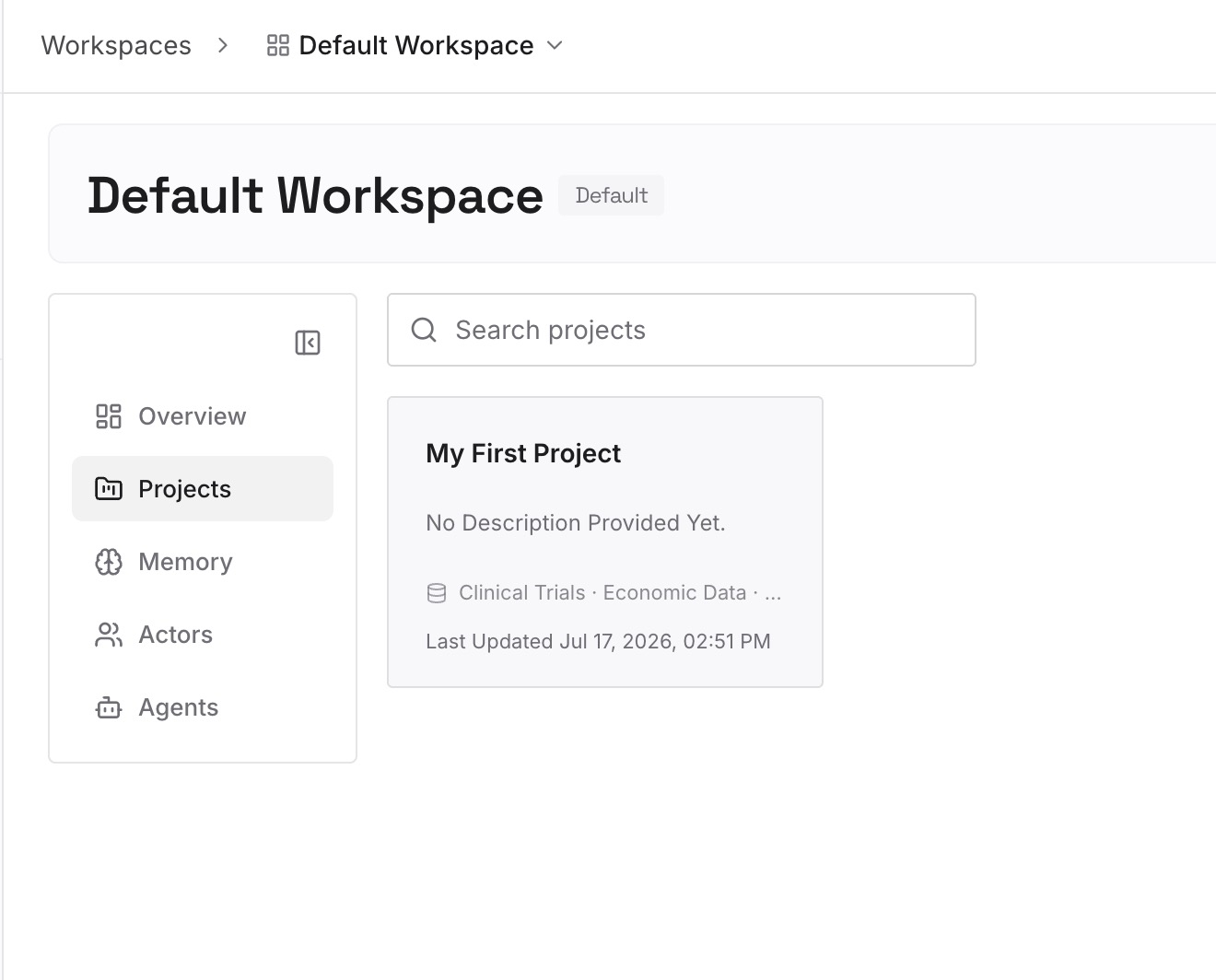
Drop in the documents, images, and files your other machine had to rediscover: the runbook, the architecture decisions, the incident writeups, the API contracts, the "here's why this test is flaky" notes. Upload the sources rather than a summary — a summary is what the local memory folder already holds, and it's the part that doesn't travel well.
Step 3: Connect your AI & agents
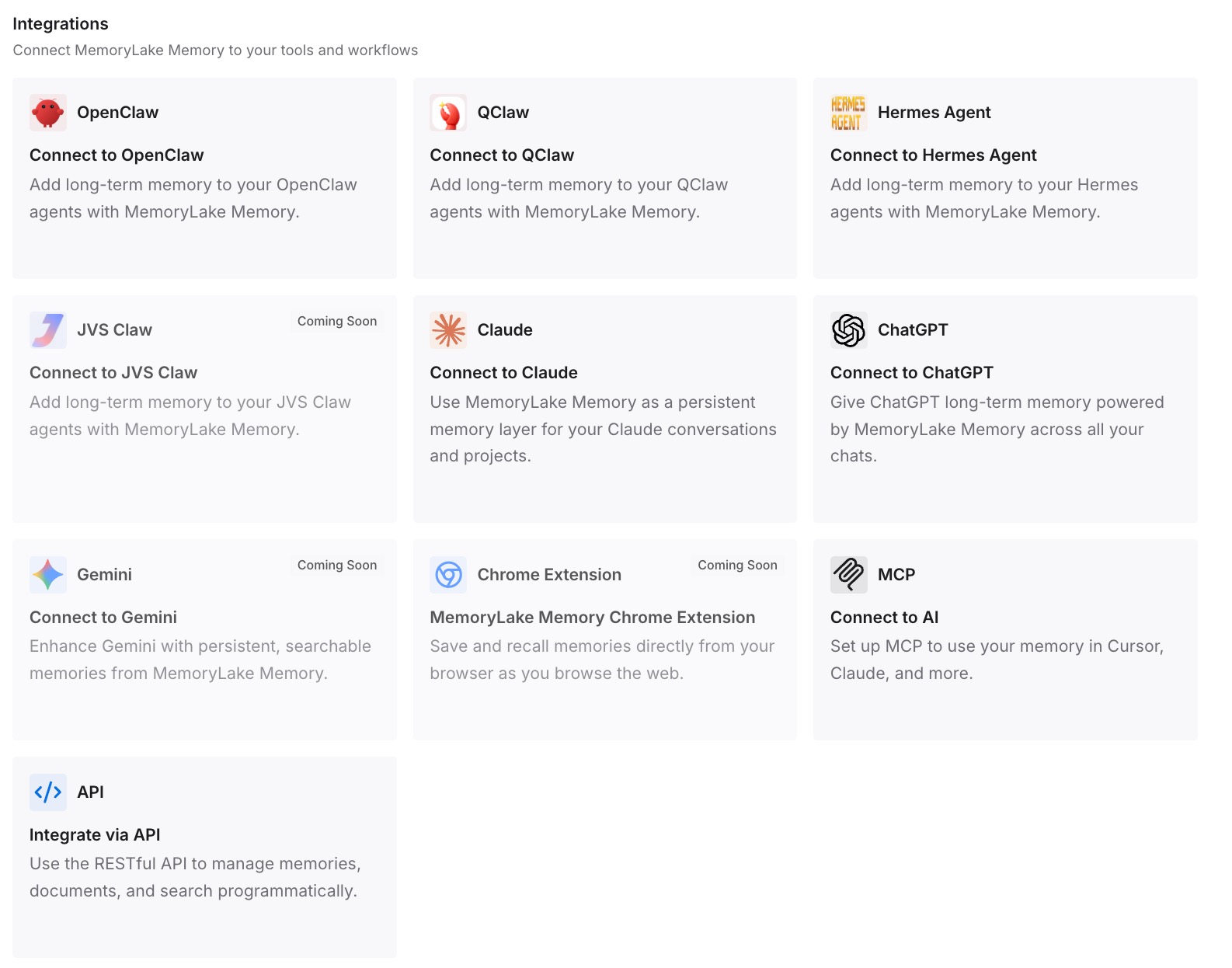
Give Claude, Codex, OpenClaw, and other AI agents access to memory via MCP or the API. Configure the MCP server once per machine and every session reads the same store, whether it's your laptop, your desktop, a web session, or a self-hosted runner in a container. That's the property local memory can't have.
What this changes in practice
The first difference is that a new machine is provisioning, not onboarding. Clone the repo, point at the store, and the agent starts with what the team knows instead of with what this particular computer happens to remember.
The second is that cloud and container sessions stop being second-class. A session on a self-hosted runner has no local memory to inherit, which today means it's the least informed participant in your workflow. Reading a shared store, it's as informed as your laptop — which matters most for exactly the automated runs you're least likely to supervise.
The third is that losing the folder stops mattering. A cleanup sweep, a wiped machine, a reinstalled container: all of it becomes an inconvenience instead of a loss, because the durable half was never in there.
And it composes with what Claude Code does natively. Auto memory keeps writing local notes per repo, CLAUDE.md keeps carrying your standing rules through version control, and neither has to become the system of record — the role they're least suited to, and the same division of labor that keeps several agents on one memory coherent.
Best practices for multi-machine Claude Code
Commit everything that can be committed
CLAUDE.md at the repo root, .claude/rules/ for scoped rules, .claude/agent-memory/ for subagents at project scope. Anything in version control is automatically multi-machine and automatically shared with teammates. Reserve CLAUDE.local.md and local-scoped memory for things that genuinely shouldn't leave your machine.
Treat the memory folder as a cache
Ask yourself what you'd lose if ~/.claude/projects/<project>/memory/ vanished tonight. If the answer is anything you'd miss, that content is in the wrong place — write it into the repo or into a shared store. The v2.1.228 fix is a reminder, not the reason.
Keep MEMORY.md an index
Only the first 200 lines or 25KB of MEMORY.md load at session start, whichever comes first. One line per entry with detail in topic files keeps the index inside that budget; a bloated index silently truncates, which is the failure mode you'd never notice.
Don't sync ~/.claude casually
If you sync it at all, be narrow and deliberate: never during live sessions, never two machines writing at once, and never assume generated state is safe to merge. The supported multi-machine paths are version control and a shared store, not file replication of a directory the tool owns.
Give automated sessions the same context as your terminal
Web sessions, Remote Control, and self-hosted runners start with no local memory. If those runs matter, make sure the shared store and the committed files carry everything they need — otherwise the least-supervised session is the one working with the least context.
Don't expect any of it to be enforcement
Claude Code's documentation describes instruction files and auto memory as context rather than enforced configuration. Anything that must hold on every machine — formatters, protected paths, no direct pushes to main — belongs in hooks and CI, which are also committed and therefore also multi-machine.
Conclusion
Claude Code forgets on your other machine because its memory is a local directory, and the documentation says so directly: files are not shared across machines or cloud environments. Every host learns separately, cloud and container sessions are additional hosts, and the folder sits inside a normal retention sweep — with the August 11 changelog entry fixing session cleanup deleting contents inside a project's memory folder as a reminder that a generated directory is a cache.
So keep the cache and stop depending on it. Commit what can be committed: CLAUDE.md, .claude/rules/, project-scoped agent memory. Then put the knowledge that isn't rule-shaped — the reasons, the decisions, the hard-won operational details — in one store every machine reads. Then the second machine isn't a fresh start, it's just another way in.