
Switching with /logout and /login
The simplest way to change accounts is to sign out and sign in again. Anthropic describes /logout this way: "Logging out also resets your first-launch setup state, so the next time you run claude it walks you through login and setup again."
You can also switch in the middle of a session. Anthropic's interactive-mode documentation lists "you switch accounts with /login" among the ways a conversation changes hands.
Both routes have the same limit. They change the credential, but they keep using the same configuration directory, ~/.claude by default. Your session history, your auto memory, your user-level settings, and your plugins stay where they were. The next account picks up the same local files.
For occasional switches, that may be fine. To stay signed in to both at once, Anthropic's documentation describes separate directories.
What a configuration directory holds
Anthropic's environment variable reference describes CLAUDE_CONFIG_DIR as the way to "Override the configuration directory (default: ~/.claude)" and adds: "All settings, session history, and plugins are stored under this path."
The .claude directory guide is broader: if you set the variable, "every ~/.claude path on this page lives under that directory instead." That includes .claude.json, which otherwise sits in your home directory.
In practice, a configuration directory holds:
- Your login. Credentials, as described below.
- Session history. Transcripts under
projects/, which--resumeand/resumeread. Our guide to finding Claude Code session history covers the layout. - Auto memory. Anthropic's memory documentation places each project's auto memory under
<config dir>/projects/<project>/memory/. - User-level instructions and settings. Your user
CLAUDE.md, user rules, andsettings.json. - Plugins. Installed plugins and their data.
Project files are different. A repository's CLAUDE.md, .claude/settings.json, and .mcp.json live in the repository, so every account that opens it reads them.
Setting up a second account
Anthropic's example uses a shell alias. In Bash or Zsh, add it to ~/.bashrc or ~/.zshrc:
alias claude-work='CLAUDE_CONFIG_DIR=~/.claude-work claude'With that alias, claude keeps your personal account in ~/.claude, and claude-work uses your work account in ~/.claude-work. Anthropic says that after you open a new terminal and run claude-work for the first time, "Claude Code walks you through login and setup for the new directory."
Two details from the documentation help the setup work:
- Use an absolute path in settings files. "For a variable that takes a path, such as
CLAUDE_CONFIG_DIR, write the absolute path". Claude Code doesn't expand~there. - Not in project settings. The variable is ignored in project and local settings, so a repository can't switch your account for you.
What the new directory doesn't bring
A new directory doesn't contain your existing files. That's the point, but it means the work account doesn't see your personal user-level CLAUDE.md, your user settings, your plugins, or the auto memory you built under the personal account. If you want the same personal preferences in both, copy the user-level files you need into the second directory. Leave the session history and auto memory where they are, since those are the parts you meant to keep apart.
Where each account's login is stored
Anthropic's credential section explains how the directory separates logins. On Linux and Windows, credentials are in .credentials.json in the configuration directory. On macOS, they're in the Keychain, and the variable changes that too: Claude Code "keys the macOS Keychain entry to that directory too, so a session with a different CLAUDE_CONFIG_DIR reads a different entry."
So two directories mean two separate logins, and both stay signed in.
The one kind of sign-in it doesn't separate
There is one exception, and Anthropic names it. "Separate directories don't keep two Claude Console sign-ins without an API key apart, because Claude Code stores that kind of sign-in outside the configuration directory."
That keyless Console sign-in is stored as an Anthropic profile, in a separate Anthropic configuration directory. Anthropic adds a side effect worth knowing before you use it: "Claude Code signs you out of any claude.ai login stored on the machine". If you mix a keyless Console login with claude.ai logins, check /status after each sign-in.
An API key can override your subscription
Credentials have an order. If ANTHROPIC_API_KEY is set in your environment, it comes ahead of the subscription login from /login. Anthropic warns: "If you have an active Claude subscription but also have ANTHROPIC_API_KEY set in your environment, Claude Code uses the API key once you approve it." Run /status to see which credential is in use; when both are configured, it marks the one that isn't.
Sessions from before you split
Setting up a second directory doesn't move anything. Sessions you ran before the split stay in the directory they were saved in, by default ~/.claude, along with their auto memory.
So if you used your work account in ~/.claude for a while and then created ~/.claude-work, the old work sessions are still under the personal directory. To resume one, start Claude Code with the directory that holds it. Anthropic's sessions guide notes that within a configuration directory, pressing Ctrl+A in the session picker lists sessions from every project directory under it, which helps when you don't remember where a session ran.
Retention is per directory too. Claude Code deletes old transcripts after the number of days in cleanupPeriodDays, 30 by default. If you set it in your user settings, that file belongs to one directory. Set it again in the other directory's user settings, or the second account's old sessions are cleaned up on the default schedule.
VS Code, Claude Desktop, and cloud sessions
VS Code
A shell alias only changes the command you type in a terminal, so it doesn't reach the extension. You can set the variable in the extension's environmentVariables setting, with one rule: "A CLAUDE_CONFIG_DIR entry applies only when its value is an absolute path; the extension doesn't expand ~ and ignores a relative value." The extension also has a Switch account screen; its changelog notes a Cancel button that returns to your session as the current account.
Claude Desktop
Desktop's local Code sessions read the same configuration files as the CLI. To point Desktop at a different directory, Anthropic says to set CLAUDE_CONFIG_DIR in one of the places you'd set a variable for dev servers, then quit and reopen Desktop. Recent releases fixed two problems that appeared when the terminal and the desktop app were signed in to different accounts, so keep both up to date if you run them that way.
Cloud sessions
Cloud sessions belong to your claude.ai account. "Cloud sessions always use your subscription credentials." Moving them between cloud and terminal needs the same account on both sides; for teleport, Anthropic's requirement is "You must be authenticated to the same claude.ai account used in the cloud session." If you teleport a work session, start Claude Code with the work account's directory first. Our guide to why Claude Code forgets across machines covers what cloud sessions carry.
What people try first
Logging out and in every time. It works, but it keeps one configuration directory, so both accounts share local history and auto memory.
Expecting /login to clear the old account's sessions. It changes the credential. The transcripts stay in the same directory.
Using a relative path. Settings files and the VS Code extension need an absolute path for CLAUDE_CONFIG_DIR.
Separating two keyless Console sign-ins with directories. Anthropic says directories don't keep those apart.
Leaving ANTHROPIC_API_KEY set. Once approved, it wins over your subscription login.
The Fix: Give each account its own home
Step 1: Decide what should be separate
Decide which parts should be separate, such as session history, auto memory, and logins, and which should match, such as your personal preferences. Write down which files fall in each group before you set anything up.
Step 2: Create the second directory and alias
Add an alias like Anthropic's example, open a new terminal, and run it once to sign in to the second account. In VS Code and Desktop, set the same absolute path where each one reads environment variables.
Step 3: Copy the shared preferences, not the history
Copy the user-level CLAUDE.md and settings you want in both. Keep the projects folder separate, since it holds each account's transcripts and auto memory. Our guide to Claude Code worktrees and memory explains how auto memory is keyed to a repository.
Setting this up in MemoryLake
Separate directories keep each account's sessions and auto memory apart. The cost is that some context you want in both, such as your conventions or the state of a long-running project, now lives in only one of them.
MemoryLake is a memory layer for keeping those shared facts in one place you maintain, available to the assistants you connect, such as ChatGPT, Claude Code, and Codex.
You write the entries yourself, in your own words. Nothing is read out of, written to, or deleted from your configuration directories, your Claude Code sessions, your CLAUDE.md files, your auto memory, your credentials, or any vendor's store. CLAUDE_CONFIG_DIR and Claude Code's logins keep working the way Anthropic describes them.
Step 1: Create an API key
Sign in and generate a key from the dashboard. The key belongs to your MemoryLake workspace and is separate from your Claude accounts.
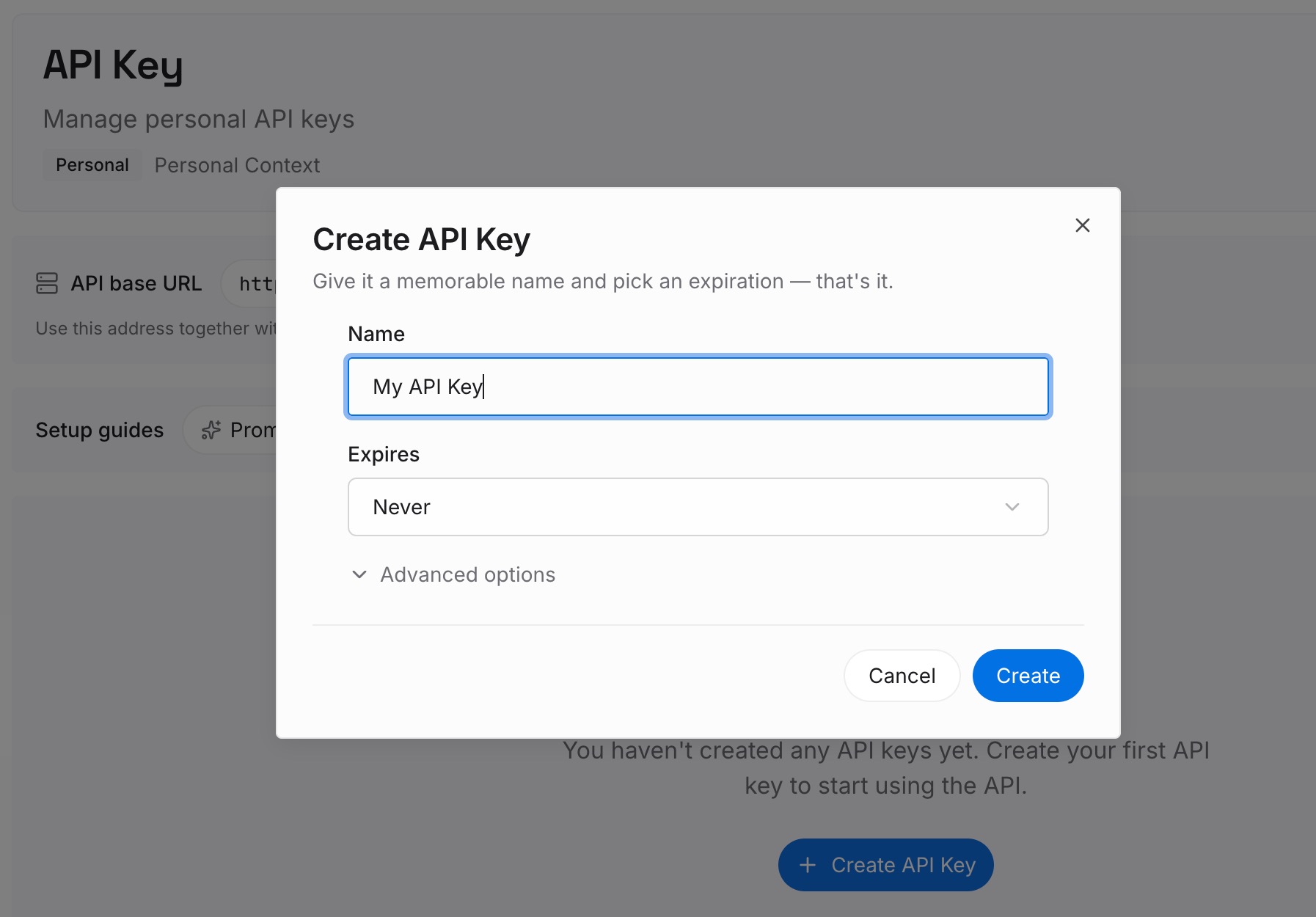
Step 2: Upload your first memories
Start with the shared preferences from Step 1 of the fix, plus any project decisions both accounts need. One point per entry, and check work content against your company's policy first.
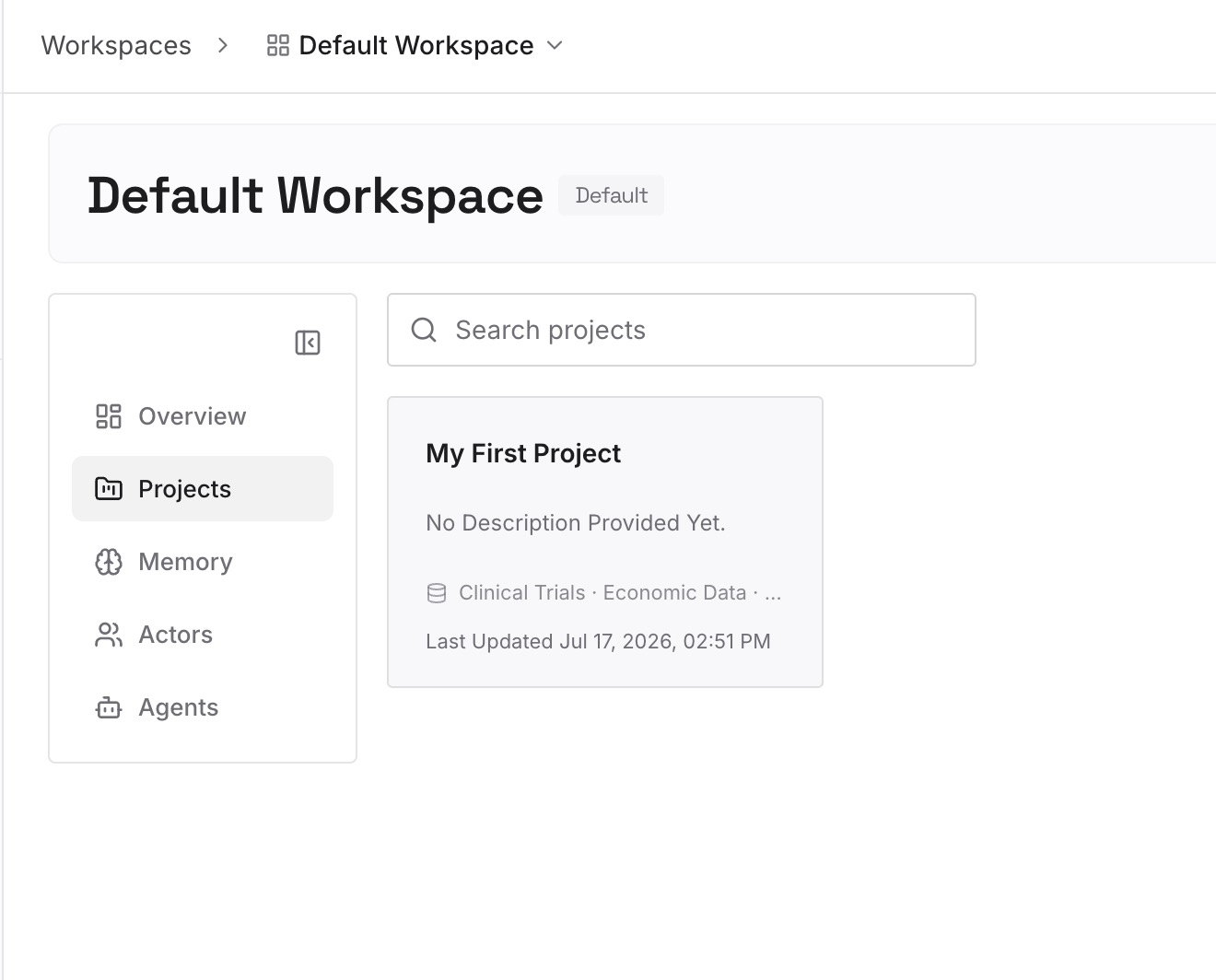
Step 3: Connect your AI & agents
Connect Claude Code under each account, and any other assistants you use. The same entries are available whichever directory you start from.
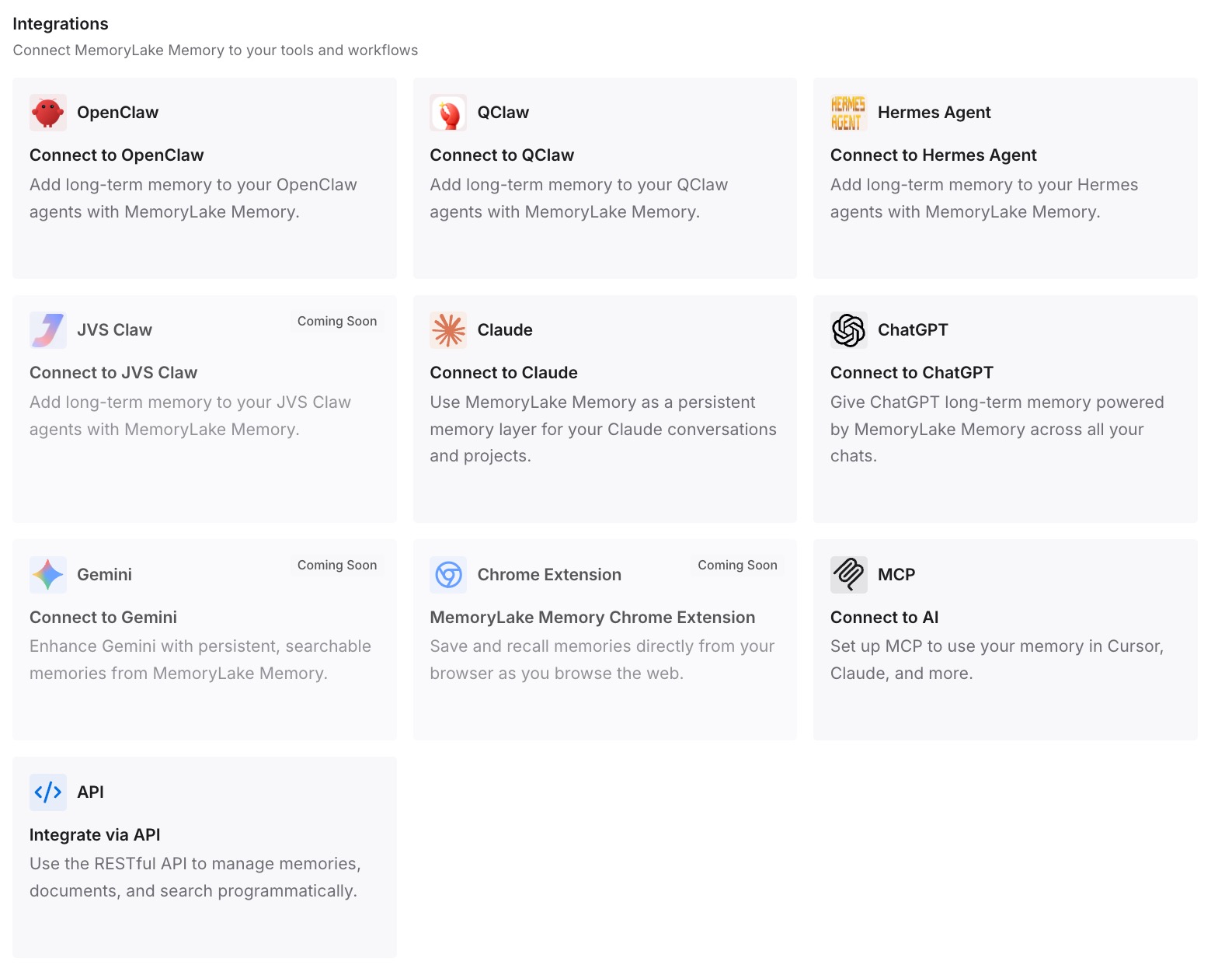
What this changes in practice
The first difference is no more logging out. Each account stays signed in, and the alias you type picks the account.
The second is a real separation. Work sessions and work auto memory stay in the work directory, and personal ones stay in yours.
The third is less duplication. The facts you need under both accounts aren't copied by hand into two sets of files. If you also use Codex, our guide to using Claude Code and Codex together covers sharing context across tools.
Best practices for multiple Claude Code accounts
One directory per account. Set CLAUDE_CONFIG_DIR when you start Claude Code.
Use absolute paths outside the shell. Settings files and VS Code don't expand ~.
Check /status after switching. It shows the account and the credential in use.
Unset stray API keys. An approved ANTHROPIC_API_KEY comes ahead of your subscription.
Don't rely on directories for keyless Console sign-ins. They're stored outside the directory.
Match the account for cloud work. Teleport needs the same claude.ai account.
Mind old sessions. Resuming a long-idle session can use a lot of your limit; our guide to the resume usage warning explains why.
Conclusion
Claude Code switches accounts with /logout and /login, but that keeps one configuration directory, so both accounts share local history and auto memory. To stay signed in to both and keep them apart, Anthropic's answer is a separate CLAUDE_CONFIG_DIR per account. Each directory has its own settings, session history, and login, and on macOS its own Keychain entry.
Watch the exceptions: keyless Console sign-ins, an ANTHROPIC_API_KEY in your environment, and the absolute-path rule in VS Code and settings files. Keep the context you need under both accounts somewhere neither directory owns.