
What an Obsidian vault is on disk
Obsidian's help documentation is plain about it: Obsidian stores your notes as Markdown-formatted plain text files in a vault. It defines the vault too: "A vault is a folder on your local file system, including any subfolders."
That's what makes the connection possible. Obsidian adds: "Because notes are plain text files, you can use other text editors and file managers to edit and manage notes." And when another program changes a file, "Obsidian automatically refreshes your vault to keep up with any external changes."
Each vault also has an .obsidian configuration folder at its root, which holds settings for that vault such as hotkeys, themes, and community plugins.
So from Claude Code's point of view, a vault is a folder of Markdown files with one configuration folder inside it.
How Claude Code loads context
Anthropic's memory documentation starts with the limit you're trying to work around: "Each Claude Code session begins with a fresh context window."
What carries over comes from files. CLAUDE.md files are instructions you write, which Claude reads at the start of every session. Auto memory is notes Claude writes for itself.
Claude Code also limits which folders it can reach. The permissions documentation says: "By default, Claude has access to files in the directory where you launched it." A vault somewhere else on your disk is outside that unless you add it.
There are three documented ways to bring the vault in.
Option 1: Import specific notes into CLAUDE.md
CLAUDE.md files can pull in other files. Anthropic says: "CLAUDE.md files can import additional files using @path/to/import syntax." The imported files "are expanded and loaded into context alongside the CLAUDE.md that references them."
This fits notes you want in every session, like a short decision log or your team's conventions. You add a line to a CLAUDE.md that points at the note in your vault, using an absolute path or a path relative to the CLAUDE.md file.
Where you put the import matters:
- Your user file,
~/.claude/CLAUDE.md, applies to every project. Anthropic says Claude Code loads imports in user-scope files without an approval dialog, apart from Cowork sessions on your desktop. - A project's CLAUDE.md treats a vault path as an external import, because it resolves outside the working directory. The first time, Claude Code shows an approval dialog listing the files. If you decline, the documentation says "the imports stay disabled and the dialog doesn't appear again."
Imports have a cost. Anthropic notes that imports "don't reduce its context cost, because imported files load together with the CLAUDE.md that imports them." Import a summary note, not a whole folder of meeting notes.
The detail that trips up Obsidian users: spaces
Obsidian note names can contain spaces, and imports treat spaces specially. The documentation says: "To import a file whose path contains spaces, put a backslash before each space."
It explains what happens otherwise: "Without the backslashes, the path ends at the first space, even when the import is on a line of its own." And quotes don't help: "A path wrapped in quotes isn't imported at all, with or without the backslashes."
So a note called Decision Log in a folder called Engineering needs a backslash before each space in the path. Anthropic's own example imports a file from a folder named Design Docs this way.
Two more limits: imports can nest up to four hops deep, and paths inside backticks are treated as plain text rather than imported.
Option 2: Add the vault as a working directory
If you want Claude to look things up in the vault when needed, rather than load notes at every start, add the vault as an extra directory. Anthropic lists three ways:
- At startup: the
--add-dirargument - During a session: the
/add-dircommand - Persistently:
additionalDirectoriesin your settings files
The documentation says files there "become readable without prompts apart from the network path check", and file editing follows your current permission mode.
This gives access, not instructions. Anthropic says: "Adding a directory extends where Claude can read and edit files. It doesn't make that directory a full configuration root".
By default, a CLAUDE.md inside the added directory isn't loaded either. The documentation says CLAUDE.md files from additional directories "are not loaded" unless you set the CLAUDE_CODE_ADDITIONAL_DIRECTORIES_CLAUDE_MD environment variable. With it set, Claude Code loads the added directory's CLAUDE.md files and rules, except rules that set a paths field.
That setting applies only to directories added with --add-dir or /add-dir. Directories listed in additionalDirectories in a settings file grant file access only.
In an interactive session, Claude Code asks you to trust a folder your workspace trust doesn't already cover when you add it this way.
Option 3: Keep Claude's auto memory in the vault
The third option runs the other direction. Instead of Claude reading your notes, you read Claude's.
Auto memory is a folder of Markdown files. By default it lives at ~/.claude/projects/<project>/memory/, with a MEMORY.md index and one topic file per memory. Anthropic says: "Auto memory files are plain markdown you can edit or delete at any time."
You can move it. The documentation says to set autoMemoryDirectory in your settings.json, and "The value must be an absolute path or start with ~/." Point it at a folder inside your vault, and Claude's notes appear in Obsidian alongside your own.
A few cautions from the documentation apply. When the setting comes from a project's settings files, Claude Code honors it under the same workspace trust rule as hooks. And Anthropic describes auto memory as machine-local: files "are not shared across machines or cloud environments."
Keep Claude's folder separate from your own notes, so it's clear which entries Claude wrote and which you did.
Which option fits
Notes you want in every session. Use Option 1 with a short summary note, ideally from your user-level CLAUDE.md.
A large vault you want searchable. Use Option 2, so Claude reads notes when a task calls for them.
Seeing what Claude has learned. Use Option 3, so auto memory is browsable in Obsidian.
They combine well. A short imported note can tell Claude which folders in the vault matter for this project.
How to check what loaded
After you connect the vault, confirm Claude Code sees what you expect.
Run /context all in a session and look at the list under Memory files. Anthropic's troubleshooting advice is that if a file that should load at launch is missing there, Claude can't see it.
Watch for size warnings too. The documentation says that if one of your instruction files is over the recommended length, you see a warning at startup and when you run /status. It adds: "Each CLAUDE.md, rules file, and @path import counts as a separate file." A long note imported from your vault counts on its own.
For a record of what loaded and when, Anthropic points to the InstructionsLoaded hook, which can log which CLAUDE.md and rules files are loaded and why.
What to keep out
The .obsidian folder. It holds vault settings such as hotkeys, themes, and community plugins, not your notes.
Whole folders through imports. Every imported file loads in full.
Secrets. Anything in an added directory is readable without prompts.
Nested vaults. Obsidian recommends against creating vaults within vaults, because internal links are local to a vault.
Obsidian's internal links are a feature of Obsidian. Claude Code's documentation describes @path imports for pulling in files, so use those for anything Claude should load.
What people try first
Pasting notes into every session. Import the ones you need, or add the vault as a directory.
Ignoring spaces in note names. Imports stop at the first unescaped space.
Expecting an added directory's CLAUDE.md to load. It needs the environment variable.
Importing the whole vault. Imports load in full and use context.
Expecting auto memory to follow you. It's machine-local.
The Fix: Connect the vault in layers
Step 1: Write a short summary note
Keep a single note in the vault with the decisions and conventions every session needs.
Step 2: Import it from your user CLAUDE.md
Add an @ import for that note, with a backslash before each space in the path.
Step 3: Add the vault for lookups
Use /add-dir when a task needs more of the vault.
Step 4: Record why each decision was made
Write the reasoning behind each entry, so the note explains as well as instructs.
Setting this up in MemoryLake
An Obsidian vault keeps your notes on your machine, and Claude Code can read them once you connect it. The decisions in those notes are also useful in other tools and on other machines, written once in your own words.
MemoryLake is a memory layer for that kind of context, kept in one place you maintain and available to the assistants you connect, such as ChatGPT, Claude Code, and Codex.
You write the entries yourself, in your own words. Nothing is read out of, written to, or deleted from your Obsidian vault, your CLAUDE.md files, your auto memory, your Claude Code sessions, or any vendor's store. Claude Code reads files the way Anthropic describes it.
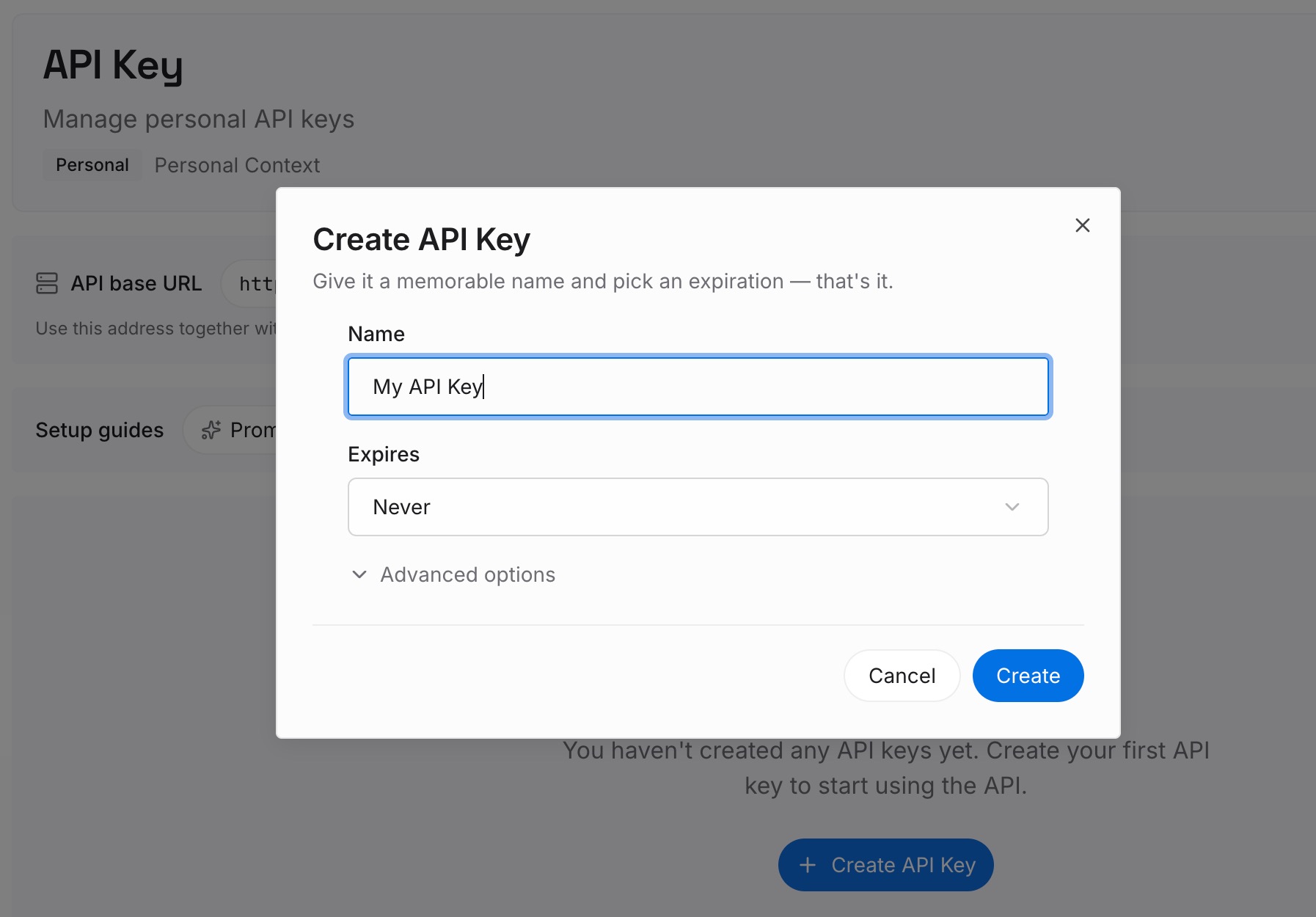
Step 1: Create an API key
Sign in and generate a key from the dashboard. Store it outside your vault and repositories.
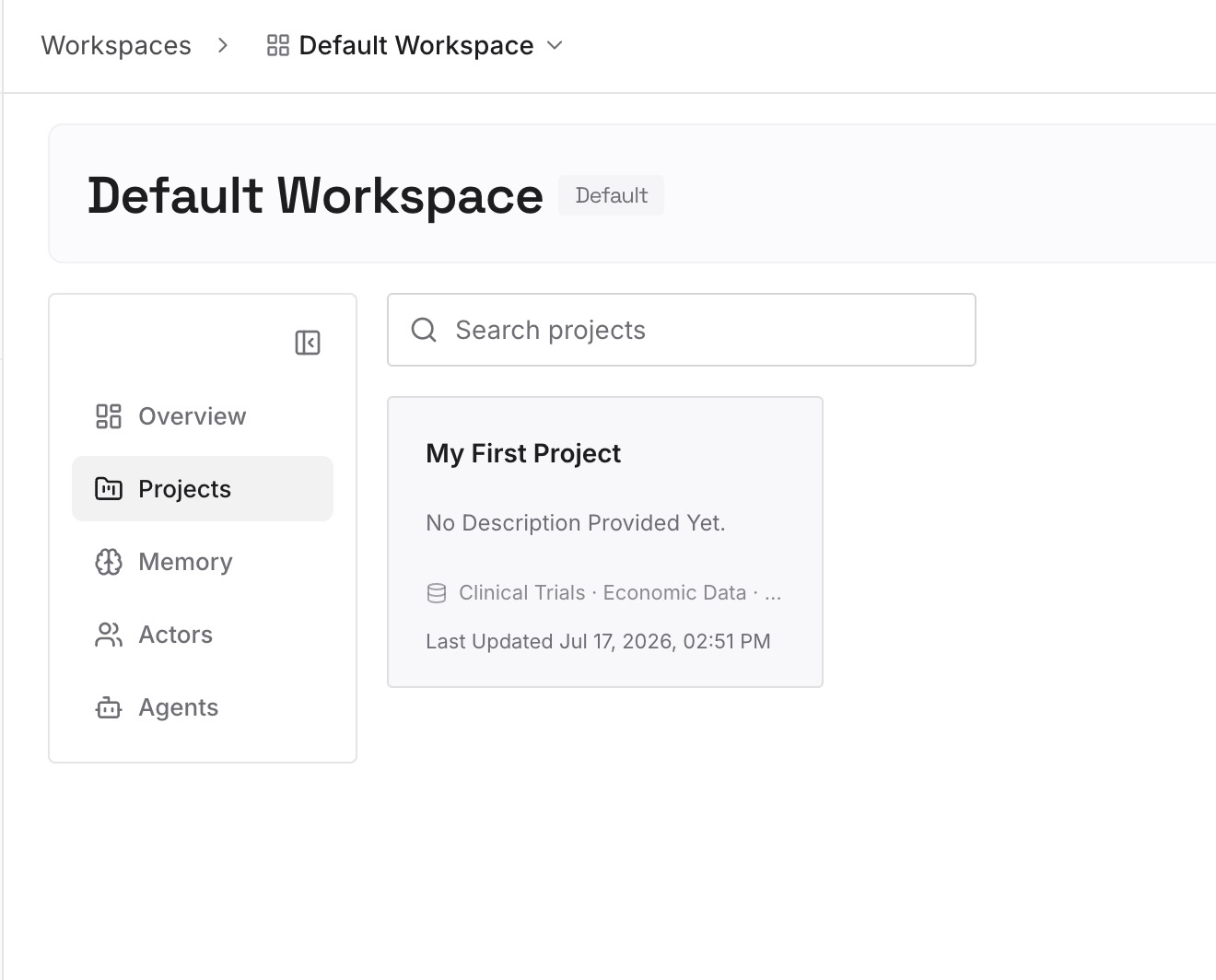
Step 2: Upload your first memories
Start with what you wrote in Step 4 of the fix: the decisions and the reasons behind them. One decision per entry.
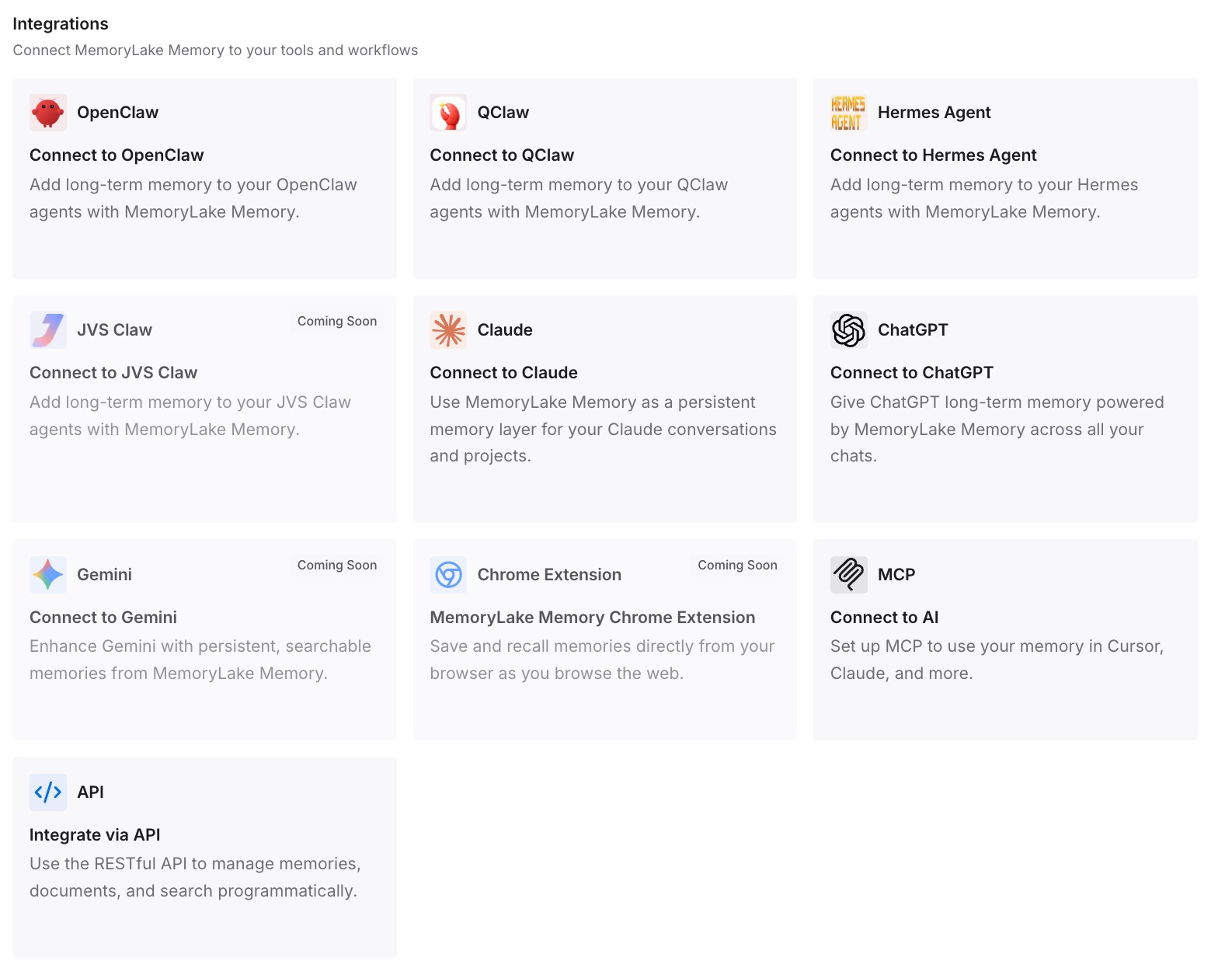
Step 3: Connect your AI & agents
Connect Claude Code, Codex, ChatGPT, and the other assistants you use, so each starts from the same decisions.
What this changes in practice
The first difference is less pasting. The decisions are available without copying notes into each session.
The second is a clearer split. Your vault holds your thinking; your memory entries hold what every tool should know.
The third is portability. The same decisions work on another machine and in another coding agent.
We covered why Claude Code's memory stays on one computer in our guide to why Claude Code forgets on your other machine.
Best practices for Claude Code and Obsidian
Import summaries, not folders. Imports load in full.
Escape spaces. Put a backslash before each space in an import path.
Add the vault for lookups. /add-dir gives access without loading everything.
Know what loads. An added directory's CLAUDE.md needs the environment variable.
Keep Claude's notes separate. Use their own folder if you move auto memory into the vault.
Leave .obsidian alone. It's vault configuration, not knowledge.
Conclusion
An Obsidian vault is a folder of Markdown files, and Claude Code can use it in three documented ways. You can import specific notes into a CLAUDE.md with @path syntax, escaping each space in the path. You can add the vault as a working directory so Claude reads notes when a task needs them, with its CLAUDE.md loading only if you set the environment variable. Or you can set autoMemoryDirectory so Claude's own notes live in a vault folder you can browse.
Each option has a cost or a catch: imports load in full, added directories give access but not configuration, and auto memory stays machine-local. A short summary note imported from your user CLAUDE.md, plus the vault added for lookups, is a simple place to start. Writing down why each decision was made keeps the notes useful wherever you work.