
What changed in v2.1.304
The release note is one line, and it covers three things.
Who sees it. The warning applies on Pro and Max plans, and it measures the cost against the five-hour usage limit those plans draw from. The note doesn't mention other plans or API-key sign-in.
When it appears. It appears when you resume an inactive conversation and doing so "would use a noticeable share" of the five-hour limit. The note doesn't give a threshold. Going by the mechanism below, the case it describes is a long session left idle past the cache lifetime.
What it offers. Two choices: resume anyway, or start a new conversation and let Claude "look up the previous one if you refer to it". The second treats the old session as something to consult rather than reload.
The documentation hasn't caught up with this release yet. The sessions page describes resuming, the picker, and branching, and it doesn't yet describe the lookup or the warning. Treat the release note as the description of the feature for now, and read the rest of this article as the background that explains why the warning exists.
Why the first message back is the expensive one
Claude Code's prompt caching documentation explains the mechanism directly: "When you resume a session, Claude Code sends the whole conversation again, and the request reads from the cache whatever part of its prefix is unchanged and still within the cache lifetime."
The important part is the cache lifetime. While you're working, each request reuses the conversation that was already processed and pays the cheaper cached rate for it. Once you stop, the cache has a clock. The costs page states it plainly: "your first message after a break longer than the cache lifetime misses the cache and reprocesses your full context."
How long is the lifetime? On a subscription, "The lifetime is an hour on a subscription and drops to five minutes once you're drawing on usage credits". The prompt caching page has the full table, and on a Claude subscription within plan usage, the main conversation gets one hour by default. On an API key or a cloud provider, the default is five minutes.
So the expensive case is predictable. A session you left for more than an hour, on a subscription, has no warm cache left. Resuming it sends the whole conversation again as fresh input, including every tool output and file read, and the bigger the session, the bigger that first request.
The step people reach for first is the costliest one
Faced with a large old session, the natural move is to resume it and run /compact straight away, so that the conversation gets smaller before you do any more work. The documentation says this is the wrong order.
Compaction works by sending a summarization request with the same history. While the cache is warm, that request reads most of the history from the cache. After a long break, there's nothing to read: "After a break longer than the cache lifetime, there is no cache left to read, so the summarization request reprocesses the full history as uncached input. This is why /compact costs the most when you resume an old session."
Compacting right after a cold resume pays the full price of the old conversation to produce the summary. It front-loads the cost rather than avoiding it.
Rewinding has the same limit. The documentation recommends /rewind over compaction when you've gone down a path you want to abandon, because "Rewinding truncates back to a prefix that is already cached, rather than building a new one as compaction does." That advice depends on the cache being warm. In an old session, there's no cached prefix to rewind into, so the saving the tip describes doesn't apply.
The one action the costs page lists as free is starting over: "When you want a fresh start instead of continuity, /clear costs nothing". That is the logic behind the warning's second option.
What a resumed session brings back, and what a fresh one doesn't
The reason to resume is that it restores more than the conversation. The sessions documentation lists what comes back. A session that ended with an active goal keeps it. Scheduled tasks that haven't expired are restored. Resuming from the terminal by ID or name, without -p, restores the permission mode the session was in. Background work that ended with the previous process shows up as a note that it didn't finish, and "Claude reads them with your next prompt."
Some things don't come back on their own. The documentation says flags such as --mcp-config, --settings, --plugin-dir, --fallback-model, and --add-dir need to be passed again, and "directories added mid-session with /add-dir aren't restored either". Settings files are re-read at launch, so configuration that lives there is fine.
If the session was compacted before you left, what comes back is shorter. The sessions page says such a conversation "opens at a Conversation compacted row. Claude continues with the last compaction's summary, the messages that compaction left unsummarized, and every message since." This matters if you left a long session idle in a terminal. Claude Code can compact it for you before the cache expires. The prompt caching page says that when a long conversation sits idle on the one-hour TTL, "Claude Code can compact it shortly before the cache expires." Our explainer on idle compaction in Claude Code covers that behavior and the setting that turns it off.
A fresh session starts with none of that history. How Claude Code works is described this way: "Each new session starts with a fresh context window, without the conversation history from previous sessions." What it does start with is your project context: CLAUDE.md files and auto memory load at the start of every session, which is how "Claude can persist learnings across sessions". The new warning adds a third source, the previous conversation itself, looked up when you refer to it rather than reloaded in full.
Assumptions that make an old session cost more than it should
Assuming a resumed session is cheap because nothing new happened. The cost isn't about new work. It's the whole conversation being sent again once the cache has expired.
Assuming compaction is the way to shrink it. Run on a cold session, compaction reads everything once to summarize it. If you want to compact, do it at a natural break while you're still working, as the documentation's tip suggests, not after you come back.
Assuming the warning applies everywhere. The release note scopes it to Pro and Max. On an API key, a cloud provider, or usage credits, the default cache lifetime is five minutes, so the cold-resume cost applies after a much shorter break, and the plan-limit warning isn't the signal you'll get.
The Fix: Check how cold the session is, decide what you need from it, then leave better handoffs
Step 1: Check how big and how cold the session is before you resume
The session picker gives you two of the signals. The sessions documentation says each row shows the session's name or title "along with time since last activity, git branch, and file size." A session idle for more than an hour on a subscription is past the default cache lifetime. A large file is a large first request.
Before you step away from a session, /usage shows a Prompt cache (main) line in the Session block, added after the conversation's first response. The costs page says it reports "whether the cache is warm right now", and when the cache is cold, "the line shows how long the session has been idle." That line requires Claude Code v2.1.251 or later.
If you want the number before the first request, SessionStart hooks receive it. When a session resumes, the hooks documentation says the hook receives fields including context_tokens, described as "Tokens the first request of the resumed session re-sends as its prompt", and prompt_cache_likely_expired. The documentation's suggested use is to "report what resuming a stale conversation costs before the first request". Those fields also require v2.1.251 or later.
Step 2: Resume when you need the session's state, start fresh when you need its conclusions
Resume, and accept the cost, when the session holds state you can't easily rebuild: a goal still in progress, a plan you were about to approve, background work that didn't finish, or a permission mode you set deliberately. In those cases the restored state is the point. Skip the reflexive /compact afterwards, and keep working.
Start fresh when what you need is information. Choose the warning's second option, then name what you want from the old work in your first message: which change you were making, which approach you rejected, which test was failing. The release note says Claude "can look up the previous one if you refer to it". Specifics give it something concrete to find.
If you only need one answer from an old session, you can also ask it a question without returning to it interactively. The sessions documentation describes passing a session ID to claude -p --resume "to send a follow-up prompt, such as a summary request". Keep in mind that this is still a resume: the same cache rules apply to that request.
Step 3: Before you walk away, leave a handoff that doesn't need the transcript
The cheapest resume is one you don't need. Before you leave a session you expect to come back to, do two things.
Name it. The costs page suggests "Use /rename before clearing so you can find the session later, then /resume to return to it."
Write down what would make the transcript unnecessary. Ask Claude to add the lasting points to CLAUDE.md or auto memory, or write them yourself: the decision you reached, the command that worked, the file where you stopped. Those load at the start of every new session. Our guide to sharing context between Claude Code sessions covers how to choose between them.
If you sign in with an API key or a cloud provider and often step away for longer than five minutes, the prompt caching page documents promptCacheTtl for the main conversation. Setting it to 1h keeps the cache warm longer, at a higher rate for cache writes. It's a trade, not a free fix.
Setting this up in MemoryLake
The handoff in Step 3 works best when it lives somewhere independent of any one session. A transcript holds the whole conversation, and it's expensive to bring back. What you need from it may be short: what you decided, why, and what's left.
MemoryLake is a memory layer for keeping that kind of conclusion in one list you maintain, available to Claude Code and the other assistants you connect, such as ChatGPT and Codex, so a fresh session can start from it.
You write the entries yourself, in your own words. Nothing is read out of, written to, or deleted from your session transcripts, your ~/.claude directory, your auto memory, your CLAUDE.md files, or any vendor's store. Leave out secrets and credentials, and follow your organization's policy for project details.
Step 1: Create an API key
Sign in and generate a key from the dashboard. The key belongs to your MemoryLake workspace and is separate from your Anthropic account.
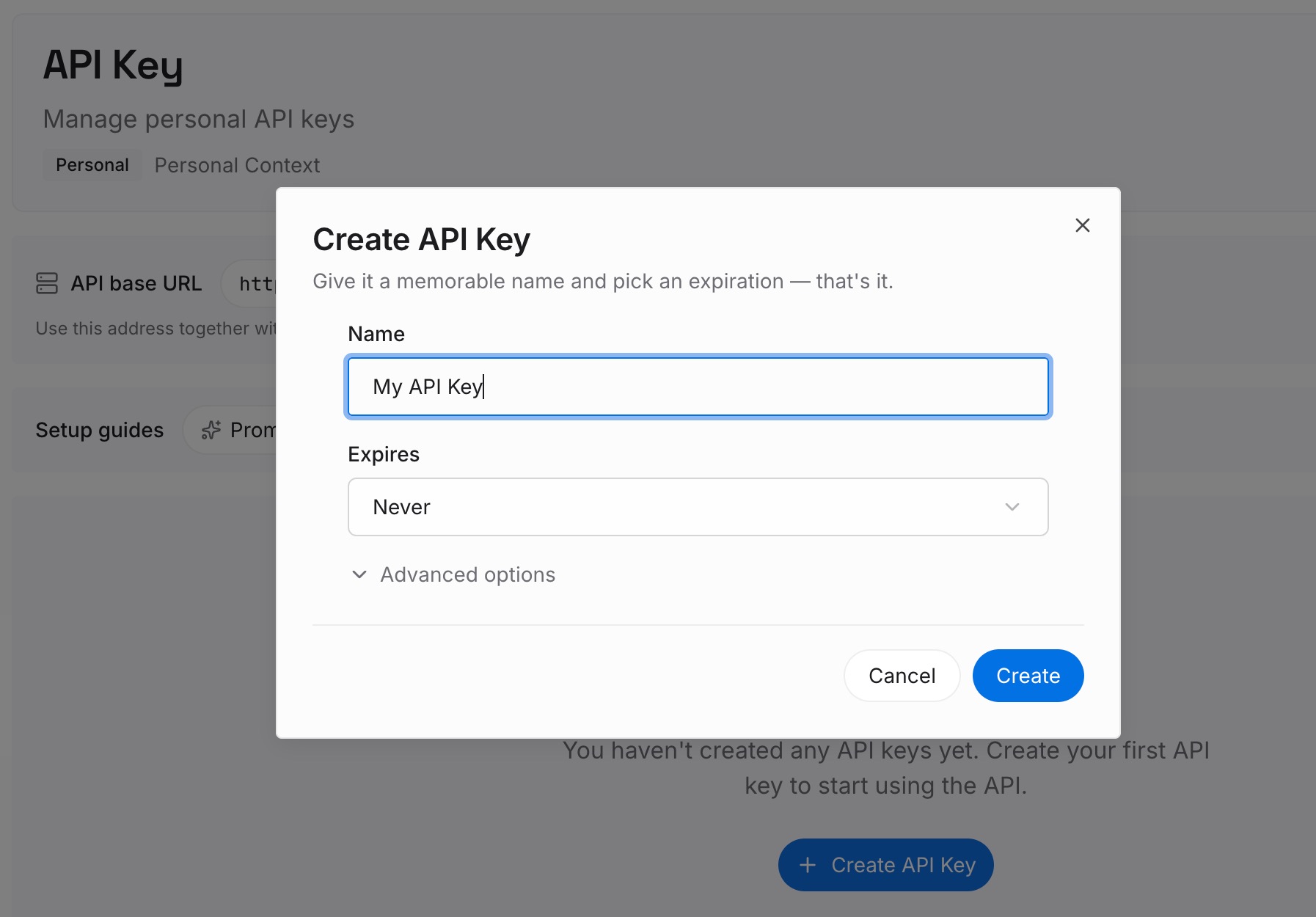
Step 2: Upload your first memories
Start with the sessions you return to most. For each one, write what a fresh session would need: the decision, the reason, and the next step. One point per entry, dated, with the repository it applies to.
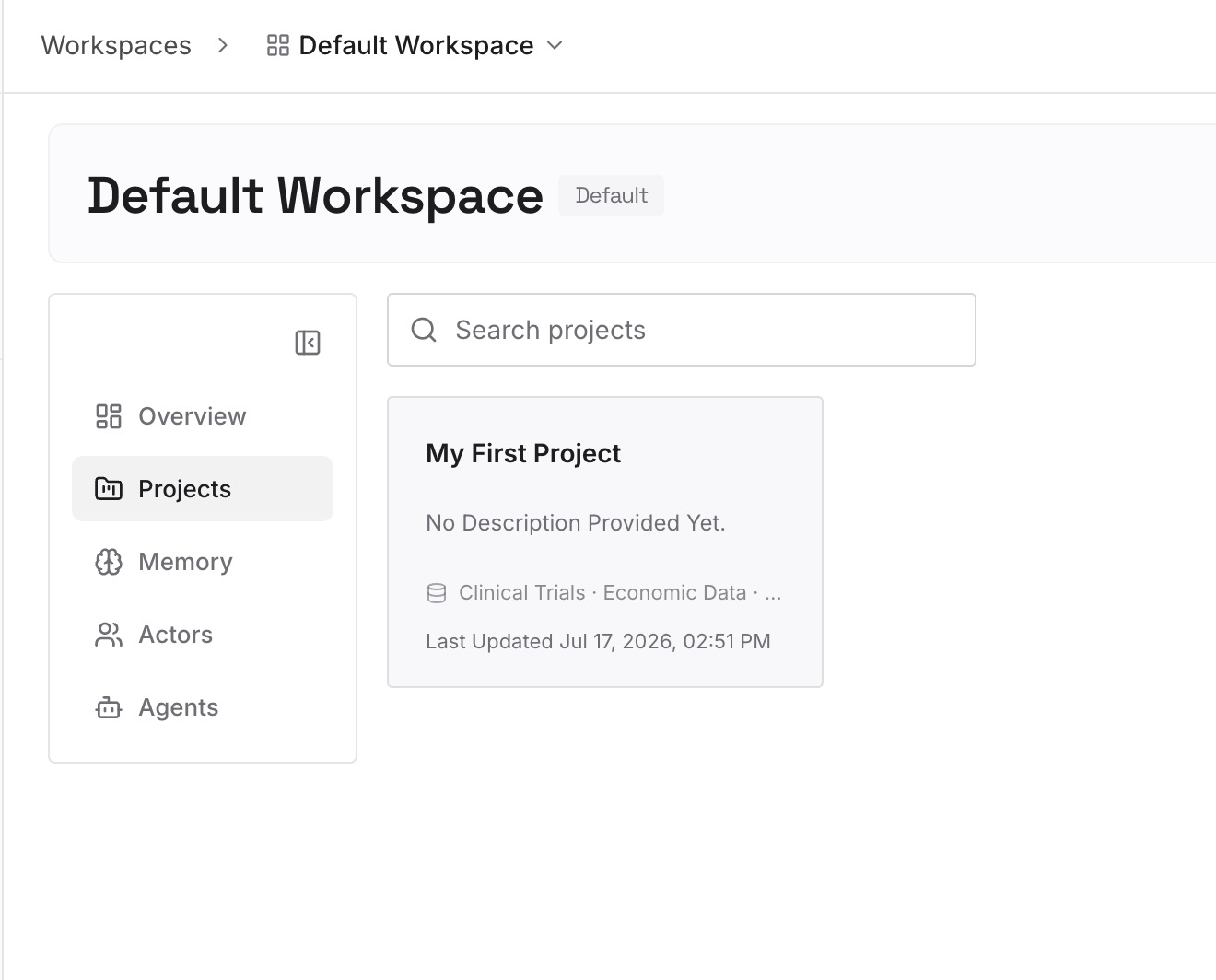
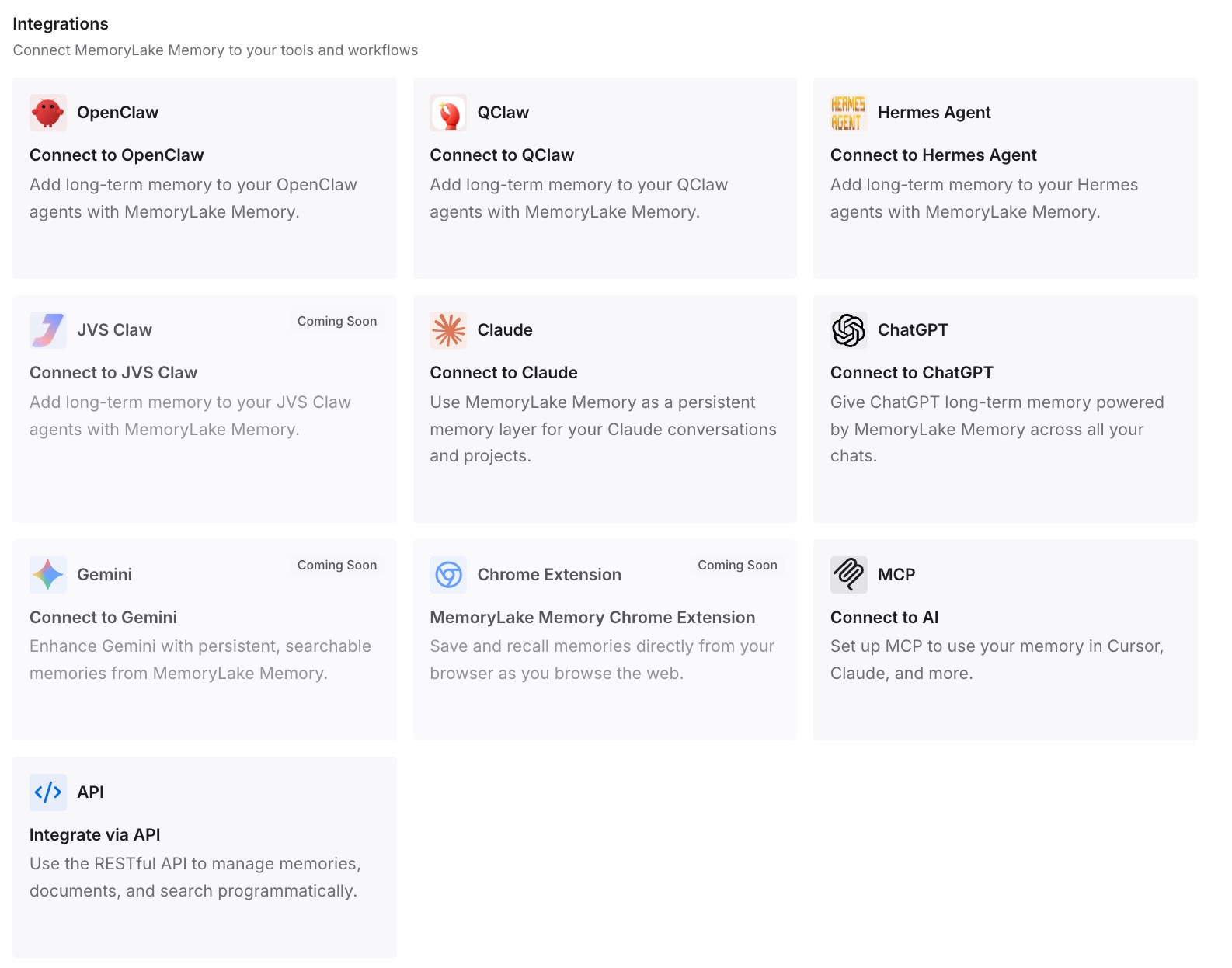
Step 3: Connect your AI & agents
Connect Claude Code and the other assistants you use. When the warning appears, starting fresh is easier because the handoff is already written.
What this changes in practice
The first difference is that you see the cost before you pay it. The warning on Pro and Max, the picker's idle time and file size, and the /usage cache line together tell you whether a resume will be cheap or expensive.
The second is that you stop paying twice. Resuming a cold session and then compacting it reads the old conversation in full to produce the summary. Choosing deliberately between resuming and starting fresh avoids that.
The third is that the old session stops being the only copy of what you learned. A short handoff means a new session can start with the conclusions and look up the rest only when you ask. Our guide to what to keep when Claude Code auto-compacts covers what survives compaction.
Best practices for resuming Claude Code sessions
Read the picker before you pick. Idle time and file size tell you most of what the warning will.
Don't compact right after a cold resume. Compact at a break while the cache is warm.
Resume for state, start fresh for answers. Goals, plans, and unfinished background work justify a resume. A decision or a command may not.
Be specific when you start fresh. Name the change, the file, or the decision you want Claude to look up.
Write the handoff before you leave. A few lines in CLAUDE.md or auto memory cost nothing to load.
Conclusion
Resuming an old Claude Code session sends the whole conversation again, and once the cache lifetime has passed, it's sent at full cost. On a subscription, that lifetime is an hour by default. Claude Code v2.1.304 now warns Pro and Max users when a resume would take a noticeable share of the five-hour limit, and offers a second path: a new conversation that looks up the old one when you refer to it.
Resume when you need the session's state back. Start fresh when you need its conclusions, and skip compacting a cold session. Then leave a short handoff before you walk away, so the next session doesn't need the transcript at all. If you're moving a session between computers instead, our guide to exporting a Claude Code session to another machine covers that case.