
What changed on October 26
The change is one line in a long release. Among dozens of fixes, v2.1.311 lists "Improved /teleport and claude --teleport to warn when a compacted cloud session loads from its last compaction, so the messages it summarized aren't in the local copy".
Two details in that sentence matter. First, the warning is about a compacted session, so a short cloud session that never compacted isn't affected. Second, the subject is the local copy. The cloud session at claude.ai/code is still there; what the note describes is what your terminal session starts with.
The same release fixed a related problem in compaction itself: "Fixed Claude seeing stale MEMORY.md and CLAUDE.md content right after automatic compaction when those files were edited earlier in the session". It also changed how a missing summary is handled: "when the model's reply has no summary in it, Claude Code now usually asks for the summary once more before it replaces the conversation". Both point at the same thing. After compaction, the summary is what the session runs on, so Anthropic is tightening what goes into it and making it visible when you inherit one.
What teleport brings to your terminal
Teleport is how you move a cloud session onto your own machine. Claude Code's cloud sessions documentation lists several ways to do it: run claude --teleport for a session picker or claude --teleport <session-id> for a specific session, run /teleport or /tp inside an existing CLI session, press t on a background session in /tasks, or copy a command from the session menu at claude.ai/code.
The documentation describes what happens next: "When you teleport a session, Claude verifies you're in the correct repository, fetches and checks out the branch from the cloud session, and loads the full conversation history into your terminal."
That sentence was written for the general case. Read alongside the October 26 release note, "the full conversation history" means the history the session currently holds. If the cloud session compacted, that history begins with the compaction summary, and the messages before it aren't part of the local copy.
The documentation is also clear that the result is a separate copy: "The terminal gets its own copy of the session: new work there stays local and doesn't appear in the cloud session on claude.ai or the Claude mobile app."
It also separates teleport from resume. --resume "reopens a conversation from this machine's local history and doesn't list cloud sessions", while teleport pulls a cloud session and its branch. If you're looking for a session you started on this machine, our guide to finding and resuming Claude Code session history covers that side.
What teleport checks first
Teleport won't start until four requirements are met. The documentation's table lists them:
- Clean git state. "Your working directory must have no uncommitted changes. Teleport prompts you to stash changes if needed."
- Correct repository. You run it from a checkout of the same repository, not a fork.
- Branch available. "The branch from the cloud session must have been pushed to the remote."
- Same account. You must be signed in to the same claude.ai account used in the cloud session.
These checks protect the code. None of them is about the conversation, which is why the October 26 warning matters: the code arrives exactly as the cloud session left it, while the conversation arrives in whatever form the session currently holds.
Why a long cloud session has probably compacted
Compaction is how Claude Code keeps a long session going. The /compact command "Summarizes the conversation to free up context", and an automatic pass does the same thing when the window fills up.
Cloud sessions compact earlier than you might expect. The documentation explains: "Cloud sessions set CLAUDE_AUTOCOMPACT_PCT_OVERRIDE themselves, so compaction triggers partway through the auto-compact window rather than when the window fills."
You can't push that later from the environment settings. The next sentence reads: "That value overrides one you add in your environment variables, so adding the variable there doesn't change when compaction triggers." What you can change is the window itself, by setting CLAUDE_CODE_AUTO_COMPACT_WINDOW in the environment variables or running /autocompact with a token count in a session where that variable isn't set.
So a cloud session that ran a long task, read a lot of files, or went through several rounds of tests has a good chance of having compacted at least once before you teleport it. The new warning tells you when that's the case.
What compaction keeps and what it summarizes
Compaction doesn't wipe the session. Claude Code's context window documentation has a table of what happens to each kind of content, and much of it comes back on its own:
- Project-root CLAUDE.md and unscoped rules are "Re-injected from disk".
- Auto memory is also "Re-injected from disk".
- The plan Claude wrote in plan mode is "Re-injected from disk".
- Rules with
paths:frontmatter and nested CLAUDE.md files reload on demand when Claude touches a matching file. - Files Claude read or edited: "Claude Code re-reads up to five, most recently modified first".
What doesn't come back as it was is the conversation. The documentation describes the process directly: "When a long session compacts, Claude Code summarizes the conversation history to fit the context window." The table also lists "Context that hooks added earlier" as "Summarized with the rest of the conversation".
In practice, the things that live only in the conversation are the ones you said out loud: the reason you rejected an approach, the edge case you asked Claude to handle, the exact error message from a test run, the constraint you mentioned once in the first hour. Those are the details a summary can shorten or drop. Our guide to aiming Claude Code's auto-compact at what you need kept covers how to steer the summary while a session is still running.
Where the files come from after teleport
One point is easy to miss. The re-injected files come from disk, and after teleport, the disk is your machine. The project CLAUDE.md is in the branch you just checked out, so it's the same file the cloud session used. Auto memory is a different story. Claude Code's memory documentation says "Auto memory is machine-local" and "Files are not shared across machines or cloud environments." So the auto memory your terminal session loads is the one on your computer.
What people try first
Assuming the warning means something went wrong. It doesn't. It tells you the session was compacted, which is normal for long cloud work. The code and the summary are intact.
Scrolling back in the terminal for the early messages. The local copy starts from the last compaction, so the summarized messages aren't there to scroll to.
Raising the compaction threshold in the cloud environment. The documentation says the cloud session's own setting overrides one you add there.
Steering from your phone after teleporting. The Remote Control documentation notes that when you pull a cloud session with /teleport, "the connected device doesn't receive the pulled conversation's earlier history." New messages flow both ways; the earlier history doesn't appear on the device.
Expecting both copies to stay in sync. New work in the terminal "stays local and doesn't appear in the cloud session". If you keep going in both places, you have two conversations.
The Fix: Write down what matters before you teleport, then check the summary when you land
Step 1: Ask the cloud session for a handoff before you pull it down
While the session is still in the cloud, ask Claude to write a short handoff: the goal, what's done, what's in progress, the decisions made and why, what was ruled out, and the next step. Ask it to include anything you said early on that still applies. That message lands after any compaction that has already happened, so it's among the recent messages your local copy receives as written.
If the session is long, run /compact with a focus first, for example asking it to keep the test results and the decisions. A focused summary keeps what you choose instead of what the automatic pass guesses is important. Our guide to writing a handoff prompt has a template you can paste.
Step 2: Move standing rules into files the session reloads
Anything that should apply for the rest of the task belongs in a file, not only in the conversation. Rules about the repository go in the project CLAUDE.md, and committing them means they arrive with the branch. The compaction table says project-root CLAUDE.md is re-injected from disk, so a rule written there survives both compaction and teleport.
Push the branch with those changes before you teleport. The teleport check requires the branch to be on the remote, and it fetches whatever is there.
Step 3: Read what arrived before you continue
After teleport, if you see the compaction warning, start with one question: ask Claude to restate the goal, the current state, the decisions it's following, and the next step. Compare that against the handoff from Step 1. If something is missing, add it in your next message or to CLAUDE.md.
Then decide where the task continues. The documentation's own wording is the reason: work in the terminal stays local. Pick one place to continue and treat the other copy as history. To keep steering from your phone, start /remote-control in the local session.
Setting this up in MemoryLake
Teleport moves a session and its branch. The context around the work, the conventions you've settled, the decisions that span several sessions, the preferences you'd otherwise repeat, sits partly in a conversation that may be compacted, partly in files on one machine, and partly in memory that stays on that machine.
MemoryLake is a memory layer for keeping that context in one list you maintain, available to Claude Code and the other assistants you connect, such as ChatGPT and Codex.
You write the entries yourself, in your own words. Nothing is read out of, written to, or deleted from your Claude Code sessions, your cloud sessions, your auto memory, your CLAUDE.md files, or any vendor's store. For work repositories, follow your organization's policy on what you keep outside them.
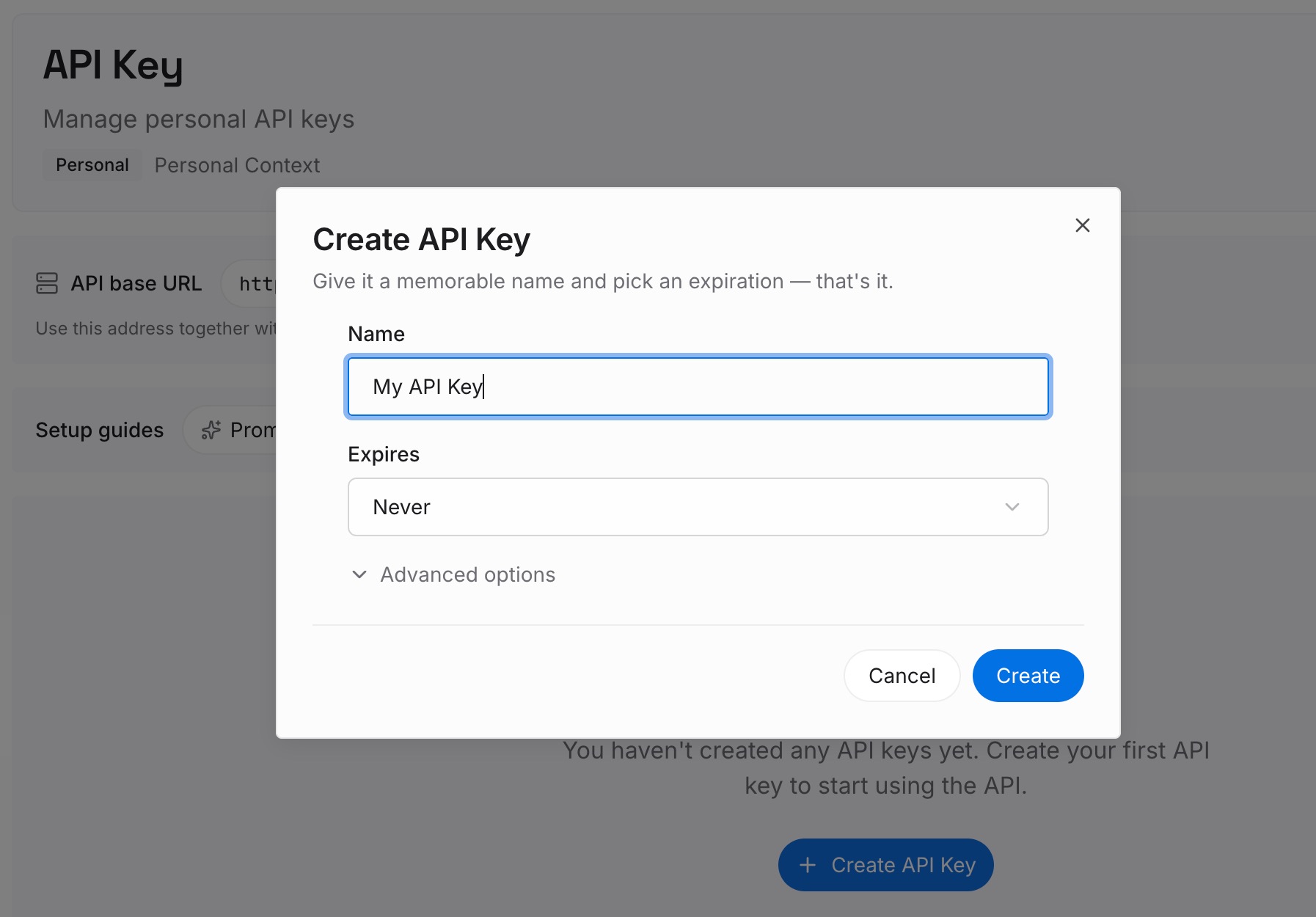
Step 1: Create an API key
Sign in and generate a key from the dashboard. The key belongs to your MemoryLake workspace and is separate from your Claude account.
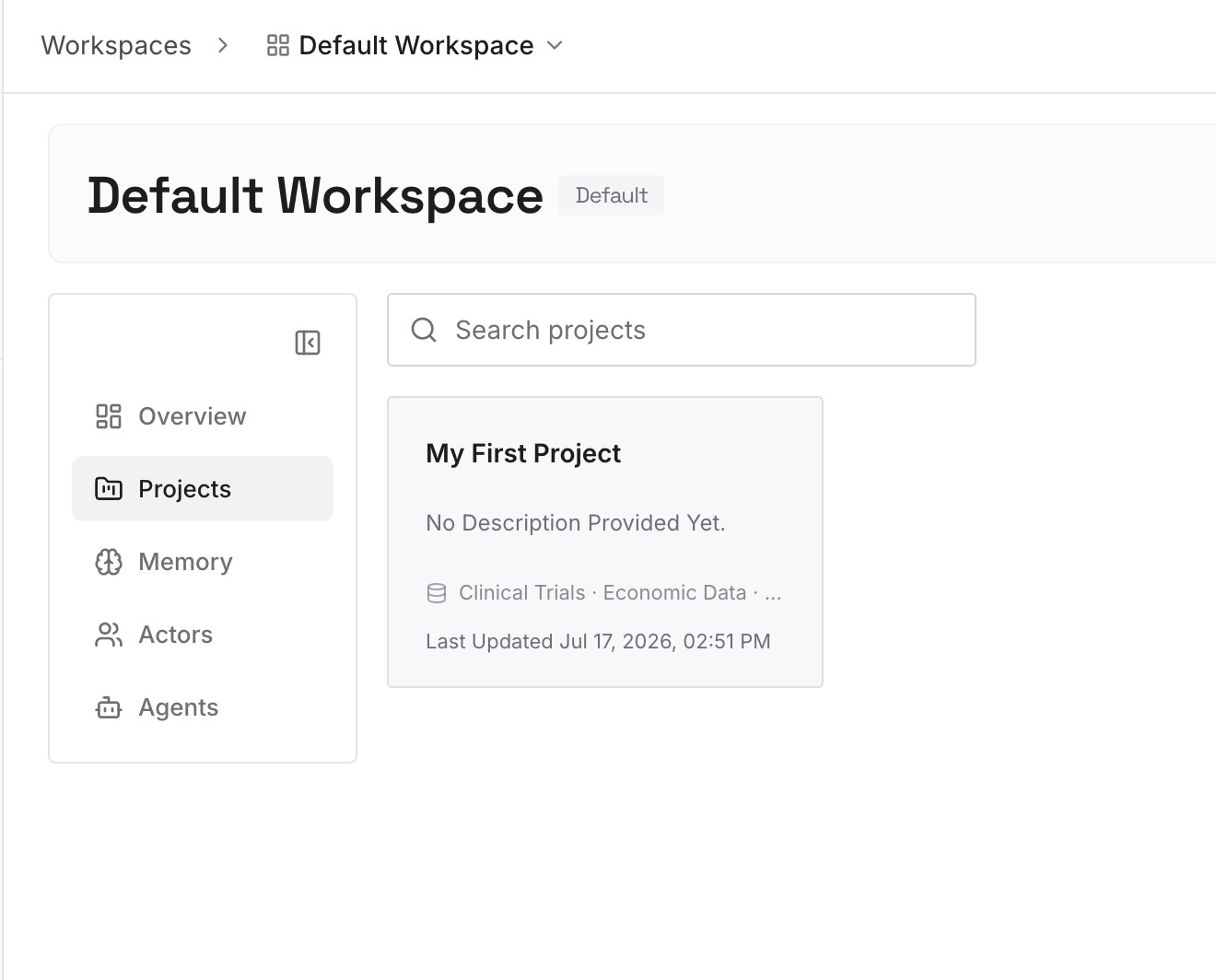
Step 2: Upload your first memories
Start with the decisions from your handoff in Step 1 of the fix, the ones that will apply to the next task as well as this one. One point per entry, dated, and labeled with the repository it belongs to.
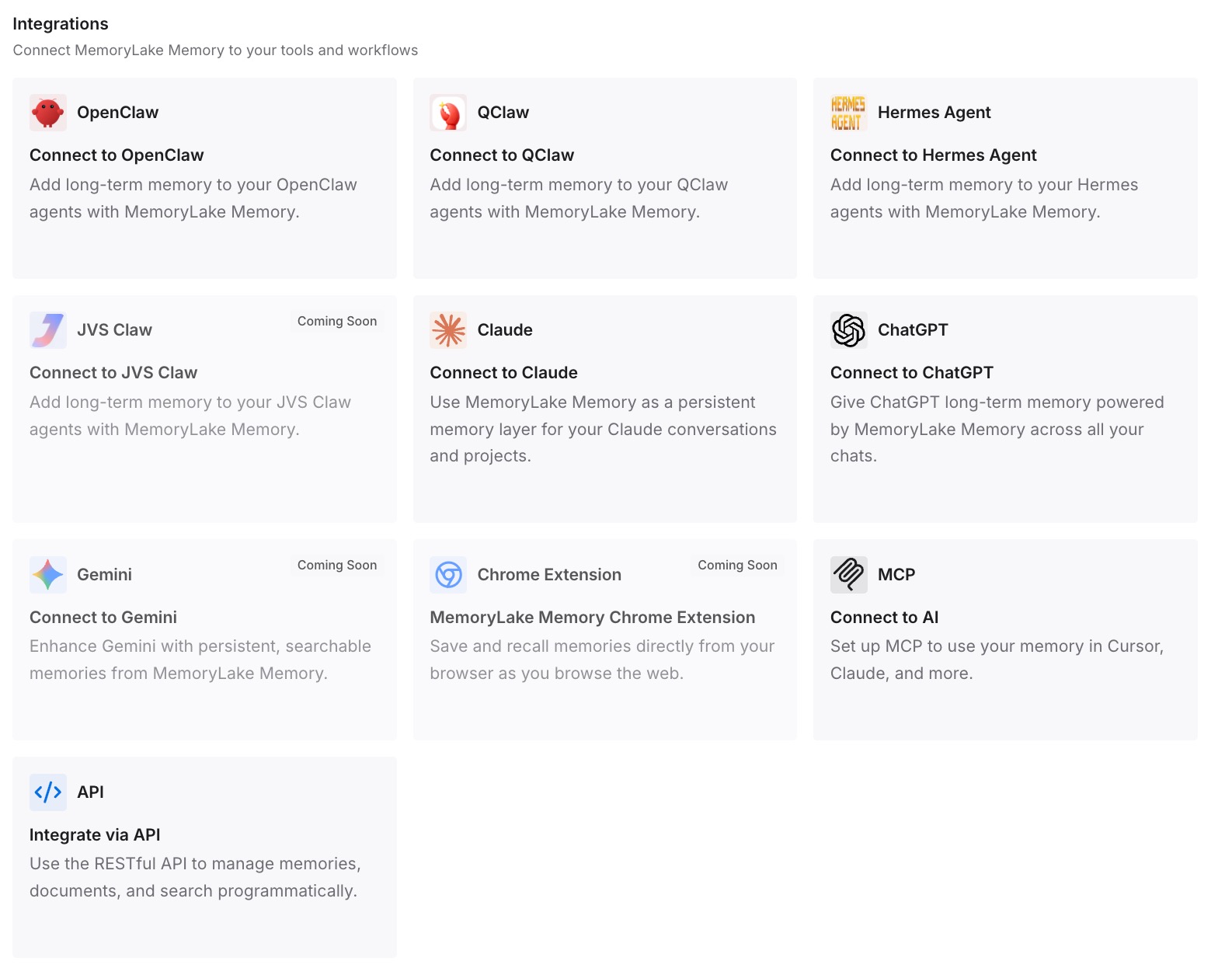
Step 3: Connect your AI & agents
Connect Claude Code and the other assistants you use. The same context is available whether a session runs in the cloud, on your laptop, or after you teleport it.
What this changes in practice
The first difference is that the warning stops being a surprise. You know a long cloud session has probably compacted, and you know your terminal starts from that summary.
The second is that nothing you care about lives only in the early messages. The handoff and the files carry it, and both survive compaction and teleport.
The third is that you choose where the work continues. One copy moves forward; the other is a record. If you've also forked a remote session from the Claude app, our guide to forking a Claude Code remote session covers the same question for that kind of copy.
Best practices for teleporting Claude Code cloud sessions
Assume a long cloud session has compacted. Cloud sessions set their own compaction threshold, and it triggers before the window fills.
Ask for a handoff while the session is still in the cloud. It becomes part of the history your terminal receives.
Compact with a focus before a long session ends. Tell it what to keep.
Commit standing rules to the project CLAUDE.md. It's re-injected from disk after compaction and arrives with the branch.
Push before you teleport. The branch must be on the remote.
Read the restated plan before you continue. It's the quickest check of what the summary kept.
Continue in one place. The terminal copy and the cloud session don't sync.
Conclusion
Teleport brings a Claude Code cloud session's branch and conversation into your terminal. Since v2.1.311, it also warns when that session was compacted, because the local copy starts from the last compaction and the messages it summarized aren't included. Cloud sessions compact partway through the window by design, so this applies to most long cloud work.
The code is safe either way. What needs care is the conversation: the decisions, constraints, and details you said once. Ask for a handoff before you teleport, commit the rules that should outlast the task, and check the restated plan when you arrive. If you've stepped away from a long session and come back to a summary rather than a teleport, our guide to Claude Code's idle compaction covers that case.